


GPT-4o Officially Launches: The New Multimodal Super AI
OpenAI’s ChatGPT has just taken a major leap forward with GPT-4o (also known as Omni), a new generation of multimodal super AI. Beyond understanding language, GPT-4o handles images, video and audio with ease, opening an era of multi-sensory interaction between people and machines. Its outstanding processing speed and the natural conversation abilities coming soon promise breakthrough experiences unlike anything before.
The most notable highlight of GPT-4o right now is that it brings sharp reasoning, fast information processing and impressive natural-language ability to the free version of ChatGPT for the first time. In its Spring Update announcement, OpenAI stated its wish to put top-tier artificial intelligence in the hands of a wide base of users.
GPT-4o will roll out in phases, bringing users fresh and exciting experiences. Let’s look at the features that are already available and those coming soon to this model. Once your account is upgraded, getting to GPT-4o is very easy. Check out the detailed guide below to get started!
Accessing GPT-4o on ChatGPT
OpenAI’s move of the ChatGPT access address from chat.openai.com to ChatGPT.com is more than a simple domain change. It reflects the company’s big ambition to make artificial intelligence a flagship product rather than an experimental project. If you are among the lucky users with early access to GPT-4o, this multimodal super AI will accompany you anytime, anywhere, on both the mobile app and the web platform.
Good news for Mac users: the ChatGPT app has started rolling out! However, beware of suspicious links, because bad actors are exploiting this moment to spread malware. To stay safe, the best approach is to wait patiently for an official email or notification from OpenAI containing a safe download link.
Even if you already have the ChatGPT app download link, you still can’t use it right away if your OpenAI account hasn’t been granted access to GPT-4o. Don’t be discouraged if you see the message “You don’t have access”. Just be patient and wait for your turn!
Breakthrough Features of GPT-4o
Although GPT-4o has officially launched on ChatGPT, for now you can only experience its superb conversational ability. The “top-notch” features such as image, video and audio processing will be unlocked gradually over the coming weeks, with priority for Plus and Team users.
Free account users will enjoy the full power of GPT-4o, which is not only far better than the earlier 3.5 version but also a significant step up from GPT-4 itself. You can now freely explore running code, analyzing images and text files, and even customizing your own GPT chatbot.
On mobile devices, you can still access ChatGPT Voice, but it is the version released last year. Here’s how to tell the difference: try chatting, end the conversation, and see whether everything has been converted to text in the chat. If it has, that’s the old model. The new model doesn’t need this step because it understands human voice, emotion and interaction naturally, without converting speech to text first.
Log In to ChatGPT
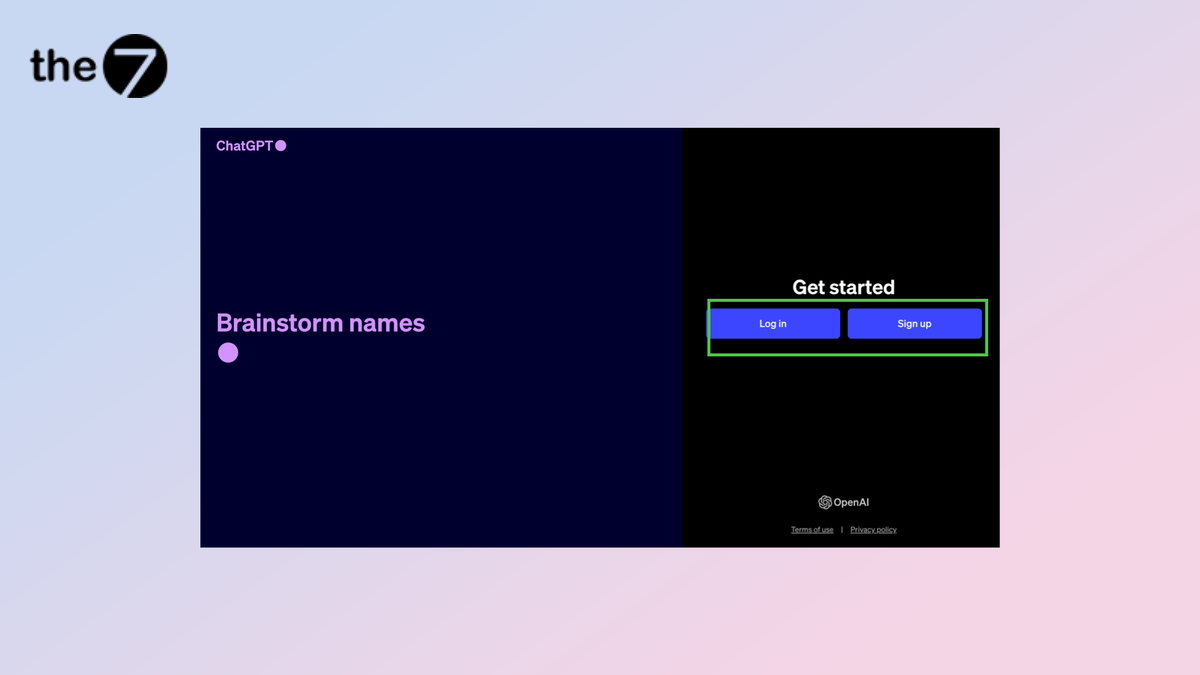
Whether you use the paid or free version of ChatGPT, the first step you can’t skip is logging in to your account. You can go directly through the website or download the app to your mobile device. If you don’t have an account yet, sign up quickly so you don’t miss out on the great experiences this super AI offers!
Choose an AI Model
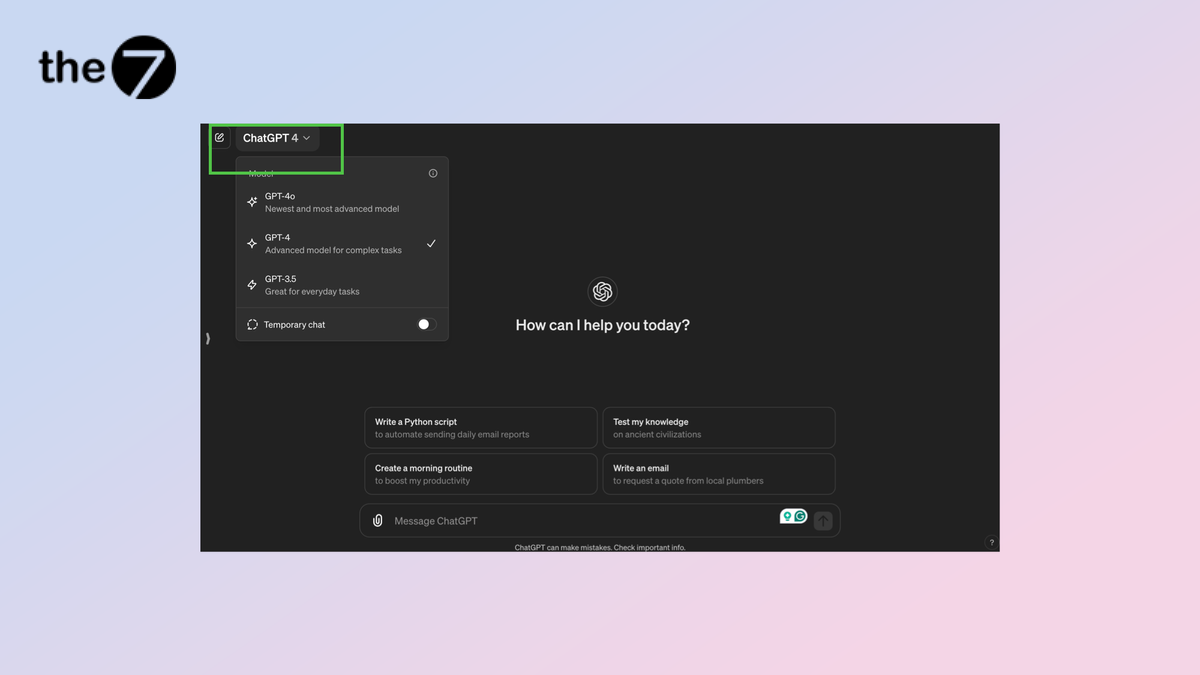
To check whether you’ve been “chosen” for GPT-4o, look at the drop-down menu near the top of the screen, which lists the AI models. On the web, GPT-4o may already be selected by default, but you may also be using GPT-4 or GPT-3.5. If you don’t see GPT-4o, don’t worry. You just need to wait a little longer.
On the mobile version, the sign is even easier to spot. If you’re among the lucky users, the words “ChatGPT 4o” will appear right in the middle of the navigation bar, like a welcome to the exciting world of multimodal AI.
Start a Conversation
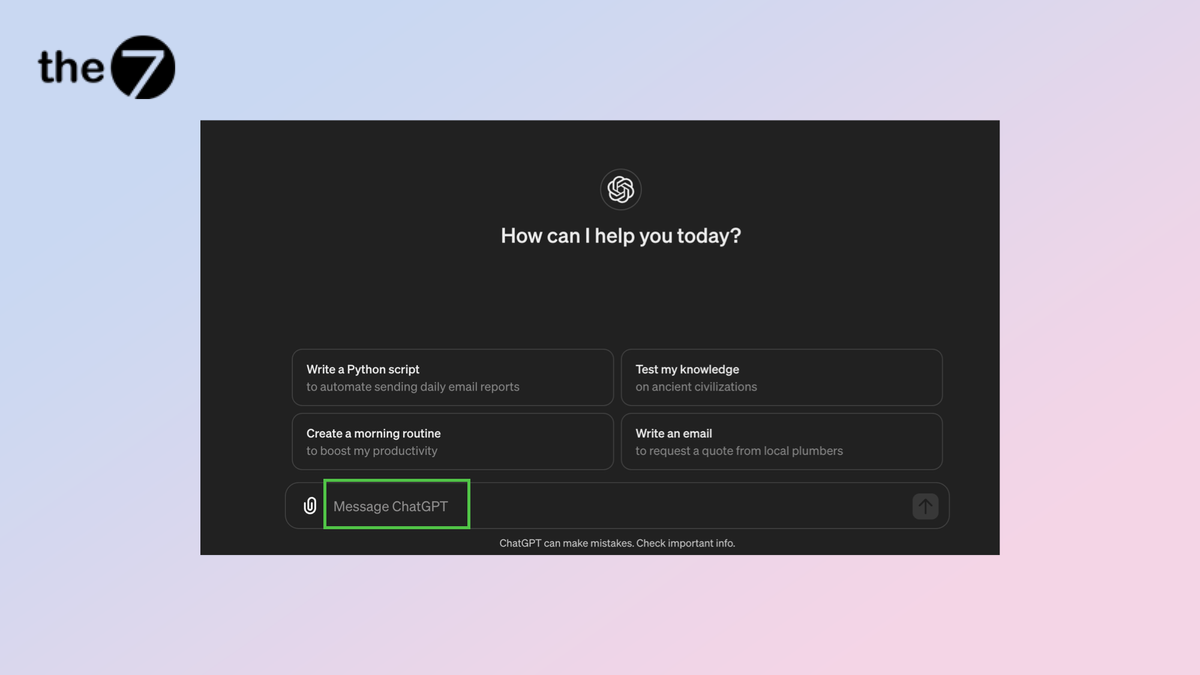
If you’re lucky enough to have access to GPT-4o, you can start chatting right away, just as you would with the familiar GPT-4. Keep in mind, though, that the number of messages per day is limited, especially on the free plan. Don’t worry if your conversation hits the limit: you can keep going with GPT-4 or GPT-3.5.
Switch AI Models Mid-Conversation
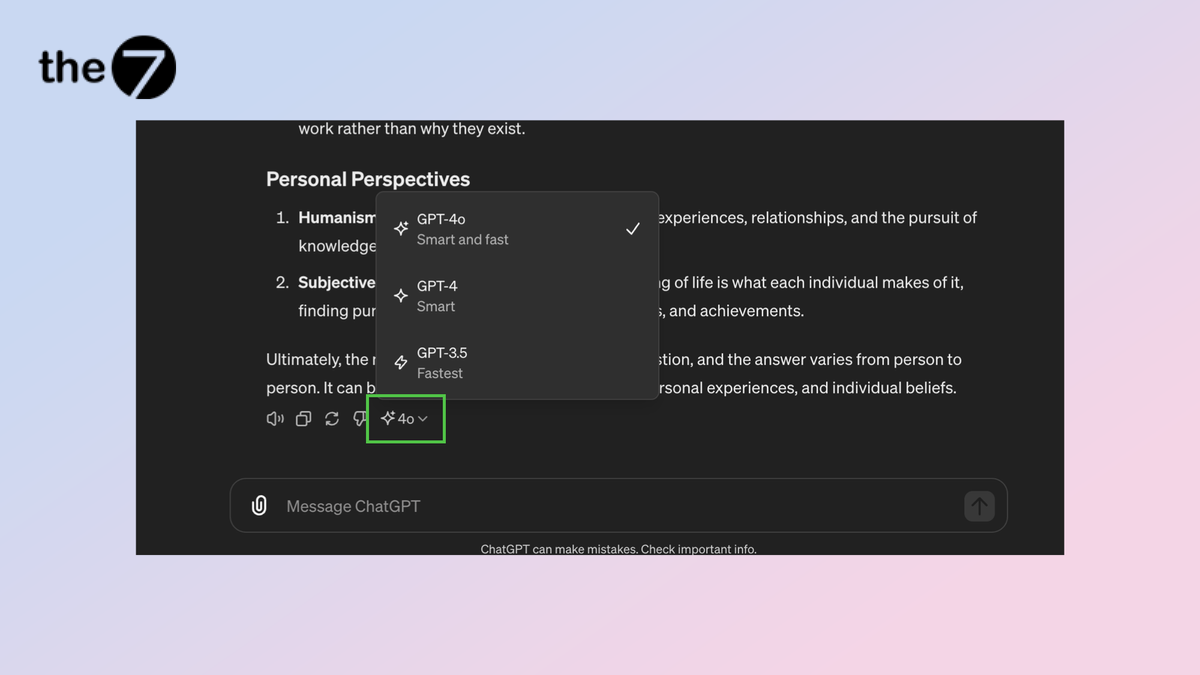
It’s great that you can easily switch between AI models right in the middle of a conversation! For example, you can start with GPT-3.5 to save your precious GPT-4o usage. When you hit a more complex question, just tap the sparkle icon at the end of GPT-3.5’s answer.
A menu of AI models will appear, letting you pick GPT-4o to put its superpowers to work on hard problems, such as complex calculations. The next answer will be powered by GPT-4o right away.
Upload Files
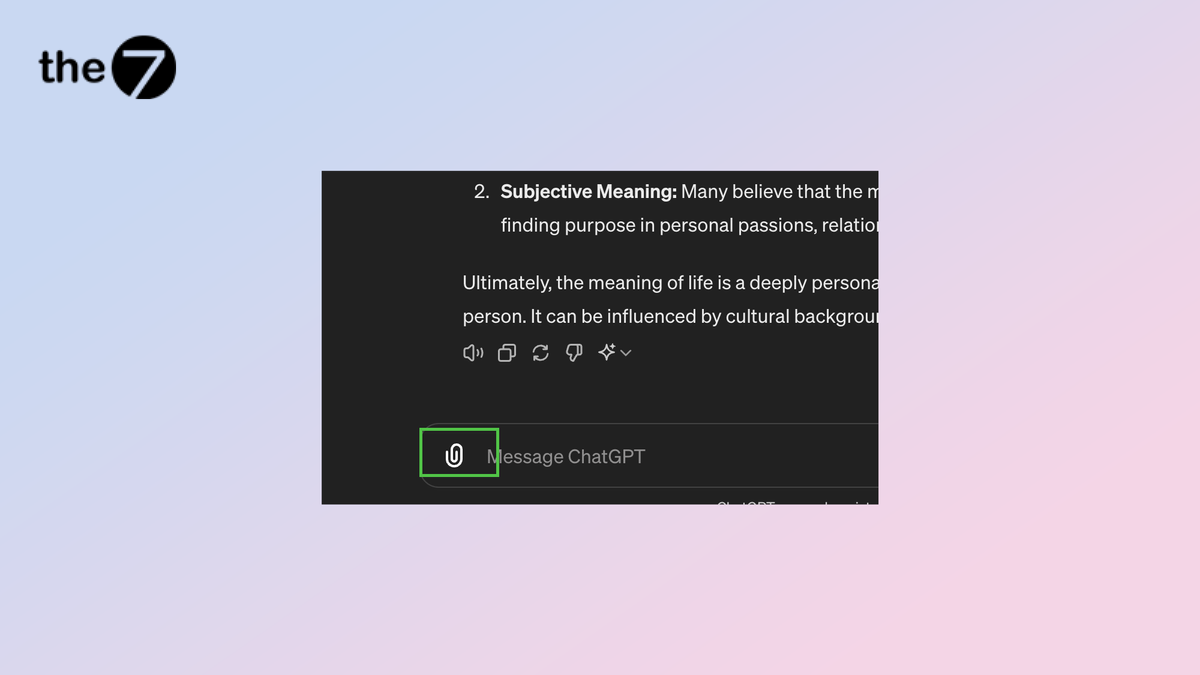
If you’re using GPT-4o on the free plan, you can now send files for GPT-4o to analyze, in many formats from images and video to PDFs. Don’t hesitate to ask any question about the contents of these files. GPT-4o is ready to answer all your questions.
>>> See more: Learn About ChatGPT and Why It Matters

Nguyễn Đình
Bảo




As CEO of The7, I am committed to sharing practical, useful knowledge with every reader. Every article on The7 is based on my 7 years of hands-on experience in marketing — Facebook advertising, LinkedIn advertising, Google advertising, and marketing strategy. I hope you take away plenty of insight from these posts and apply it successfully in practice.
Related Articles

7 Social Media Trends for 2026: The Era of Real Value, Real Conversion, and Real People
Table of Contents Toggle Social media is entering the biggest restructuring of the decadeTrend 1: Why is buying directly in-app becoming the new standard for 2026? (On-Platform Conversion)What should businesses...
Artificial Intelligence (AI) Helping Solve Environmental Problems: Potential and Challenges
Artificial intelligence (AI) is driving a powerful revolution, reshaping life across many fields. With the strength of breakthrough technologies, AI is expected to be a key to solving global environmental...

How Coca-Cola Cleverly Uses AI in Flavor Development and Media Strategy
When people think of Coca-Cola, they usually picture explosive ad campaigns and a vibrant brand image. Few realize, however, that this beverage “giant” is quietly driving a marketing revolution with...
5 AI-Driven Content Trends Taking Off in 2024
In the ever-changing world of marketing, innovation is the key to success. Staying ahead of trends and understanding customer needs are essential for any business that wants to claim a...
Applying Generative AI to Content Creation
Content creation has moved to center stage. Whether it’s a blog post, a marketing campaign, or a social media update, businesses and individuals are constantly competing to produce fresh content...

Big Data in Digital Marketing
Relying on guesswork and gut instinct to make business decisions is quickly becoming obsolete. With the rise of artificial intelligence (AI), businesses are shifting toward a data-driven approach. This is...


