


LinkedIn Advertising Guide for Beginners
LinkedIn offers businesses a huge opportunity to reach potential customers, build their brand, and even find talent to grow with. In this article, let’s join The7 in exploring how to run LinkedIn advertising, bringing your brand and business closer to your target audience!
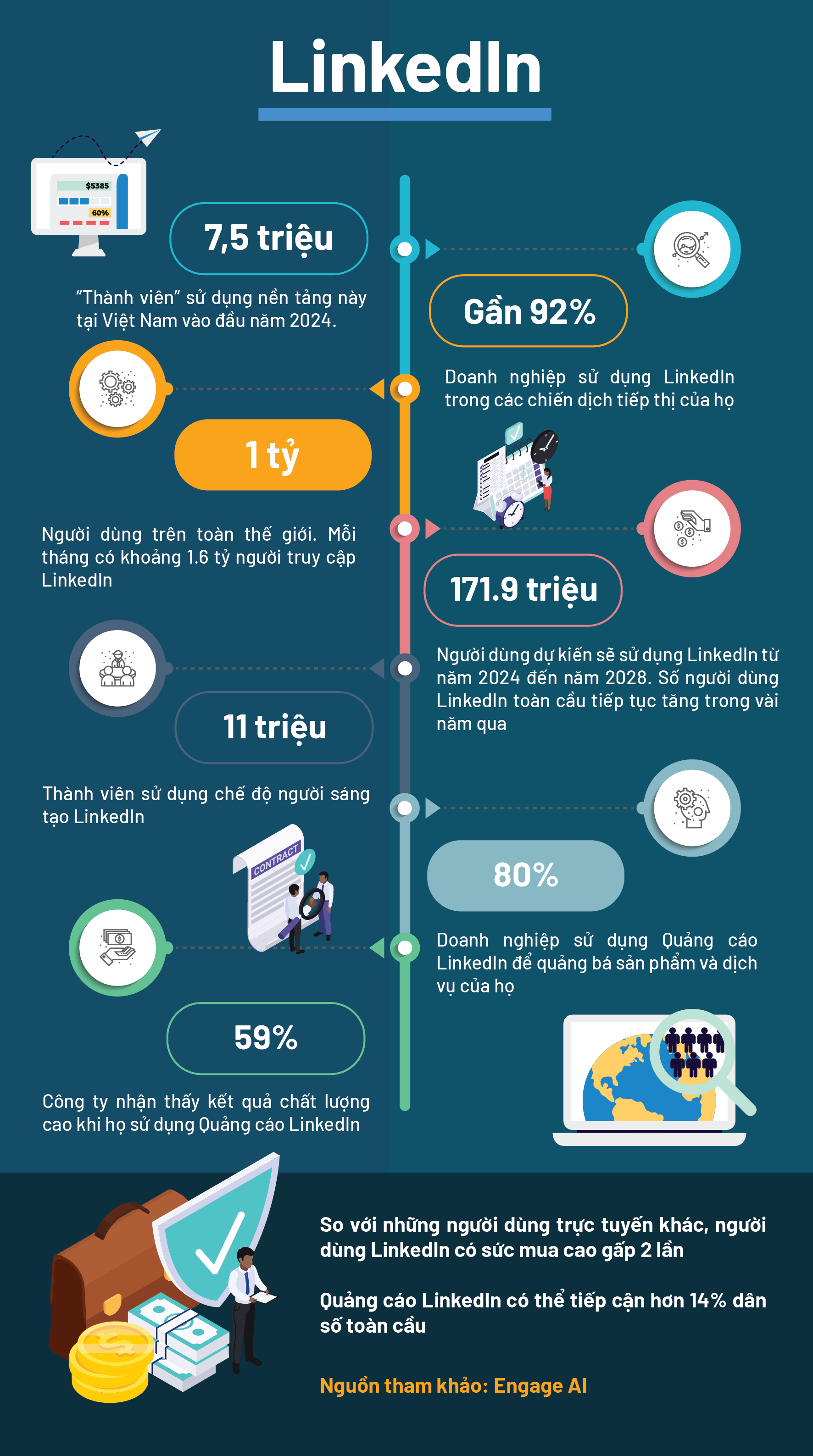
What is LinkedIn Advertising – LinkedIn Ads?
LinkedIn Advertising (LinkedIn Ads) is a paid advertising format on the LinkedIn social network. This advertising format allows businesses and individuals to create ad campaigns to reach LinkedIn users based on their personal information and professional groups.
LinkedIn Advertising can appear in many formats, including display ads, video ads, targeted ads, and more. LinkedIn Ads are used to drive goals such as building brand awareness, creating engagement with users, increasing website traffic, driving conversions, and increasing sales through this social media platform.
Notably, LinkedIn’s algorithm is not as complex as Facebook’s, so you can take advantage of this to run effective LinkedIn ads at a lower cost. LinkedIn Ads suits businesses and the B2B market — if you’re a B2B advertiser, LinkedIn is truly a goldmine you can tap into.
Types of ad placements on LinkedIn advertising
LinkedIn gives advertisers many options for where to place their ads.
Sponsored Content
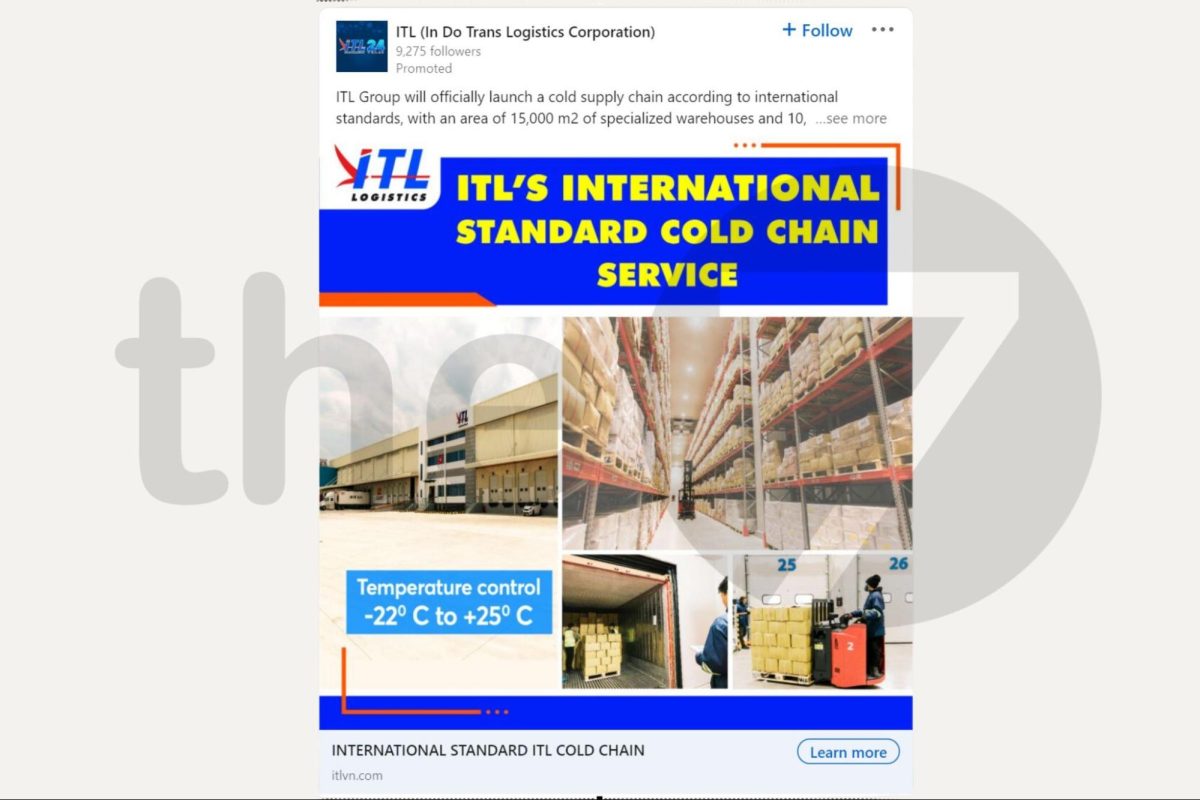
Sponsored Content is labeled by LinkedIn as advertising to distinguish it from regular content. It’s distributed across the LinkedIn News Feed.
When using Sponsored Content, you can choose between LinkedIn carousel ads, single image ads, or video ads.
Sponsored Messaging
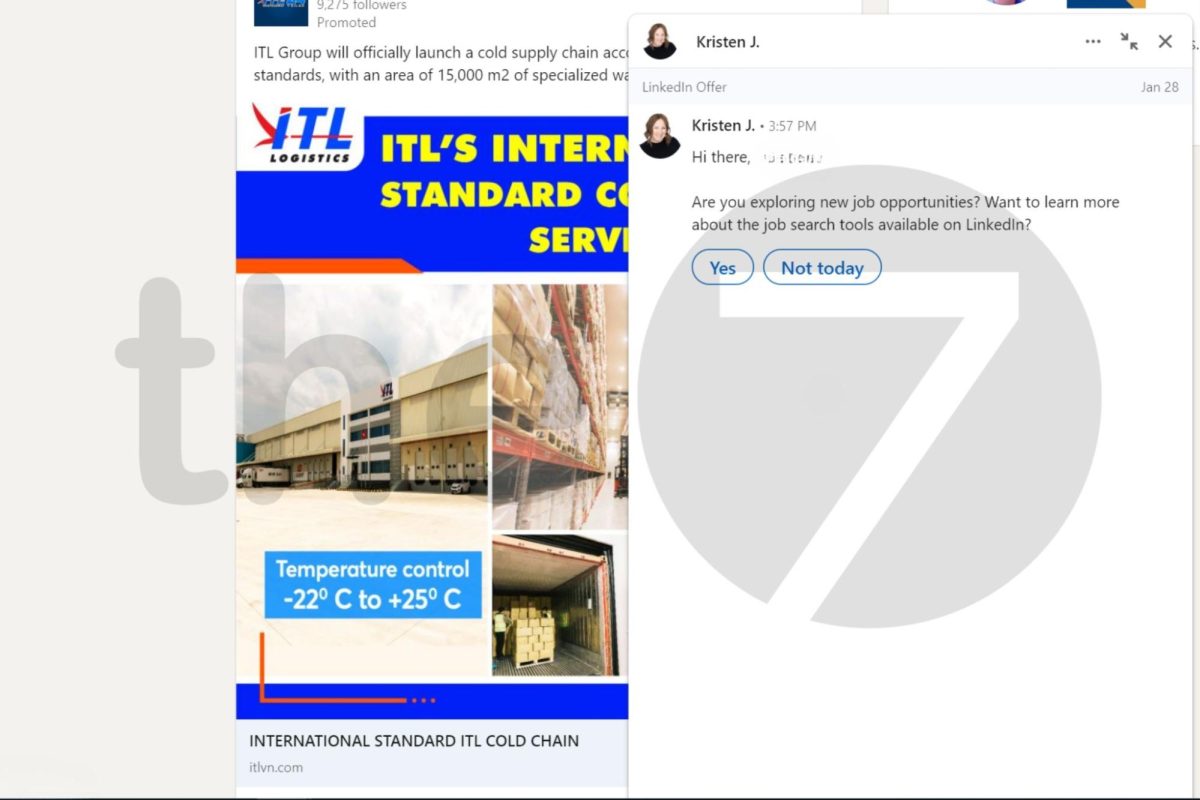
Sponsored Messaging (formerly InMail) lets businesses advertise directly to LinkedIn users’ inboxes.
Note that LinkedIn limits the number of audiences that can receive Sponsored Messaging each month. A campaign’s target audience won’t receive more than one of your ads more than twice within a short timeframe.
89% of users want businesses to keep in touch with them via messaging. However, only 48% of businesses currently maintain engagement with their existing customer base through this format.
LinkedIn Text Ads
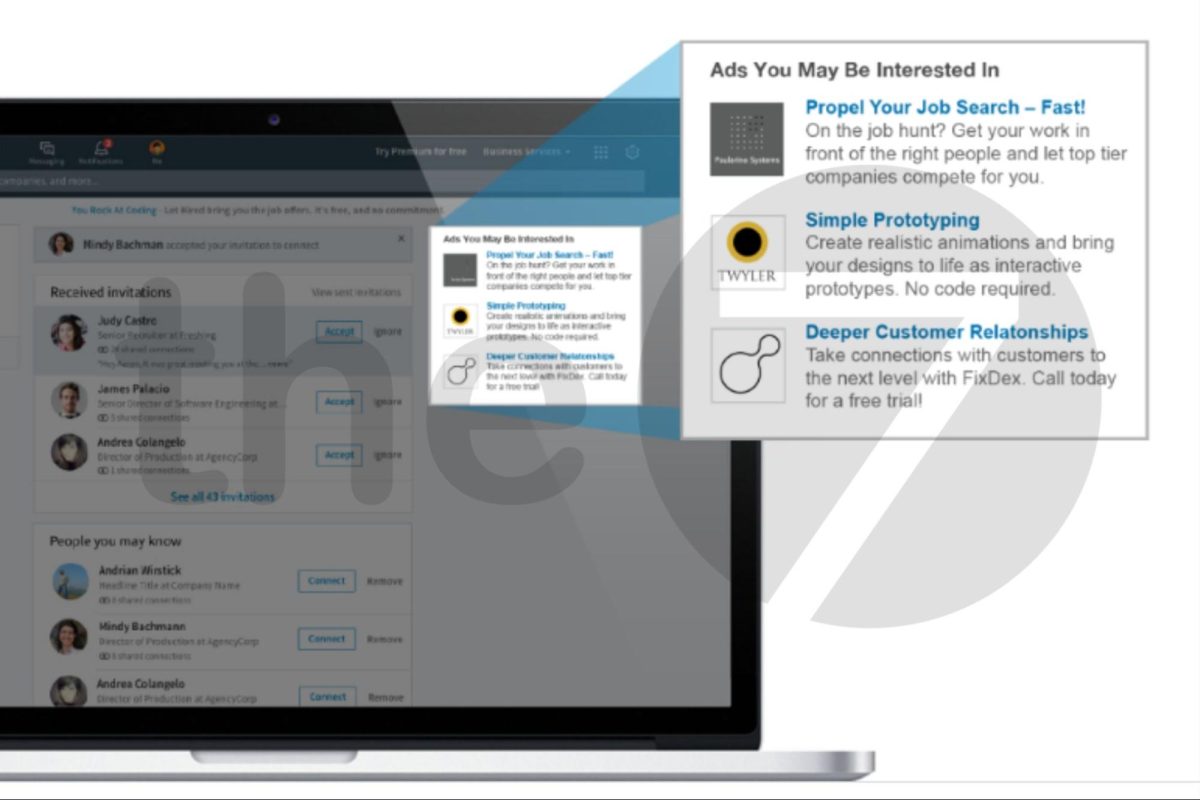
Text Ads display along the top and right-hand column of the LinkedIn desktop interface. This is a good option if you want to build a professional customer base.
Dynamic Ads
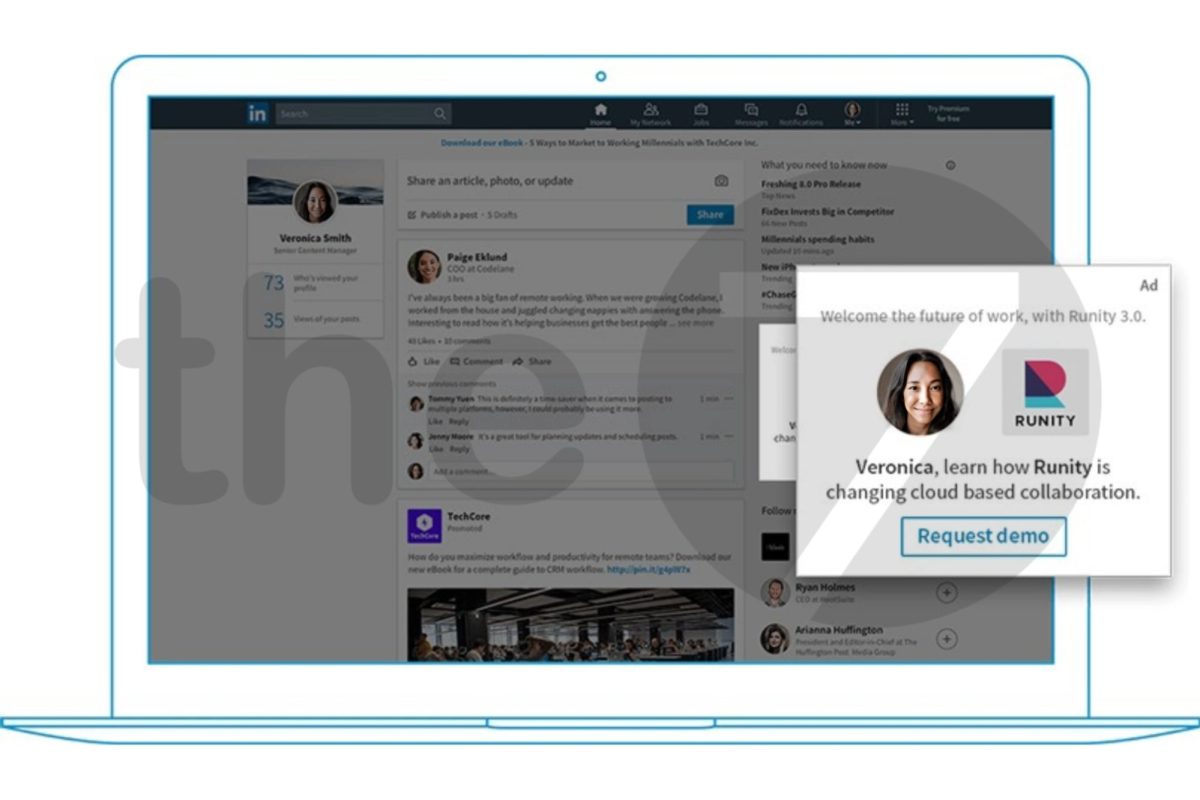
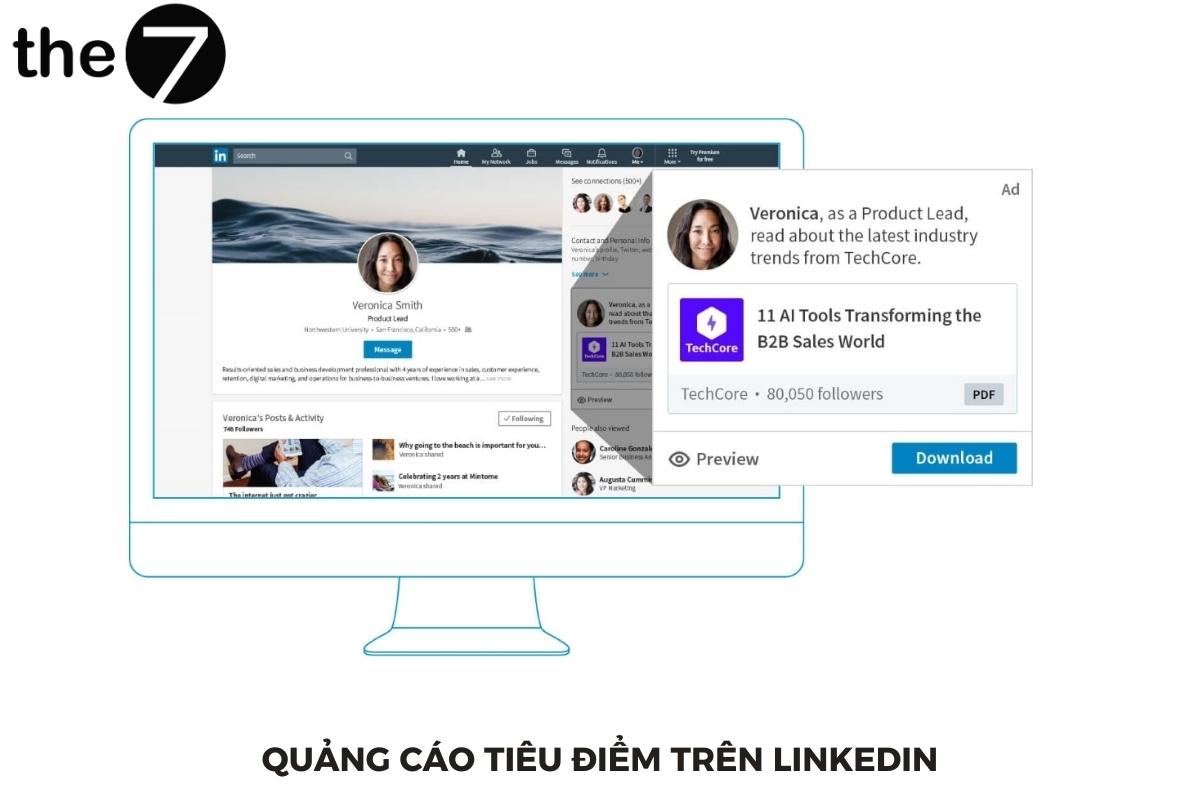
Dynamic Ads appear on the right side of the LinkedIn homepage and interact with users based on a personalized experience. Their personal information, such as photo and job title, is used within the message content.
Dynamic Ads can interact directly with users, but you need to be mindful of how much personalization can influence their opinions.
Follower Ads and Spotlight Ads are two forms of dynamic ads on LinkedIn.
>>>>> You may also want to check out: What is LinkedIn? How to create an account and use LinkedIn effectively
Common LinkedIn advertising objective types
Boost brand awareness
Awareness campaigns encourage viewers to discuss your products, services, and brand. Through display campaigns, you can:
- Increase followers: Grow the number of people following your page.
- Increase views and engagement: Generate more views and engagement from the community.
Encourage customer action
Consideration campaigns help you gauge how familiar your target customers are with your brand.
This ad type is optimized to achieve the following goals:
- Website visits: Increase views on your website and landing pages.
- Engagement: Drive more likes, comments, shares, website visits, and activity on other social media platforms.
- Video views: Share your business story, new products, or everyday content through video.
Grow potential customers
Conversion campaigns help you convert potential customers or drive sales — consider conversion ads for this.
This ad type helps meet three goals:
- Lead generation: Attract potential customers by using forms that integrate data directly from LinkedIn.
- Website conversions: Drive website traffic to download an ebook, sign up for a newsletter, or purchase a product.
- Recruit candidates: Advertise your company’s latest job openings through job postings.
10 most effective LinkedIn ad formats in 2024
Depending on your promotional goals and LinkedIn Marketing strategy, your business should choose the LinkedIn advertising formats that fit best. Below are some of the most popular LinkedIn Ads types.
| Advertising objective |
Ad format |
|||||||||
|
Single image ads |
Carousel image ads | Video ads | Text ads | Spotlight ads | Follower ads | Conversation ads | Message ads | Single job ads | Job ads | |
|
Brand Awareness |
x |
x | x | x | x | x | x | |||
|
Website visits |
x |
x | x | x | x | x |
x |
|||
|
Engagement |
x |
x | x | x |
x |
|||||
|
Video view |
x | |||||||||
|
Lead generation |
x |
x | x | x |
x |
|||||
|
Website conversions |
x |
x | x | x | x | x |
x |
|||
|
Job applicants |
x |
x |
x |
x |
||||||
Summary table of all ad formats by objective type
Single image ads
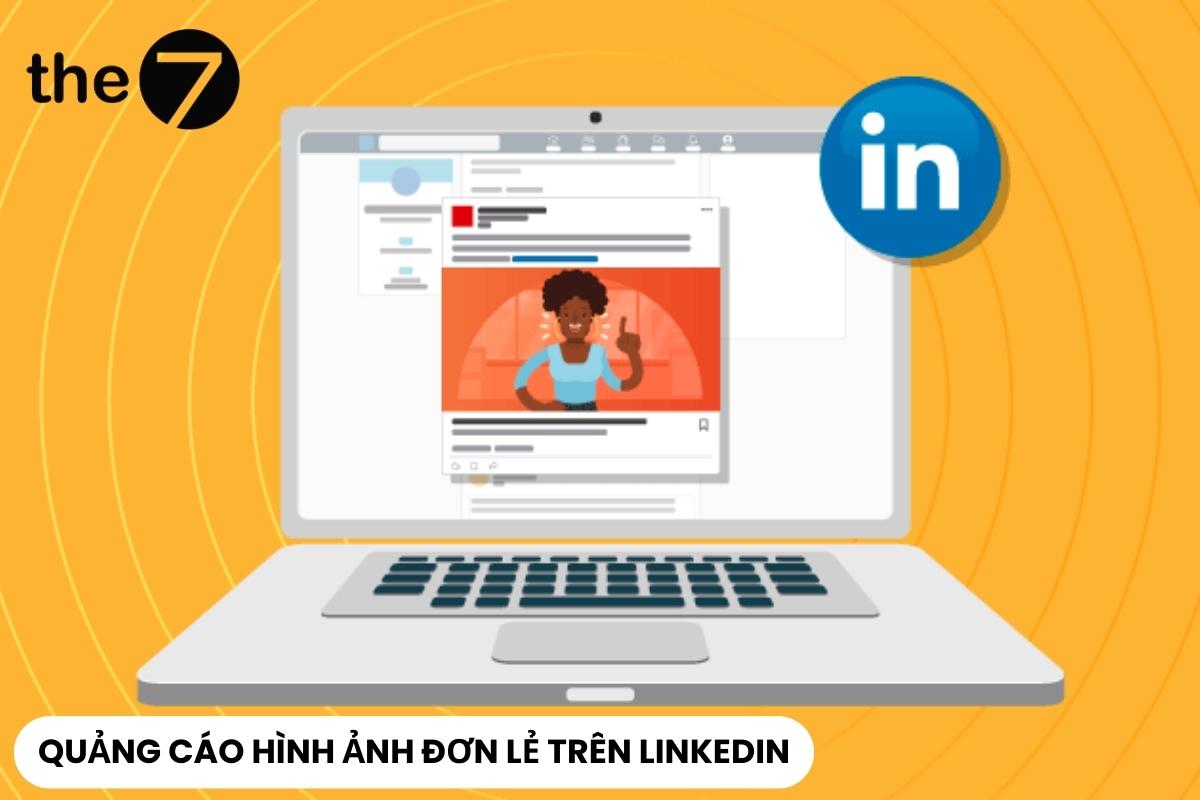
Single Image Ads appear on the LinkedIn homepage like regular posts, but are easily identified by the “promoted” caption that sets them apart from organic content.
This ad format focuses on a single image with the goal of boosting brand awareness, driving website traffic, engagement, website conversions, as well as generating leads and job applicants.
LinkedIn Single Image Ad specs include:
- Ad name (optional): Up to 225 characters.
- Introductory text: Up to 150 characters.
- Destination URL: Up to 2,000 characters for the destination link.
- Ad image: Use a JPG, GIF, or PNG file no larger than 5MB; maximum image size is 7680 x 7680 pixels.
- Headline: Up to 70 characters to avoid truncation (though up to 200 characters can be used).
- Description: Up to 100 characters to avoid truncation (though up to 300 characters can be used).
Video Ads
Video LinkedIn Ads are an ad format that creates engagement and leaves a strong impression. Thanks to Video LinkedIn Ads, businesses have the opportunity to showcase their brand to their target customers.
Goal: generate quality video views, create engagement, highlight customer experiences, reveal new products, promote internal company culture.
Specific specs for LinkedIn video ads include:
- Ad name (optional): Up to 225 characters.
- Introductory text (optional): Up to 600 characters.
- Video length: From 3 seconds to 30 minutes (though high-performing video ads tend to be short, 15 seconds or less).
- File size: From 75KB to 200MB.
- Frame rate: Less than 30 frames per second.
- Width: From 640 to 1920 pixels.
- Height: From 360 to 1920 pixels.
- Aspect ratio: From 1.778 to 0.5652.
Carousel Ads
Carousel Ads on LinkedIn use a series of swipeable cards, creating an opportunity to tell your brand’s story, showcase products, or share detailed information. The key here is to use images with strong visual impact to encourage readers to swipe and discover more.
Goal: increase brand awareness, drive website traffic, engagement – website conversions, generate leads.
Detailed specs for LinkedIn Carousel Ads include:
- Ad name: Up to 255 characters.
- Introductory text: Up to 150 characters to avoid truncation on some devices (255-character total limit).
- Cards: From two to 10 cards.
- Maximum file size: 10 MB.
- Maximum image size: 6012 x 6012px.
- Media format: JPG, PNG, GIF (static only, no animation).
- Character restrictions: No more than two lines in each card’s headline text, a 45-character limit for ads leading to a destination URL, and a 30-character limit for ads with a form-signup CTA.
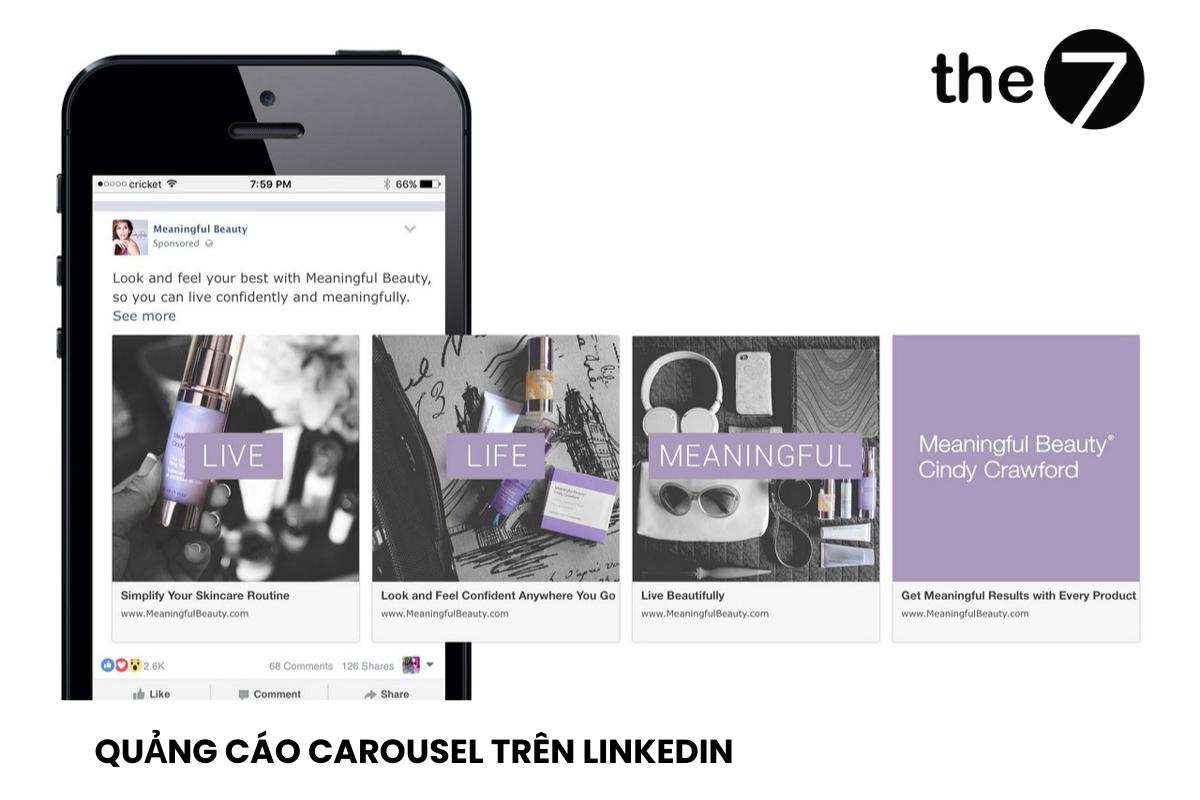
Important information about Carousel Ads on LinkedIn includes:
- Number of cards: You can add from 2 to 10 image cards in a single Carousel ad.
- Headline and description: Each card can come with its own headline (up to 745 characters) and description (up to 255 characters), helping you present a detailed message for each section.
- Image file type: PNG or JPG (maximum file size 10MB and minimum resolution 1080 x 1080 pixels).
- Image ratio: 1:1
- Links: You can add one link to each card to direct viewers to a specific website or product page.
Text Ads
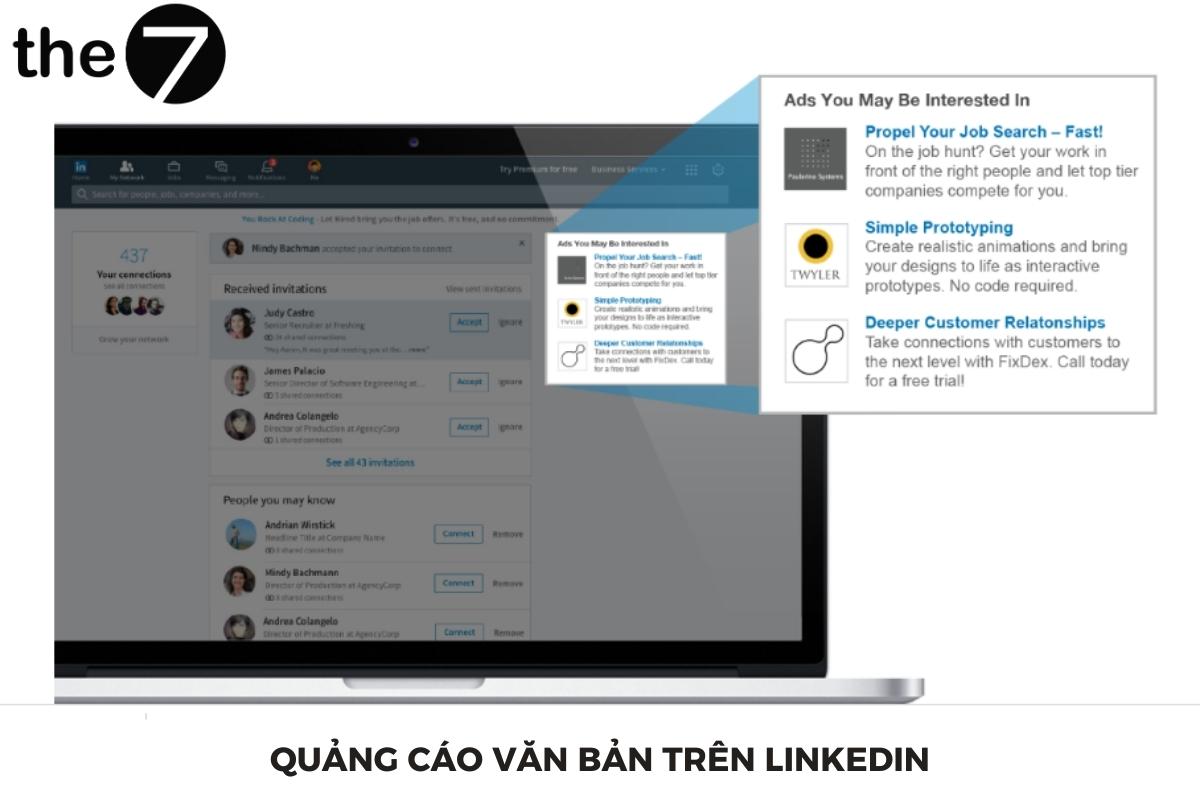
Text LinkedIn Ads display at the top and on the right side of the LinkedIn desktop interface.
Text ads focus on written content, without images or video. They’re well suited for important messages or information that needs to be communicated directly.
Goal: Build and improve your potential customer base
Below are the key specs for LinkedIn text ads:
- Headline: You’re allowed up to 25 characters for the headline.
- Text: Includes 60 characters, allowing you to present your message in a general way.
- Image: JPG or PNG with a file size of up to 2MB.
- Image size: 100×100 pixels to ensure your ad looks professional and appealing.
Job Ads
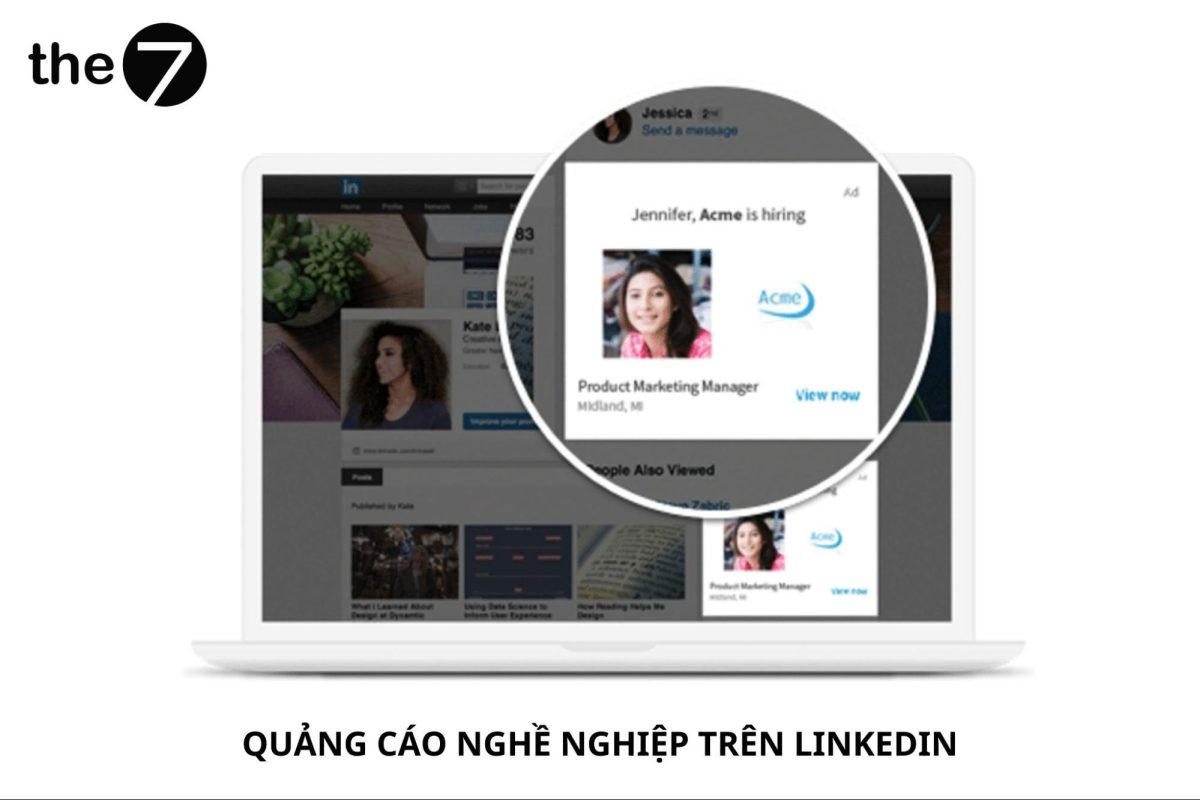
Job LinkedIn Ads have a click-through rate up to 50 times higher than the average job ad on other platforms. This is thanks to LinkedIn Ads skillfully leveraging the employee network and preventing competitors’ ads from appearing on your employees’ profiles.
Goal: Attract job applicants and increase website traffic.
Detailed specs for LinkedIn job ads include:
- Company name: Up to 25 characters.
- Company logo: Recommended size 100 x 100px.
- Ad headline: Up to 70 characters, or you can choose a preset headline option.
- CTA (Call to action): Up to 44 characters if using custom text; or a preset option is available.
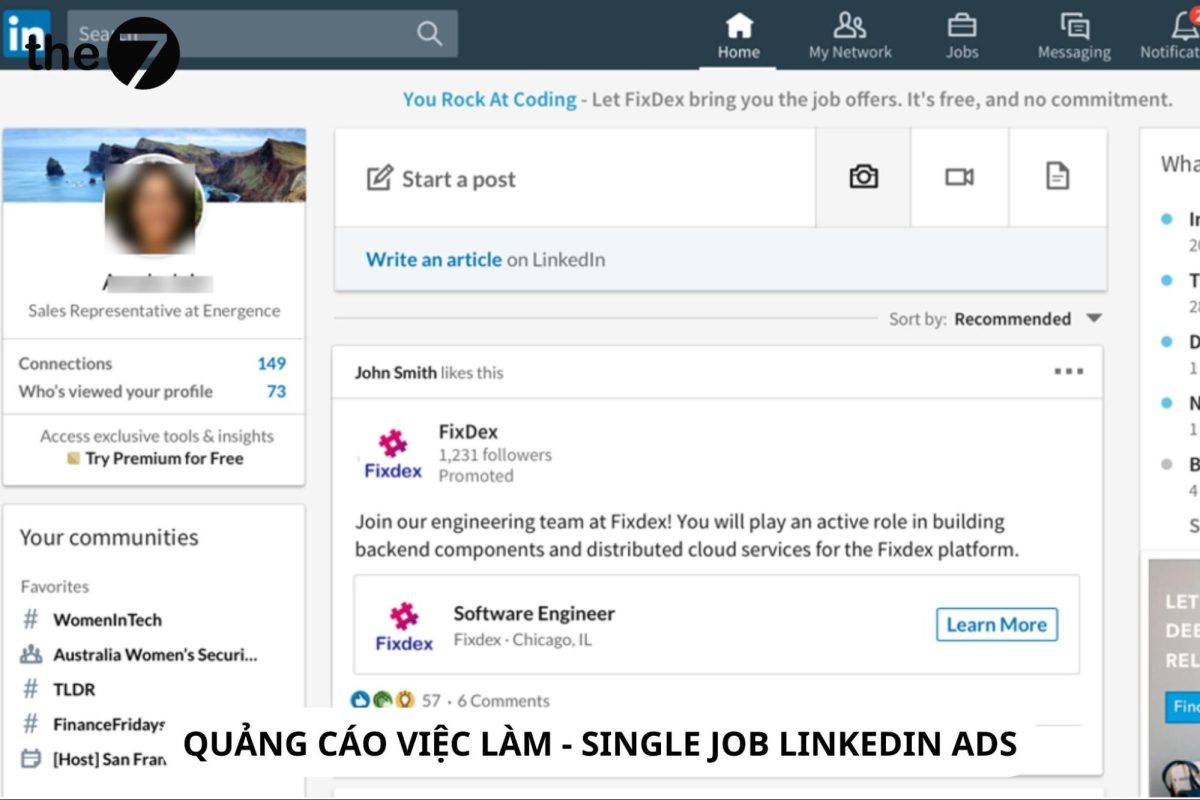
Single Job Ads
Single Job LinkedIn Ads push job opportunities directly into your partners’ newsfeeds. If you’re struggling to find the perfect candidate or need to hire, these ads are a great choice.
The goal of a LinkedIn single job ad campaign is to generate job applications.
Detailed specs for LinkedIn single job ads include:
- Ad name: Up to 255 characters.
- Introductory text: Up to 150 characters to avoid truncation (up to 600 characters on desktop); any legally required language must also be included here.
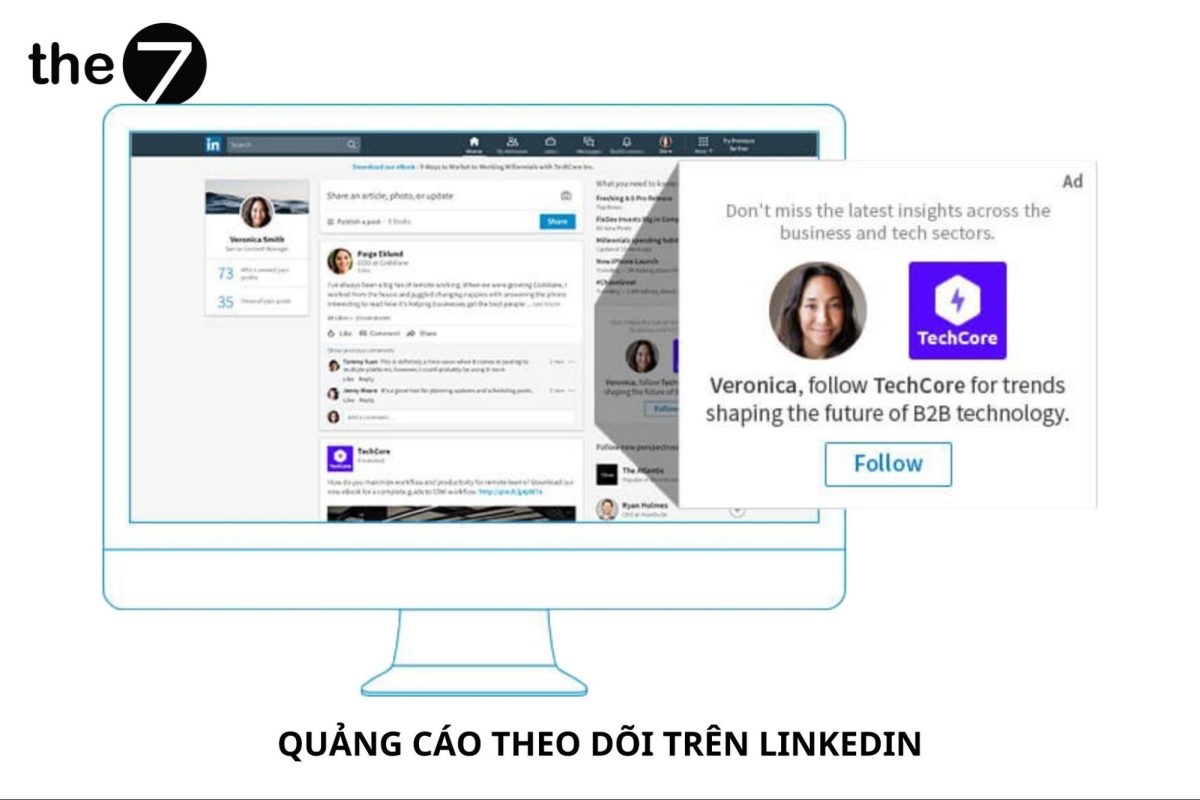
Follower Ads
Follower LinkedIn Ads are a form of dynamic ad personalized specifically for the target audience. These ad campaigns aim to promote your LinkedIn Page to others, in the hope that they’ll click the follow button.
Goal: increase brand awareness, drive website traffic, and increase engagement.
Detailed specs for LinkedIn Follower ads include:
- Ad description: Up to 70 characters.
- Ad headline: Choose between a preset option or write up to 50 characters.
- Company name: Up to 25 characters.
- Ad image: Best at 100 x 100px in JPG or PNG format.
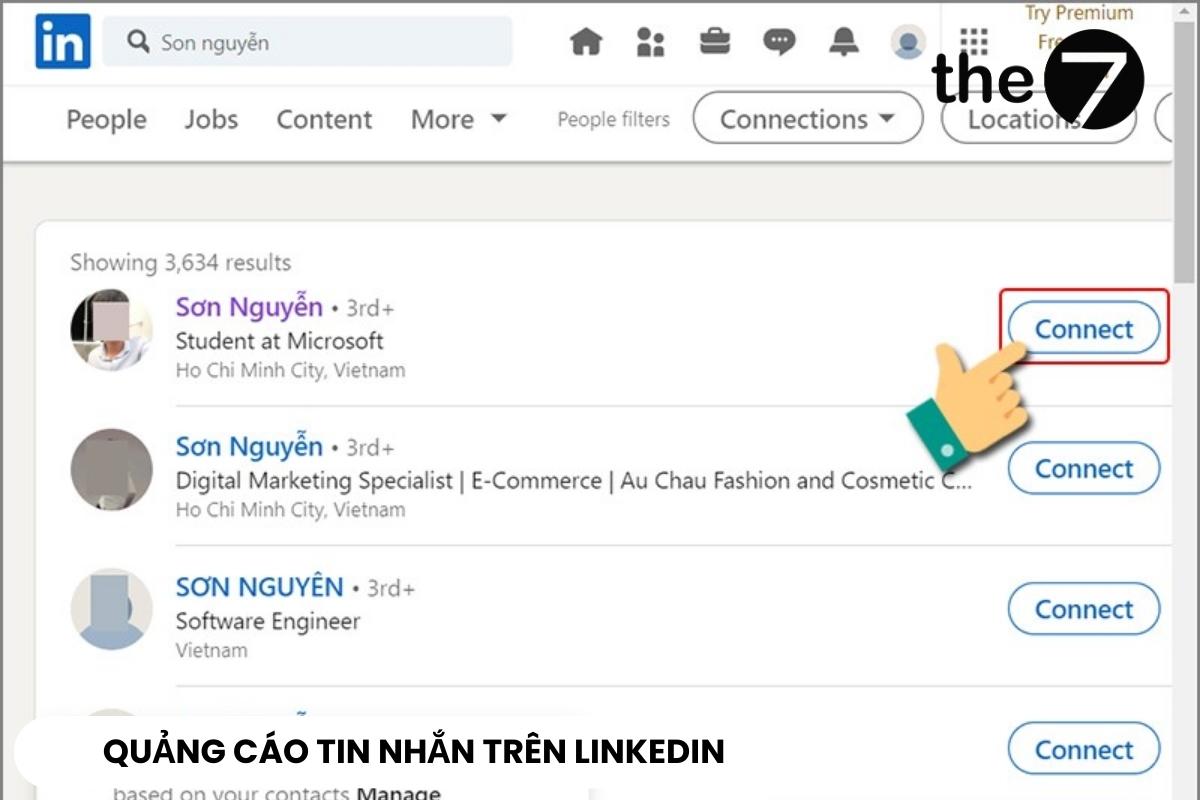
Message Ads
More than 1 in 2 potential customers click to view LinkedIn Message Ads content, making this format extremely appealing to advertisers.
Message Ads LinkedIn lets you send messages directly to your audience’s inbox, ending with a call to action (CTA).
Goal: Increase website traffic, website conversions, and lead generation.
Detailed specs for LinkedIn message ads include:
- Message headline: Up to 60 characters.
- CTA button copy: Up to 20 characters.
- Message body: Up to 1,500 characters.
- Custom terms and conditions: Up to 2,500 characters.
- Banner ad: JPEG, PNG, GIF format (no animation support); Size: 300 x 250px.
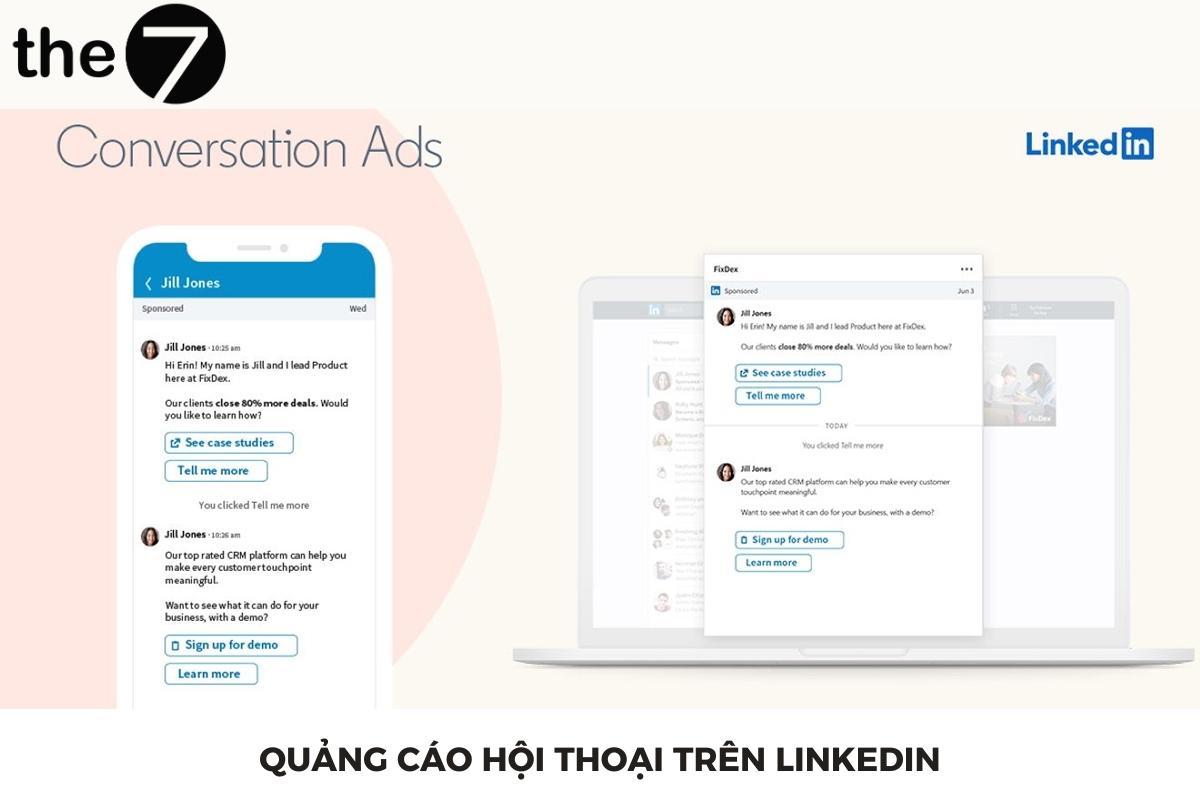
Conversation Ads
Conversation Ads LinkedIn is an interactive ad format that lets you start a conversation directly with your target audience through LinkedIn Messenger.
Conversation Ads suit personal profiles more than company pages. That’s because people feel more genuinely connected and engaged than simply receiving a promotional message.
Conversation Ads let you and your potential customers have personal conversations, helping you uncover customer insights effectively.
Goal: increase brand awareness, drive website traffic, engagement, website conversions, and generate leads.
LinkedIn Conversation Ad specs include:
-
- Ad name: Up to 255 characters.
- Banner ad (optional, desktop only): Up to 300 x 250px, JPEG or PNG format.
- Footer (including terms and conditions): Up to 2,500 characters.
- Intro message: Up to 500 characters.
- Image (optional): 250 x 250px, using JPEG or PNG format.
- CTA text: Up to 25 characters.
- CTA buttons per message: Up to five buttons.
- Message content: Up to 500 characters.
Spotlight Ads
Spotlight LinkedIn Ads are an ad type focused on highlighting an important message, using special background colors and borders to make it stand out.
When a viewer clicks the ad, they’re taken immediately to a landing page or website. This is another type of dynamic ad that’s personalized to create a strong connection with customers.
Goal: Increase brand awareness, drive website traffic, engagement, generate leads, and attract job applicants.
Below are the specs for LinkedIn Spotlight ads:
- Headline: Up to 50 characters.
- Company name: Up to 25 characters.
- Call to action: Up to 18 characters — create a short, effective call to action (CTA).
- Company logo: 100 x 100 pixels, to ensure your company logo displays in high quality on LinkedIn.
- Ad description: Up to 70 characters.
- Image: Preferred size is 100 x 100px in JPG or PNG format.
- CTA (Call to action): Up to 18 characters.
- Custom background (optional): Must be exactly 300 x 250px and no more than 2MB in file size.
Guide to running ads on LinkedIn
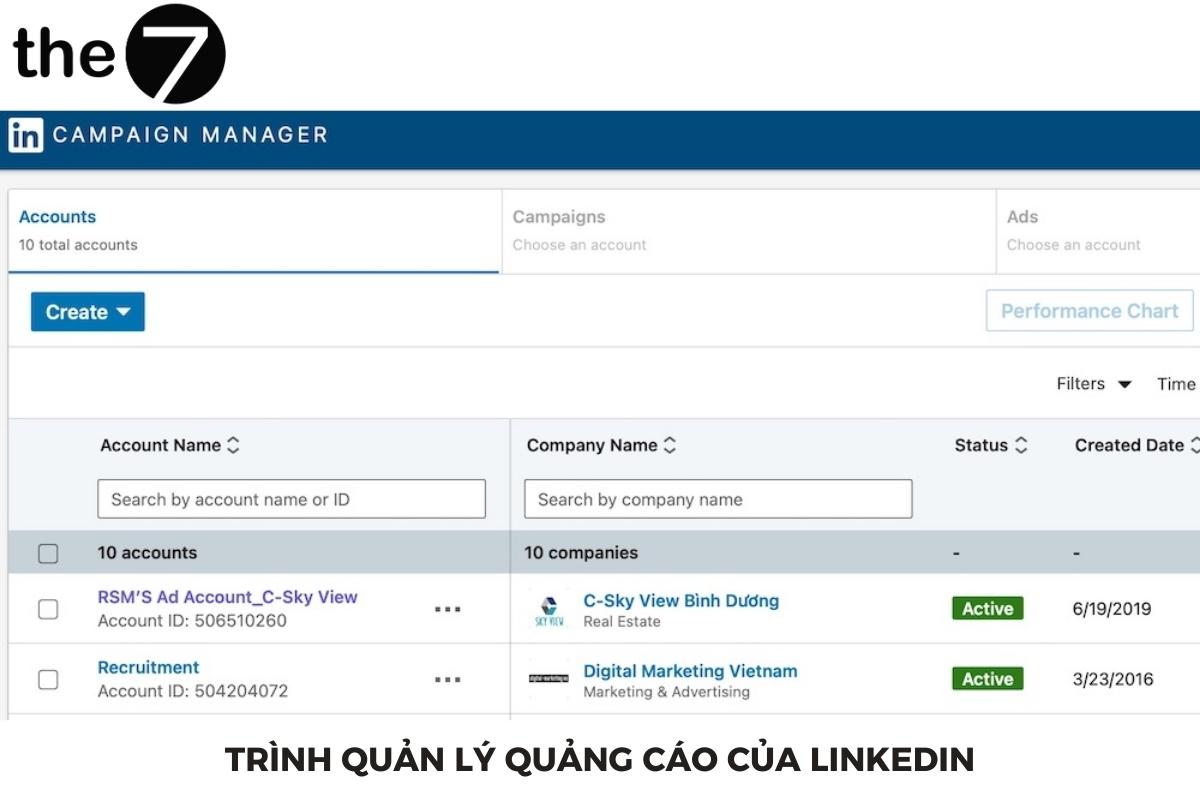
Step 1: Create a LinkedIn Campaign Manager account
- Open a web browser and go to LinkedIn’s Campaign Manager page at https://www.LinkedIn.com/ad/login
- Enter your LinkedIn username and password. If you don’t have a LinkedIn account yet, click Join now or Sign up now to create a new account. Then provide your personal information and a valid email address.
- Once you’ve logged in or created and verified your account, you can access LinkedIn Campaign Manager from LinkedIn’s main page by clicking the Advertise icon at the top of the page.
- In LinkedIn Campaign Manager, you can start creating an ad by choosing an objective and completing the steps needed to set up your ad campaign.
Step 2: Choose your LinkedIn ad objective
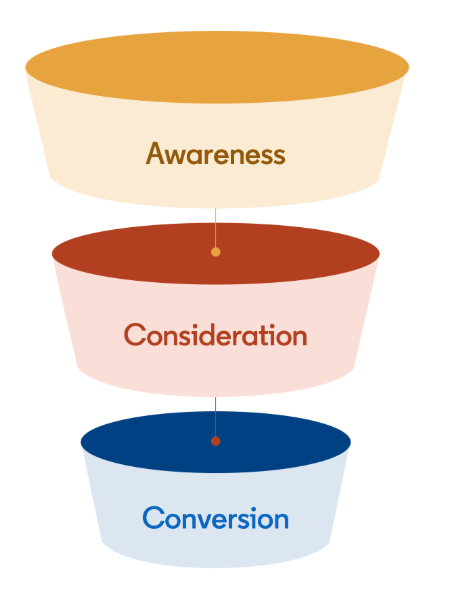
You can choose your LinkedIn ad campaign objective to match each stage of the customer journey. Specifically:
- The awareness stage suits the objective: Brand Awareness.
- The consideration stage suits the objectives: Engagement, Website visit, Video view.
- The conversion stage suits the objectives: Job applicants, Conversion, Lead generation.
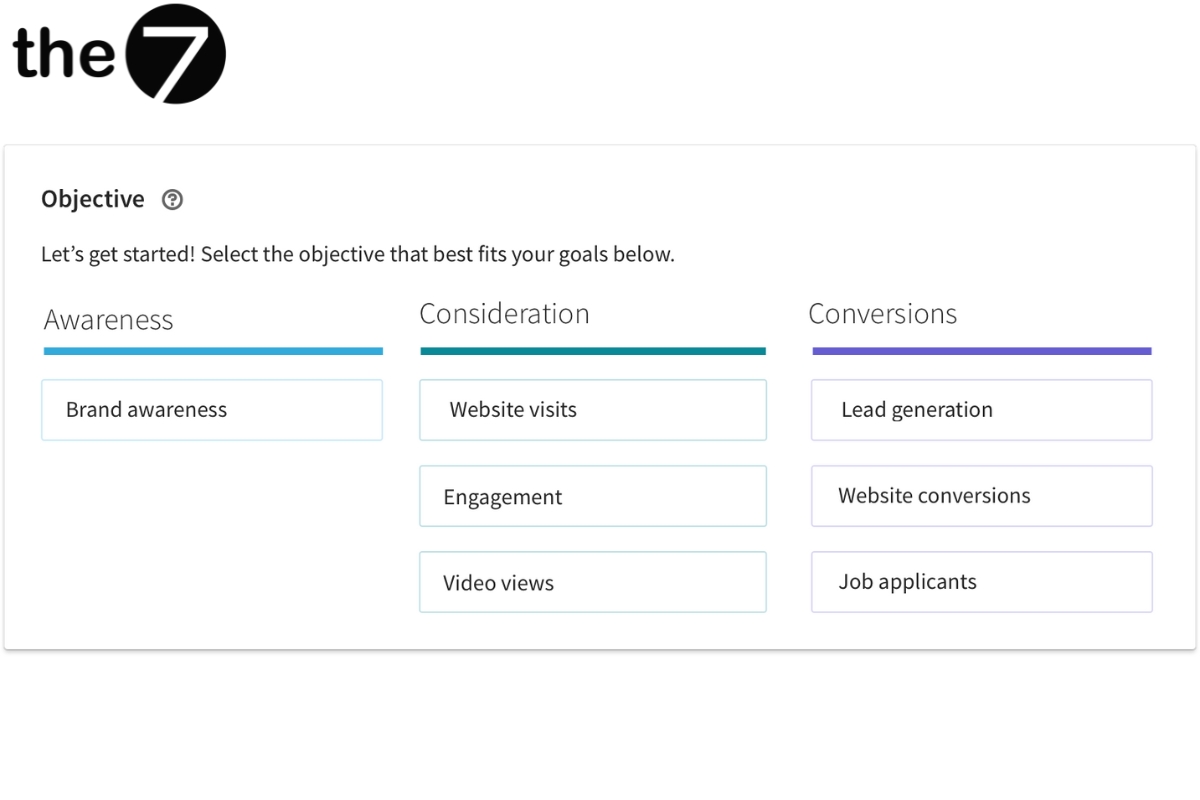
LinkedIn’s available advertising objectives are as follows:
- Brand Awareness: Increase brand recognition by increasing ad impressions.
- Website visit: Increase the number of customers visiting your website.
- Engagement: Increase engagement with posts on your page through metrics like clicks, likes, shares, hashtags, or increase the number of page followers.
- Video view: Increase video views based on cost-per-view (CPV).
- Website conversions: Increase conversions on your website or app.
- Lead generation: Collect information from customers interested in your product/service, or who view sample case studies.
Job applicants: Advertise job openings and search for candidates to submit their resumes.
Step 3: Define your target audience
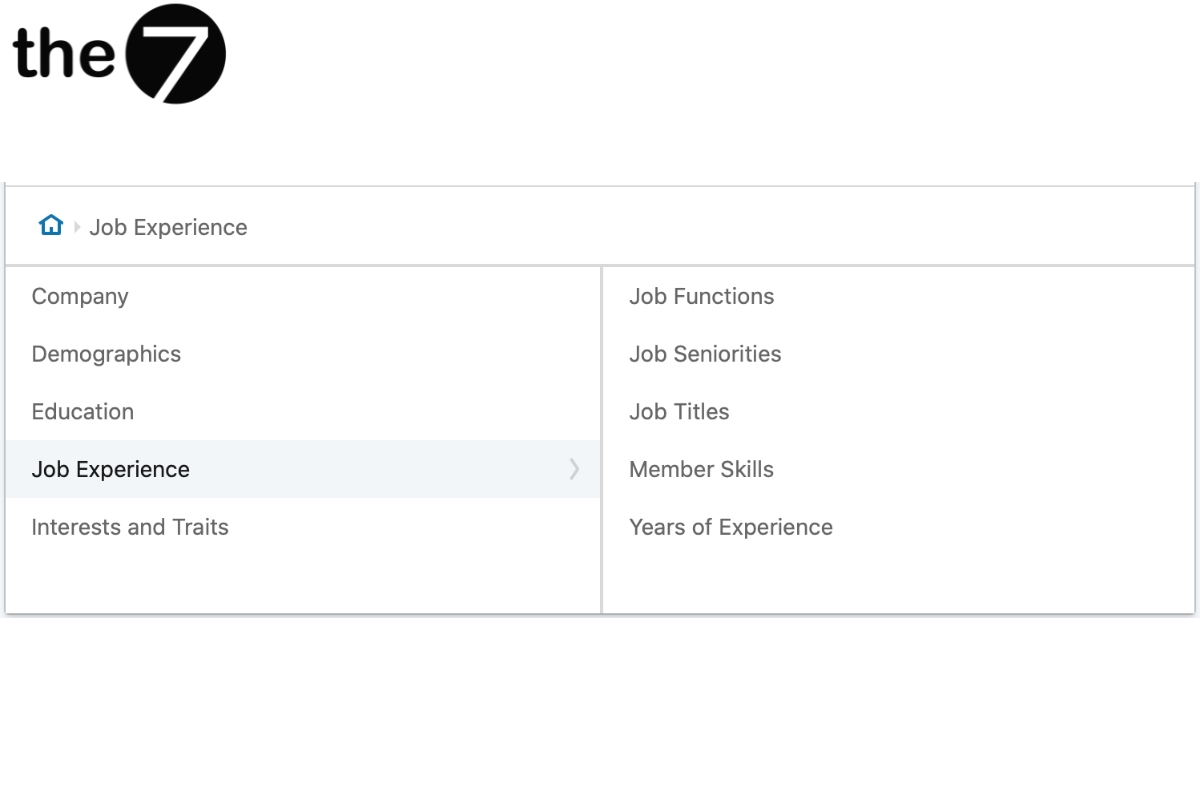
When you create a LinkedIn ad and need to reach a large customer base, there are several important issues to consider:
- Demographics: Consider demographic information such as gender, age, and geographic location of your target audience.
- Work experience and industry: Consider which industry they’ve worked in and whether they have specific experience in your field.
- Job title: Pay attention to whether they’re junior or senior staff, since each audience will behave differently on LinkedIn.
- Job history: Consider whether they change jobs frequently or stay in a position for a long time.
- Follows industry experts: Find out whether your target audience follows certain experts on LinkedIn — this helps you determine their interest in a specific field.
From there, ask yourself questions such as:
- What are the demographics of your target audience? Male/female, age/location?
- How long have they worked in the same industry?
- Are they staff, mid-level managers, or senior managers?
- Have they held their job for 2–4 years?
- Do they follow experts in the same industry on LinkedIn?
Once you’ve clearly answered the questions above, you’ll have a detailed picture of your target ad audience, from which you can choose the right ad format.
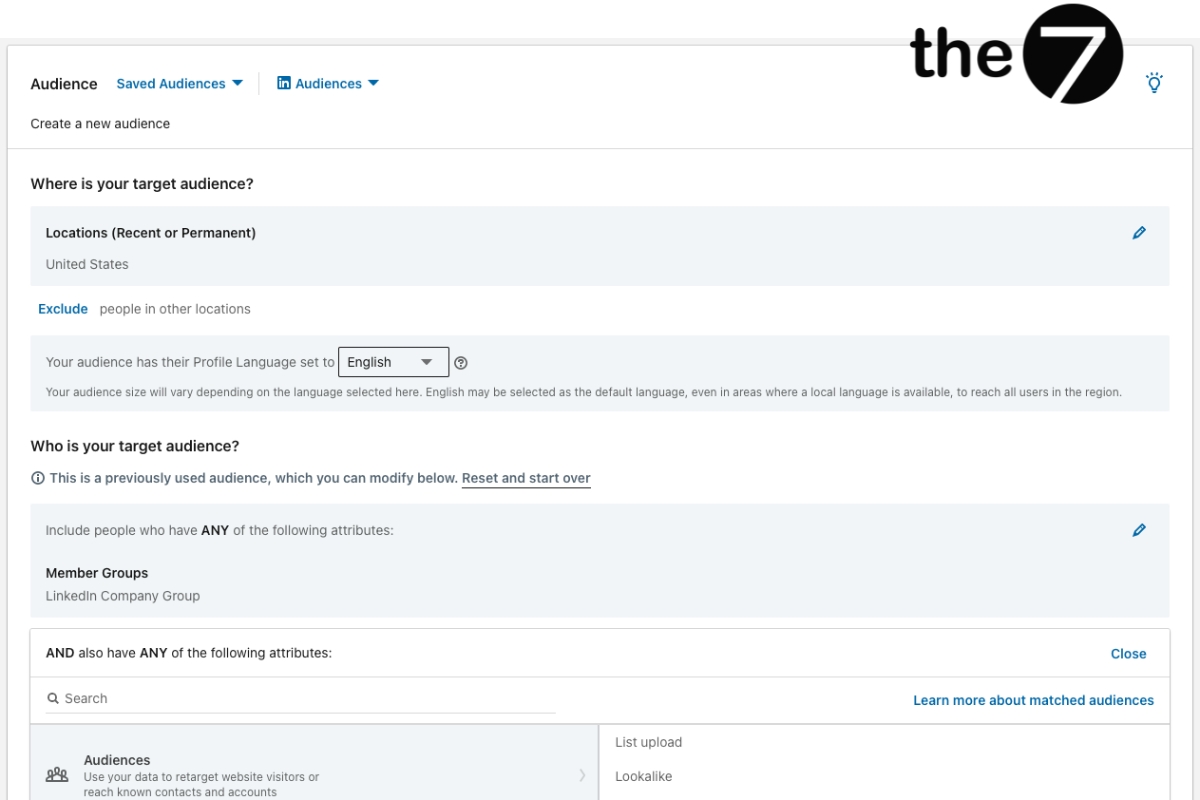
LinkedIn is a powerful B2B advertising platform, but a deep understanding of your target audience and a professional profile are essential. Correctly defining your target audience helps you optimize your ads for better conversion and performance.
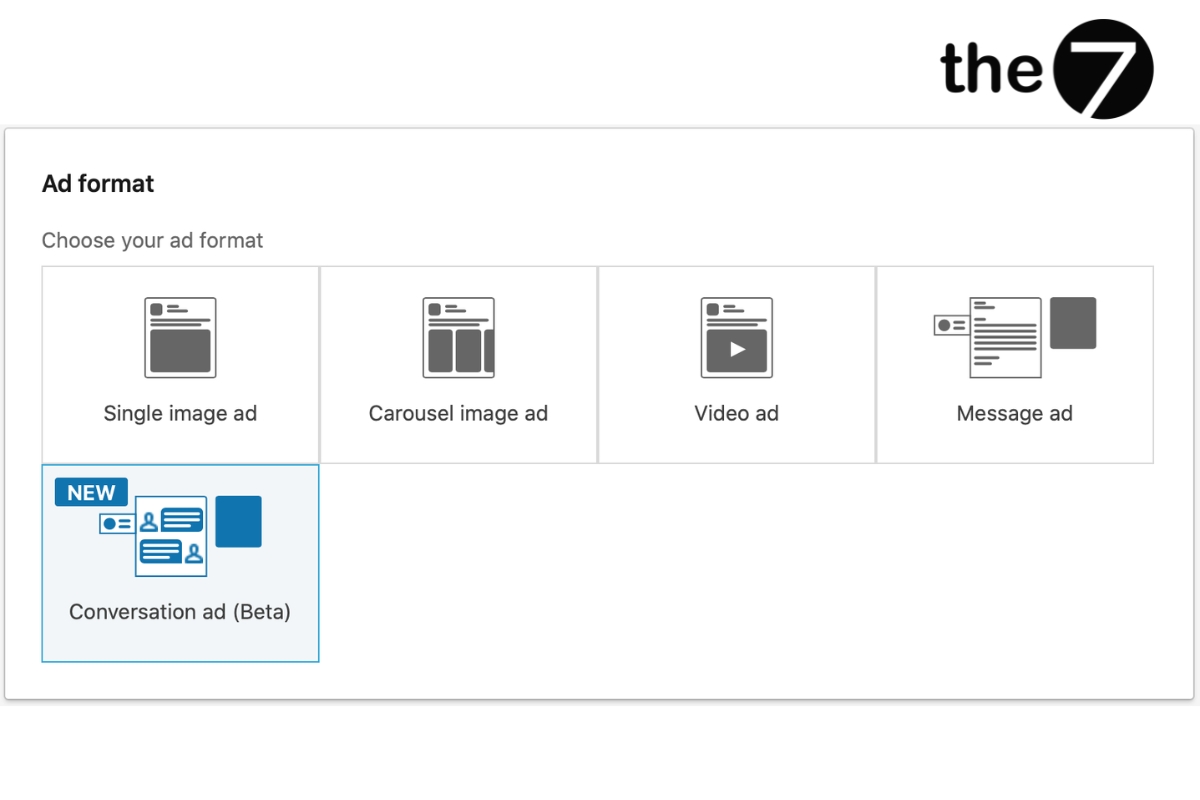
Step 4: Determine the ad format
When choosing an ad format, consider the type of message you want to convey, your goals, and whether your budget fits the ad format you want. Each format has its own advantages and limitations, so choose the format that fits best.
You can revisit section 2 to determine the ad format that suits your LinkedIn ad campaign.
Step 5: Set your LinkedIn ad campaign budget
You can adjust your budget based on your business goals and financial capacity. There are three budget options:
- Cost per send (CPS): Suits Message Ad campaigns — you pay for each message successfully sent.
- Cost per click (CPC): Used for action-oriented campaigns such as lead generation or event registration.
- Cost per thousand impressions (CPM): Suits brand awareness objectives.
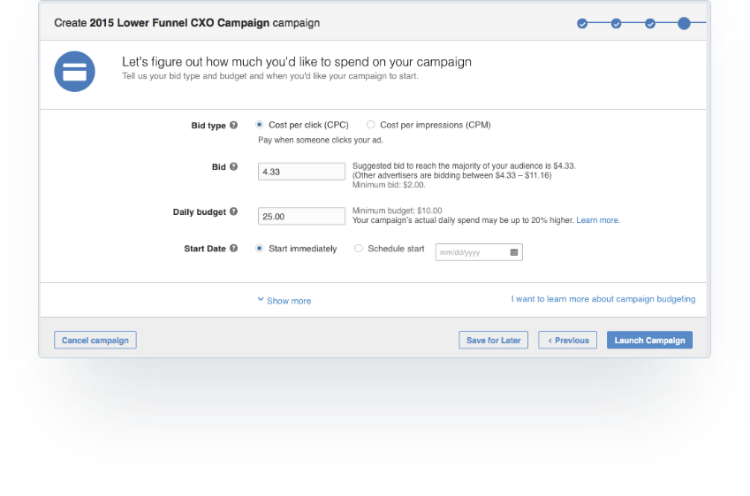
Along with choosing the right budget type for your campaign, you’ll enter a suggested bid, daily budget, start date, end date, and total budget.
Note that LinkedIn uses an auction system for bidding that rewards engagement, meaning you can win an auction without being the highest bidder.
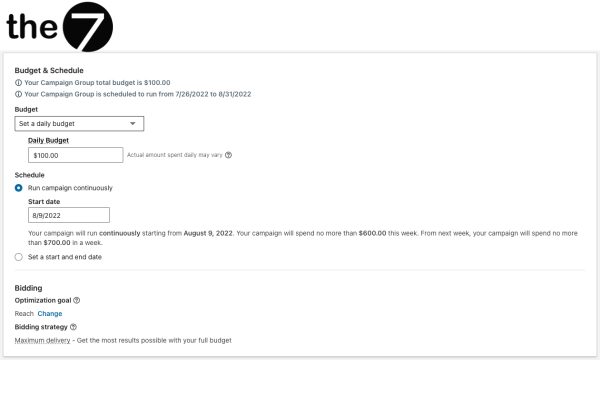
Step 6: Set your campaign schedule
After setting your budget, next, choose the time period you want your LinkedIn ad to run. There are two main options:
- Continuous campaign: The ad campaign runs with no fixed end date. It will continue until you decide to manually stop the campaign.
- Fixed start and end dates: You can choose a specific start date and end date for your campaign. The campaign will only run during this period and will automatically stop after the end date.
Regardless of the end date you choose, you can cancel your campaign at any time.
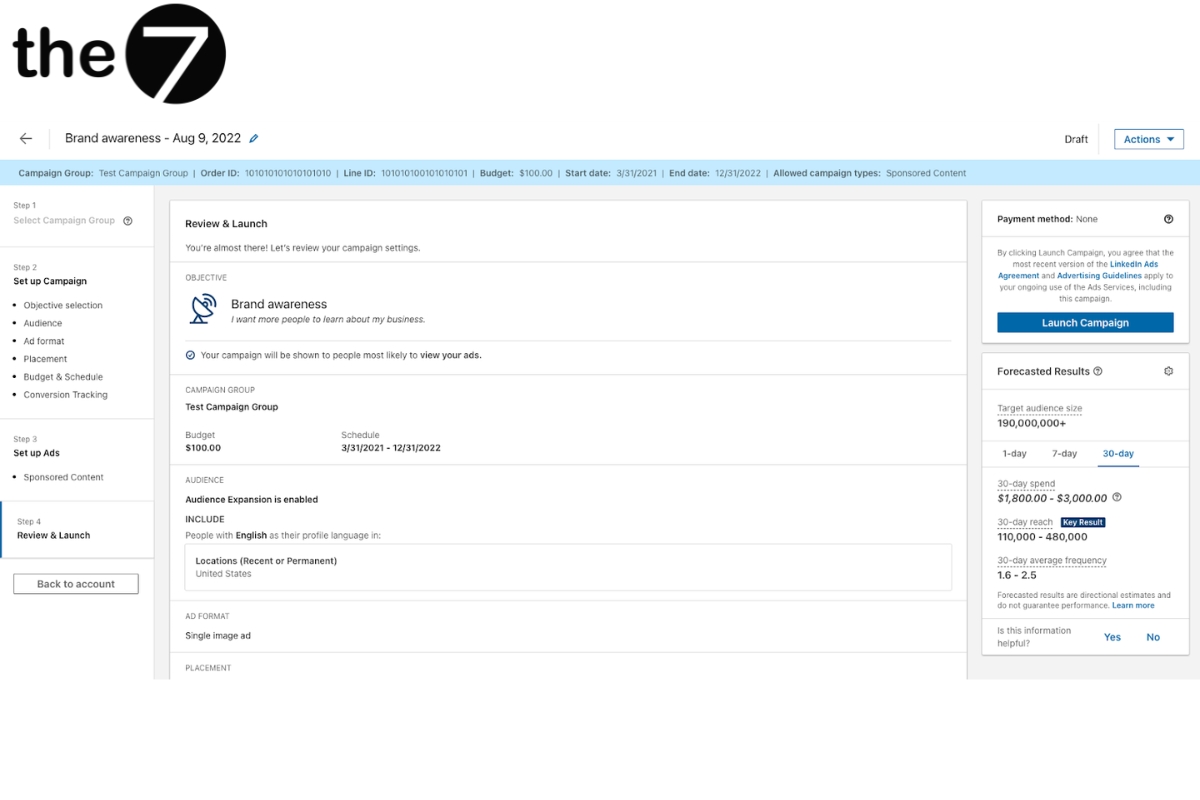
Step 7: Set up your ad content
If you choose Sponsored Content or Text Ads, Campaign Manager will show a preview so you can see how your ad will finally appear.
For Message Ads, you can also send a test message to check it.
Step 8: Measure and optimize your campaign
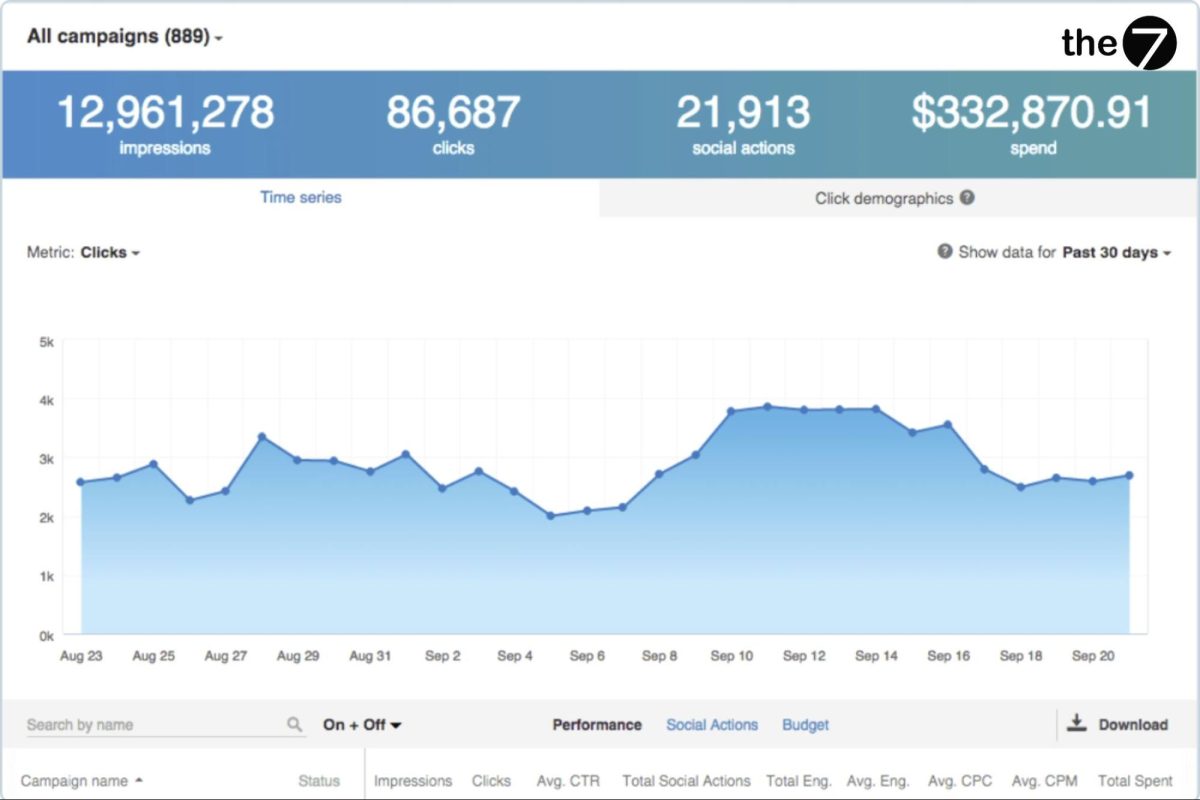
You can track impressions, clicks, customer behavior, and total campaign budget. Review the details of each campaign to evaluate the performance of each ad.
Then use the analyzed data to adjust your ad content, optimize your target audience, adjust your budget, and turn ad variations on/off.
Tips for LinkedIn advertising success
To achieve success with LinkedIn advertising, consider the following:
- Keep ads on-brand: Make sure your content accurately reflects your brand’s values and unique character.
- Leverage video ads: According to statistics from Prominence Global, video posts get more than 7 times the engagement and 24 times the comments compared to regular posts. So create videos to maximize your reach.
- Use content LinkedIn favors: LinkedIn tends to recommend content to CEOs and managers. So create content that addresses this audience’s pain points.
- Use approachable language: Although LinkedIn is a professional platform, you don’t need to write overly formal content. You can use approachable, engaging language to build a connection with users.
How to track ad conversions on LinkedIn
Use the LinkedIn Insight Tag
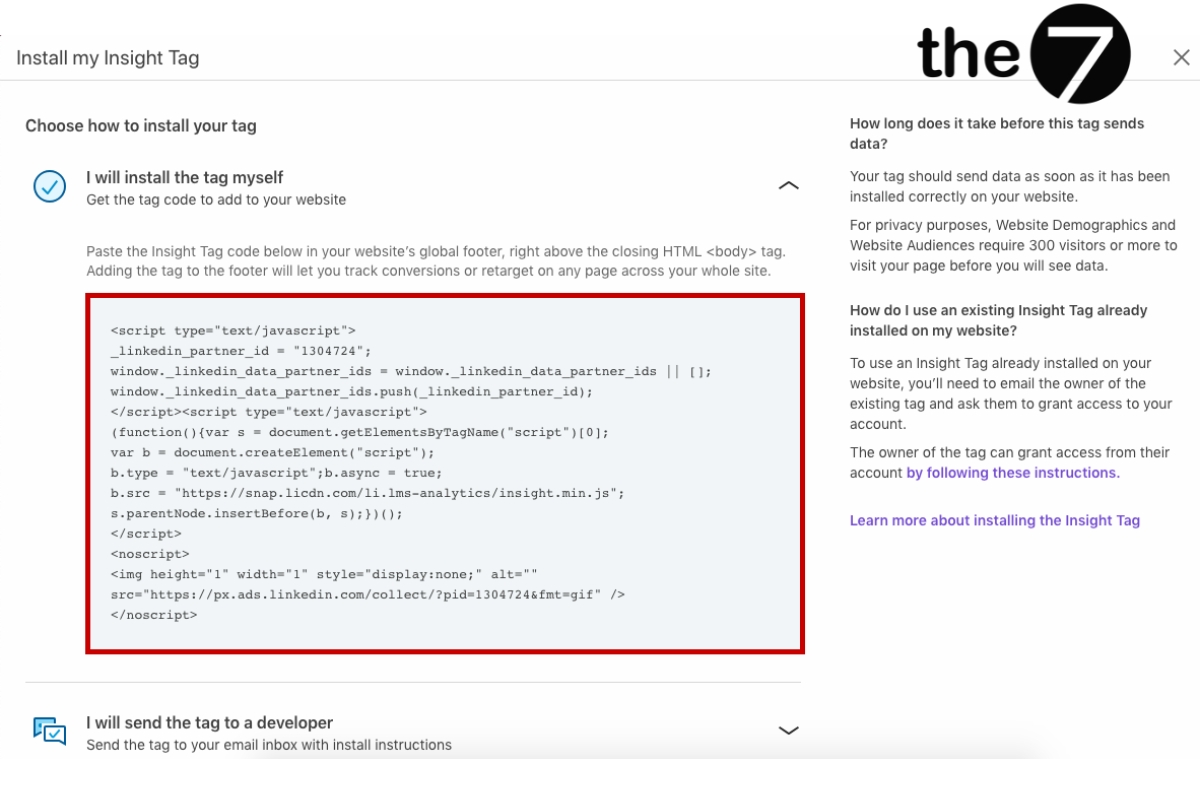
The Insight Tag lets you track activity on your website driven by your LinkedIn ads. Similar to the Facebook pixel, you install this tag once and can then view data on what’s happening on your website as a result of your LinkedIn ads.
This tag doesn’t affect your website’s speed and lets you track any activity generated by LinkedIn ads. It also lets you create Remarketing campaigns on LinkedIn once you’ve installed the tag and built up steady traffic on your website.
Use conversion event pixels
This type of tracking pixel is created to track potential customers who filled out a signup form when you ran a LinkedIn ad.
For example, if you want to track when someone fills out a form from your LinkedIn ad, you can use a conversion event pixel. This event will track the conversion each time someone completes the form.
Conversion event pixels can also track a campaign’s existing conversions, so you don’t need to worry if you haven’t set up conversion tracking beforehand.
FAQ about running LinkedIn Ads
How much does LinkedIn advertising cost?
On average, LinkedIn advertising costs range from $2.00 – $3.00 per click, $5.01 – $8.00 per 1,000 impressions, and $0.26 – $0.50 per send for Sponsored InMail campaigns. LinkedIn requires companies to set a minimum bid of $2.00 per click and per 1,000 impressions, along with a minimum daily spend of $10.00.
Can I advertise for free on LinkedIn?
You can’t advertise for free on LinkedIn, but you can advertise at a very low cost if you know how to optimize.
You can post job listings for free on LinkedIn to advertise open positions at your company. Job seekers can find these opportunities across the LinkedIn network.
Why is LinkedIn advertising expensive?
Target audience – LinkedIn’s ad structure works like an auction. You bid against other advertisers targeting the same audience.
Most marketers target directors and senior managers, and when you set your target audience to this segment, LinkedIn ad prices become more expensive.
Which type of ad performs best on LinkedIn?
There’s no single “best” ad type — only the type that’s most suitable for LinkedIn.
You need to go through a process of analysis and goal-setting, testing multiple ad variations, and so on, to find the type that fits best.
Consider retargeting ads as part of a lead generation campaign on LinkedIn.
These ads tend to have higher conversion rates and lower cost per lead (CPL) because they target people who may already be familiar with your brand.
Does LinkedIn advertising have any drawbacks?
No advertising platform is perfect. Some drawbacks of LinkedIn include:
- Complex platform.
- Audience targeting isn’t as granular as on other platforms.
- Difficult-to-use interface.
- Most users aren’t always active.
Above is a complete A-to-Z guide on how to run LinkedIn advertising. If you need support managing your LinkedIn advertising campaigns or want to learn more about optimizing your campaigns, The7 is always here to help you. With deep expertise in online advertising and the ability to create effective campaigns, we’ll be your trusted partner in growing your business on the LinkedIn social network.

Nguyễn Đình
Bảo




As CEO of The7, I am committed to sharing practical, useful knowledge with every reader. Every article on The7 is based on my 7 years of hands-on experience in marketing — Facebook advertising, LinkedIn advertising, Google advertising, and marketing strategy. I hope you take away plenty of insight from these posts and apply it successfully in practice.
Related Articles
Building a Full-Funnel Content Marketing Strategy on LinkedIn
Table of Contents Toggle Why Build Content Marketing for the Full Marketing Funnel? (Why Full-Funnel Content Marketing?)Creating Your Strategy (Creating Your Strategy)Implementing Your Content Strategy (Rolling out your content strategy)Summary...
Designing Creative Content for LinkedIn
Table of Contents Toggle Why Is Good Creative Content So Important? (Why is Good Creative Important?)Key Components of Creative Design (the core elements of creative design)Summary (summary) Why Is Good...
Building an Organic Business Presence on LinkedIn With a LinkedIn Page
Table of Contents Toggle Why Have a LinkedIn Page?Establishing Your LinkedIn PageKeeping Your LinkedIn Page ActiveThe Measure of SuccessSummary About LinkedIn Page (Summary) Why Have a LinkedIn Page? For a...
6 Best LinkedIn Marketing Strategies for B2B in 2026
Table of Contents Toggle LinkedIn 2026: Where B2B Decisions Get MadeStrategy #1 – Why Is LinkedIn the Best B2B Marketing Channel Today?1. Decision-makers are concentrated here2. Users are in work...

26 Predictions for Social Media Marketing Trends in 2025
It’s that familiar time of year again, when experts and analysts start revealing their predictions for the social media marketing trends worth watching, along with the shifts that promise to...

7+ Ways to Optimize Your LinkedIn Account to Boost Career Opportunities
LinkedIn is a great platform for connecting with recruiters and finding jobs. If you know how to optimize your LinkedIn account, it becomes much easier to present yourself and make...


