


Why Your Facebook Ads Aren’t Running: Causes You Need to Know

The world of online business is more dynamic than ever, thanks to the powerful pull of Facebook advertising. The platform holds enormous potential and reaches potential customers with remarkable efficiency. Yet many marketers still struggle when their ad campaigns fail to deliver the results they expected.
This article will help you understand why Facebook ad campaigns “stall,” and it offers effective ways to fix the problem.
Facebook Ad Image Policy Violations
Here are the image policy violations that users most often make when running ads on Facebook.
Close-Up Skin Shots or Sensitive Images
Facebook wants to build a clean, civilized social network. As a result, ad images with sensitive content or close-ups of bare skin are often rejected. To fix this problem, you can take the following steps:
- Use video instead of images: Video gives consumers a clearer, more complete view of the product.
- Choose replacement images: Pick similar images that are cleaner, friendlier and more appropriate.
- Redirect the ad to your sales website: Guide users to click the website link to find more details about the product, such as price, warranty and where to buy.
Beyond sensitive images, Facebook also restricts content that is controversial or that doesn’t meet its community standards. This helps keep the social network safe and civil for all users.

Misleading Images That Don’t Match the Content:
Using images that are unrelated to, or don’t match, your ad content confuses customers, who then can’t tell what message you want to convey. The fix is to make sure your images directly illustrate your product, service or ad content. Use high-quality, eye-catching images that are relevant to your target audience.
Using Facebook Brand Imagery
Using Facebook’s logo, icons, notifications or other brand elements can lead people to mistake your ad for an official Facebook ad, which results in it not being approved. Avoid using elements protected by Facebook’s brand copyright in your ad images. Design your own logo and icons with tools such as Canva or PicsArt, or use free images from reputable websites.
Images Unsuitable for the Target Customers’ Age:
Using images that are not appropriate for your target audience’s age can violate Facebook’s advertising rules and hurt how customers perceive you. Define the age of your target customers clearly and choose images that suit that group. Avoid sensitive, violent or pornographic images, or any content that is not age-appropriate.
Removing unnecessary elements and adding information and images that suit your target customers will make your ads more effective. This ensures your message comes across clearly, appeals to viewers and fits the audience, which in turn raises your chances of conversion and of a successful ad campaign.

Facebook Content Policy Violations
In addition to image rules, ad content is also reviewed strictly before it is approved.
Sensitive Language
Using prohibited sensitive wording is a common mistake in Facebook ads. Vulgar or uncivil language not only lowers the quality of your content but can also lead Facebook to reject your post. To avoid this problem, remove sensitive wording from your ads. In particular, watch out for prohibited terms such as:
- Alcohol, beer, tobacco
- Sensitive body parts, and wording related to weight loss and weight gain
- Financial services
- Dietary supplements
- Personal information such as ID numbers, insurance cards and bank card numbers
Once you have identified the sensitive wording, edit it by using replacement words with a similar meaning. Comparing the before and after versions will help you see why your Facebook ad was not approved and improve the quality of your ad content.

Using Facebook’s Brand Name
Facebook lets you use its brand name in your ad content, provided you strictly follow these rules:
- Capitalize the “F” in “Facebook” to show respect for the brand and keep your ad professional.
- The Facebook brand name must appear in the same size and typeface as the rest of your text, so it looks consistent and is easy to read. Never replace “Facebook” with other terms such as “Fb,” “Fbook” or “Face,” because this violates Facebook’s rules and can get your ad rejected.
- Use the Facebook logo and icons only as officially directed. Avoid modifying them on your own or using them for personal purposes.
“Borrowing” a Copyrighted Brand
This is a “fatal” mistake that makes Facebook ads easy to reject, and it is especially common in fashion, footwear and handbags. Facebook has an intelligent system that easily detects when you use a copyrighted brand name that is not your own store’s name. The result is a rejected ad and a brand that loses credibility in customers’ eyes. To fix this, you should build your own brand, design a logo and signage for your store to establish your brand identity, and use clear, high-quality product images that carry your logo and brand name.
Landing Page Content That Doesn’t Match the Ad
“Deceptive” content is another problem that arises when the ad and the Landing Page don’t match. For example, an ad may talk about a promotion, but the Landing Page gives no information on how to take part or on the promo code; or a job ad leads to a Landing Page that lacks job requirements and compensation details. This leads to a low conversion rate, because customers feel let down and leave the page, which wastes your ad budget and hurts your brand’s reputation. To solve this, you need to ensure consistency between your ad content and your Landing Page, give customers all the information they need, and build an attractive, easy-to-use Landing Page with a clear call-to-action button.

Facebook Payment Violations
Payment is a key step in getting a Facebook ad campaign running effectively. However, many advertisers run into trouble right at the payment step, which interrupts their campaigns and drives up costs.
Failed Payments
- Sharing one card across multiple accounts: Using a single card for several ad accounts can cause payment problems. Reduce the number of accounts that share a card to avoid this.
- Insufficient balance: Check your account balance carefully and add funds if needed so payment goes through smoothly.
- Incorrect information: Double-check your card details, including the card number, expiration date and CVV code, to avoid errors.
- Blocked card: Contact your bank to check the card’s status and ask them to unblock it if necessary.
Cards That Don’t Meet Requirements:
- International payments not enabled: Make sure international payments are enabled on your card so you can pay from Vietnam.
- Unclear purpose of use: When you apply for the card, tell the bank clearly that it will be used to pay for Facebook ads, so it isn’t declined.
- Online payment limits: Contact your bank to check, and ask them to lift the restriction if your card has an online payment limit.
- Suspected fraud: If your card was blocked over suspected fraud, contact your bank to verify the card and remove the restriction.

Payments on Hold for Security Reasons:
Facebook ad payments can be put on hold because of security errors, usually caused by entering card details incorrectly. To fix this, follow these steps:
- Check and enter your card details correctly: Make sure you enter the card number, the CVV security code (the 3 digits on the back of the card) and the card’s expiration date accurately.
- Confirm your password: If your bank requires verification with an OTP (One-Time Password), enter the correct OTP sent to your phone.
- Check the card’s expiration date: Make sure your card is still valid. If it has expired, contact your bank to get a new one.
- Recheck other details: Sometimes the error comes from other details entered incorrectly, such as the cardholder’s name or the billing address. Check and make sure everything is accurate.
If you have checked and entered all the information correctly and still can’t pay, contact your bank or Facebook’s customer support team for further help.
Other Violations
Beyond image, content and payment problems, there are a few other reasons your Facebook ads may not run:
Unverified Ad Account
One of the most common causes is a Facebook account that hasn’t been verified. If the account is unverified, your ads may be restricted or may not run at all.
To fix this, provide personal information and supporting documents to increase your account’s credibility. Use reputable, high-quality accounts that have been active for a long time to set up your ads, so you build trust with Facebook.

Bids Lower Than the Market Average
A bid is the amount you’re willing to pay for each click or ad impression. When you join a Facebook ad campaign, you enter a bidding competition with thousands of competitors.
If your bid is lower than the market average, your campaign’s performance will suffer. To get strong results, set a reasonable bid and pair it with a smart advertising strategy.
Ads Rejected for Duplication
Facebook may reject ads if it detects duplicate content, such as posting the same content multiple times, posting the same event separately across different ads, or changing only a few minor details while the overall content stays the same.
To avoid having your ads blocked by Facebook, publish accurate and complete content from the very first time and avoid unnecessary repetition.
Outdated Posts
Content and images that are too old can keep your Facebook ads from being approved. Posts that perform poorly or fail to attract your target customers won’t be prioritized for delivery by Facebook.
Regularly create fresh, engaging content that fits each event. This will help your ads reach more customers and improve campaign performance.
Unverified Ad Account
Another common cause is a Facebook account that hasn’t been verified. If the account is unverified, your ads may be restricted or may not run at all.
To fix this, provide personal information and supporting documents to increase your account’s credibility. Use reputable, high-quality accounts that have been active for a long time to set up your ads, so you build trust with Facebook.
Conclusion
These are the reasons Facebook ads fail to get approved, and you need to know them well. Understanding and fixing these causes will help you adjust your advertising strategy and create more engaging, effective campaigns. We hope this article from The7 helps you avoid common mistakes and optimize your campaigns on the Facebook platform.
According to Ori Marketing Agency
Source: Brands Vietnam

Nguyễn Đình
Bảo




As CEO of The7, I am committed to sharing practical, useful knowledge with every reader. Every article on The7 is based on my 7 years of hands-on experience in marketing — Facebook advertising, LinkedIn advertising, Google advertising, and marketing strategy. I hope you take away plenty of insight from these posts and apply it successfully in practice.
Related Articles
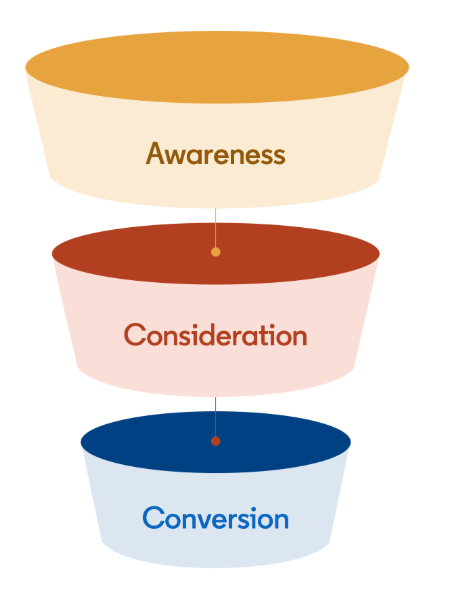
Building a Full-Funnel Content Marketing Strategy on LinkedIn
Table of Contents Toggle Why Build Content Marketing for the Full Marketing Funnel? (Why Full-Funnel Content Marketing?)Creating Your Strategy (Creating Your Strategy)Implementing Your Content Strategy (Rolling out your content strategy)Summary...
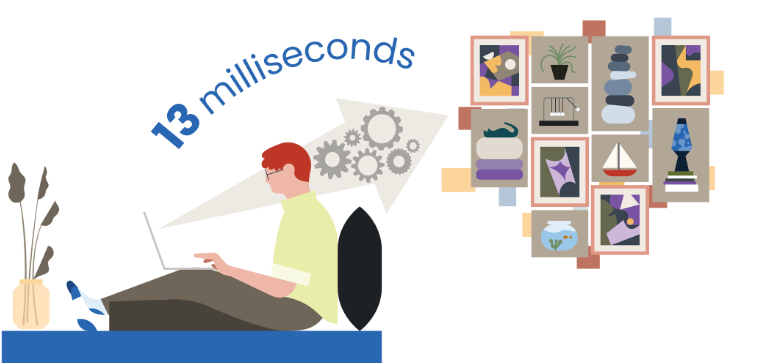
Designing Creative Content for LinkedIn
Table of Contents Toggle Why Is Good Creative Content So Important? (Why is Good Creative Important?)Key Components of Creative Design (the core elements of creative design)Summary (summary) Why Is Good...
Building an Organic Business Presence on LinkedIn With a LinkedIn Page
Table of Contents Toggle Why Have a LinkedIn Page?Establishing Your LinkedIn PageKeeping Your LinkedIn Page ActiveThe Measure of SuccessSummary About LinkedIn Page (Summary) Why Have a LinkedIn Page? For a...
6 Best LinkedIn Marketing Strategies for B2B in 2026
Table of Contents Toggle LinkedIn 2026: Where B2B Decisions Get MadeStrategy #1 – Why Is LinkedIn the Best B2B Marketing Channel Today?1. Decision-makers are concentrated here2. Users are in work...

7 Social Media Trends for 2026: The Era of Real Value, Real Conversion, and Real People
Table of Contents Toggle Social media is entering the biggest restructuring of the decadeTrend 1: Why is buying directly in-app becoming the new standard for 2026? (On-Platform Conversion)What should businesses...

What Is TikTok Marketing? Effective TikTok Marketing Strategies
TikTok has been topping the global rankings of the most downloaded and most visited apps. That makes it a gold mine for marketers who love creativity. In this article, The7...


