


15+ Most Important Google Ads Metrics to Know in 2024

Google Ads is the tool businesses choose most often to reach potential customers on digital platforms today. To measure the success of an ad campaign and optimize its performance, you need a solid grasp of the most important Google Ads metrics. Let The7 walk you through them!
>>>> See more: A guide to running Google Ads extremely effectively
Basic Google Ads Performance Metrics
Clicks
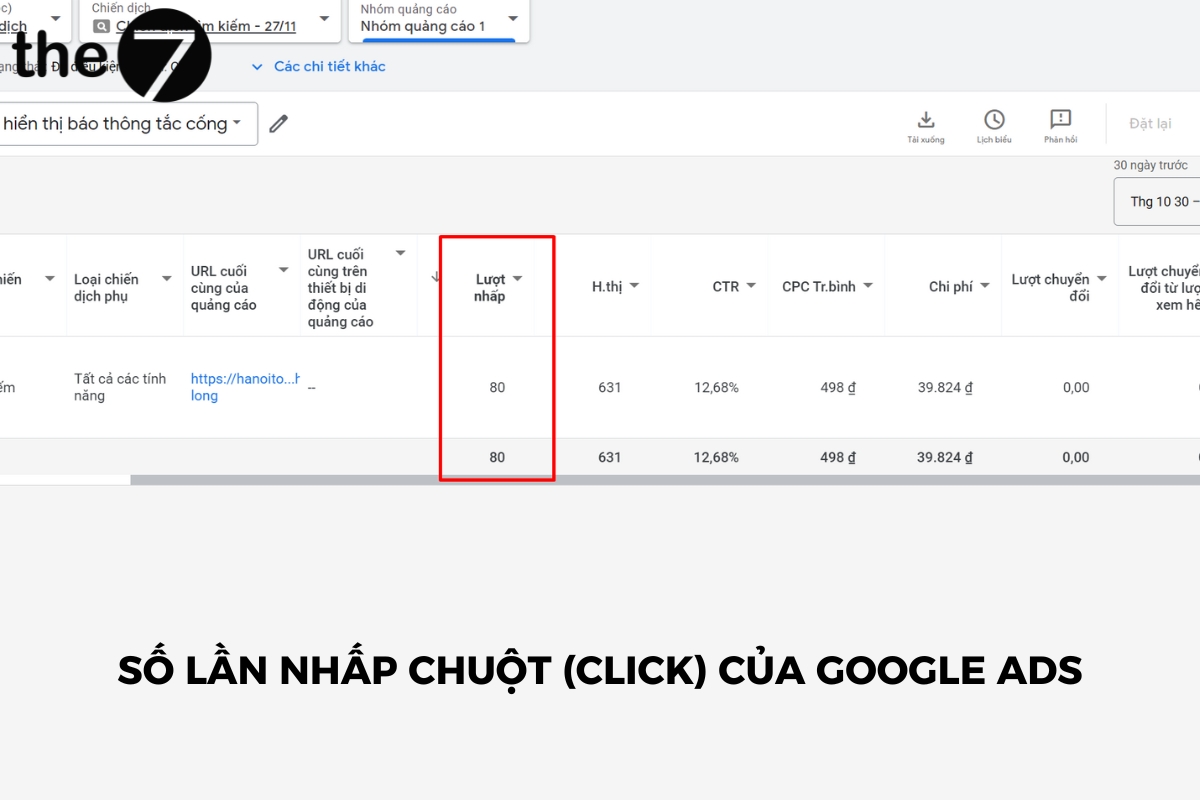
Clicks show how many times someone has clicked on your ad. They help you understand how engaging your ad is to viewers.
If someone clicks on your ad but can’t reach the website because of an external issue, such as a 404 URL or a Wi-Fi problem, the interaction is still recorded as one click.
>>> See more: What is Google Adwords advertising? Google Ads knowledge for beginners
Impressions
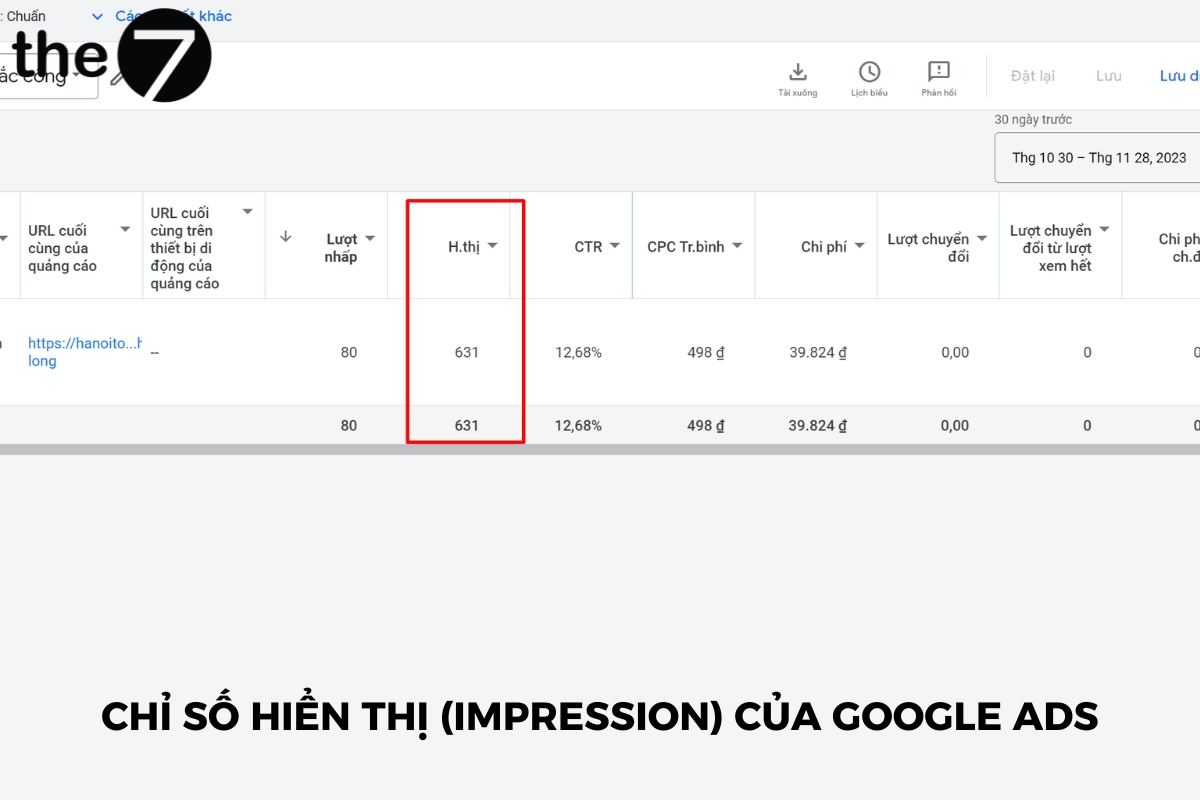
Any ad displayed on a Google search results page counts as one “impression,” though that doesn’t mean the user actually saw the ad.
On the other hand, too many impressions can annoy customers, while too few won’t be enough for them to remember you. So consider your goals and adjust accordingly.
Click-Through Rate (CTR)
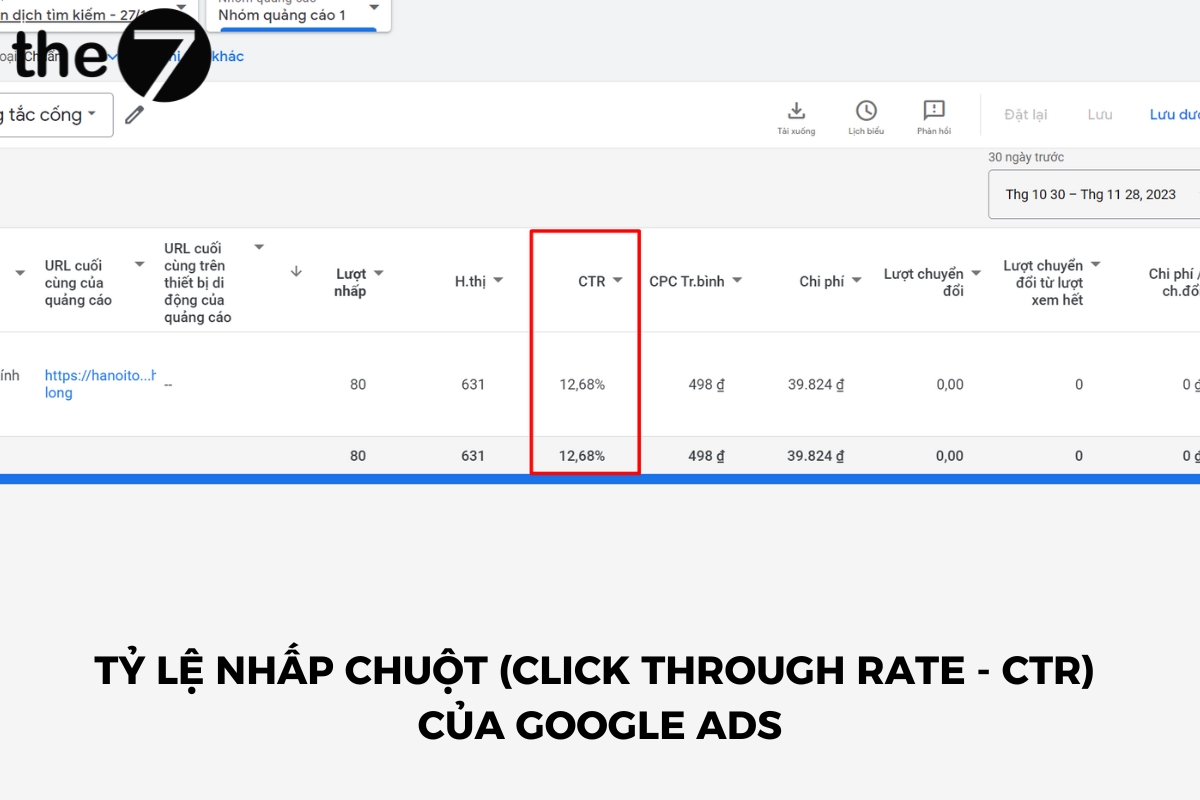
Click-through rate shows how often users see your ad and click on it. It lets you measure how effective your running ads are.
CTR = (Clicks / Impressions) x 100
Example: If your ad appears 300 times and 15 people click on it, your CTR is 5%.
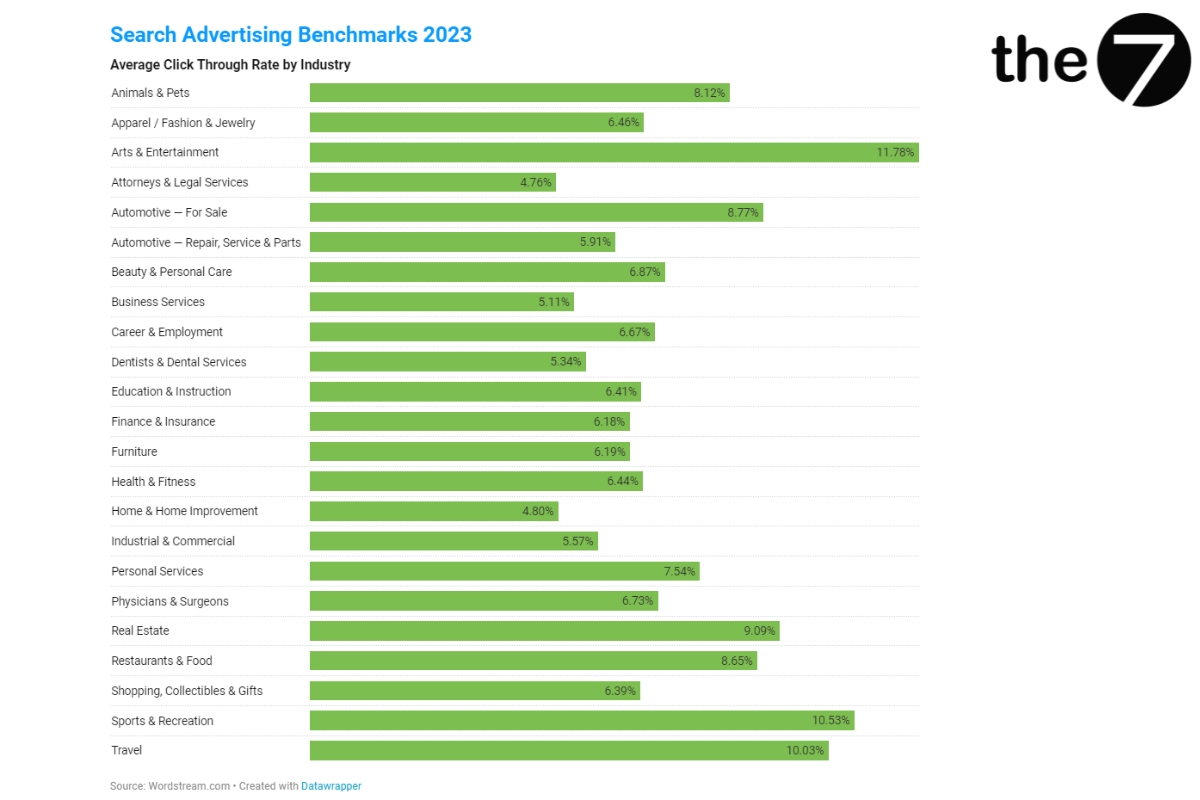
So what counts as a good CTR? According to Wordstream, the average industry CTR currently falls between 6% and 7%. Whether a click-through rate is good also depends on the industry, product, segment, and market conditions at the time you run your ads.
Cost per Click (CPC):
Cost per click is the amount you pay based on the number of clicks on your ad. The advantage of CPC is that it helps you optimize your budget.
Most users only click on an ad when they are genuinely interested. That means you only pay for the target audience your business is aiming for.
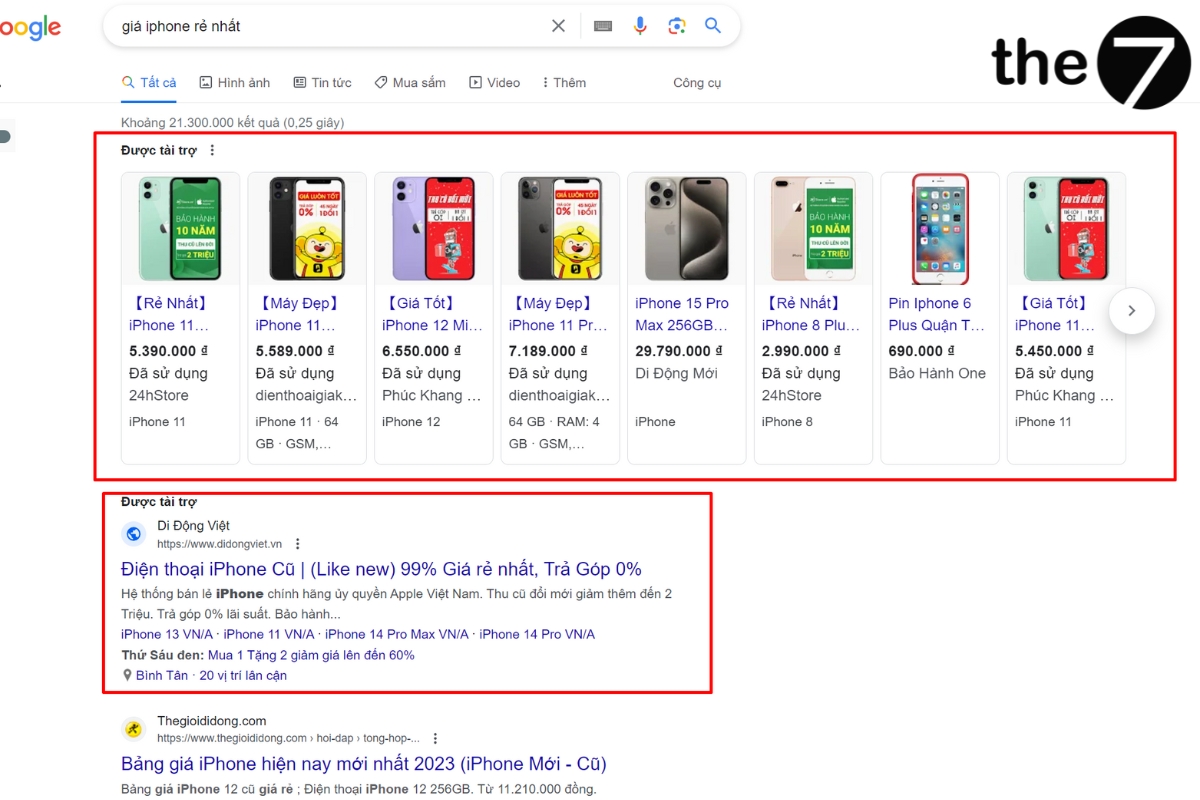
Example: When you type the keyword “giá iphone rẻ nhất” (cheapest iPhone price), several Google Shopping ads and one search ad appear. Even if thegioididong ranks first, if a user clicks on Di Động Việt, Google Ads will charge Di Động Việt.
Maximum CPC
Maximum CPC is the highest amount you are willing to pay for a single click on your ad. Essentially, CPC and maximum CPC among Google Ads metrics are similar. If you set your maximum CPC at $1, the amount you actually pay can’t exceed that figure.
The amount you’re willing to pay usually helps your ad appear in a higher position on the page, but it isn’t the deciding factor in your ranking.
In some special cases, you may pay more than your maximum CPC when you use certain features in your campaign, such as enhanced CPC, search partners, and bid adjustments.
Maximum CPC: an important metric in Google Ads
Average CPC
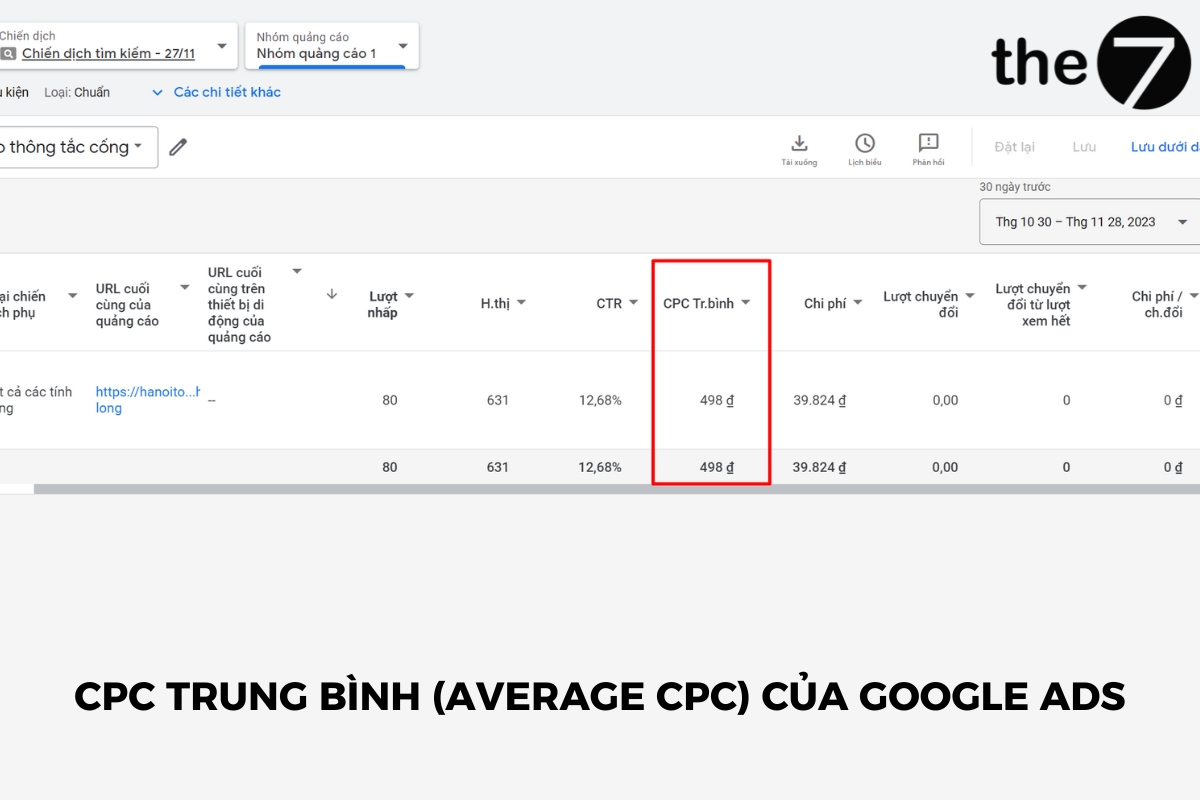
Average CPC is the average amount you pay for the clicks your ads receive.
Average CPC = Cost of clicks (that is, the budget for the ad campaign) / Total clicks.
Suppose your ad receives two clicks, one costing $0.1 and the other costing $0.4, for a total cost of $0.5. You divide $0.5 by the total of 2 clicks to get an average CPC of $0.25.
Top Impression Rate
This is the percentage of your impressions that appear in any of the top positions (top 4) when people search on Google, above the free (unpaid) results.
Top impression rate = Impressions in top positions / Impressions
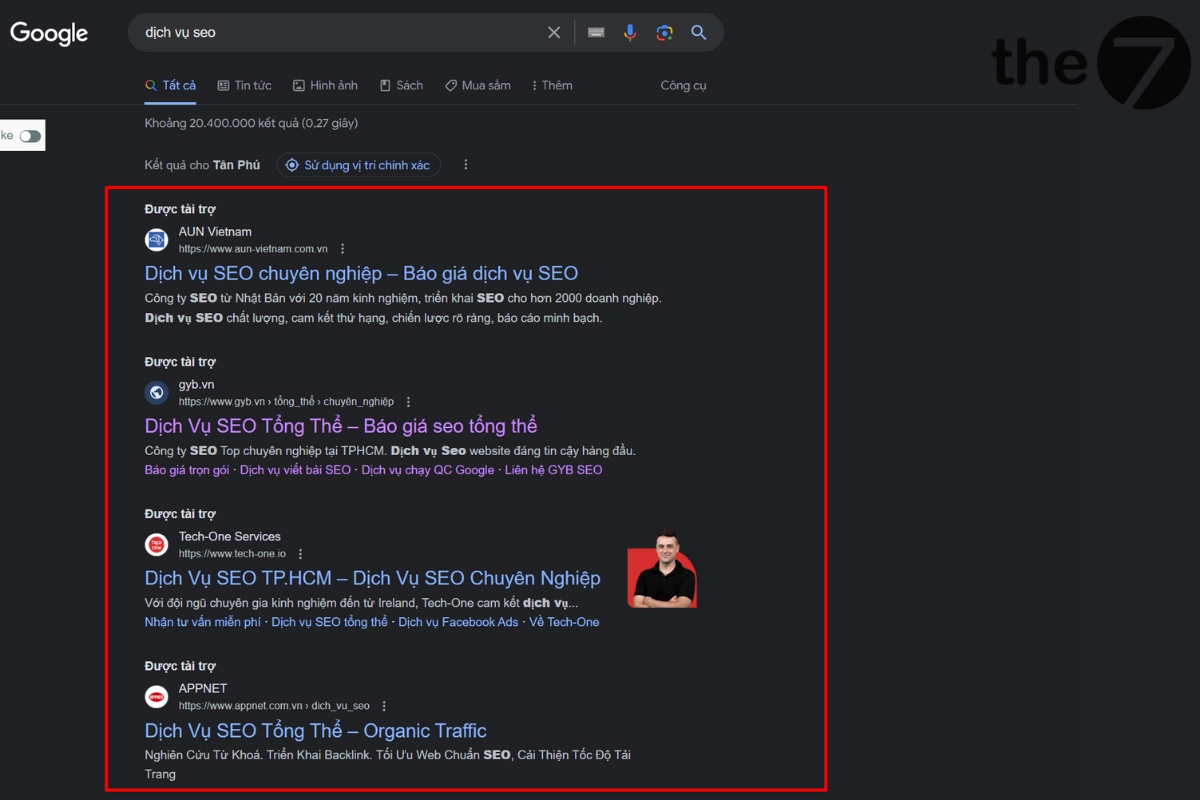
Absolute Top Impression Rate
Absolute top impression rate is the number of impressions you receive in the very first position above the unpaid search results.
Absolute top impression rate = Impressions in the absolute top position / Impressions
Reach and Awareness Metrics
Impression performance is one of the Google Ads metrics that helps you identify opportunities to reach potential customers. Note that this metric is updated several times a day. The specific metrics are as follows:
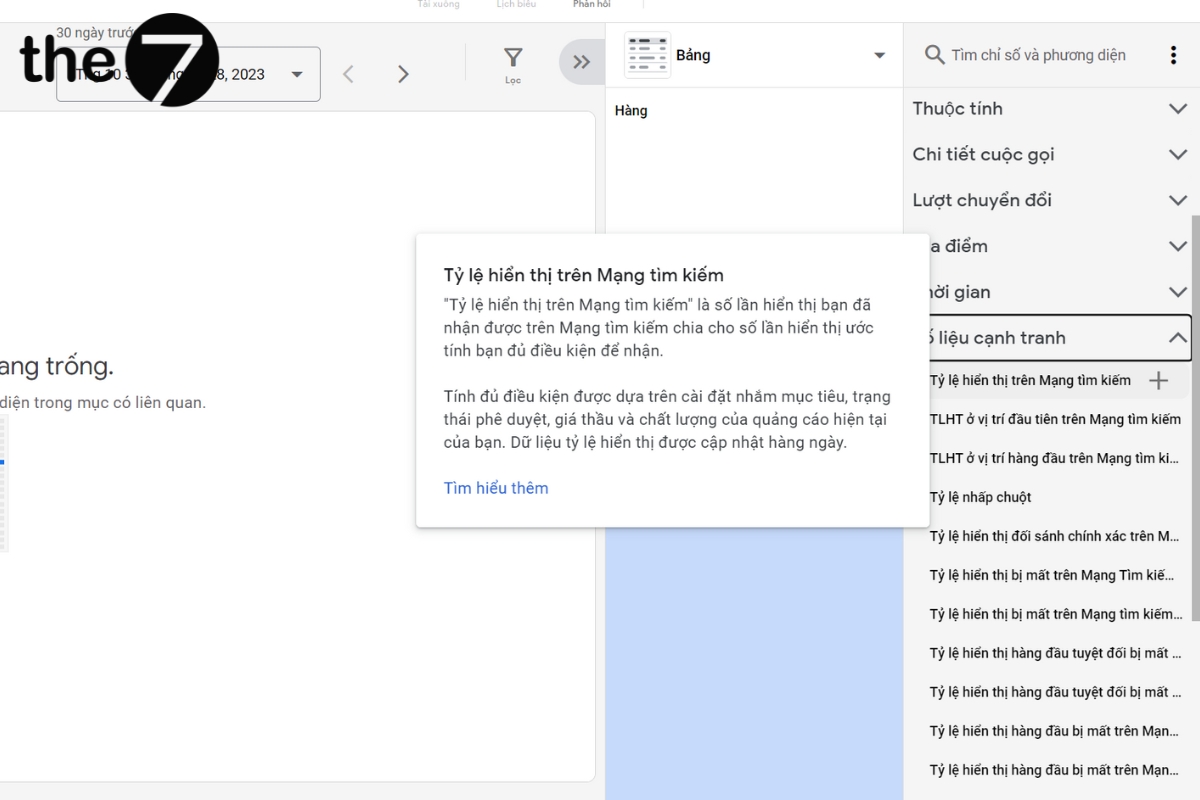
Search Impression Share
This is the number of impressions counted each time your ad is displayed on a search results page or another page on Google.
Search impression share = Impressions you received / Impressions you were eligible to receive
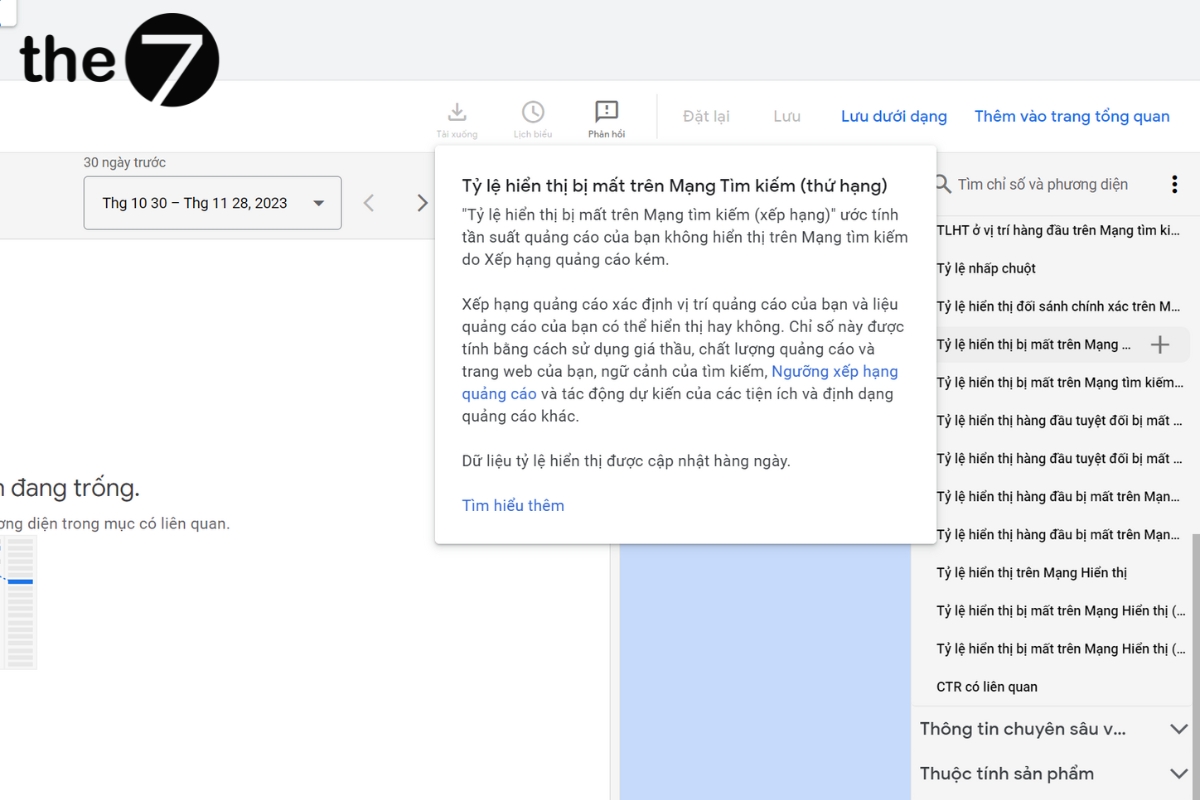
Search Lost Impression Share (Rank)
This is the percentage of time your ad wasn’t shown because of a low ad rank.
The main factors that affect rank include your bid, the relevance and usefulness of your ad, and the search context. If this rate is high, you should review your ad quality and your spend to improve your rank.
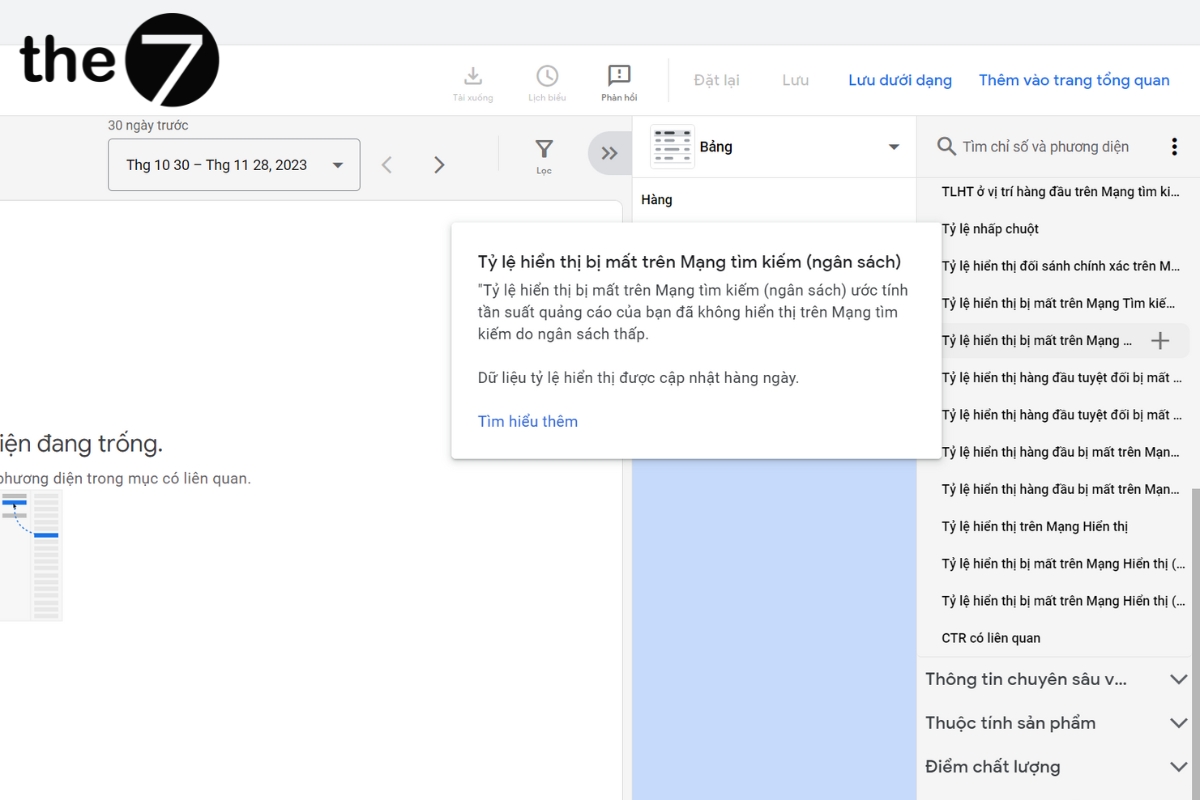
Search Lost Impression Share (Budget)
Search lost impression share is the percentage of time your ad wasn’t shown because your budget was too low.
Spend is also a key factor in driving and sustaining an ad campaign and sales over the long term. If your advertising budget is small, choose selective, precise keywords to optimize your spend.
Conversion Metrics
As advertising goals grow more diverse and broader, the 3 Google Ads metrics below are usually classed as advanced metrics for maximizing the performance of your running campaigns.
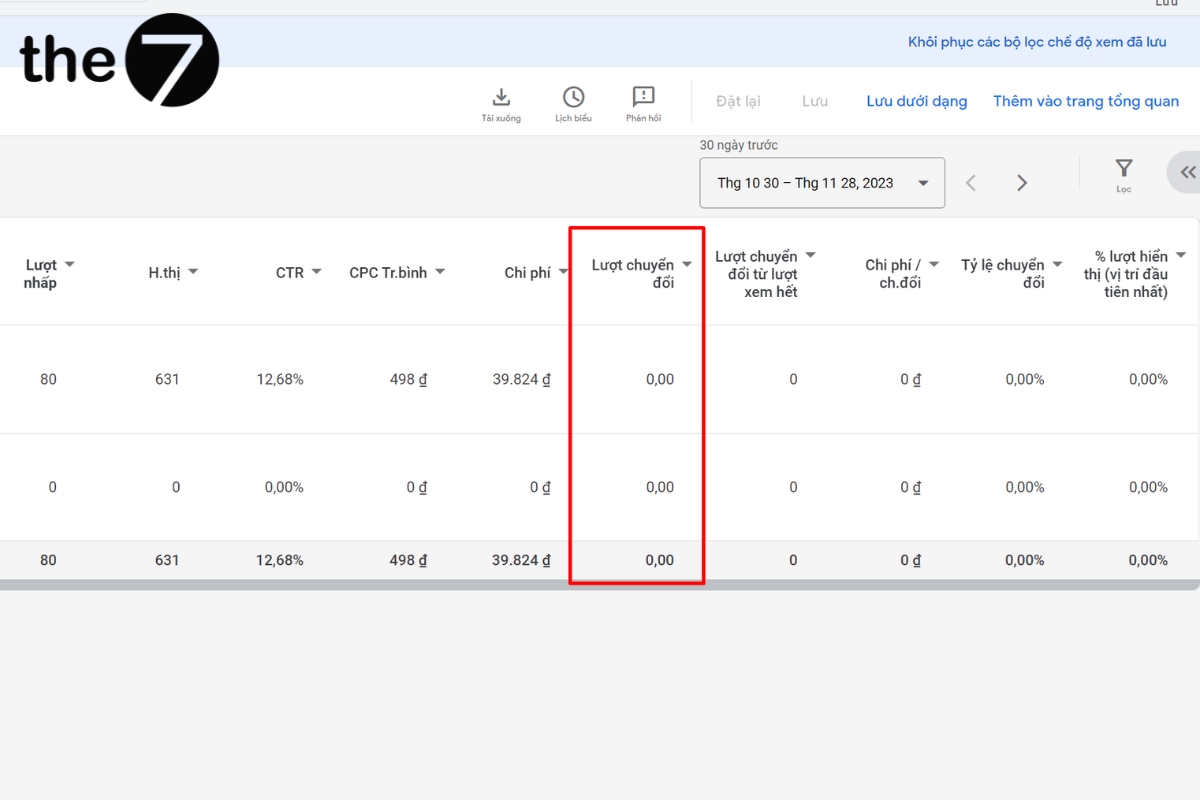
Conversions
Conversions show how many times your ad led customers to take actions you have defined as valuable to your business, such as making a purchase or signing up for a newsletter.
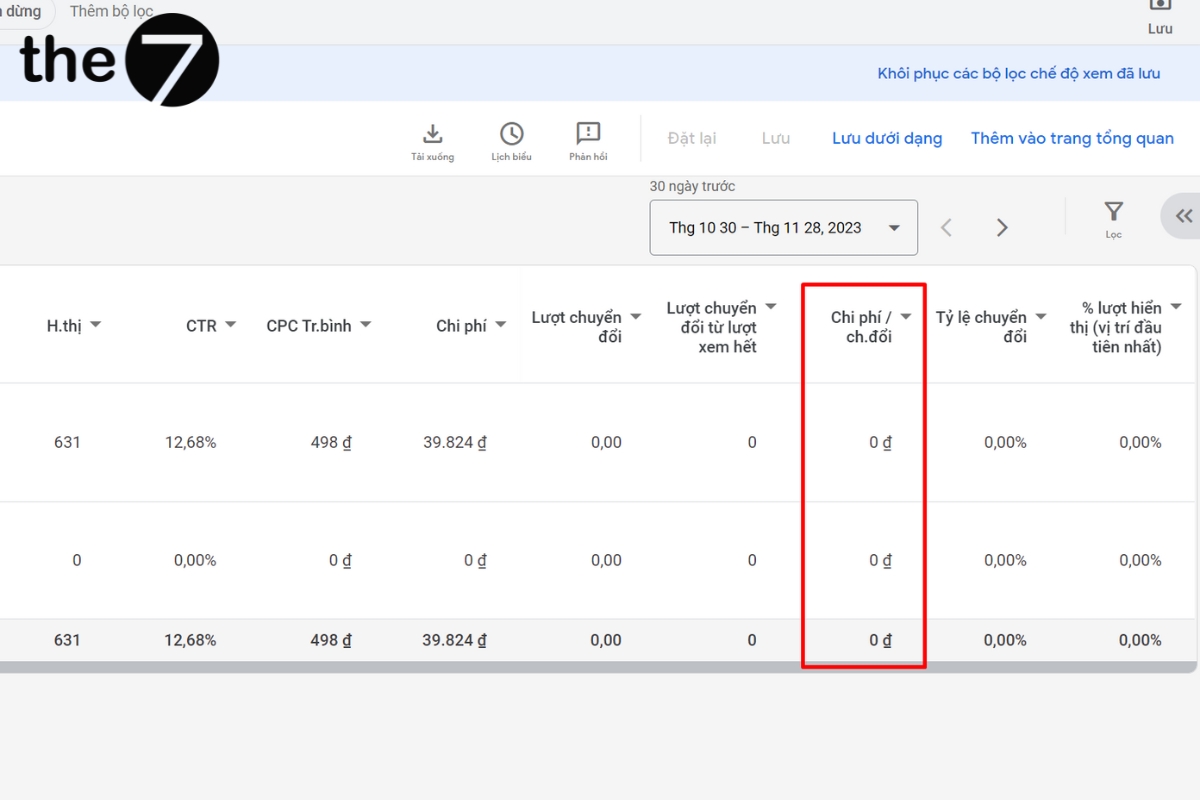
Cost per Conversion (CPC)
CPC is one of the Google Ads metrics for finding out whether your running campaigns are performing effectively.
Cost per conversion = Total ad spend / Number of conversions
Example: If you spend $1000 on an ad campaign and gain 200 new customers from it, your cost per conversion is calculated as follows: $1000/200 = $5. In other words, each conversion costs $5.
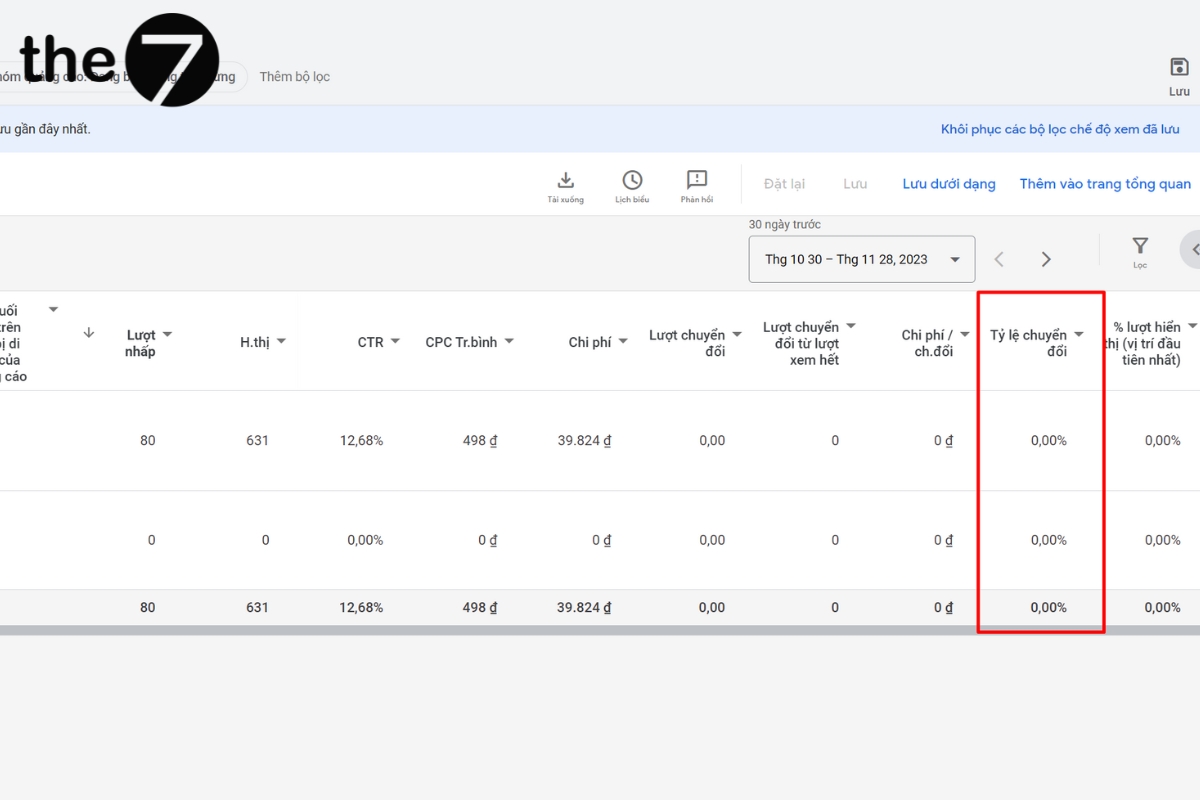
Conversion Rate (CR)
CR is the average number of conversions per ad interaction.
Conversion rate = (Number of conversions / Number of ad clicks) x 100
Example: If you get 80 conversions from 1,000 interactions, your conversion rate is 8%, because 80 ÷ 1,000 = 8%.
Tracking your conversion rate shows you how likely potential customers are to become loyal customers, and it also measures how effective your ad campaign is overall.
Other Metrics in Google Analytics
In addition to the Google Ads metrics above, Google Analytics, the free data collection platform, also gives users detailed statistics on the traffic that arrives through Google Ads, using the following metrics.
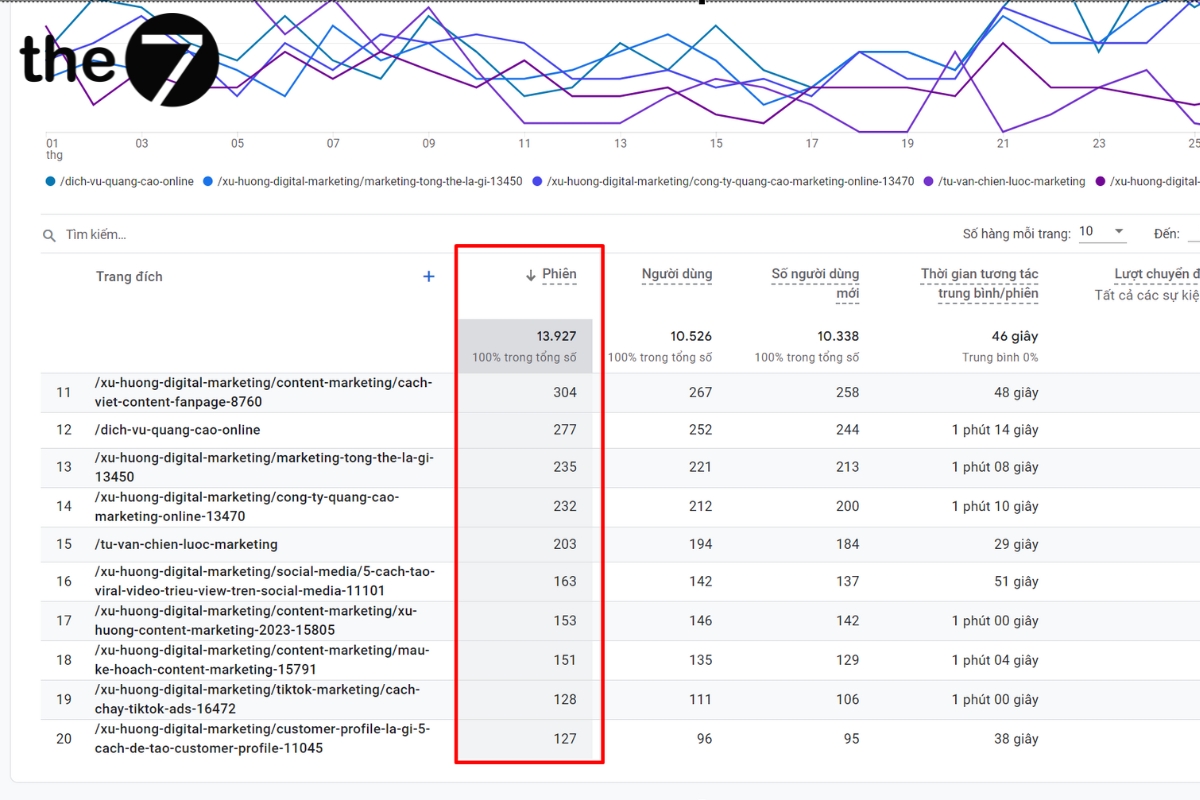
Average Session Duration
Session: In Google Analytics, a session is counted from the moment a user visits your website until they log out. The number of sessions is the first thing to look at to tell whether your ad campaign is effective, because more sessions means higher traffic.
Average time per session: Measures the average amount of time spent per session on your website.
Average session duration = Total time spent in sessions / Total number of sessions
Bounce Rate
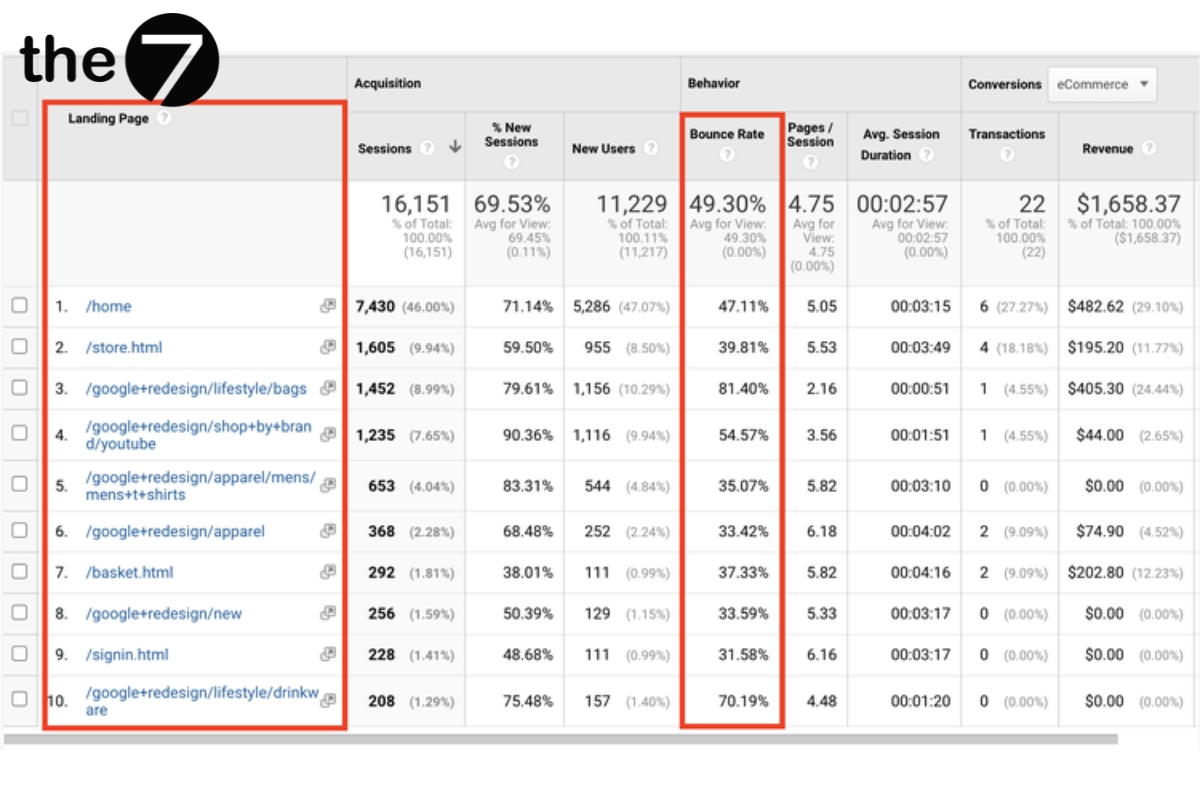
A bounce is counted when someone visits and does nothing on the page before leaving. More specifically, bounce rate measures the number of visitors who leave the page without taking a specific action, such as buying something, filling out a form, or clicking another link on the page.
That said, a high bounce rate doesn’t necessarily mean you have a problem. For a website or blog made up of single-page sessions, it’s a normal figure. So you need to define the goal of your page clearly to read it accurately.
Average Pageviews per Session
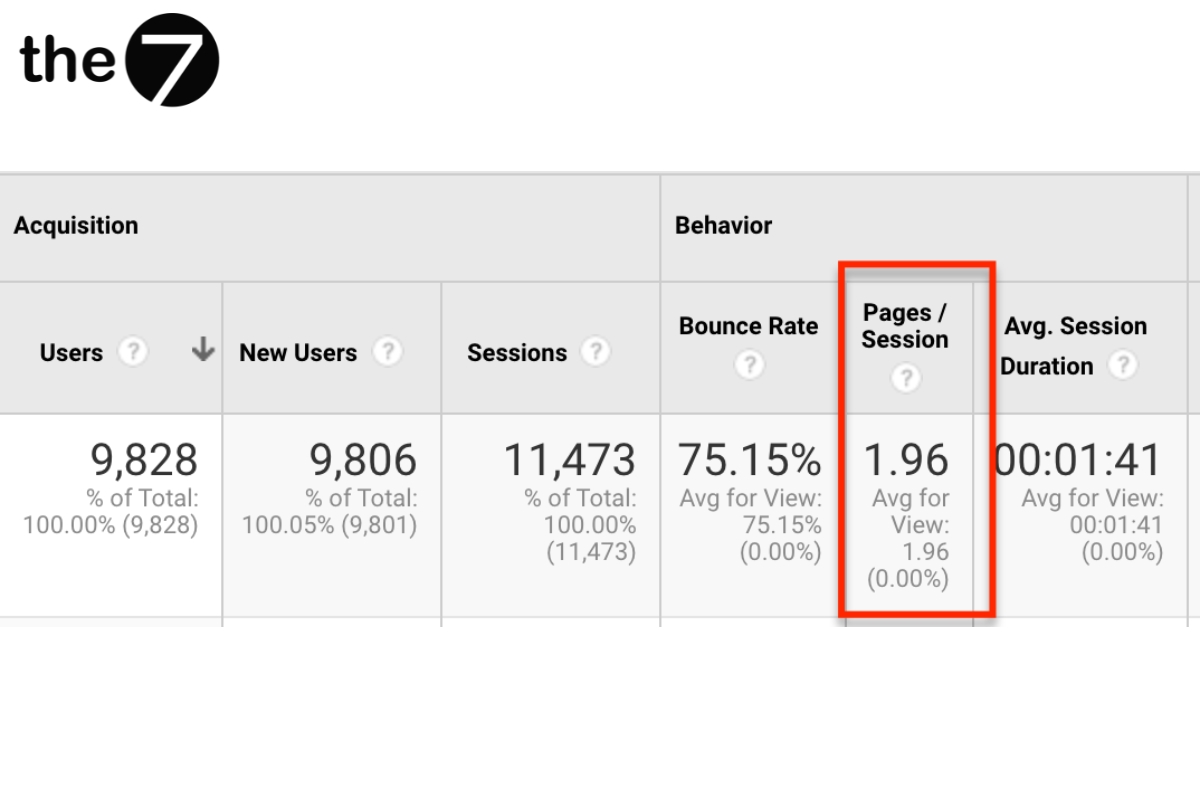
This is the average number of pages a person views in a given session. Repeat views of a single page are still counted. According to a 2022 report from Littledata that surveyed more than 6,000 websites, the average benchmark for sessions per user is about 1.4 sessions. A higher figure is a good sign that users are interested in your website.
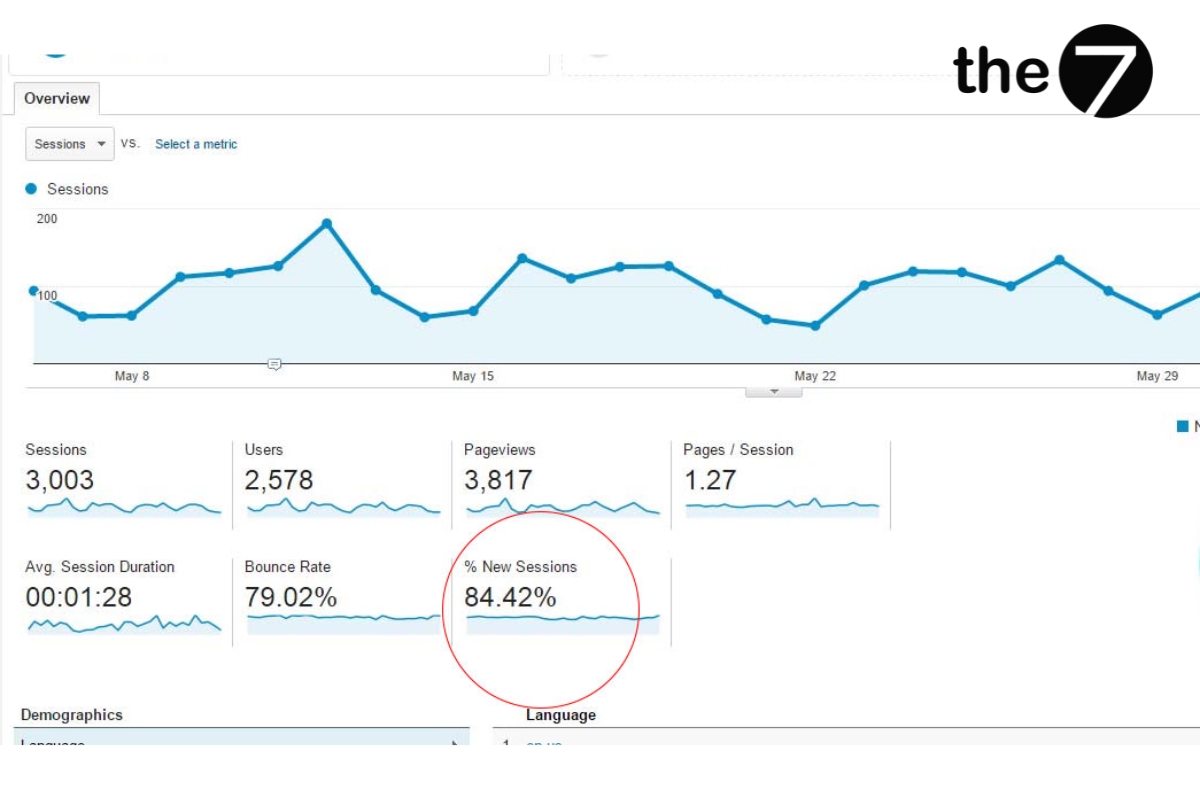
New Session Rate
This is the percentage of sessions from users who have never visited before.
In short, no single isolated factor can tell you how a whole campaign is doing. The Google Ads metrics above give you a clear, big-picture view of how you’re reaching the target customers your business is aiming for. From there, you can evaluate your running campaign and decide on sensible, effective improvements. Contact The7 if you have any questions you’d like answered!
>>>> See more related articles: Which card should you use to pay for Google Adwords in 2024?

Nguyễn Đình
Bảo




As CEO of The7, I am committed to sharing practical, useful knowledge with every reader. Every article on The7 is based on my 7 years of hands-on experience in marketing — Facebook advertising, LinkedIn advertising, Google advertising, and marketing strategy. I hope you take away plenty of insight from these posts and apply it successfully in practice.
Related Articles

6 Simple Yet Effective Steps to Run Google Ads in 2024
Google Ads (Google AdWords) is Google’s online advertising service that helps businesses reach the right target customers, boost brand awareness, attract customers, and drive sales as customers search for information...
How to Run Effective Gmail Ads for Your Business
One of the advertising formats attracting the attention of many business owners is Gmail advertising. So how do you run effective Gmail ads? Let The7 walk you through this fresh...
What Are Google Smart Campaigns? Tips to Drive High Traffic
Google Smart Campaigns are one of the ways advertisers can access advertising information and digital marketing techniques faster. If you have just started a small business, keeping track of your...
What Card Should You Use to Pay for Google Ads in 2024?
Which card to use to pay for Google Ads is a common question among people who are new to Google Ads campaigns. So which card is best for paying for...
How to Link Google Analytics With Google Ads in 2024
To run Google Ads effectively, you need to do more than just launch campaigns. You also have to analyze and evaluate the performance of each campaign through its metrics. So...
How to Add Sitelink Extensions in Google Ads (2024 Guide)
Sitelink extensions let your ads give customers more information. They also make each ad stand out more than your competitors’ ads. This gives your Google Ads extensions a Quality Score...


