


What Are Google Smart Campaigns? Tips to Drive High Traffic
Google Smart Campaigns are one of the ways advertisers can access advertising information and digital marketing techniques faster. If you have just started a small business, keeping track of your business activity with Google Ads is fairly simple. But do you really understand how effective Google Smart campaigns can be? Let’s explore the performance of Google Smart Campaigns with The7 in this article!
>>>> See more about the service: Full-Service Google Ads Management
1. What Are Google Smart Campaigns?
Most users use Google to look up information about a product, find some piece of knowledge, and so on. That is why stimulating customers’ online product searches is one of the key tactics for helping a business grow its sales.
Optimizing a business website with free ads helps save costs. But small businesses that want to increase how often they appear and quickly reach potential customers need to run ads for their products.
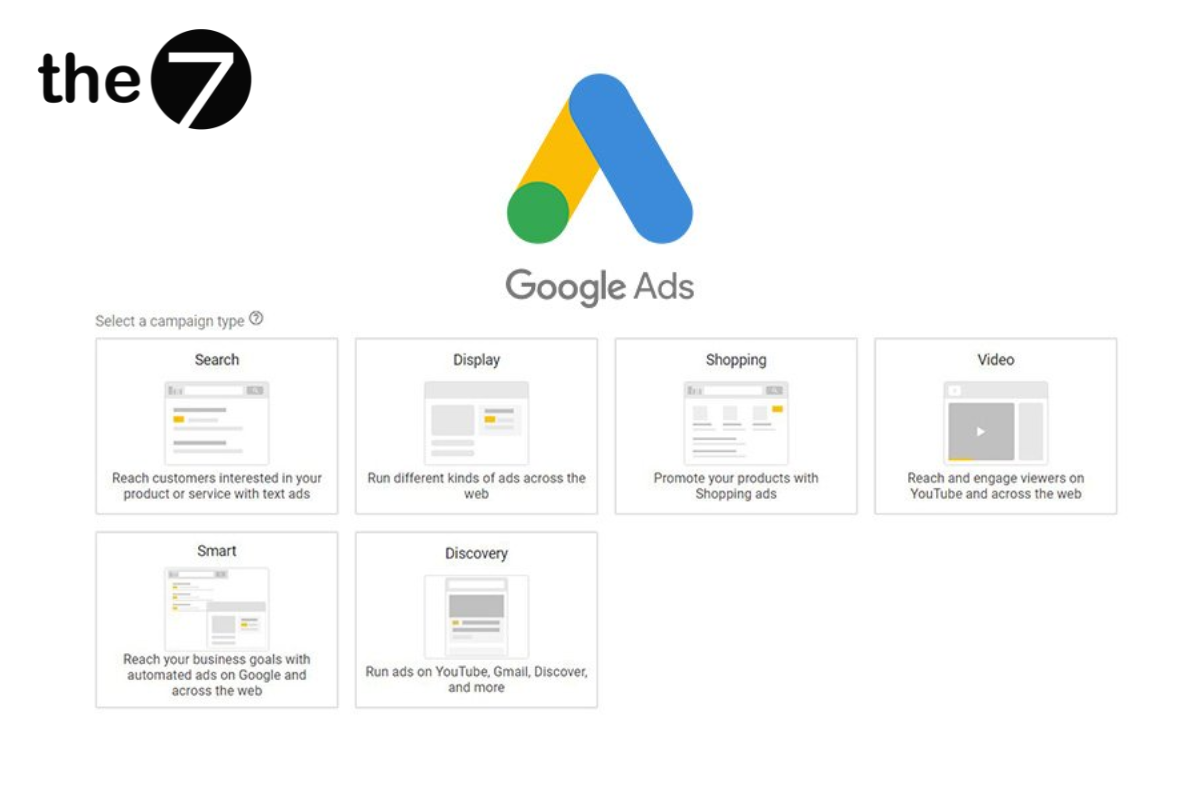
However, analyzing and building an ad campaign takes a lot of time and effort for new and small businesses. That is why Smart Campaign Google Ads was created: to solve these problems.
Google Smart helps a business’s products or services get found online on YouTube, Maps and more. Setting up a campaign is faster, more convenient and smarter, helping businesses monitor their running marketing activity at a glance.
>>> Read more:
- What Is Google AdWords? Reasons to run Google Ads
- A guide to running Google ads effectively on your own
2. Secrets to Driving High Traffic from Google Smart Campaigns
2.1 Where Google Smart Ads Appear
Google Ads Smart Campaigns let a business appear on Google’s search results pages, target mobile devices and Google Maps, or even reach Google’s partner websites.
Although these are small-scale product ad campaigns, they still bring in a decent number of potential customers on a small budget. Google Smart makes the tool easier to use than traditional marketing campaigns.
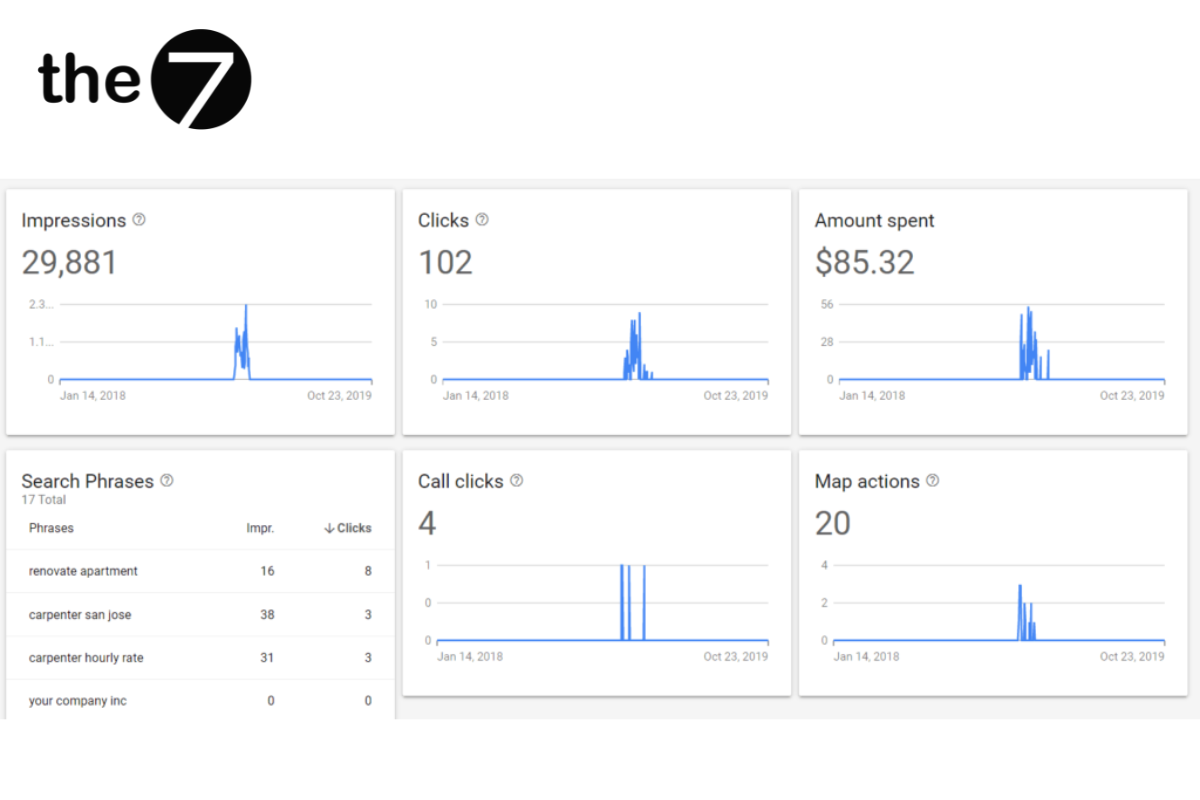
The toolbar shows an analysis panel with information about your company, campaign goal, amount spent and clicks. Below it, you will see details of more than 5 metrics that Google Smart analyzes after each marketing campaign, including:
- Impressions report
- Clicks
- Ad spend
- Conversions
- Map actions
If your business goal is “Calls”, it will be counted under “Clicks to call” instead of regular conversions, and the same goes for message or engagement goals.
2.2 Benefits of Using Google Smart Campaigns
2.2.1 Saves advertising costs and time
Smart Campaign Google Ads does not offer as many goal options as other advertising platforms. Its advanced search-processing algorithms are what set Google apart. So, to keep your website better optimized, avoid clicking on your own ad campaigns, which prevents overspending and helps ensure your ads reach the right people.
2.2.2 Automated ad optimization
A key benefit of Google Smart Campaigns is automated optimization: it targets goals on its own and creates ads based on your website and business profile. You can still adjust your ads by clicking “Edit ad” right below the ad draft. Unlike other advertising platforms, you don’t need to adjust bids or manage lots of ad tools, yet you still get strong reach.
2.3 Drive High Traffic with Google Smart Campaigns
With Google Smart, you only need 15 minutes to create an ad and optimize it to attract high traffic. You can skip customizing audiences and target metrics, because Google readily handles these tasks for you. Based on your business location, Smart Campaign Google easily targets potential customers in nearby areas.
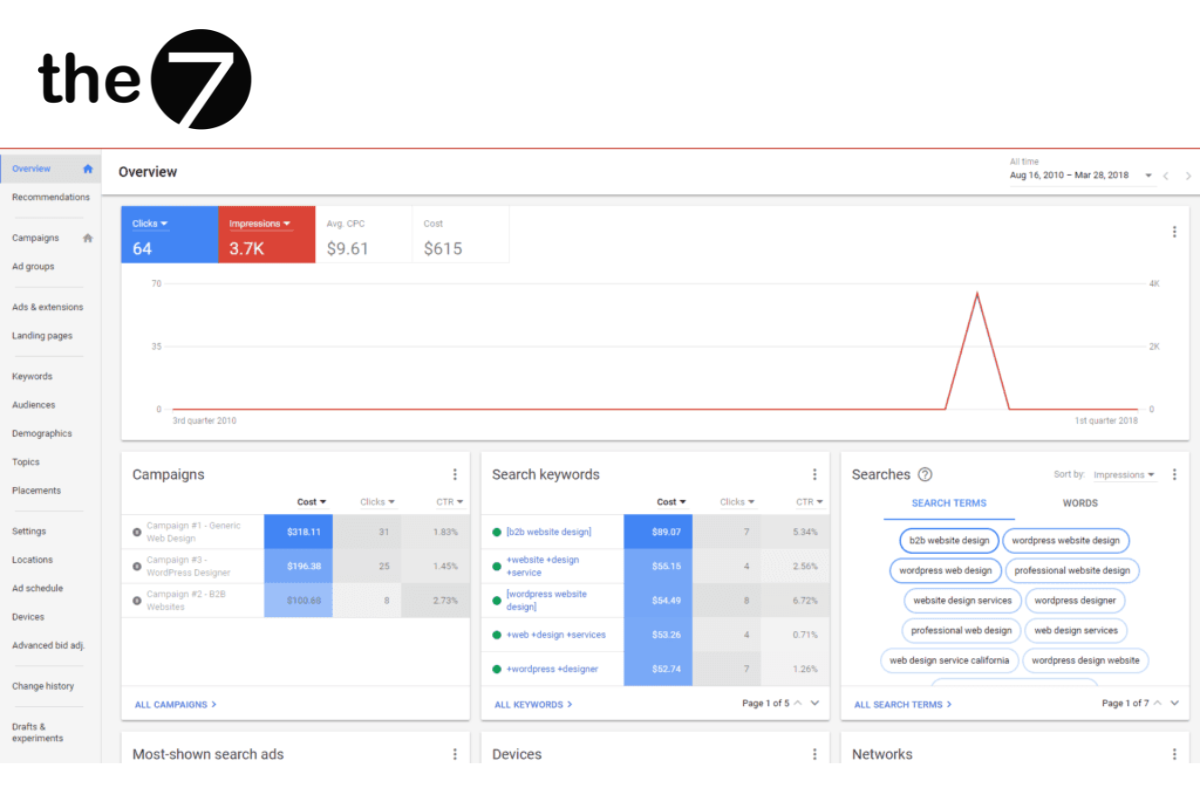
You don’t even need to research a keyword set, yet you can still easily manage and edit your campaign. Just click the “Manage all” link under the “Search terms” overview. From there, you can easily turn on and off the search terms Google suggests for your business. You can also edit the “Status” column.
3. Search Terms Related to Google Smart Campaigns
Related keyword phrases include:
- Smart display campaigns
- What is the search network
- What are display ads
- Details in display ads
- What core value do Google search campaigns deliver
- What is running the network
- What are the characteristics of image display ads
- What are Google Ads Smart Campaigns
We hope this overview of Google Smart Campaigns from The7 has helped small business owners better understand this tool so they can make the most of Google search advertising. The7 has plenty of other great articles, so don’t miss them.
>>>> See more articles:
- What Are Google Shopping Ads? A guide to running them effectively
- How to run display ads on the Google Display Network
- A beginner’s guide to running Google Maps ads

Nguyễn Đình
Bảo




As CEO of The7, I am committed to sharing practical, useful knowledge with every reader. Every article on The7 is based on my 7 years of hands-on experience in marketing — Facebook advertising, LinkedIn advertising, Google advertising, and marketing strategy. I hope you take away plenty of insight from these posts and apply it successfully in practice.
Related Articles
6 Simple Yet Effective Steps to Run Google Ads in 2024
Google Ads (Google AdWords) is Google’s online advertising service that helps businesses reach the right target customers, boost brand awareness, attract customers, and drive sales as customers search for information...
How to Run Effective Gmail Ads for Your Business
One of the advertising formats attracting the attention of many business owners is Gmail advertising. So how do you run effective Gmail ads? Let The7 walk you through this fresh...
What Card Should You Use to Pay for Google Ads in 2024?
Which card to use to pay for Google Ads is a common question among people who are new to Google Ads campaigns. So which card is best for paying for...
How to Link Google Analytics With Google Ads in 2024
To run Google Ads effectively, you need to do more than just launch campaigns. You also have to analyze and evaluate the performance of each campaign through its metrics. So...
How to Add Sitelink Extensions in Google Ads (2024 Guide)
Sitelink extensions let your ads give customers more information. They also make each ad stand out more than your competitors’ ads. This gives your Google Ads extensions a Quality Score...
SEO vs. Google AdWords Advertising: Which Campaign Should You Choose?
SEO and Google AdWords are both powerful forms of online marketing. With competition on the digital market growing fiercer by the day, comparing SEO and Google AdWords to decide which...


