


How to Run Facebook Ads: 2024 Step-by-Step Guide

How can you run Facebook ads effectively, reach the right target customers, and generate valuable conversions? This is probably a question many Digital Marketers and business owners ask when promoting their products and services. Don’t worry — check out the steps for running Facebook ads below!
What Is Facebook Advertising (Facebook Ads)?
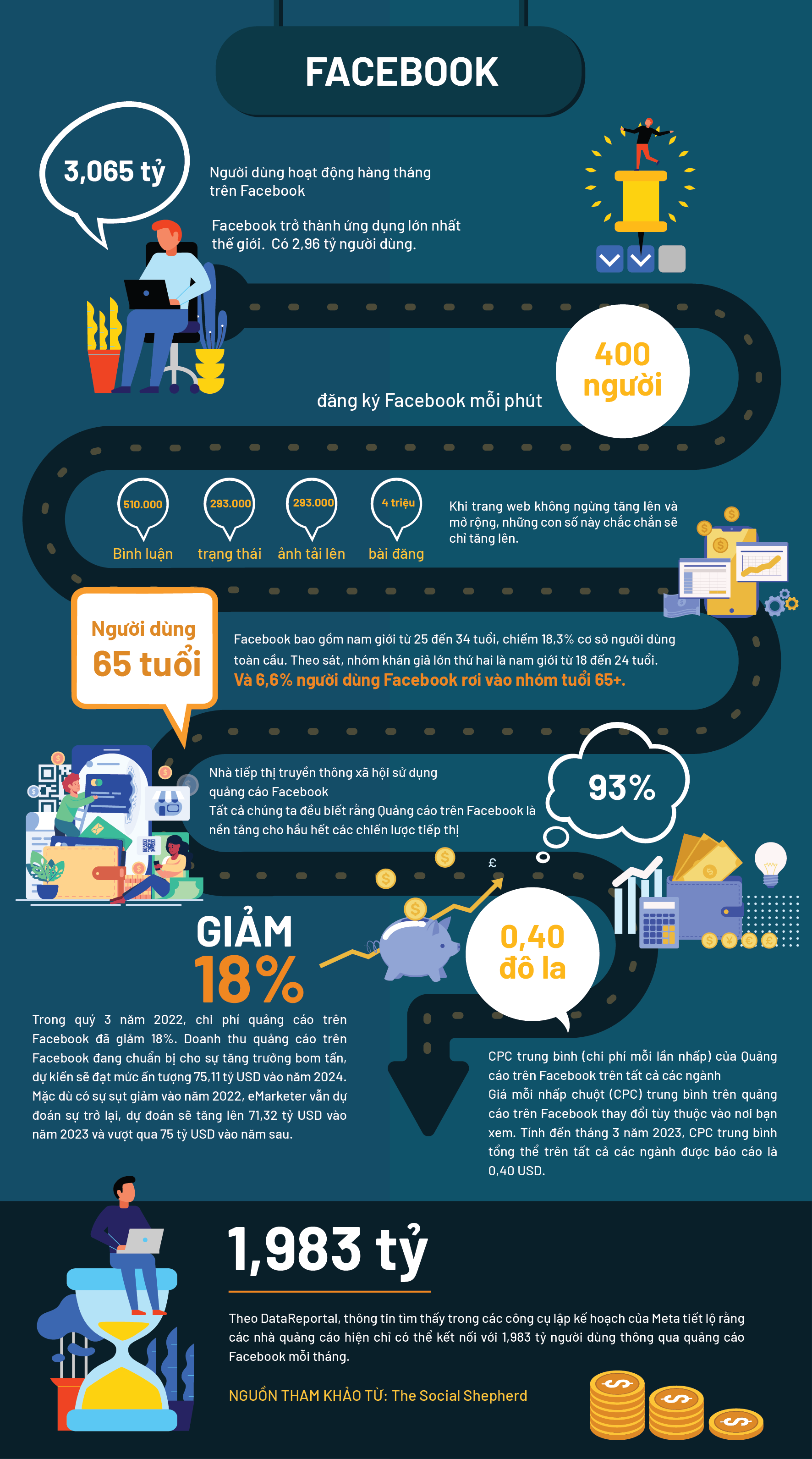
Facebook advertising is advertising that appears on Facebook. Through these ads, you can reach more than 2 billion people who use Facebook every month. To advertise on Facebook, you don’t need to be an expert. Create and run campaigns using simple self-serve tools, then track performance with easy-to-read reports. (Source: Facebook)
3 Popular Facebook Ads Formats
Below are 3 popular Facebook ad formats:
Basic Ads
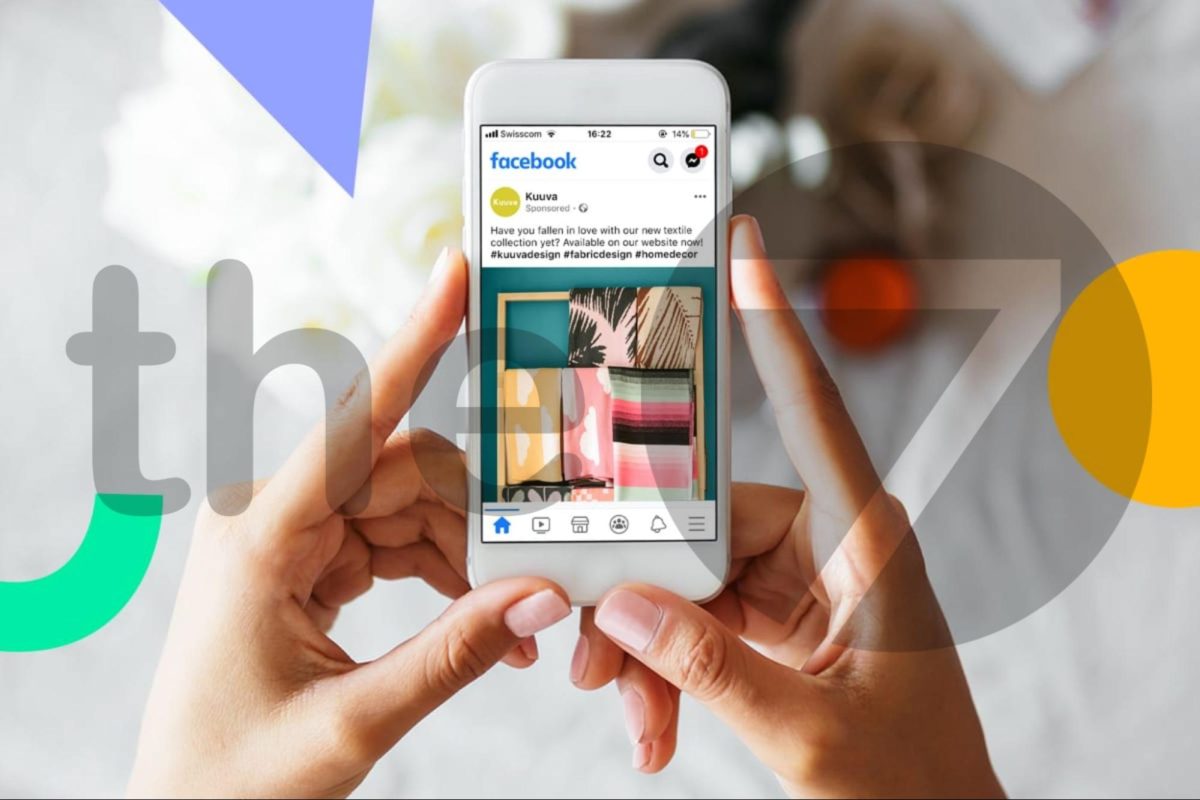
Basic Facebook ads are a type of ad that typically appears in two main positions on the user interface:
- Right-hand corner of the desktop interface: This ad type is compact in size, including a headline (up to 25 characters), a description (up to 90 characters), and an image (100×72 pixels).
- The “More” section on the mobile interface: Similar to desktop ads, basic ads on mobile are also small in size and include the same elements: headline, description, and image.
Advantages:
- Simple and easy to create.
- Cost-effective.
- Suitable for many advertising objectives, with high effectiveness.
Sponsored Ads
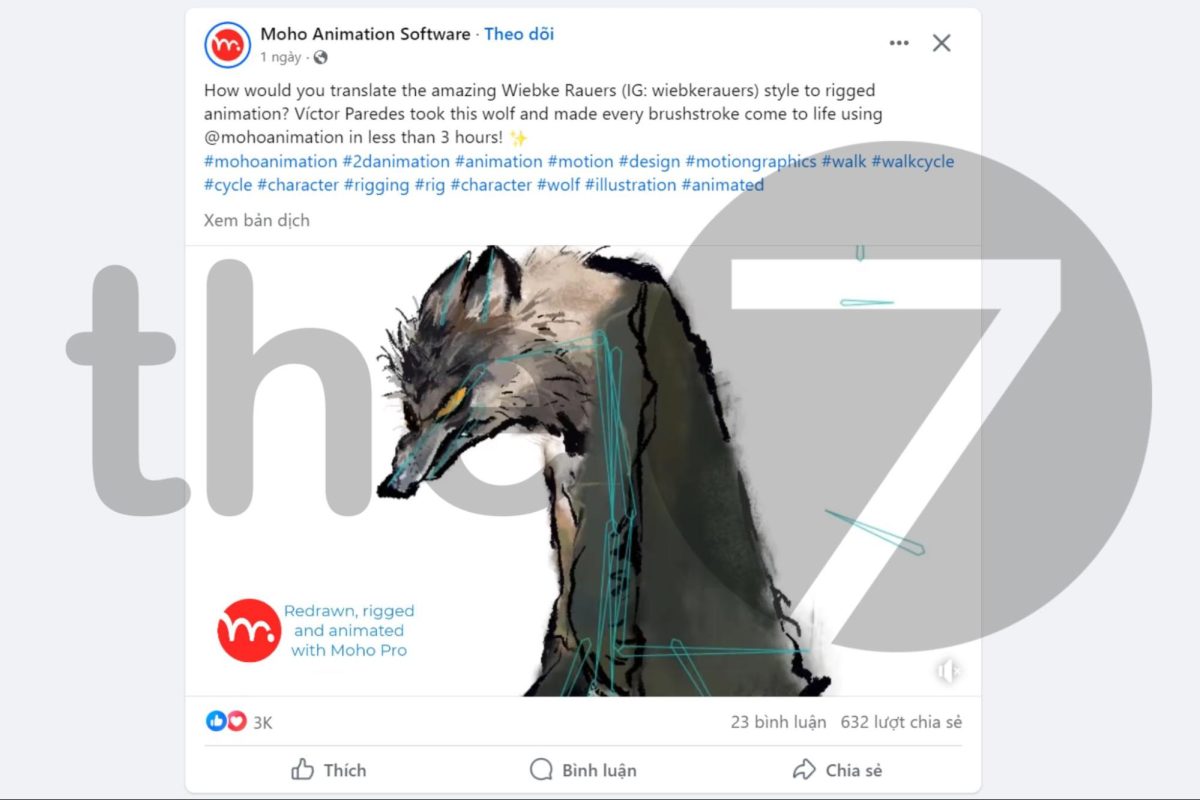
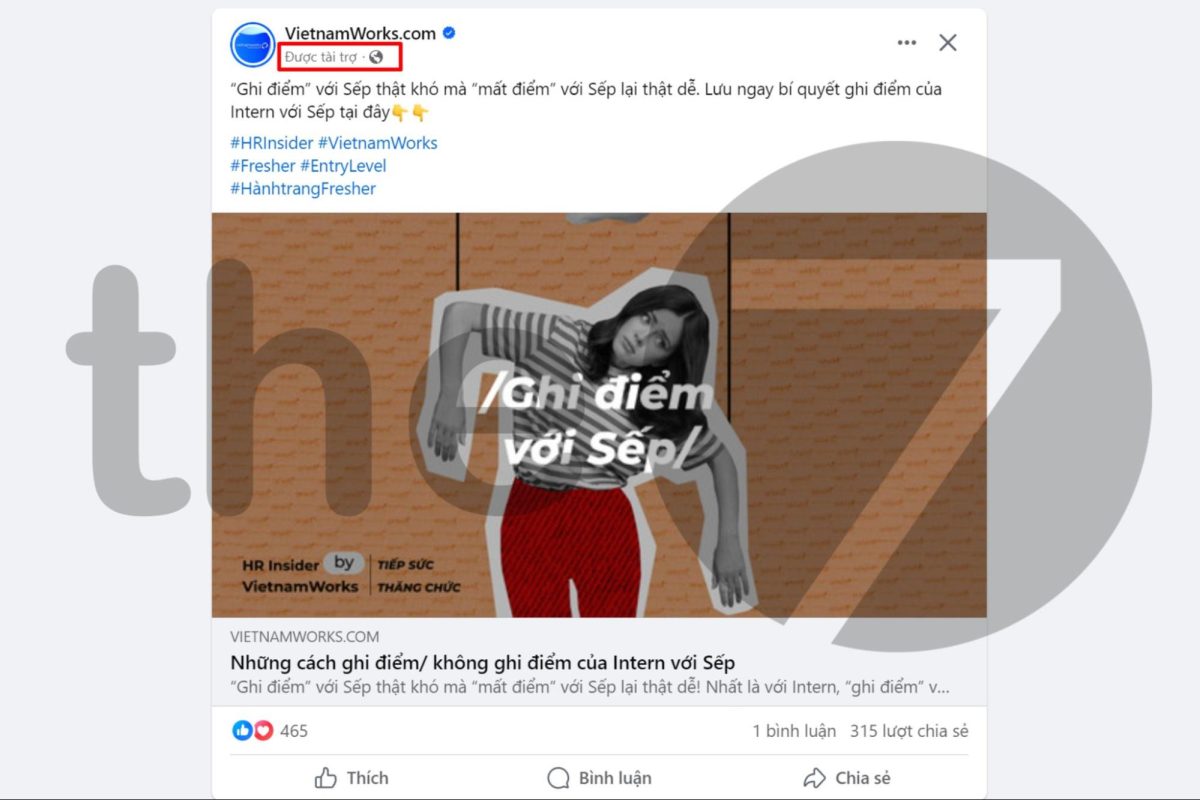
Similar to basic ads, but this ad format can also appear on the right side or in the Facebook News Feed. If it appears in the News Feed, sponsored posts will show the word “Sponsored” beneath the Page name.
Advantages:
- Effectively reaches potential customers.
- Increases brand awareness.
- Drives customers to visit the website or Page.
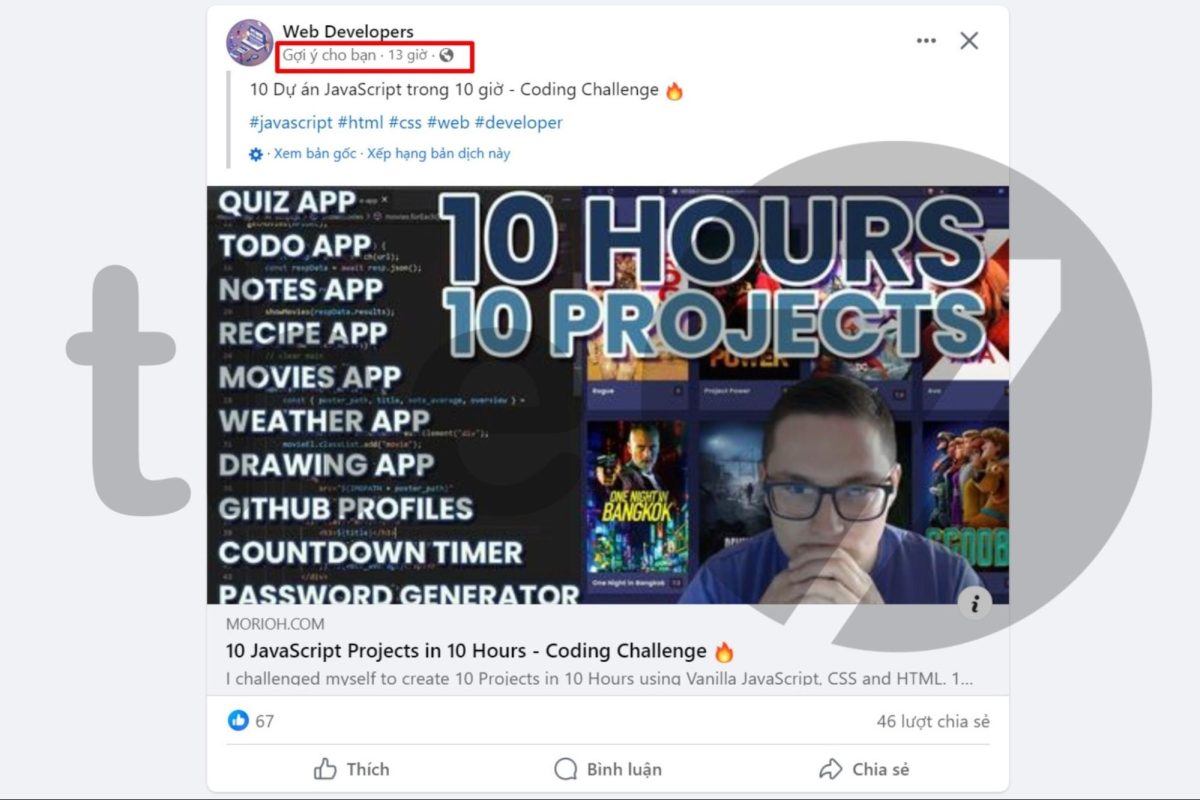
Suggested Post Ads
This ad type only appears in the user’s News Feed and is suggested by Facebook based on Pages you’ve liked or videos from that Page you’ve watched via Facebook Watch and Reels. This ad appears with the text “Suggested for You” or “Recommended” below the business’s Page name.
Advantages:
- Increases organic engagement.
- Creates a positive brand impression.
- Attracts potential customers with similar interests.
8 Common Facebook Ad Types
Facebook offers you many options for ad types. With this variety, you can choose the format that fits your needs, budget, and target customer behavior.
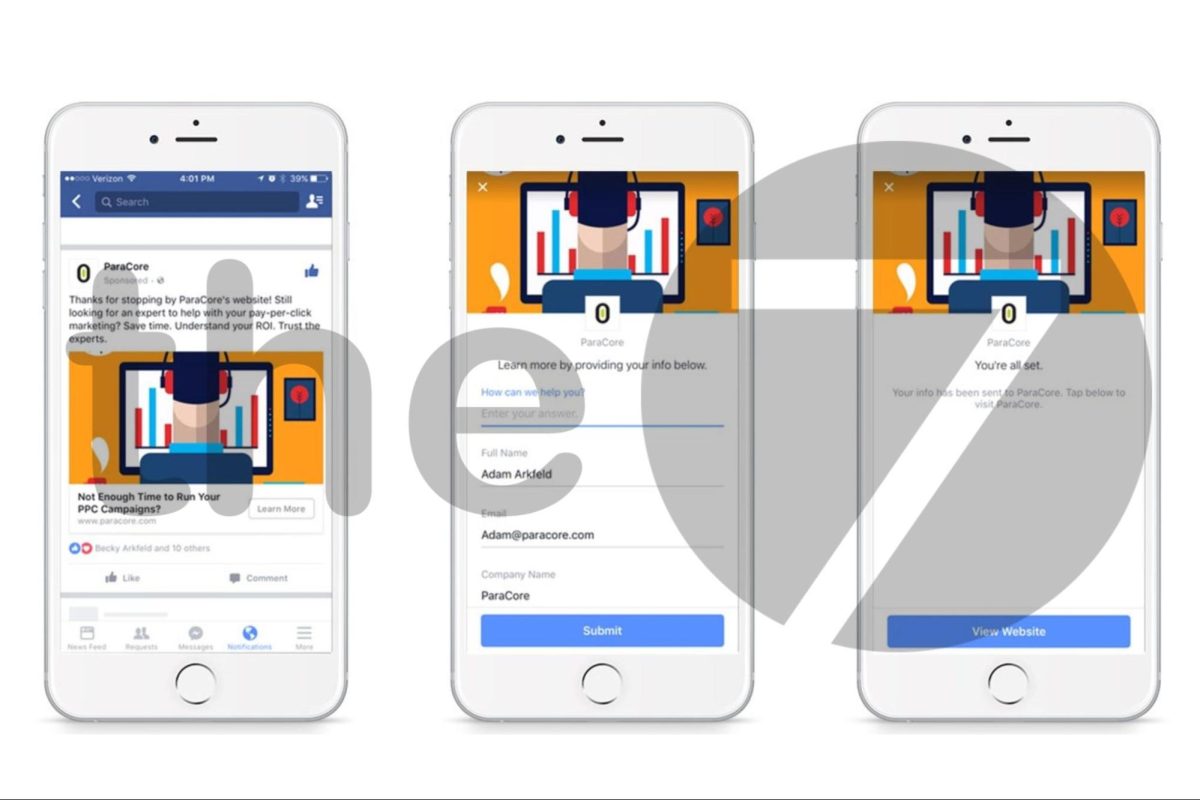
- Facebook Lead Ads: Lets users sign up to receive information directly through the ad form without being redirected to another website.
- Carousel Ads: Display an overview of products with images, product names, and prices, helping online shop owners give users the clearest overview of their products.
- Boosted Page Posts: Helps advertisers set a timeframe, increase display performance, and boost reach to a target customer group for a selected post.
- Dynamic Product Ads: Suggest products based on Facebook users’ interests and search data, aiming to boost order rates.
- Feature Videos: Showcase the shop owner’s products/services through high-quality video, quickly boosting brand recognition.
- Event Responsive Ads: Facebook helps shop owners/businesses create free events to advertise products/services, reinforcing their brand’s position on the platform.
- Domain Ads (Facebook Click-to-Web Ads): This ad links directly to the website you want to direct customers to.
- Page Likes Ads: Facebook suggests invitations to like a business’s or individual’s Page, helping increase brand recognition and engagement.
Preparation Before Running Facebook Ads
Before successfully setting up a Facebook ad campaign, make sure you have the following 3 elements:
- Ad account: Lets you create targeted ads using demographic, interest, and behavioral data to reach your ideal target audience. You can also set a budget to manage spending and track ad performance, including conversion and retargeting efforts.
- Facebook Page: Your Page is the “stage” where you showcase your products and services and reach potential customers. Make sure your Page is complete, engaging, and makes a good impression on viewers before launching your ad campaign.
- Payment method: To pay for ad costs, you’ll need a debit or credit card (Debit, Mastercard, etc.). You can also use PayPal for a safe and convenient payment option.
How to Run Effective Facebook Ads
After accessing Facebook Ads Manager, follow the steps below.
Create an Ad Campaign
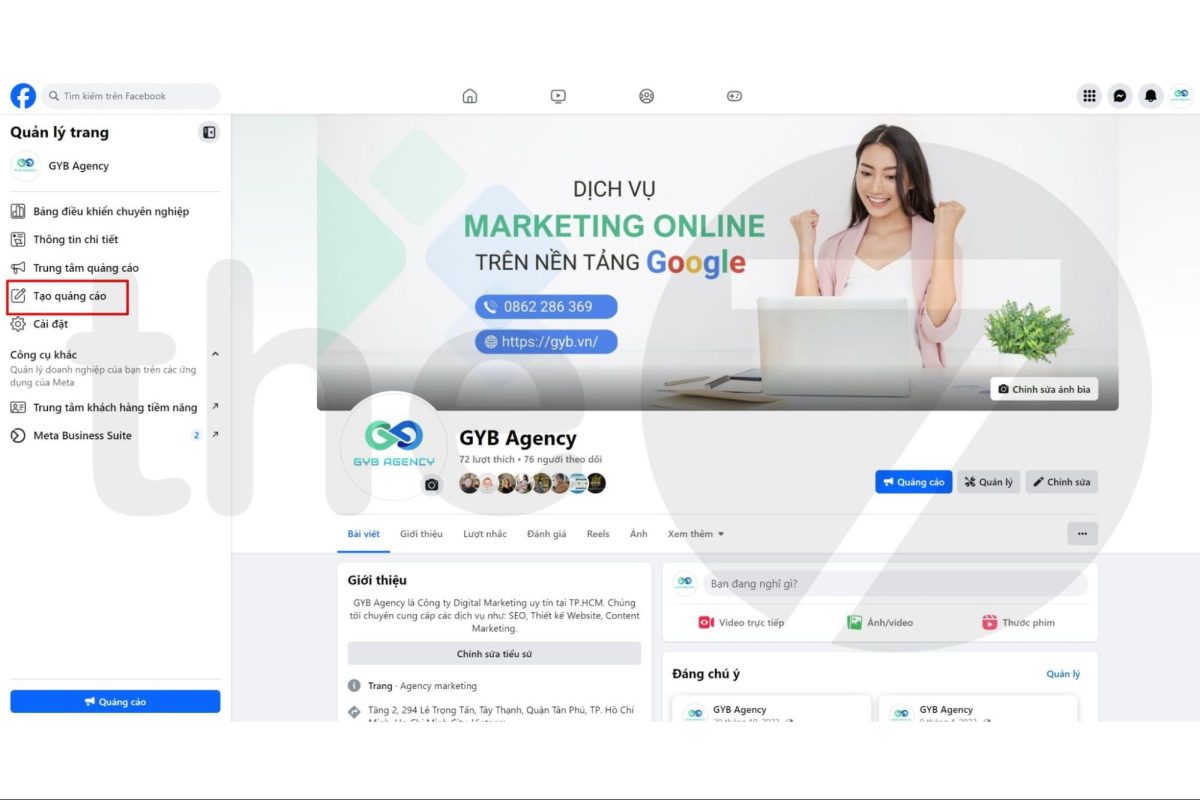
Click the “Boost Post” button on the post you want to advertise. Alternatively, you can go to the Facebook for Business page and click “Create Ad”.
Choose a Campaign Objective
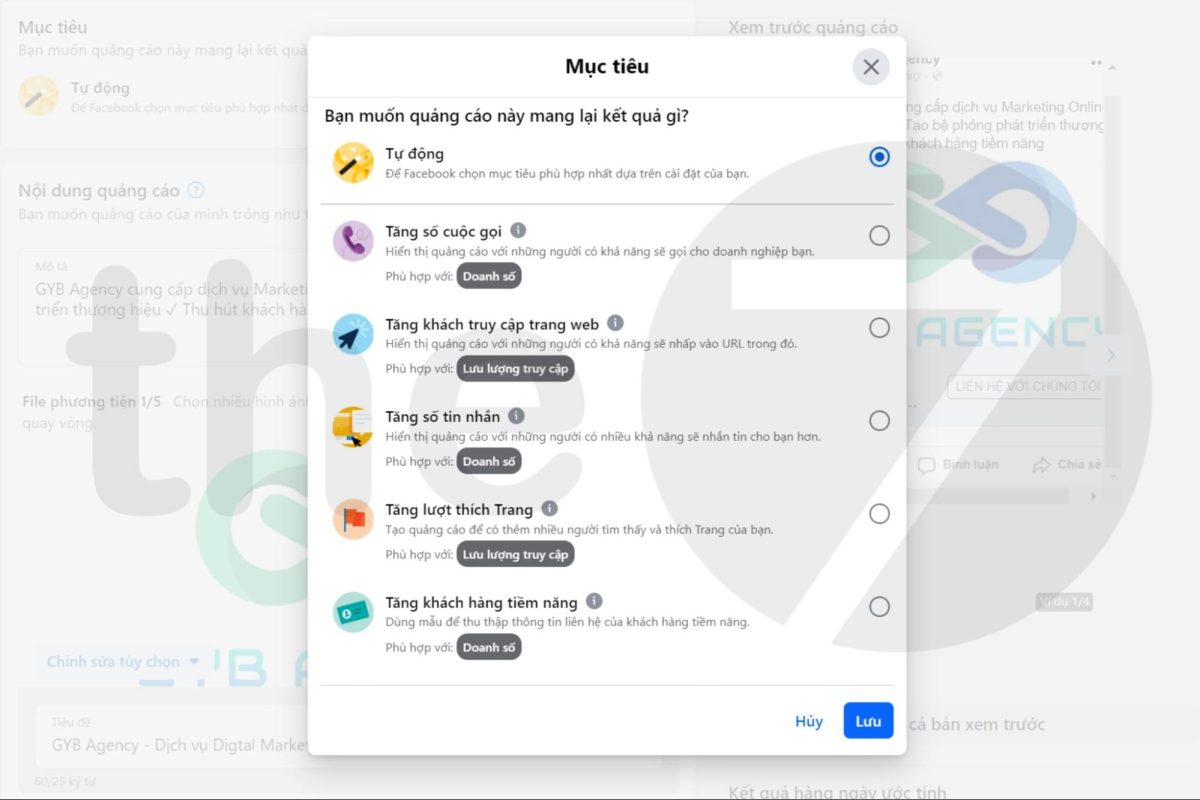
You should choose a campaign objective that matches your business goals. Here are the specific steps for setting a Facebook campaign objective:
- Step 1: Determine your objective before running the ad.
- Step 2: Go to “Choose Campaign Objective” and select a suitable goal such as: awareness, traffic, engagement, leads, app promotion, or sales.
- Step 3: Click “Continue“, and Facebook will help you select the optimal ad format and accurate bid amount.
Set Up Account Information and Target Audience
- Step 1: Fill in account verification details such as currency, country, region, etc.
- Step 2: Fill in target audience information such as age, location (place of residence), gender, language, etc.
There are four options for choosing your target audience:
- Advantage+ Audience: Based on people who have liked your Page, with automatic adjustment of reach timing.
- Targeting: You manually set the audience for your Facebook ad to reach
- People Who Like Your Page: The ad will target customers who have liked your Page.
- People Who Like Your Page and Similar Audiences: The ad targets both customers who have liked your Page and people who haven’t liked it but share similar behaviors.
For each target customer description, Facebook will provide an estimate of the potential customer reach your ad strategy could attract, shown in a chart on the right side of the page.
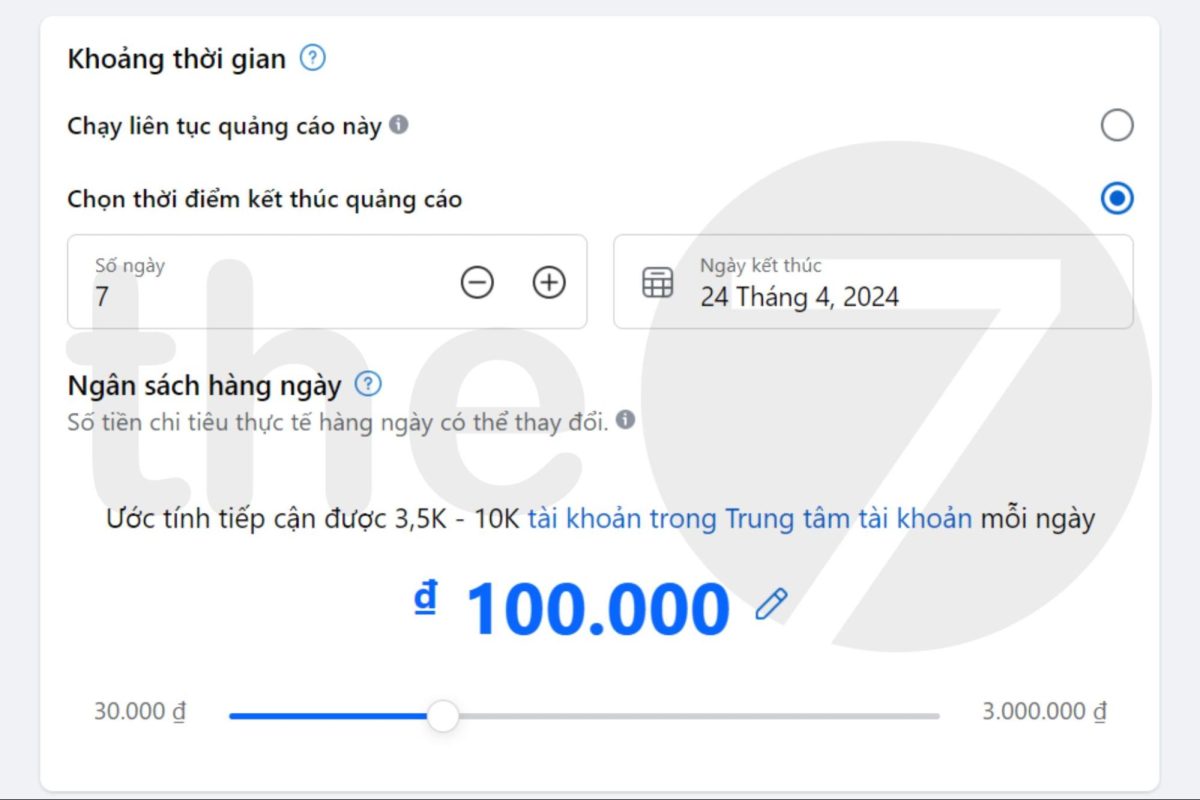
Set Budget and Ad Schedule
If you choose “Daily Budget”, you’ll have two corresponding options:
- Run the ad set continuously starting today.
- Set a start and end date.
If you choose “Lifetime Budget”, you must set a start and end date for the campaign. After finishing the ad schedule setup, click “Continue” to move to the next steps. In the “Budget” section, you’ll have 2 options:
- Daily Budget: The average amount you’ll pay per day for an ad set. Facebook will flexibly distribute your ad spend based on the amount you’ve set. Daily spending may vary — for example, 80,000đ today but 120,000đ the next day.
- Lifetime Budget: The total amount you’ll spend for the entire ad run. It works similarly. However, the difference is that instead of choosing a spending amount for each day, you calculate the spending amount for the whole campaign.
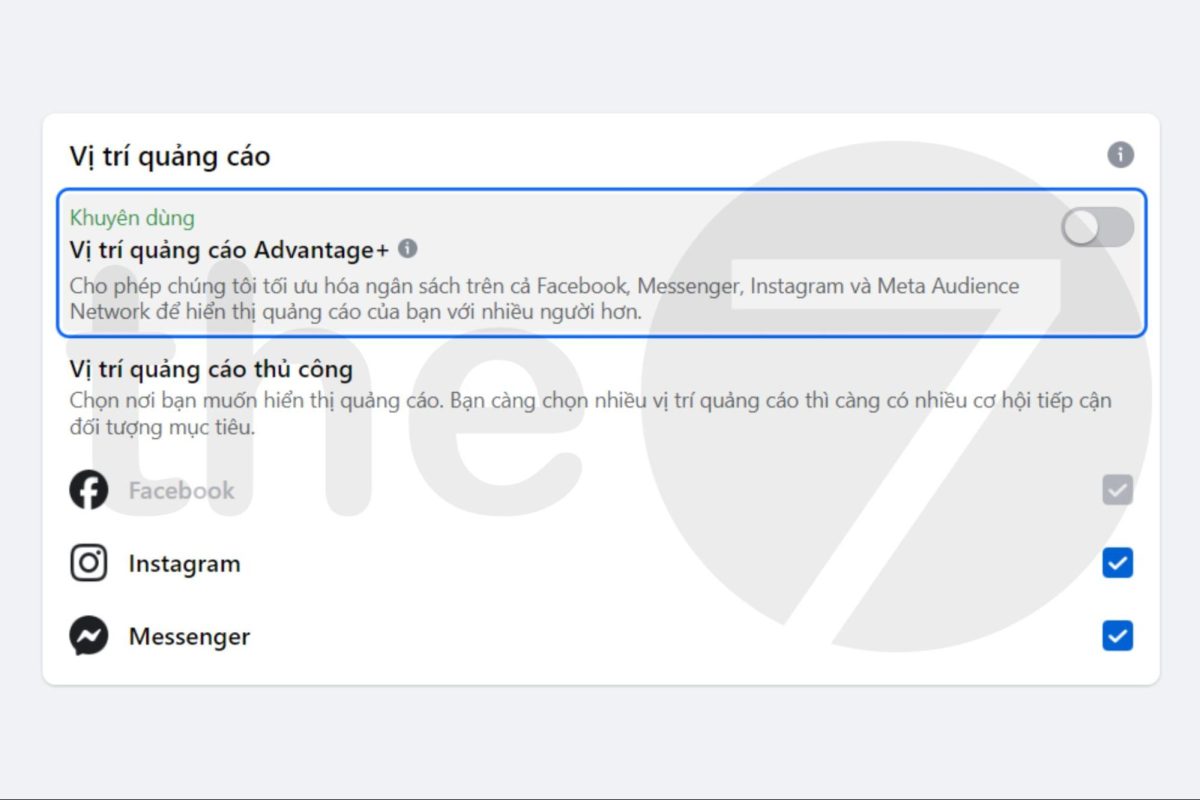
Choose Ad Placements
Typically, ads appear in the News Feed, the right column of Facebook, Instagram, Instant Articles, Audience Network, or below videos. Depending on your campaign’s purpose, you can choose a suitable placement. For example:
- If you want to increase brand recognition, you should have your ad appear on both Facebook and Instagram.
- If you want to increase views or app installs, set your ad to appear on Facebook, Instagram, Audience Network, etc.
For ad placement on Facebook, you’ll have 2 options: “Advantage+ Placements” and “Manual Placements”. Specifically:
- Advantage+ Placements (Automatic Placements): Helps place your ad in the most optimal and suitable position.
- Manual Placements: Lets you customize the “Device Type” (All Devices, Mobile Only, or Desktop Only) and “Platform” (Facebook, Instagram, Audience Network, or Messenger).
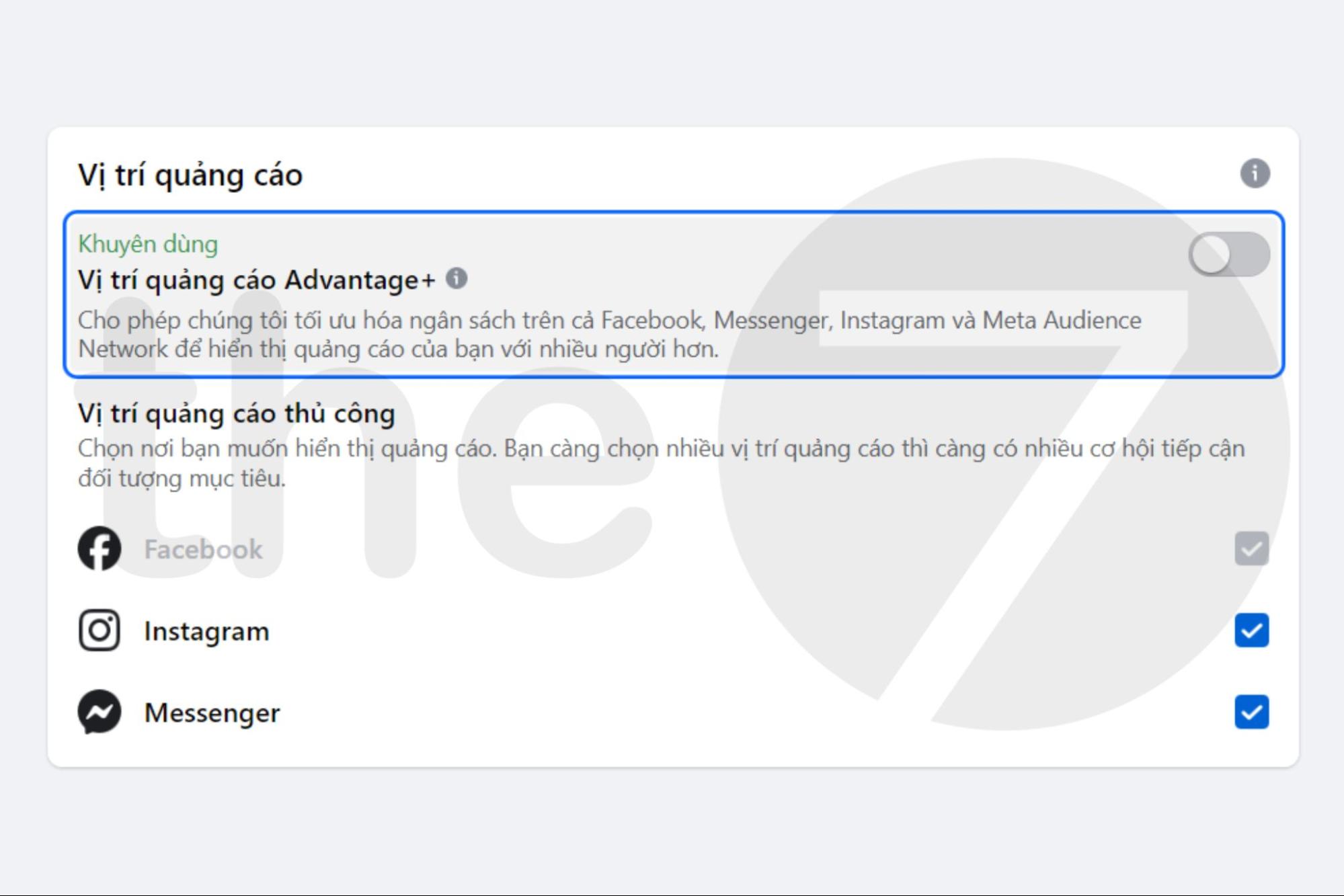
Check the boxes on the right to select your desired ad placements; you can also uncheck them if a placement isn’t suitable. Each Facebook ad format includes a preview demo for you to see in advance.
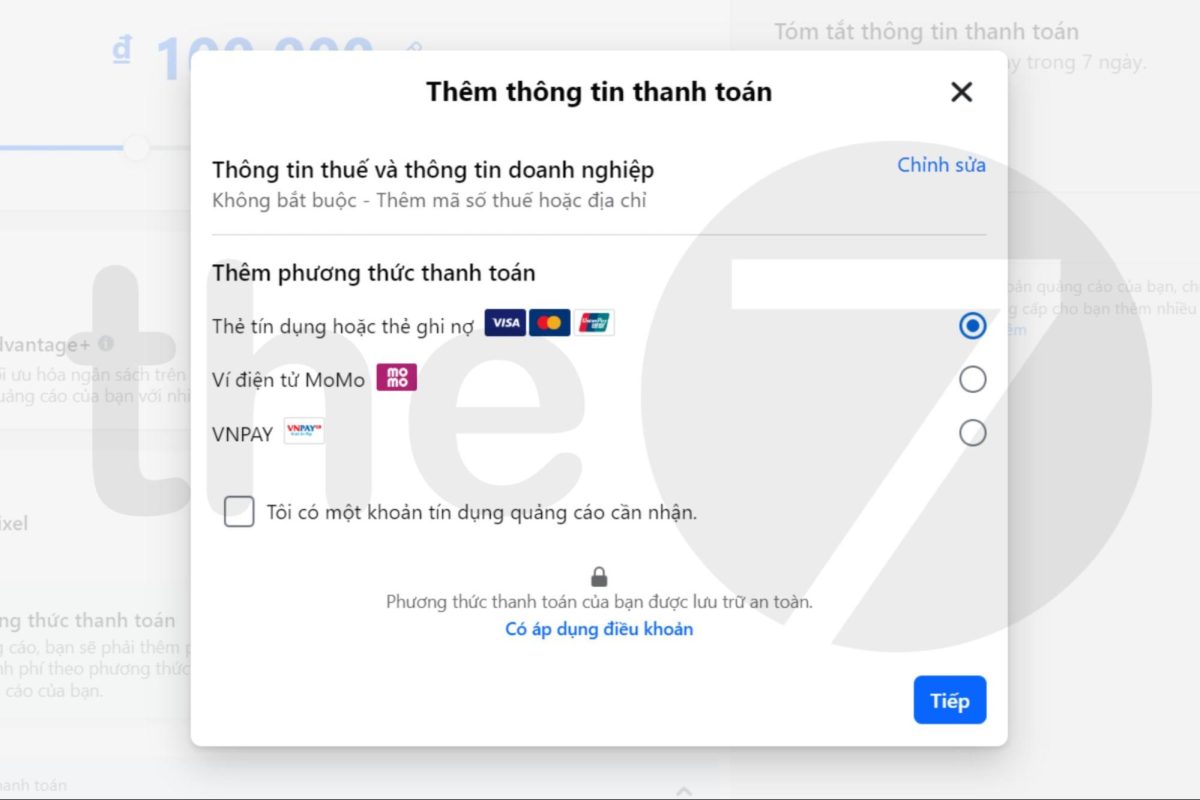
Choose a Payment Method
Some payment methods Facebook supports in Vietnam include:
- Credit or debit card: VISA, Mastercard, Debit.
- Momo e-wallet.
- VNPAY.
Preview Your Facebook Ad
Select “Preview Ad” to see how your ad will be displayed. Once you’ve finished setting up your campaign, simply wait for Facebook’s review. After a short time, your ad will be automatically distributed.
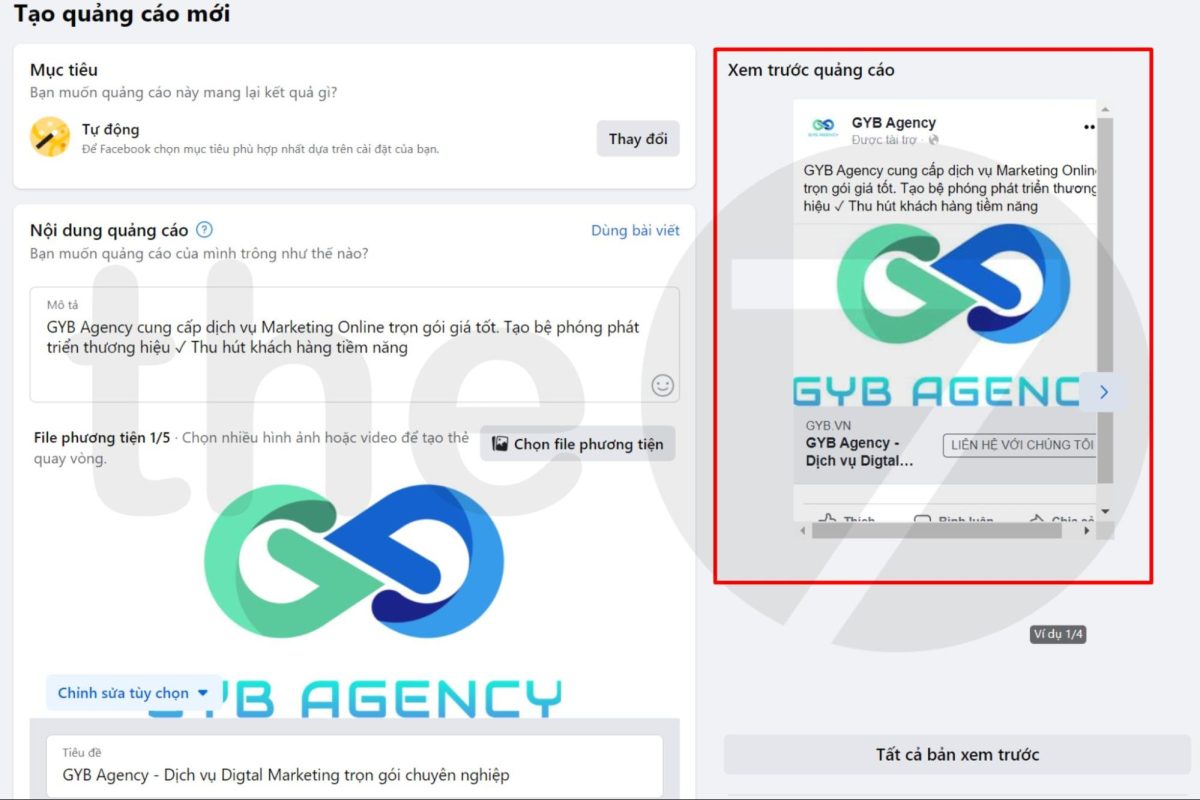
Once you’ve finished setting up your Facebook ad, you can start generating quality leads. In addition, build an effective content strategy for your Page, and apply Inbound Marketing, Marketing Automation, and B2B Marketing processes using the information collected from your leads.
Track and Measure Performance
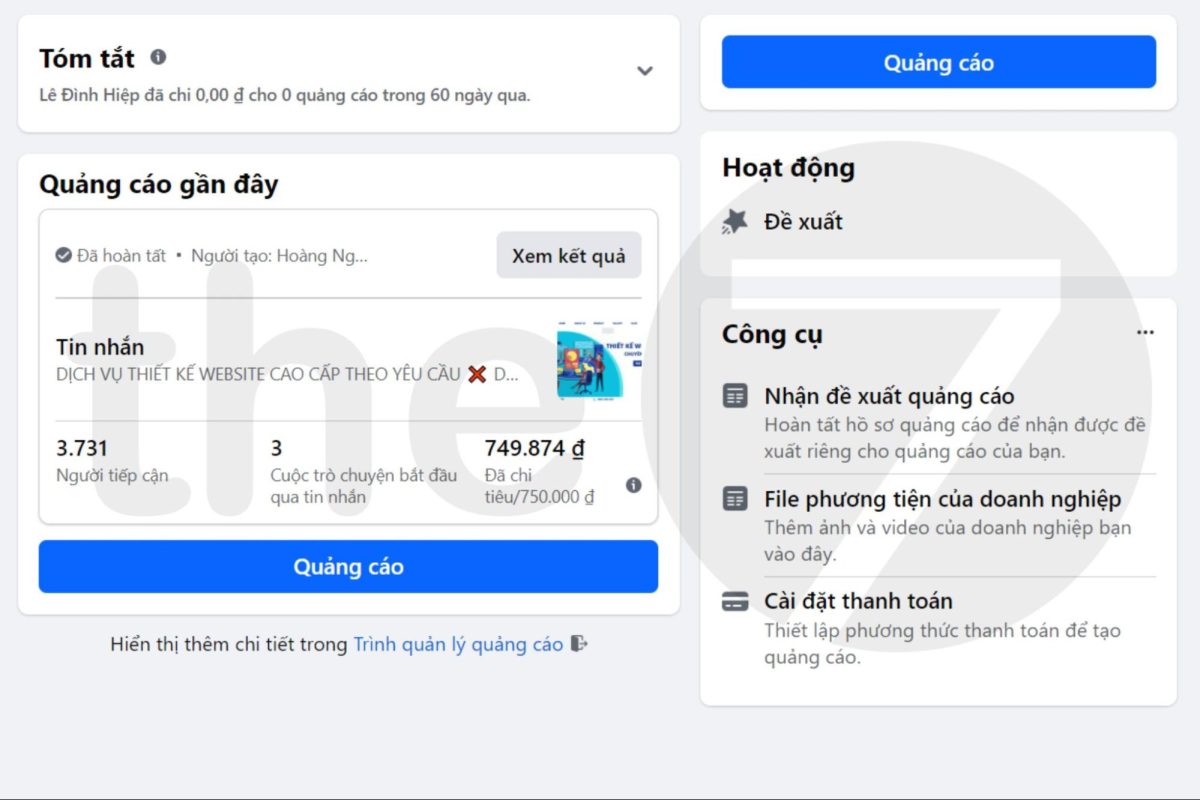
To run an effective Facebook Ads campaign, tracking and measurement need to be done regularly. Make use of the data summary table for your campaigns in Ads Manager. You can measure how cost and performance change between different campaigns or ad sets. You can also track results for all audiences or for specific ones only.
Turn On, Turn Off, or Delete a Facebook Ad
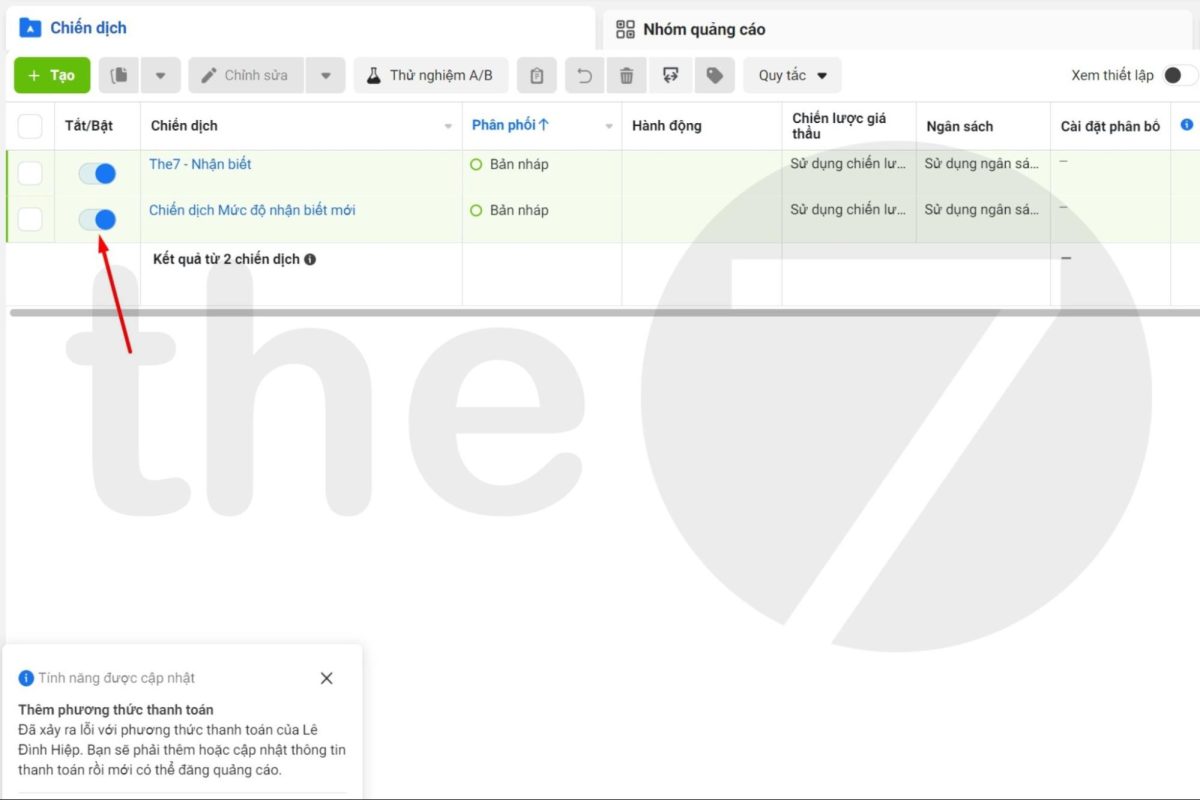
If, while running your Facebook ad, you feel the results aren’t as expected, you can delete or turn off the ad. Here’s how to turn off an ad:
- Step 1: Go to “Ads Manager”.
- Step 2: Click “Campaigns”, then go to “Ads” or “Ad Sets”.
- Step 3: Click the toggle switch on the ad’s status to turn it off.
To delete a Facebook ad, follow these steps:
- Step 1: Go to “Ads Manager”.
- Step 2: Click Campaigns, then go to Ads or Ad Sets.
- Step 3: Select the ad you want to delete. Click the Delete icon to remove the ad.
>>> If you don’t have time or find it difficult to run Facebook ads, consider:
- Facebook Ads Management Services in Ho Chi Minh City
Tips for Running Facebook Ads Without Getting Blocked
Below, The7 shares tips for running low-cost Facebook ads that still deliver high effectiveness.
- Facebook’s ad policy will limit the delivery of images with text covering more than 20% of the image, resulting in a very high bid. So keep your content simple rather than overly complex, and design eye-catching visuals for viewers.
- Set a daily budget to improve ad performance. At the same time, choose peak hours that match your target customers’ behavior for more effective reach.
- When running ads, targeting too specifically will narrow your audience size, which in turn drives up costs significantly. The7 recommends keeping your audience size around 500,000 or more.
- Facebook charges for each impression based on “relevance” — the more relevant your ad is to users, the lower the cost. So you can A/B test different ad creatives to find out which content performs better.
- Based on The7’s experience, choosing video or image formats will save you more ad spend than Lead Ads formats.
- Avoid words such as: “100% guaranteed”, dietary supplements, terms related to body parts, loans, currency, discriminatory language based on race or gender (weight loss, weight gain, skin whitening, etc.), and sensitive terms like lending, Ministry of Health, etc.
- All major global brands are already registered with Facebook. So unless you’re an official distributor of the brand, you cannot run ads for these products.
Mistakes to Avoid When Running Facebook Ads
Missing a Call to Action (CTA)
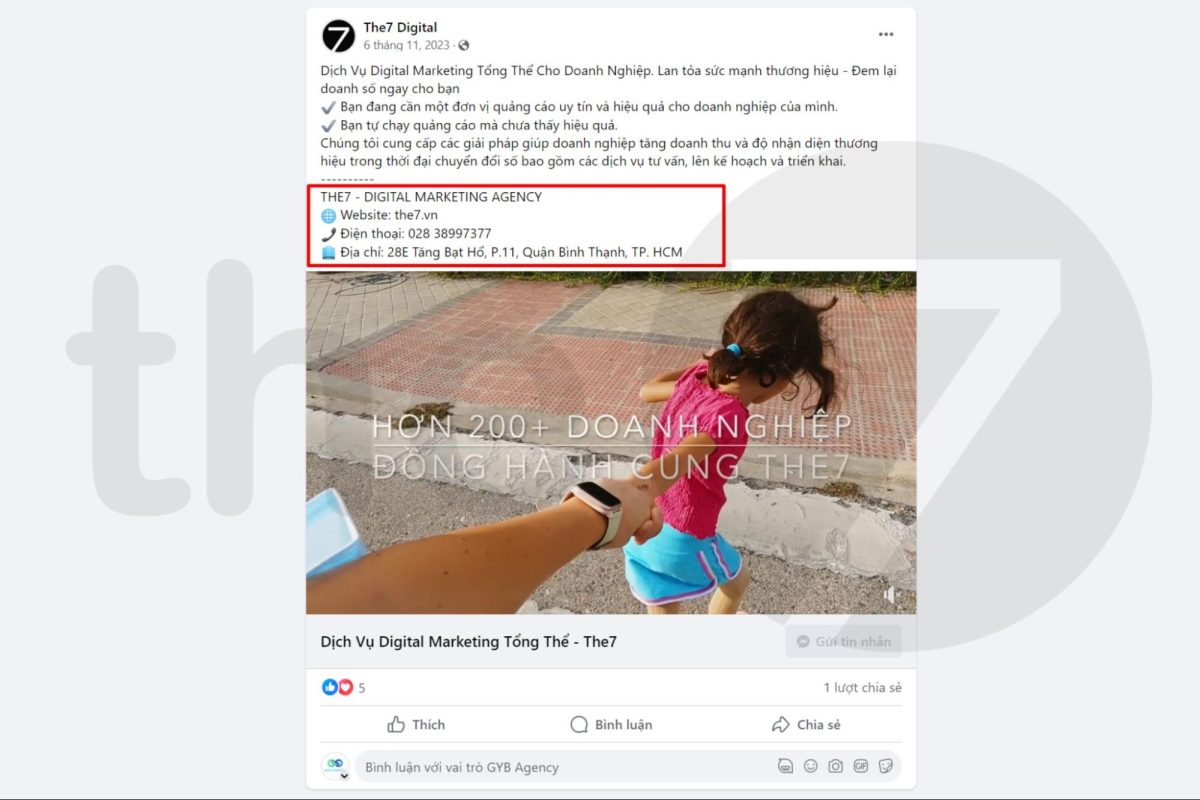
Some ad content focuses only on the product or service while lacking a call to action. In fact, a CTA is a crucial part of any content campaign — it sparks curiosity in your target customers. Guide and direct your content so it not only delivers value but also engages readers. Adding unique calls to action will boost the effectiveness of your ad campaign.
Choosing the Wrong Ad Format for Your Business Goals
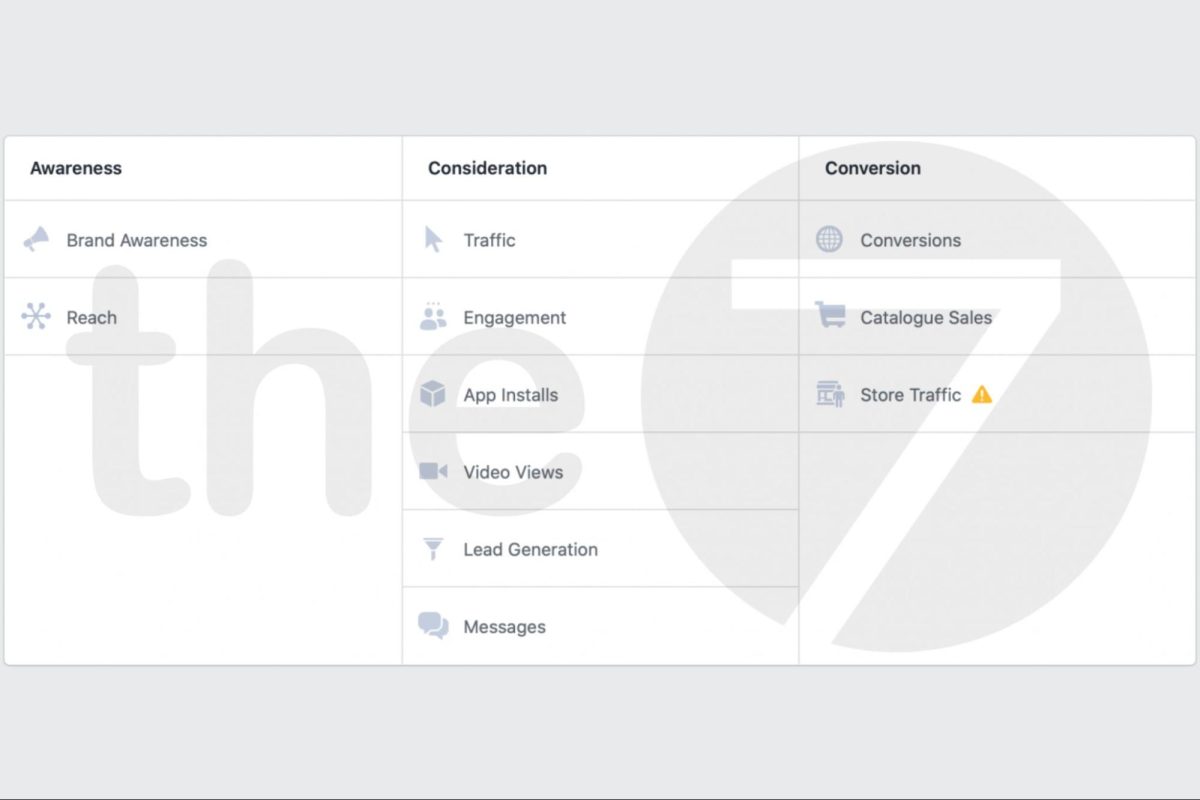
Choosing the wrong Facebook ad format for your business goals will cost you significant time and money without achieving your intended objective. So you need to determine the ad format that matches your goal. Facebook has ad formats that correspond to each stage of user behavior. There are 3 main ad groups:
Awareness – Brand Recognition Stage
Recommended ad formats for this stage include:
- Brand Awareness – Building brand recognition.
- Reach – Number of people reached.
Consideration – Consideration Stage
Recommended ad formats for this stage include:
- Traffic – Website traffic.
- Engagement – Interactions.
- App Install – App installs.
- Video view – Video views.
- Lead Generation – Potential customer leads.
- Messenger – Messages.
Conversion – Conversion Stage
Recommended ad formats for this stage include:
- Conversion – Conversions on Website/Landing Page.
- Catalog Sales – Sales by product catalog.
- Store Traffic – Visits to the online store.
For each ad format, Facebook provides specific guidance to support you. Research your objective thoroughly to apply the right format to your ad strategy.
Poor Content Quality
If you don’t invest in your content, your ad won’t achieve the expected results no matter how large the budget. The ad type that most easily attracts customers is content about promotions, discounts, or attractive free gifts. When readers feel they’ll gain real benefits, they’ll be curious enough to click, which at the very least helps increase your brand’s recognition and click-through rate.
Not Running Tests
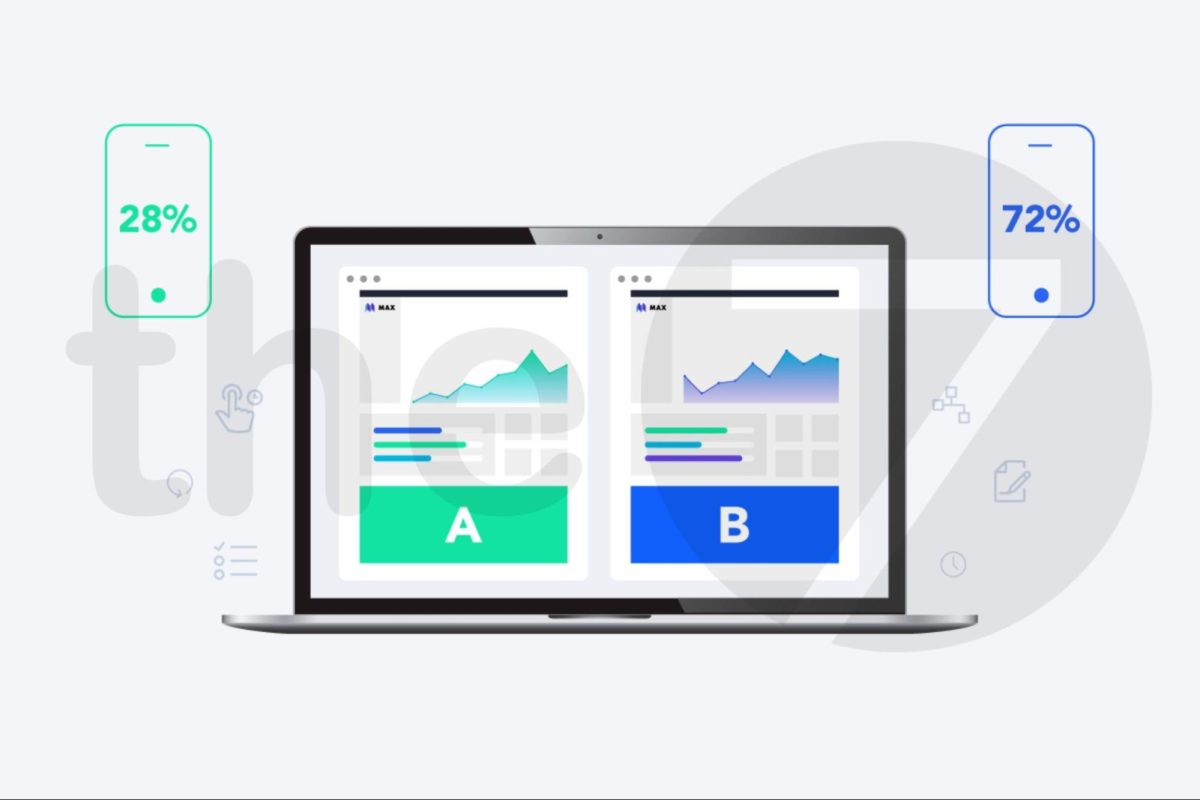
For a Facebook ad campaign, you won’t know how effective it is or what weaknesses need fixing unless you test it first. To test your Facebook ads effectively, set up 2 ad variations and change only a single element. Then compare the results of the two test versions across these factors: call to action, post content, images, ad placement, target audience, and strategic objective.
Choosing the Wrong Target Audience
Choosing the wrong target customer means that no matter how carefully you plan your Facebook ad campaign, you still won’t achieve the desired results. So before anything else, correctly identify your customer segment and their insights to build an effective strategy. Facebook is currently the largest marketing platform for reaching users.
However, there are certain advertising techniques we need to keep in mind to create an effective ad campaign. The above are the detailed instructions on how to run Facebook ads.
We hope this article gives you useful tips and experience for running Facebook ads that deliver the best results. Good luck! Feel free to contact The7 right away for consulting on an effective, cost-optimized Facebook ad campaign!

Nguyễn Đình
Bảo




As CEO of The7, I am committed to sharing practical, useful knowledge with every reader. Every article on The7 is based on my 7 years of hands-on experience in marketing — Facebook advertising, LinkedIn advertising, Google advertising, and marketing strategy. I hope you take away plenty of insight from these posts and apply it successfully in practice.
Related Articles

What Is Facebook Ads? Popular Types of Facebook Advertising
What is Facebook Ads? This is surely a question many people wonder about, especially those just starting to learn about Facebook advertising. Let’s explore Facebook Ads from A to Z...

26 Predictions for Social Media Marketing Trends in 2025
It’s that familiar time of year again, when experts and analysts start revealing their predictions for the social media marketing trends worth watching, along with the shifts that promise to...
Requirements for Running Facebook Ads Successfully and Effectively
When you start your Facebook advertising journey, mastering the basics is the key to success. So what are the requirements for running Facebook ads exactly? Let’s begin exploring and optimizing...

The Most Detailed Guide to Creating a Facebook Ad Account in 2024
To run a campaign on Facebook, the first thing you can’t do without is an ad account. Below, The7 will walk you through how to create a Facebook ad account....
Facebook Video Ad Size: The Most Accurate Guide for 2024
Running video ads is becoming the go-to choice for many businesses. In this context, the Facebook video ad size plays a key role in determining how well your post performs....
7 Highly Effective Ways to Optimize Facebook Ads in 2024
Optimizing Facebook ads plays a vital role in your marketing. It helps you improve ad delivery, reach, ad engagement, conversion rate and advertising costs. Join The7 as we walk through...


