


What Is GDN? How to Run Google Display Network Ads

Display advertising (GDN) is gradually becoming an indispensable part of every business. However, many people still don’t know what GDN is or how it works. These questions will be analyzed in detail in the article below. The7 will break everything down and bring you plenty of useful information.
ONLINE MARKETING SERVICES AT THE7:
What Is Google Display Advertising?
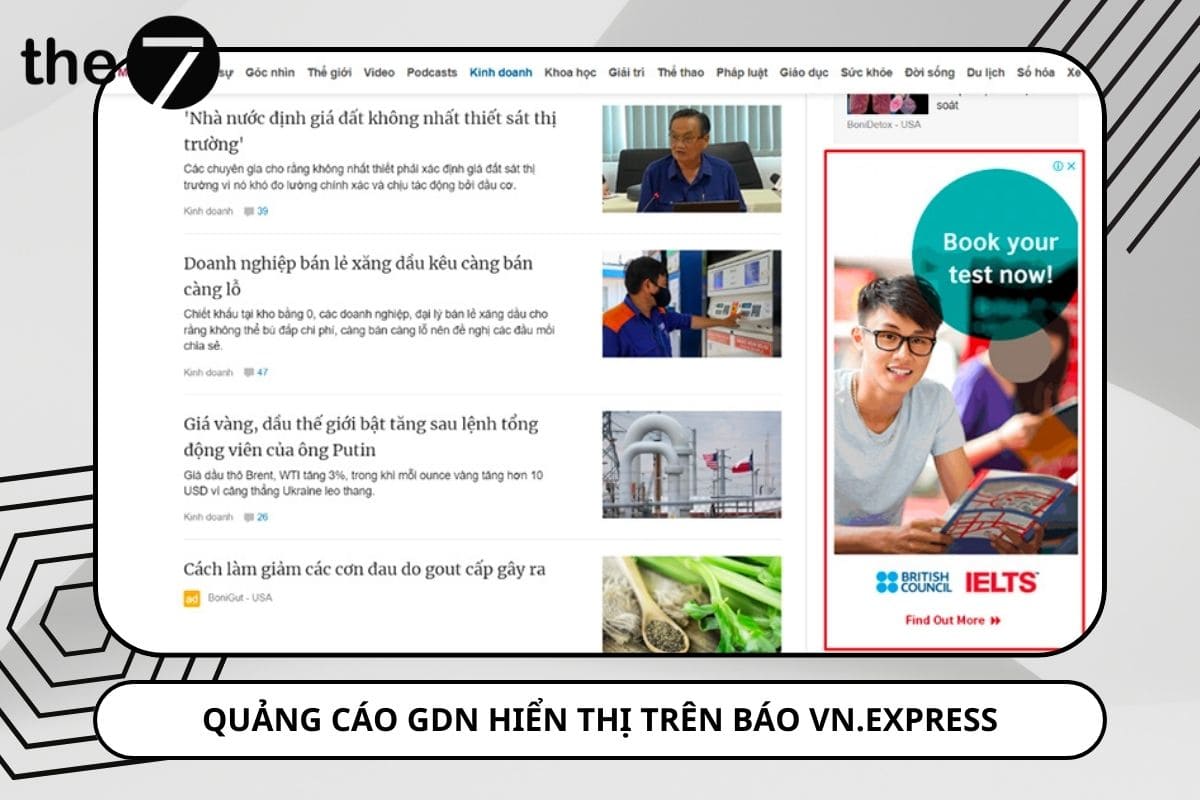
Google Display Advertising is known as a Google service that allows advertising through images. Ads are shown across the Google Network, spanning 2 million websites, videos, apps, and Gmail. As a result, businesses can reach over 90% of today’s internet users. Not knowing how to make the most of this platform would be a real loss for any product or service.
>>> Read more:
- What Is Google AdWords? Reasons You Should Run Google Ads
- A guide to running effective Google ads yourself
Pros and Cons of Google Display Network Advertising
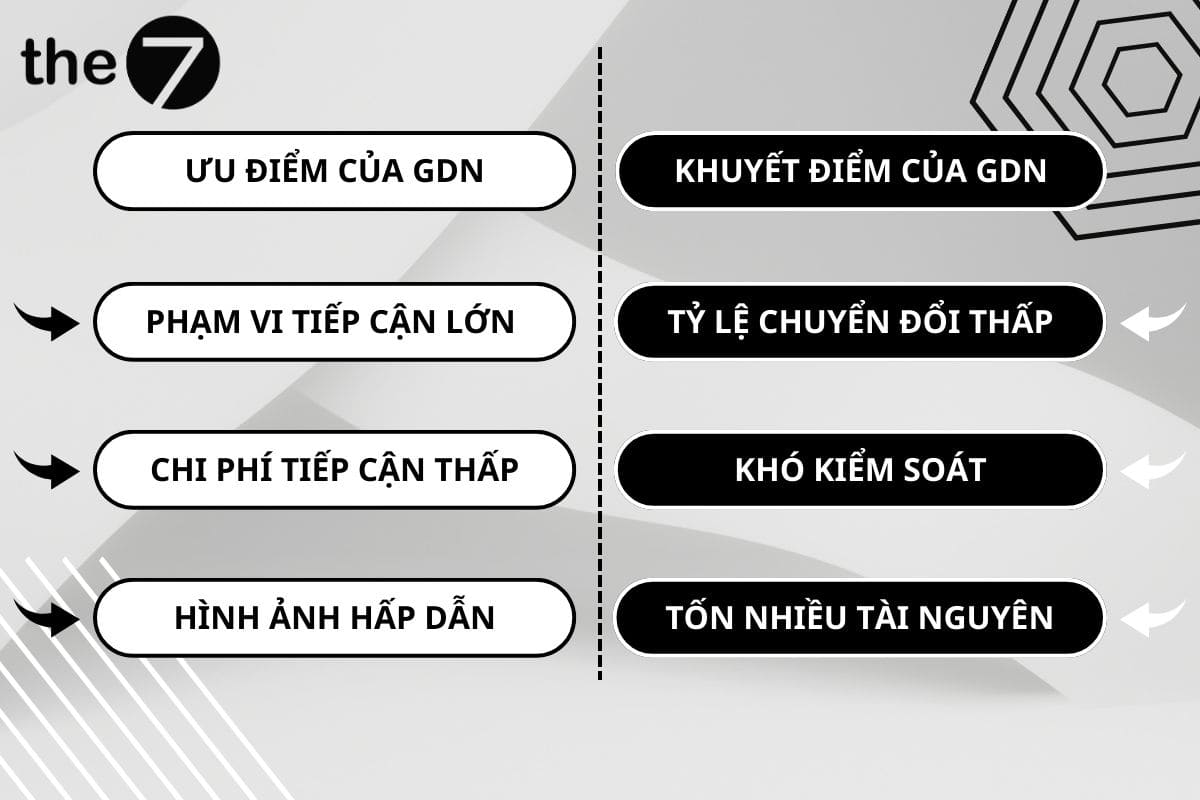
Advantages
GDN (Google Display Network) advertising brings significant benefits to your marketing strategy:
- Wide Reach: GDN offers reach to as much as 90% of internet users, creating huge opportunities to reach your target audience and expand brand awareness.
- Low Cost Per Reach: The cost per click (CPC) for display ads is typically very reasonable, usually starting from VND 500 for broad targeting and VND 1,500 for remarketing.
- Eye-Catching Product Images: You can include product images in your ad creative, quickly grabbing customers’ attention and creating a strong brand impression.
Disadvantages
- Lower Conversion Rate: GDN ads have a lower conversion rate than search ads, since they appear when customers aren’t actively searching for information.
- Audience Too Broad, Hard to Control: With such wide reach, defining a target audience becomes difficult. Display ads require a careful targeting strategy and tight control to ensure the desired performance.
- Requires More Resources to Attract Customers: Compared to search ads, GDN ads require greater investment in visuals and content to perform at their best.
How Google Display Network Ads Are Displayed
Google Display Network ads come in 4 different formats, specifically:
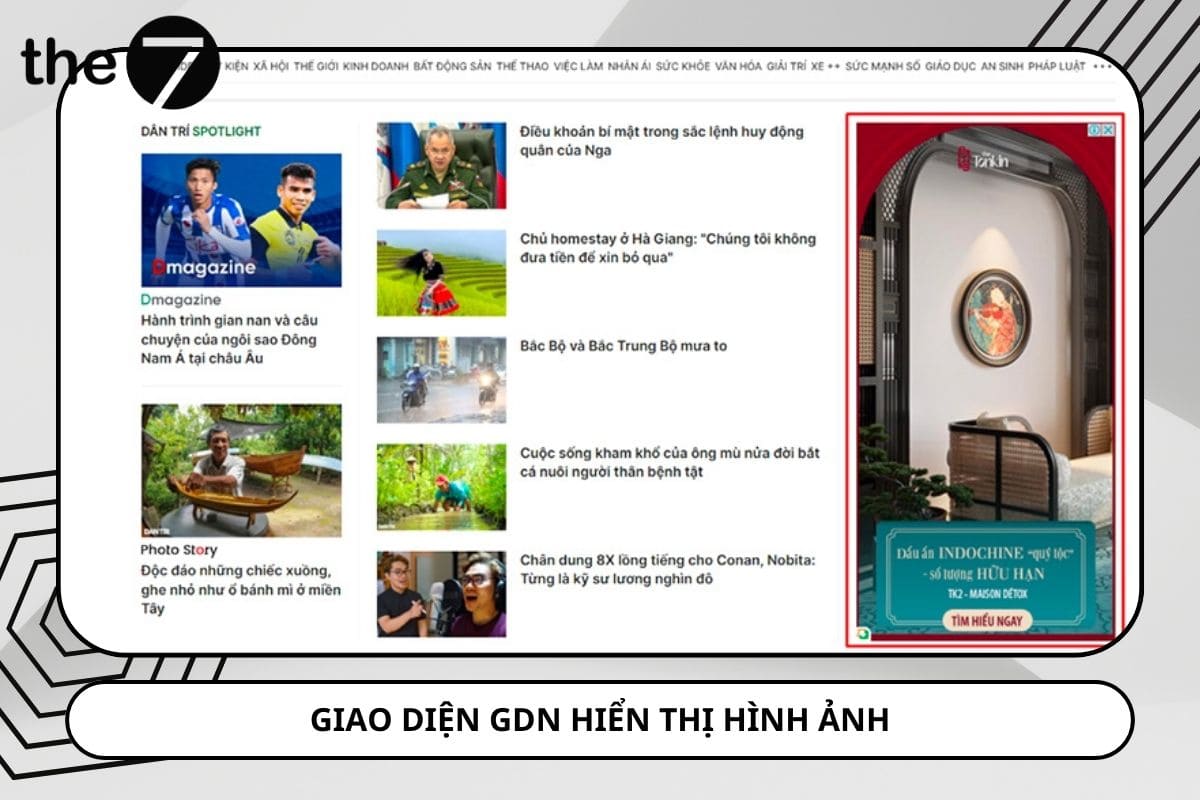
Image-Based Google Display Network Ads
This is the most popular ad type on GDN. It displays the exact key visual of a campaign to boost brand recognition.
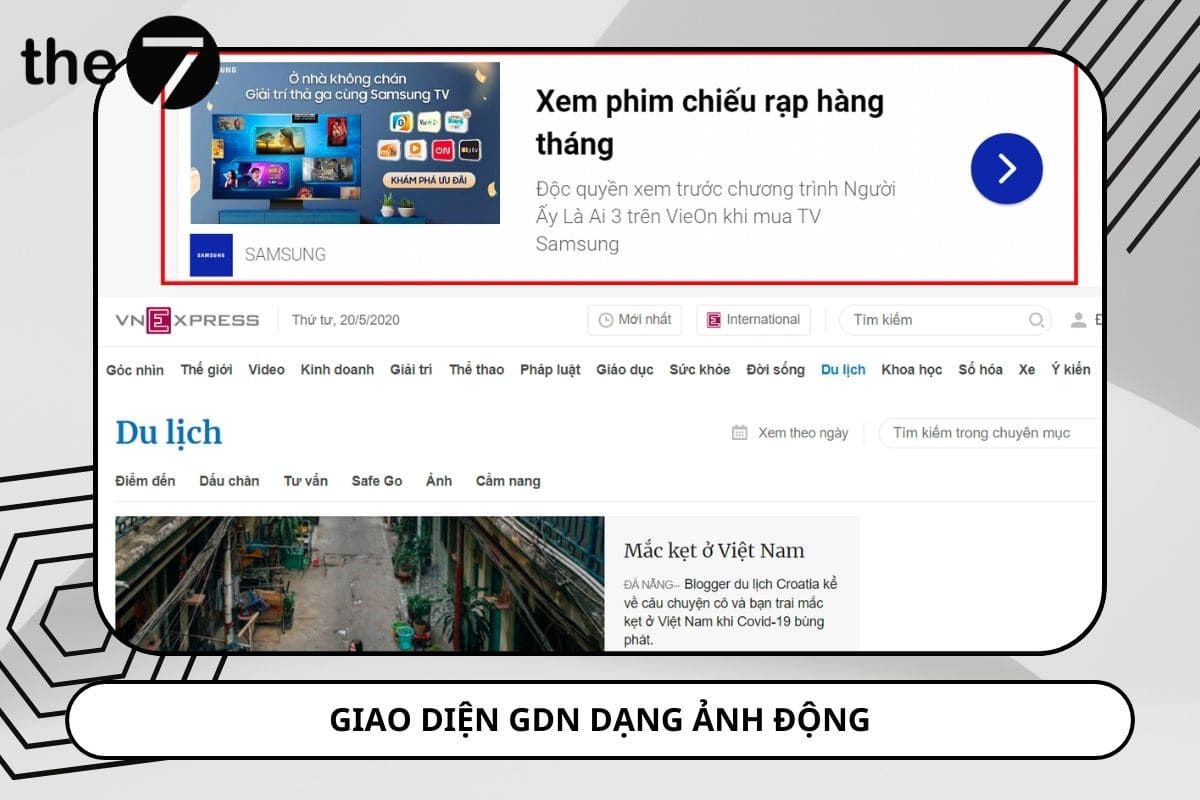
Animated Google Display Network Ads
This display ad format is favored by large businesses. However, not every account can use this ad type.
Specifically, to automatically use the HTML5 format, an account must meet the following conditions:
- The account has been active for more than 90 days.
- Total spend over the account’s lifetime must exceed USD 9,000.
- The account must be in good policy standing.
Alternatively, you can register to use HTML5 ads by filling out a form, but in this case your account needs to:
- Have a reliable history of policy compliance.
- Pay on time.
- Have total lifetime spend of at least USD 1,000.
Text-Based Google Display Network Ads
This is the simplest ad format, with headline lines arranged logically to form an ad banner.
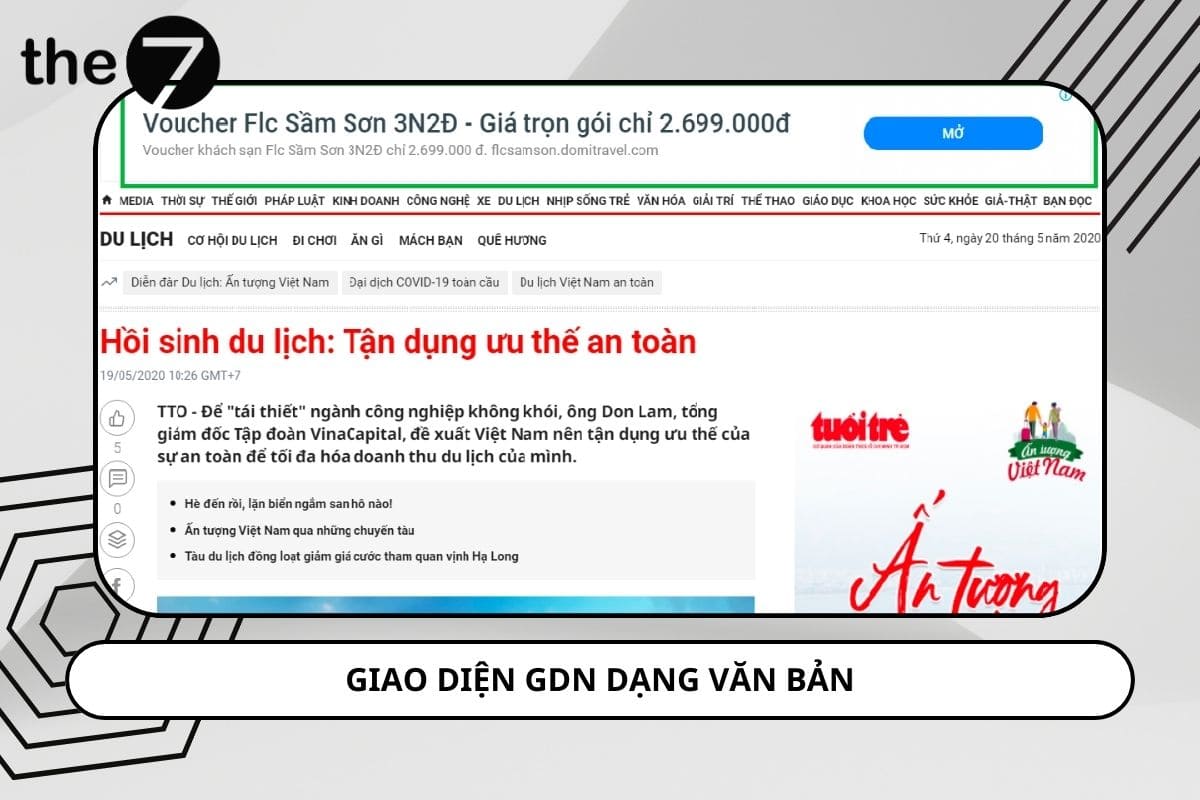
Image-and-Text Google Display Network Ads
This ad type combines images and text into a single banner.
There are 2 display styles for image-and-text Google Display Network ads:
- Old style: The image and text are separated.
- New style: The image and text are merged to form a complete visual.
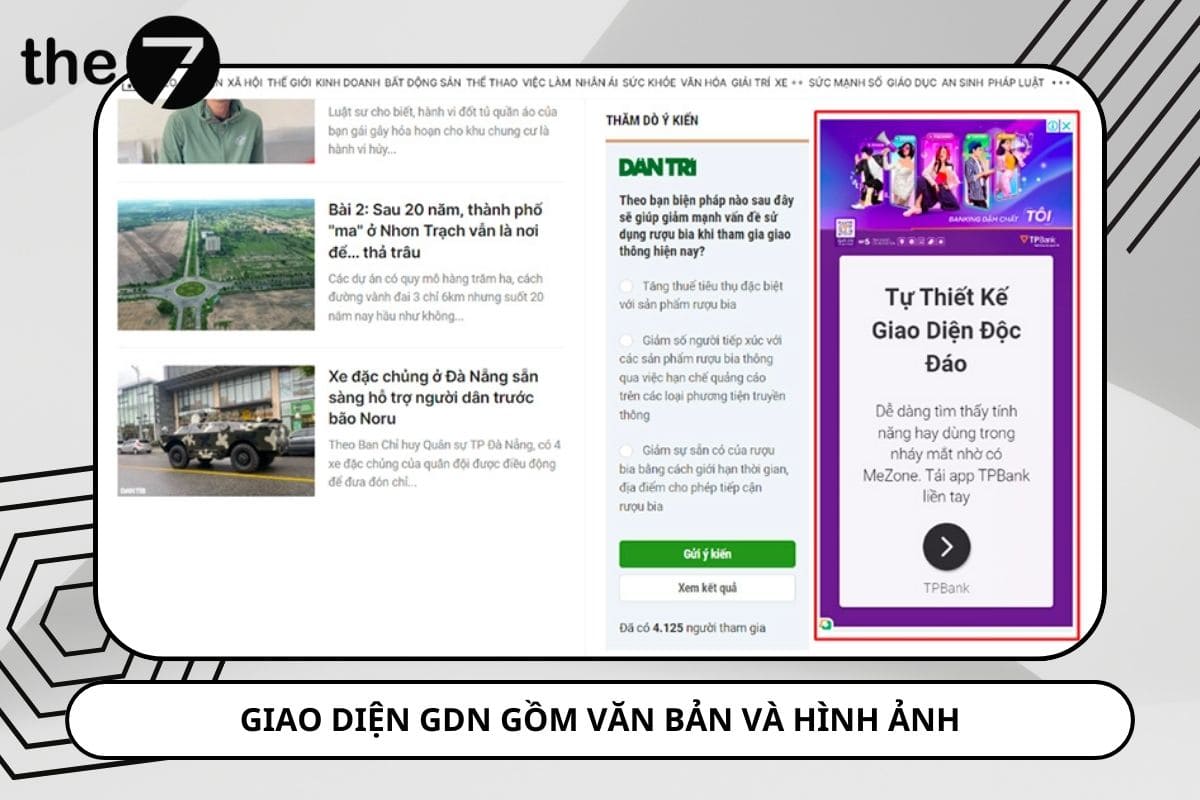
Video or Video-Plus-Text Google Display Network Ads
This ad format displays the advertiser’s video on Google’s partner website network.
Since Q3 2022, if advertisers don’t add a video to their ad, Google will automatically generate one from the images and headlines they provide.
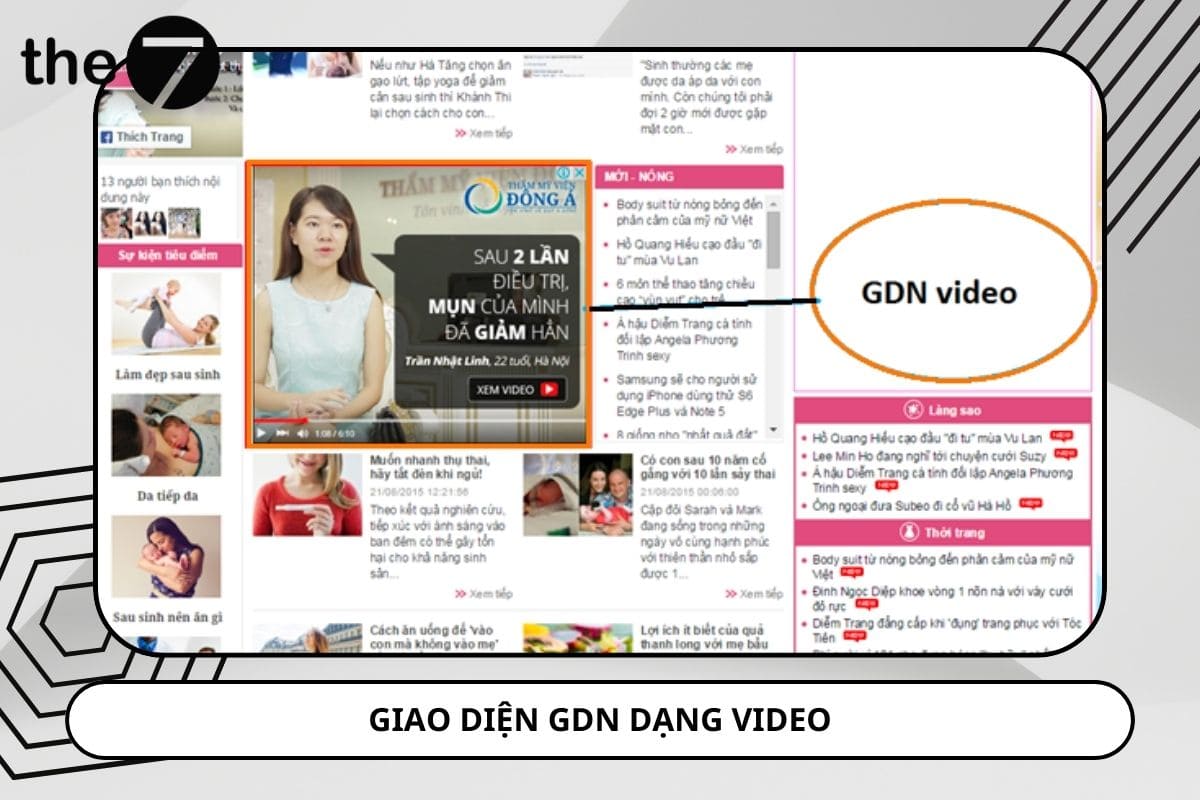
As you can see, Google Display ads come in many different formats. Each one delivers its own level of reach effectiveness and cost.
How Are Google Display Network Ads Formatted?
The Google Display Network ad format is also known as remarketing. It can also be understood as Google retargeting ads, designed to reconnect with customers who have previously interacted with your website — or with your mobile app.
To do this you need to use responsive display ads, a format where the ad automatically adjusts to the available ad space. You design a 1.91:1 image up to 1200×1200 and 1200×628 in size, plus two logo images at 1:4 and 1:1. This approach saves both design cost and time.
In addition, the Google image ad format offers up to 14 standard sizes, including 300×600, 160×600, 300×250, 120×600, 320×100, 250×250, 790×90, 728×90, 970×250, 200×200, 240×400, 120×240, 320×50, and 468×600.
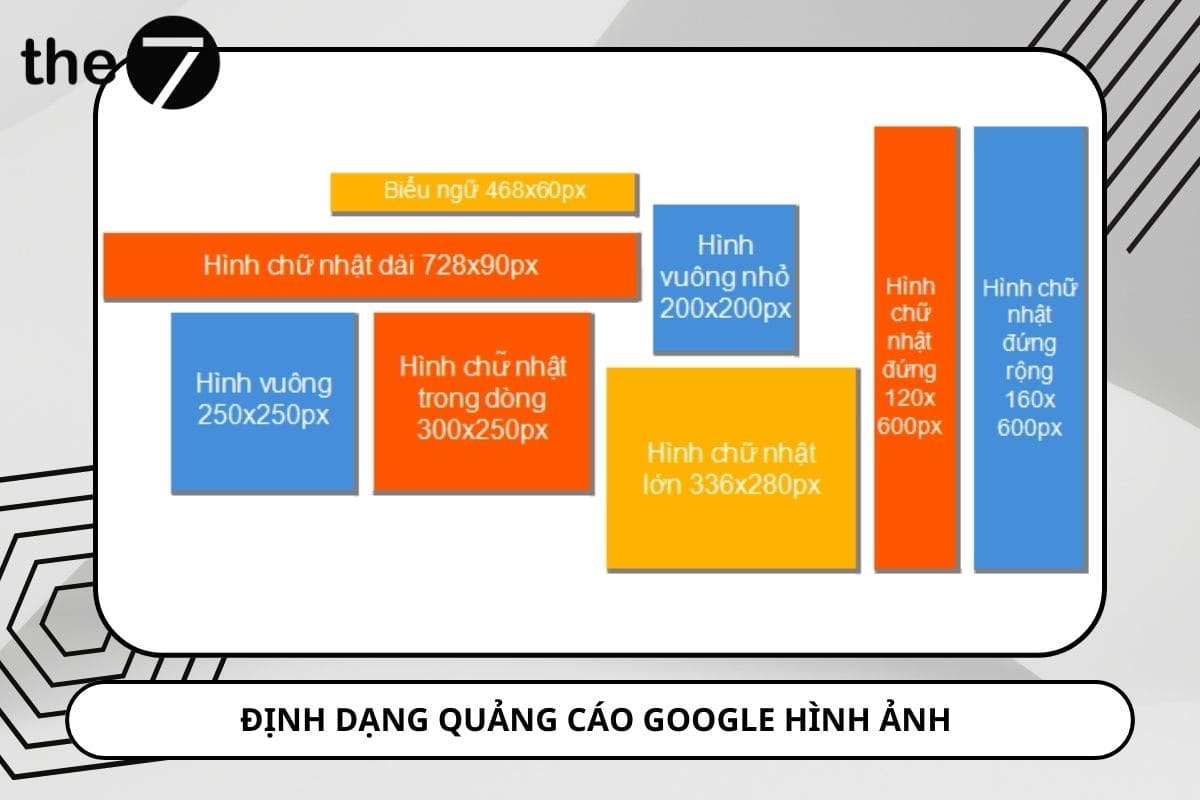
What Types of Display Campaigns Does Google Display Network Offer?
Besides understanding what Google Display Network advertising is, you should also understand the types of display campaigns available. Customers can choose one of the following three options:
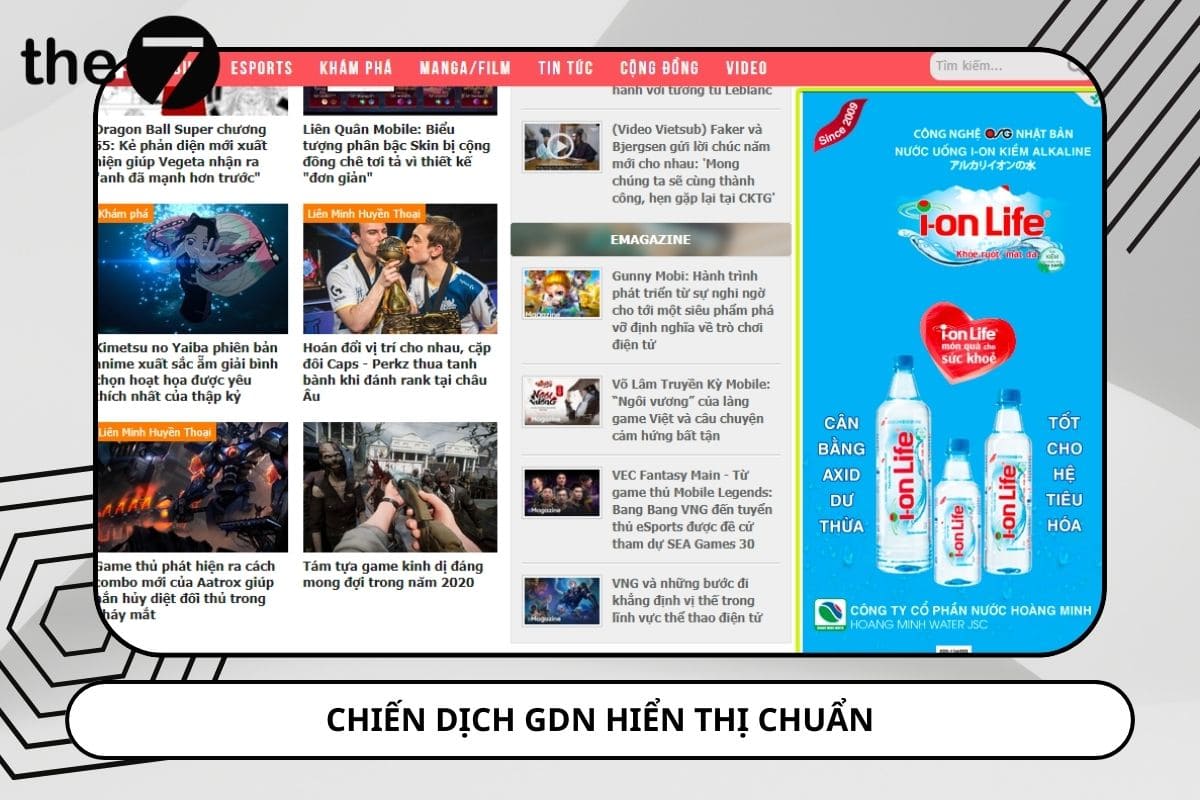
Standard Display Campaigns
Standard display campaigns give you a simple advertising solution. Better still, this format helps you manage the complex variations of display ads. Businesses can also easily expand their customer base and gain new conversions. When a company applies this strategy, targeting is set up for effective delivery, helping your product or service reach the right audience, location, and time you want.
Smart Display Campaigns
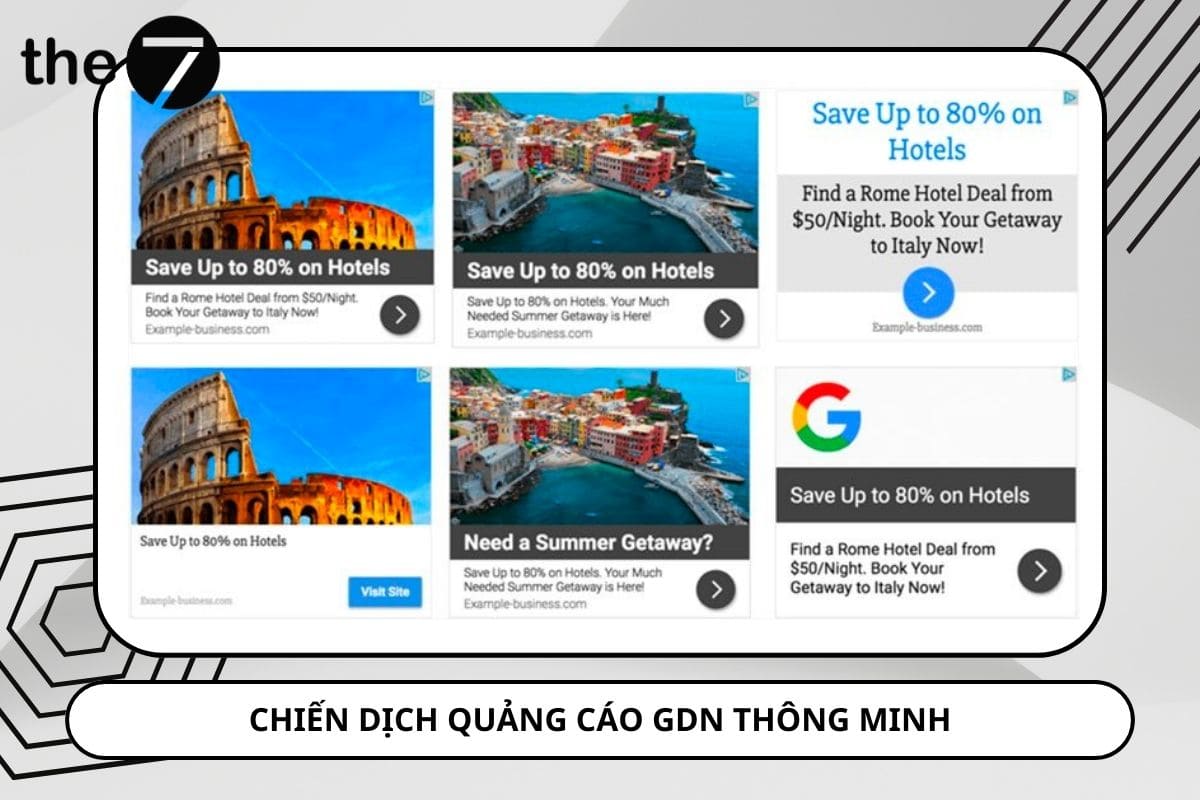
Smart display campaigns let businesses advertise in almost every format on Google. This allows companies to quickly reach customers at every stage of the buying cycle — from people with shared interests to actual buyers.
In particular, smart display campaigns combine 3 optimization technologies, making targeting, bidding, and ad creation much easier and more precise.
Targeting: Ads are shown increasingly to help the company achieve the highest possible revenue. The automatic customer-finding feature compares your data feed against the people most likely to convert.
Bidding: Uses a target CPA strategy as its basis, setting bids according to the likelihood of conversion in each ad auction.
Automated ad creation: Automatically generates ads based on core assets provided by the business, such as descriptions, logos, and images. All of these are fitted neatly into almost every ad space across the Display Network.
As you can see, smart display is one of the campaign types within the Google Display Network. You can therefore consider it and apply it to your product or service soon.
Gmail Display Ads
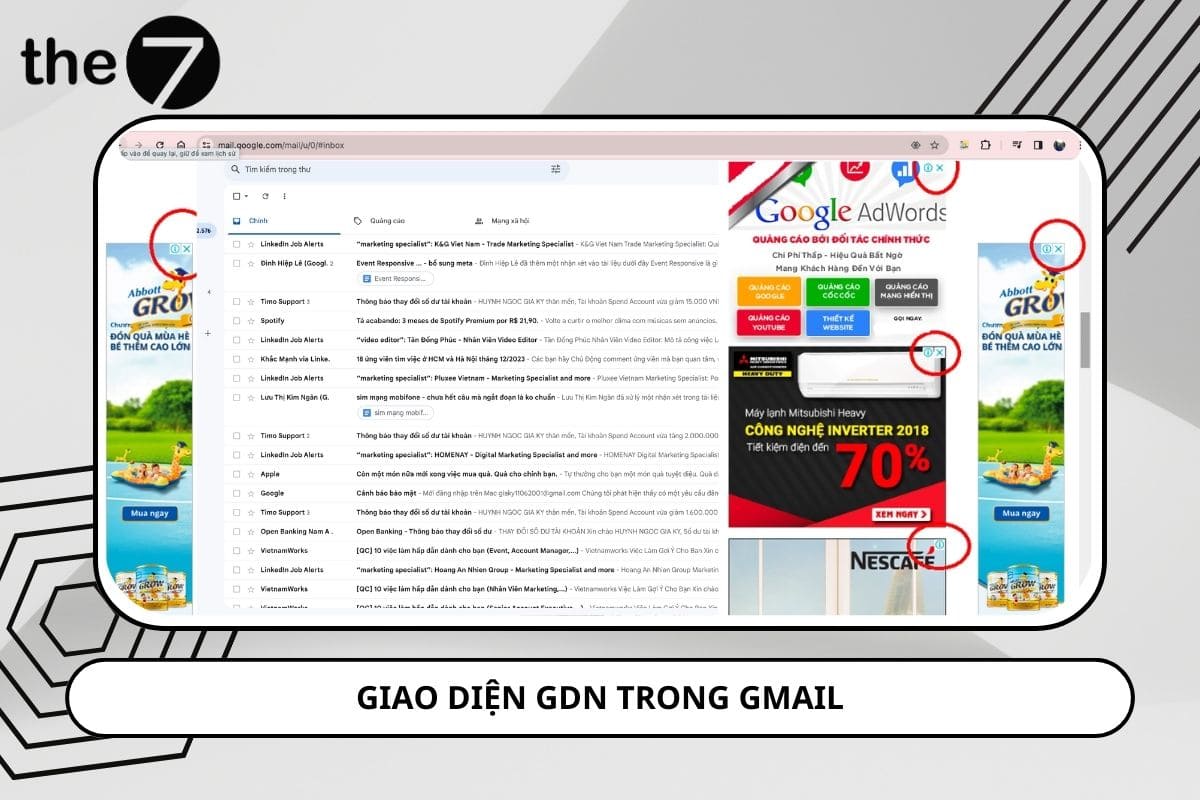
Gmail display campaigns show ad content directly in a user’s inbox. Users can then expand the ad by clicking on it to see images, videos, and embedded forms. Using Gmail ads helps you connect with customers on a personal level, and the results businesses see are very positive, effectively boosting sales.
Targeting Methods in Google Display Network Advertising
By Market Segment
Among Google users, certain segments show particular interest in areas such as real estate, home and garden, education, and sports and fitness. Google identifies this interest through users’ click, conversion, and view history.
To control audience size within each segment, use Google Analytics. This tool not only helps identify your customer audience but also builds a data-driven audience profile. This allows Google Ads to define a clear outreach strategy and optimize campaigns. Using this tool also helps ensure your message effectively reaches highly qualified users.

By Affinity Audience
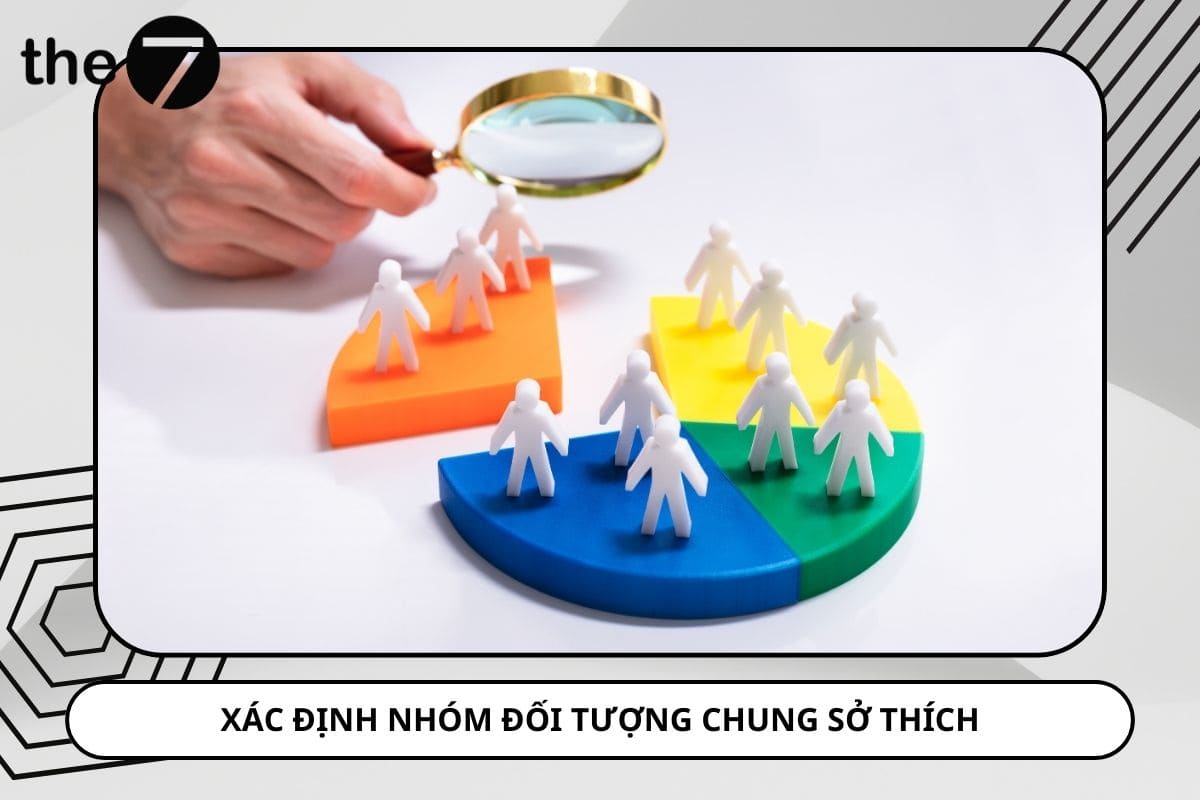
Like other market segments, Google offers affinity audiences with diverse interests, including cooking, travel, beauty, fashion, gaming, music, and more. These categories are large in scale, so defining shared criteria is important to narrow down the interest scope of your target audience.
To optimize your ad budget, use Google Analytics to ensure your ads reach the right audience. This tool not only helps identify affinity audiences but also helps you understand which audience delivers the highest conversion rate on your website.
Custom Intent Audiences
Custom intent audiences are a highly valuable, context-based targeting strategy. Google delivers your ads to users likely to be particularly interested in specific keywords and URLs. It can also show your ads to people who have recently searched for related keywords.
What sets custom intent audiences apart from other strategies is that you don’t hold exclusive rights to specific URLs. Instead, Google distributes your ads to users on other pages that are typically contextually related to your chosen URLs or keywords.

By Placement
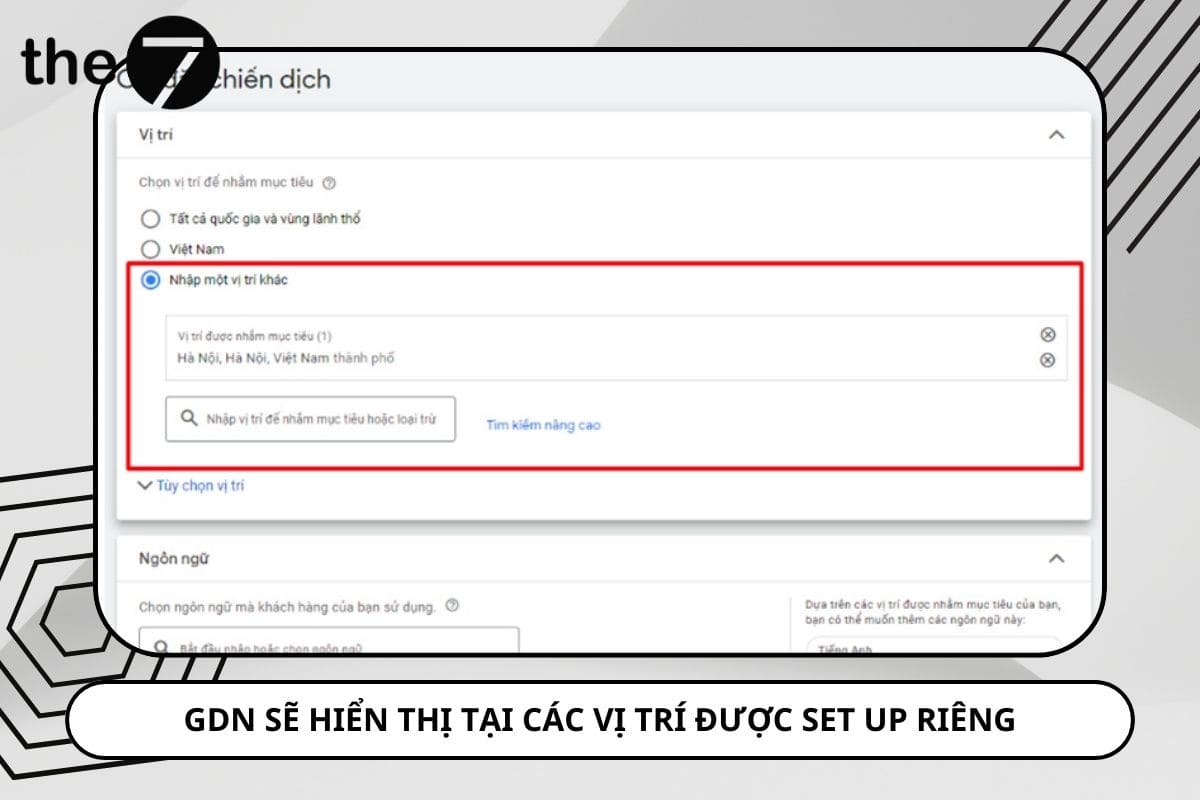
Google can display your ads on specific websites when you provide placement URLs. These options offer tighter and greater control, since they limit where ads appear to only the websites selected by the marketer.
Users don’t just visit your website; they also visit many other websites. For custom affinity audiences and custom intent audiences, Google can target them across different online locations. Think of your website as the center of a digital network, with Google using that central URL to expand reach and strengthen your online presence.
By Topic
Google only displays your ads on websites belonging to the topics you’ve defined. Some of these topics may relate directly to your customers’ interests, or they may fall outside the default categories Google already provides. This helps focus your reach on the places your target audience visits most often, within the specific topics you care about.

How to Set Up a Solid GDN Ad Campaign for Beginners
For beginners, running image ads on Google isn’t easy. But if you master the steps below, you’ll be able to do it well. First, you need to prepare the “materials” needed for a perfect campaign — typically your product/service, website, budget, banners, ad messaging, and video (if any).
Step 1: Create a Campaign
Go to the website to start creating a Google Display ad campaign:
- Go to the Campaigns section.
- Select “New campaign.”

Step 2: Choose Your Objective
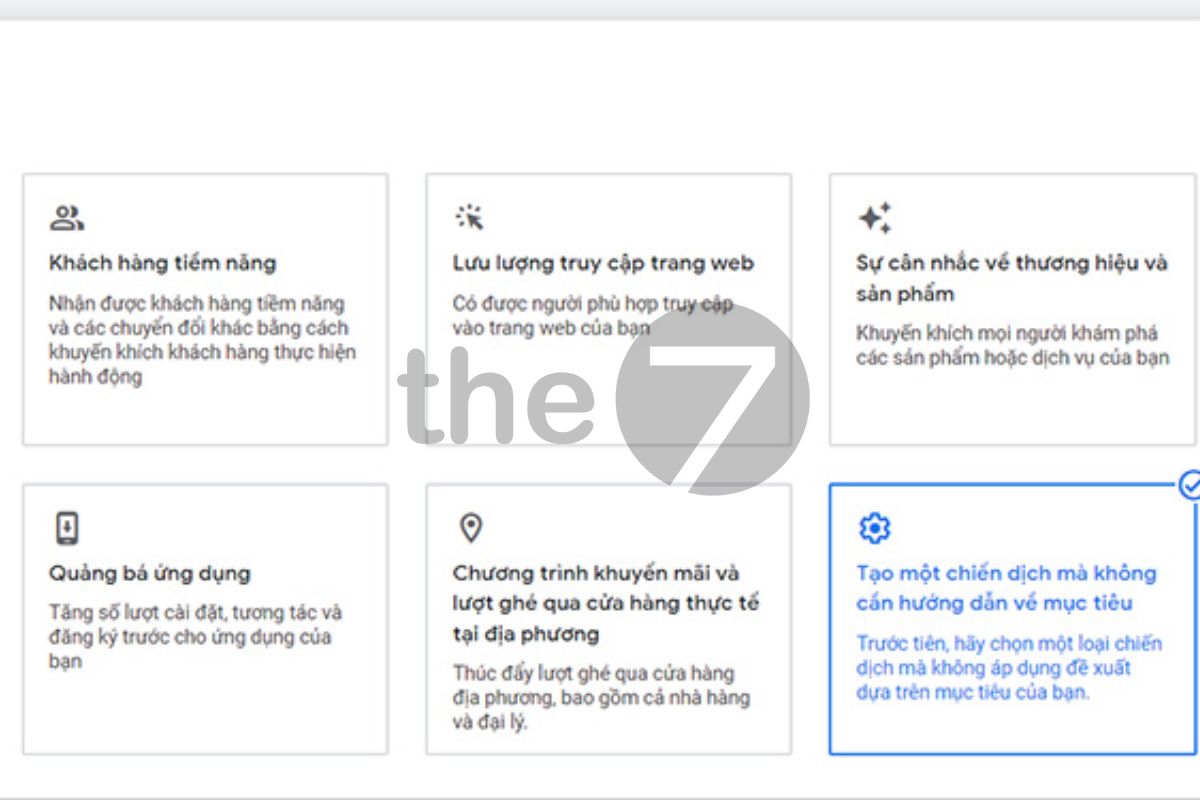
Choosing your objective is easy — just follow the two steps below:
- Select “Create a campaign without a goal’s guidance.”
- Select the Display campaign type.
- Select Standard Display Campaign.
Step 3: Set Ad Locations
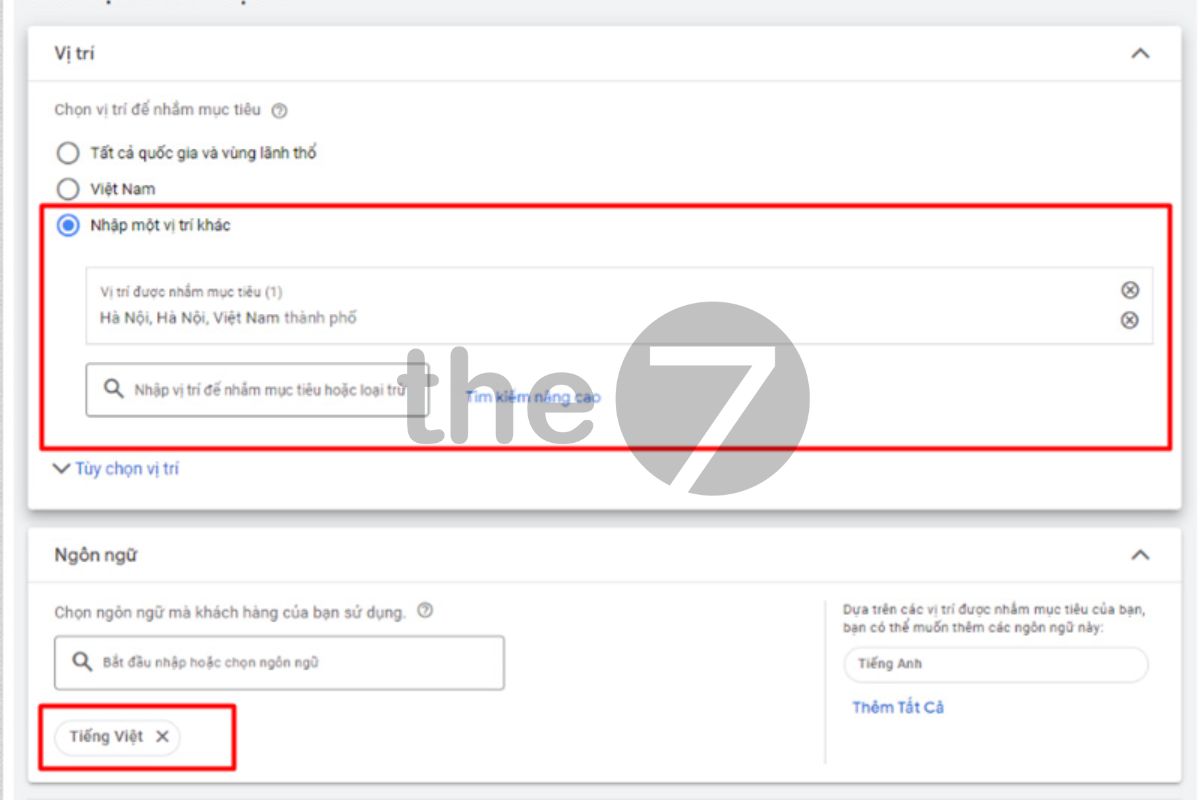
To set the ad location, simply select “Enter another location.” Then enter the location your business wants to advertise in, either to include it for display or to exclude it.
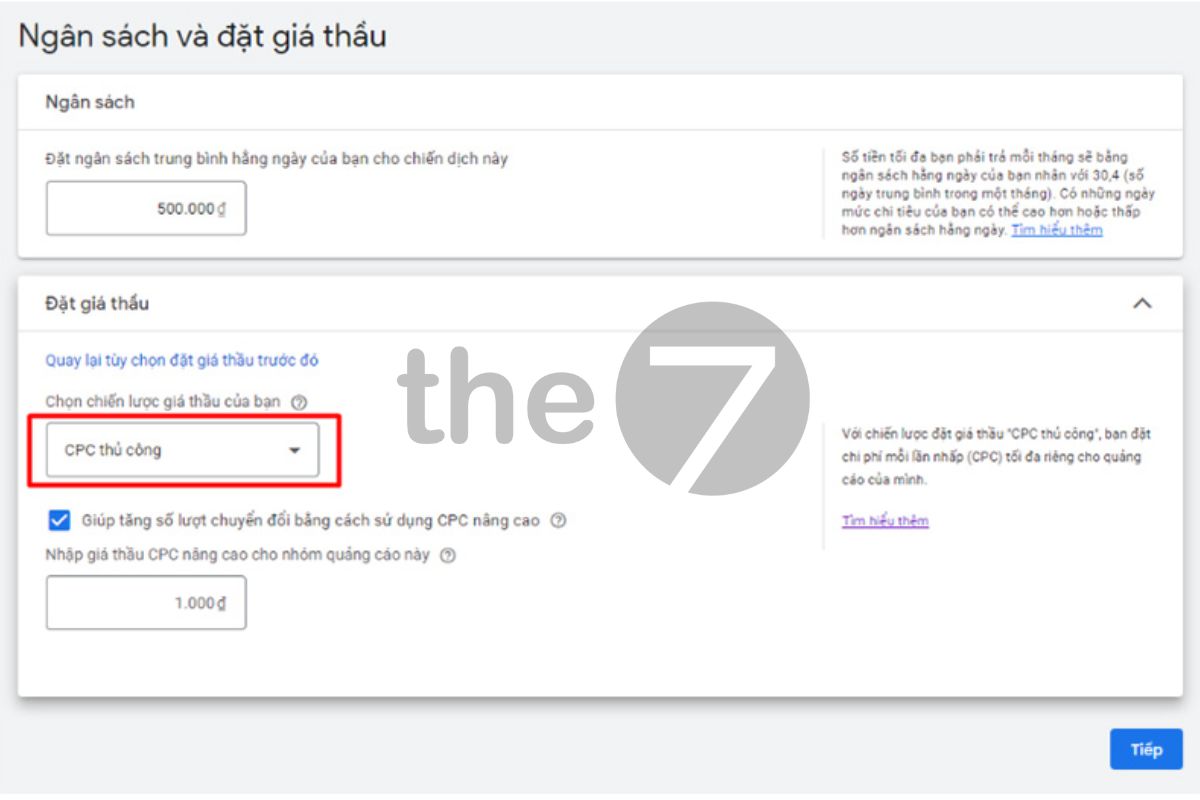
Step 4: Set Your Display Network Bid
Enter the daily budget you want to use. Then choose a bidding strategy that matches your goal. Google offers default options such as “conversions,” “conversion value,” or “viewable impressions” for smart bidding strategies.
If you’d rather use a manual bidding strategy instead of the smart options, you can select “Select a bid strategy directly.”
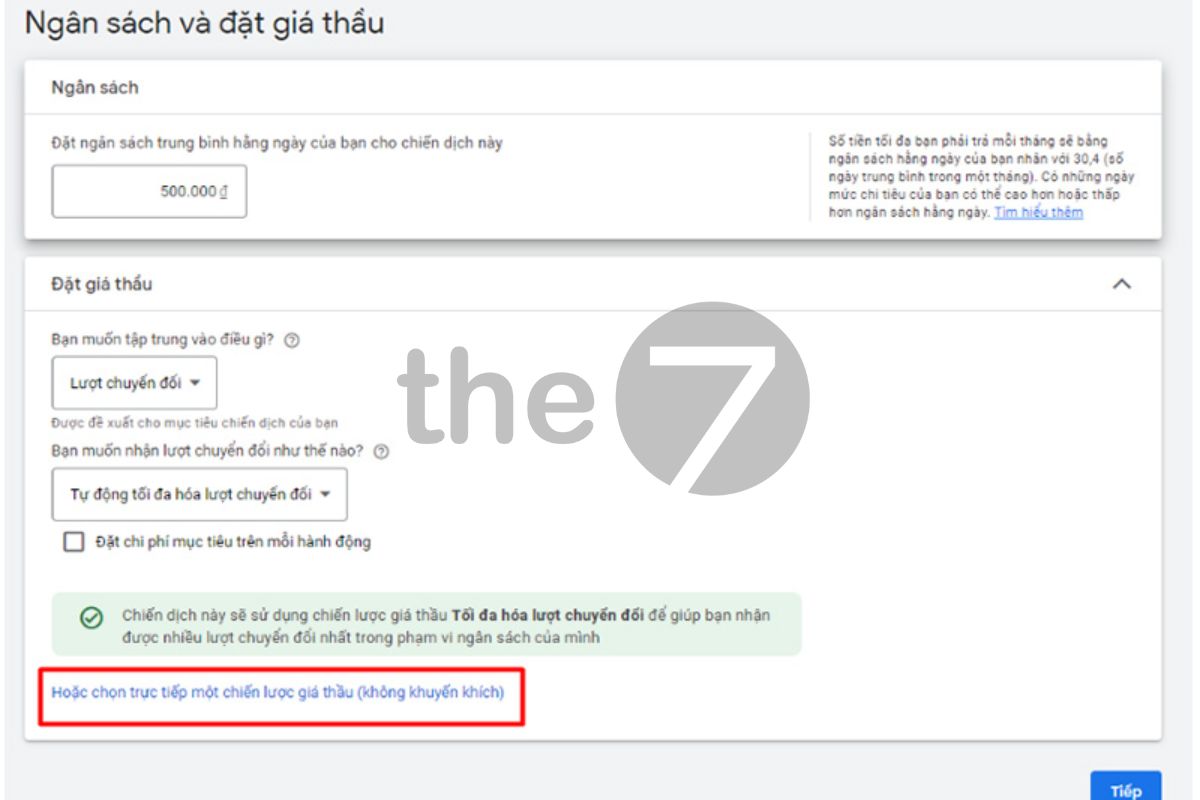
Once you’ve chosen a manual bidding strategy, you can set the price you’re willing to pay per click. For example:
- For a standard CPC campaign, you can set around VND 1,000 – 1,500 per click.
- For a remarketing campaign, budget around VND 1,500 – 2,000 per click.
Step 5: Set Up an Ad Group With a Specific Message or Topic
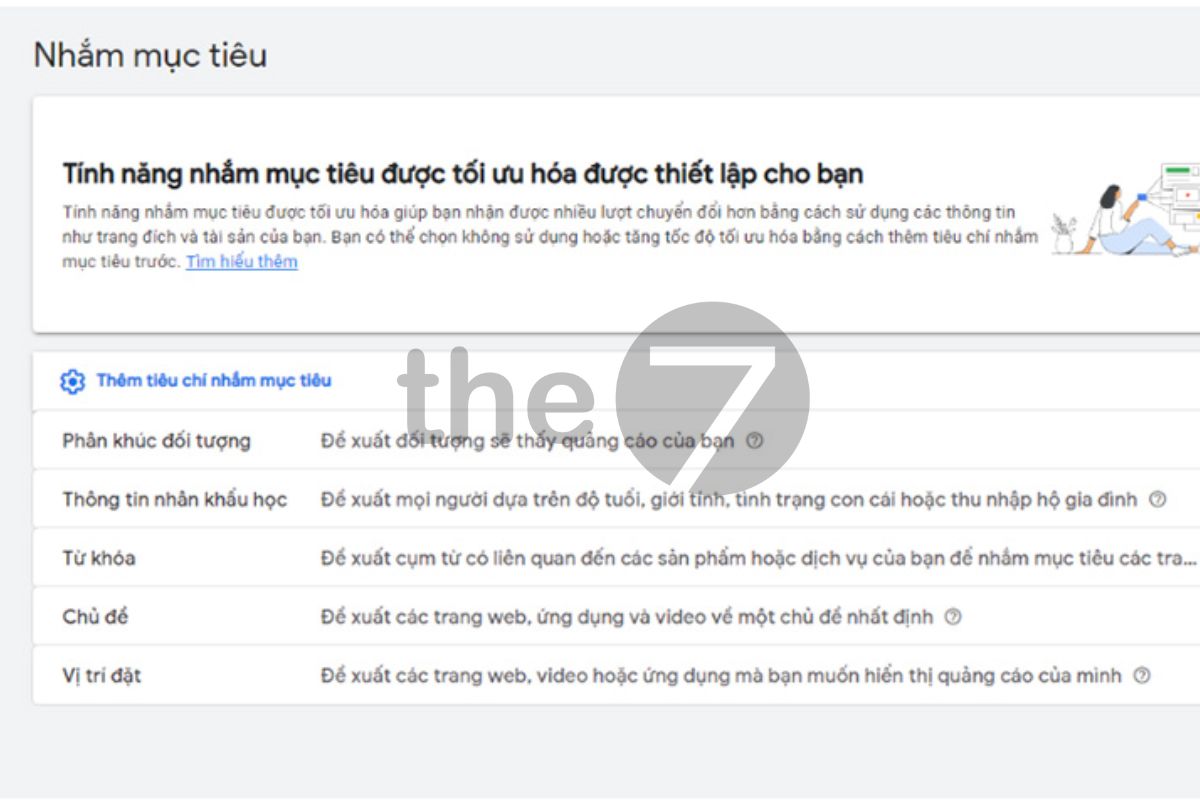
In this step you’ll need to complete several actions, specifically:
- Target customers based on their interests, habits, and what consumers care about and follow.
- Analyze what your audience is interested in — this could be technology, beauty, health, travel, banking and finance, or shoppers.
- Refine your target audience based on how customers interact with your business.
- Set demographics to reach customers across all ages, genders, parental status, and income levels:
- Gender: Male, female, unknown.
- Age: 18 – 24, 25 – 34, 35 – 44, 45 – 54, 55 – 64, 65 and older, unknown.
- Parental status: Parent, not a parent, unknown.
- Household income: Top 10%, 11-20%, 21 – 30%, 31 – 40%, 41 – 50%, lower 50%, unknown.
- Set your Google Display ad content through 3 categories: keywords, topics, and placements. Fill in all your keyword ideas.
- Choose topics to target across many websites, apps, and videos. For example, fields such as real estate, people & society, world locations, online communities, business and industry, travel, science, law, shopping, and more.
- In the placements section, set up your Google Display ads on YouTube or the Display Network.
Step 6: Set Your Ad Group Bid
This is an important step that determines how much budget you’ll spend on ads. There are several bid types you can use, such as CPC, CPA, ROAS, and CPM.
Step 7: Create an Effective GDN Ad
To communicate and market effectively through GDN you need to:
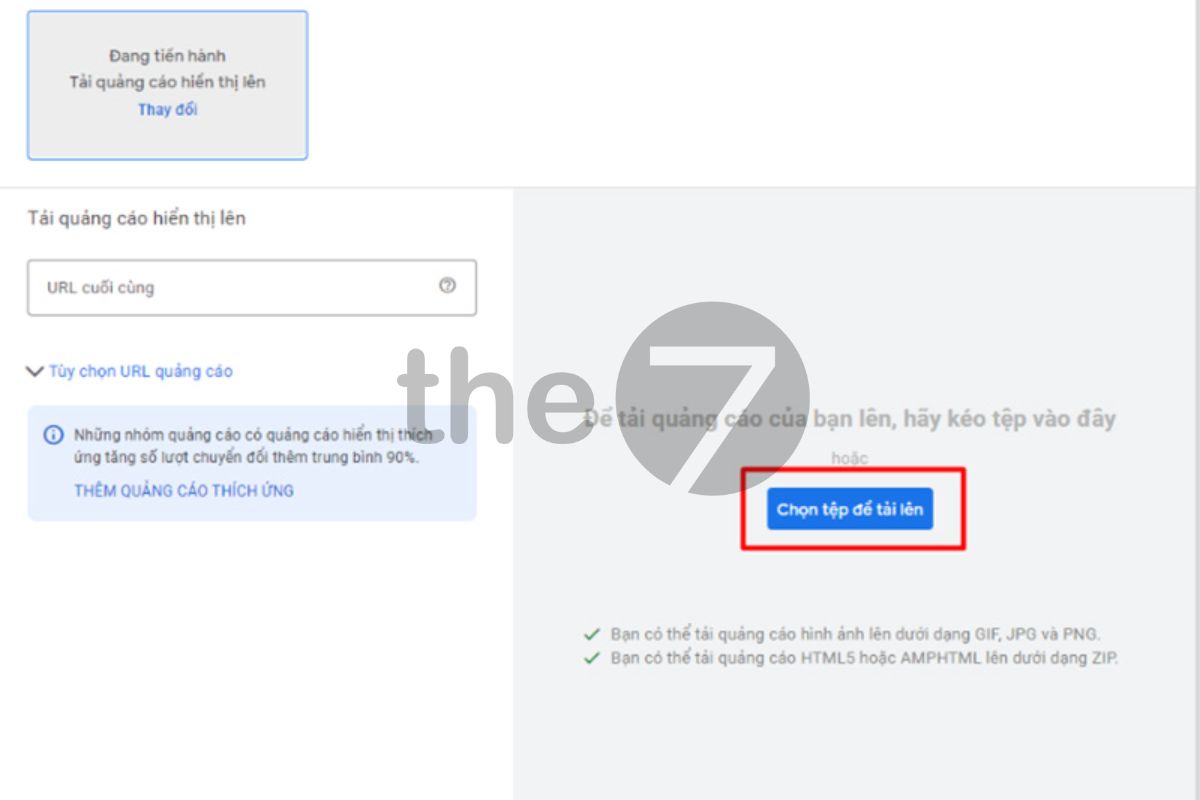
- Choose your ad.
- Upload your image display ad.
Here, pre-designed image templates can meet display requirements. However, you need to monitor performance regularly to evaluate campaign effectiveness. In this step, getting the image sizes right is also something you should pay close attention to. Specifically:
- GIF, JPG, PNG format: 150KB or smaller.
- Square and rectangle: 200×200, 240×400, 250×250, 250×360, 300×250, 336×280, 580×400.
- Vertical rectangle: 120×600, 160×600, 300×600, 300×1050.
- Long rectangle: 468×60, 728×90, 930×180, 970×90, 970×250, 980×120.
- Mobile: 300×50, 320×50, 320×100.
- Animated ads must be 30s or shorter.
- They can loop, but must stop after 30s.
- Animated GIF ads must run slower than 5 FPS.
How to optimize Google Display ads effectively:
- Exclude placements that regularly show irrelevant ads.
- Increase bids for websites that show strong conversions.
- Rotate banners to find out which ones perform best.
- Update content and ad groups to better meet customer goals and boost conversion rates.
Key Factors for Building Your Audience
Choosing the Right Devices
Before launching a display campaign, it’s important to consider your target audience and identify the devices they use. This includes making sure the user experience is good across different devices. If a device isn’t delivering a positive experience, you should remove it or optimize your app for that device.
Choosing Demographics and Location
Google lets you customize demographics to clearly define your target audience for display campaigns. This includes factors like age, household income, and geographic location. Flexibly selecting demographics and location helps your campaign reach the right audience.

Checking the Content Exclusion Box
Before launching a GDN ad campaign, checking the content exclusion box is important to avoid appearing on websites with unsuitable content. Setting up advanced content exclusion tools helps filter out sites with sensitive content, ensuring ads appear in appropriate and safe places.
Tips for Running Effective Google Display Network Ads
To run GDN ads effectively, keep the following tips in mind:
Make the Most of Remarketing Campaigns
- Reconnect with users who have previously interacted with your website or mobile app.
- Show targeted ads to this audience as they browse Google or Google’s partner websites.
- Boost brand awareness or encourage that audience to make a purchase.

Remove Unsuitable Placements
Regularly check your ad placements to remove unsuitable ones, such as: gaming apps, gaming websites, children’s channels, movie-streaming sites, etc.
Use Managed Placements
Using managed banner placements lets your ad display exactly on the website you want.
However, for this option, your target website needs to have high traffic, which in turn drives bids much higher.
Focus on Banner Content
Content is a critical factor in GDN. It needs a clear, prominent CTA that speaks directly to the user’s pain point.
Invest in designing eye-catching GDN banners. Avoid relying only on dull text-only ads, which don’t attract many clicks.
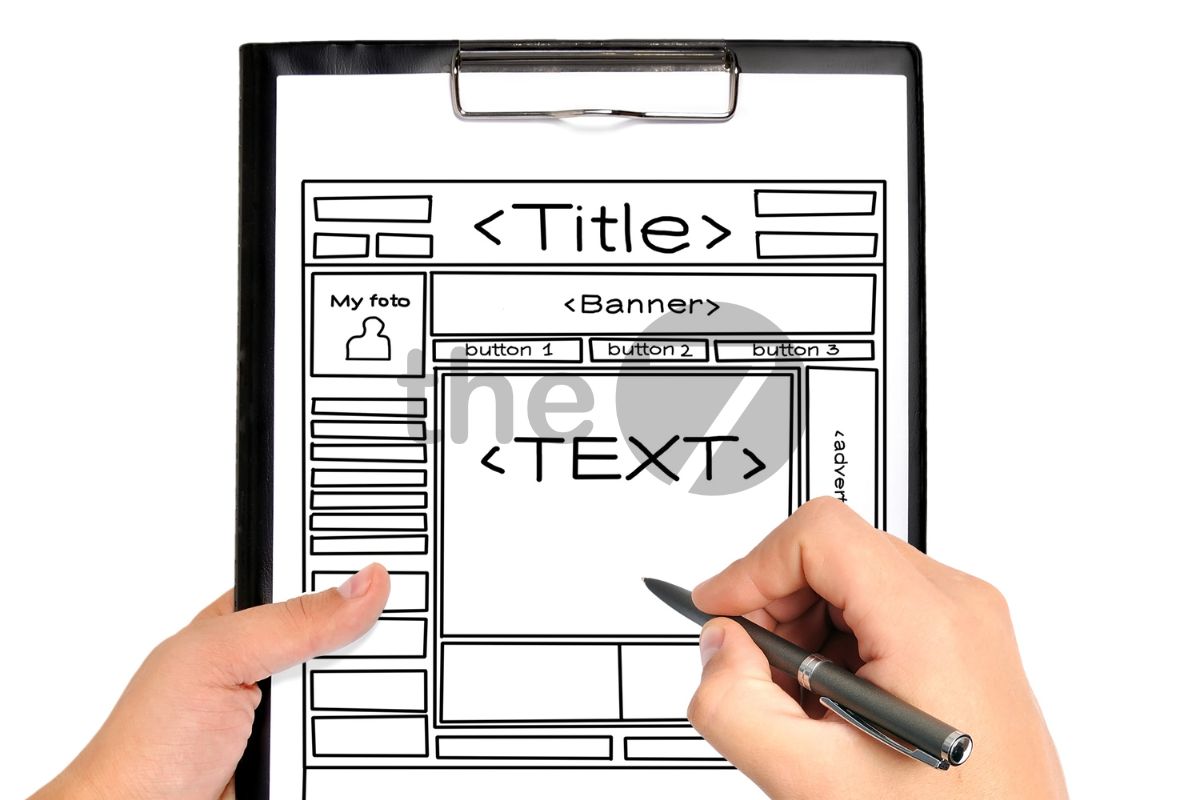
Invest in a Clear, Conversion-Optimized Landing Page
The landing page needs to clearly explain the product/service your company offers. Alongside that, include a call-to-action to call your hotline or a prominent form to boost conversion rates.
The landing page should be designed to be visually appealing; for the content, you can reference the AIDA framework or other frameworks to optimize for conversions.
Run A/B Testing
Split your budget across many ad groups, testing different landing pages, banner designs, and target audience segments.
After multiple rounds of testing, you’ll be able to choose the best-performing segment to invest more budget into for greater returns.
Use Full-Format GDN Ads With Both Text and Images
Customers are far more impressed by rich ads that combine both text and images than by ads with only images or only text.
Your job, therefore, is to invest in well-crafted ad creative to attract your target customers.
3 GDN Advertising Mistakes You Should Avoid
Not Separating Your GDN Budget From Search Ads
Merging your GDN budget with your Search Ads budget will make your GDN ads underperform, and vice versa.
Instead, you should keep the budgets for these two ad formats separate, allowing you to control performance effectively and focus better on one format at a time.
Over-Targeting Within GDN
Over-targeting in GDN makes it harder to manage and track your campaign, as well as to identify your potential customer segments. It also shrinks your ad’s reach, makes it harder to display, and drives up CPC.
Instead, break your targeting down by keywords, audiences, banner placements, demographics, etc., and combine it with A/B testing for the best results.
Running GDN Ads on Mobile Apps
GDN banners on mobile apps are typically served within gaming apps. The audience there tends to be teenagers and minors, so running GDN ads on mobile apps is unlikely to deliver strong conversions.
Not to mention, accidental clicks and landing page timeouts tend to be very high, bringing the business no real customers or profit.
By tracking and optimizing performance using measurement tools, businesses can fine-tune their strategy and goals to get the best results from their advertising campaigns on the Google Display Network.
Above is a detailed analysis from The7. If you want an effective Google Display advertising campaign, get in touch via hotline: 082.246.79.79 or website: https://the7digital.com
>>>> More articles to read:
- What Is Google Shopping Advertising? A Guide to Running It Effectively
- How to run effective Gmail ads for your business
- A guide to running effective Google banner ads
- What is Google Discovery ads?

Nguyễn Đình
Bảo




As CEO of The7, I am committed to sharing practical, useful knowledge with every reader. Every article on The7 is based on my 7 years of hands-on experience in marketing — Facebook advertising, LinkedIn advertising, Google advertising, and marketing strategy. I hope you take away plenty of insight from these posts and apply it successfully in practice.
Related Articles

6 Simple Yet Effective Steps to Run Google Ads in 2024
Google Ads (Google AdWords) is Google’s online advertising service that helps businesses reach the right target customers, boost brand awareness, attract customers, and drive sales as customers search for information...
How to Run Effective Gmail Ads for Your Business
One of the advertising formats attracting the attention of many business owners is Gmail advertising. So how do you run effective Gmail ads? Let The7 walk you through this fresh...
What Are Google Smart Campaigns? Tips to Drive High Traffic
Google Smart Campaigns are one of the ways advertisers can access advertising information and digital marketing techniques faster. If you have just started a small business, keeping track of your...
What Card Should You Use to Pay for Google Ads in 2024?
Which card to use to pay for Google Ads is a common question among people who are new to Google Ads campaigns. So which card is best for paying for...
How to Link Google Analytics With Google Ads in 2024
To run Google Ads effectively, you need to do more than just launch campaigns. You also have to analyze and evaluate the performance of each campaign through its metrics. So...
How to Add Sitelink Extensions in Google Ads (2024 Guide)
Sitelink extensions let your ads give customers more information. They also make each ad stand out more than your competitors’ ads. This gives your Google Ads extensions a Quality Score...


