


What Is Google Discovery Ads? A Guide to Using Them Effectively
Google Discovery Ads were created to help users and businesses run communication campaigns and market their services and products more effectively. So what exactly are Discovery ads, and how do you create a successful campaign with them? Let The7 walk you through it in the article below!
>>> See more about our services: Full-Service Google Advertising
What Is Google Discovery Ads?
Google Discovery Ads are visually rich ad campaigns optimized to attract potential customers. Using signals such as app downloads, website visits, searches, videos watched, and people’s maps, Google serves ad content that precisely matches each user’s needs.
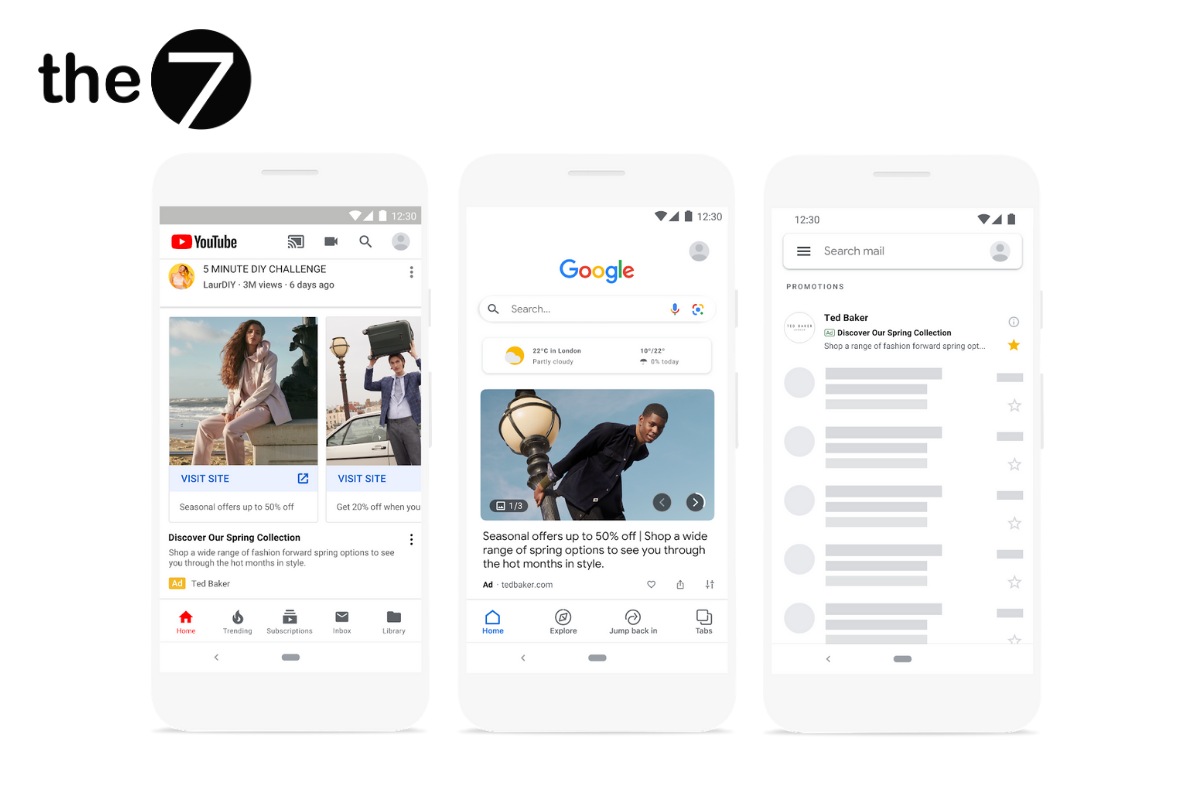
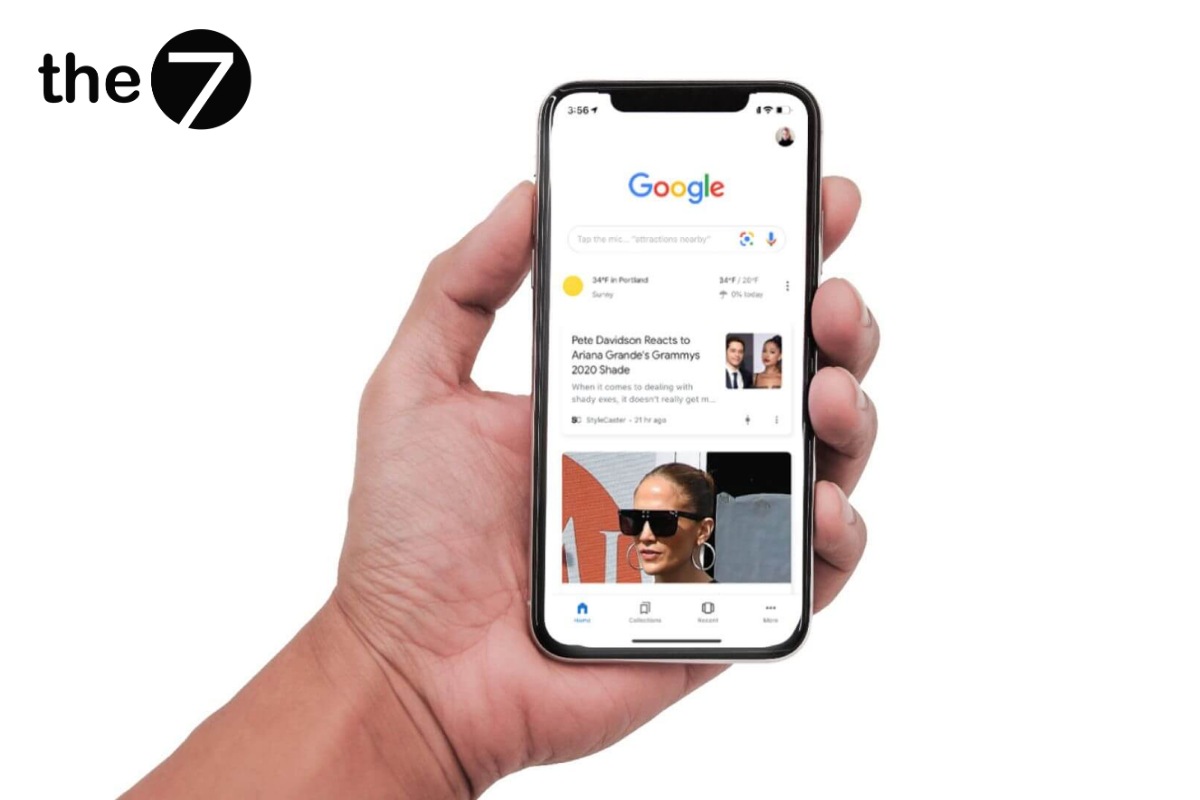
Google Discovery ads are also a data feed that appears on the home page of the Google app for Android and iOS and on the Google homepage. Users can personalize the feed to see content related to their interests. In other words, Google collects data through machine learning and serves ad content that matches users’ interests.
>>>> Read more:
- What is Google AdWords? Reasons to run Google Ads
- A guide to running effective Google ads on your own
Where Google Discovery Ads Appear
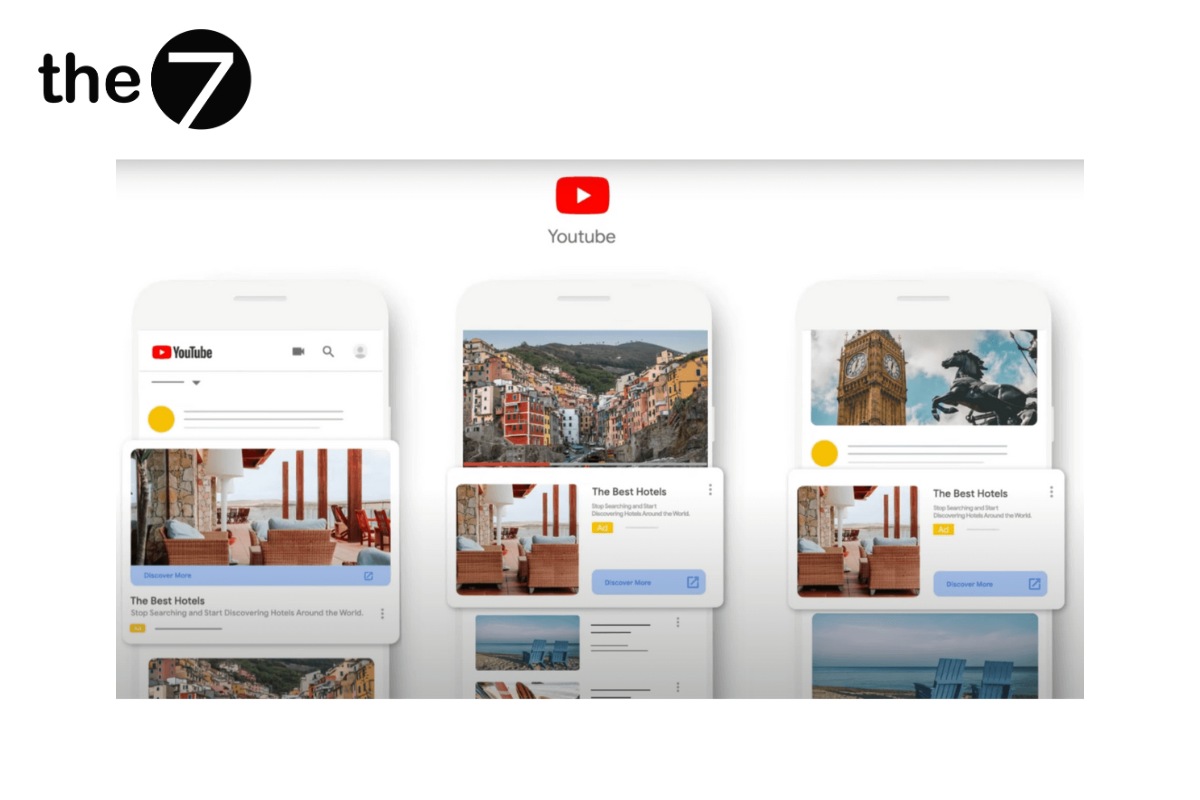
The YouTube Home Page and Up Next Videos
Google Discovery Ads formats appear on the YouTube home page on mobile and desktop, as well as in the Up Next video section.
On Gmail Ad Tabs
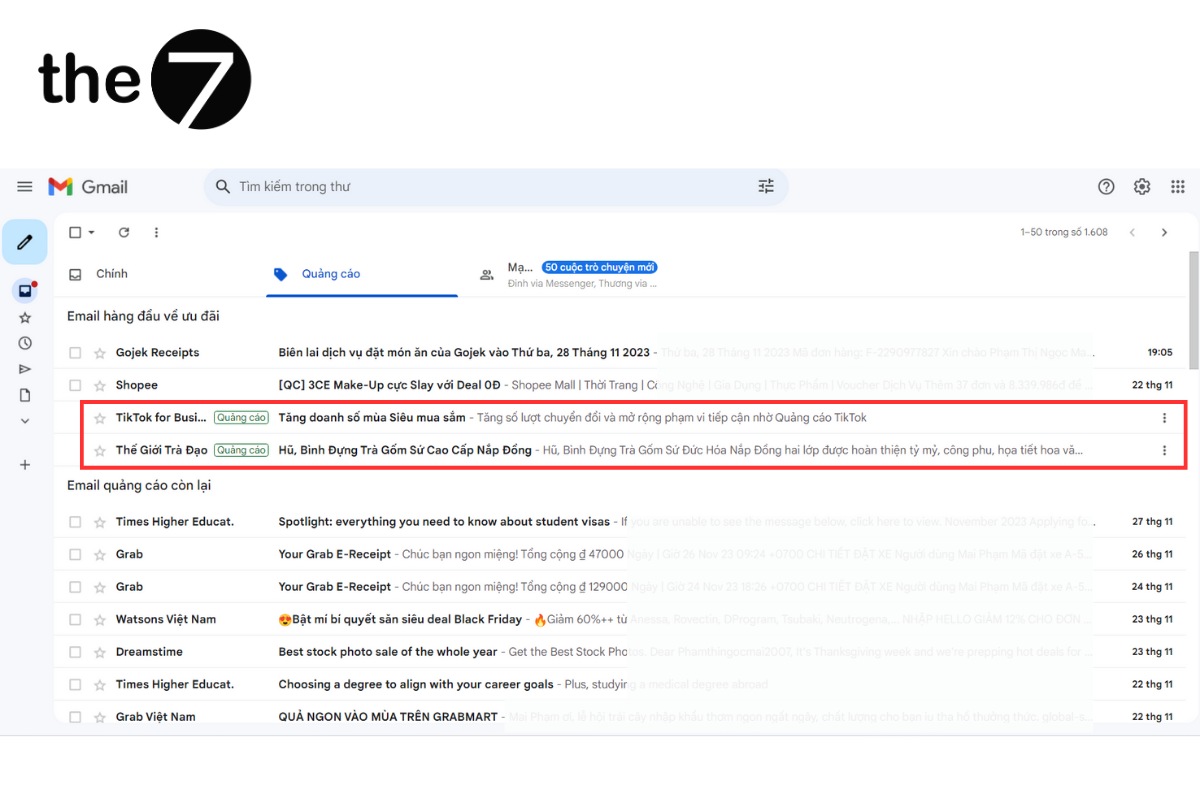
In Gmail, you can see these Discovery ads by clicking the “Social” or “Promotions” tab. The ad opens as an image with an optimized link, making it easier to reach customers.
On the Discover Feed in the Google App
When you open the Google app on your phone and scroll down, you will see plenty of content that matches your web history, interests, and more. All of this recommended content is called the Discover Feed, and it is the space where Google Discovery ads are displayed.
Google Discovery Ads Formats
Standard Discovery Ads
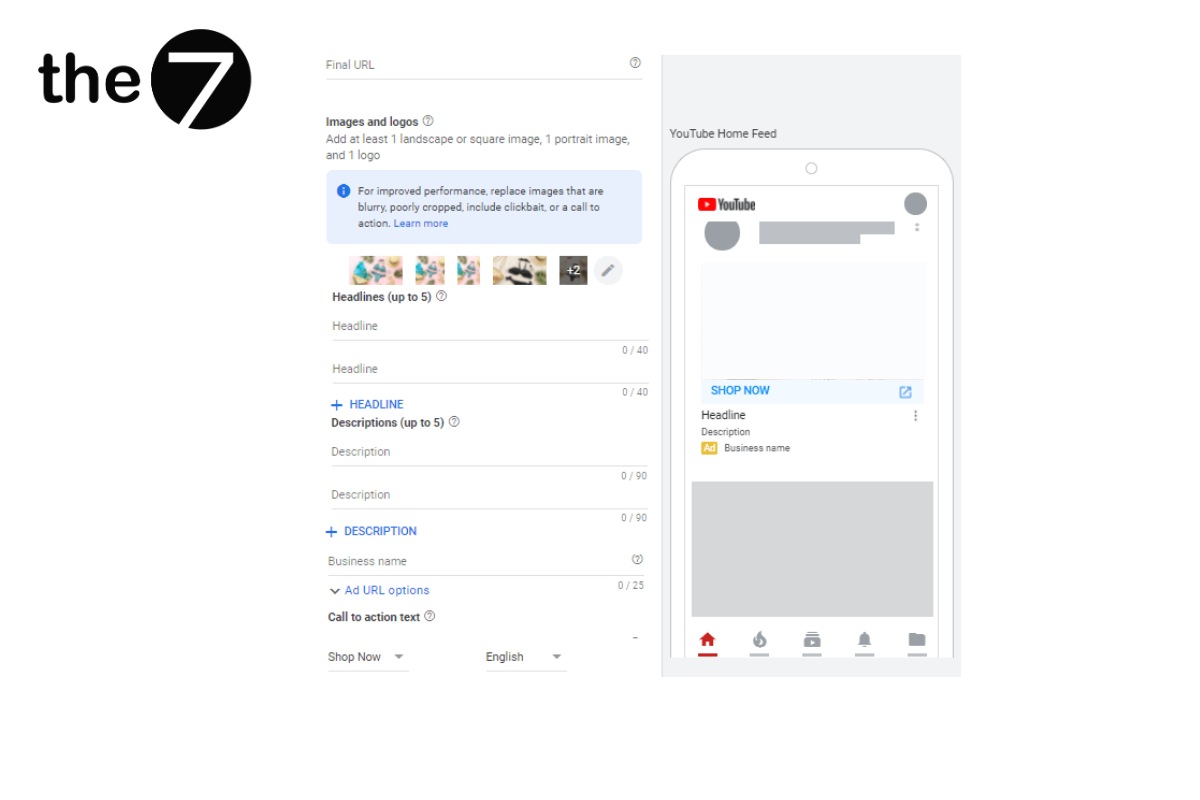
- Final URL: When someone clicks the ad, they land on the final URL, which points to the advertiser’s website. This helps users understand your services or products better, while also raising your conversion rate and ad quality.
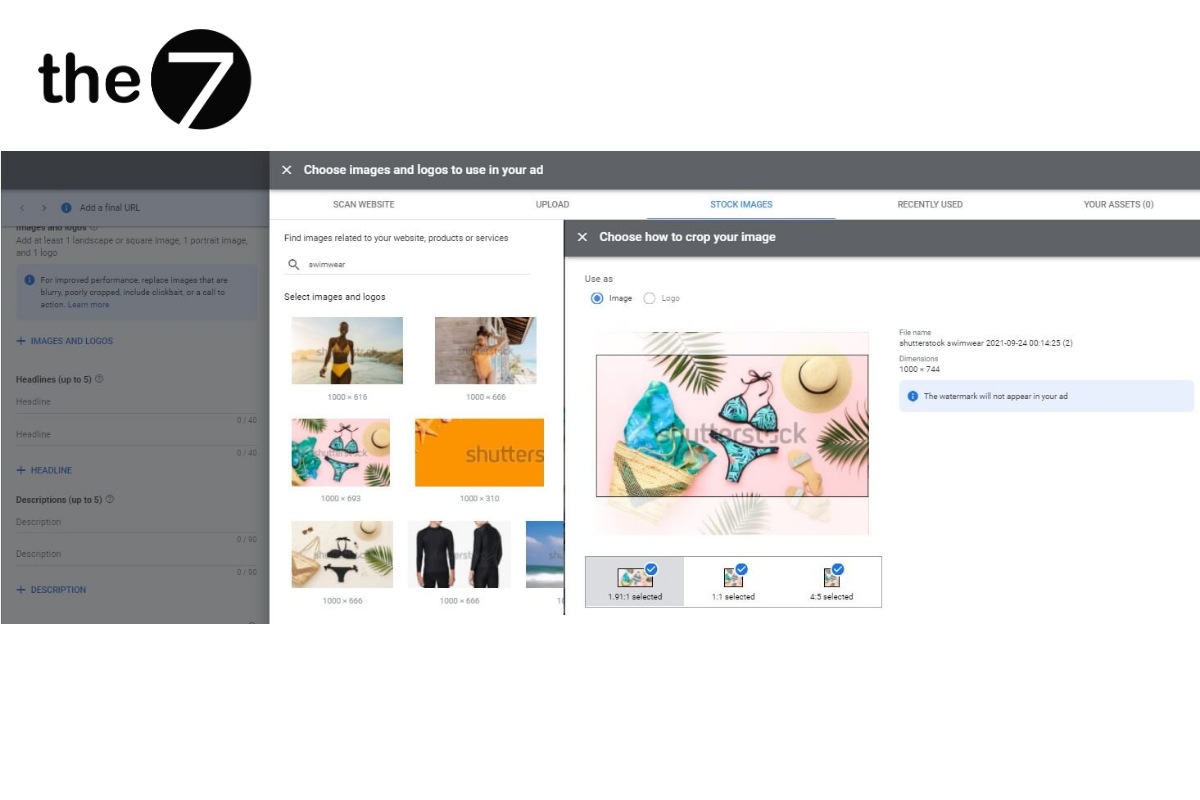
- Images: The main purpose of Discovery ads is to inspire people and get them to stay on your website or engage with your products and services on their own. That is because a higher order conversion rate depends on the user’s search journey. Therefore, advertisers need to optimize their ads to make a strong impression on viewers.
Google Discovery Ads let you test a campaign with up to 15 different images, so if you want maximum reach, try uploading images in a variety of sizes. You can also use images from your feeds on social platforms such as LinkedIn and Facebook.
- Headline: The first line in the ad, shown in bold color, is the headline. You can provide up to 5 headlines, each no longer than 40 characters.
- Description: The description summarizes the campaign and sits below the headline, helping advertisers convey the campaign’s message to users. You can provide up to 5 descriptions, each no longer than 90 characters.
- CTA (Call to Action): A CTA is like an invitation for customers to decide to buy. It is usually attached to ads and is not required, but to make your campaign more effective, you can test a CTA.
Discovery Carousel Ads
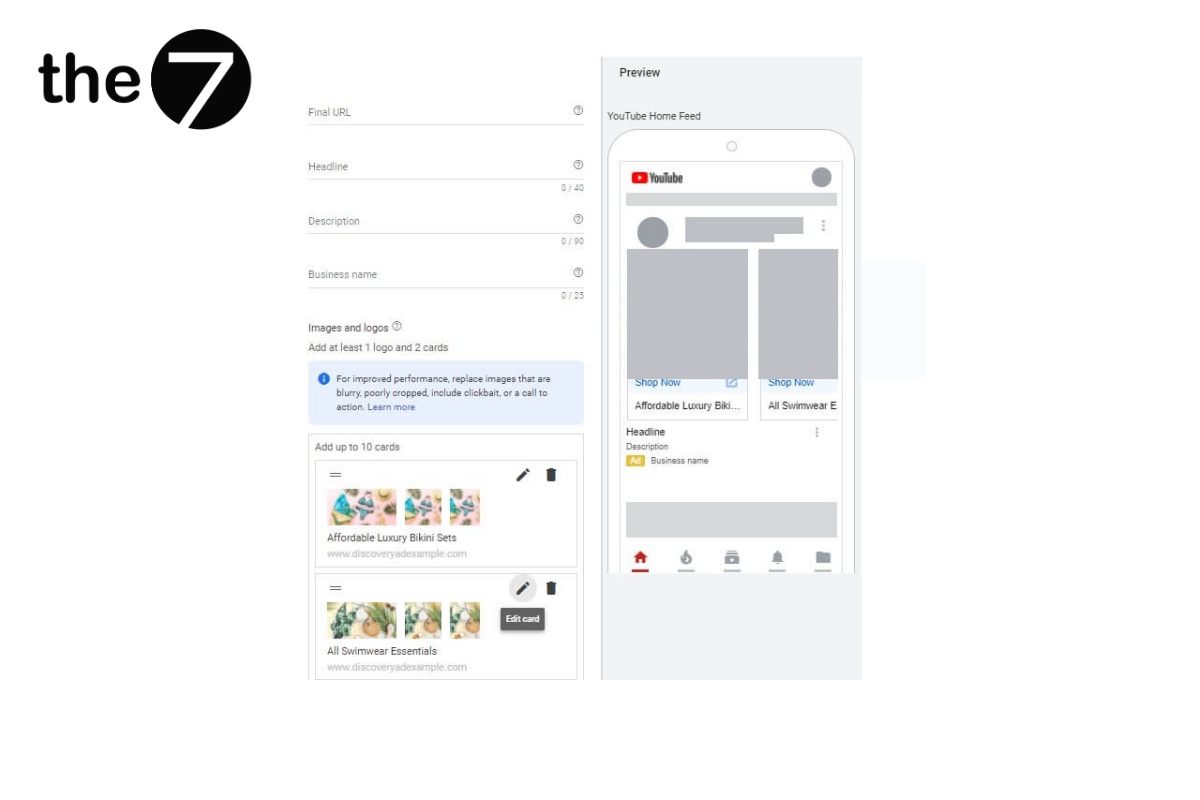
Compared with Standard Discovery ads, Discovery Carousel Ads let advertisers view and move through the uploaded images in a rotating format. Google displays the ad in image order (about 2-10 images) as a carousel of cards.
However, within a single carousel ad, Google only accepts images and cards with an aspect ratio of 1.91:1 or square. You can only choose one of the two; otherwise, the ad will be disabled.
Benefits of Google Discovery Ads
Easily Reach Your Potential Customers
Google Discovery makes the most of machine learning and picks up on customer intent, which helps deliver ads for your services and products to the right potential customers. Appealing ads reach more customers more easily.
Boost Brand Awareness and Conversions
Google Discovery Ads give businesses the freedom to create impressive ad campaigns, increase engagement, and bring the brand closer to users. Across Google’s properties, Discovery ads deliver your products and services to customers who want them, which increases conversions and helps you reach your business goals quickly.
Optimize Costs and Ad Performance
Google Discovery ads help optimize the cost of your ad campaigns and add flexibility. In addition, they give businesses detailed analytics reports on strengths and weaknesses so you can get the most out of your ads.
Simpler Campaign Management
According to Google, nearly 85% of people take action within just 24 hours of finding a new product. By pinpointing this trigger, advertisers can strongly influence users’ buying journey and reach their business goals with a single campaign.
When Should Businesses Use Google Discovery Ads?
There are three moments when a business should use Discovery ads:
- First, when you want to drive conversions across multiple media at scale, such as boosting newsletter sign-ups, sales, or website traffic.
- Second, when you want to use your own channels to reach new users, such as visualizing your data feeds or sharing ads with high brand awareness.
- Third, when you want to focus on the brand’s core audiences, for example, encouraging existing users to keep exploring and using your services and products.
Budget and Bidding for Discovery Ad Campaigns
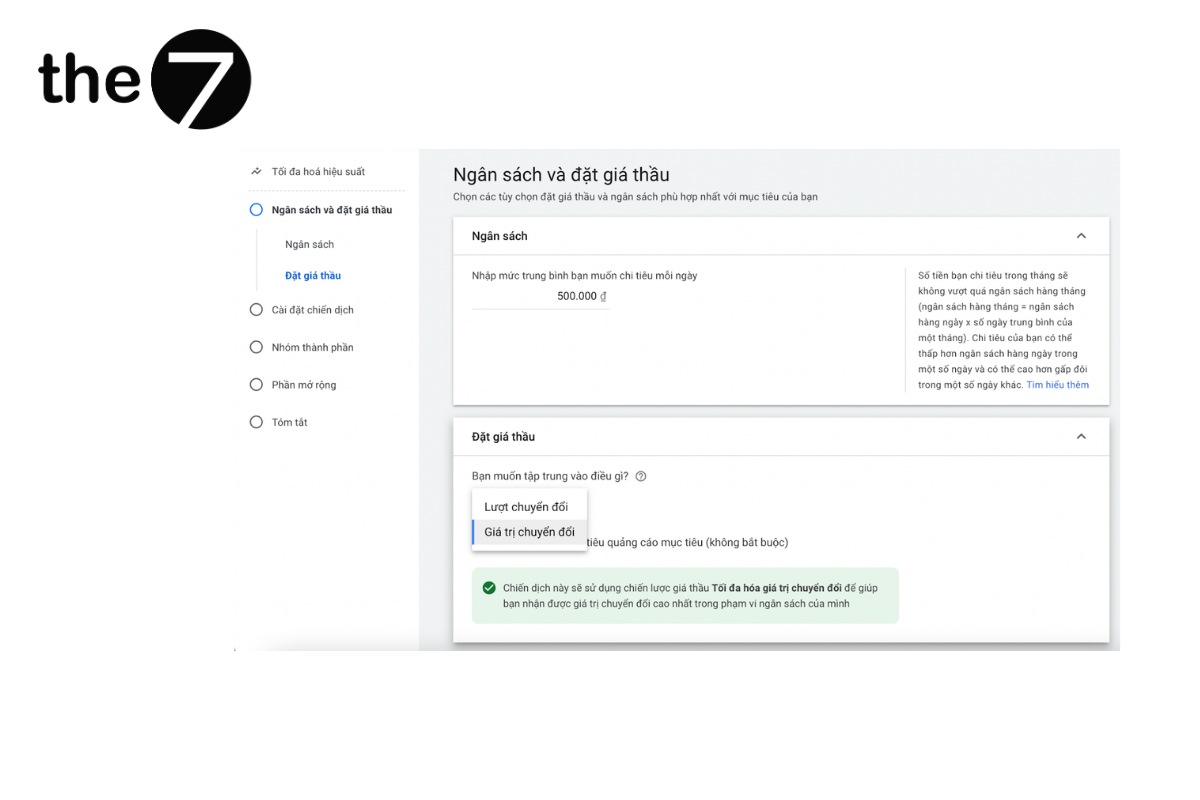
Google Discovery Ads run on the Smart Bidding strategy and Google’s algorithms. You can set up two bidding strategies as follows:
- Target CPA: For each conversion, Google drives conversions at a fixed cost. This suits businesses with a budget of at least 5-10 times the target CPA.
- Maximize conversions: Google gets conversions at the lowest target CPA possible. If you don’t need to reach 10 conversions per day or you have a small budget, use this bidding strategy.
On average, a CPA for a Google Discovery campaign comes in at 12 USD. That means advertisers can still get optimal results even with a small budget.
When you run Google Discovery Ads for the first time, advertisers should wait 2 – 3 weeks before deciding to change the ads or test different bids. This gives Google time to make the right adjustments and improve reach and user engagement.
How to Create a Google Discovery Ad, Step by Step
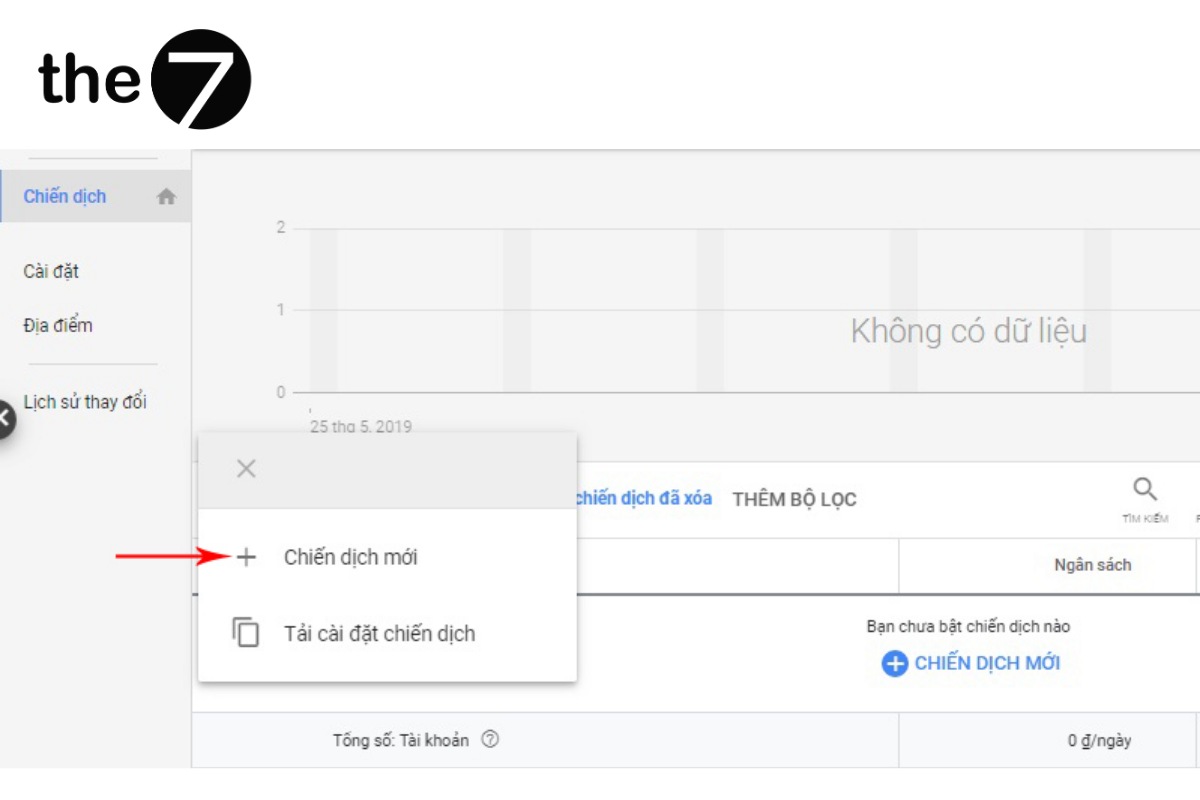
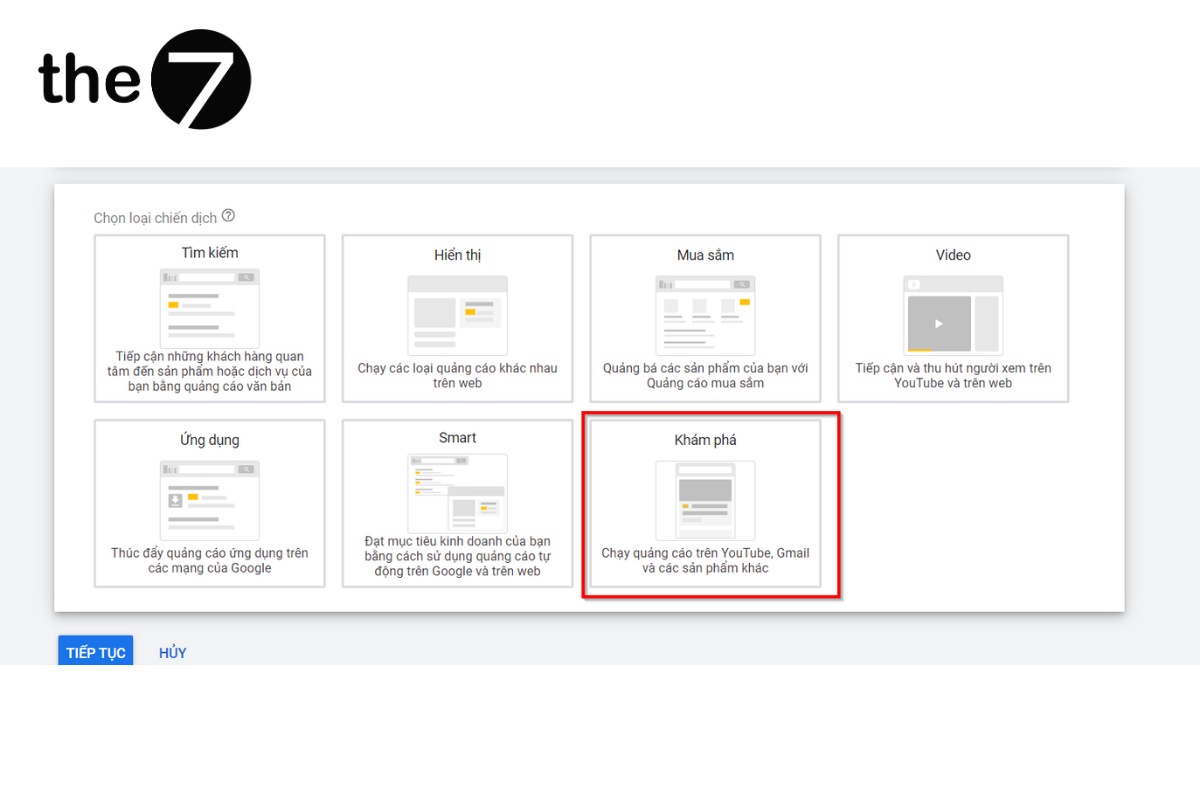
Step 1: Sign in to your Google Ads account => Select the menu => Click Campaigns => Choose New campaign => Click Discovery.
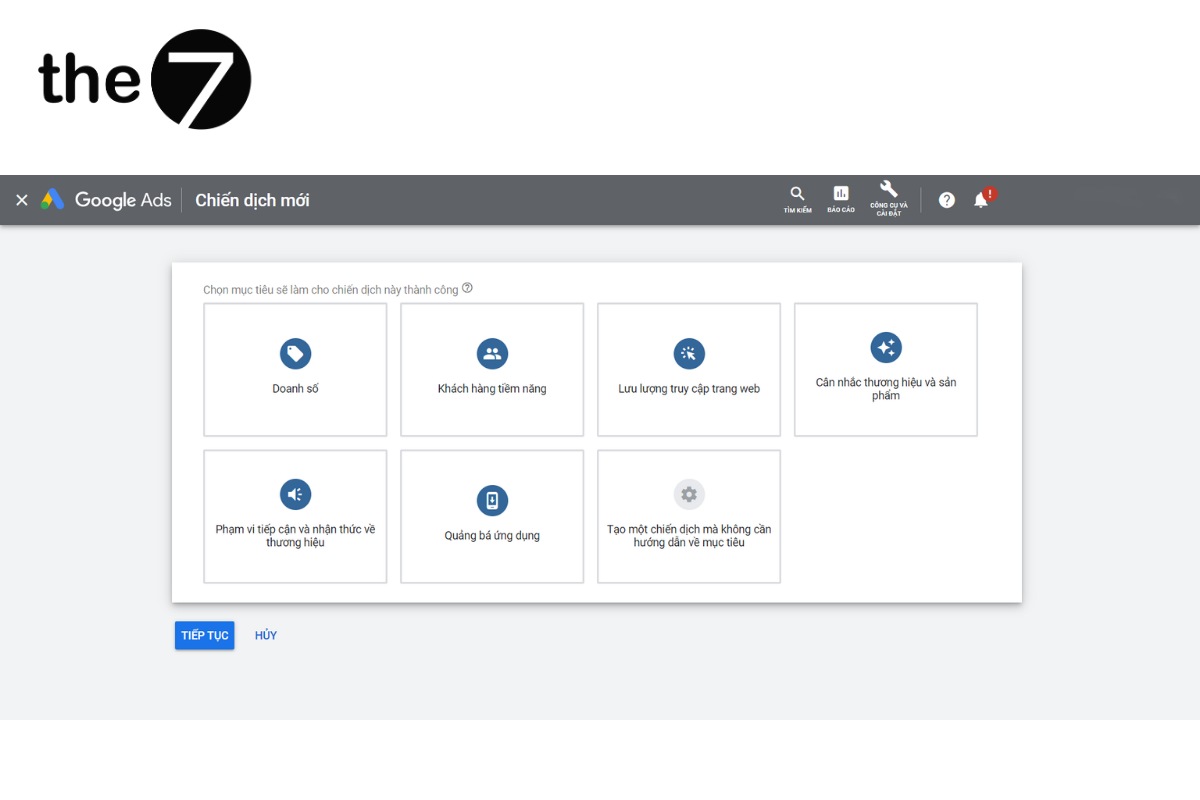
Step 2: Choose the conversion goal for your Discovery marketing campaign, including sales, leads, potential customers, website traffic, no goal, and more.
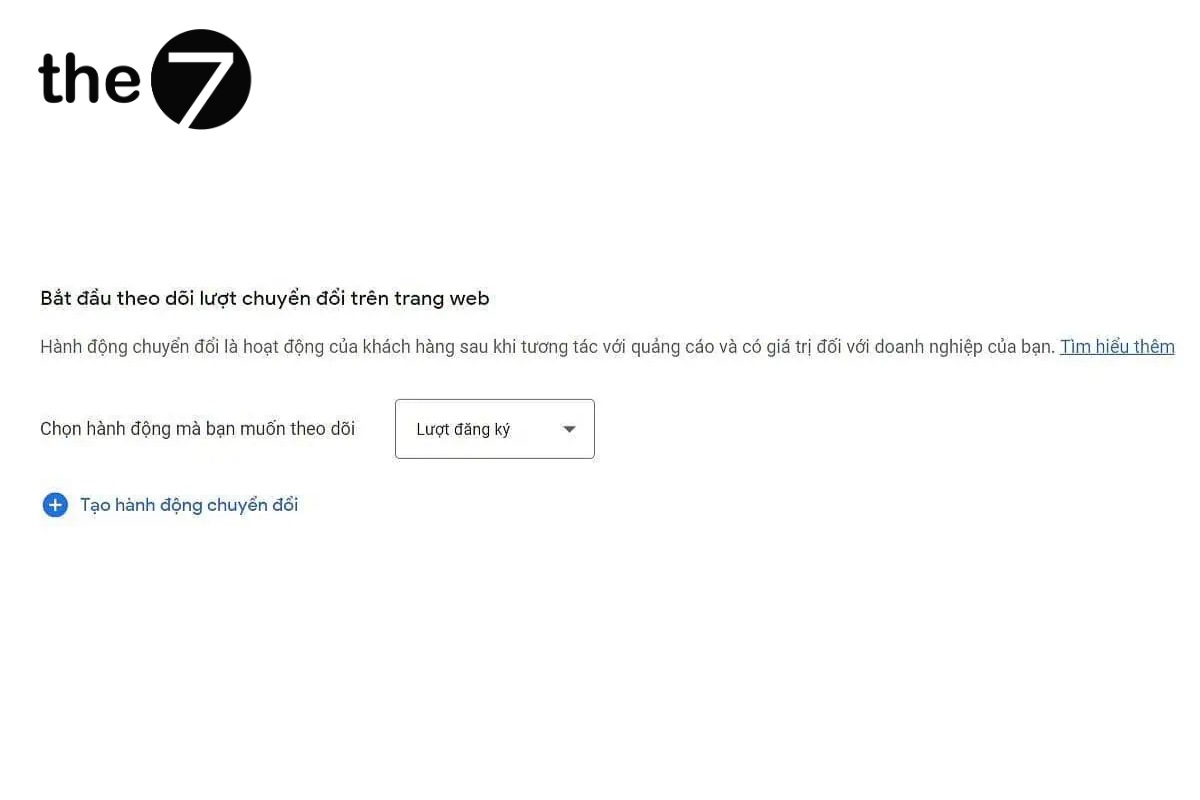
Step 3: In the “Start tracking web conversions” section => Choose a conversion goal to optimize the sales objective of your Discovery campaign.
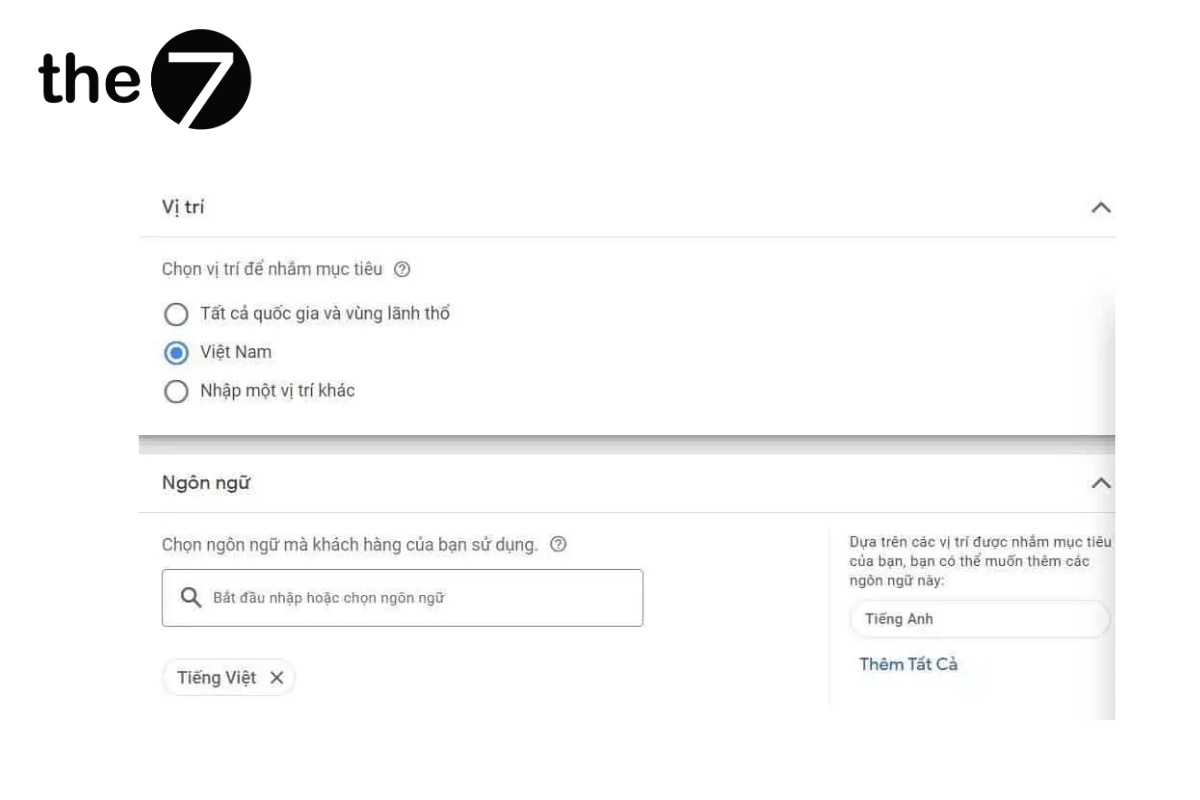
Step 4: You can choose multiple target languages and locations to optimize your campaign’s reach.
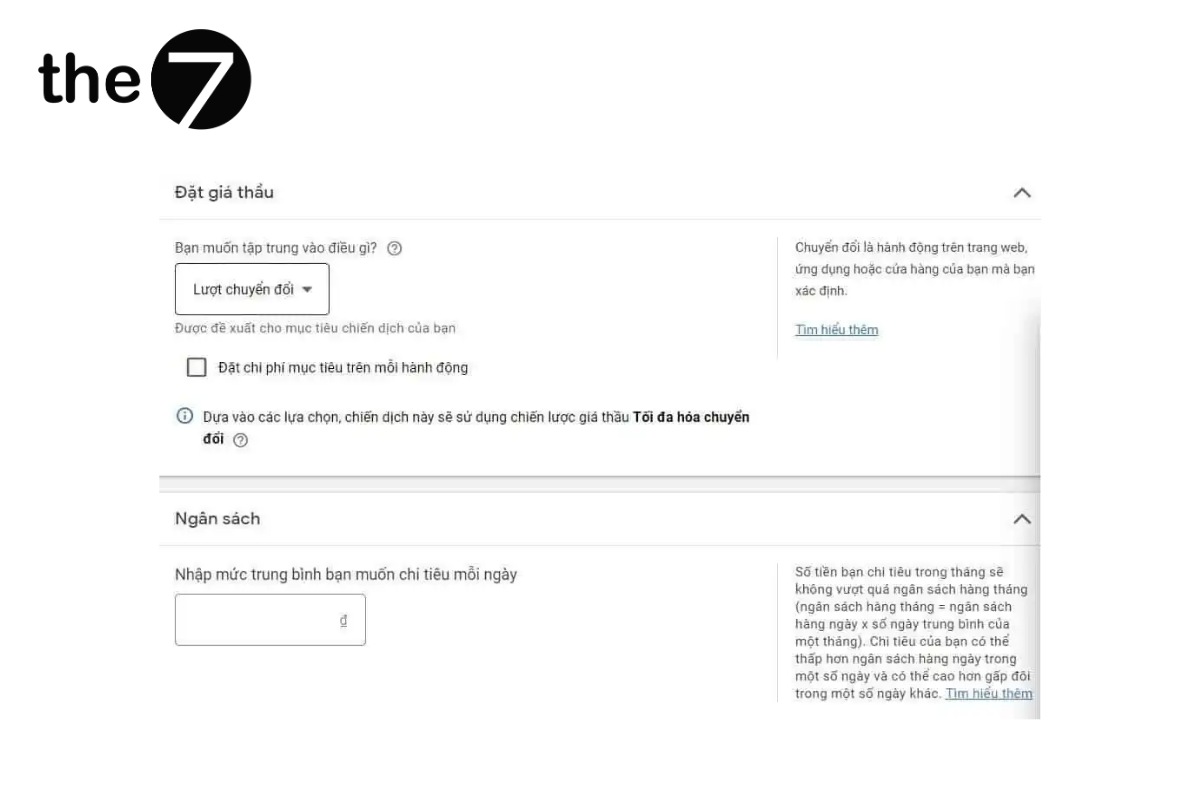
Step 5: Choose a bidding strategy (automatic/manual) and enter your average daily budget. To optimize campaign performance and have your ads shown for more of the day, make sure your budget is large enough.
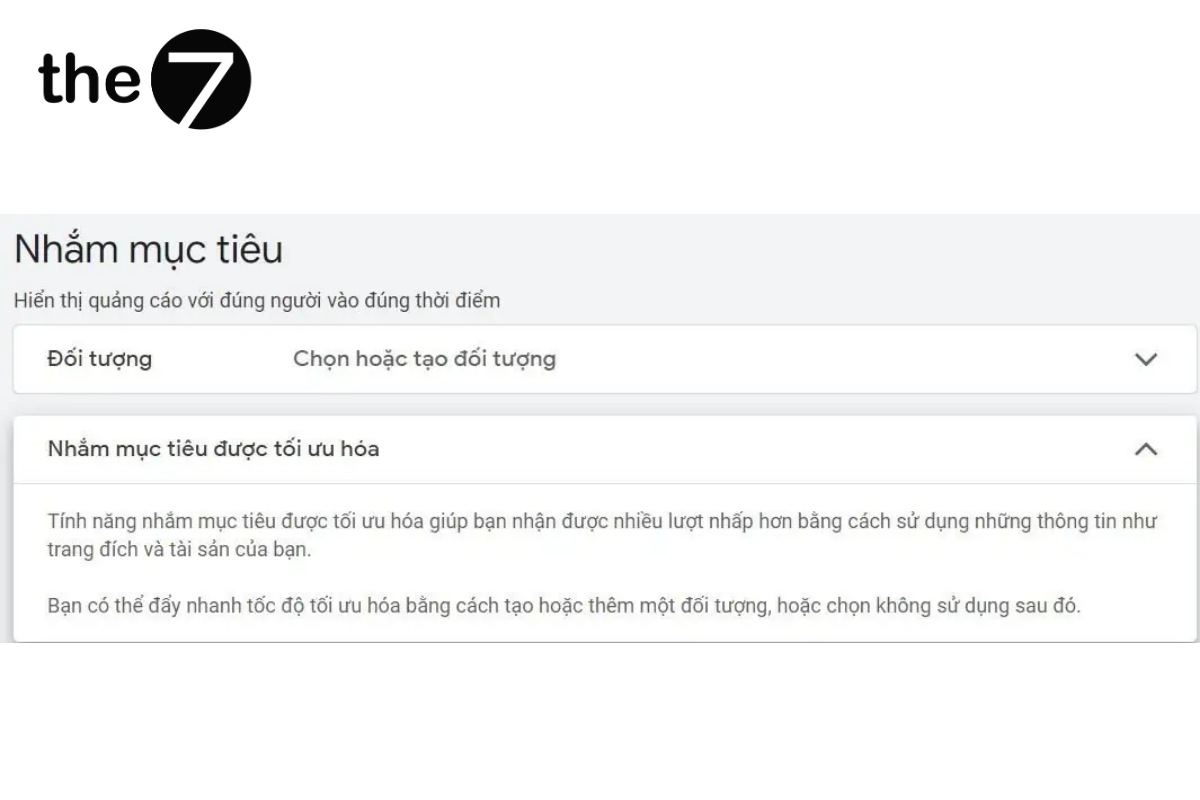
Step 6: Set up your Google Discovery Ads audience
Depending on your target audience groups, such as interests, demographics, life events, and education level, set up your Discovery ads to increase your reach among potential consumers and boost sales.
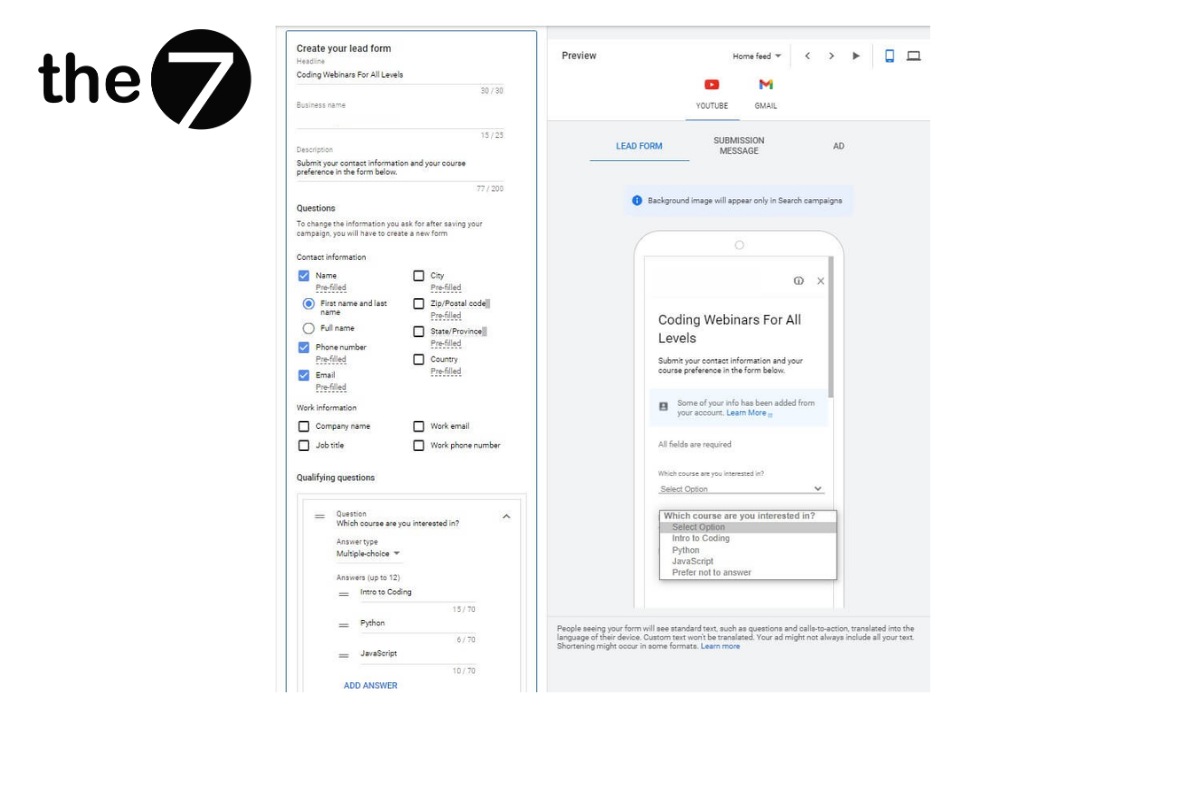
Step 7: Set up your Discovery ads
Google Discovery Ads offer several ad formats, including video, image, carousel, and more. Advertisers can choose different placements on websites or in the Google app home page to run their ads.
How to Target Google Discovery Ads
Google Discovery Ads can’t target viewers by keyword. So businesses should choose target user groups for their ads as follows:
- Remarketing: Advertisers can create different remarketing groups to show ads to audiences who have visited the website, added items to their cart, or are existing customers. The goal is to maintain and increase engagement with those audiences.
- Customer segments: Based on factors such as age, gender, education level, country, and more.
- In-market audiences: Groups of users who have researched, searched for, or are currently considering a purchase.
- Life events: Target events your potential customers may care about, such as graduating, starting a business, buying a home, or getting married.
- Topics of interest: Discovery also targets topics that users care about and are excited by, based on their web history.
Things to Keep in Mind When Creating Google Discovery Ads
- Images: Google Discovery Ads appear on the Discover Feed and on social networks, so your images need to be eye-catching, aimed at Instagram or Facebook audiences.
- Discovery Carousel Ads: Best when you want customers to see your service or product from several angles, or for e-commerce sites with a wide range of services and products.
- Data feeds: Google Discovery Ads can now be integrated with Google data feeds to improve campaign performance.
Frequently Asked Questions About Google Discovery Ads
How Should You Use Google Discovery Ads?
Google Discovery Ads are a good fit when you want to:
- Increase conversion rates and sign-ups across multiple media.
- Reach new users and build your brand on Google.
- Reconnect with your key customer audiences to encourage use of your products and services.
What Is the Difference Between Discovery Ads and Display Ads?
The main difference between Discovery Ads and Display Ads is the audience they reach and where they appear. Discovery Ads are positioned to reach people who are ready to explore and engage. Display Ads, on the other hand, suit the goal of boosting general awareness.
We hope this article has answered your questions about Google Discovery Ads and how to set them up. Google Discovery Ads bring in more customers, and they are also an effective way to encourage customers to explore on their own, improve how you manage campaigns, and increase sales.
>>>> See more articles:
- What Are Google Shopping Ads? A guide to running them effectively
- How to run effective Gmail ads for your business
- A guide to running effective Google banner ads
- How to run Google Display Network ads

Nguyễn Đình
Bảo




As CEO of The7, I am committed to sharing practical, useful knowledge with every reader. Every article on The7 is based on my 7 years of hands-on experience in marketing — Facebook advertising, LinkedIn advertising, Google advertising, and marketing strategy. I hope you take away plenty of insight from these posts and apply it successfully in practice.
Related Articles

6 Simple Yet Effective Steps to Run Google Ads in 2024
Google Ads (Google AdWords) is Google’s online advertising service that helps businesses reach the right target customers, boost brand awareness, attract customers, and drive sales as customers search for information...
How to Run Effective Gmail Ads for Your Business
One of the advertising formats attracting the attention of many business owners is Gmail advertising. So how do you run effective Gmail ads? Let The7 walk you through this fresh...
What Are Google Smart Campaigns? Tips to Drive High Traffic
Google Smart Campaigns are one of the ways advertisers can access advertising information and digital marketing techniques faster. If you have just started a small business, keeping track of your...
What Card Should You Use to Pay for Google Ads in 2024?
Which card to use to pay for Google Ads is a common question among people who are new to Google Ads campaigns. So which card is best for paying for...
How to Link Google Analytics With Google Ads in 2024
To run Google Ads effectively, you need to do more than just launch campaigns. You also have to analyze and evaluate the performance of each campaign through its metrics. So...
How to Add Sitelink Extensions in Google Ads (2024 Guide)
Sitelink extensions let your ads give customers more information. They also make each ad stand out more than your competitors’ ads. This gives your Google Ads extensions a Quality Score...


