


How to Pay for TikTok Ads: A Super Simple Guide
TikTok advertising has now become a tool that helps businesses increase their sales. However, many people still don’t fully understand how to pay for TikTok ads to help their advertising campaigns succeed. The following article will help you learn the details of the payment methods as well as the requirements for paying for TikTok ads.
Current TikTok ad payment methods
To pay for TikTok ads, you can only use an international payment card. TikTok currently allows 3 types of cards for topping up ad spend:
- MasterCard
- Visa card
- Japan Credit Bureau (JCB) card
Note: Before launching an ad campaign, you must top up your account first. TikTok will deduct funds directly from your account.
What are the requirements for paying for TikTok ads?
You need to have all 3 requirements for paying for TikTok ads ready, as follows
A TikTok ads account
To run ads on TikTok and top up your campaign, you need a dedicated ads account. There are 2 types of ads accounts
- TikTok ads account for businesses (TikTok for Business)
- Personal TikTok ads account (TikTok Ads for User)
Business accounts are only available to partners who work directly with and sign a contract with TikTok. As a result, personal accounts make up as much as 90% of all ads accounts.
International payment card
Besides having the same payment functions as a domestic card, an international payment card also differs in terms of where it can be used. International cards are generally accepted in many different countries, whereas domestic cards can only be used within the country.
International cards can easily be issued by Vietnamese banks such as Vietcombank, Techcombank, MB Bank, ACB, and others.
Topping up your TikTok ads account
Unlike the Facebook Ads platform, to get your ads approved on TikTok, you need to top up your account first. Therefore, you should have around 300,000 VND available on your card, since the platform requires a minimum top-up of 200,000 VND per transaction.
Detailed guide to paying for TikTok ads
Paying for TikTok ads involves 6 steps, as follows:
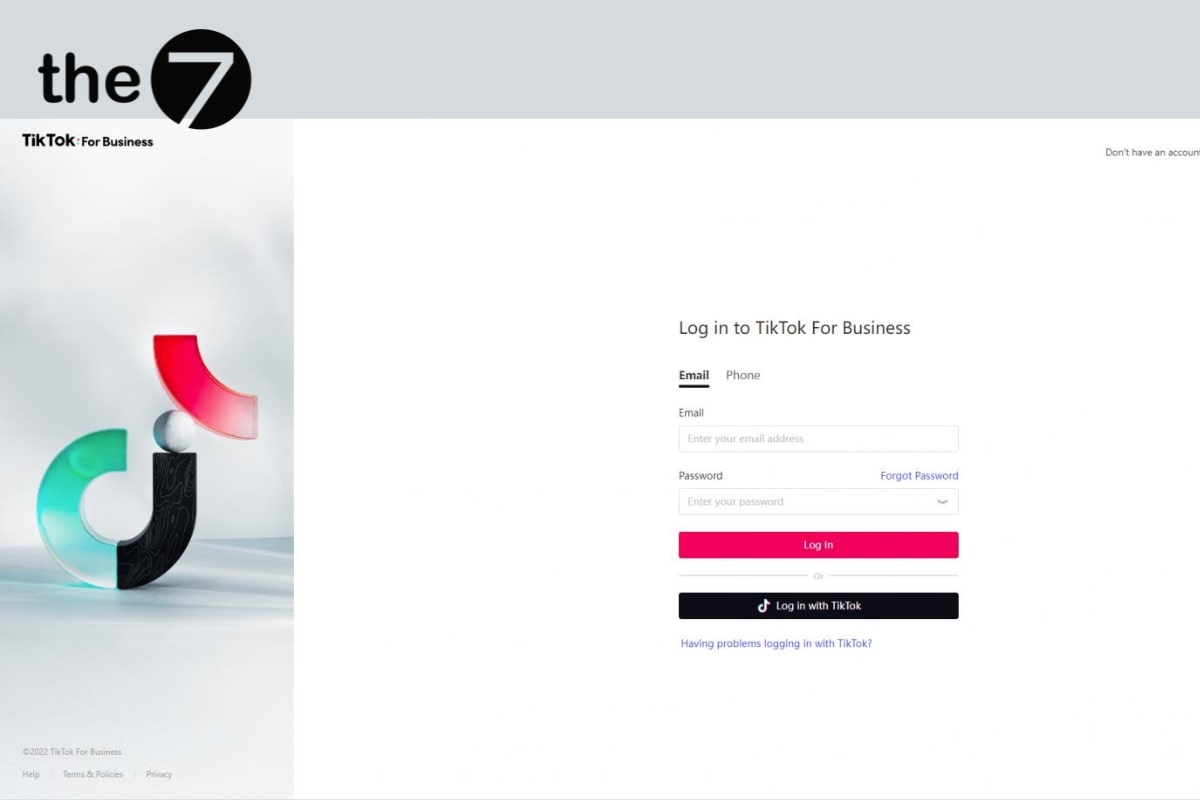
Step 1: Log in to TikTok Ads Manager
Go to “TikTok Ads Manager” and then log in to your TikTok ads account.
Step 2: Go to the top-up guide section
On the TikTok Ads Manager home page, select “Dashboard”
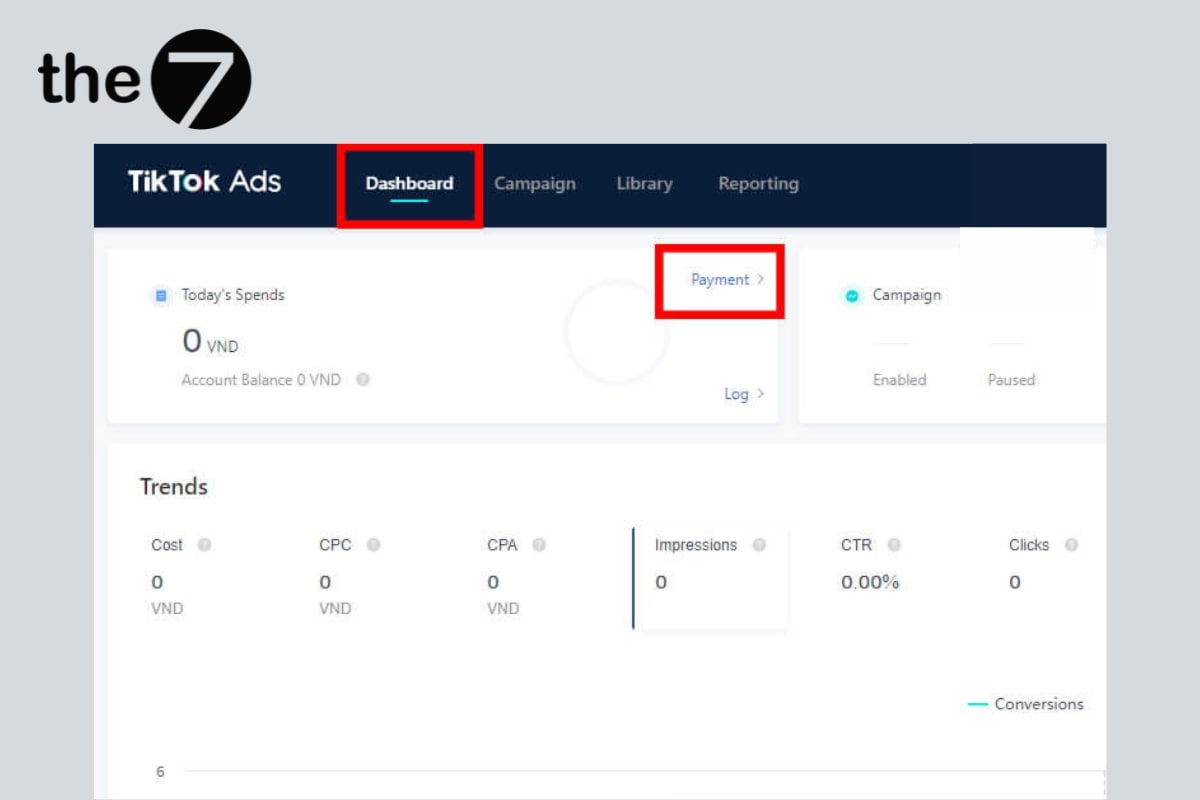
In the “Today’s Spends” section, select “Payment” to access the guide for topping up funds to run TikTok ads
Step 3: Select “Add Balance”
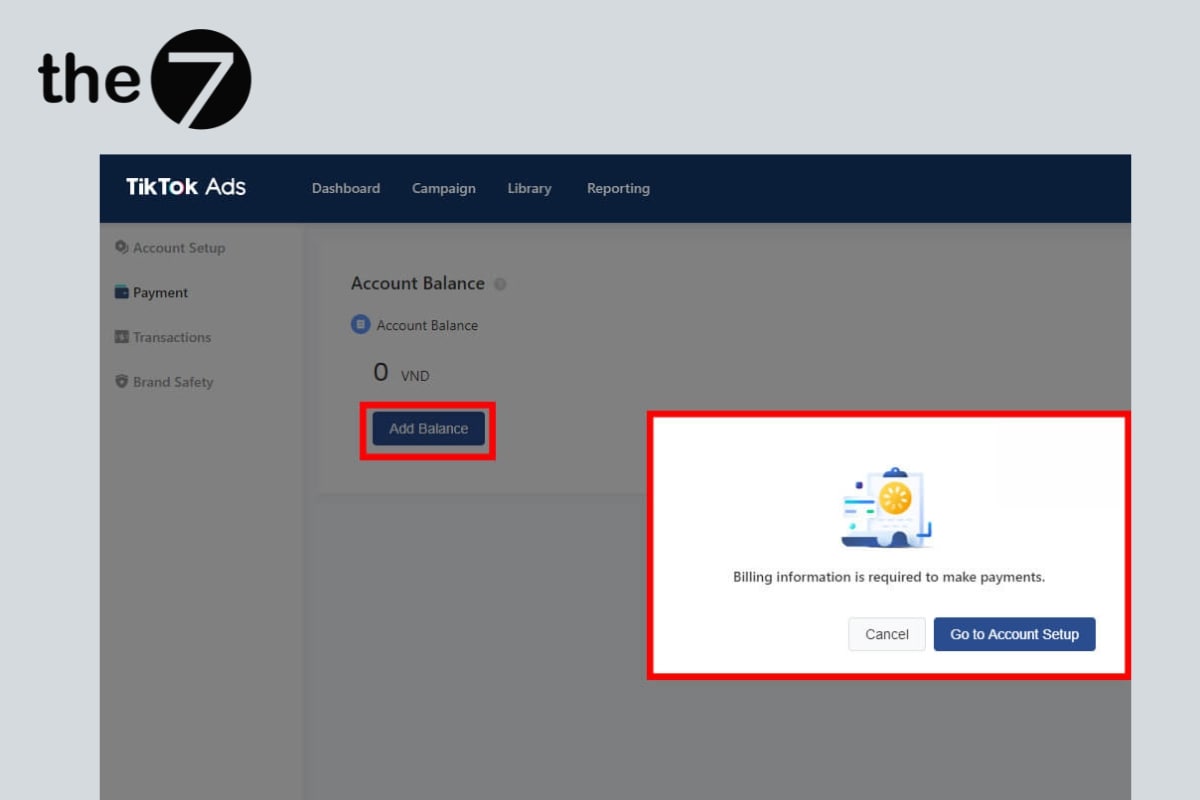
After accessing the ad payment top-up page, select “Add Balance”.
Step 4: Verify your business information
Go to “Account Setting”, select “Account Setup”
If you’ve never topped up your TikTok ads account before, you’ll need to fill in the following payment information:
- Business name
- Promotion Link: website, or app link from Google Play or the App Store
- Industry
- Street Address
- Postal Code: each city has its own zip code
- Tax information (optional)
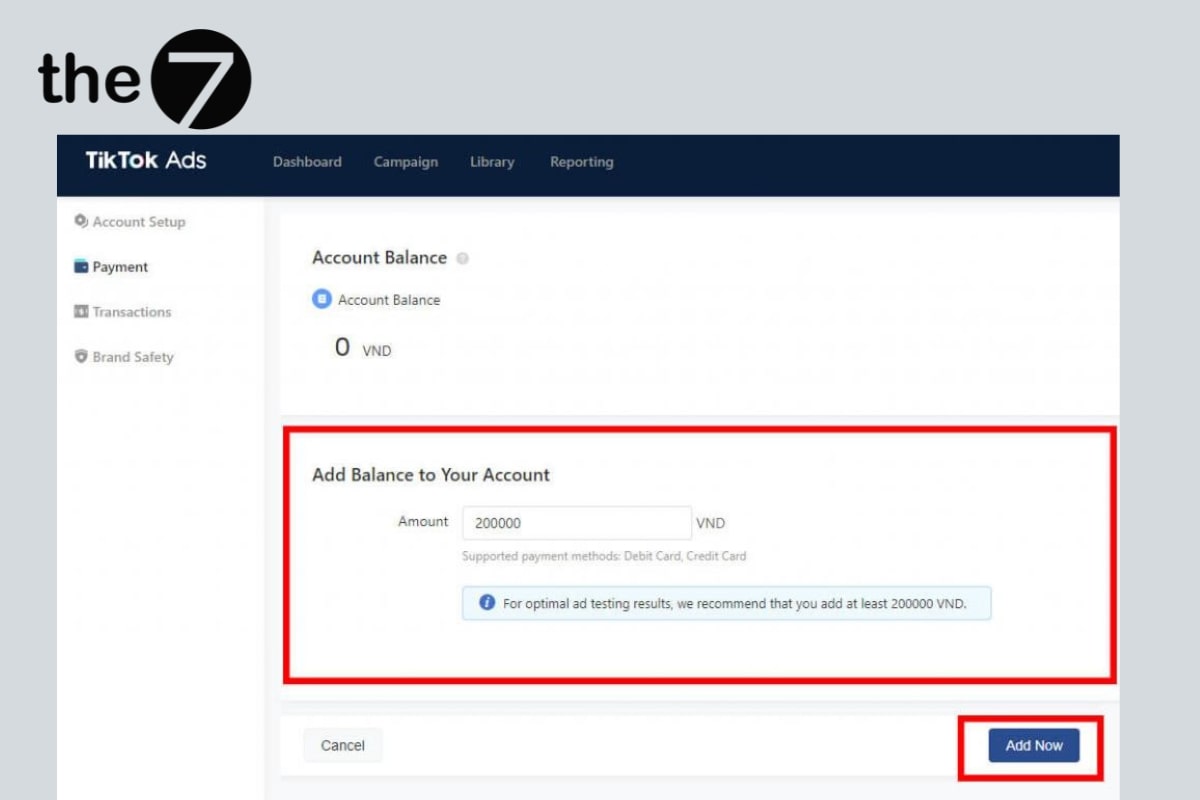
Then click “Submit” once you’ve filled in all the required information.
Note: You cannot change this information after registering your account, so make sure your business information is complete and accurate.
Step 5: Top up your TikTok ads account
Click “Add Balance” again. At this step, enter the amount you want to add to your TikTok account.
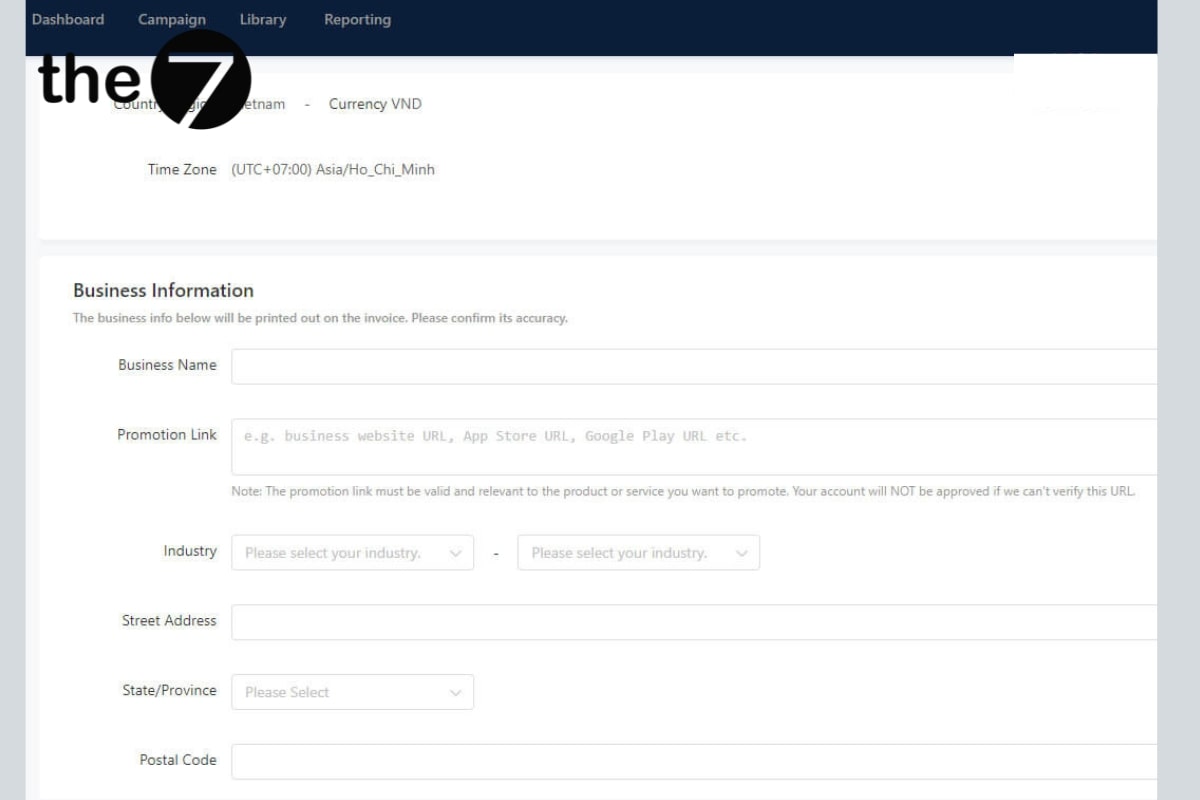
The minimum amount you need to top up is 200,000 VND (for the Vietnamese market). Then click “Add now”.
Step 6: Choose a suitable payment card
You can choose 1 of 3 card types: MasterCard, Visa, or JCB.
After choosing your payment card, click “Continue” and enter your card details, including:
- Card number
- Cardholder name
- Expiration date
- CVV code (3 digits)
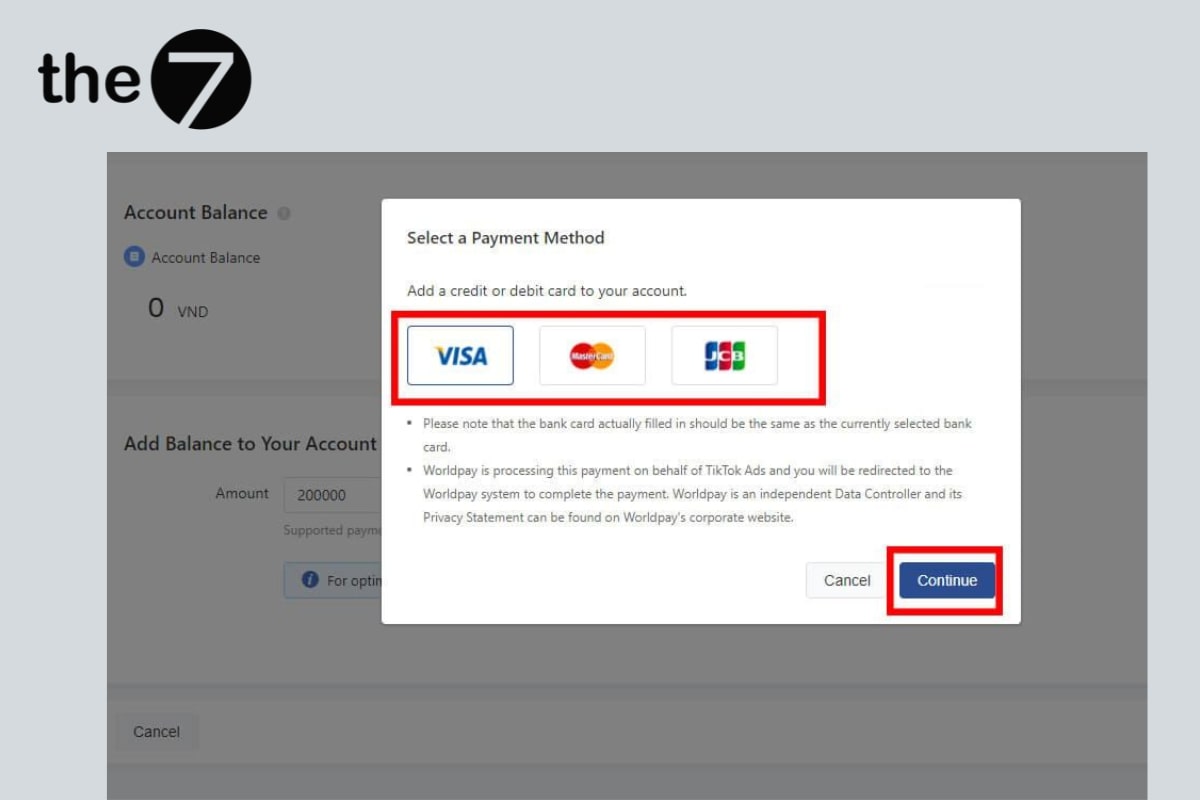
Once entered, click “Make Payment” to top up your account.
Note: Make sure the balance on your card is greater than the amount you want to top up into your TikTok ads account.
What should you keep in mind when paying for TikTok ads?
Here are a few things to keep in mind when paying for TikTok ads:
- You should open an international payment card at a reputable bank such as Techcombank, Vietcombank, MB, and others, to avoid having your ad payment declined by TikTok.
- Avoid using a virtual card to top up your ad account.
- Before launching an ad campaign, make sure to fully top up your payment account.
- Make sure to enter your card details accurately.
- To keep your information secure, never share your payment information with anyone.
We hope this article has helped you better understand how to pay for TikTok ads. If you’re running TikTok ads for the first time or are having trouble setting up payment and launching your campaigns, don’t hesitate — contact The7 right away. We have years of experience in TikTok advertising services, helping businesses expand their sales and build brand awareness effectively. Get a consultation and quote now at https://the7digital.com/.
>>>> See also:
- What is TikTok? A detailed look at TikTok
- 10 most effective ways to fix TikTok ads not spending

Nguyễn Đình
Bảo




As CEO of The7, I am committed to sharing practical, useful knowledge with every reader. Every article on The7 is based on my 7 years of hands-on experience in marketing — Facebook advertising, LinkedIn advertising, Google advertising, and marketing strategy. I hope you take away plenty of insight from these posts and apply it successfully in practice.
Related Articles

What Is TikTok Marketing? Effective TikTok Marketing Strategies
TikTok has been topping the global rankings of the most downloaded and most visited apps. That makes it a gold mine for marketers who love creativity. In this article, The7...

26 Predictions for Social Media Marketing Trends in 2025
It’s that familiar time of year again, when experts and analysts start revealing their predictions for the social media marketing trends worth watching, along with the shifts that promise to...

TikTok Creator Marketplace: The Breakthrough Bridge Between Businesses and Creators
Building a TikTok channel to sell products means finding the right KOLs, KOCs, or influencers to promote them, and that is no easy task. How do you make sure your...
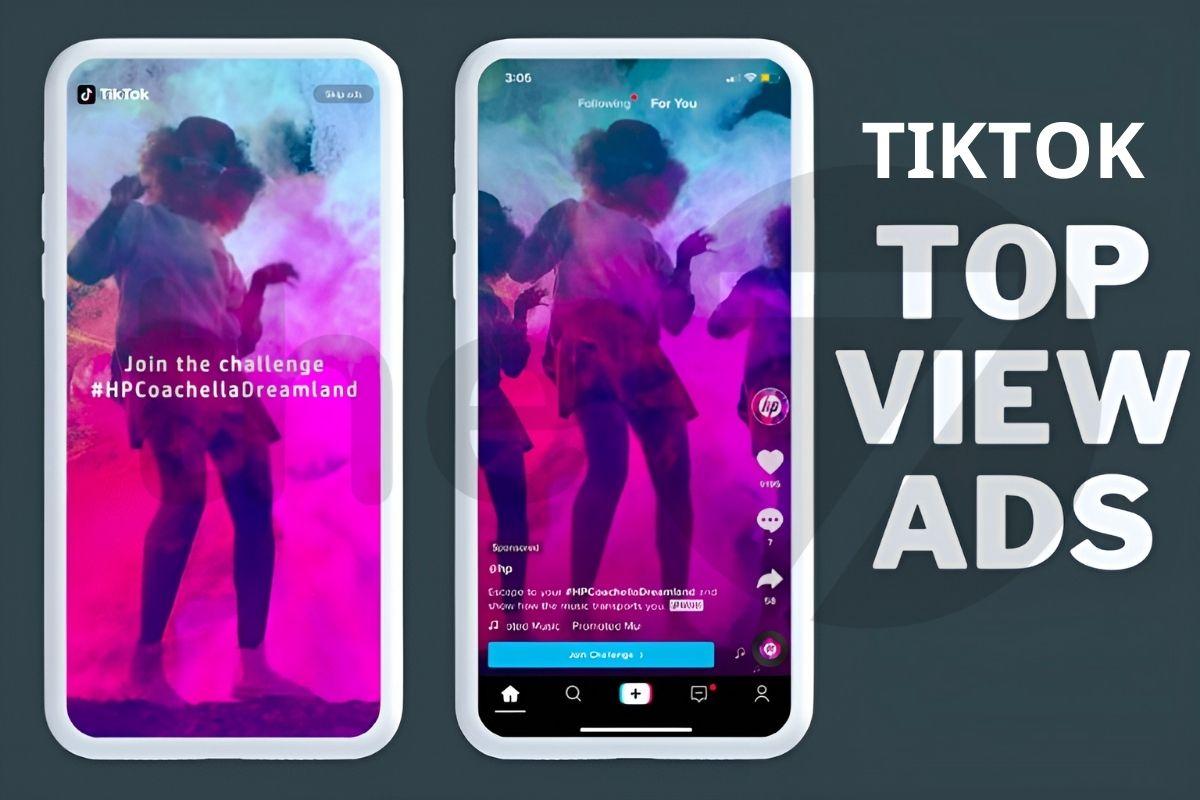
What Are TikTok TopView Ads?
In the competitive world of online advertising, TikTok TopView ads are a key tool for helping businesses stand out and make a powerful impression from the very first moment they...

How to Run Basic TikTok Ads: A Beginner’s Guide
TikTok advertising is increasingly chosen by businesses because this way of reaching customers is extremely promising and impactful. If you’re looking to learn how to run TikTok ads, this article...

TikTok Golden Hours: Secrets to Boost Views and Go Trending in 2024
TikTok has become one of the most popular social media platforms in the world, especially in Vietnam, with more than 800 million users globally. If you are a TikToker or...


