


TikTok Targeting: How to Choose Your TikTok Ad Audience Effectively in 2024
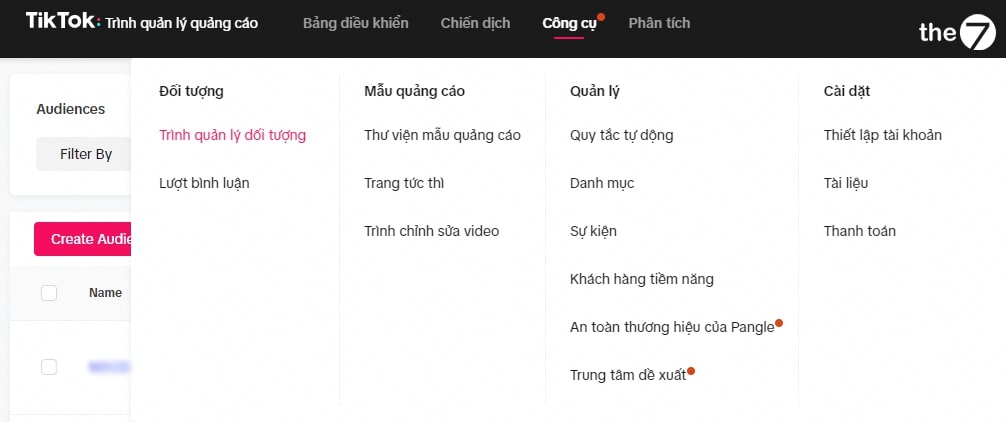
To succeed with TikTok advertising, one of the key factors is the ability to choose your TikTok ad audience accurately, so your message reaches exactly the right people. This article walks you through the strategies and tips for doing that, from analyzing and understanding the demographics of TikTok users to making the most of the TikTok targeting tools and features the platform offers.
1. Access the Audience Targeting Options for TikTok Ads
To get started with targeting your TikTok ads, the first step is to open the audience targeting options in TikTok’s ad management interface. Here are the specific steps:
Log In to Your TikTok Ads Account
First, you need to log in to your TikTok advertising account. If you don’t have one yet, you need to create an ad account on TikTok Ads Manager.
Create a New Campaign
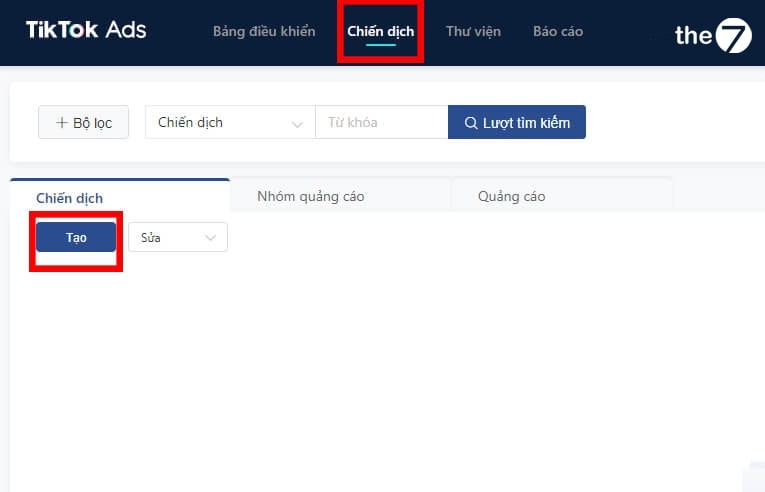
After logging in, choose the option to create a new campaign. Here, you will select an objective for your campaign, such as increasing video views, driving website traffic, or generating engagement.
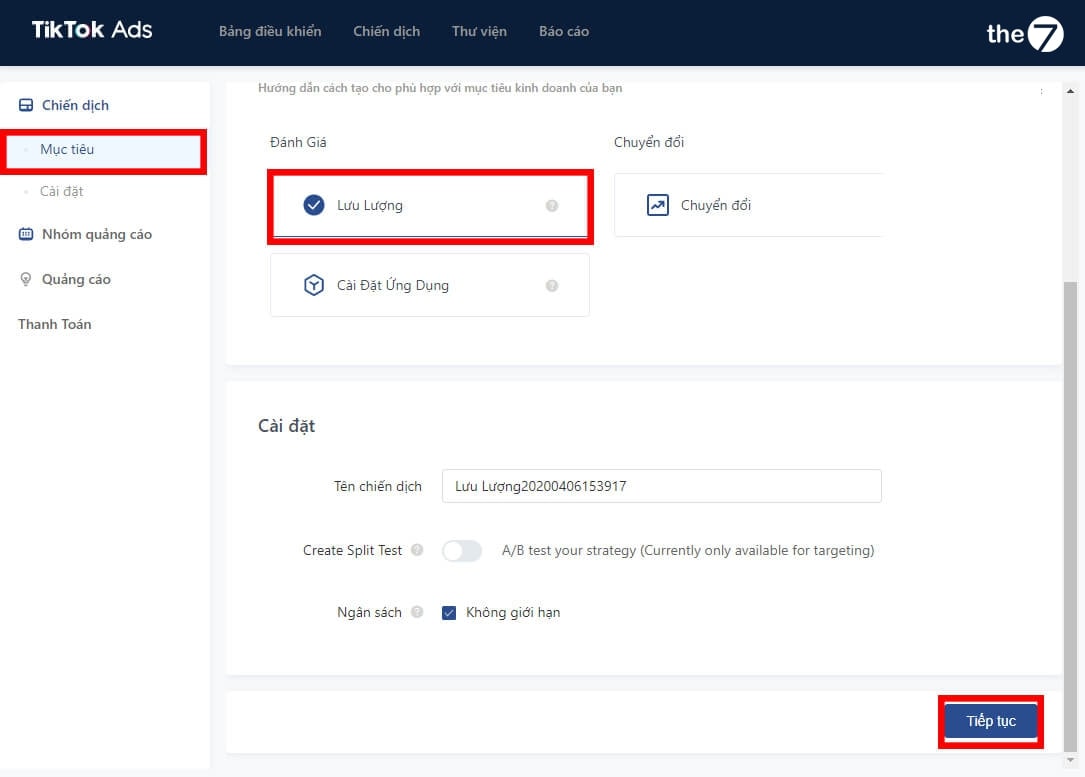
Set Up Your Ad Group
In the ad group setup section, you will need to define your budget, schedule, and other targeting options for your ads.
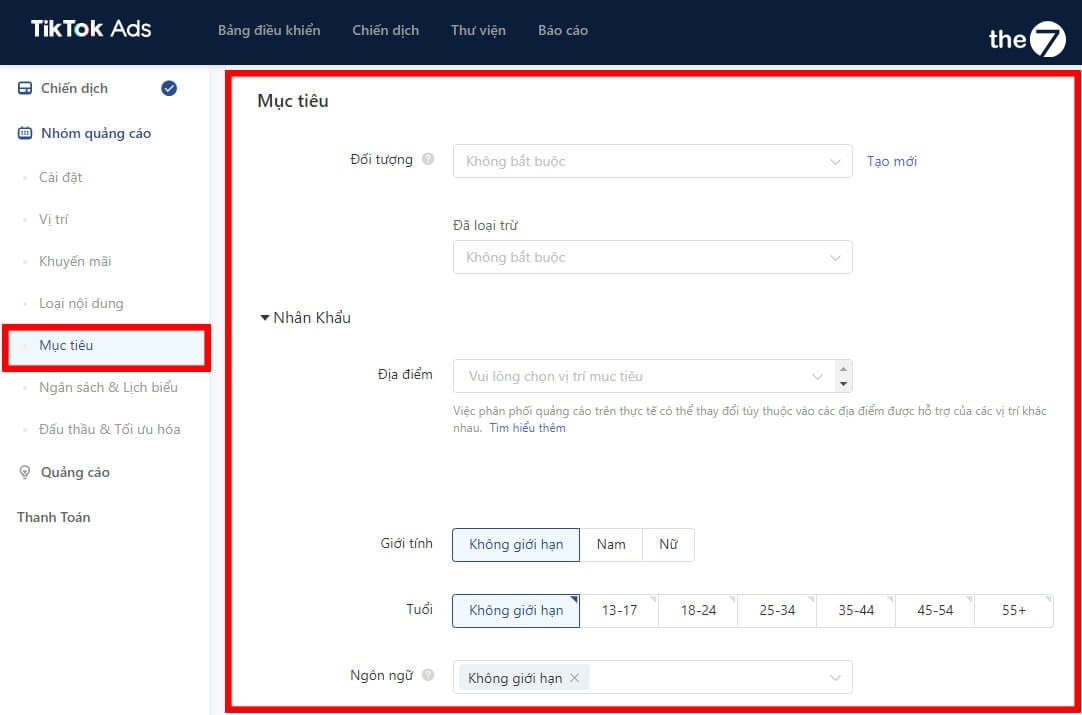
2. How to Target TikTok Ad Audiences by Demographics
Demographic targeting on TikTok lets you zero in on specific population groups based on factors such as location, age, gender, and interests. Here is how to do it:
2.1 Target TikTok by Location
- Choose Specific Locations: In the targeting setup, you can aim at TikTok users in specific geographic areas, from countries and regions to cities.
- Use Location for Local Strategies: This is especially useful for businesses that want to focus on potential customers in a local area or in specific areas.
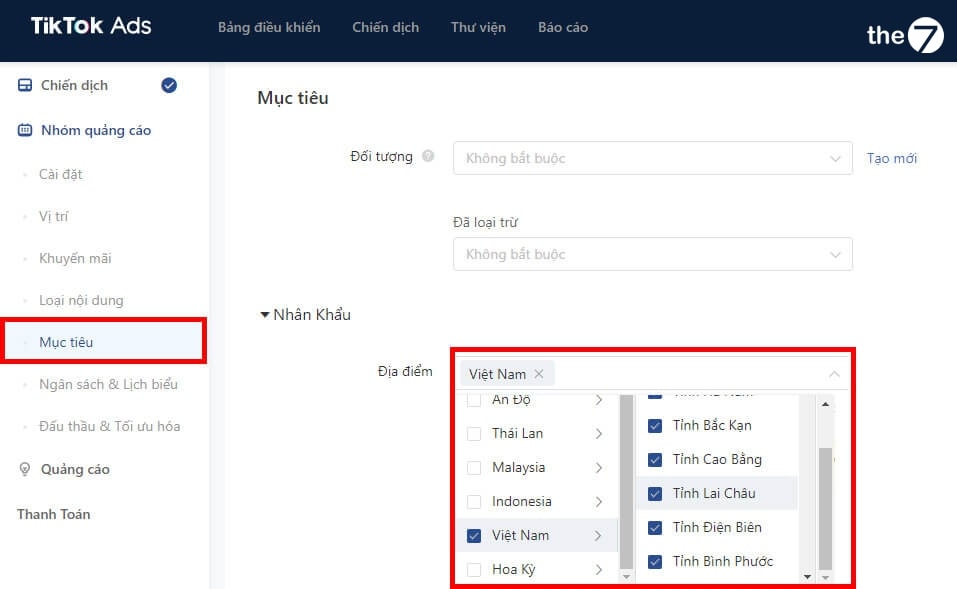
2.2 Target TikTok by Demographics
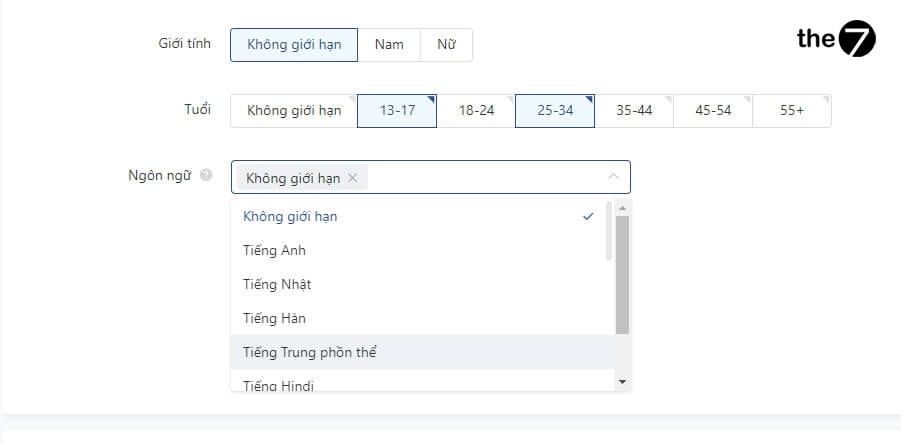
- Age and Gender: You can choose your target audience based on age and gender. This helps you reach the groups of users most likely to be interested in your products or services.
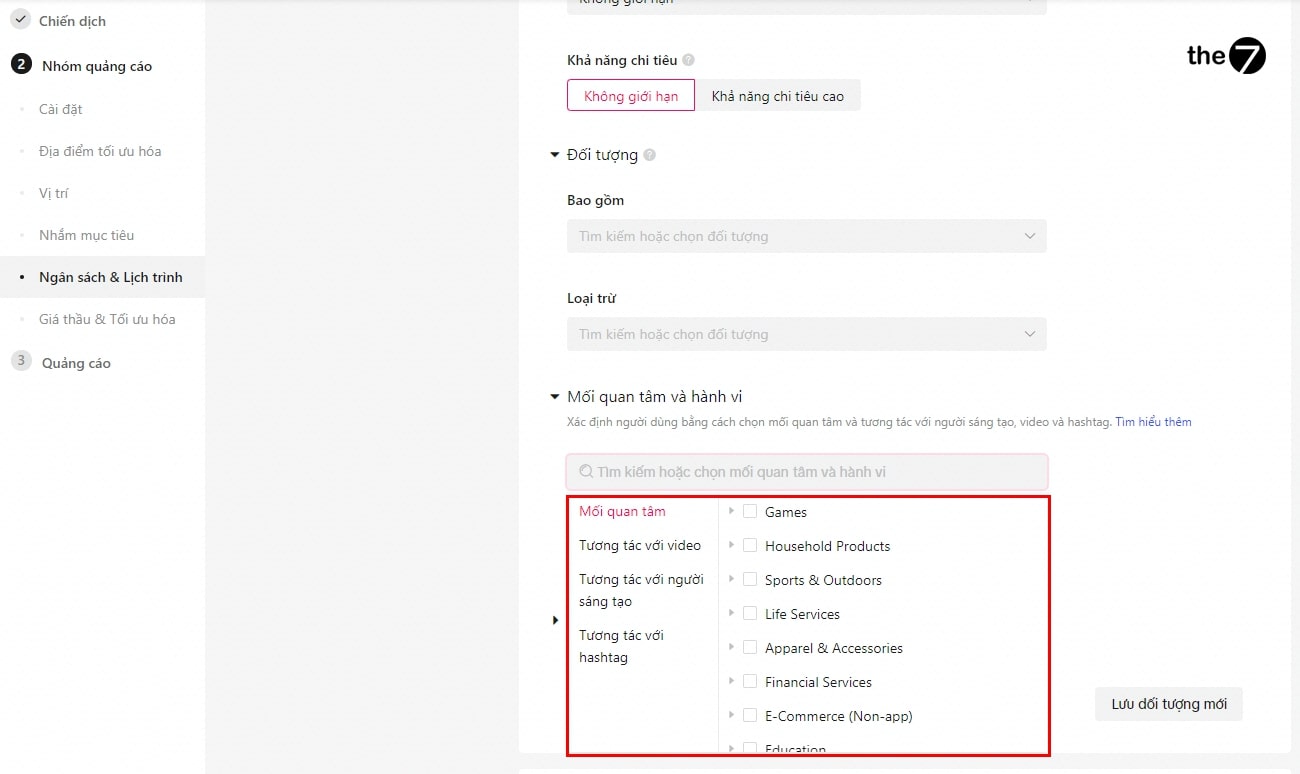
- Interests and Behaviors: TikTok lets you segment users based on personal interests and online behavior. You can target users who care about certain topics, from music and art to sports and entertainment.
- Occupation and Income Level: Although TikTok doesn’t always provide detailed data on occupation and income level, you can use the information that is available to target specific demographic groups.
Using these options helps you optimize your TikTok ad campaign by targeting the people most likely to be interested in your content, which increases your chances of conversion and improves your ROI (Return on Investment).
3. Target TikTok by Device
Device targeting for TikTok ads lets you aim your ads based on the type of device users have, such as smartphones, tablets, or personal computers. This helps you optimize your campaign for specific users and improve the user experience. Here are the details on how to do it:
- Select Device Types in Your Targeting Settings: When you set up an ad campaign on TikTok, you have the option to choose the device types you want to target. These choices can include smartphones, tablets, and personal computers.
- Specify the Operating System: You can also target your ads based on a specific operating system, such as Android or iOS. This is useful if your app or product is optimized for a particular operating system.
- Analyze Your Audience and Their Devices: Before choosing device targeting, analyze your target audience and the devices they are likely to use. This will help you make accurate decisions about how to target your ads.
- Optimize Ad Content for Target Devices: Make sure your ad content is optimized for the devices you are targeting. For example, ads on mobile phones may require a different design and content than ads on computers.
- Track and Evaluate Results: Once your campaign is running, monitor the results and evaluate how your ads perform on different devices. This helps you better understand how to optimize your campaign for each device type.
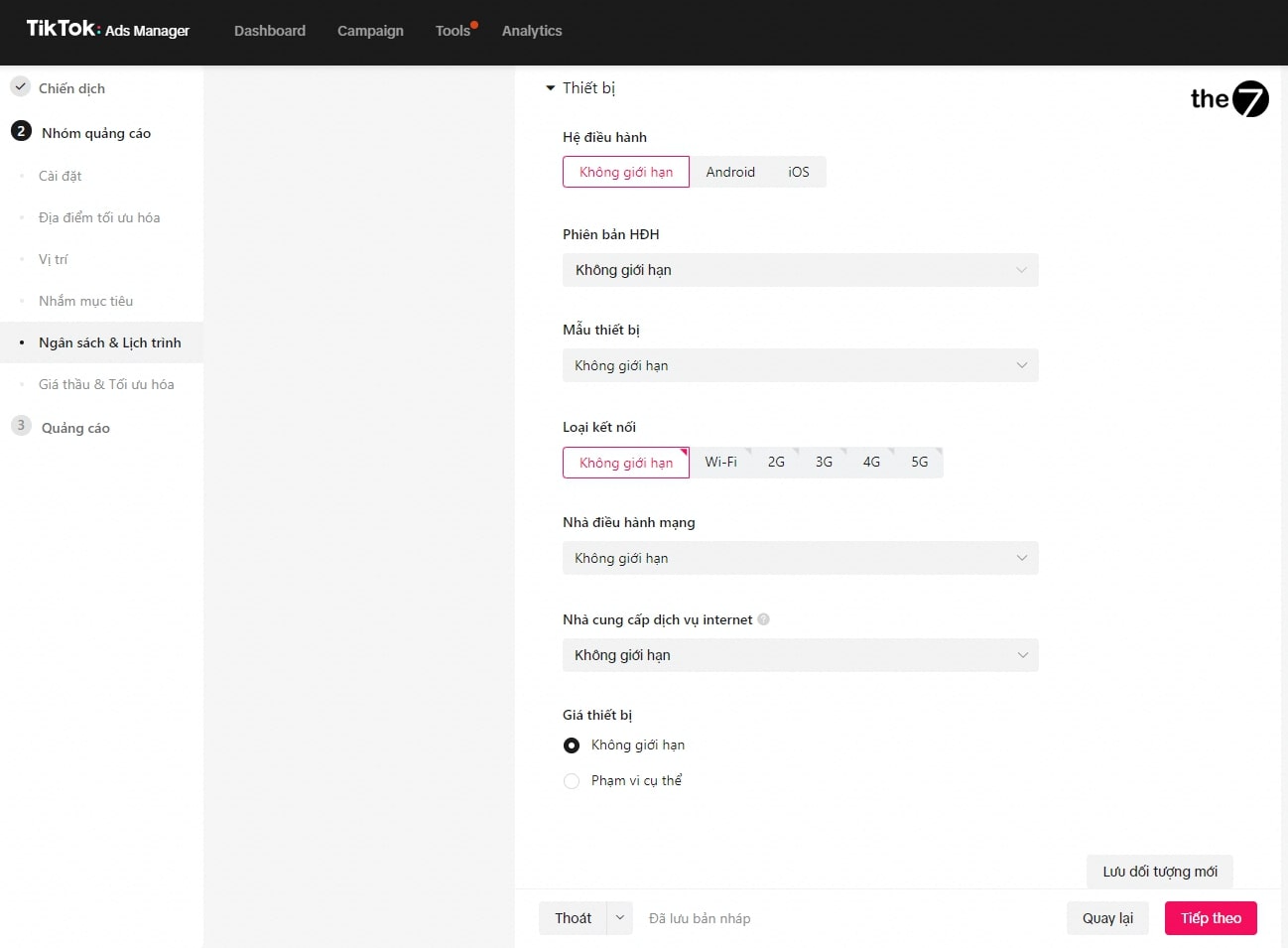
Targeting TikTok ads by device is a detailed, nuanced approach that helps you optimize engagement and ad performance, while delivering the best possible user experience.
4. How to Target TikTok Custom Audiences
Custom audience targeting on TikTok lets you aim your ads at a specific group of users based on their behavior and past interactions with your brand. Here are the detailed steps:
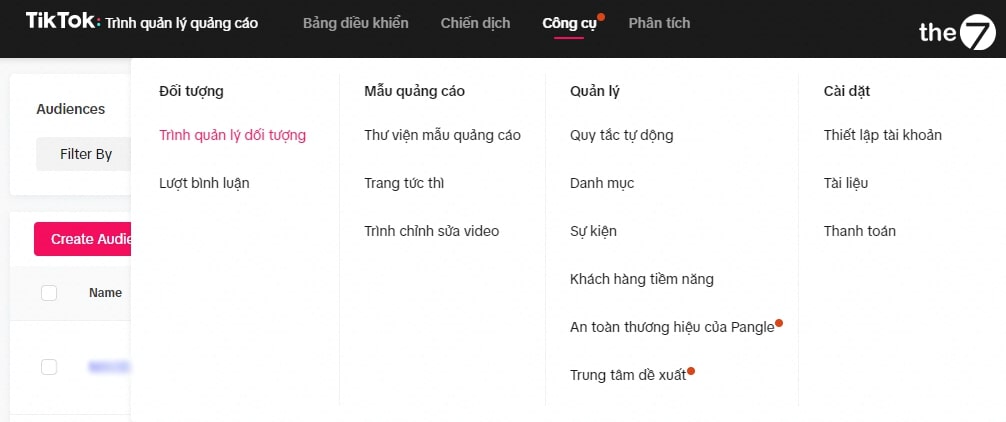
4.1 Access the Custom Audience Creation Feature
- In TikTok Ads Manager, go to the ‘Audiences’ section.
- Select ‘Create a Custom Audience’.
4.2 Target TikTok Based on Customer Lists
- Upload your customer list, including information such as emails or phone numbers.
- TikTok will match this information against users on the platform to create a custom audience.
4.3 Target TikTok to Engaged Audiences
- Create an audience based on people who have engaged with your content or profile on TikTok.
- This can include people who have watched your videos, joined a hashtag challenge, or interacted with your previous ads.
4.4 Target TikTok to App Users
- If you have a mobile app, you can create an audience from people who have downloaded and used your app.
- This helps you target people who have shown interest in your products or services.
4.5 Target TikTok Ads to Website Visitors
- Use the TikTok Pixel to track users who have visited your website.
- Create a custom audience from people who have visited your website or taken a specific action on it (such as making a purchase).
Using these strategies helps you build TikTok ad campaigns with precise, highly effective audience targeting. Custom audiences let you put your existing customer and user data to work, optimizing your campaigns and improving your conversion rate.
5. Target TikTok with Lookalike Audiences
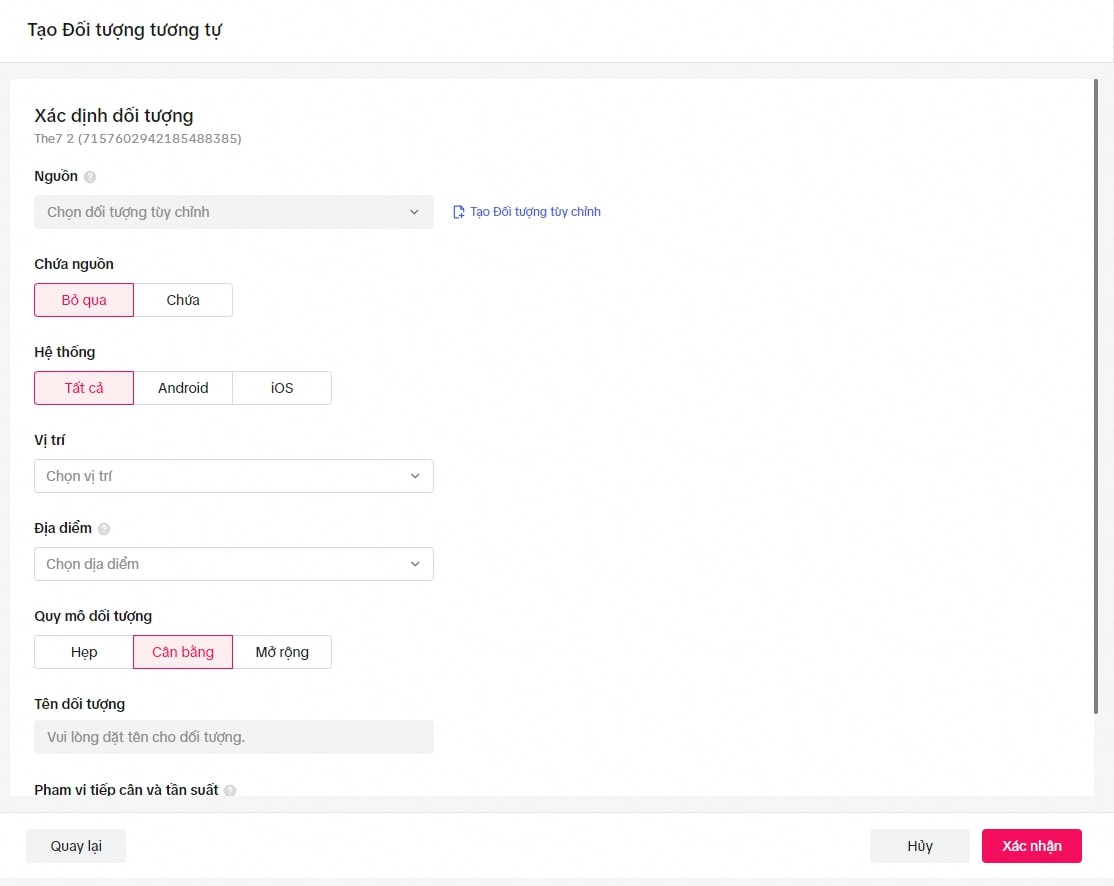
Targeting TikTok ads with a Lookalike Audience is an important strategy for extending your reach to people who are highly likely to be interested in your products or services. Here is how to create and use a lookalike audience on TikTok:
Target TikTok with a Lookalike Audience
- Understand Lookalike Audiences: A lookalike audience is made up of TikTok users who share characteristics with your current audience. This can be based on online behavior, interests, and demographic factors.
- Create a Lookalike Audience:
- In TikTok Ads Manager, go to the ‘Audiences’ section and select ‘Create a Lookalike Audience’.
- Choose a source audience that you created earlier, such as a custom audience or people who have engaged with your ads.
- TikTok will analyze the source audience and create a new audience with similar characteristics.
- Choose the Similarity Range: You can choose a similarity range from very similar (high similarity) to moderately similar (medium similarity). This helps you balance precision against reach.
- Use Lookalike Audiences in Your Campaigns:
- Use lookalike audiences in your ad campaigns to reach a new group of users who are still highly likely to be interested in your content.
- Combine lookalike audiences with other targeting strategies to optimize results.
- Monitor and Optimize: Track the performance of your campaign and your lookalike audiences. Based on the results, you can fine-tune your strategy to improve ad performance.
Using lookalike audiences on TikTok is a powerful way to expand your target audience while keeping relevance and engagement high. It is an important tool for increasing your reach and improving your conversion rate in your online advertising strategy.
When you use TikTok for advertising, targeting your audience accurately and effectively is the key to optimizing campaign performance. From targeting by location and demographics to creating custom and lookalike audiences, each strategy plays an important part in reaching the right people and increasing your conversion rate. Combining a deep understanding of your target audience with TikTok’s powerful analytics opens up major opportunities to improve ad performance, save budget, and drive growth for your brand on this vibrant digital platform.
>>>> See more:
- THE “GOLDEN HOURS” FOR POSTING TO GET MILLIONS OF VIEWS ON TIKTOK
- TikTok hashtags: what they are and how to use them to get 100 million views
- 8 highly effective strategies to optimize TikTok for business
- How to get on TikTok trends quickly as a beginner
- What is TikTok? The most detailed guide to using TikTok in 2024

Nguyễn Đình
Bảo




As CEO of The7, I am committed to sharing practical, useful knowledge with every reader. Every article on The7 is based on my 7 years of hands-on experience in marketing — Facebook advertising, LinkedIn advertising, Google advertising, and marketing strategy. I hope you take away plenty of insight from these posts and apply it successfully in practice.
Related Articles

What Is TikTok Marketing? Effective TikTok Marketing Strategies
TikTok has been topping the global rankings of the most downloaded and most visited apps. That makes it a gold mine for marketers who love creativity. In this article, The7...

26 Predictions for Social Media Marketing Trends in 2025
It’s that familiar time of year again, when experts and analysts start revealing their predictions for the social media marketing trends worth watching, along with the shifts that promise to...

TikTok Creator Marketplace: The Breakthrough Bridge Between Businesses and Creators
Building a TikTok channel to sell products means finding the right KOLs, KOCs, or influencers to promote them, and that is no easy task. How do you make sure your...
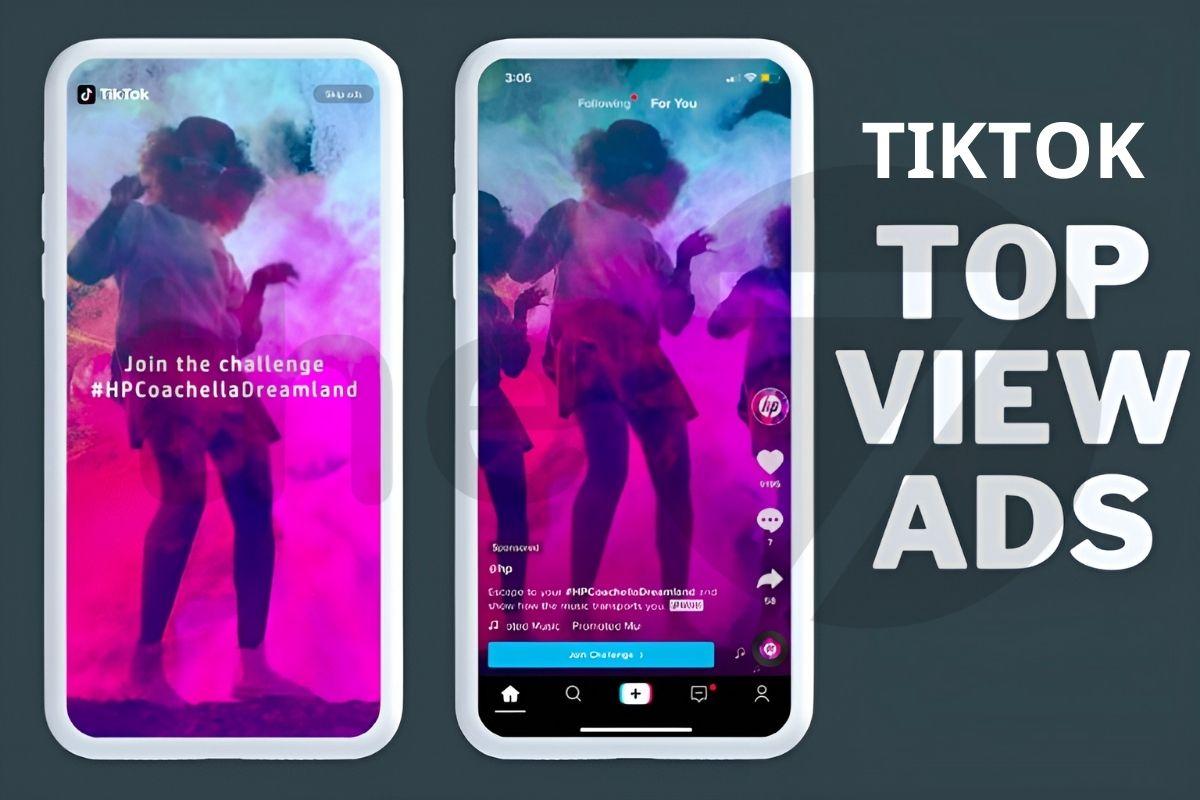
What Are TikTok TopView Ads?
In the competitive world of online advertising, TikTok TopView ads are a key tool for helping businesses stand out and make a powerful impression from the very first moment they...

How to Run Basic TikTok Ads: A Beginner’s Guide
TikTok advertising is increasingly chosen by businesses because this way of reaching customers is extremely promising and impactful. If you’re looking to learn how to run TikTok ads, this article...

TikTok Golden Hours: Secrets to Boost Views and Go Trending in 2024
TikTok has become one of the most popular social media platforms in the world, especially in Vietnam, with more than 800 million users globally. If you are a TikToker or...


