


What Card Should You Use to Pay for Google Ads in 2024?
Which card to use to pay for Google Ads is a common question among people who are new to Google Ads campaigns. So which card is best for paying for Google Ads? Read the article below for accurate, detailed information.
>>>> See more of The7’s services: How to run Google Ads most effectively in 2024
What Is the Best Card for Paying for Google Ads in 2024?
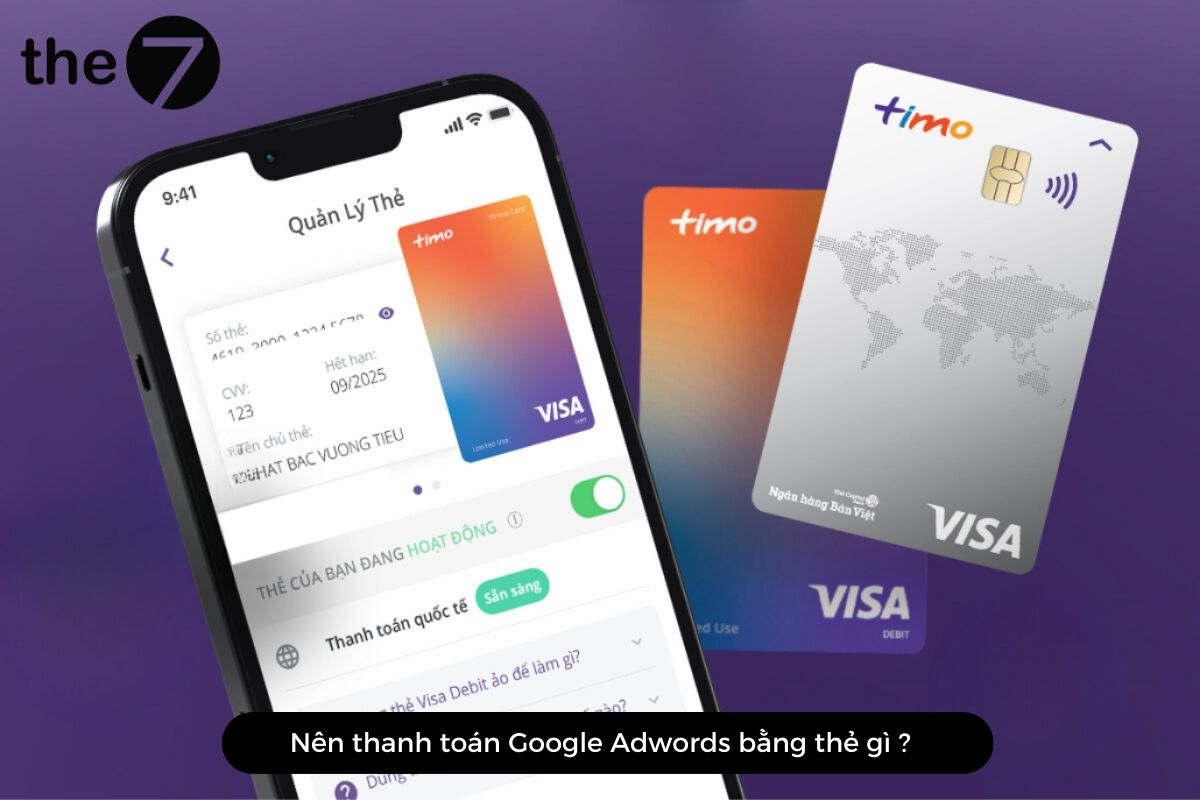
You can pay for your Google Ads campaigns with an international debit card or an international credit card. Specifically, these include Visa, JCB, Amex, and Mastercard.
If you use an international debit card, you can only advertise up to the amount available in your bank account. By contrast, with an international credit card, you can pay for your ad costs up to the card’s transaction limit. Credit cards typically work on a “spend first, pay later” basis, letting you use money borrowed from the bank and repay it after a set period.
In short, if your funds are limited and you want to turn over your capital quickly, a credit card is the right choice. If you have plenty of resources, you should choose an international debit card.
In addition, Google Ads supports payment through the MoMo e-wallet, a popular and convenient payment method in Vietnam. By linking your MoMo account to your ad account, you can make payments conveniently and easily.
>>> See more: What is Google Ads? Google Ads knowledge for beginners
Which Bank Card Should You Get to Run Google Ads?
By now you probably know which card is best for paying for Google Ads, right? So which bank card should you get to run Google Ads? Here are some suggestions from The7 for you:
- Vietcombank VISA/Mastercard: With a limit of up to 100,000,000 VND, your business gets more flexibility in advertising without worrying about budget restrictions. On top of that, the 45-day interest-free period helps you manage your finances more effectively.
- ACB Bank: With this card, you can make international transactions for Ads, since ACB is accepted at more than 27 million locations worldwide. In addition, ACB’s international transaction fees are fairly low, helping you save on Google Ads payment costs.
- Techcombank: With its network of branches and transaction offices across cities, Techcombank ensures you can pay for Google Ads easily, quickly, and conveniently.
- TPBank: This bank’s card has lower international transaction fees than many other banks. That is an advantage for Ads campaigns involving international online payments. Moreover, TPBank’s two-layer 3D Secure feature helps keep your Google Ads payments safe.
Step-by-Step Guide to Paying for Google Ads by Card
With an international debit card, your business can only run ads up to the maximum amount you have in the bank.
With a credit card, you can pay up to the card’s transaction limit. This type of card works on a spend first, pay later basis. So when you use a credit card, you can spend money borrowed from the bank and repay it after a set period.
Paying for Google Ads with a credit or debit card is not difficult. Just follow these simple steps:
- Step 1: Go to https://ads.google.com/intl/vi_VN/home -> log in to your Google Ads account.
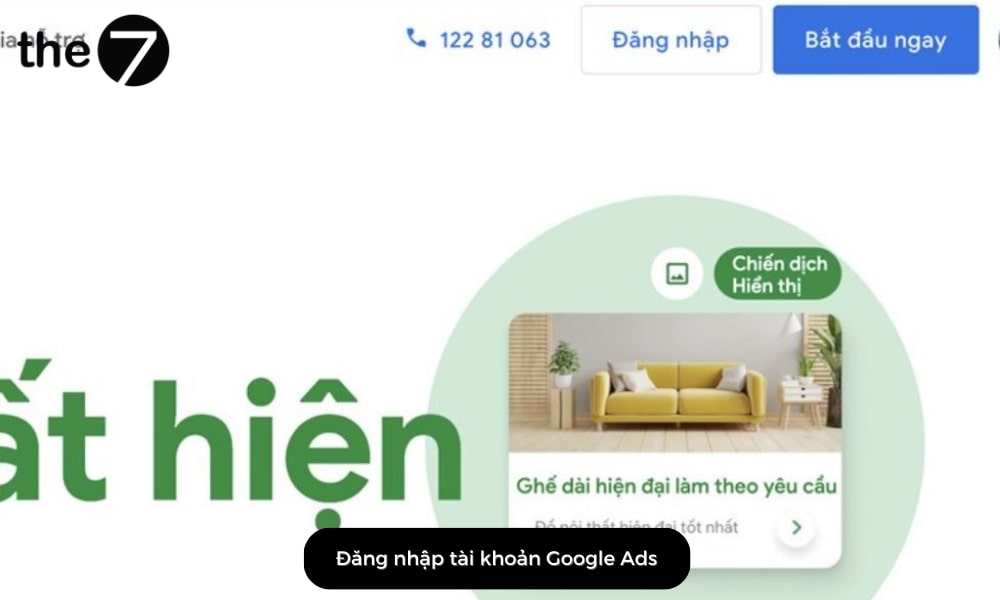
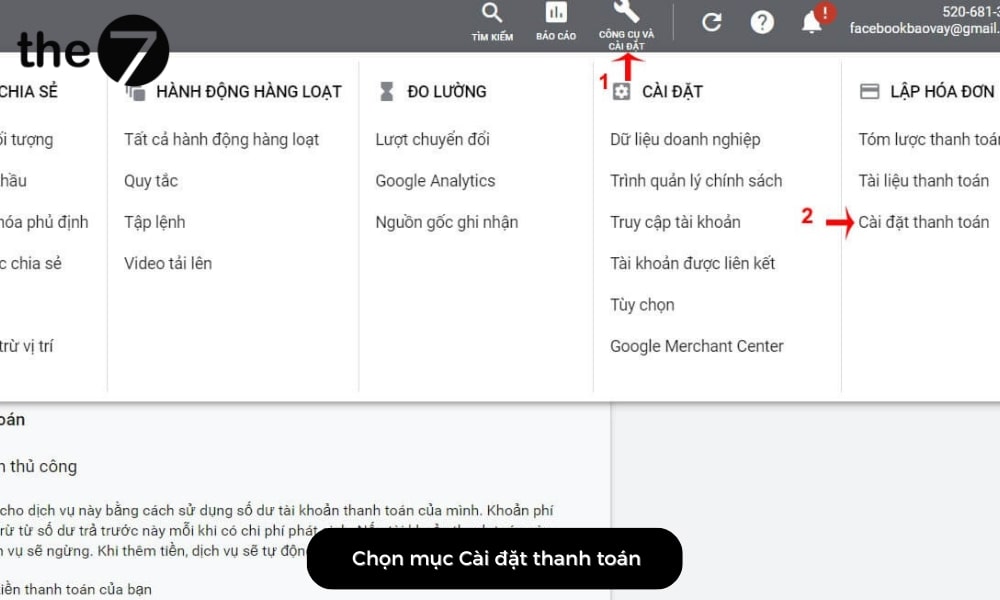
- Step 2: Select Tools and settings on the toolbar -> click Billing settings.
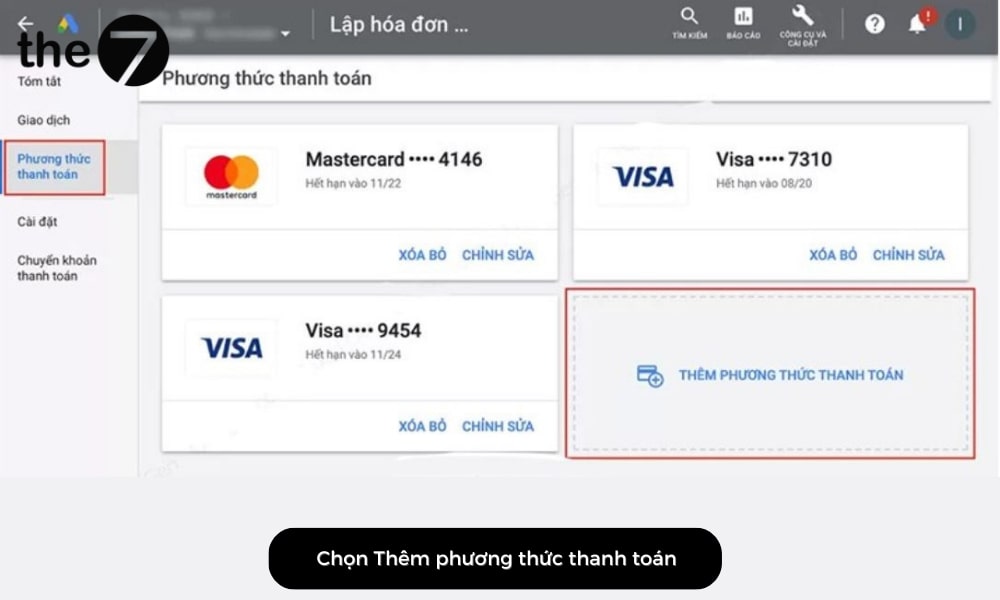
- Step 3: Click Payment methods -> Add new payment method.
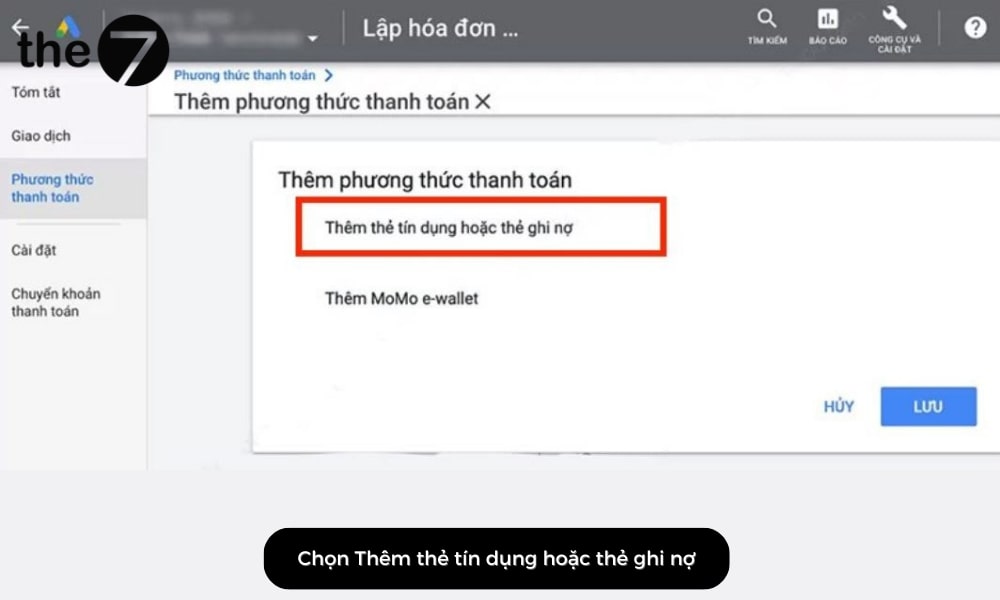
- Step 4: Choose Credit or debit card as your Google Ads payment method.
- Step 5: Enter your payment card details -> check I agree to… of Google Ads -> Submit.
Notes Before, During, and After Paying for Google Ads
Here are some points users should keep in mind before, during, and after paying for Google Ads:
- To avoid running out of funds in your account, make another payment when your account still has 30% of its balance. Google will send you a reminder email before this happens.
- Note that in certain cases, Google Ads may temporarily disable some payment methods for review.
- After you pay, there may be a waiting period while your ads are approved and start running, usually about one business day.
- We recommend adding a payment method as soon as you create your Google Ads account, which will make using the service more convenient later on.
Tracking Payments for Your Google Ads Campaigns
Google Ads offers a convenient way to track the payments related to your ad campaigns. With a Google Ads account, you can create billing reports that give you an overview of all your payments as well as the amount you owe.
To check and track payments for your Google Ads campaigns, follow the steps below:
- Go to the “Reports” tab under “Ads” in your Google Ads account.
- Select “Billing.”
- Set the date range you want to view and select “Create Report.”
We hope this guide has shown you which card is best for paying for Google Ads. Don’t forget to follow The7 for more useful information!
>>> See more:
- Create a Google Ads advertising account: a detailed 2024 guide
- Learn about the most important Google Ads metrics in detail for 2024

Nguyễn Đình
Bảo




As CEO of The7, I am committed to sharing practical, useful knowledge with every reader. Every article on The7 is based on my 7 years of hands-on experience in marketing — Facebook advertising, LinkedIn advertising, Google advertising, and marketing strategy. I hope you take away plenty of insight from these posts and apply it successfully in practice.
Related Articles

6 Simple Yet Effective Steps to Run Google Ads in 2024
Google Ads (Google AdWords) is Google’s online advertising service that helps businesses reach the right target customers, boost brand awareness, attract customers, and drive sales as customers search for information...
How to Run Effective Gmail Ads for Your Business
One of the advertising formats attracting the attention of many business owners is Gmail advertising. So how do you run effective Gmail ads? Let The7 walk you through this fresh...
What Are Google Smart Campaigns? Tips to Drive High Traffic
Google Smart Campaigns are one of the ways advertisers can access advertising information and digital marketing techniques faster. If you have just started a small business, keeping track of your...

How to Link Google Analytics With Google Ads in 2024
To run Google Ads effectively, you need to do more than just launch campaigns. You also have to analyze and evaluate the performance of each campaign through its metrics. So...
How to Add Sitelink Extensions in Google Ads (2024 Guide)
Sitelink extensions let your ads give customers more information. They also make each ad stand out more than your competitors’ ads. This gives your Google Ads extensions a Quality Score...
SEO vs. Google AdWords Advertising: Which Campaign Should You Choose?
SEO and Google AdWords are both powerful forms of online marketing. With competition on the digital market growing fiercer by the day, comparing SEO and Google AdWords to decide which...


