


How to Run Effective Gmail Ads for Your Business
One of the advertising formats attracting the attention of many business owners is Gmail advertising. So how do you run effective Gmail ads? Let The7 walk you through this fresh approach to running Gmail ads in the article below.
>>> More articles on the same topic:
- Full-Service Google Advertising
- A guide to running Google ads effectively on your own
1. What Are Gmail Ads?
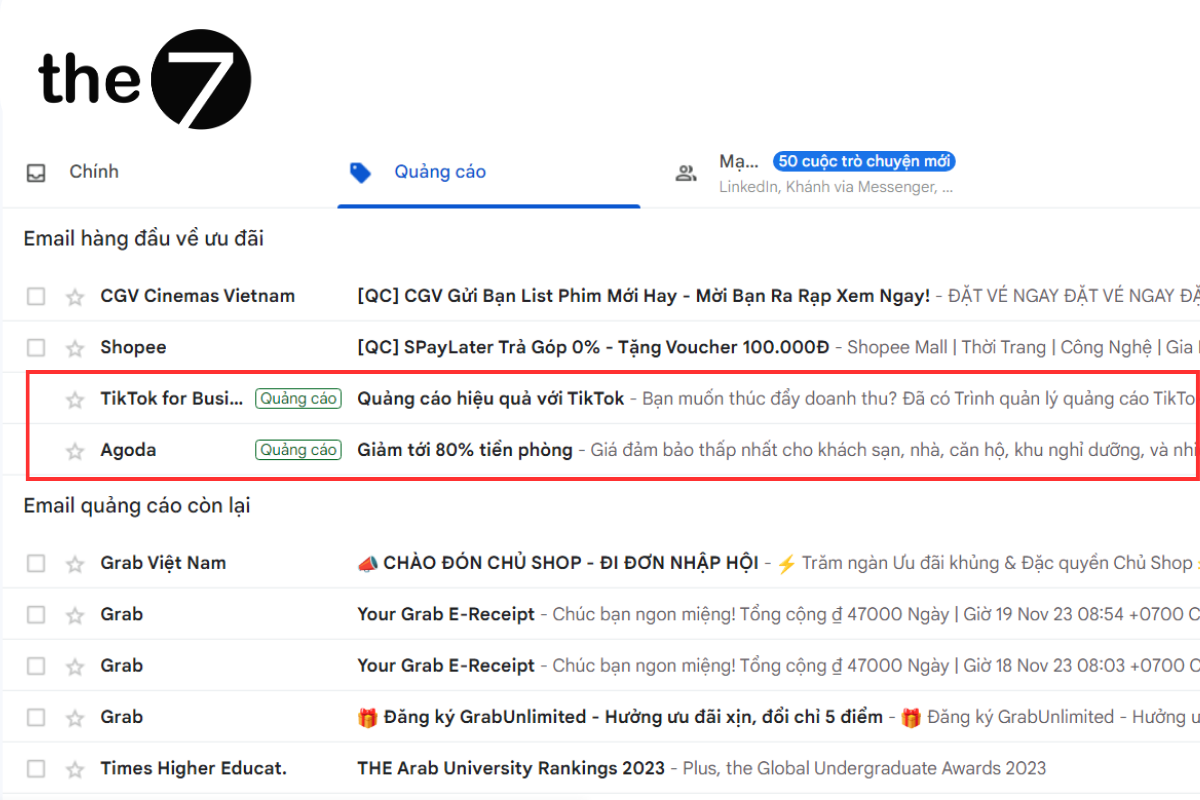
Gmail ads are an interactive advertising format from Google that appears inside individual users’ personal inboxes. These interactive ads show up in the Social and Promotions tabs of your inbox. When you click one of these ads, it expands just like an email and connects you with a range of useful features.
Embedded forms, videos, and images are all examples of expanded ads. At the same time, effective Gmail ads in a personalized format help you expand your network and connect with more potential customers.
2. How to Create Effective Gmail Ads in 5 Minutes
Creating a Gmail campaign takes just 5 minutes with the 4 simple steps below:
- Step 1: Log in to your Google Ads account, add a display campaign, and choose the Gmail ad type. Then name your campaign and set your bid according to your goals.


- Step 2: Create your ad template by choosing a format and adding a headline, images, and the content that appears when users click the ad.


- Step 3: Target your audience.
- Step 4: Run your ads, then start tracking and monitoring the metrics in your reports.

With these simple steps, you’ve finished creating your Gmail ad and your campaign is ready to run. Try it now and see for yourself how effective Gmail ads can be!
3. How Gmail Ads Work
Gmail ads first appear in a collapsed form. When someone clicks the ad, it expands to a larger size or launches the advertiser’s landing page. Delivered through email to serve a variety of advertising goals, these ads can include video clips or embedded forms.
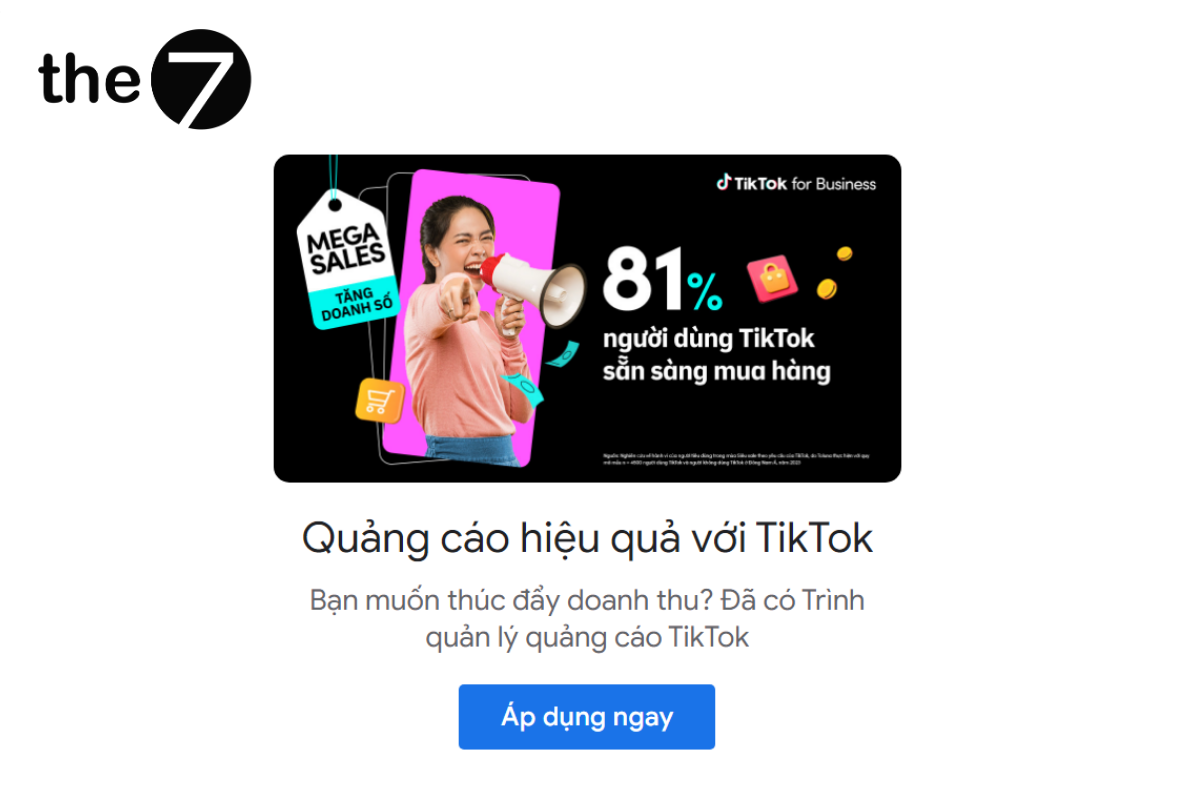
Depending on the ad layout, your ad can reach people and expand in different ways. They can fill out a form, play a video, click through to your website, tap to place a phone call on a mobile device, or go to an app marketplace.
In addition, when people keep interacting with the expanded ad, you won’t be charged. You only pay for the first click that expands the ad.
3. What Are the Benefits of Gmail Ads for Businesses?
Effective Gmail ads are a method that lets businesses, individuals, and users reach a huge pool of target customers. That is why big brands that want to reach a larger audience shouldn’t overlook this format. What’s more, it is one of the easiest-to-use and most affordable advertising formats.
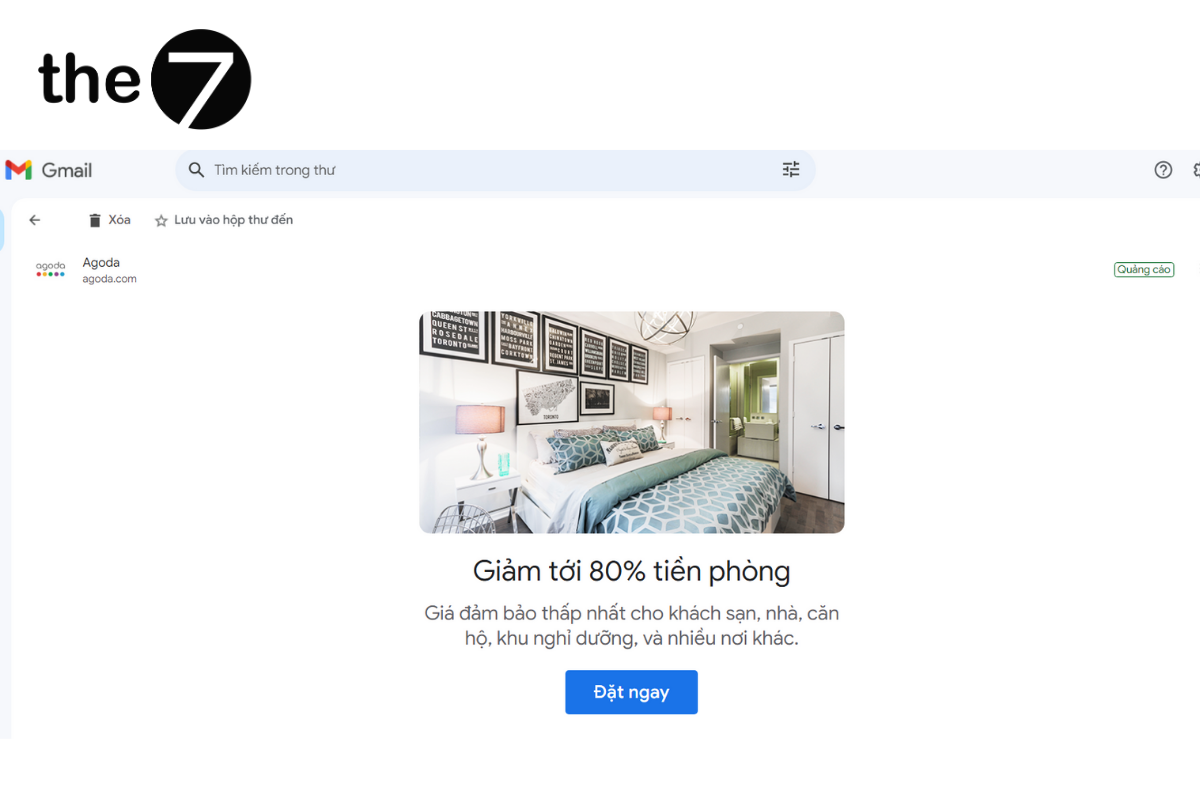
In addition, Gmail ads are a tool that businesses tend to prioritize. Standout features include automatic display adjustment, strong spam filtering, and smart user targeting. This format can also include a CTA button and use exclusive formats within the ad content.
4. Advantages of Gmail Ads for Businesses
Gmail ads offer advantages that businesses can’t afford to overlook, specifically:
- Reach the right audience: Gmail ads let businesses target potential customers based on factors such as interests, location, and behavior.
- Wide reach: Gmail is one of the most popular email apps in the world, with more than 1.5 billion monthly active users, giving businesses access to a vast pool of potential customers.
- Low cost of reaching potential customers: Gmail ads use an auction system, which helps businesses control their advertising costs effectively.
- High engagement: Gmail ads can also be combined with call-to-action buttons, helping businesses drive customer conversions.

5. Who Do Gmail Ads Target?
Beyond budget, what marketers care about most is targeting potential customers effectively. First, as with SEO, businesses can research and analyze suggested keywords. For example, if you’re targeting an audience of users who receive education-related emails, you should focus on related keywords.
In addition, Google helps you evaluate which products and services customers are most interested in, so you can target those keywords. Businesses can also target users based on demographic data such as age, geographic location, or gender for marketing.
6. How to Target Gmail Ads Effectively
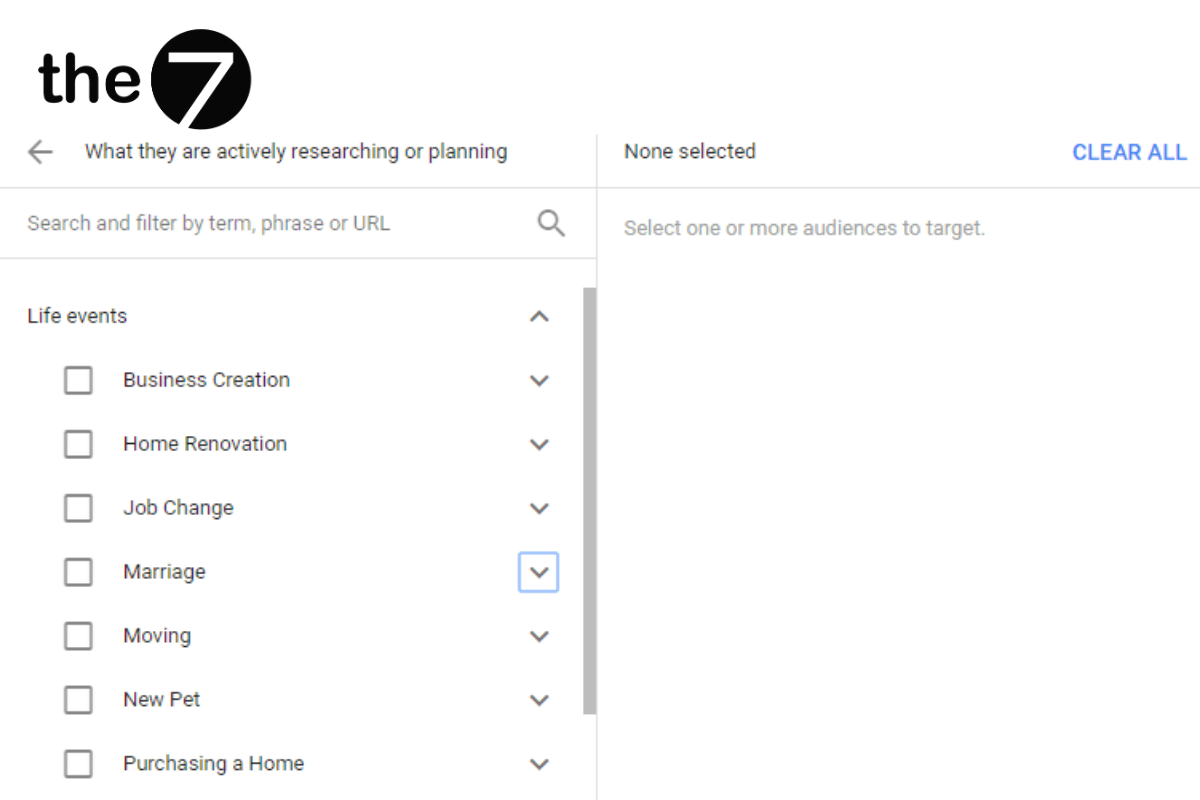
There are many ways to target Gmail ads effectively so your products and services reach the right people. Below are the targeting methods you can use on the Display Network for Gmail ads.
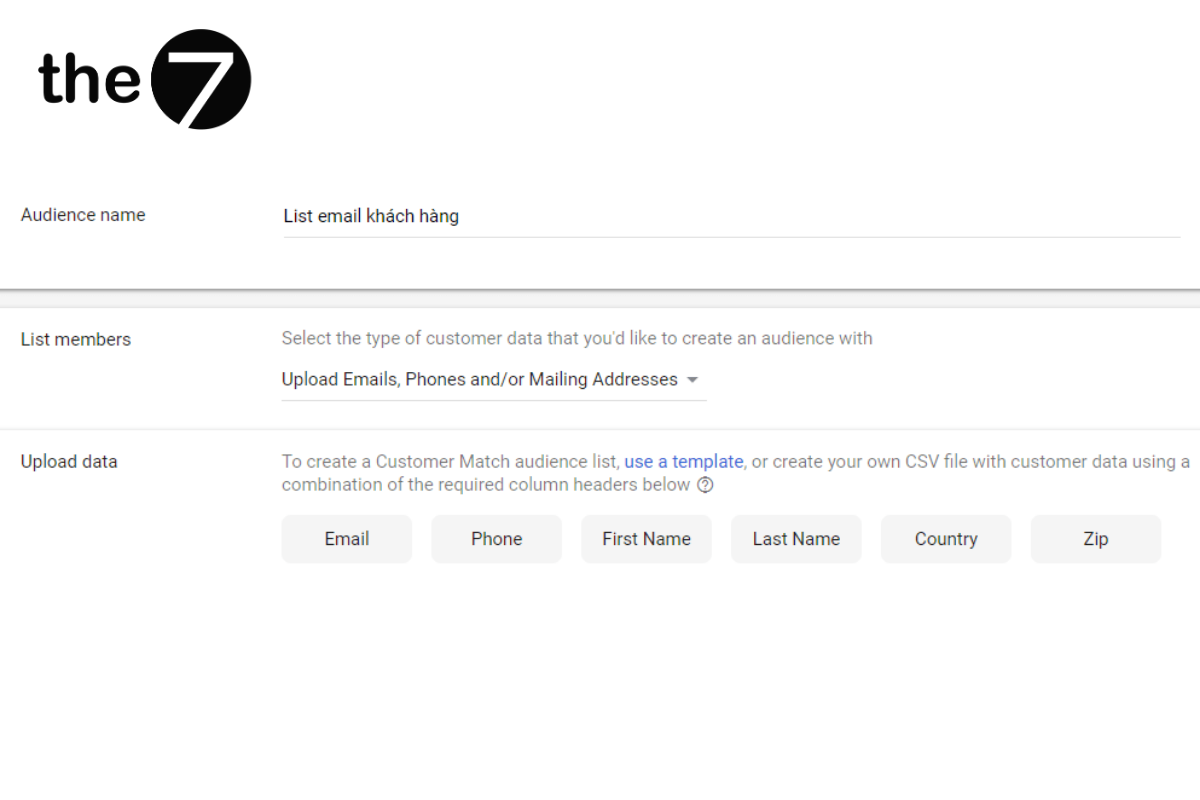
- Create audiences and user segments: Match your audience using Gmail email lists from customers who have given their addresses to your company or business.
- Use lookalike audience targeting based on the customers you’ve already matched with the customer match method.
- Add some more targeting options, as follows: in-market keywords, remarketing, audiences, interests, and demographics.
In this article, The7 has covered the effective Gmail ad format and how it works. Gmail ads are also a great way to target users and engage more deeply with their behavior. That is why you should look more closely at this advertising format and build a strategy that fits your brand.
>>>> See more articles:
- What Are Google Shopping Ads? A guide to running them effectively
- A guide to running Google banner ads effectively
- Google Discovery ads explained
- A guide to running display ads effectively
- What Is Google AdWords? Reasons to Run Google Ads

Nguyễn Đình
Bảo




As CEO of The7, I am committed to sharing practical, useful knowledge with every reader. Every article on The7 is based on my 7 years of hands-on experience in marketing — Facebook advertising, LinkedIn advertising, Google advertising, and marketing strategy. I hope you take away plenty of insight from these posts and apply it successfully in practice.
Related Articles

6 Simple Yet Effective Steps to Run Google Ads in 2024
Google Ads (Google AdWords) is Google’s online advertising service that helps businesses reach the right target customers, boost brand awareness, attract customers, and drive sales as customers search for information...
What Are Google Smart Campaigns? Tips to Drive High Traffic
Google Smart Campaigns are one of the ways advertisers can access advertising information and digital marketing techniques faster. If you have just started a small business, keeping track of your...
What Card Should You Use to Pay for Google Ads in 2024?
Which card to use to pay for Google Ads is a common question among people who are new to Google Ads campaigns. So which card is best for paying for...

How to Link Google Analytics With Google Ads in 2024
To run Google Ads effectively, you need to do more than just launch campaigns. You also have to analyze and evaluate the performance of each campaign through its metrics. So...
How to Add Sitelink Extensions in Google Ads (2024 Guide)
Sitelink extensions let your ads give customers more information. They also make each ad stand out more than your competitors’ ads. This gives your Google Ads extensions a Quality Score...
SEO vs. Google AdWords Advertising: Which Campaign Should You Choose?
SEO and Google AdWords are both powerful forms of online marketing. With competition on the digital market growing fiercer by the day, comparing SEO and Google AdWords to decide which...


