


How to Bid on Google Ads Keywords for High Performance

Advertising on Google Ads is an essential solution when a business does online marketing. But to run a successful Google Ads campaign, you need to know how to bid on keywords on Google effectively. Let’s explore the ways to bid on keywords on Google together with The7!
>>>>> Check out The7’s service: Google Ads Management Service
What Is a Keyword Bid?
A keyword bid (bidding) is the maximum amount you are willing to pay for a single click on a specific keyword in Google Ads. Your bid determines where your ad is placed in the search results.
The bid is usually lower than or equal to the amount you set for the keyword bidding process. Search results are ranked by an algorithm based on how much advertisers are willing to pay and the Quality Score for that keyword.
>>>> See more:
- What Is Google Ads? Google Ads basics for beginners
- A guide to running Google ads most effectively in 2024
How Does a Keyword Auction Work in Google Ads?
When a Google Ads ad is eligible to appear in the search results, it has to enter an auction. The auction determines whether your ad is actually shown and, if so, where it appears.

A keyword auction on Google works as follows:
- When a user searches on Google, the Google Ads system looks for and displays the keywords that best match the keyword the user searched for.
- All matching keywords are considered, and any ads that aren’t eligible, such as those targeting another country or violating policies, are left out.
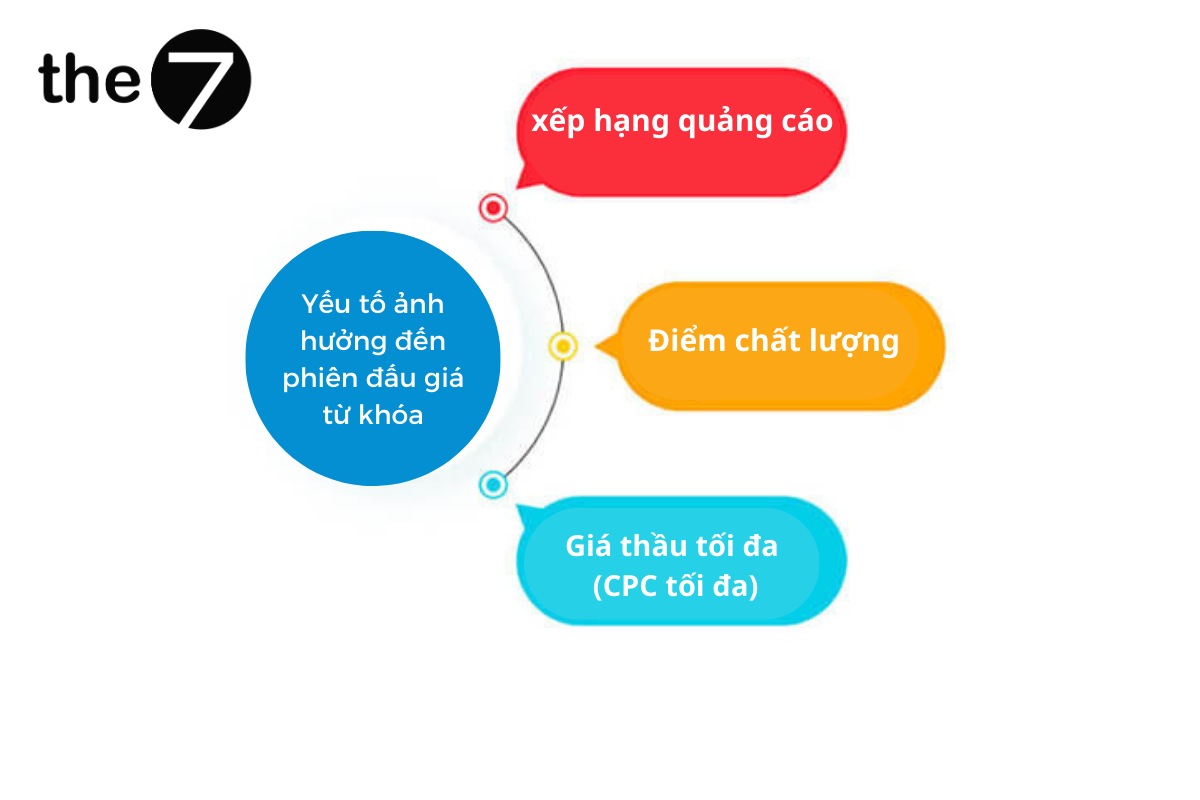
- Only ads with a high enough rank are shown. Ad Rank is calculated from your bid, the search context, ad quality, Ad Rank thresholds, the expected impact of extensions, and the ad format.
Factors That Affect a Keyword Auction
Ad Rank
Ad Rank is a value used to determine where your ad is placed and whether it appears in the search results at all.
Ad Rank formula
| Ad Rank = Ad Quality Score x Max CPC (expected impact of extensions) |
Quality Score
An ad’s Quality Score is based on how relevant and useful the ad content and the linked website are to viewers.
Quality Score is a metric you need to prioritize, monitor regularly and keep improving in your Google Ads campaigns to get the best results.
Maximum Bid (Max CPC)
The maximum bid is the most you are willing to pay when someone clicks your ad. When a user clicks your ad, the cost you pay will never be higher than the maximum bid you set.
How to Quickly Check Google Ads Keyword Bids
Use Google Keyword Planner
With the Keyword Planner tool, you can choose the best keywords for your strategy. The best keywords for a Google ad campaign are those with a high suggested bid.
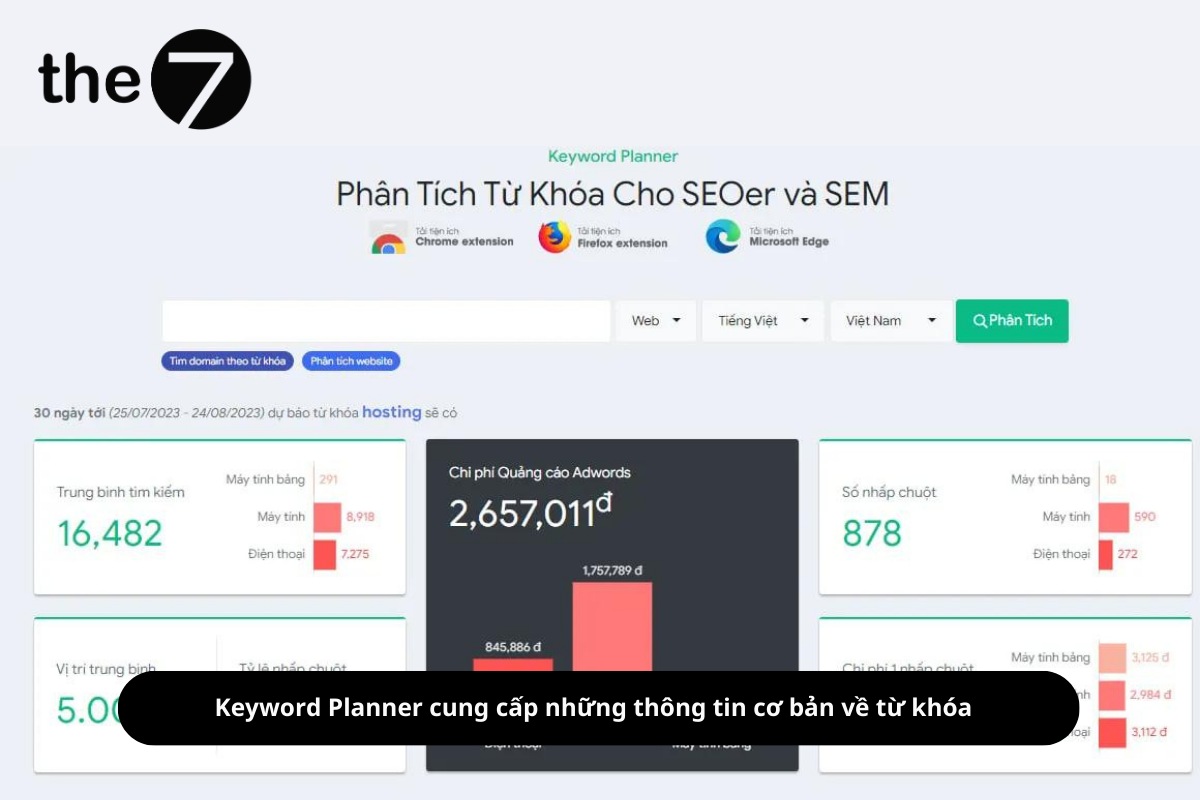
The basic information Keyword Planner provides:
- Keyword search volume over a given period, and whether the keyword is trending up or down.
- Bid information for the keyword and related keywords.
- The tool also helps you estimate the cost of running ads for that keyword. It estimates the cost per click as well, helping you plan the ad budget for your campaign.
In the Keyword Planner interface, you can enter the keyword you want to analyze and choose the platform, country and language for it. The system automatically analyzes it and gives you a clear visual report.
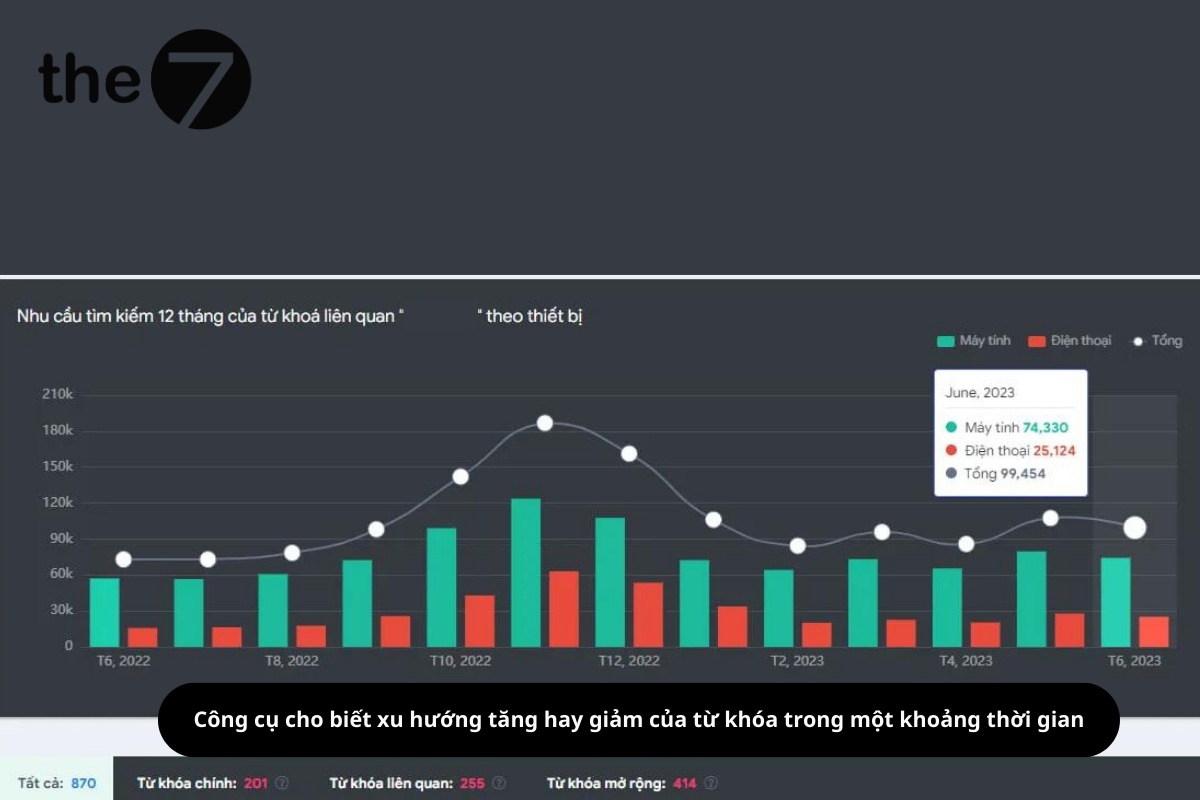
With this tool, you can also see the average cost of a click on a keyword, use it to estimate the max CPC for your ad campaign, and get a list of keywords related to the one you entered.
Check Manually With Google Keyword Planner
You need a Google Ads account to do this. Sign in to your account and select the keyword planning tool.
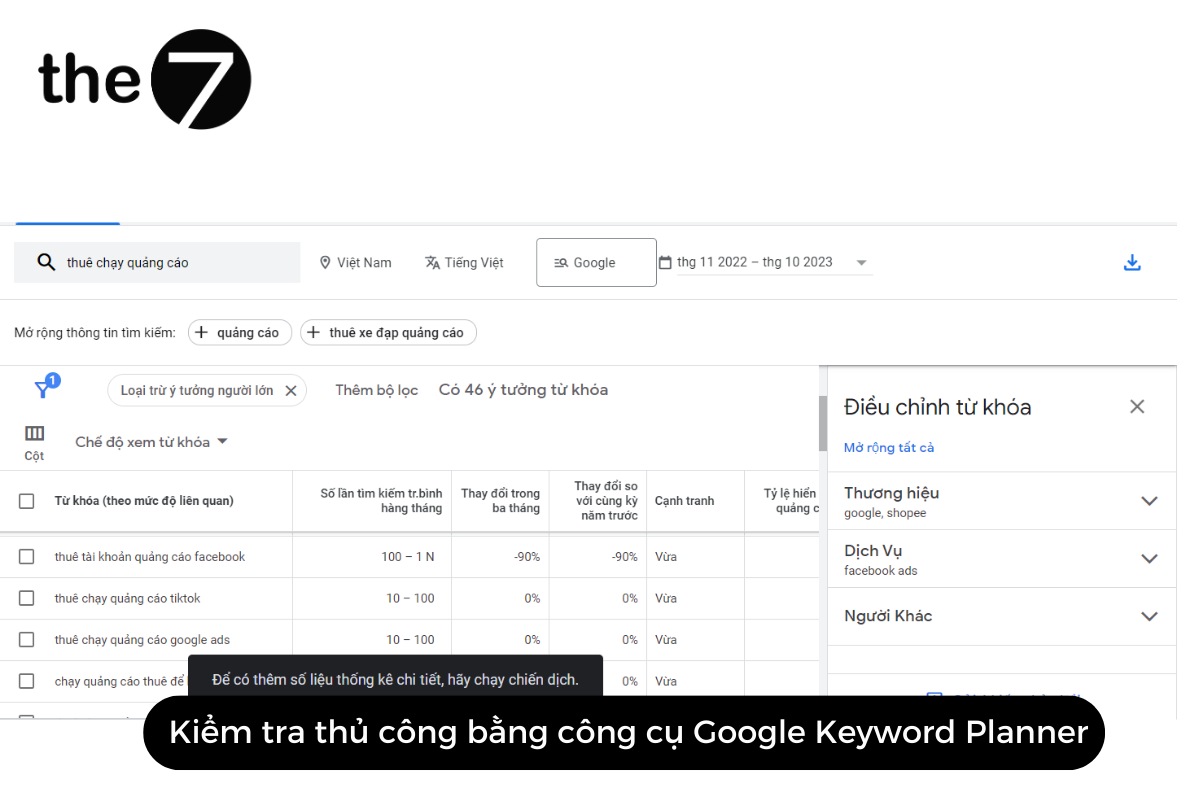
Enter keywords related to your business’s products and services. Choose to discover new keywords, and the tool will show you the results.
Finally, choose a bid, then check it or change it as you see fit.
The Most Effective Ways to Bid on Google Keywords in 2024
Raise Your Bid
This is the approach many people use to improve their ranking without worrying about other factors.
Focus on raising your Google Ads Quality Score so that a higher bid delivers results and keeps costs optimized.
Optimize Relevance Between Your Ad Copy and Keywords
To make this work, you need to meet the following requirements.
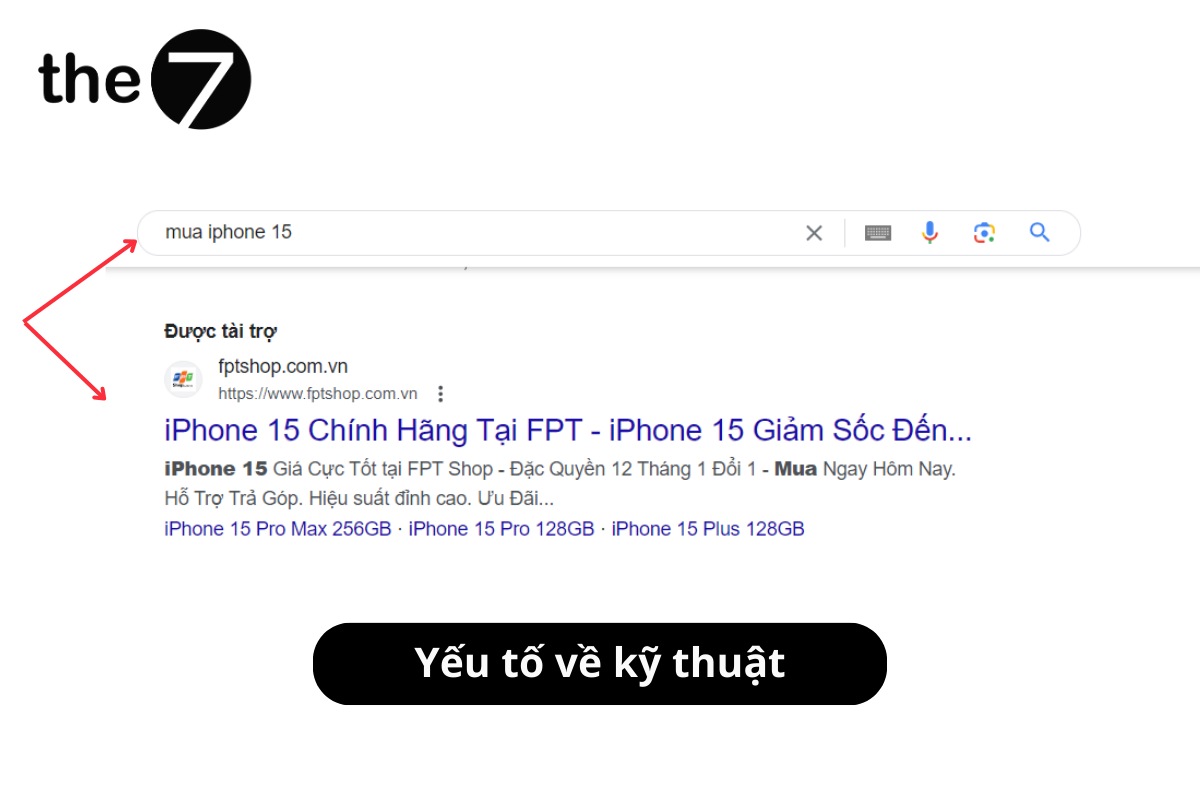
Technical factors
The keyword should appear once in the heading 1 tag, the heading 2 tag and the meta description. Secondary keywords should also appear in the body text.
Content factors
Your ad copy needs to be relevant to the keywords users search for on Google. The landing page content must match the Google Ads keyword text.
Put keywords into smaller ad groups with more detailed targeting. Look for ads containing types that can’t be placed in the same ad, and create new ad groups with keywords whose ads are likely to be shown well for users’ queries.
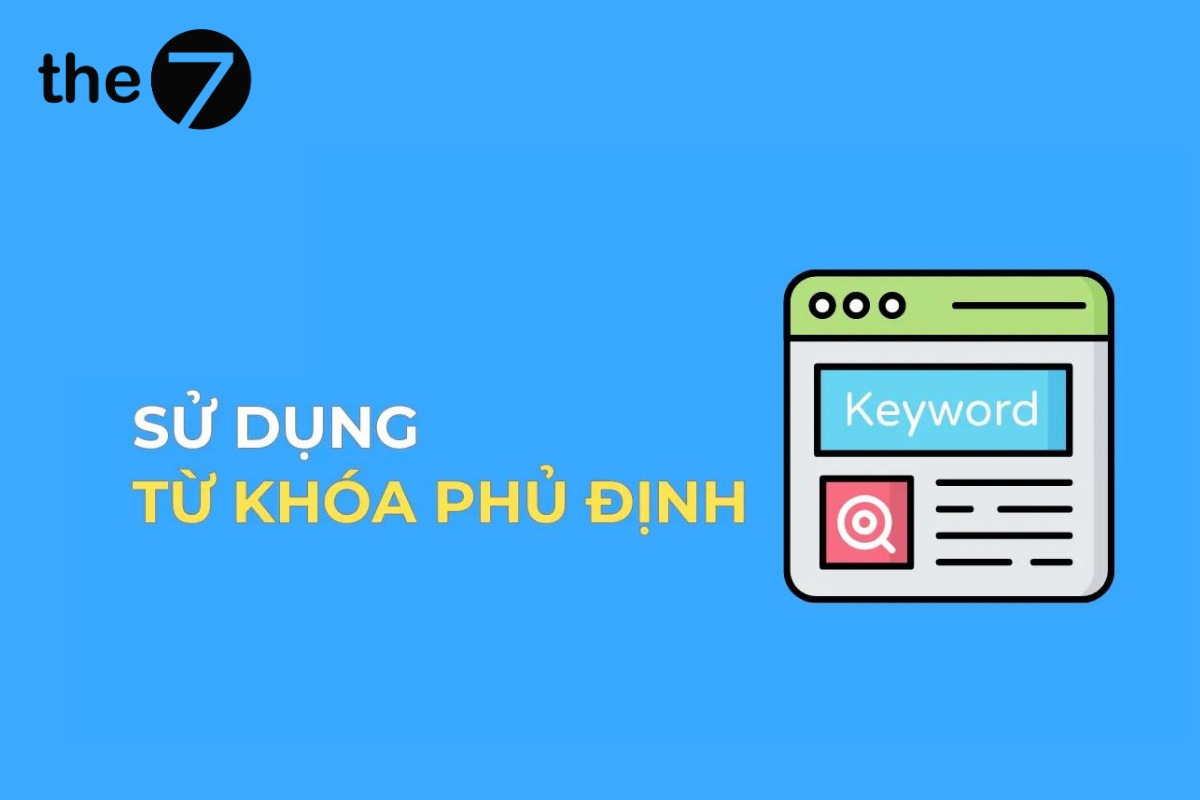
Use negative keywords to stop your ads from showing to users who are searching for, or visiting, content you don’t offer. This helps you cut costs, remove unhelpful keywords and save your ad budget.
Format factors
Your ads should be prominent and easy to read, and should use extensions to attract more viewers.
Increase Your CTR
If your ad budget has good impression share and is set up sensibly but your CTR is low, you need to raise the CTR to optimize keywords with a higher CPC. Pay attention to:
- Absolute top impression percentage, the number 1 position.
- Top impression percentage, position 2 or higher.
You need to raise the absolute top impression percentage and lower the top impression percentage. To do this, you need to bid on keywords on Google.
If the absolute top impression percentage is very good but your CTR is still low, check and re-optimize the title tag, the description and the ad’s extensions.
How to Maintain Bids on High-CPC Keywords
To keep a keyword with a high CPC, you can follow these approaches:
- Adjust bids manually: Based on data from previous ads, raise or lower your max CPC when your average position changes.
- Set up automated CPC: Maintain your desired position by applying rules that change CPC automatically.
That’s the essential information about keyword bidding on Google Ads. We hope it gives you the knowledge to run Google ads more effectively. If you’re looking for an online marketing partner, contact The7. We are one of the leading companies providing comprehensive digital marketing solutions that help you build creative, high-performing strategies.
>>>> See more:
- Keyword advertising on Google: what is it? Top tips for running Google Ads
- Negative keywords in AdWords: A guide to using them effectively

Nguyễn Đình
Bảo




As CEO of The7, I am committed to sharing practical, useful knowledge with every reader. Every article on The7 is based on my 7 years of hands-on experience in marketing — Facebook advertising, LinkedIn advertising, Google advertising, and marketing strategy. I hope you take away plenty of insight from these posts and apply it successfully in practice.
Related Articles
6 Simple Yet Effective Steps to Run Google Ads in 2024
Google Ads (Google AdWords) is Google’s online advertising service that helps businesses reach the right target customers, boost brand awareness, attract customers, and drive sales as customers search for information...
How to Run Effective Gmail Ads for Your Business
One of the advertising formats attracting the attention of many business owners is Gmail advertising. So how do you run effective Gmail ads? Let The7 walk you through this fresh...
What Are Google Smart Campaigns? Tips to Drive High Traffic
Google Smart Campaigns are one of the ways advertisers can access advertising information and digital marketing techniques faster. If you have just started a small business, keeping track of your...
What Card Should You Use to Pay for Google Ads in 2024?
Which card to use to pay for Google Ads is a common question among people who are new to Google Ads campaigns. So which card is best for paying for...
How to Link Google Analytics With Google Ads in 2024
To run Google Ads effectively, you need to do more than just launch campaigns. You also have to analyze and evaluate the performance of each campaign through its metrics. So...
How to Add Sitelink Extensions in Google Ads (2024 Guide)
Sitelink extensions let your ads give customers more information. They also make each ad stand out more than your competitors’ ads. This gives your Google Ads extensions a Quality Score...


