


Negative Keywords in Google Ads: The Most Effective Way to Use Them
Negative keywords in Google Ads are widely used in advertising campaigns on Google, and they bring advertisers plenty of benefits. In this article, The7 shares how to use negative keywords to optimize your ad budget
What Are Negative Keywords in Google Ads?
Negative keywords are a keyword match type that advertisers add to a campaign or an ad group. Their purpose is to stop certain keywords or phrases from triggering ads the advertiser doesn’t want to show. Irrelevant search queries are filtered out, so you avoid wasting your ad budget.
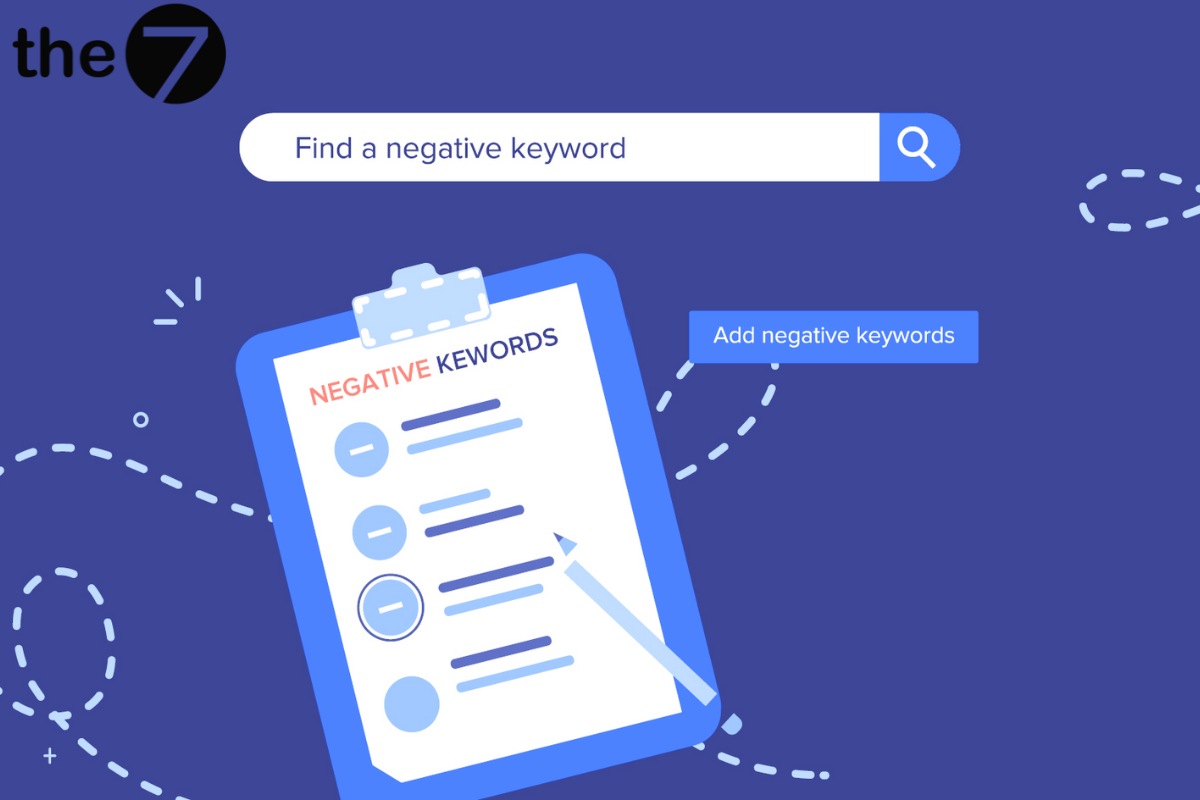
For example, say an advertiser runs a campaign promoting men’s dress shoes. But when users search, the results also include sneakers and women’s shoes. In that case, you would use “thể thao” (sports) and “nữ” (women’s) as negative keywords in Google Ads, so your ads don’t show for those searches.
>>>> See more:
- What is Google Ads? Google Ads basics for beginners
- The best guide to running effective Google Ads in 2024
- Google Ads management services
How Do Negative Keywords in Google Ads Work?
Negative keywords in Google Ads work differently for each type of ad campaign:
- For Google Shopping campaigns: Negative keywords are used to stop Shopping ads from appearing when you don’t want them to.
- For Search campaigns: If you choose the wrong negative keywords, you may narrow the number of potential customers who see your ads. On top of that, it can also hurt your business’s sales revenue.
- For Video or Display campaigns: Each Video or Display campaign can have up to 5,000 negative keywords. These negative keywords keep your ads from showing on irrelevant websites and videos that your potential customers don’t pay attention to.
That’s why, when choosing negative keywords in Google Ads, you need to find every keyword that is unrelated to your industry. Think of words that sound the same but have different meanings: when customers type them in, your ads may end up in front of them.
Common Types of Negative Keywords in Google Ads
Campaign Level
When you don’t want your ads to appear for queries containing certain keywords, add those keywords or phrases to the negative keywords of that campaign. Campaign-level negative keywords also apply to all the ad groups within that campaign.

Ad Group Level
Ad-group-level negative keywords serve the same purpose as campaign-level ones. However, at the ad group level, these negative keywords apply only to that single ad group. The other ad groups are not affected.
Match Types in a Negative Keyword List
Negative Broad Match
This is the match type the system applies by default to newly added keywords that you haven’t adjusted. With this match type, as long as a query contains all the words in the negative keyword phrase, in any order, your ad will not show.
Negative Phrase Match
With negative phrase match, your ad will not show if the customer’s search contains the phrase in the specified order, even when the search includes additional words before or after the exact phrase.
Negative Exact Match
Your ad will not show when a customer’s query exactly matches the negative keywords the advertiser has added.
How Do You Find Negative Keywords?
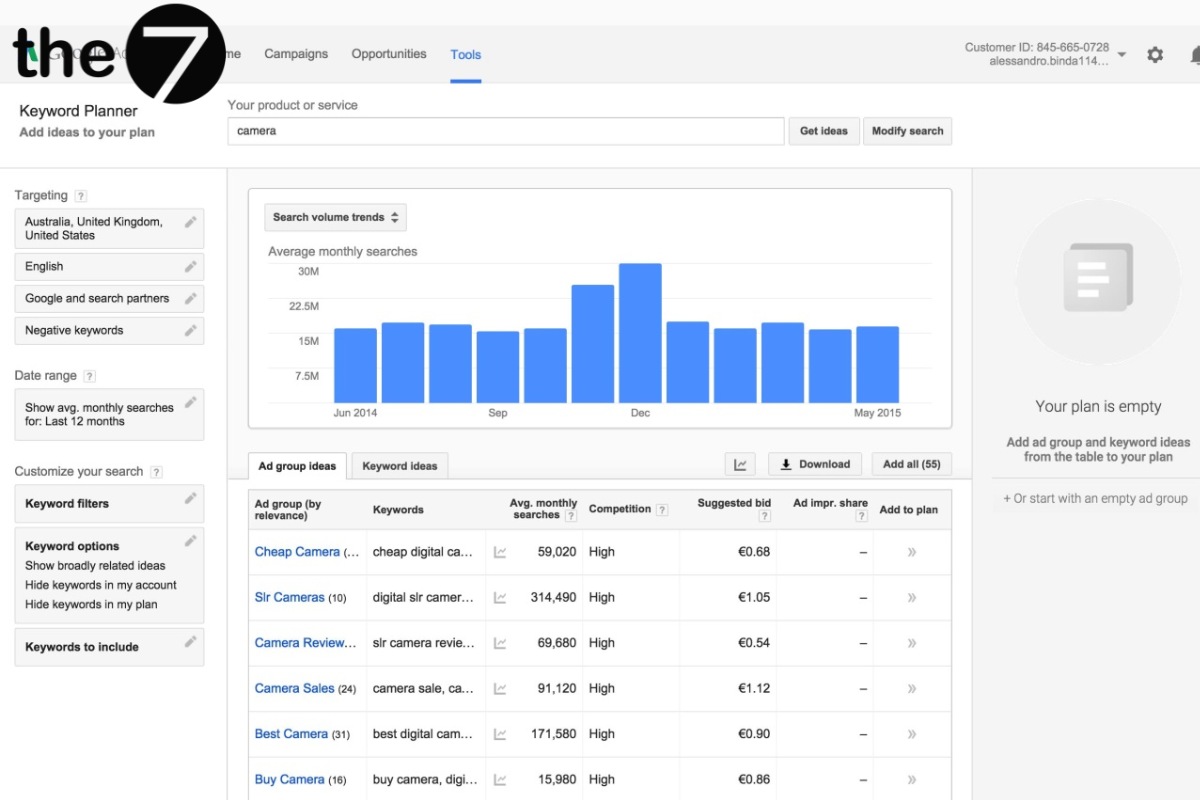
Google Keyword Planner
Thanks to this tool’s high accuracy, you can find both the keywords you want to advertise on and the negative keywords. From there, you can identify and compile the negative keywords and exclude them from your ads. It is considered the most effective free tool.
Using Keyword Tool
Keyword Tool helps you find a list of negative keywords and is the most popular paid option in the world. The price is a bit steep, but considering the benefits it brings, you will find the cost very reasonable.
Search Terms in Your Ads Account

This method is usually used with Google Ads accounts that have been running for a long time. Through the account, you can collect data from the queries customers searched, including whether or not they triggered your ads. From there, you can build a complete picture of your customers and find more effective negative keywords.
Adding Negative Keywords in Google Ads
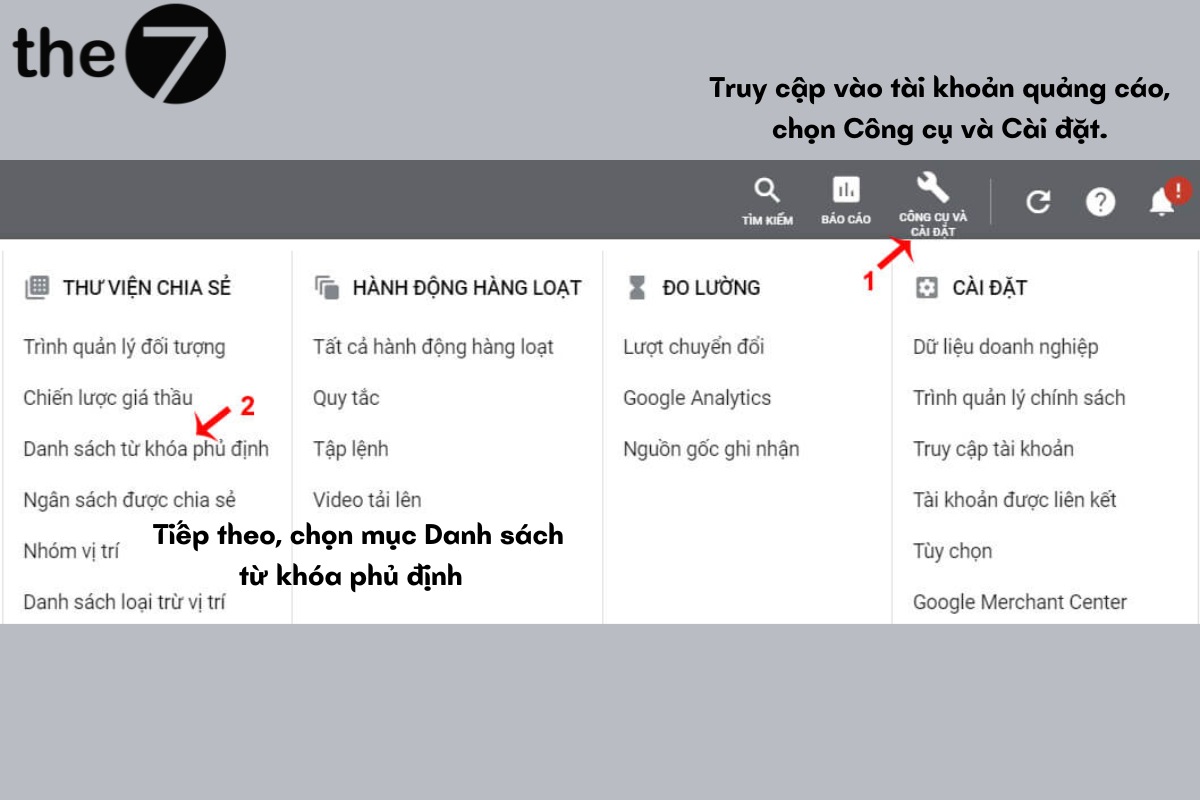
Step 1: Sign in to your ads account and select Tools and Settings. Next, select Negative keyword lists.
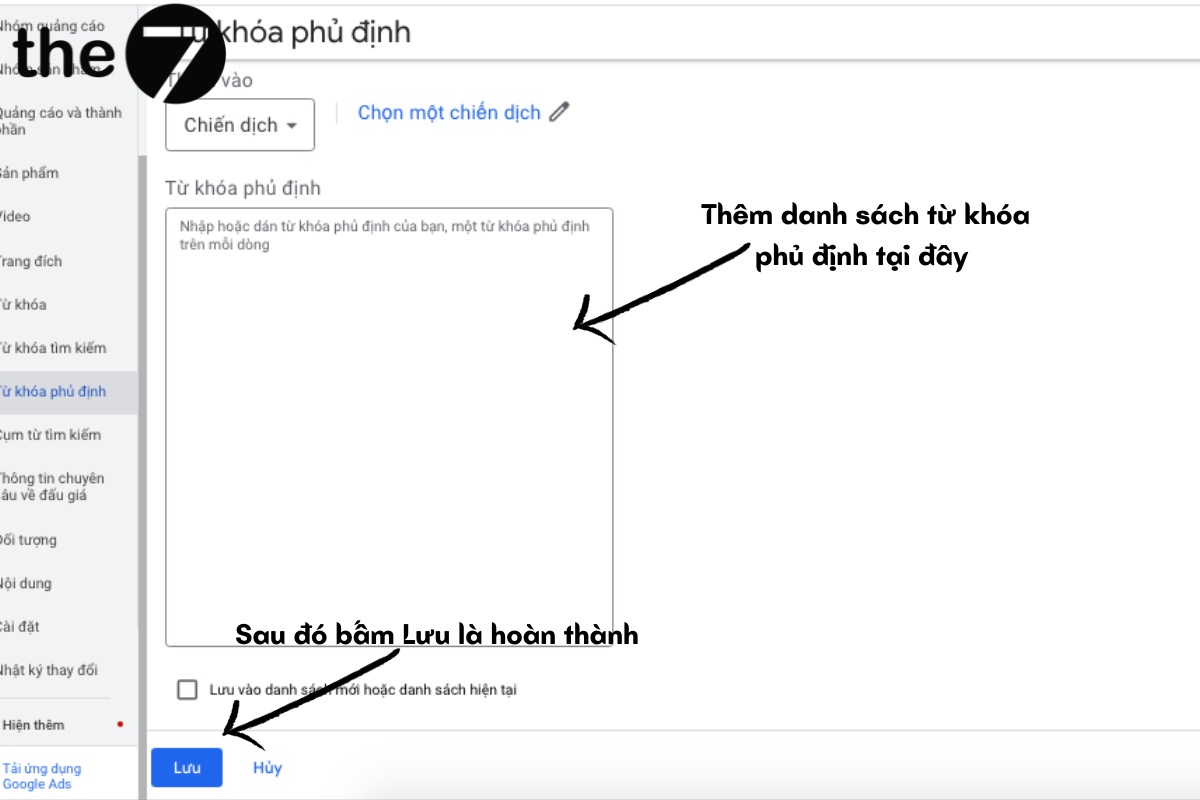
Step 2: Create a negative keyword list by clicking the plus icon at the top left.
Step 3: Add your negative keywords in Google Ads and click Save. You’re done.
Using Advanced Negative Keywords
First, go to your negative keywords: click Keywords in the menu bar, then select Negative keywords.
Edit, Remove, or Download Negative Keywords
To edit a keyword:
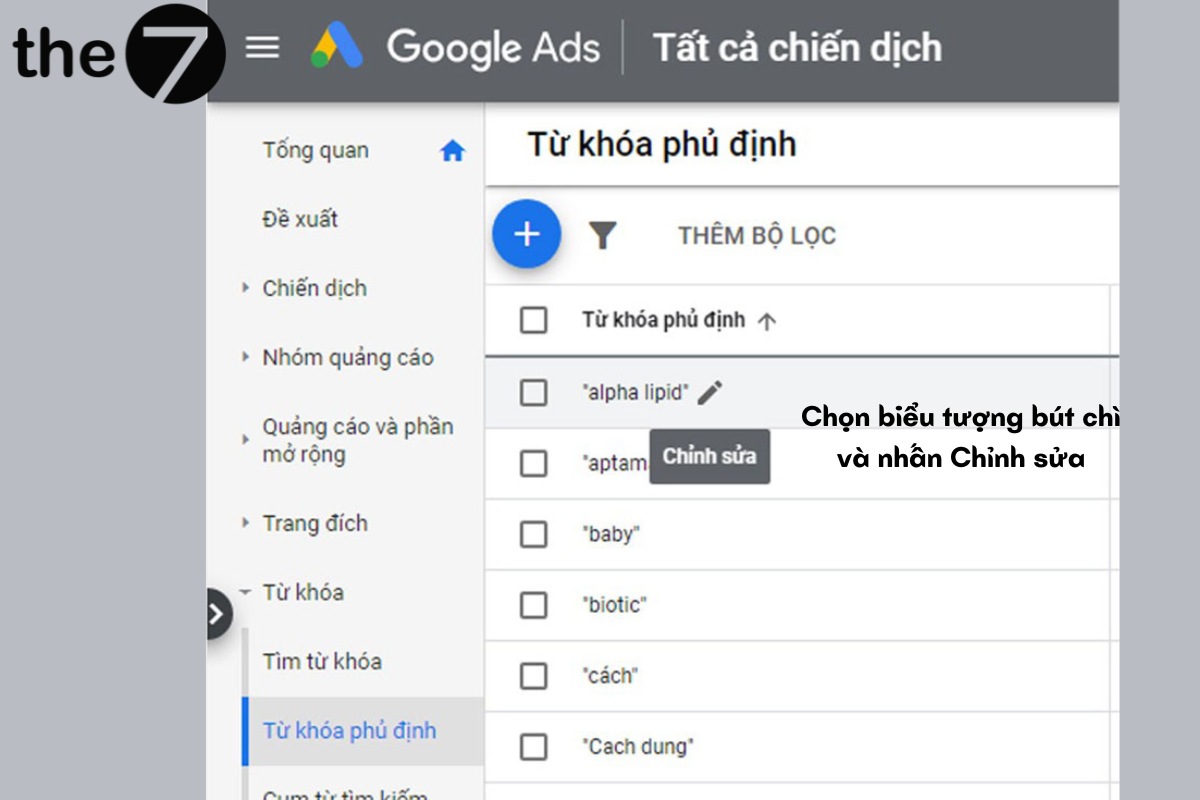
Step 1: Move your cursor to the right of the negative keyword, select the pencil icon, and click Edit.
Step 2: Click the downward-facing triangle, choose a new match type for the keyword, and click Save.
To remove a negative keyword:
Step 1: Tick the checkbox next to the negative keyword you want to remove.
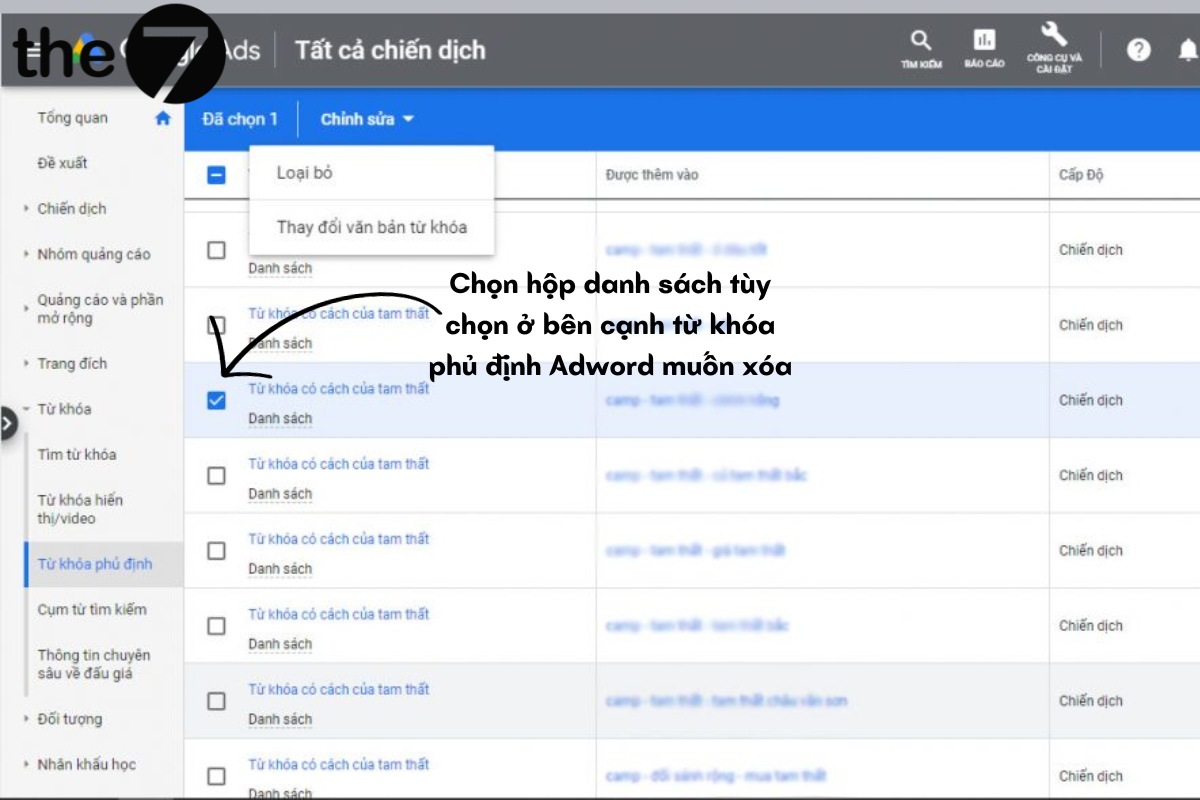
Step 2: Click Remove
To download keywords:
Step 1: Click the three-dot icon above the table and click Download.
Step 2: Choose a download format. You can also schedule the report to download automatically at regular intervals.
Create a Negative Keyword List for Your Campaigns
Step 1: Click the plus icon and select the campaign you want to add negative keywords to
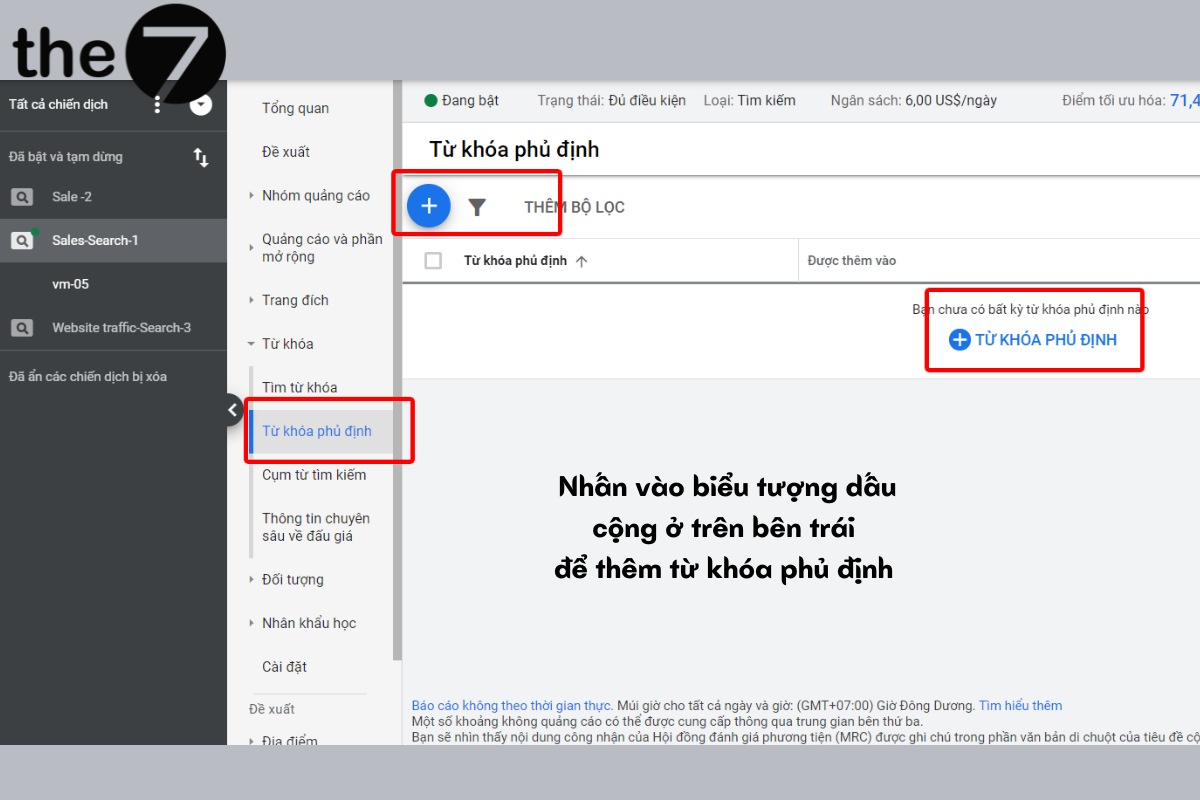
Step 2: Enter or paste your negative keywords, one per line.
Step 3: Tick the checkbox next to your choice and save to an existing list or a new list.
Step 4: Enter a name for the list and click Save.
Remove a Negative Keyword List from a Campaign
Tick the checkbox next to the negative keyword list shown alongside the campaign you want to remove it from. Then click Remove.
Edit or Permanently Delete a Negative Keyword List
Tick the checkbox next to the list you want to edit or delete, select Edit, and click Remove.
The7 has covered the essentials of negative keywords in Google Ads in this article. We hope it gives you the information you need. Wishing you many successful ad campaigns ahead!
>>>>> See more:
- Keyword advertising on Google: what is it? Top tips for running Google Ads
- How to get great results from keyword bidding on Google Ads

Nguyễn Đình
Bảo




As CEO of The7, I am committed to sharing practical, useful knowledge with every reader. Every article on The7 is based on my 7 years of hands-on experience in marketing — Facebook advertising, LinkedIn advertising, Google advertising, and marketing strategy. I hope you take away plenty of insight from these posts and apply it successfully in practice.
Related Articles

6 Simple Yet Effective Steps to Run Google Ads in 2024
Google Ads (Google AdWords) is Google’s online advertising service that helps businesses reach the right target customers, boost brand awareness, attract customers, and drive sales as customers search for information...
How to Run Effective Gmail Ads for Your Business
One of the advertising formats attracting the attention of many business owners is Gmail advertising. So how do you run effective Gmail ads? Let The7 walk you through this fresh...
What Are Google Smart Campaigns? Tips to Drive High Traffic
Google Smart Campaigns are one of the ways advertisers can access advertising information and digital marketing techniques faster. If you have just started a small business, keeping track of your...
What Card Should You Use to Pay for Google Ads in 2024?
Which card to use to pay for Google Ads is a common question among people who are new to Google Ads campaigns. So which card is best for paying for...

How to Link Google Analytics With Google Ads in 2024
To run Google Ads effectively, you need to do more than just launch campaigns. You also have to analyze and evaluate the performance of each campaign through its metrics. So...
How to Add Sitelink Extensions in Google Ads (2024 Guide)
Sitelink extensions let your ads give customers more information. They also make each ad stand out more than your competitors’ ads. This gives your Google Ads extensions a Quality Score...


