


How to Write Google Adwords Ad Templates: The Most Detailed 2024 Guide

As technology evolves, advertising has taken on more modern formats. Many people are now searching for how to write Google Adwords ads to diversify their ad content and reach more customers for their businesses. This article will help you better understand this modern form of advertising.
How to Write a Standard Google Adwords Ad, Step by Step
Paste the Exact Final URL
The Final URL is the link that takes viewers to the final destination page (the landing page). More precisely, it is the link that sends readers to the website you want to advertise.
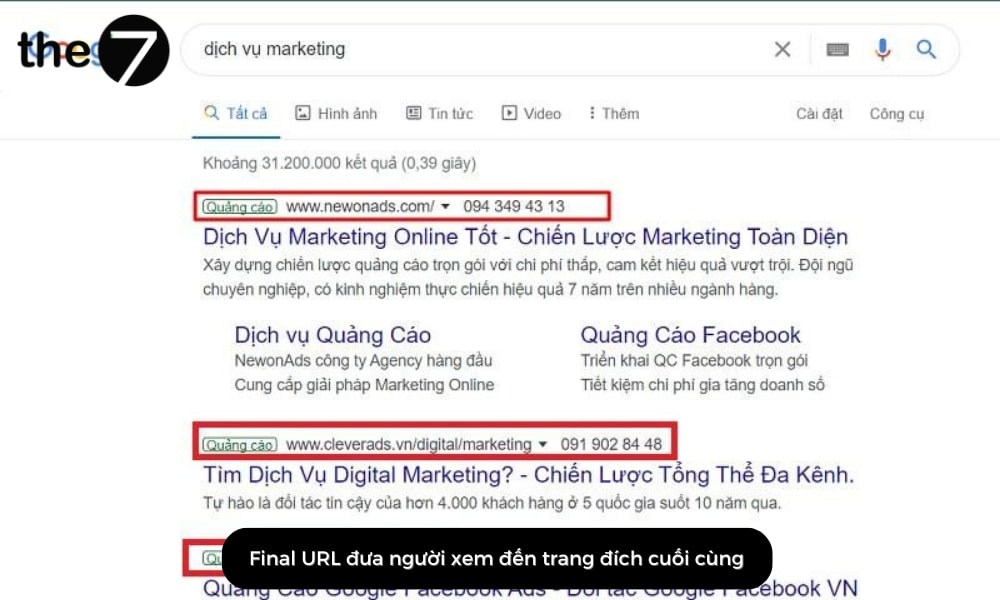
All it takes is copying the link and pasting it in, and your Final URL is set. However, keep in mind that the Final URL is different from the link shown in your Google Ads ad template:
- The Final URL is the website’s actual link, the one that lets people reach the landing page.
- The Display Path is created only to catch viewers’ attention, so it is mostly cosmetic.
>>>> See more:
- Tips for running effective Google Ads campaigns
- What is Google Ads? Google Ads basics for beginners
Write an Attractive Ad Headline That Includes the Main Keyword
The headline is a key part of an attractive Google Ads ad template. It determines how much attention viewers pay and raises the click-through rate thanks to the eye-catching, compelling wording it uses.
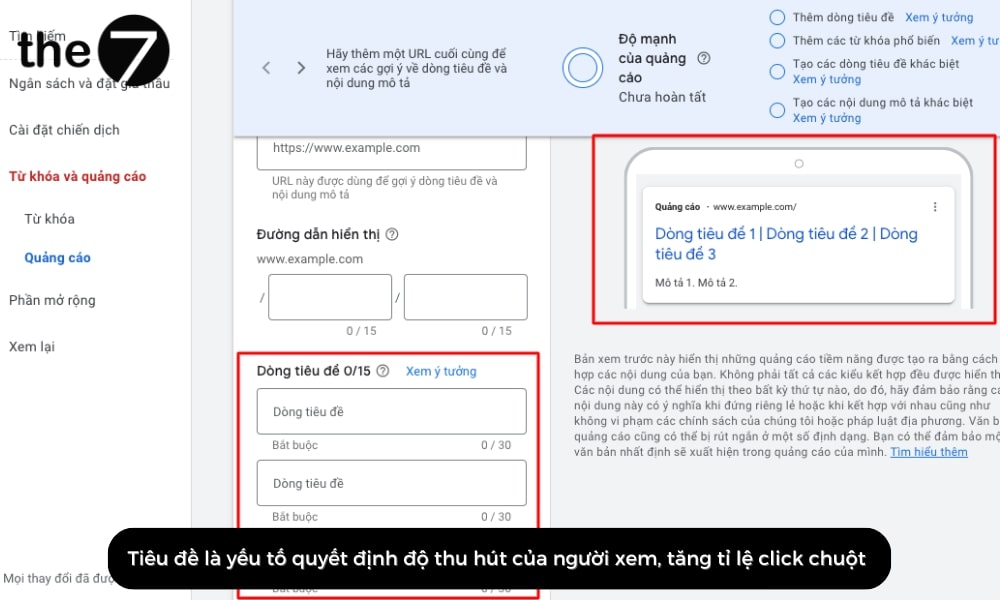
According to Google’s policy, a compliant ad template must follow the rules below:
- Font: Arial, sans-serif
- Text color: Blue (color code #1a0dab)
- Font size: 20px
If you want to create three smaller headlines within your headline area, pay special attention to how you write each of them:
Headline 1: The first headline segment
This is the first thing viewers see, so it is considered extremely important in a Google Ads ad template. This segment holds only 30 characters, so it needs to state the message you want to convey to readers briefly and concisely.
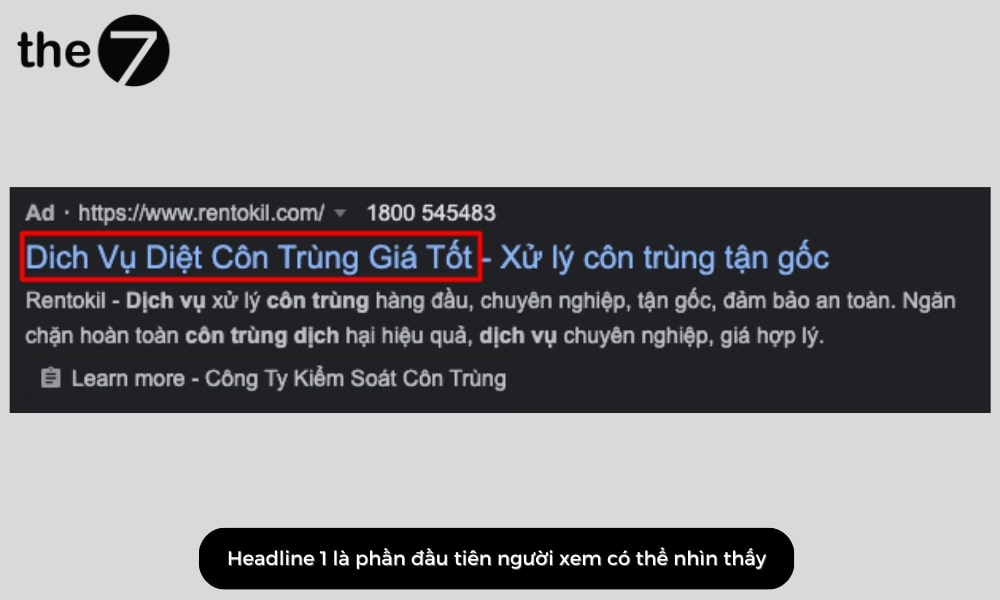
Here are a few specific examples:
- Use the product or service you want to advertise as the main keyword (the keyword you expect the most people to search for) in this segment. Example: “gia sư online” (online tutor), “sửa bàn ghế” (table and chair repair),…
- Address the problem your customers care about. Example: “thuê gia sư online cho học sinh cấp 1” (hire an online tutor for elementary school students), “dịch vụ sửa bàn ghế tại nhà” (at-home table and chair repair service),…
Headline 2: The second headline segment
This segment describes the product or service you offer in more detail. It also holds about 30 characters and appears on a new line below the first headline segment. In addition, the second headline encourages readers to click through to your website. Here are a few “secrets” to get the most out of it:
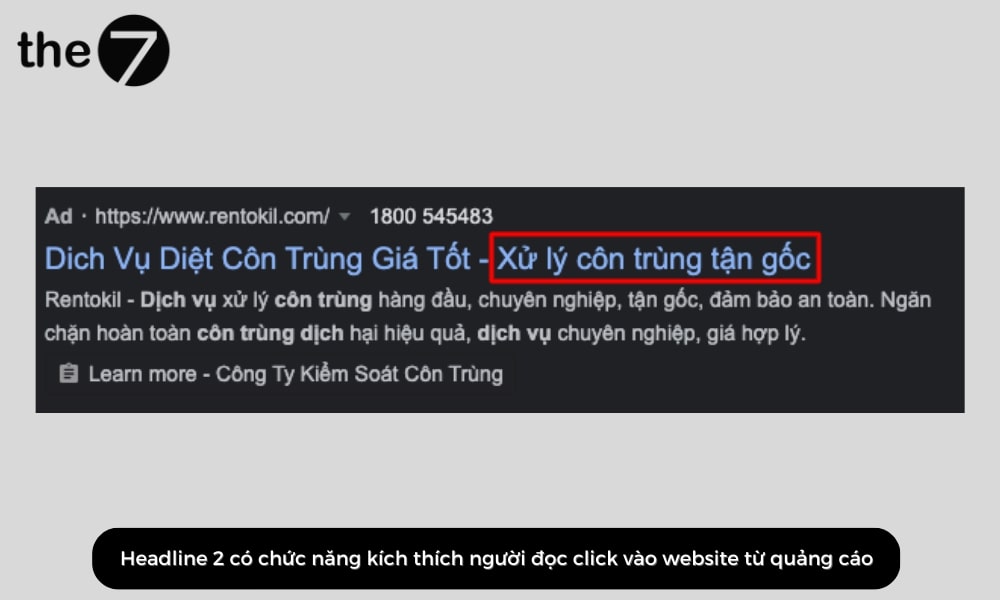
- Offers: Highlight the standout promotions you have to appeal to customers’ psychology. For example: prices cut to 99,000 VND, sales of up to 50%,…
- Competitive advantage: Show what sets your product or service apart so customers choose it over a competitor’s. You can highlight a price advantage (fast-moving consumer goods), product quality certifications (cosmetics, dietary supplements), authorized dealer certificates (imported goods), or years of experience (services),…
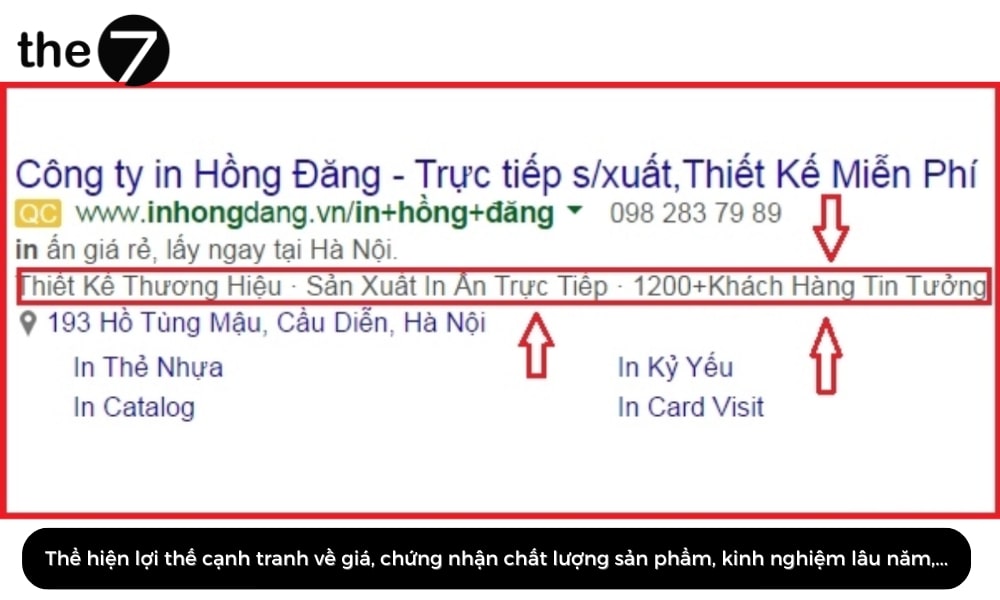
- Strengths: Demonstrate the strengths of the product or service you can deliver to customers. What matters is that these strengths or benefits are valuable to customers and match what they expect when using your product or service. Example: authentic perfume hand-carried from the US, a professional transport service with many years of experience,…
- Psychological hooks: Sparking customers’ curiosity so they click the link on their own is a fairly effective approach. For example, use trending social media phrases (“dùng cả thanh xuân để giảm cân” – spend your whole youth losing weight) or borrow ideas from celebrities (skincare for glowing white skin like Ngọc Trinh’s).
Headline 3: The third headline segment
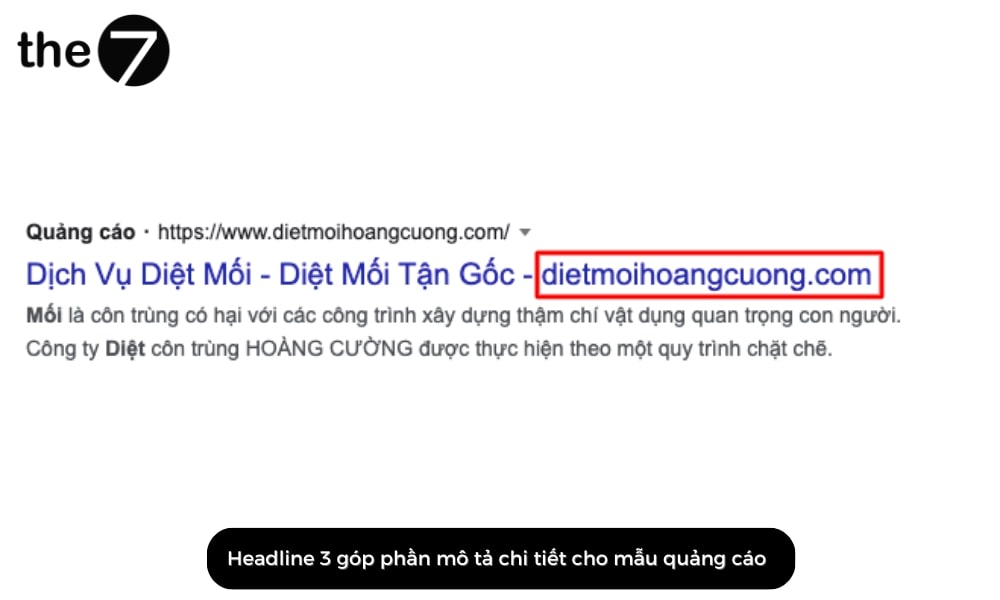
The third headline segment works much like the second, helping describe your Google Ads ad template in more detail. Beyond the usual approaches, there are some more advanced techniques, such as countdown timers and inserting keywords into the headline,…
Write a Concise Description That Covers the Product or Service
The description of a Google Ads ad template works as the ad’s summary, covering the overall message you want to convey to customers. The description has two parts, each holding only about 90 characters:
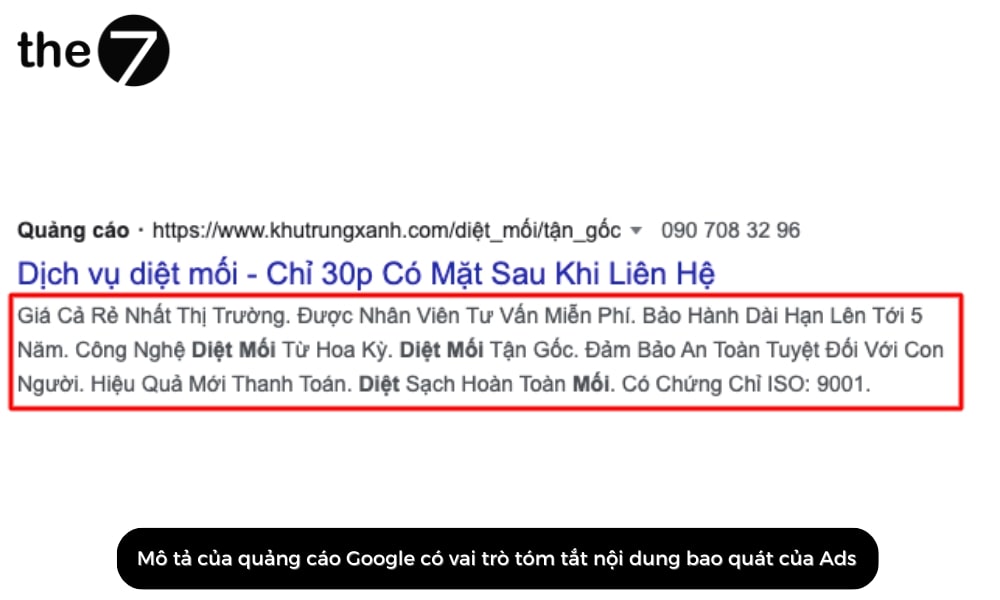
- The part that contains the main keyword, which should appear only once in the description.
- The part that elaborates on what the headline states.
Note that when writing this section, the copywriter needs a captivating style that stirs emotion in the reader. For added clarity, many writers use a dash “-“ between the main phrases.
Set Up the Right Ad Extensions
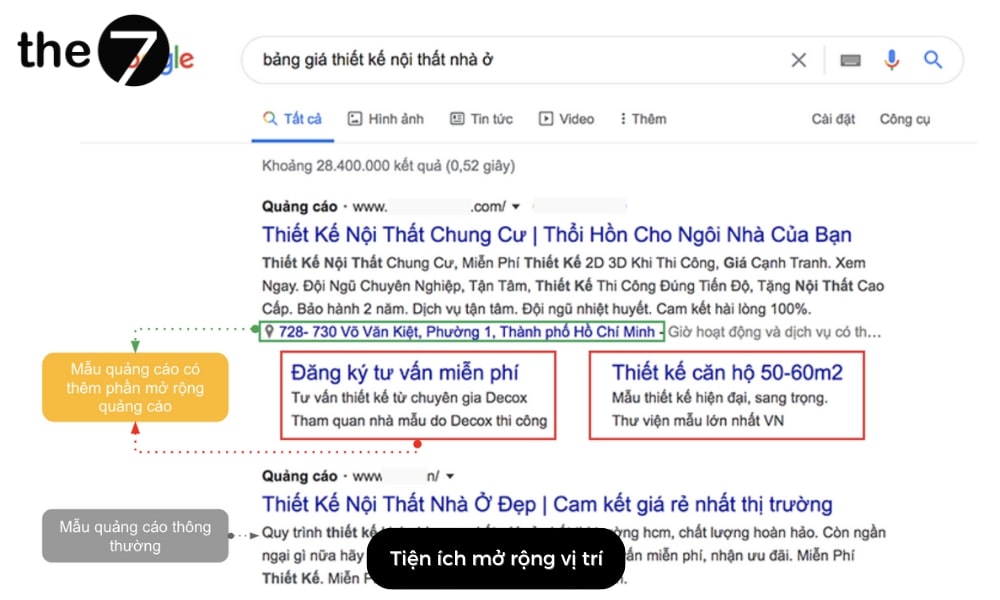
Ad extensions are a kind of supplementary ad content that builds customer trust. So when you run ads, you should take advantage of every extension Google allows. For example:
- Location extensions (location) or affiliate location extensions help businesses attract customers from the areas where they operate. Stating your business or store location clearly and accurately not only builds trust but also makes it easier for customers to find you. Meanwhile, factories and manufacturers often choose to list the outlets that sell their products.
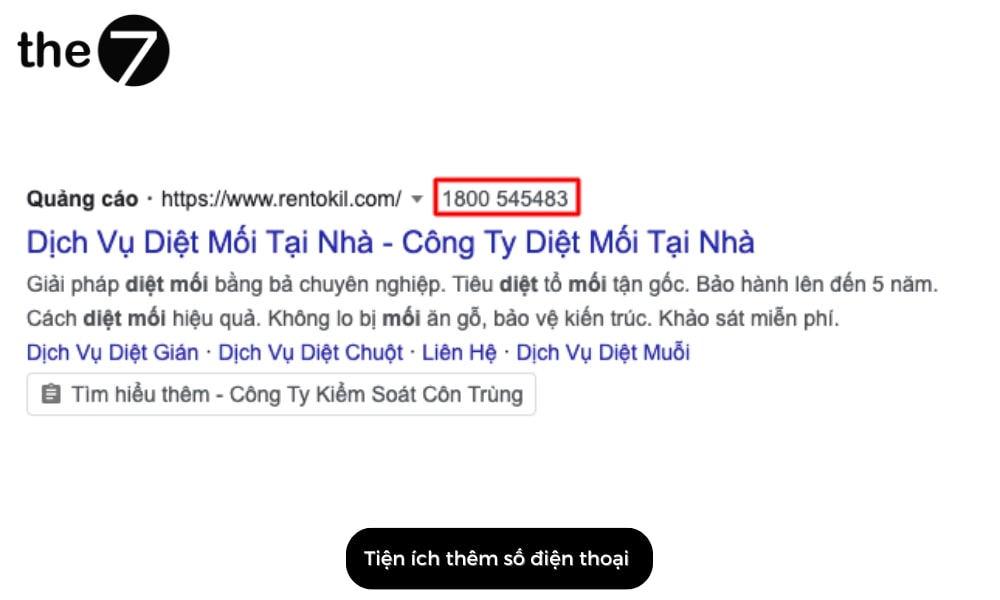
- Call extensions add a phone number to your ad to encourage customers to contact you and drive more reach.
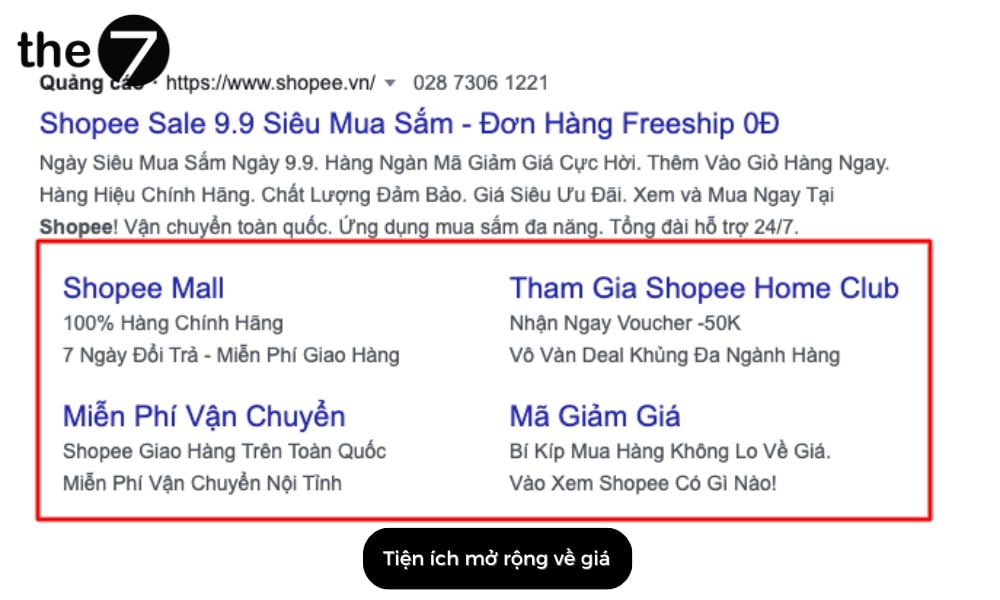
- Price extensions (Price extensions), sitelink extensions (Sitelink extensions) and structured snippet extensions (Structured snippet extensions) encourage customers to convert on your website and make purchase decisions faster.
- Another useful option is App extensions. When your business has a smartphone app, they let customers open it to browse and buy from you quickly and professionally.
Key Tips for Writing Persuasive Google Adwords Ads
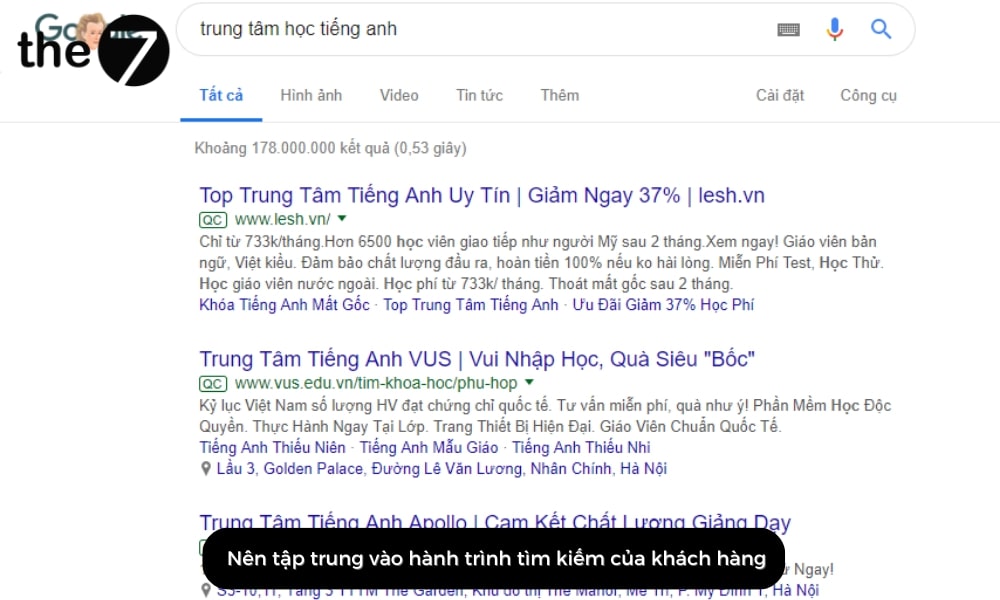
Focus on the Customer’s Search Journey
The keywords you choose for your ad must be relevant to your customers and their needs. That means you need to identify customers’ search intent to find the most suitable keywords. From there, the content of your Google Ads ad template can center on those keywords and speak directly to customers’ goals.
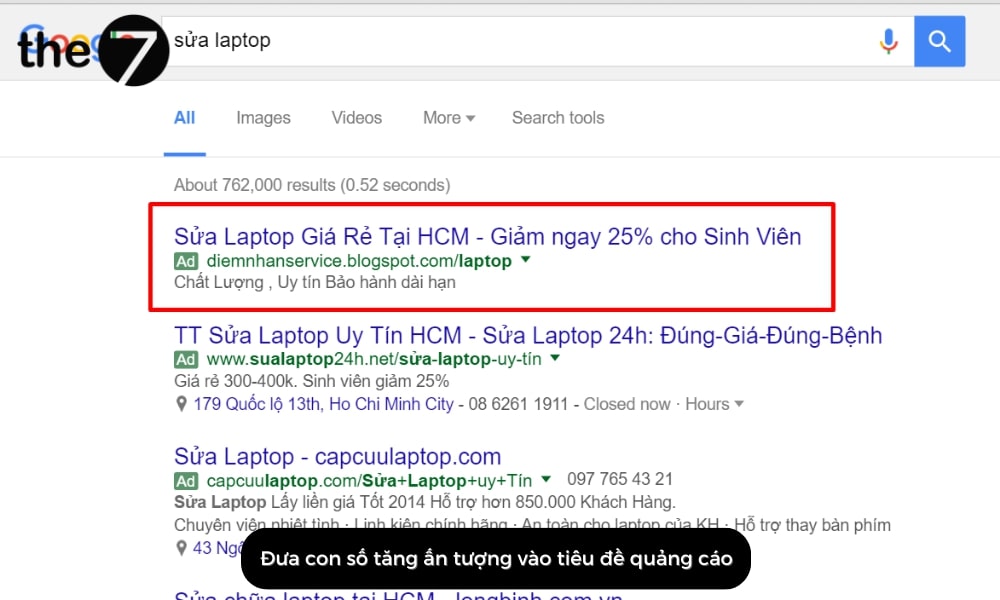
Add Eye-Catching Numbers to Your Ad Headline
Writing a Google Ads ad template that includes striking numbers helps raise customers’ click-through rate. A higher click-through rate means a higher Quality Score, which in turn helps lower your ad bids.
Include Keywords Throughout Your Ad Content
Keywords play a very important role in an ad, so they need to appear in both the headline and the description. If an ad has two headlines, it is enough to insert the keyword into one of them.
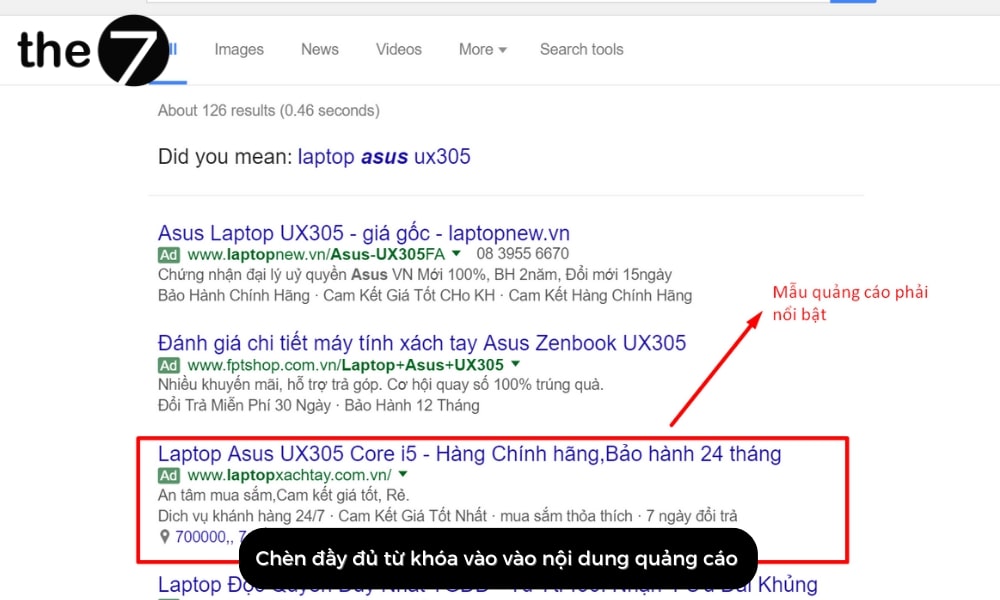
When users see the keyword they searched for in an ad, the click-through rate rises because they know the ad contains what they are looking for. Written this way, Google Ads ad templates can help increase customers’ click-through rate and ensure higher ad quality.
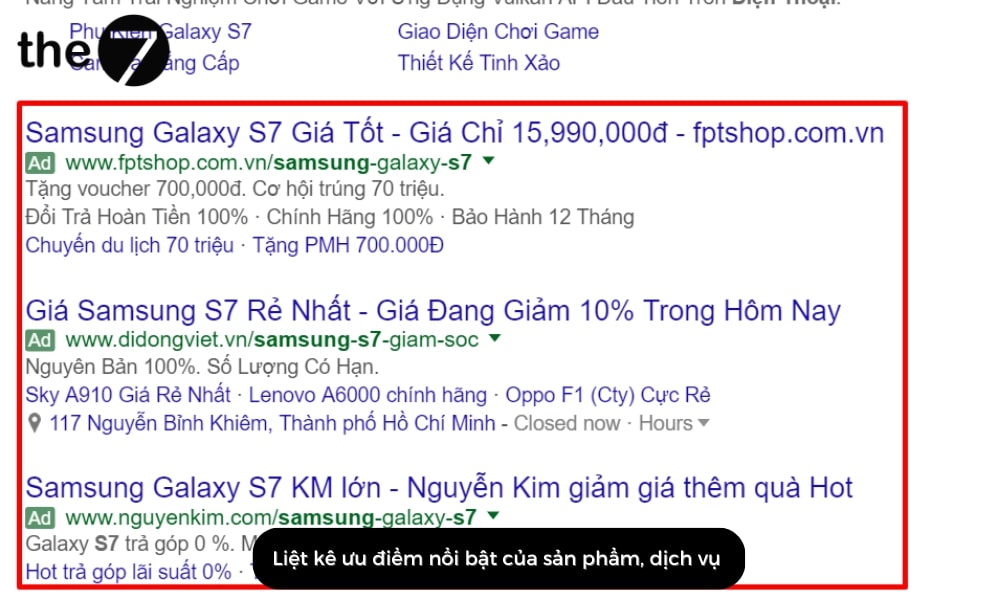
List the Standout Strengths of Your Product or Service
One important point for protecting your click-through rate and ad conversion rate is to list every strength your product or service has. When taking this approach, you can look at competitors’ ad templates to see which points matter most and are most necessary for your own ads.
Understand Customer Psychology
Customers are the main target of any ad template, so you need to grasp their psychology and speak to it, which raises both click-through and conversion rates. Some keywords you can use to tap into customer psychology include “Sale lên đến” (Sale up to), “Khuyến mãi” (Promotion) and “Ưu đãi” (Special offer),… because most customers feel excited about buying discounted products.
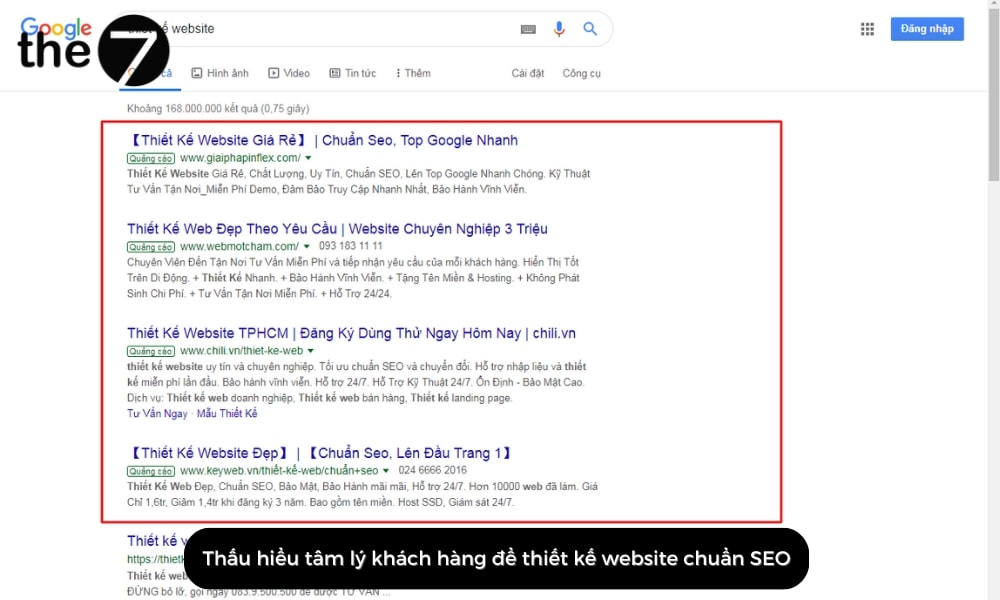
Beyond the keywords above, you can research how customers think about your product or service to find other suitable keywords, helping customers remember you and giving your product or service a place in their minds.
Use a Strong Call to Action
A Call to Action (CTA) is a prompt that urges the reader to act. Adding a CTA to a Google Ads ad template is essential because it reminds customers of a specific action. For example: contact us to buy at, call to get a consultation,… Or you can add a CTA for another action, such as: Buy now at, Sign up now at,… A Call to Action can also be placed in the ad headline.
Keep Content Short and Show Your Strengths in the Description
Besides the ad headline, you also need to polish the description carefully. Write briefly and concisely, while still showing the standout strengths of your product or service right in the description.
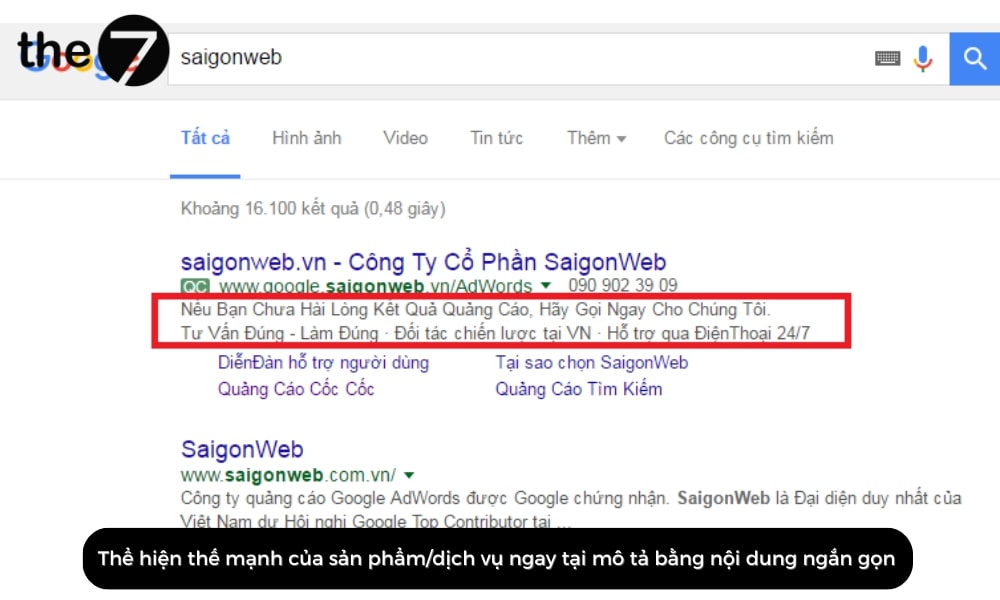
Google sets specific character limits for ad text: two headlines of 30 characters each and one description line of 80 characters.
You can look at other companies’ ad templates to create your own Google Ads template in a way that attracts and engages customers. After all, this is the natural filter that helps customers find your product or service on the internet.
Add a Phone Number
However attractive an ad template is, without contact information it will struggle to close sales. The reason is that customers don’t know how to reach you.
That is why adding a phone number that displays right in the ad is a very smart move. It not only builds trust with customers but also helps boost your business’s sales.
Add “www” to Your URL to Stand Out
One simple way to make your ad draw more attention while also raising real customer conversion rates is to add “www” to the URL. Specifically:
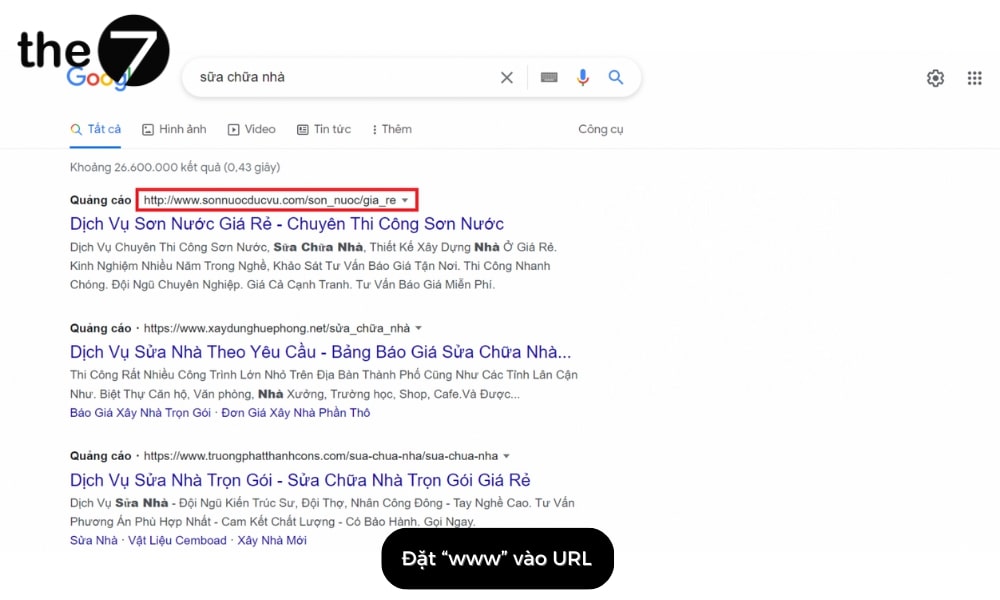
- For SEO: Adding “www” to the URL may help your website rank higher in search results, because search engines tend to favor websites with a full domain name.
- For user perception: Adding “www” can make a website look more professional and trustworthy to users, because most popular websites use the full URL.
In this article, The7 has shared plenty of useful information on how to write Google Adwords ads for your product or service. We hope you now have more insight and valuable experience for creating an attractive Google Ads ad template that helps improve your business results.
>>> See more related articles:
- 10+ Latest 2024 Google advertising policies
- Latest 2024 guide to using Google Data Studio

Nguyễn Đình
Bảo




As CEO of The7, I am committed to sharing practical, useful knowledge with every reader. Every article on The7 is based on my 7 years of hands-on experience in marketing — Facebook advertising, LinkedIn advertising, Google advertising, and marketing strategy. I hope you take away plenty of insight from these posts and apply it successfully in practice.
Related Articles
6 Simple Yet Effective Steps to Run Google Ads in 2024
Google Ads (Google AdWords) is Google’s online advertising service that helps businesses reach the right target customers, boost brand awareness, attract customers, and drive sales as customers search for information...
How to Run Effective Gmail Ads for Your Business
One of the advertising formats attracting the attention of many business owners is Gmail advertising. So how do you run effective Gmail ads? Let The7 walk you through this fresh...
What Are Google Smart Campaigns? Tips to Drive High Traffic
Google Smart Campaigns are one of the ways advertisers can access advertising information and digital marketing techniques faster. If you have just started a small business, keeping track of your...
What Card Should You Use to Pay for Google Ads in 2024?
Which card to use to pay for Google Ads is a common question among people who are new to Google Ads campaigns. So which card is best for paying for...
How to Link Google Analytics With Google Ads in 2024
To run Google Ads effectively, you need to do more than just launch campaigns. You also have to analyze and evaluate the performance of each campaign through its metrics. So...
How to Add Sitelink Extensions in Google Ads (2024 Guide)
Sitelink extensions let your ads give customers more information. They also make each ad stand out more than your competitors’ ads. This gives your Google Ads extensions a Quality Score...


