


What Is Google Keyword Advertising? Tips for Choosing Top Keywords

Google keyword advertising brings your brand closer to your customers. Used well, it expands your business’s reach. However, running Google Adwords keyword advertising effectively is not something everyone can do. It takes more than understanding your product: you also need a firm grasp of market trends and algorithm changes.
That’s why in this article, The7 shares the most useful information about Google Adwords Ads. With it, you can put together a strategy that fits your company’s current situation.
ONLINE MARKETING SERVICES AT THE7:
What Are Keywords? The Role of Keywords in Digital Marketing
A keyword is a word or phrase that represents the topic of an article or a website’s ad, helping bring that content or ad closer to users when they run a search.
Put simply, keywords are the phrases users type into the search bar of Google, Bing, Yahoo, and other search engines to find a product or service.
Choosing the right keywords means your products have a better chance of reaching a larger pool of potential customers. It also helps your business optimize its advertising budget, improve Quality Score, and raise your website’s ranking.
>>> See more:
- How to run the most effective Google ads in 2024
- What is Adwords advertising? Google Ads knowledge for beginners
How Keywords Work
Keywords work based on the queries users enter into search engines on the Internet. For your Google keyword ads to appear frequently, your service has to match the words or phrases customers are searching for. Through the Google Adwords Ads auction, the ads you create get a chance to be shown.
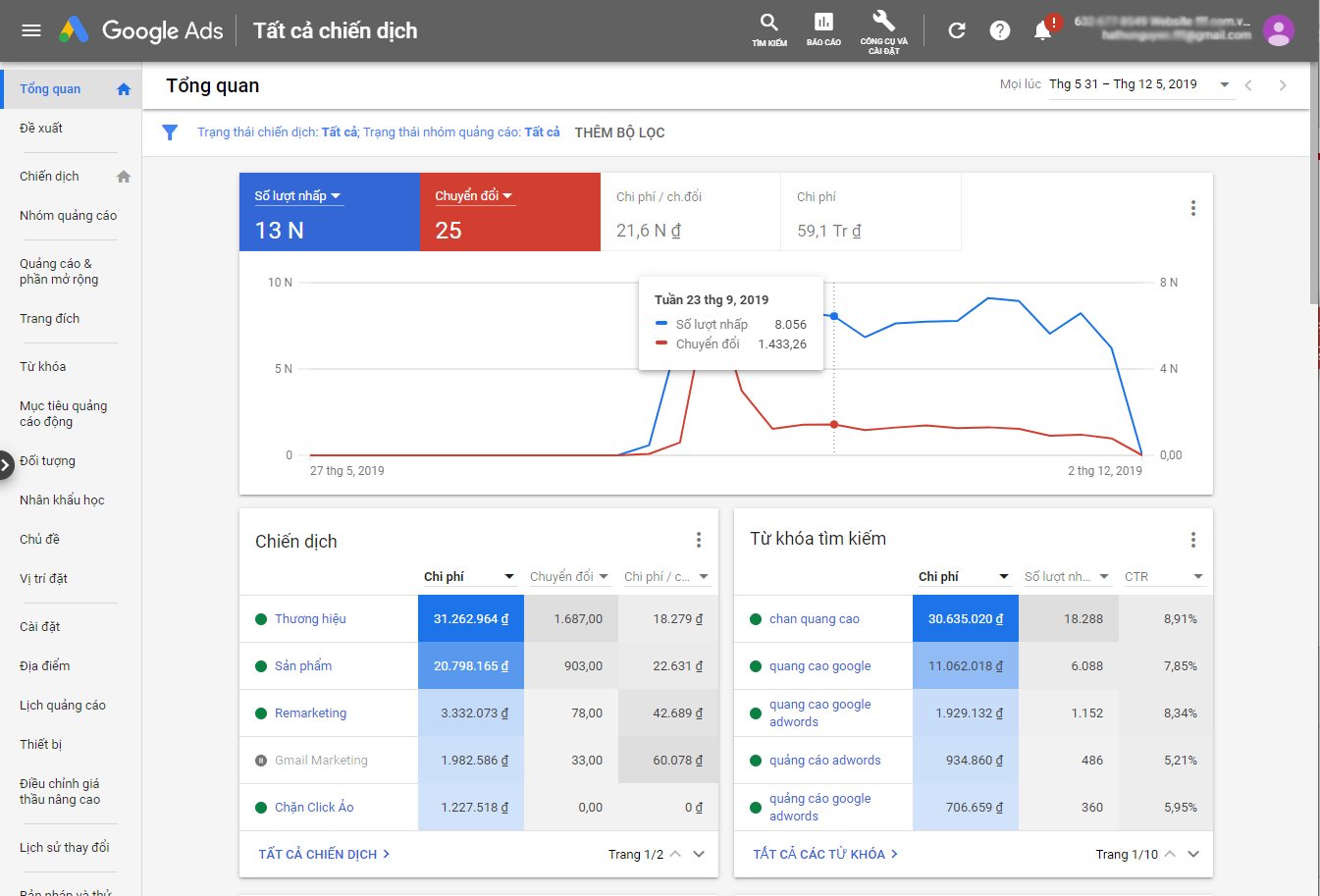
At that point, your content competes with many other advertisers through Ad Rank. If your Ad Rank is the highest, the top position on the search results page goes to you. Ad Rank is calculated by multiplying the maximum amount your business is willing to pay for a keyword by its Quality Score. The cost of each keyword depends on its quality and how competitive it is.
Keyword Quality Score in Google Ads
Keyword Quality Score directly affects Ad Rank. It is an estimated metric based on expected click-through rate (CTR), the relevance of your Google keyword ads, and the landing page experience. It is usually rated on a scale of 1 to 10, and the higher the ad quality, the lower the bid you need.
For all these reasons, you should optimize every component of your online advertising campaign: expected click-through rate (CTR), ad relevance, and landing page experience. Your website needs content that links to your products or services. Above all, say no to copying from other sources. That way, your ads’ Quality Score goes up, and your conversion rate improves as well.
Keyword Match Types in Google Ads
Google Ads has 4 match types, each with its own characteristics:
- Broad match.
- Broad match modifier.
- Phrase match.
- Exact match.
Broad Match
Broad match is the default setting applied to all your keywords. This match type allows your ads to show for searches that include misspellings, synonyms, related searches, and other variations of your keyword.
Example:
- If you use the keyword “HP laptop”, the search queries that can trigger it include “portable laptop,” “buy an HP laptop,” and “HP computer.”
- However, queries such as “buy a Dell computer,” “Asus computer,” and “Acer computer” will not trigger your keyword.

How it works:
In theory, broad match keywords let your ads show as often as possible, which means your ads get the most clicks. You can run ads with product and service keywords without having to build out a keyword set.
When you choose broad match, ads are served based on many different signals. Combined with a sound bidding strategy, this match type makes full use of machine learning in ad delivery and creates value.

In the beginning, broad match keywords may show for quite a few search terms that don’t match what you intended. To fix this, find all the irrelevant search terms for the keyword you want, then add them to your negative keyword list so they don’t drive up your costs. After that, review your queries and searches regularly to remove unsuitable ones.

Notes when using broad match:
- Avoid this match type in the early stages. Use it once you have enough experience running Search campaigns and a detailed understanding of how bidding works.
- Broad match is the right approach when you run into new search queries you have never seen or considered.
- When you find a search query that delivers value, add it to your keyword list. Conversely, add queries that deliver no value to your negative keyword list.
Broad Match Modifier
Broad match modifier is a variation of broad match that gives you better control over which searches your ads appear for. Your ad shows for searches that contain the keywords marked with the “+” sign or close variants of them, and Google Ads does not require the words to appear in a fixed order.
Example keyword: +hotel +da +lat (in Vietnamese, +khách +sạn +đà +lạt).
- Search queries that trigger the keyword include: hotel prices in Da Lat and renting a hotel in Da Lat.
- Queries that do not trigger the keyword include: ward 1 hotel prices, renting a guesthouse in Da Lat, and renting an apartment in Da Lat.
How it works:
With broad match modifier, your ad shows if a customer’s search includes all the words you marked with “+”.
This match type also lets your ad match close variants of the entire keyword, and it isn’t limited by word order, so words can be rearranged freely.
Phrase Match
Phrase match is a keyword type that lets your ads show to users searching for the exact phrase you chose or something similar to it. With this match type, you reach more searches than with exact match and fewer searches than with broad match keywords.
Phrase match is triggered when a search query contains the keyword you set, with its word order unchanged.
Phrase match example for the keyword “football shoes.”
- Queries that can trigger this keyword include: red leather football shoes, buy discounted football shoes, and red football shoes.
- Queries that do not trigger the keyword include: shoes for playing football and football shoe laces.

How it works:
Your ad appears when users search for exactly the keyword phrase you defined, or when that phrase has extra words before or after it. However, your ad will not show if a user inserts extra words in the middle of your keyword phrase.
Tip for using phrase match: put your keyword phrase in quotation marks (” “).

What to keep in mind when using phrase match:
Compared with broad match, phrase match limits how often your ads show for irrelevant phrases. Still, to get good results, you need to check regularly and add negative keywords for anything irrelevant.
Group keywords on the same topic together. That makes it easier to optimize your landing pages and write ads that are more relevant to the topic.
Exact Match
This keyword type triggers your ads only when a customer’s search matches the keyword you set exactly.
With exact match, you can narrow the audience for your Google ads so they reach only users who search for your chosen keyword or very close variants of it.
Example keyword you choose: [Giày đá banh] (football shoes)
- Queries that will trigger this keyword include: “giày đá banh” (football shoes) and “giay da banh” (football shoes, without diacritics).
- Queries that will not trigger this keyword include: “giày đá banh nam” (men’s football shoes) and “mua giày đá banh” (buy football shoes).

To use an exact match keyword, just put the keyword between two square brackets [ ]. For example, if you want to run ads with the exact match keyword phrase [Marketing hiệu quả] (effective marketing), that phrase will be the trigger keyword.
If a search uses other variants, the ad will not be triggered to show.

Notes when using exact match:
With exact match, you may run into a “Low search volume” status, ads that don’t get served, or a CPC that is too high. In that case, you can switch to phrase match to increase impressions and lower the bid CPC for the keyword.
In many product and service cases, this match type makes it easy to target with up to 100% precision, including when there are too many variants and search volume exceeds the budget you have prepared. However, it also means you miss a large number of other queries, since exact queries account for less than 20% of searches in many industries. So apply it only when your product or service doesn’t have too many other variants.
Negative Match
Negative keyword matching is a match type where your ads will not show when someone searches for those words. It is typically used when you build a broad-scope Google Ads campaign but want to limit impressions for a certain group of keywords that don’t come from potential customers.
Negative Adwords keyword types are divided into:
- Negative broad match.
- Negative phrase match.
- Negative exact match.

How negative match works:
For example, if your campaign promotes a paid product or service, you can set “Miễn phí” (free) as a negative keyword for your ads. When users search with a keyword containing this word, your ad will not show.
This keeps your ads from showing to people who have no intention of signing up for your services or buying your products.

5 Steps to Choose Effective Keywords for Google Adwords
As you may know, Google keyword advertising can help your website climb to the top quickly through auctions. But you won’t always “win every battle,” because competitors’ content keeps getting fresher and more engaging. To come out on top, you need to build a keyword set for your ads. Below, we reveal 5 steps for choosing effective keywords for Google Adwords.
Classify Your Website
The main purpose of Google keyword advertising is visibility. That’s why, in this step, you should clearly determine which type of website yours is. Doing so makes keyword selection more precise. There are 6 main types:
- Social network-related websites.
- Business websites.
- Entertainment websites.
- News websites.
- Buying and selling websites.
- E-commerce websites.
Classify Your Keywords
To classify keywords accurately, you need to know which type and category your Google keyword ads fall into. Here’s the breakdown:
✅ Keyword type |
Keywords are usually divided into 2 main types:
To tell whether a keyword is a secondary keyword, you can ask questions like:
|
✅ Keyword category |
The category of a keyword in Google Adwords ads includes informational, navigational, and transactional keywords.
|
The number of keywords you need depends on each website. If a site publishes news and events, a set of informational keywords is the best fit. Likewise, sites that sell products or services should choose transactional keywords.

Use a Simple Keyword Formula
Once you’ve identified your website’s field and type, the next step is to identify your primary keyword. From there, you can build more secondary keywords with the following formulas:
- Product/service name + product/service attribute. Example: “Laptop cấu hình cao” (high-spec laptop).
- Product/service name + adjective. Example: “Laptop đẹp” (good-looking laptop).
- Name + attribute + adjective. Example: “Laptop cấu hình cao mỏng nhẹ” (thin and light high-spec laptop).
- Name + location. Example: “Laptop ở Hà Nội” (laptops in Hanoi).
- Verb + name + attribute. Example: “Mua laptop mỏng nhẹ” (buy a thin and light laptop).
- Verb + name + adjective. Example: “Mua laptop đẹp” (buy a good-looking laptop).
- Verb + name + attribute + adjective. Example: “Mua laptop mỏng nhẹ đẹp” (buy a thin, light, good-looking laptop).
- Verb + name + location. Example: “Mua laptop ở Hà Nội” (buy a laptop in Hanoi).
- Verb + name + attribute + location. Example: “Mua laptop cấu hình cao tại hà Nội” (buy a high-spec laptop in Hanoi).
The ideal keyword length is 3 to 5 words. For any product or service, avoid keywords that are too short or too long.
Use Tools to Help Select and Evaluate Google Ads Keywords
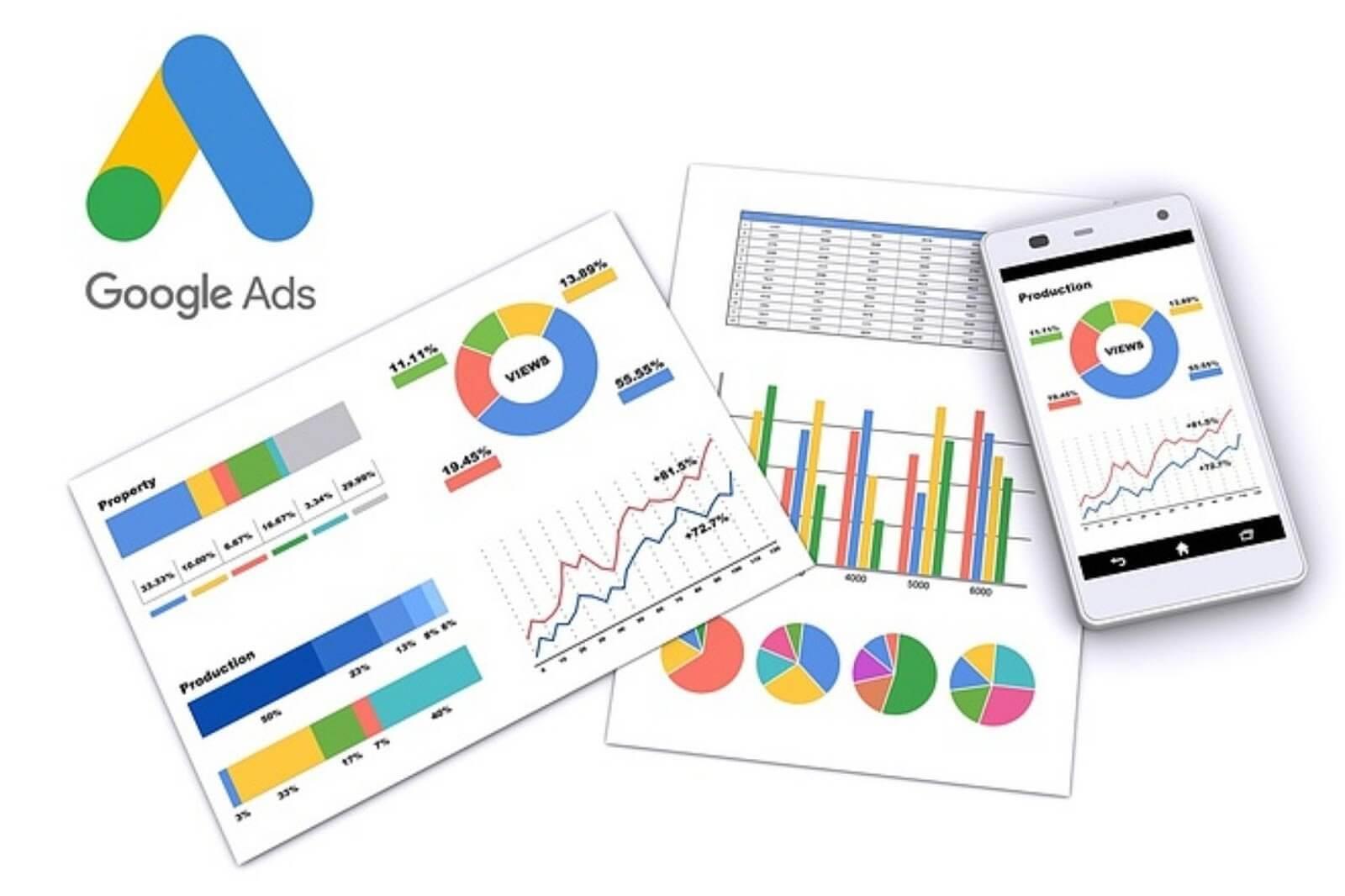
At this step, use supporting tools to add keywords to your list. To decide which keywords are right for your Google Adwords ads that drive traffic to your website, you can use the following tools:
- Google Search Box.
- Keyword Planner.
When you enter a query into these tools, Google gives you additional keywords related to your search topic. Administrators can then use these suggestions to expand their original list.

Choose the Keyword Set to Launch Your Google Adwords Keyword Ads
After completing the 4 steps above, you have a list of primary and secondary keywords related to your website and products. To choose the best keywords for strong results, compare and analyze them carefully before the Google ad auction.
Mistakes That Make Your Google Keyword Ads Ineffective
Mismatched Landing Page
If you don’t take the time to analyze and research keywords thoroughly, you’ll end up choosing a landing page that doesn’t fit and doesn’t match what customers are searching for.
Example: A user searches for the keyword “iPhone màu đen 64GB” (black iPhone 64GB), but your landing page points to a page listing all “black iPhone” models with a variety of storage options. Or it points to an “iPhone 64GB” page that offers many different colors. Choosing the wrong landing page gives customers a poor experience and significantly reduces your business’s chances of converting when you run Google Adwords keyword ads.
Unoptimized Landing Page
Before you think about launching a Google keyword advertising campaign, your business first needs a quality website. Your landing page should offer content directly related to the product or service customers are searching for. It should also be highly unique, so avoid copying content from other websites. This takes time and dedication to create quality content that delivers real value to readers.
Your landing page also needs clear navigation and fast load times. Don’t forget to add popups or a live chat on the page to support customers as well as possible. Once your website is optimized, your ad Quality Score improves significantly. That gives customers the best possible experience and drives conversion rates up quickly.
Not Measuring Conversions
Once your ads are live and showing on Google, the work doesn’t stop there. You need to track ad-related metrics to see how well the ads are performing. If you don’t monitor data and metrics, or don’t measure conversions while your ads run, your business is essentially “throwing money out the window.”
Some key metrics to watch are your ad click rate, ad performance, conversion rate, and more. These are the key signals your business uses to determine which keywords or ads attract the most customer interest.

Not Optimizing for ROI and Focusing Only on Position
ROI, or Return On Investment, is a metric every business needs to care about. When running Google keyword ads, many businesses spend their budgets and bid aggressively to get their ads in the highest possible position. But focusing only on position instead of optimizing for ROI is a mistake.
The most practical approach is to choose a suitable position to optimize for rather than racing for the number 1 spot on the search results page. Even when a business wins the number 1 spot at auction, that doesn’t necessarily mean its conversion rate will rise. Sometimes holding position 2, 3, or 4 while conversions keep growing quickly means your ROI optimization strategy has worked.
Ideally, your business should follow this process: analyze and choose precise keywords, write compelling ad content, pick the right landing page, meet customers’ expectations, and achieve high ROI (conversions). Once you’ve mastered this process, you can take shortcuts and skip any steps you feel are unnecessary.

Frequently Asked Questions About Keyword Advertising
Question 1: How do I choose the right keyword match type?
When you want tight control over your ads
Exact match is considered the strictest option among the keyword types in Google Ads. This match type is highly competitive and has a narrow reach compared with the other match types.
For that reason, exact match is recommended when you’re aiming at a specific, well-defined customer segment.

Your ads show to customers searching for keywords that are almost identical to your product or service. This audience is the one most likely to convert.
When you want to reach a broader group of queries
Phrase match helps you reach more customers while still keeping control and targeting more specifically. It limits impressions for searches unrelated to the products or services your business offers.
Customers’ search queries increasingly take the form of longer, more complex questions and phrases. Phrase match is the best approach among the Google Ads keyword types for this trend. It helps your ads show for queries from qualified potential customers.

If you’re a business new to the market and haven’t pinned down your target customers’ specific needs, use broad match keywords. With this match type, you can evaluate which keyword-related queries customers care about, then quickly filter those search queries. You can then apply the results to other match types.
When you want to make the most of machine learning
Broad match keywords use advanced machine learning that can pick up on more nuances in users’ search signals. As a result, your ads can show for a wider range of queries related to the keywords you selected.

If your goal is to build brand awareness and connect with new users who are just starting to explore your products or services, broad match keywords are extremely useful. To weed out off-target queries and save costs, you should add negative keywords regularly when using broad match.
You also need to combine broad match with negative keyword matching to keep your ads from showing for queries unrelated to your products or services. This helps you optimize your advertising budget.
Question 2: Where is the match type setting in the Google Ads interface?
Keyword match types are set in the ad group setup step and are available only in Google Ads search campaigns. Every time you add an ad group or create a new campaign, you’ll need to enter keywords. For other campaign types, you don’t need to do this step.

We hope this guide has given you a better understanding of Keyword Ads. If you’re not confident about rolling out your Google keyword advertising strategy, get in touch with The7. Our team of experts will help you build the most detailed end-to-end marketing plan.
>>> See more related articles:
- A basic guide to Performance Max campaigns in 2024
- YouTubeadvertising services
- What is Google Remarketing? How to optimize remarketing ads like a pro

Nguyễn Đình
Bảo




As CEO of The7, I am committed to sharing practical, useful knowledge with every reader. Every article on The7 is based on my 7 years of hands-on experience in marketing — Facebook advertising, LinkedIn advertising, Google advertising, and marketing strategy. I hope you take away plenty of insight from these posts and apply it successfully in practice.
Related Articles
Building a Full-Funnel Content Marketing Strategy on LinkedIn
Table of Contents Toggle Why Build Content Marketing for the Full Marketing Funnel? (Why Full-Funnel Content Marketing?)Creating Your Strategy (Creating Your Strategy)Implementing Your Content Strategy (Rolling out your content strategy)Summary...
Designing Creative Content for LinkedIn
Table of Contents Toggle Why Is Good Creative Content So Important? (Why is Good Creative Important?)Key Components of Creative Design (the core elements of creative design)Summary (summary) Why Is Good...
Building an Organic Business Presence on LinkedIn With a LinkedIn Page
Table of Contents Toggle Why Have a LinkedIn Page?Establishing Your LinkedIn PageKeeping Your LinkedIn Page ActiveThe Measure of SuccessSummary About LinkedIn Page (Summary) Why Have a LinkedIn Page? For a...
6 Best LinkedIn Marketing Strategies for B2B in 2026
Table of Contents Toggle LinkedIn 2026: Where B2B Decisions Get MadeStrategy #1 – Why Is LinkedIn the Best B2B Marketing Channel Today?1. Decision-makers are concentrated here2. Users are in work...

7 Social Media Trends for 2026: The Era of Real Value, Real Conversion, and Real People
Table of Contents Toggle Social media is entering the biggest restructuring of the decadeTrend 1: Why is buying directly in-app becoming the new standard for 2026? (On-Platform Conversion)What should businesses...

What Is TikTok Marketing? Effective TikTok Marketing Strategies
TikTok has been topping the global rankings of the most downloaded and most visited apps. That makes it a gold mine for marketers who love creativity. In this article, The7...


