


LinkedIn Image Sizes 2024: A Guide for Marketers
Unlike other social media platforms, LinkedIn images are an effective tool for social marketing for your business. LinkedIn can be considered the world’s largest professional social network, with nearly 800,000 users and businesses from more than 200 countries around the globe.
On LinkedIn, connecting with people and strengthening professional relationships is not the only thing the platform can do. Beyond building your company’s brand in front of other users, you can also connect with other businesses.
Besides delivering information, you can attract engagement from others through images that complement that information. However, a unique creative design alone is not enough. Your images need to load quickly and match the aspect ratios LinkedIn requires.
To ensure success not only with LinkedIn ads in Vietnam but also across all of your social marketing campaigns, keep the following LinkedIn image size guidelines in mind. These are the size guidelines for using LinkedIn images so that your campaign stands out.
5 LinkedIn Image Size Templates
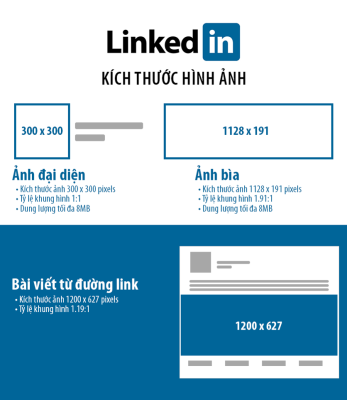

Company Logo
Optimizing your company logo image on LinkedIn is an important step toward boosting your appeal. Even though LinkedIn offers its own image-editing tools, having a logo of your own helps create a better impression of your company. In addition, when your company appears in the “Companies you may want to follow” section, an attractive logo plays an important role in drawing users in and encouraging them to visit your LinkedIn business page.
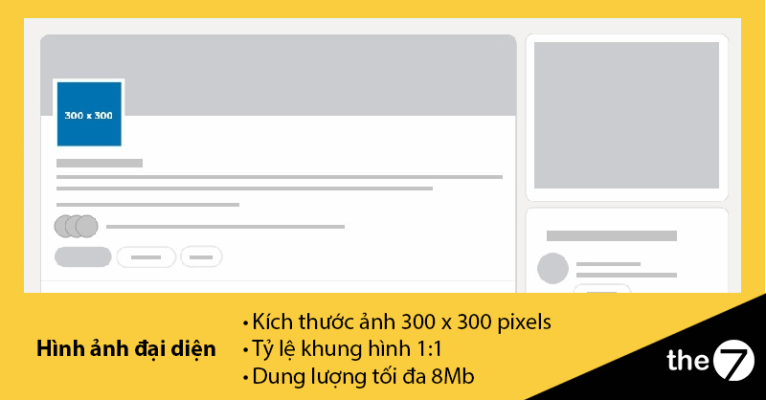
In particular, a company logo helps you attract more followers and expand your base of customers and potential customers. So when you upload your company logo, make sure its size complies with the requirements: the recommended size is 300 x 300 pixels, with a 1:1 aspect ratio and a maximum file size of 4 MB.
Cover Photo
Alongside the logo, the cover photo on LinkedIn plays an important role in your company’s social media marketing strategy. In addition to highlighting the information you share, a cover photo also helps your business attract more new potential customers.
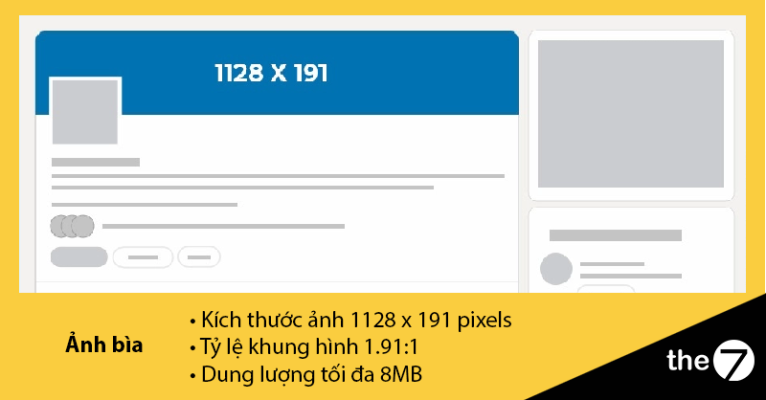
However, you need to pay attention to the layout and size of your LinkedIn cover image. Because it always sits behind the company logo, chances are that no one will see the entire design or text unless they click on the cover image. So when you design your cover photo and set its size, make sure no part of the design or text overlaps the company logo.
To make sure of that, remember that the recommended LinkedIn background image size is 1128 x 191 pixels, with a 1.91:1 aspect ratio and a maximum file size of 4 MB. These are the optimal dimensions for a LinkedIn cover image in your marketing campaign.
Leading digital marketing companies should always keep up with the recommended LinkedIn cover image size for 2023, especially when they change their cover images often.
One more important note! Always check how your LinkedIn page looks on different devices to make sure the 2023 LinkedIn cover image size works correctly. LinkedIn users may see the layout and size change depending on how it displays on each device.
Still, following the ideal LinkedIn cover image size for 2023 will deliver the best results for your marketing campaign.
Link Post
The LinkedIn image size recommendation is the same for any post or link to a blog article. The suggested size is 1200 x 627 pixels. If you don’t follow the recommended size, the image in your post won’t display in full.
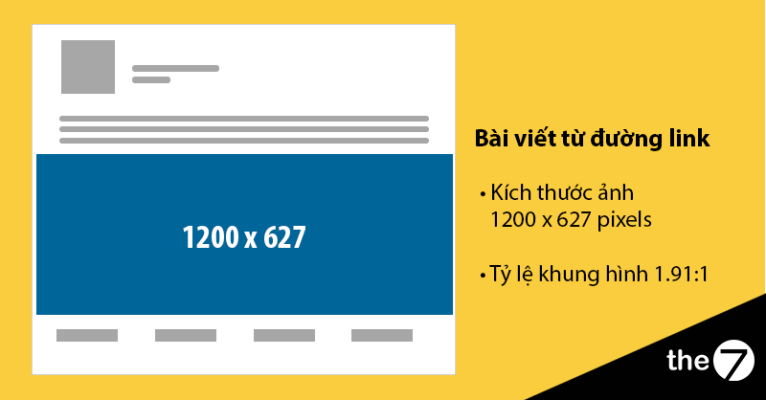
To view the image in the post, users need to click on the post to be redirected to the blog page that contains it.
Post Images
LinkedIn images in a post share some similarities with link-sharing posts. The notable difference, however, is that images in LinkedIn posts come in different sizes depending on their format. Understanding and following the right size for each type of LinkedIn post is very important.
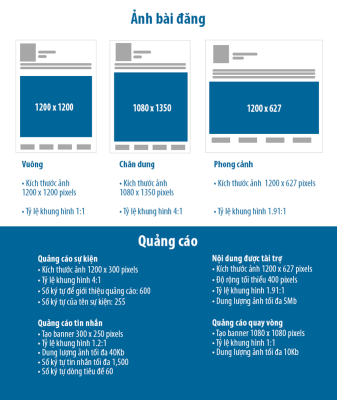
If you plan to post a LinkedIn image in portrait format, the recommended size for 2023 is 1080 x 1350 pixels, with a 4:5 aspect ratio. For landscape format, the recommended image size is 1200 x 627 pixels with a 1.91:1 aspect ratio. For square format, the image size should be 1200 x 1200 pixels with a 1:1 aspect ratio.
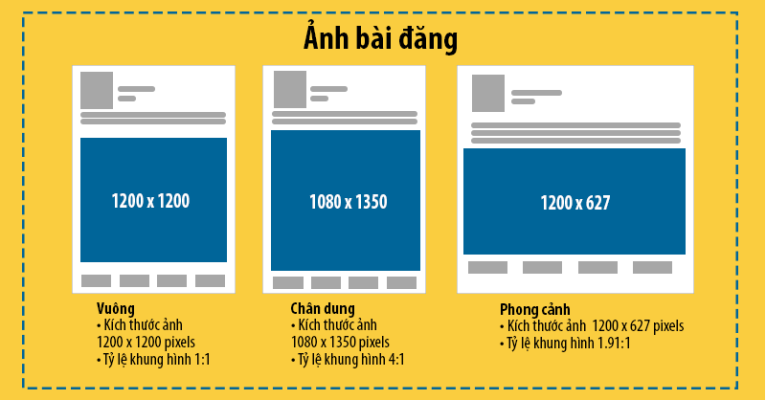
In particular, when an image in a LinkedIn post has no attached link, it is usually taken from other websites. Besides the image, only the caption and hashtags are part of your company’s media campaign on LinkedIn. Always keep in mind that LinkedIn image sizes in posts may change depending on the 2023 guidelines. Make sure you know the landscape, square and portrait image sizes so you can optimize your marketing performance on LinkedIn.
Ads
In social media marketing, LinkedIn advertising requires you to pay attention to ad sizes. Mastering the key details will help you succeed with LinkedIn ads, because their formats are more complex than images attached to a marketing campaign.
- Sponsored Content
In LinkedIn advertising, to capture your target audience’s attention, you should combine images with sponsored content. Take the image below as an example.
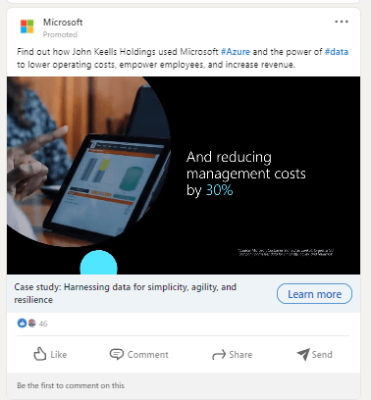
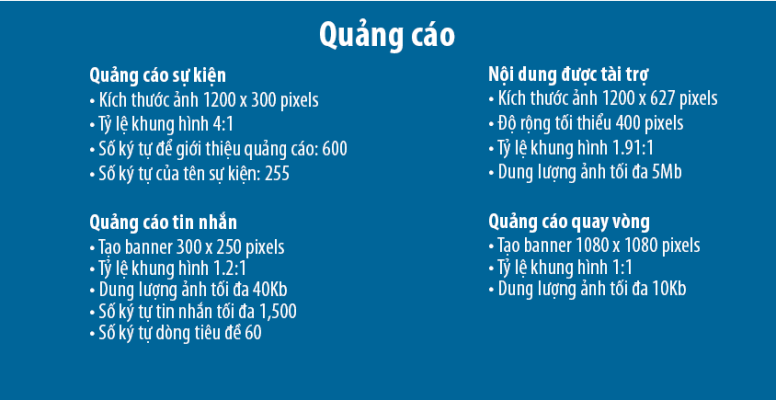
To make your sponsored ad work well, stick to the recommended size of 1200 x 627 pixels. You can also reduce the width to 400 pixels. The aspect ratio should be 1.91:1, and the file size should not exceed 5 MB.
- Message Ads
Meanwhile, if you prioritize message ads in your marketing campaign, you can attach a banner sized 300 x 250 pixels with an aspect ratio of 1.2:1, no larger than 40 KB.
Also make sure the message text does not exceed 1,500 characters and the subject line has fewer than 60 characters.
- Carousel Ads
On the other hand, LinkedIn carousel ads let you use multiple images in a single ad in a carousel style. Businesses can capture a large amount of customer attention through these eye-catching images.
However, you should know that there are two types of Carousel Ads on LinkedIn: one with a CTA and one without.
Here is an example of the two types:
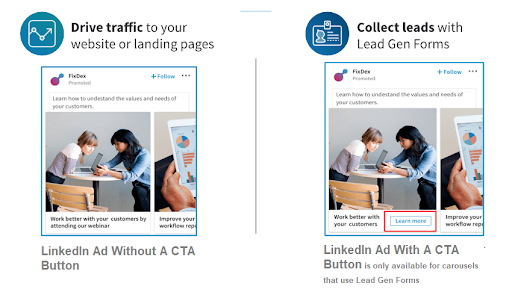
Although the two types look different, the recommended image size is 1080 x 1080 pixels. As for the aspect ratio, it will be 1:1, with a maximum file size of 10 MB.
- Event Ads
For any event you want to promote on LinkedIn, the recommended size for this campaign is 1200 x 300 pixels, with a 4:1 aspect ratio, as shown in the image below.
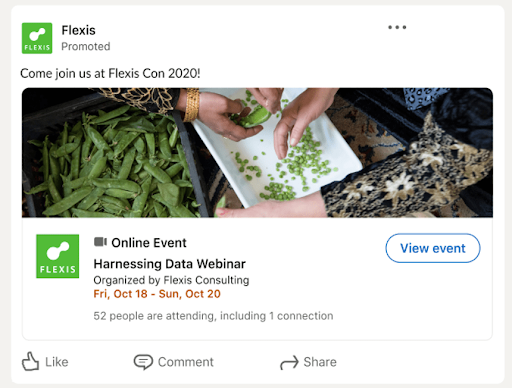
In addition, the event name should not exceed 255 characters, and the description should not exceed 600 characters.
Conclusion
Optimizing image sizes in your LinkedIn marketing campaign is a key factor in capturing the attention of potential customers. If your business follows what the LinkedIn image recommendations say, potential customers will notice your images because they display clearly and in detail. This creates a professional experience for customers and helps your marketing campaign succeed on LinkedIn.
The7 is committed to supporting customers at any time if they have questions about digital marketing. We understand that digital marketing can be complex and requires deep knowledge of methods and technologies. That is why we are glad to advise and support you, so you can better understand digital marketing and apply it successfully to your business strategy. Customers can reach us through our contact channels for fast support.
>>> You can also read more articles about LinkedIn:
- What Is the LinkedIn Social Network? How to Create an Account and Use LinkedIn Effectively
- LinkedIn SEO Explained: A-Z LinkedIn SEO Guide
- 7+ Ways to Optimize Your LinkedIn Account to Boost Career Opportunities
- What Is a LinkedIn Headline? Tips to Optimize Your Headline and Grab Attention
- Understand the LinkedIn algorithm and How to Optimize for It

Nguyễn Đình
Bảo




As CEO of The7, I am committed to sharing practical, useful knowledge with every reader. Every article on The7 is based on my 7 years of hands-on experience in marketing — Facebook advertising, LinkedIn advertising, Google advertising, and marketing strategy. I hope you take away plenty of insight from these posts and apply it successfully in practice.
Related Articles
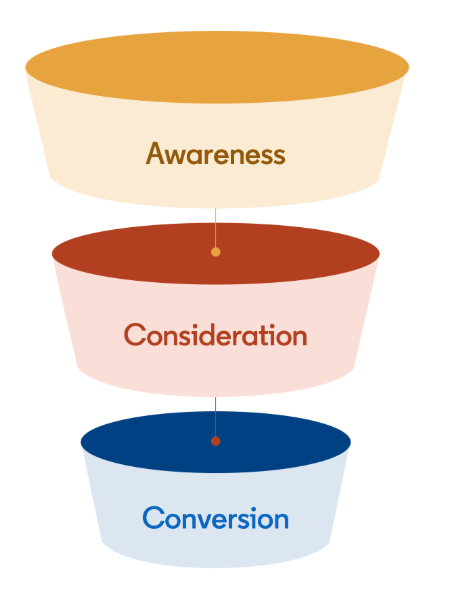
Building a Full-Funnel Content Marketing Strategy on LinkedIn
Table of Contents Toggle Why Build Content Marketing for the Full Marketing Funnel? (Why Full-Funnel Content Marketing?)Creating Your Strategy (Creating Your Strategy)Implementing Your Content Strategy (Rolling out your content strategy)Summary...
Designing Creative Content for LinkedIn
Table of Contents Toggle Why Is Good Creative Content So Important? (Why is Good Creative Important?)Key Components of Creative Design (the core elements of creative design)Summary (summary) Why Is Good...
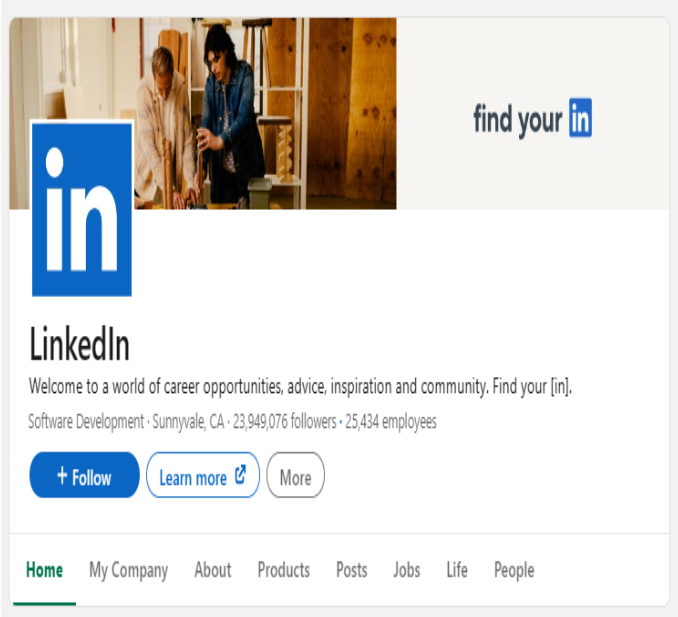
Building an Organic Business Presence on LinkedIn With a LinkedIn Page
Table of Contents Toggle Why Have a LinkedIn Page?Establishing Your LinkedIn PageKeeping Your LinkedIn Page ActiveThe Measure of SuccessSummary About LinkedIn Page (Summary) Why Have a LinkedIn Page? For a...
6 Best LinkedIn Marketing Strategies for B2B in 2026
Table of Contents Toggle LinkedIn 2026: Where B2B Decisions Get MadeStrategy #1 – Why Is LinkedIn the Best B2B Marketing Channel Today?1. Decision-makers are concentrated here2. Users are in work...
What Is Facebook Ads? Popular Types of Facebook Advertising
What is Facebook Ads? This is surely a question many people wonder about, especially those just starting to learn about Facebook advertising. Let’s explore Facebook Ads from A to Z...

26 Predictions for Social Media Marketing Trends in 2025
It’s that familiar time of year again, when experts and analysts start revealing their predictions for the social media marketing trends worth watching, along with the shifts that promise to...


