


What Is Facebook Remarketing? A Detailed Guide to Retargeting Ads

All of us have been drawn in by a Facebook ad at some point and clicked on the ad or the Facebook Page behind it. Later, that page shows up in your newsfeed again, even though you never liked or commented on it. You may not realize it, but this is that company’s Facebook Remarketing campaign at work. In this article, The7 brings together everything you need to know about how to run Remarketing on Facebook.
What Is Facebook Remarketing?
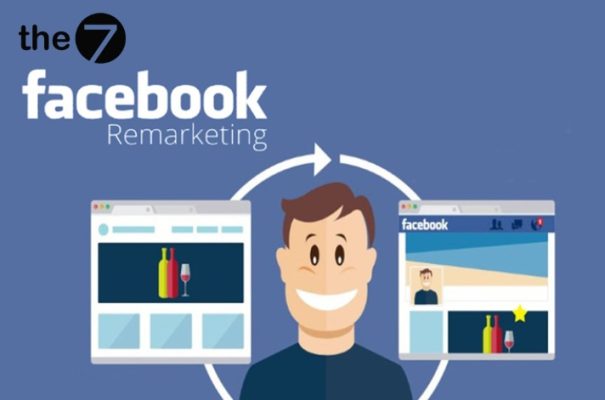
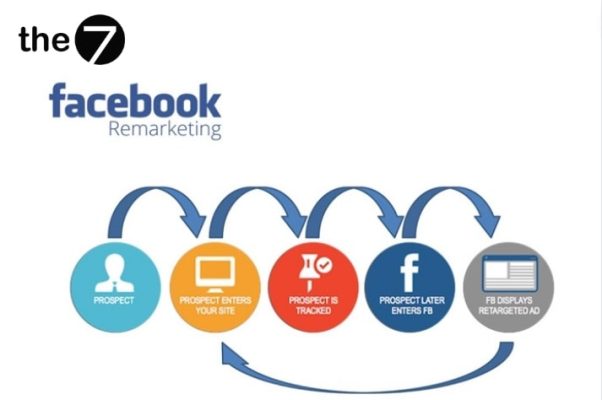
Facebook Remarketing (also called retargeting on Facebook) is an advertising strategy that delivers messages to users who have already interacted with your website or products on Facebook. It is then optimized to reach this audience effectively and increase the likelihood of conversion.
With a Remarketing campaign, you can target more effectively the people who have shown interest in, searched for, signed up for, or used your business’s products.
Remarketing can also be seen as a second chance for a business to drive conversions, upsell, or retain customers who have already purchased or may purchase, through a Remarketing campaign that promotes products online.
Remarketing appears in many different formats across different platforms, such as Outbrain, Google Ads, and Facebook Ads.
Whatever kind of advertising you may be looking for, Facebook Remarketing is still the perfect choice for every marketing campaign.
Why Facebook Remarketing Matters
Your website can bring in a lot of traffic. In practice, however, the average purchase conversion rate for first-time visitors is very low. Research on e-commerce websites shows that this conversion rate is only about 1.6%. In other words, heavy traffic does not necessarily improve sales.
That is why a Remarketing strategy becomes a great way to make use of all the traffic that would otherwise be lost. It targets customers who have already shown interest in your products. This is one of the most effective ways to remind consumers to come back and engage with your website. Remarketing matters because it:
- Makes the most of all the traffic coming to your website.
- Lets you target more precisely the list of people who have visited your website and shown interest in the services and products you offer.
- Lets you target customers who are more likely to convert on your website.
- Builds credibility so your brand stays the top choice, by showing product ad campaigns to potential customers.
- Doesn’t cost much and is available on all online platforms and channels.
- Suits every industry.
- Attracts potential customers with Facebook Remarketing.
A Guide to Running Facebook Remarketing Effectively
Here is The7’s guide to running Facebook Remarketing effectively. Read on.
Step 1: Create a Facebook Ads Account
First, you need a Facebook ads account to run a Facebook Remarketing campaign. You can sign up for an ads account here: https://vi-vn.facebook.com/business/tools/ads-managerịch

Step 2: Set Up a Blog/Website (Optional)
A website is not required to run remarketing on Facebook. However, to track customer activity and build audiences for Facebook Remarketing ads, you need a website where you can install the Facebook Pixel.
Step 3: Add the Facebook Pixel to Your Website
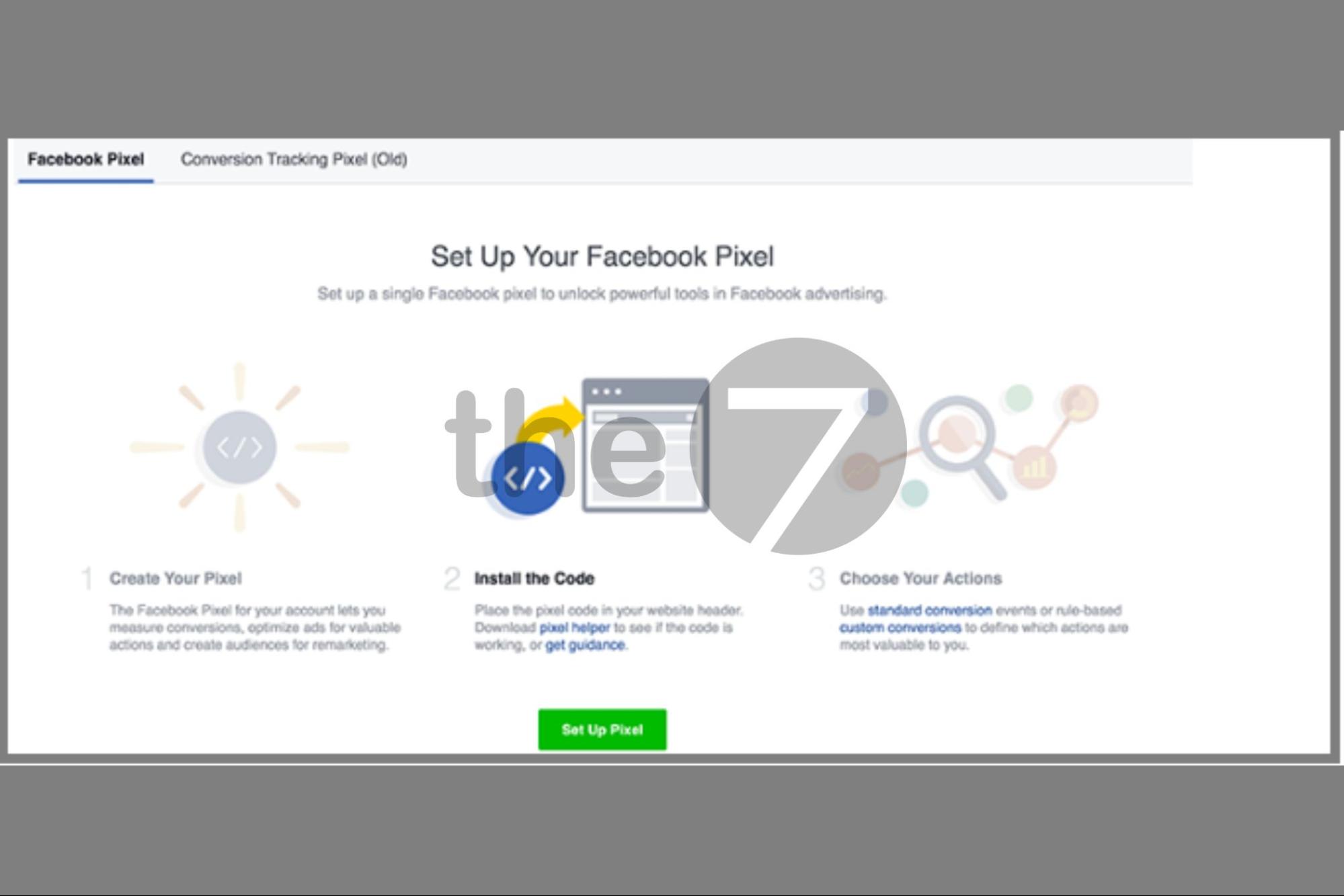
In this step, you will do three main things: create a pixel, identify the pixel, and install the pixel on your website. Here is how:
Create a pixel
- Step 1: Go to Facebook’s pixel creation link: https://www.facebook.com/business/help/952192354843755?id=1205376682832142
- Step 2: Click the icon on the right side of the screen -> then connect a data source and select Website.
- Step 3: Select Meta Pixel > click Connect.
- Step 4: Add a custom pixel name.
- Step 5: Enter the URL you want to remarket.
- Step 6: Then click Continue and follow the next steps.
Identify your Facebook Pixel
- Step 1: Go to the Facebook Pixel section in Facebook Business. If you have never installed a pixel, click “Setup Pixel”.
- Step 2: Under “Choose How you want to install your Pixel code,” select an installation method through platforms such as BigCommerce, Magento, Google Tag Manager, and so on.
- Step 3: You will see a blue line appear. That is your Pixel ID.
Install the Pixel ID on your website
Install the Pixel ID through WordPress
- Step 1: First, install a theme for WordPress.
- Step 2: Then go to the Header and Footer Scripts section -> paste the Pixel code into the “Header Scripts” box and click “Save”.
Install the Pixel through Google Tag Manager
- Step 1: Click the “Add A New Tag” button in Tag Manager.
- Step 2: Click Tag Configuration.
- Step 3: Click Custom HTML.
- Step 4: Copy and paste the Facebook Pixel code you obtained earlier.
- Step 5: Click Advanced Settings and select Once per page -> Triggering.
Note: The Pixel only works if your website has at least 20 users who match your target. Otherwise, you will see the message “Your Pixel isn’t working.” To fix this, you need to increase your website traffic before running ads.
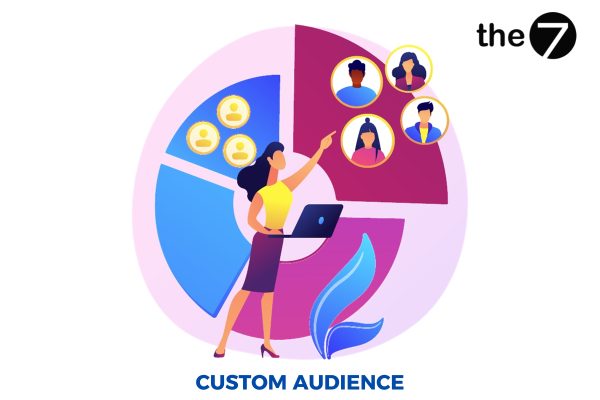
Step 4: Create a Custom Audience
Go to Facebook Ads Manager -> select All Tools -> Audiences -> Create Audience -> select “Custom Audience”. The audience sources are:
- Website Traffic – People who have visited your website.
- Customer File – Your customer list.
- App Activity – The activity of customers who have visited your app.
- Offline Activity – Your customers’ offline activity.
When you run a remarketing campaign on Facebook, different audience groups serve different purposes. To optimize your Facebook ads and ad costs, you should build ad content for each audience group you want to target.
Step 5: Set Up and Run Your Remarketing Ads
After this step, set up your ad creative as usual and choose Remarketing as the objective (including Traffic and Conversions). Don’t forget to add the website link you want to promote, a suitable ad format, and a UTM (Urchin Tracking Module) code to track your traffic sources.
How to Create a Custom Remarketing Audience on Facebook
Choose a Facebook Remarketing Audience of Website Visitors
To start a Remarketing campaign targeting people who have visited your website and are now shown on Facebook, follow these steps:
- Build your target audience (people who have visited your website).
- Use this audience to run Remarketing when you create your ad campaign.
Choose a Facebook Remarketing Audience That Engaged on Social Media
People who have engaged with your business through social media in the following ways:
Audience who watched videos on your Facebook Page
Running Facebook ads through video is becoming more and more popular. According to surveys, many Facebook users like to watch videos on autoplay. When that happens, Facebook automatically saves the audience that watched your video. If you have a video introducing your product or its features, you can easily pick out your potential customers.
Audience who visited your Page
Just like the audience that watched your videos, customers who visit your Facebook Page are also saved by Facebook.
They don’t need to engage with anything. Customers only need to click on your Facebook Page, and Facebook automatically saves this list of customers.
Audience who messaged your Page directly
This audience is considered high quality. If customers have ever been interested enough to message you, they definitely intend to use, or are interested in, the products and services you offer.
However, getting customers to message you is not easy, so the quality of your ads is highly valued.
You can use the Credi Response tool to help you grow your inbox. Credi Response automatically sends a message when a customer leaves a comment on your Page. It also helps you collect customer information such as phone numbers, emails, and more.
Audience who engaged with your Facebook Page ads
Promoted posts receive more likes, shares, and comments. Customers may engage with you when a post has content or products that attract them. This is a potential customer group you can’t overlook for your Remarketing campaign.
However, because Facebook stores information about every customer who visits any ad, you may run into some trouble when saving your audiences.
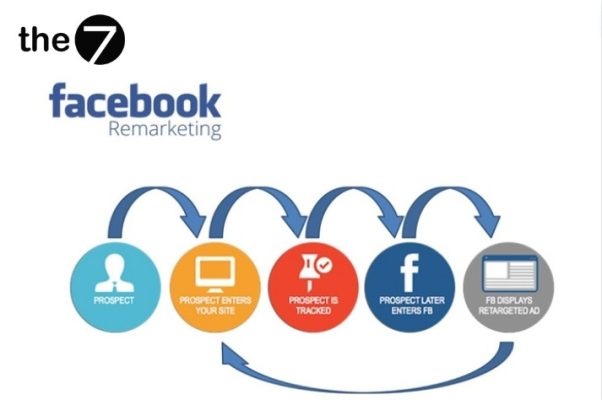
Some marketers tend to run remarketing campaigns continuously. That means remarketing to every user who has visited your website but didn’t convert (that is, made no purchase, filled out no sign-up form, or declined to download a tool).
Others define criteria for Remarketing first, so they can reach people with a more advanced, personalized approach.
Example: These marketers run remarketing campaigns only for visitors who looked at specific pages, such as product pages, or for users who visited the website at a specific time, such as a certain time of day or time of year. It could be a special occasion (such as holidays).
Quick tip: With remarketing, avoid annoying potential customers by showing them too many ads in a day. You should limit the number of ads each user sees, ideally to no more than 2-3 times per day.
Pros and Cons of Retargeting Ads
Advantages of Facebook Remarketing ads:
- Reach potential customers who have already engaged: Facebook Remarketing ads help businesses reach potential customers who have previously engaged with the business’s Facebook Page or website, and encourage them to make a purchase.
- Improve ad performance: Facebook Remarketing ads help businesses target the right audience of potential customers, which improves ad performance.
- Save on costs: Facebook Remarketing ads can help businesses save on ad costs thanks to more precise targeting.
Disadvantages of Facebook Remarketing ads:
- Can annoy customers: If Facebook Remarketing ads are poorly designed, they can annoy customers and make them unwilling to engage with the business.
- Requires a source of potential customer data: To run Facebook Remarketing ads, a business needs a source of potential customer data, and building a customer database takes a lot of the business’s time and resources.
The Cost of Using Remarketing
Remarketing is not only an effective advertising method but also a way to attract customers at a low cost.
In practice, Remarketing means targeting ads to people who have already shown interest in the products and services your company offers.
You can reach your target KPI results as expected. Just aim at the right marketing target (potential customers) and set a budget that fits your strategy.
Remarketing usually runs on a pay-per-click (CPC), pay-per-thousand-impressions (CPM), or pay-per-conversion (CPA) model.
This approach gives you full management and control over the costs of this campaign. You can also adjust bids for each ad campaign based on specific remarketing lists.
Does Facebook Remarketing Require a Website?
Combining a website with a Facebook Page is the ideal setup because it creates a closed loop for Remarketing on Facebook ads. If you have your own online store website, you can use the remarketing features Facebook provides.
However, your business may not need to build a separate website, since remarketing is already built into Facebook. You can choose a Facebook Remarketing audience that has engaged on social media, rather than one that has visited your website. So you can run remarketing on Facebook even without a website.
In this article, The7 has shared useful information on how to run Facebook Remarketing. We hope you can apply this knowledge to run a truly effective remarketing campaign. Stay tuned for our upcoming articles for more useful insights.

Nguyễn Đình
Bảo




As CEO of The7, I am committed to sharing practical, useful knowledge with every reader. Every article on The7 is based on my 7 years of hands-on experience in marketing — Facebook advertising, LinkedIn advertising, Google advertising, and marketing strategy. I hope you take away plenty of insight from these posts and apply it successfully in practice.
Related Articles

What Is Facebook Ads? Popular Types of Facebook Advertising
What is Facebook Ads? This is surely a question many people wonder about, especially those just starting to learn about Facebook advertising. Let’s explore Facebook Ads from A to Z...

26 Predictions for Social Media Marketing Trends in 2025
It’s that familiar time of year again, when experts and analysts start revealing their predictions for the social media marketing trends worth watching, along with the shifts that promise to...

How to Run Facebook Ads: 2024 Step-by-Step Guide
How can you run Facebook ads effectively, reach the right target customers, and generate valuable conversions? This is probably a question many Digital Marketers and business owners ask when promoting...

Requirements for Running Facebook Ads Successfully and Effectively
When you start your Facebook advertising journey, mastering the basics is the key to success. So what are the requirements for running Facebook ads exactly? Let’s begin exploring and optimizing...

The Most Detailed Guide to Creating a Facebook Ad Account in 2024
To run a campaign on Facebook, the first thing you can’t do without is an ad account. Below, The7 will walk you through how to create a Facebook ad account....

Facebook Video Ad Size: The Most Accurate Guide for 2024
Running video ads is becoming the go-to choice for many businesses. In this context, the Facebook video ad size plays a key role in determining how well your post performs....


