


What Is Carousel? How to Use Carousel Ads Effectively
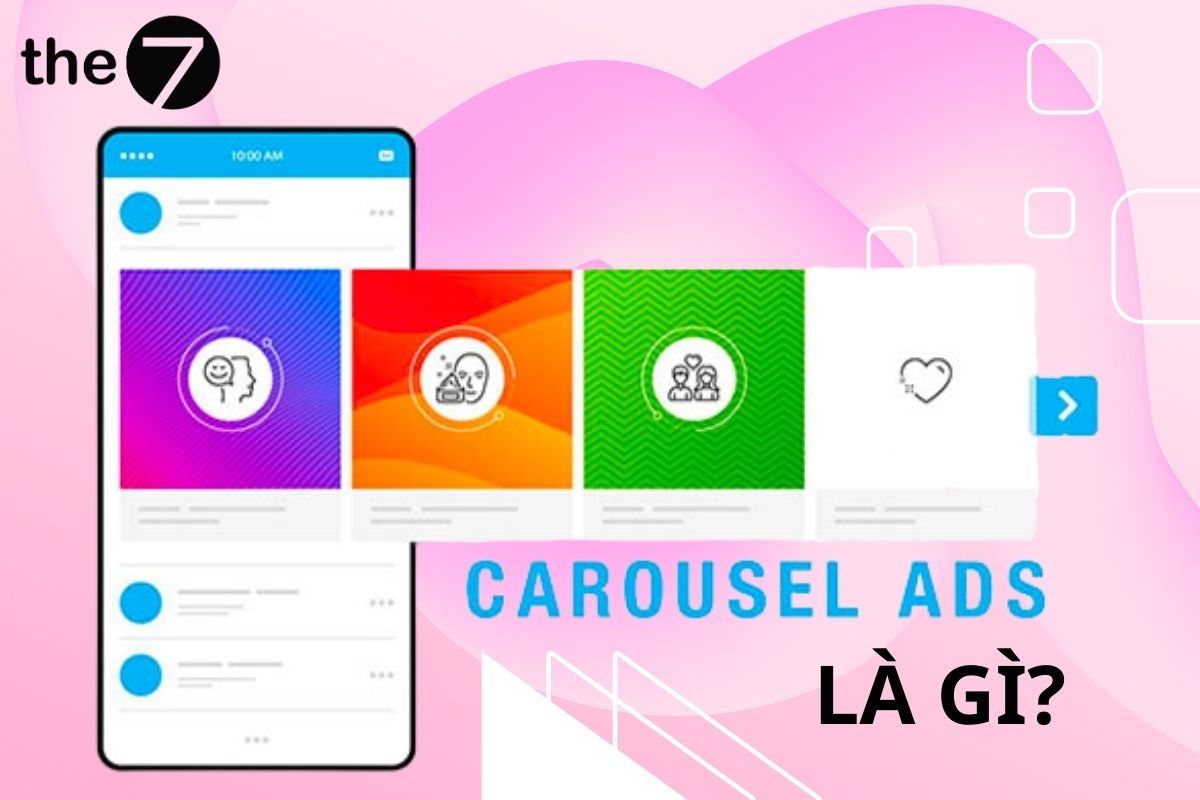
According to data analysis from Kinetic Social, Facebook Carousel not only delivers a clean, attractive look but also boosts Click-Through Rate (CTR) 10-fold compared with traditional static advertising.
So what are the advantages of Carousel ads, and how are businesses putting them to work in their campaigns? Read on with The7 to find out.
>>>>> See more: A highly detailed guide to running Facebook ads in 2024
1. What Is Carousel? Advantages of Carousel Ads
Facebook Carousel (also known as Facebook Carousel Ads) is a special type of ad on the Facebook platform. This ad format lets you display up to 3-5 images, videos, CTAs, or links on rotating cards within a single ad.
According to Facebook:
“Carousel is a scrolling format that lets businesses show two or more images or videos in a single ad, each with its own headline, description, link, and call-to-action. People swipe on mobile or click the arrow on desktop to scroll through the cards.
Carousel meets a wide range of needs and suits many types of businesses, such as real estate, events, services, and more.”
Advantages of using Carousel Ads:
- Encourages engagement: Carousel Ads encourage potential customers to engage actively with your products.
- Plenty of room for multiple products: Carousel’s standout feature is the extra space it creates for multiple products or brand stories within a single ad.
- Make use of different CTAs: Carousel lets you use several different Call-to-Action (CTA) buttons, each appearing under a different product, which creates different landing pages and optimizes the performance of your ad campaign.
- Specific, standout descriptions: Each card in a Carousel can highlight specific features of a product, with its own description underneath, helping to capture customers’ attention.
- Lower conversion and click costs: According to Facebook’s statistics, Carousel ads reduce the cost per conversion and the cost per click compared with link ads that contain only a single image. This is a big benefit for advertisers who bring creativity to their advertising strategy.

2. When Should Businesses Use Carousel Ads?
Businesses should use Carousel Ads when they:
- Want to showcase multiple products or services in a single ad.
- Need to tell a rich, multi-dimensional brand story.
- Are testing and measuring the performance of several different CTAs.
- Want to integrate images and videos into their advertising and marketing strategy.
- Aim to boost engagement and conversions in their Facebook advertising campaigns.

3. How Businesses Use Facebook Carousel
3.1 Product Launches
Tieks, a well-known maker of ballet flats, proactively used carousel ads to spotlight a single product from its collection.
Each Carousel image in the ad focuses on one distinctive aspect of the shoe, and through the headlines, the brand adds descriptive details for each part of the pair.

3.2 Weaving in a Story
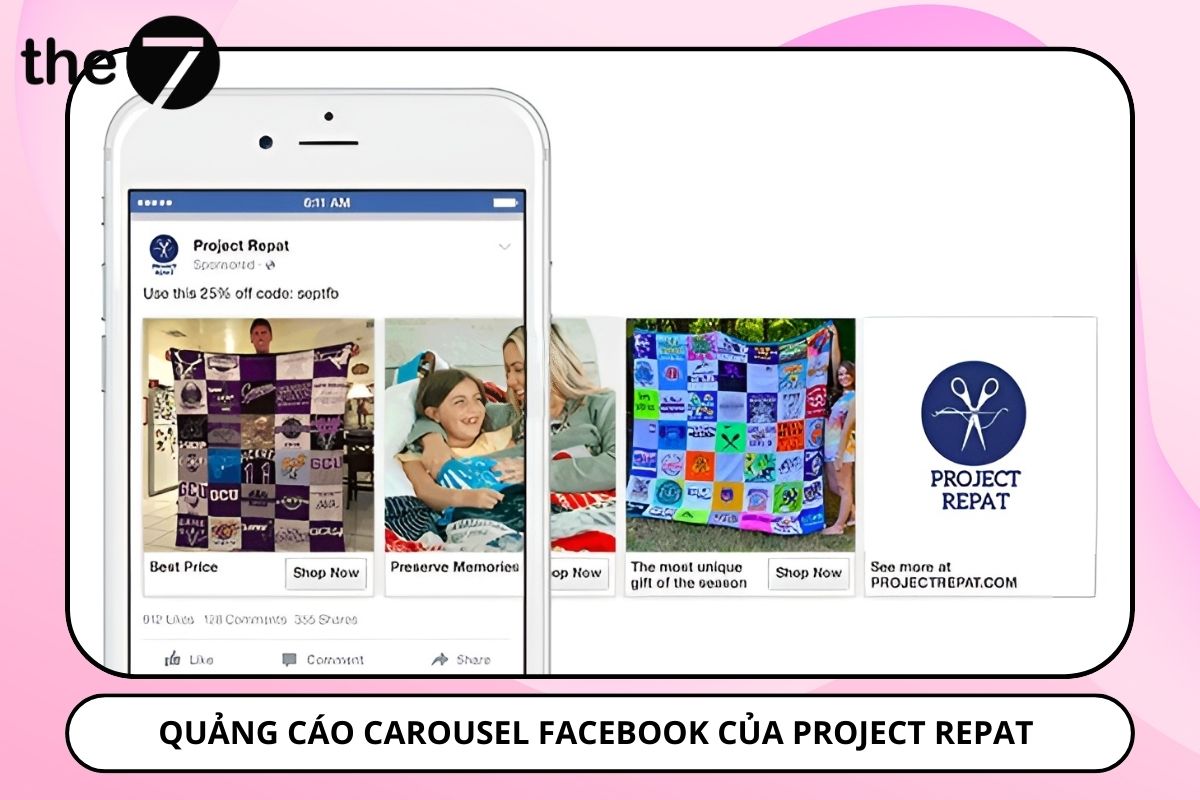
Project Repat, which makes quilts from old T-shirts, cleverly used carousel ads to share the story of how treasured memories can be turned into warm blankets. Card by card, they painted a complete picture and drew the audience into their unique world.
3.3 Product Instructions
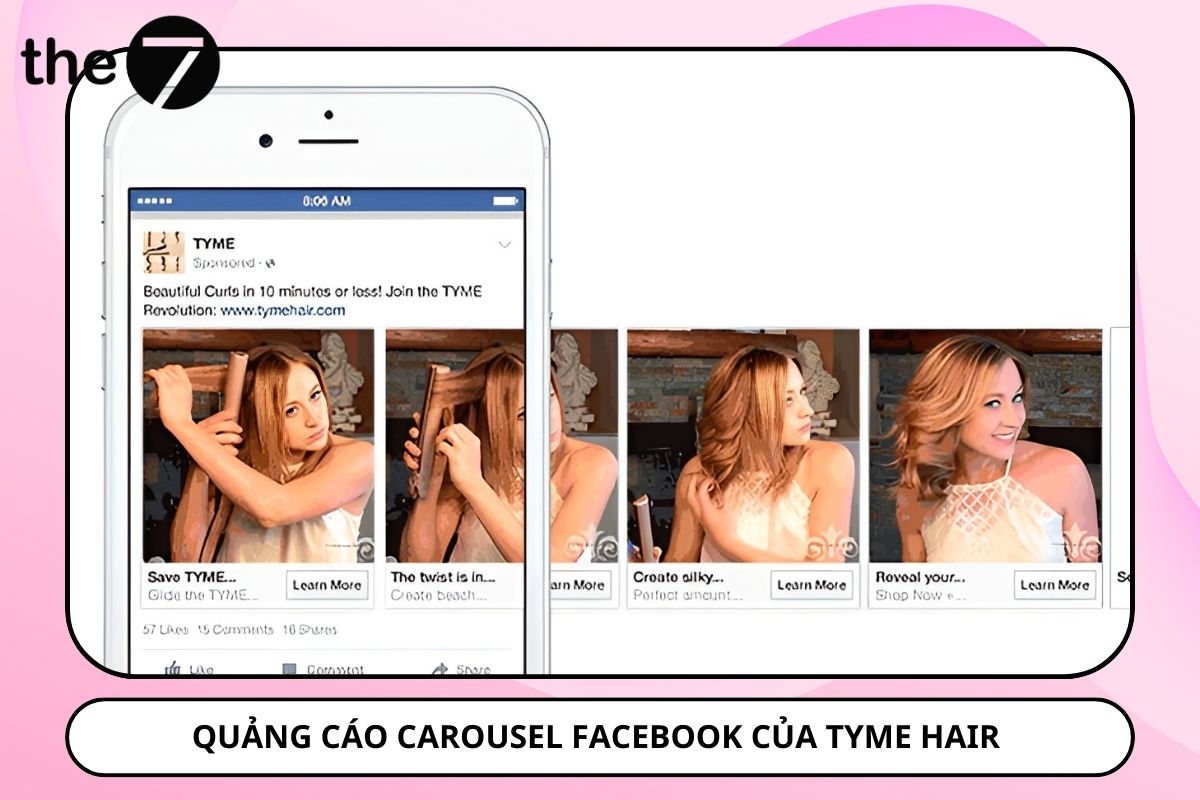
Tyme Hair used carousel ads to show how to use one of its products. Through each Facebook Image Carousel ad, they described the features and how the hair curler works in detail, paired with an illustration of each corresponding step.
3.4 Sharing Articles
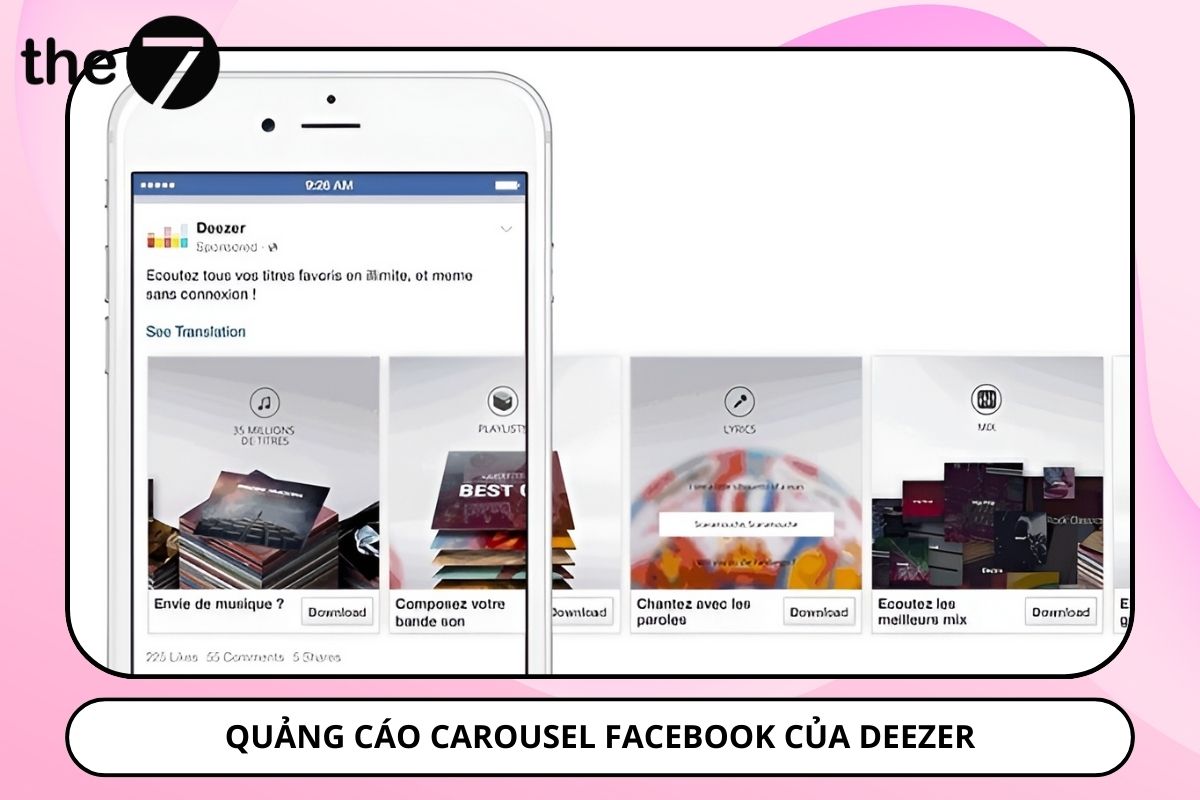
The popular music app Deezer used Carousel Ads to preview the in-app music listening features.
Each ad card summarizes one standout feature of the app, giving viewers an overview of the appealing features and the experiences they can expect from using it.
3.5 Product Experience
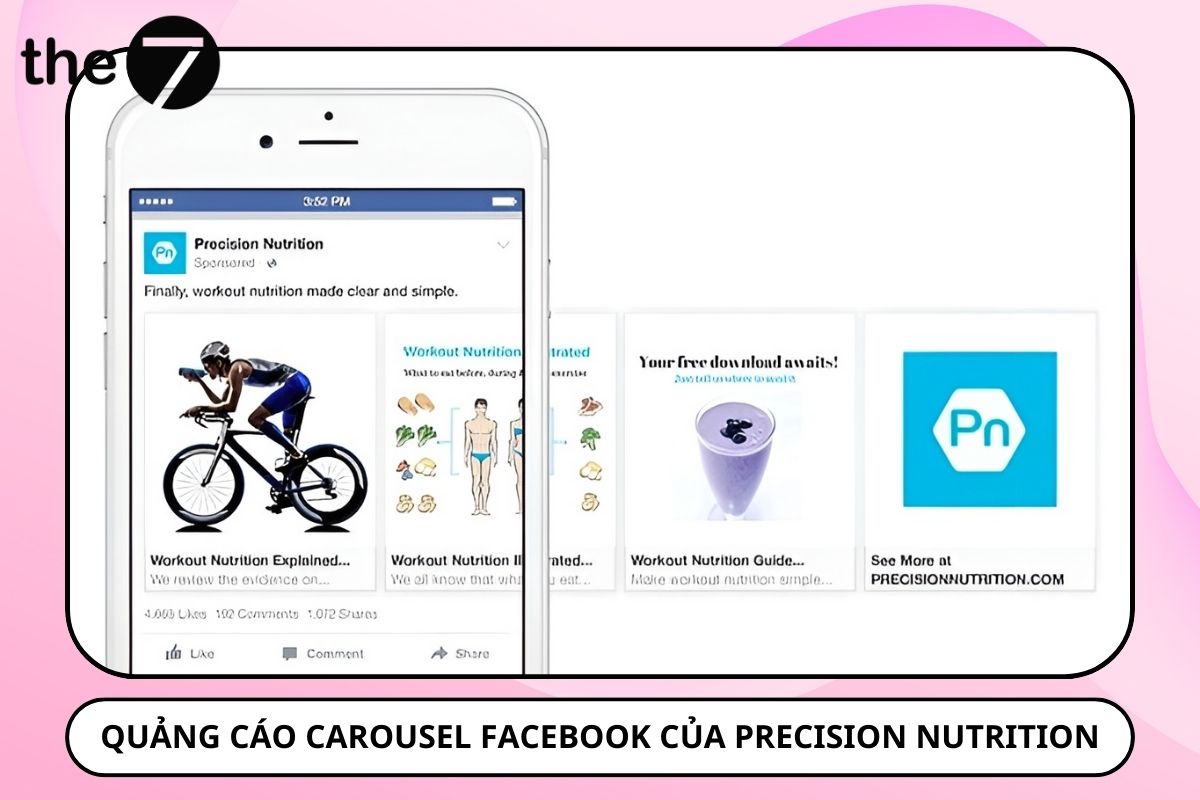
Precision Nutrition is an excellent example of using carousel ads to share and promote articles on healthy eating for athletes from its website. This Facebook advertising strategy caught people’s attention and brought in 6,000 new subscribers, proof of the power of carousel ads in boosting the promotion of quality content.
3.6 Highlighting Products/Services and Features
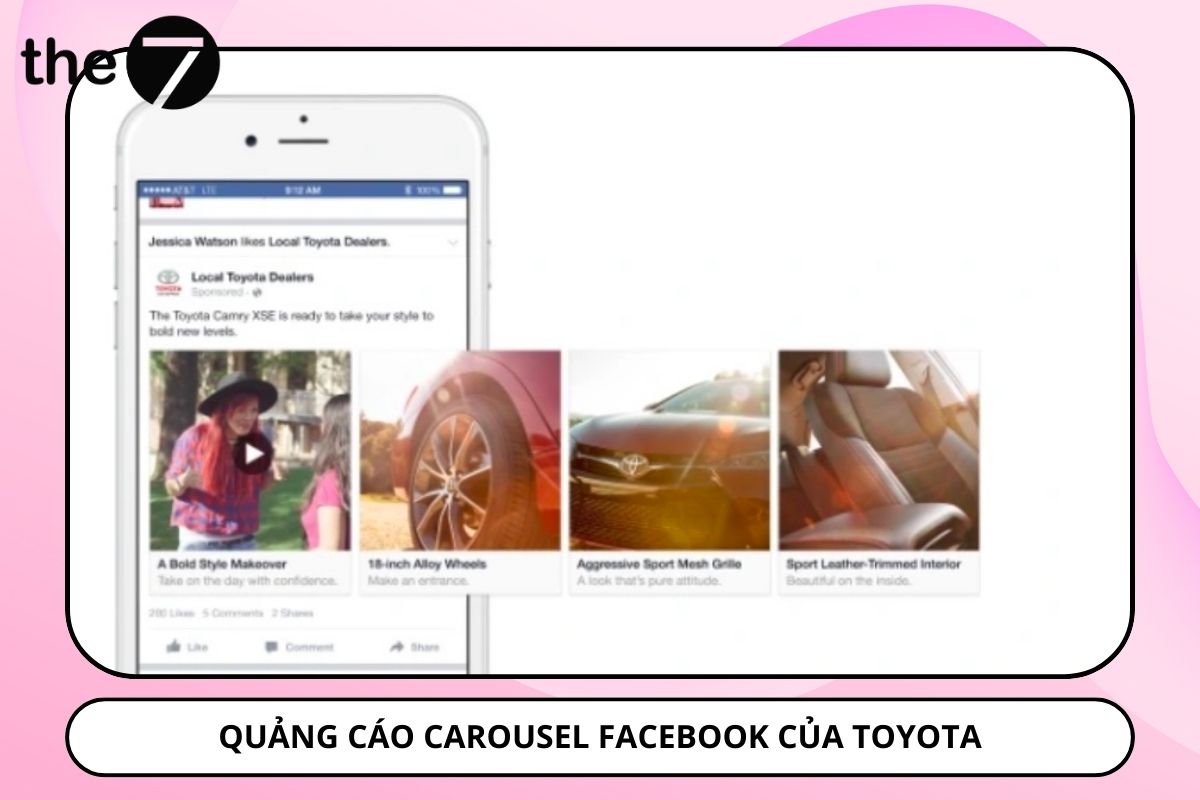
Presenting the features and benefits of a product or service in a Carousel Post is also an effective way to advertise. You sell a solution that delivers many benefits, while features are used to describe the solution (the product or service).
3.7 Showcasing Your Best Products
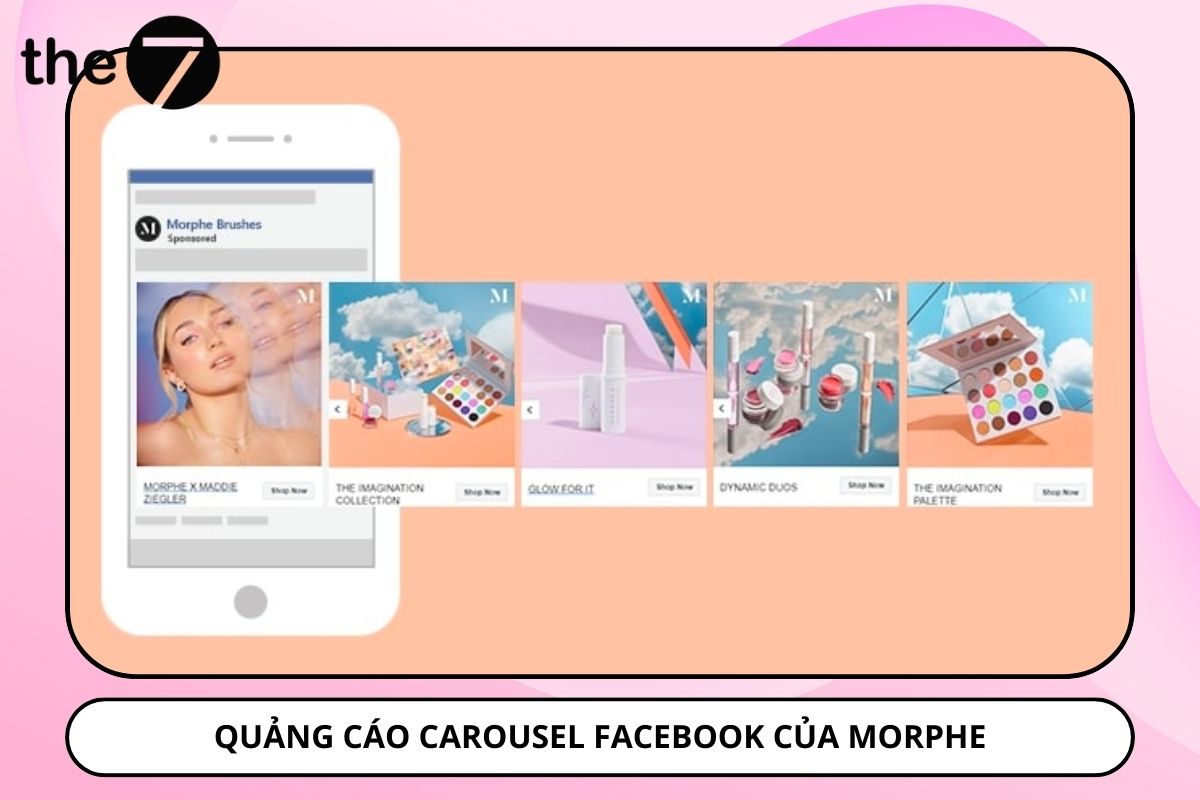
One of the most popular and best-known uses of carousel ads is showing multiple products in a single ad, with each card leading to a different destination URL. The goal is to send viewers directly to a specific product page.
- Show your best-selling products.
- Announce promotions for the month.
- Showcase new products or new collections.
- Show products that go well together (for example, “shop the look” in a ready-to-wear clothing store).
For many people, carousel ads are considered the best format for e-commerce websites, helping to optimize conversions and capture viewers’ attention.
4. How to Create Carousel Ads on Facebook
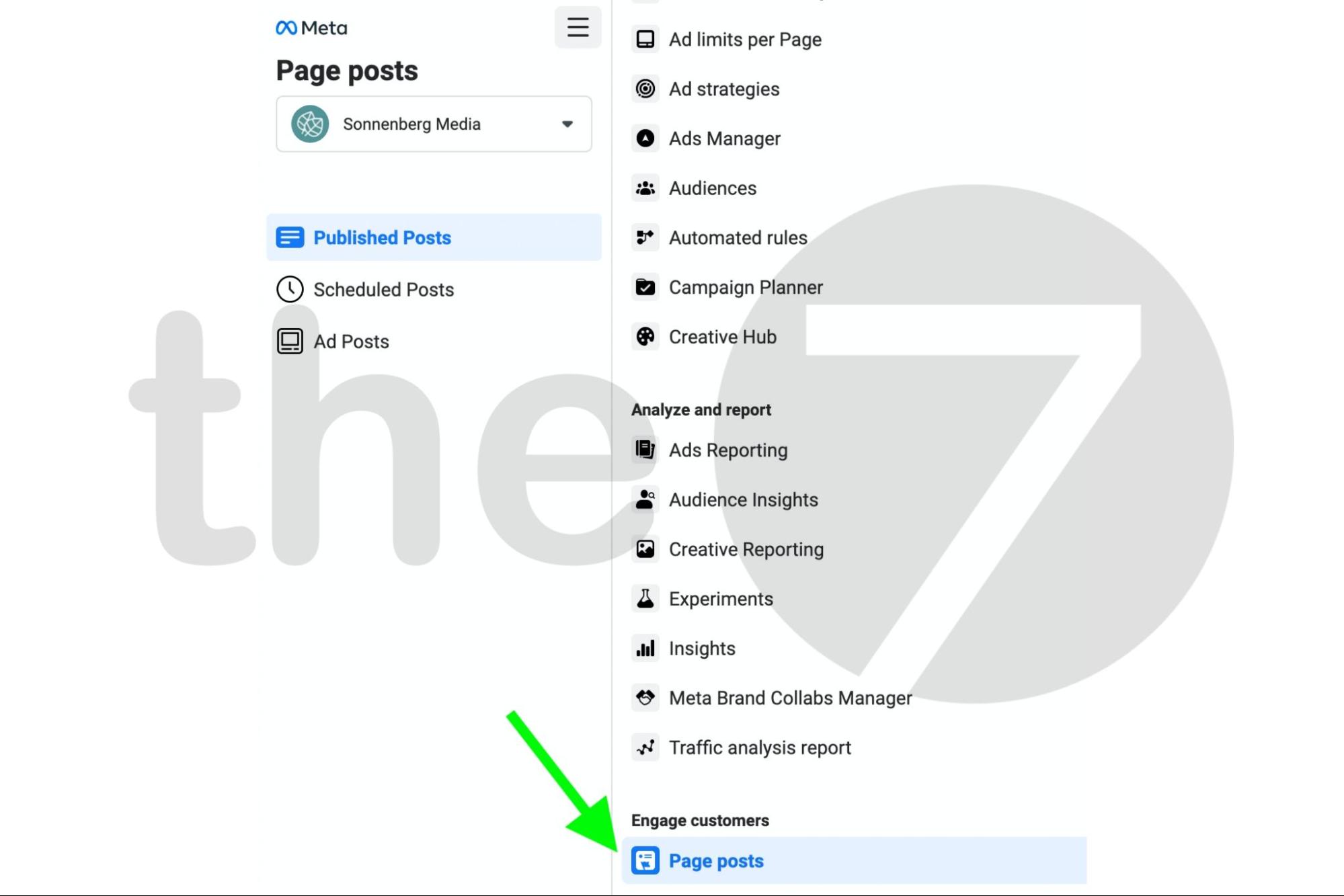
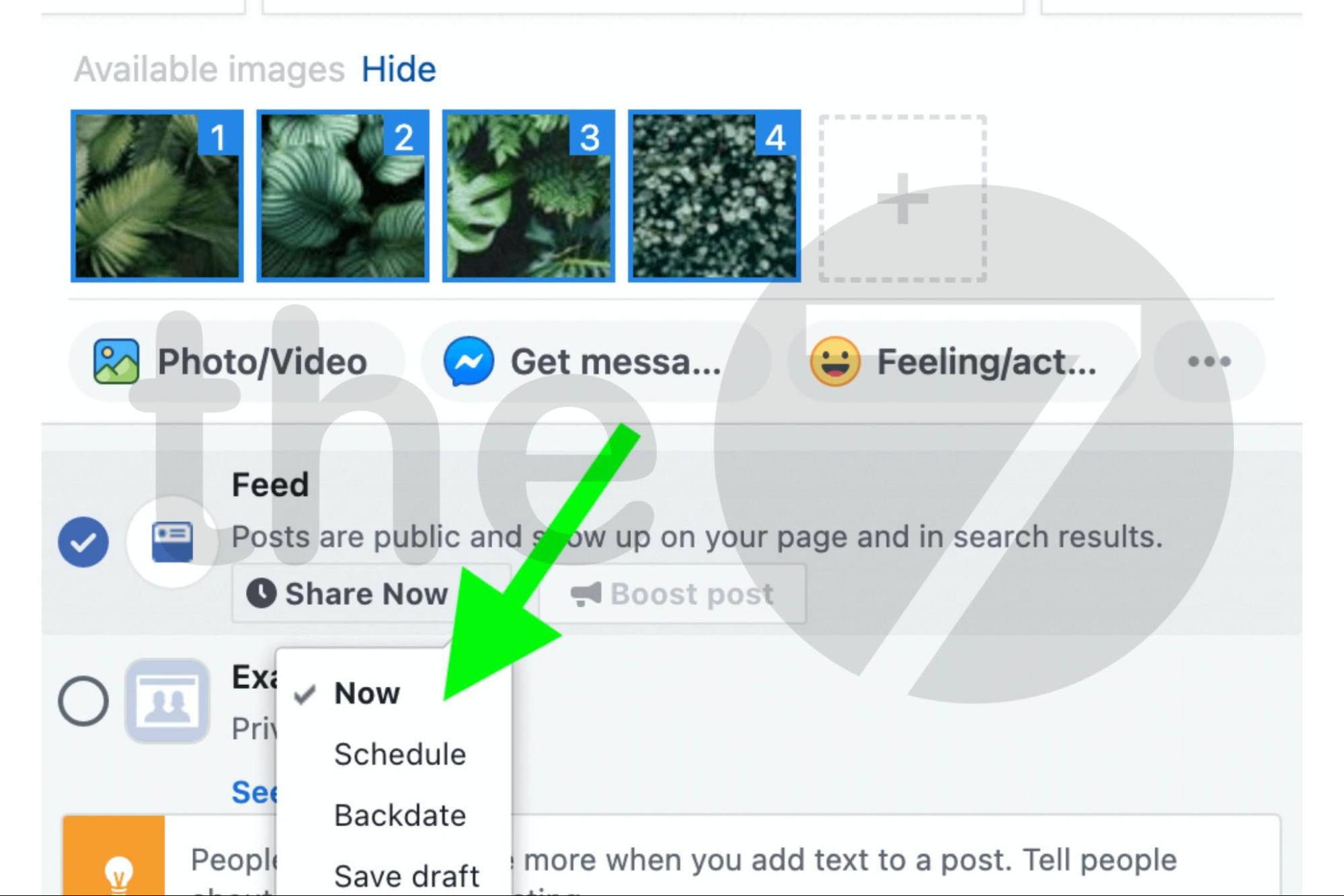
Step 1: Go to Facebook Ads Manager, open the menu in the top-left corner -> select Published Posts -> select Page Posts.
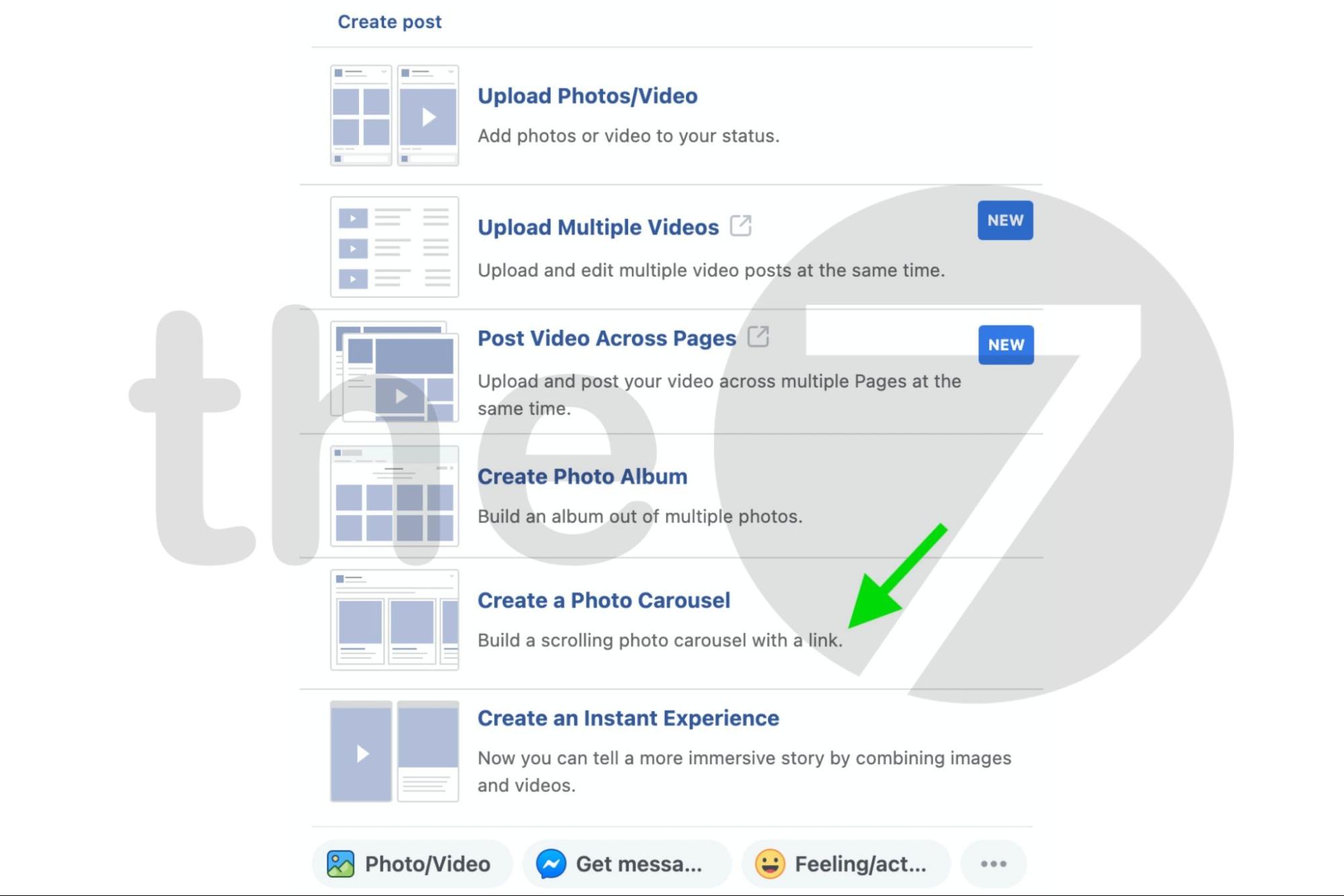
Step 2: Click the “Create a Photo Carousel” button.
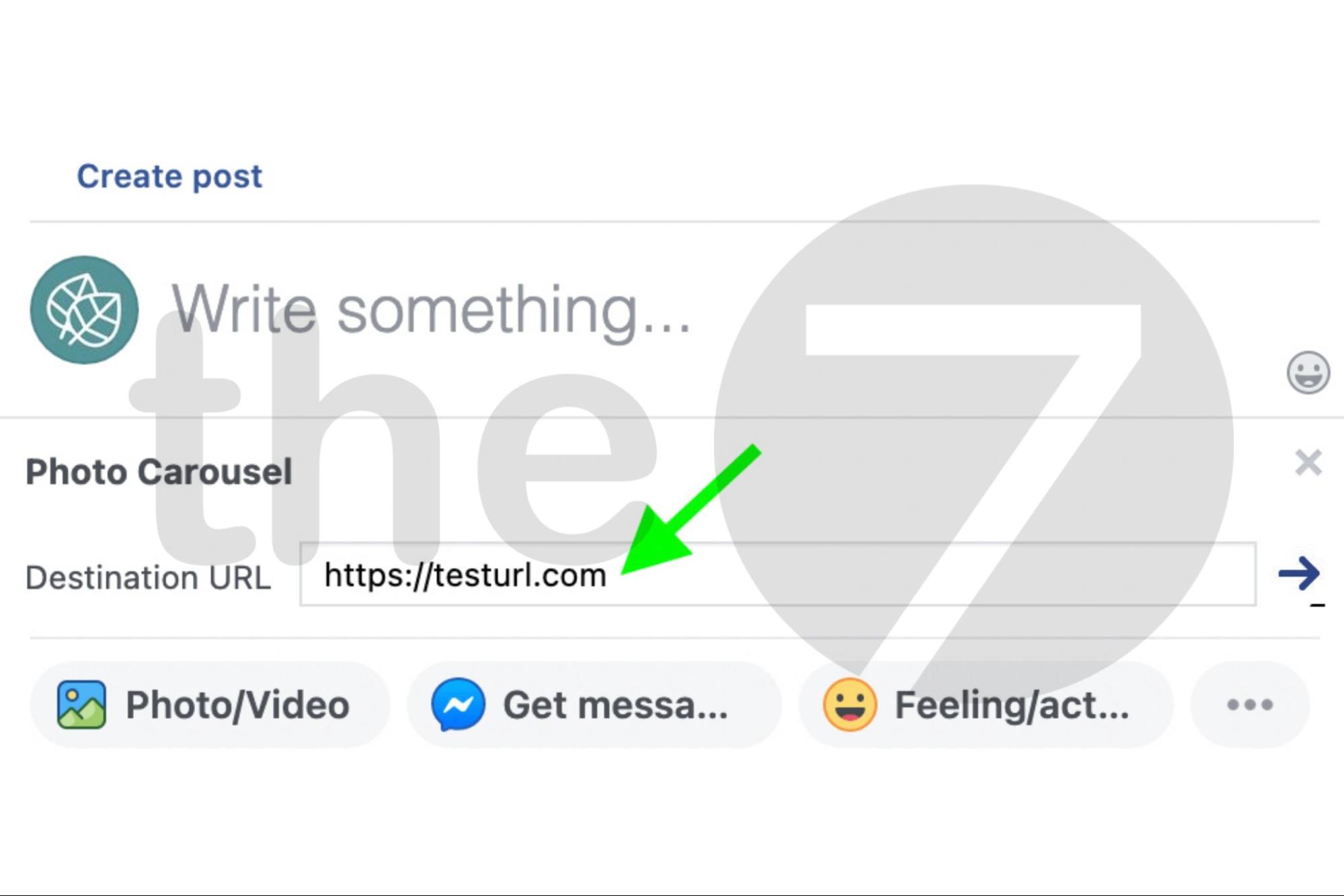
Step 3: Enter the landing page URL you want to add to the first card. You can also add other URLs to the other cards. Then click the arrow icon.
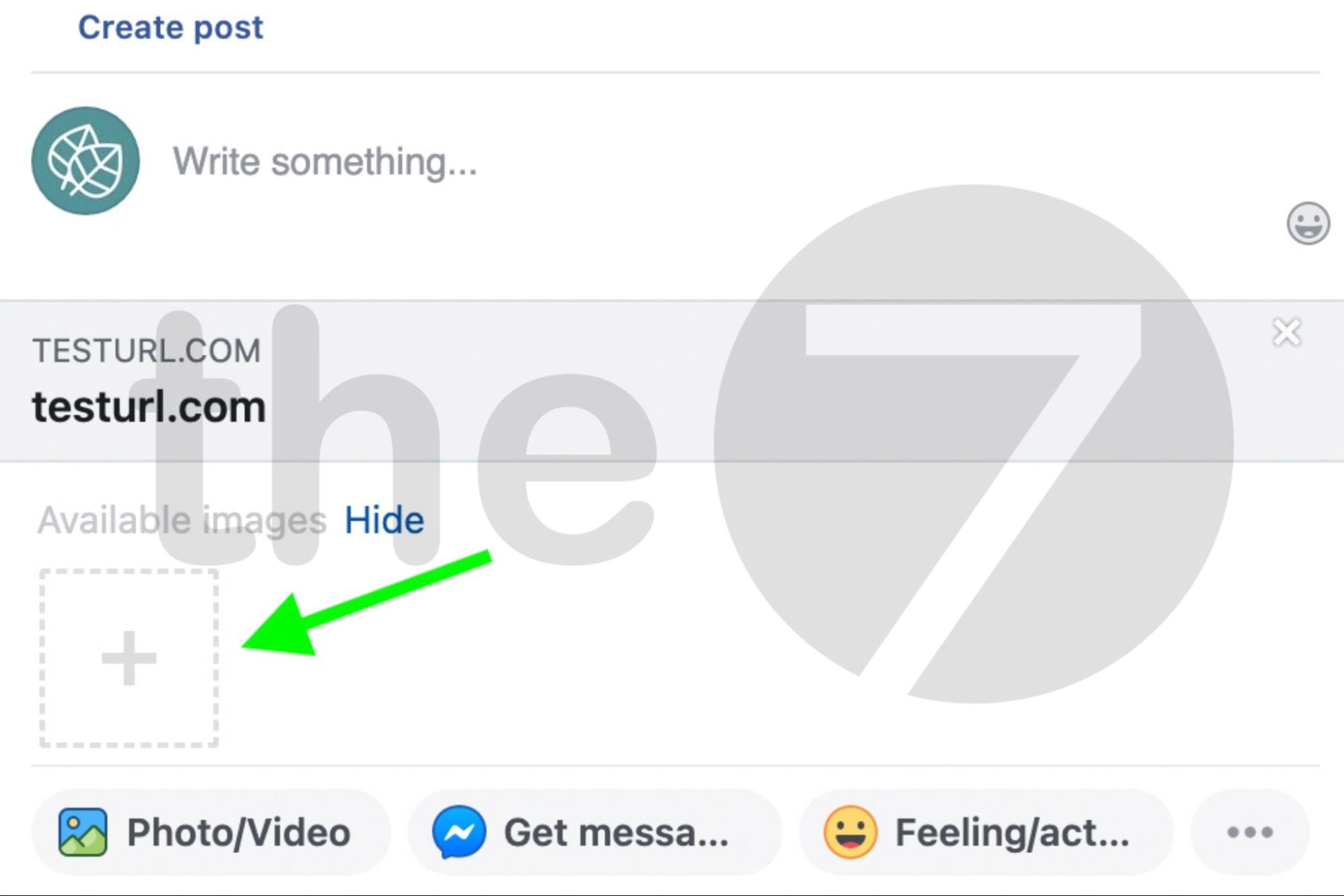
Step 4: To add more images, click the plus icon. Note that you can add a maximum of 10 images.
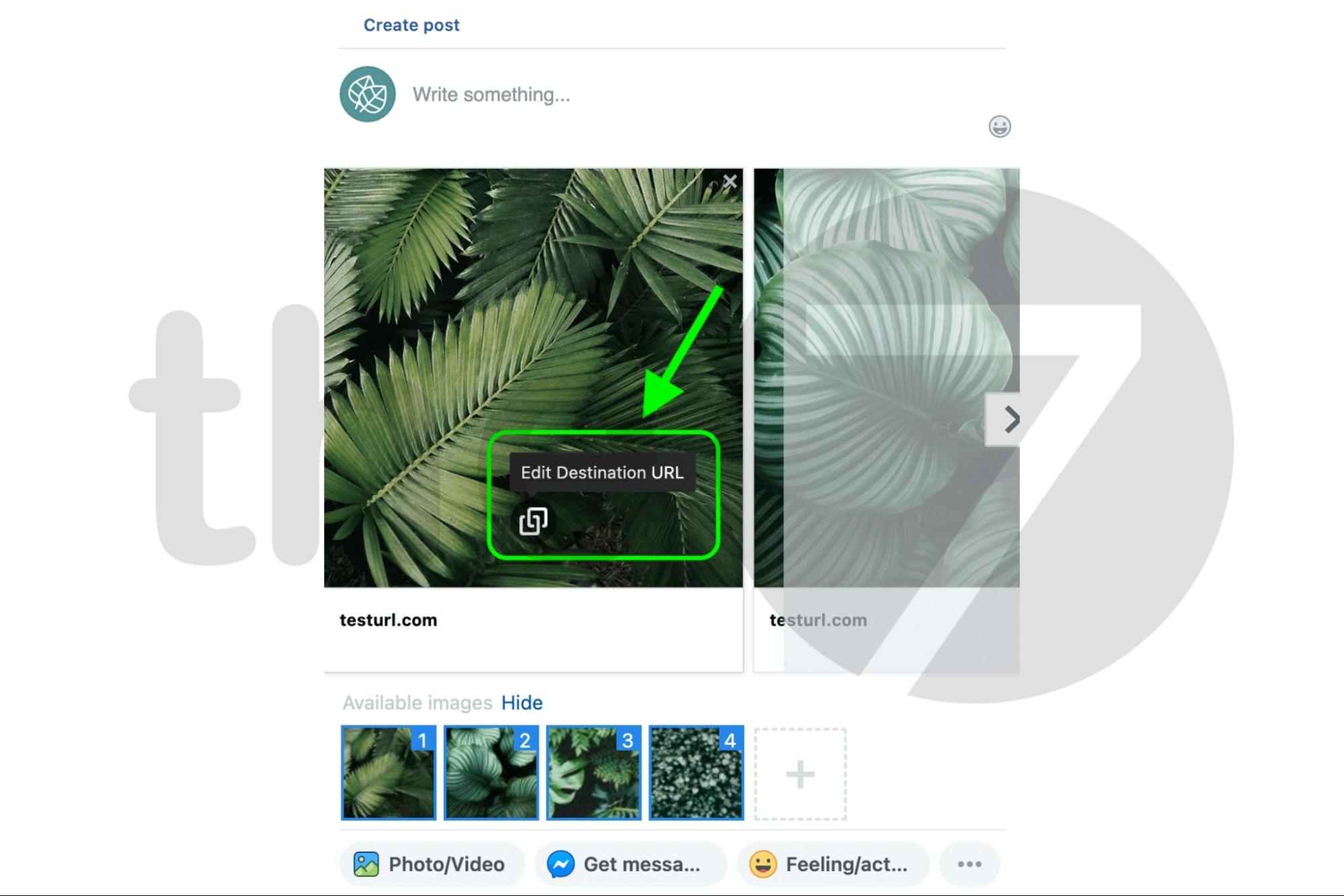
Step 5: To customize a carousel card, hover over the image until you see the Edit Destination URL button. Then click it and enter the landing page URL.
Step 6: To customize the headline, click it and replace the default text. Just like the URL, you can add a different headline for each card. When you’re done, you can publish.
5. Tips for Running Facebook Carousel
5.1 Grab Attention With the First Image
Facebook’s News Feed is always packed with information, so to make your ad stand out and capture viewers’ attention, focus on creating a compelling, meaningful first image.
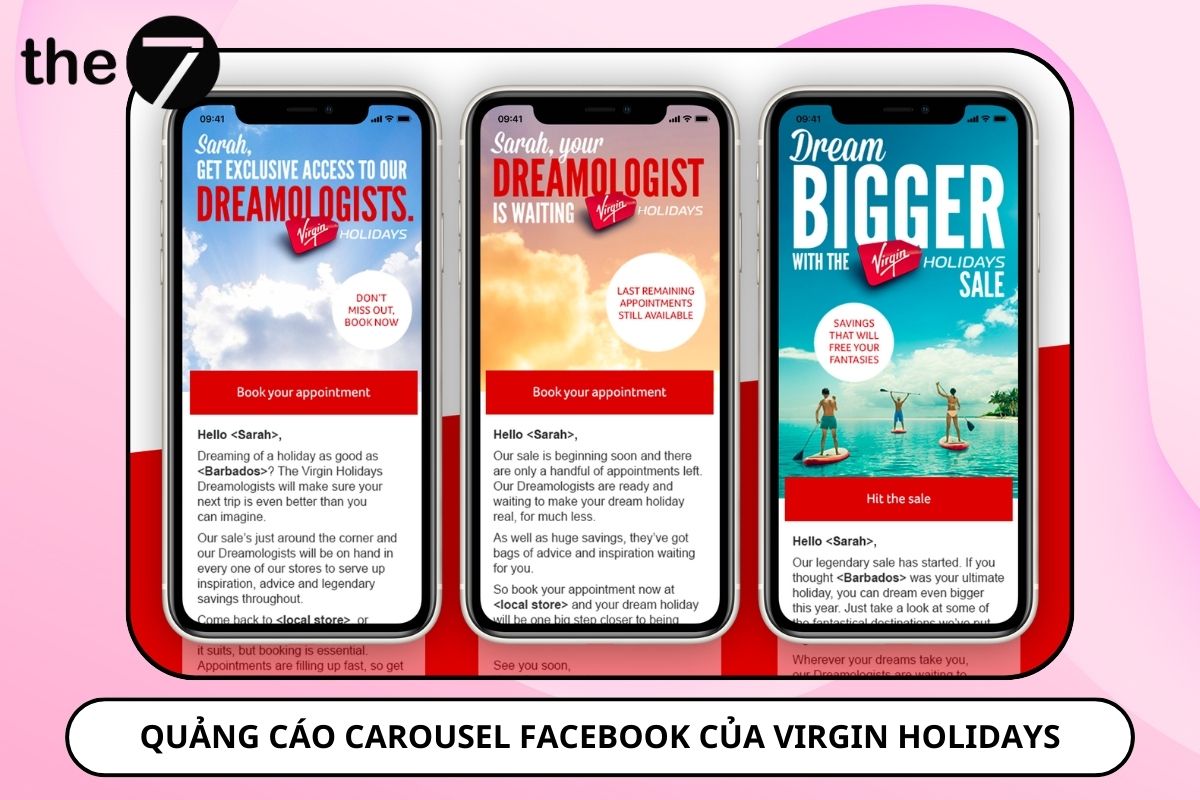
Virgin Holidays did this brilliantly in its #Dream Bigger sale campaign. The first card in its carousel ad not only gave accurate details of the offer but also drew attention with an image of New York City.
5.2 Follow Facebook’s Rules
Facebook has shared key recommendations for optimizing Carousel Ads performance, such as:
- Image size: 900 x 900 pixels
- Text: up to 90 characters
- Image ratio: 1:1
- Description: up to 20 characters
- Headline: up to 40 characters
- Images should not contain more than 20% text
- Maximum video length: 4 hours
- Maximum file size: 4GB
A helpful tip is to use the headline space under each image to show the price, product name, benefit, discount percentage, or a call to action. This makes your message stand out and easier for viewers to understand.
5.3 Adjust the Order of Your Cards
Facebook automatically orders the carousel cards based on how each one performs. That way, businesses can improve the performance of their Facebook Carousel ad campaigns by replacing or removing underperforming cards.
Note: You should turn off Facebook’s automatic optimization if you use Carousel cards to tell a brand story.
5.4 Link Cards to a Landing Page
A landing page helps a Carousel ad maximize its conversion rate thanks to its CTA, ad messaging, eye-catching images, and more. That’s why businesses shouldn’t hesitate to invest in a polished landing page when running this type of ad.
6. Case Studies of Carousel Ads on Facebook
6.1 Straight Compton Outta
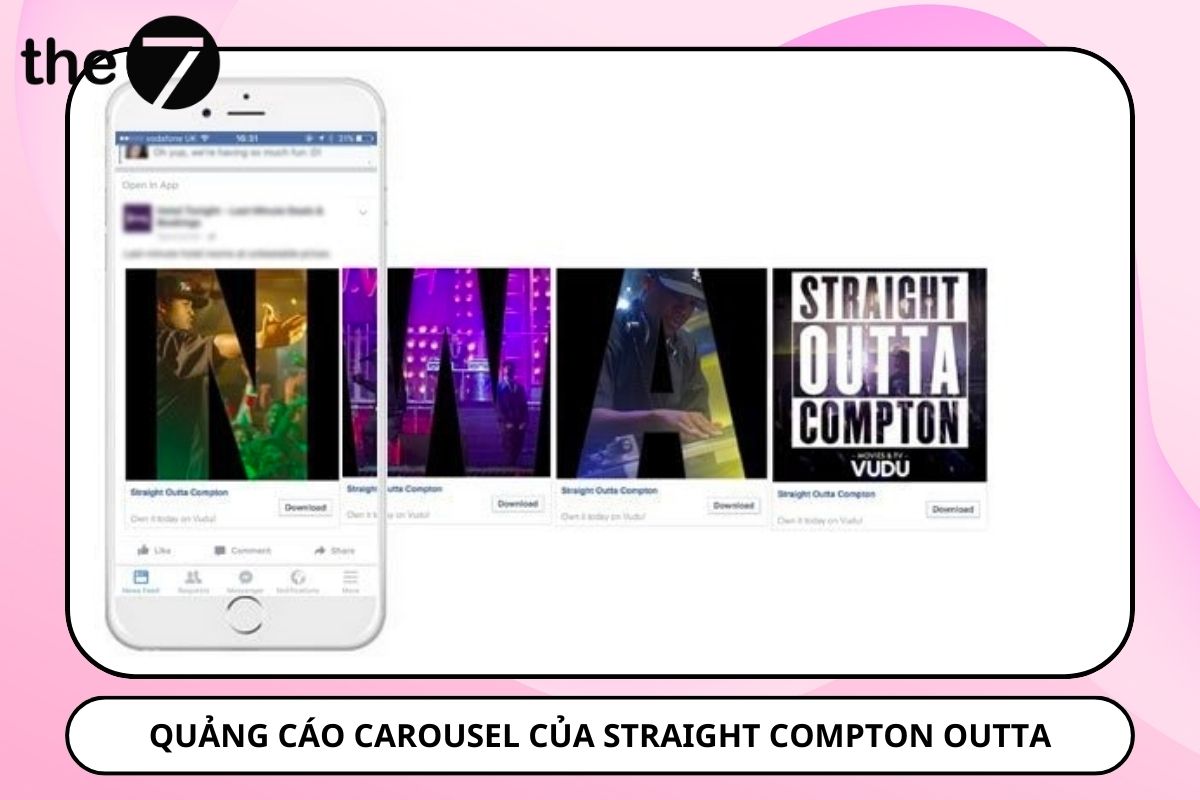
Straight Compton Outta used carousel ads to showcase scenes from the film and announce its release on VUDU.
6.2 Deezer
Deezer used Carousel Ads to announce that The Beatles’ music is available in its app. The ad spread an image of the band across three cards and used the headline space on each card to promote the news of The Beatles on Deezer, which drew users’ attention.

6.3 Xbox
Xbox promoted the latest Tomb Raider game with a panoramic image of Lara Croft hanging on a cliff face. The ad used the carousel format to display this striking image and create a strong sense of adventure and intrigue, encouraging viewers to engage with the ad content.

6.4 Fallout
To promote Fallout 4, Bethesda Game Studios used carousel ads to share ratings and reviews from well-known, trusted websites and magazines in the gaming industry.

6.5 Tesco
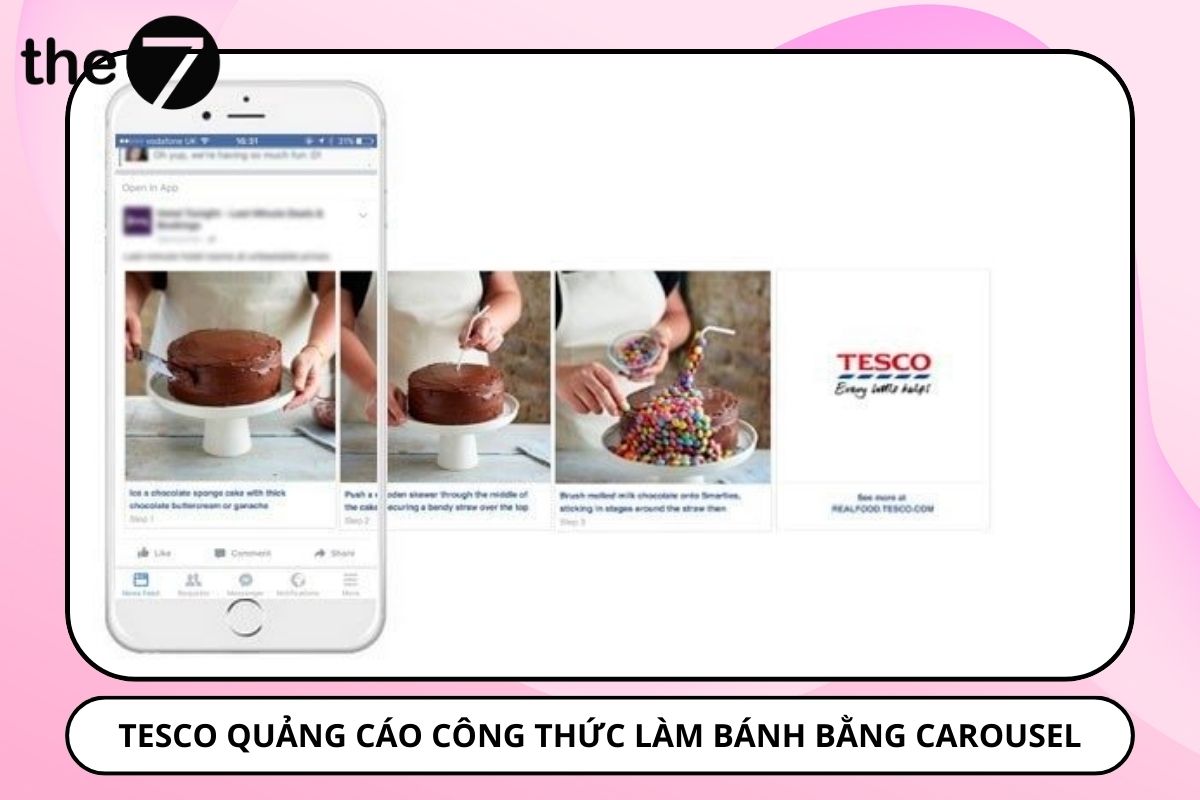
Tesco used carousel ads to present a step-by-step recipe and link directly to its Real Food blog.
6.6 Chipotle
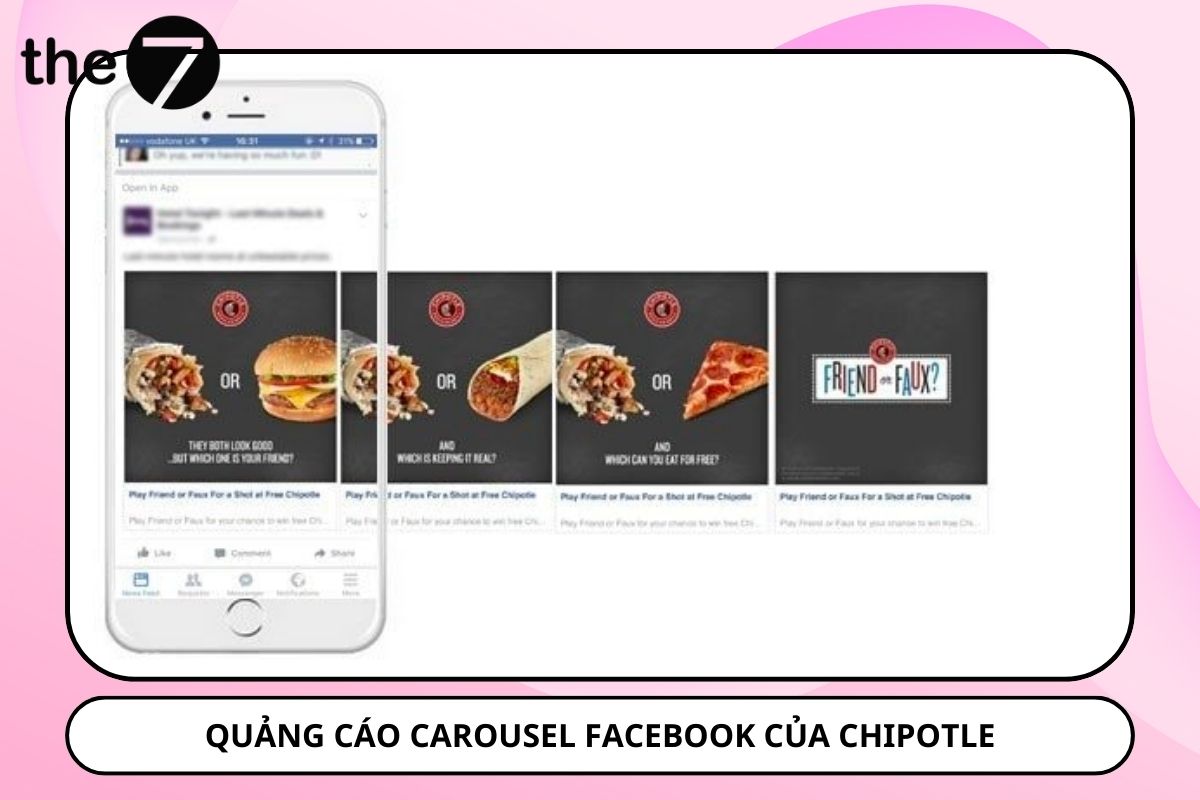
Chipotle used carousel ads to create its distinctive ‘Friend or Faux’ campaign. The cards in the ad compared Chipotle meals with other fast foods, asking which one is your ‘Friend’ and which is your ‘Faux’, which sparked curiosity and drove engagement and online discussion among users.
We hope this article has given you a clear understanding of Carousel and how to apply it to your advertising strategy. What do you think of Facebook Carousel Ads? Have you tried them yet? If so, what results did you get? Share your thoughts with us at The7!
>>> You can learn more about Facebook advertising in these articles:
- What Is Event Responsive? Benefits and How to Run Facebook Event Ads
- What Are Facebook Dynamic Ads? How to Run Facebook Dynamic Ads Most Effectively in 2024
- What Is Boost Post? Tips for Running Boost Post Effectively in 2024

Nguyễn Đình
Bảo




As CEO of The7, I am committed to sharing practical, useful knowledge with every reader. Every article on The7 is based on my 7 years of hands-on experience in marketing — Facebook advertising, LinkedIn advertising, Google advertising, and marketing strategy. I hope you take away plenty of insight from these posts and apply it successfully in practice.
Related Articles

What Is Facebook Ads? Popular Types of Facebook Advertising
What is Facebook Ads? This is surely a question many people wonder about, especially those just starting to learn about Facebook advertising. Let’s explore Facebook Ads from A to Z...

26 Predictions for Social Media Marketing Trends in 2025
It’s that familiar time of year again, when experts and analysts start revealing their predictions for the social media marketing trends worth watching, along with the shifts that promise to...

How to Run Facebook Ads: 2024 Step-by-Step Guide
How can you run Facebook ads effectively, reach the right target customers, and generate valuable conversions? This is probably a question many Digital Marketers and business owners ask when promoting...

Requirements for Running Facebook Ads Successfully and Effectively
When you start your Facebook advertising journey, mastering the basics is the key to success. So what are the requirements for running Facebook ads exactly? Let’s begin exploring and optimizing...

The Most Detailed Guide to Creating a Facebook Ad Account in 2024
To run a campaign on Facebook, the first thing you can’t do without is an ad account. Below, The7 will walk you through how to create a Facebook ad account....

Facebook Video Ad Size: The Most Accurate Guide for 2024
Running video ads is becoming the go-to choice for many businesses. In this context, the Facebook video ad size plays a key role in determining how well your post performs....


