


How to Post Sales Content on Facebook and Drive Hundreds of Orders

Today, Facebook is more than an entertainment platform. It is also an effective sales channel with a huge base of buyers. But not everyone knows how to post on Facebook in a way that actually attracts buyers. Check out these simple, high-performing ways to post sales content on Facebook, shared by The7.
>>> See more:
- Integrated marketing – what is it?
A Roundup of Effective Ways to Post Sales Content on Facebook
Explore with The7 how to post sales content on Facebook effectively and capture the attention of a wide audience of customers.
Post Your Sales Content During “Golden Hours”
In practice, the time you post sales content online affects how well you reach users. Choosing the right “golden” moment to post will increase your chances of generating orders.

– Morning posting window (6:30 – 8:00 a.m.)
For Facebook users, this is when they have just woken up and pick up their phones to scroll Facebook for the latest updates. The content usually posted in this window includes:
- Motivation and positive energy for the new day
- Entertaining, fun or cute information
- The hottest news and trends of the moment…
– Noon posting window (12:00 – 1:00 p.m.)
This is usually the lunch break for students, office workers and more… and they have plenty of room and time to scroll Facebook and catch up on interesting things. From 12:00 to 1:00 p.m., Facebook users are more likely to engage with your sales posts because they are alert and not in a rush. That is why the content posted in this window is usually the products/services you want to sell.
– Evening posting window (7:30 – 9:30 p.m.)
This is when Facebook users are online the most. Because it falls after dinner and before bedtime, people have time to reply to conversations on Facebook.
- Useful content to post in this window includes:
- Helpful guides on the products/services you sell
- Tips that help your customers solve problems in their daily lives
- Livestreams
- Selling…
– Schedule your sales posts:
If you plan your writing in advance, you can publish content to your Facebook Page by scheduling it as follows:
- Go to your Facebook Page => Select PUBLISHING TOOLS
- Create new posts
- Enter your post content plus images, then schedule the post as shown in the image below:

How to Post Sales Content on Facebook
Here are the steps to post sales content on Facebook so you can reach and attract more customers:
Step 1: Open the Facebook app on your phone or go to the website on your computer.
Step 2: Select Marketplace.
Step 3: Tap Create new listing.
Step 4: Choose the selling category that fits your needs.
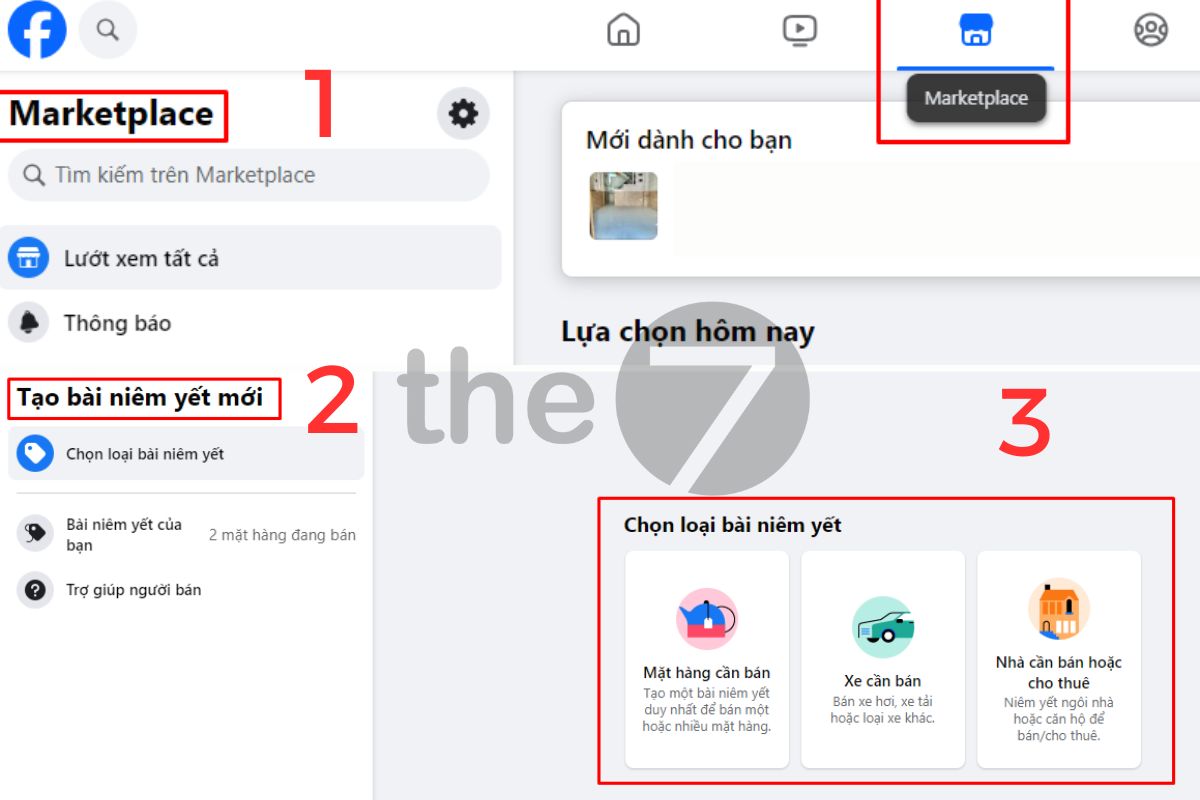
Step 5: Fill in the product details and add images.

Step 6: Once you have finished filling in the information, tap the Post button.
Post Sales Content in Facebook Groups or Forums
If you don’t have a Facebook Page and feel that advertising costs too much, you can build a sales Group or post sales content in Facebook groups and forums to sell wholesale and connect with a new audience at the same time.
This is considered a very effective way to reach customers on Facebook for free. If you get lucky, you can close hundreds of orders and build a group with a loyal customer base just by posting sales content in Facebook groups.
Posting to a Facebook sales group is also easy. Just follow these steps:
- Step 1: Join a sales group that you think has potential.
- Step 2: Go to the discussion section -> Select “create post” -> Publish your sales post -> Click “post”.
Note: Follow the group’s rules and check your sales post carefully before publishing it to the group.

Things to Keep in Mind When Posting Sales Content on Facebook
When publishing a post, pay attention to the following:
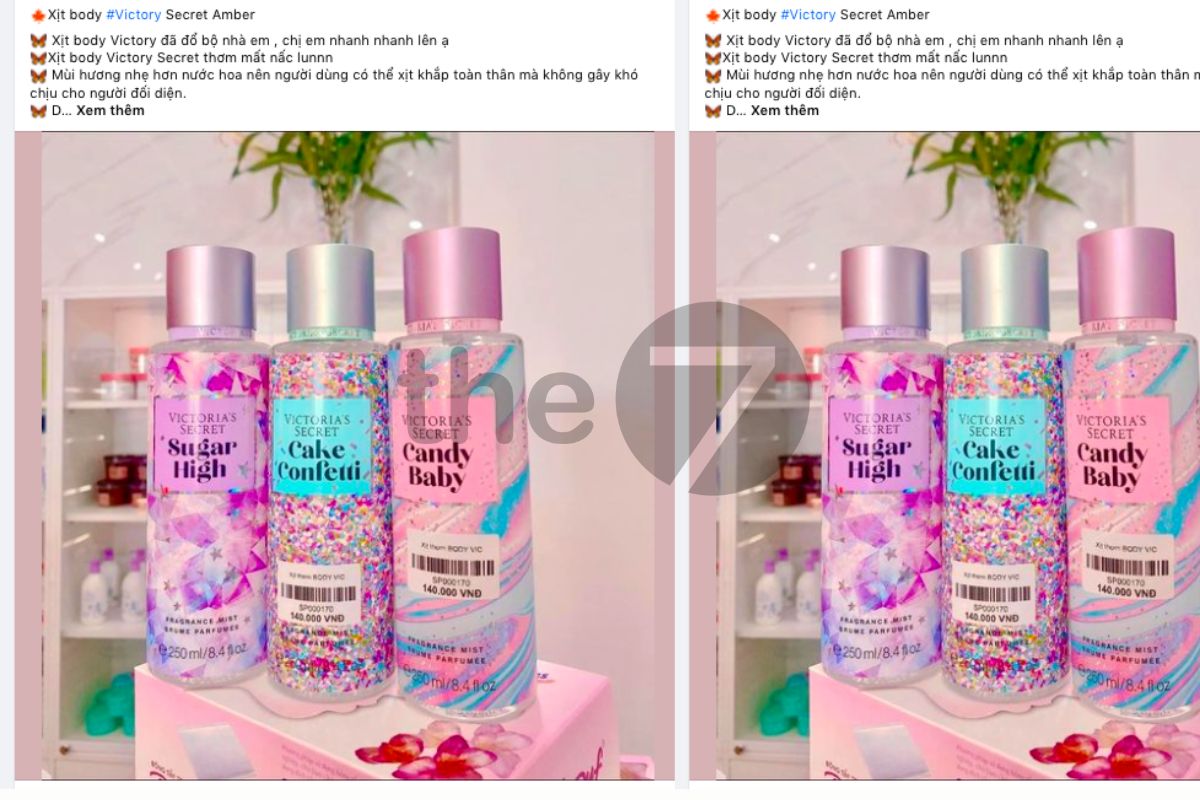
- Use only real photos and your own genuine Facebook account when posting. Avoid clone accounts and fake images, so customers don’t lose trust in your posts.
- Add real photos of your products, and make your business purpose clear. This not only helps customers understand your product but also helps Facebook distribute your content to the right audience.
- Make only 20% of your content sales-focused. Use the rest to share useful information that builds trust and a professional image in customers’ eyes.
- Proactively connect with friends or potential customers on Facebook to increase your sales rate.
Tips for Writing Engaging Facebook Sales Posts That Drive Immediate Purchases
The tips below will help you write optimized sales posts that capture your customers’ interest as effectively as possible:
Start With Your Target Audience
First, you need to understand your customers: what do they care about in your products/services? What your customers need includes:
– What benefits they get from using the products/services you offer
– How long it takes them to get those benefits
– Why your products/services are better than others on the market
– Whether your products/services have been proven to work…

You should also understand your customers’ worries and desires, such as:
– How can I/my family be better off?
– How can my child develop in the most well-rounded way?…
Write From Different Angles
Based on what your customers need, write what they are looking for. For example, if your company/business offers beauty services, the topics and angles you can write about include:
– The first time I tried it, I felt my skin/body was slightly better than before. After a few more sessions, my skin/body became firmer.
– After just 1 treatment course, my skin/body improved noticeably
– Reasons why your skin/body can’t look “smooth and glowing”
– What your customers say about your company/business’s beauty services
– Some outstanding strengths that only your company/business has…

Diversify Your Content
You already have a great sales post, but how do you get it in front of your target customers/potential customers and increase engagement? There is a “rule of thumb”, and you will post according to the 80/20 rule as follows:
– 80% should be useful guides, shared experience, surveys, minigames…
– 20% is selling.
The 80% of useful posts will help you attract more followers. Once they start engaging, your sales posts are more likely to show up for them. Otherwise, no matter how good your company/business’s sales post is, it will disappear.

>>> You can explore The7’s services:
Set Up a Content Plan
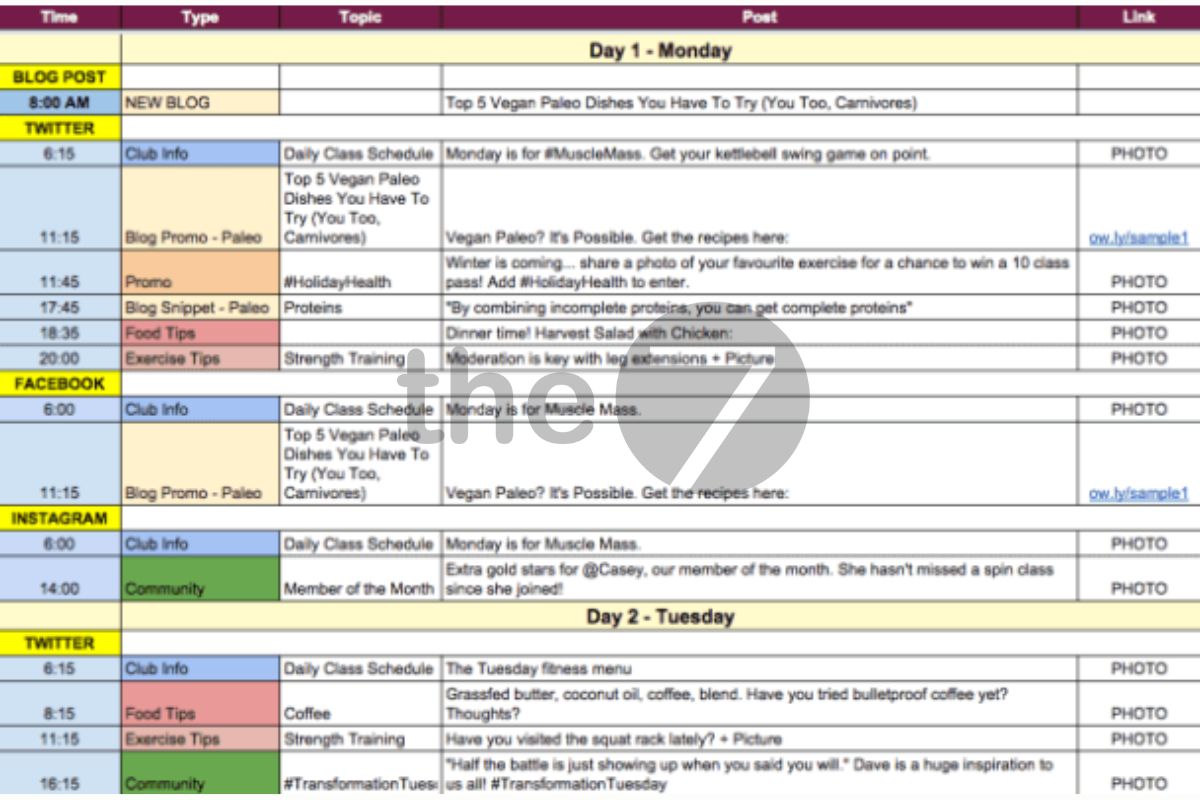
Working in a structured, logical way makes your selling run more smoothly. Just open an Excel file and set up a content plan covering:
– What topic to write about?
– What time slot to post useful content?
– How many posts to publish each day?
– Which days to post?
It’s best to plan your content for at least 1 week. You will see that building content and selling on Facebook is not complicated at all.
Design Eye-Catching Images That Attract Customers
You may know how to write compelling sales posts on Facebook, but if the accompanying images aren’t attractive, results will drop significantly. Typically, Facebook users spend only about 2 – 3 seconds deciding whether a post/article deserves their attention, and that time shrinks every day. With so much information on the Internet, users easily lose focus. That is why images are what capture your customers’ attention. Your images also need to meet these important requirements:
– The right size for Facebook
– Text in the image should take up less than 20% of the whole image (Facebook’s recommendation)
– High contrast (distinct, standout colors) will draw more of your customers’ attention
– Good visibility, with no cropping when displayed on mobile. Most users scroll Facebook on their phones.

Keep Your Content Short
Your Facebook content needs to be short, focused and written using a “formula”. Long sales posts are usually best left to professional copywriters, since they know how to tap into customer psychology. If you’re a beginner, keep it very short.

Use a Clear, Coherent Structure
Here are some sales-writing formulas you can apply:
– Formula 1:
- An attractive title
- The benefits of the product/service
- What does the product/service have that delivers those benefits?
- Proof that customers love the product/service
- Call to Action.

– Formula 2:
- Why haven’t you been able to solve the problem you’re facing?
- Here is an extremely simple and easy way to solve it
- Why can your product/service help customers?
- How is the product/service’s effectiveness proven?
- Call to Action

– Formula 3:
- Who are you, and what products/services do you offer?
- Why is your product/service good?
- Why should people trust you?
- What will you get with this product/service?
- Call to Action

Use Capital Letters for Key Points
Alongside knowing how to post sales content on Facebook, the content itself also deserves special attention. That means writing the words you want to emphasize in capital letters. Or you can simply put the headline in capitals.
Use Hashtags Smartly
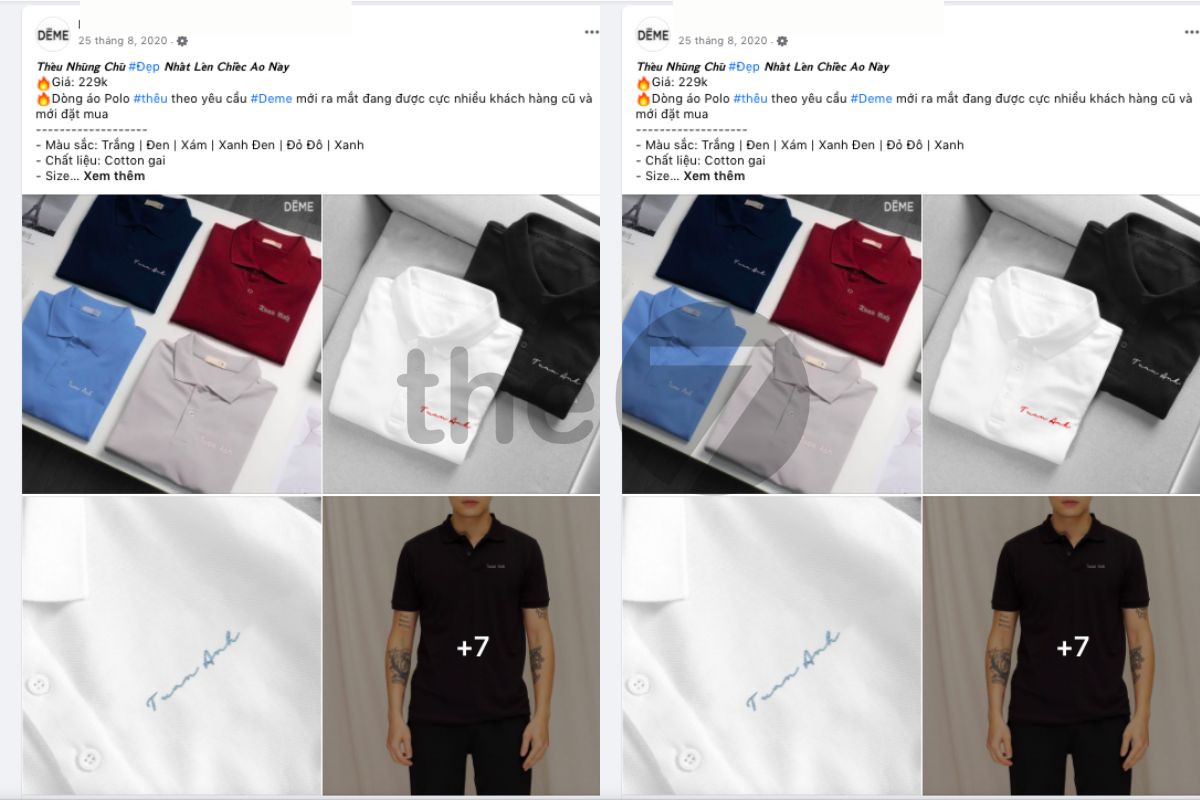
Hashtags are used very well on Instagram and Twitter to label topics so users can find them easily. On Facebook, they are not all that useful. Even so, for Facebook ad posts you should use hashtags to highlight your core keywords.
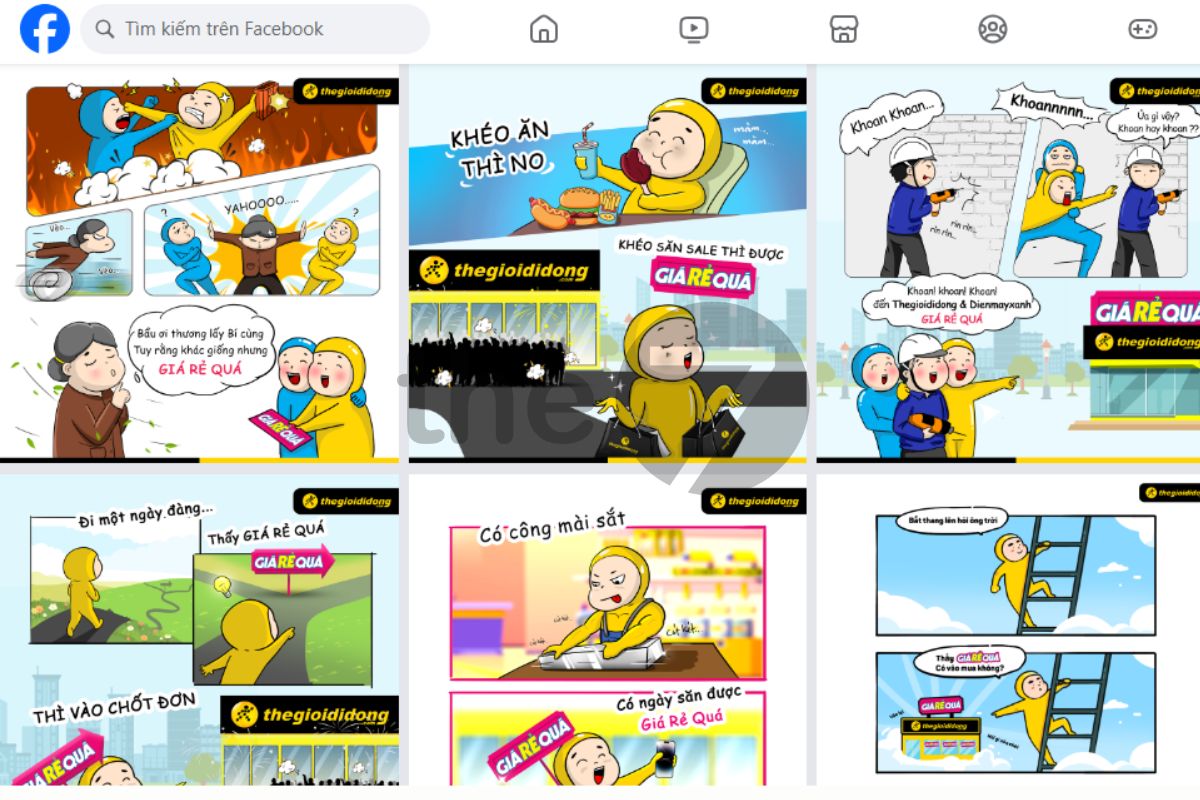
Facebook Photo Albums Instead of Single Posts
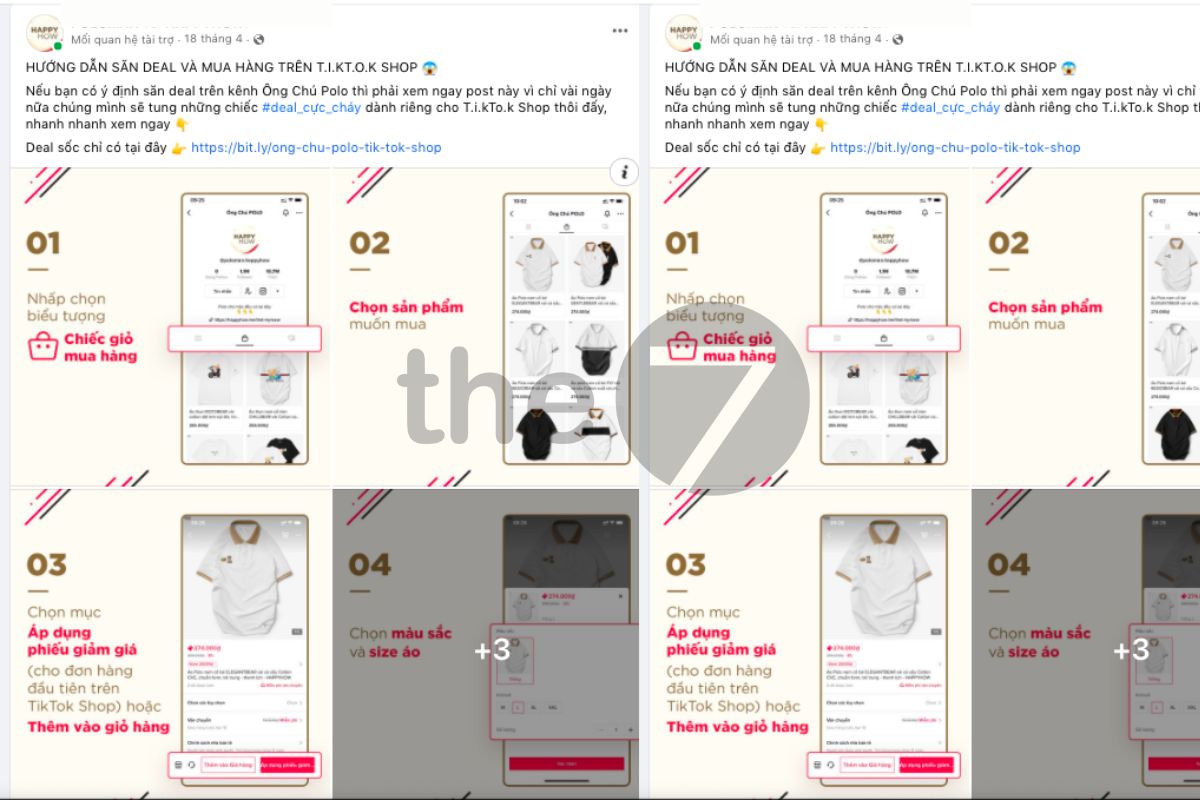
When posting sales content on Facebook, you can use Facebook Photo Albums to boost effectiveness. Many Facebook Pages have used this feature successfully and gotten a “huge” number of views. It attracts users, drives engagement and makes shares skyrocket.
In the past, you could only publish a status or individual images on Facebook. Now, Facebook has added a new feature that lets you upload a large number of images in just 1 album. This helps your potential customers get information quickly and as completely as possible.
Posting through a Facebook Photo Album is one of the leading trends today. You can publish images with text or images in album form. This feature lets your content and message come across fully and vividly.
Ratings – Reviews
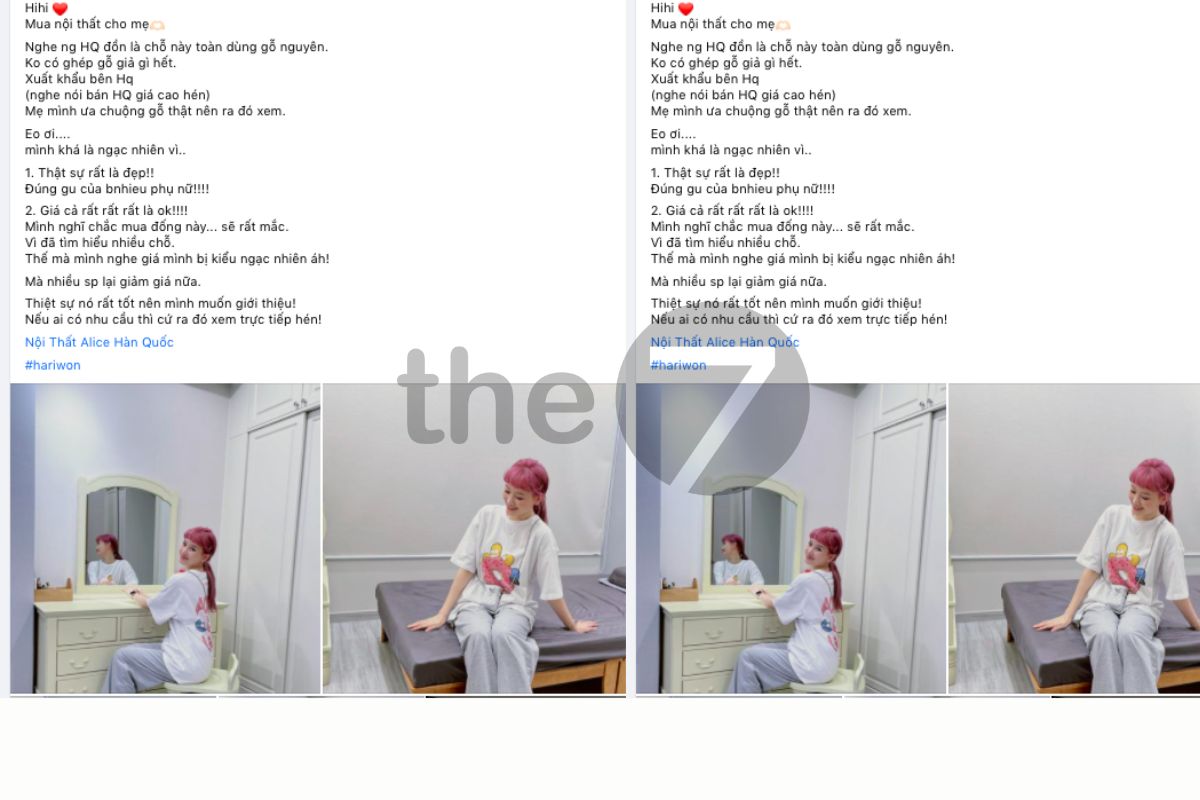
Another engaging way to post sales content is to choose a review format. Honest, experience-driven reviews are always a trusted source of reference. In practice, reviews on Lozi, Foody… consistently draw extremely high view counts and show no signs of cooling down. Review content is highly varied, including cosmetics reviews, food experiences, travel, film reviews and more…
However, when using this sales-writing method, you must weave in the product/service introduction very skillfully. The post should state both the strengths and weaknesses of the product. At the same time, avoid language that leans heavily toward advertising. Otherwise, readers will easily notice that you are trying to pitch a product to sell rather than offering truly useful information.

Short Videos That Capture Appealing Visuals
Sales content that combines text and images is a very familiar technique. It can sometimes feel boring and monotonous, and fail to excite readers and viewers. So, to be more engaging, you can publish your content together with short videos.
These videos should be brief, condensed and concise, featuring the most impressive, appealing visuals of your product/service. This way of posting sales content on Facebook is especially suitable for individuals and businesses in F&B (food and beverage services).
When making these short videos, you need to invest real time and passion to create impressive videos that stir emotion in viewers. The result will be a surge in views, shares and engagement.
Photoshop Troll – An Effective Way to Post Sales Content on Facebook
Photoshop troll is a trend that appeared in late 2015. A Facebook user posted a photo of themselves and asked the online community to Photoshop it however they liked. The results, however, turned out to be completely the opposite of what the photo’s owner wanted. The “trolling” of netizens made everyone laugh at the funny, humorous images.
Photoshop troll is a unique way to post sales content that attracts customers, and one you can try. With this method, you will earn a lot of attention from Facebook users by giving them moments of relaxation and entertainment.

Use Emoticons to Boost Comments by Up to 33%
A block of text that is “nothing but words” feels boring and stiff, and it doesn’t draw readers in. Also, if you rely on words alone, it is hard to convey all the emotion you want to express. But when emoticons are added, a post can have a much stronger impact on readers.
Reports from HubSpot show that posts with emoticons see a big difference in interest and engagement compared with plain-text posts. Specifically, when you use emoticons in Facebook sales posts, likes increase by 57%, and comments and shares increase by 33%.
Take Zappos as an example. The brand posted an update containing a heart symbol. Right away, the post attracted 718 likes, 22 comments and 8 shares in just 22 hours. Compared with Zappos’ other posts that day, the post with the heart received far more attention.
When readers see emoticons in a post, they feel goodwill and a connection with the business. Emoticons also let you express your thoughts and feelings more effectively than empty words.

Use the Keyword “Congrats” Effectively
Even when writing sales content on Facebook, you need to choose the right keywords. Among trending keywords, “Congrats” is a “golden keyword” that Facebook prioritizes in users’ News Feeds. So work this keyword in skillfully at suitable spots. You can add the word “Congrats” anywhere from the body of your post to the comments below.
Create content related to this keyword, or ask friends and family to comment on your post with “Congrats”. With this way of posting to attract customers, your post will stay in users’ News Feeds longer.
Keep Updating Your Promotions and Discounts
The final tip on posting sales content on Facebook that you shouldn’t miss is to regularly share information about promotions and discounts. Quite a few studies and surveys on social media have shown that as many as 42% of users like your Facebook Page to take part in promotions and discounts or to receive promotional vouchers.
According to other studies, discount coupon campaigns consistently draw the highest engagement. Next come free giveaways, prize draws… If you’re stuck for ideas on how to post sales content online on Facebook, this is a perfect choice.

Effective Sales Post Templates for Facebook
A great headline can deliver many times the results of a long, boring post. That is why The7 is sharing effective Facebook sales post templates with you. Don’t miss them, because they may well be genuinely useful to you.
Sample Posts With Provocative Headlines
If you want customers to notice your post, the content needs explosive elements that hit users’ psychology and worries. That could be a customer promotion, or a solution that effectively solves the problems customers face…

But that doesn’t mean you should overuse this approach or exaggerate the benefits of your products/services. It can be a “double-edged sword” that hurts the credibility and brand of your company/business. The best approach is to get users to notice your post by offering attractive information that doesn’t go beyond what your product/service can actually deliver.
Sample Content With Quality Reviews and Feedback
Experience shows that customers tend to shop online based on the practical experiences of previous buyers. First, they look at some reviews and feedback about the product/service. Then they assess its reliability and quality before making a decision. That is why this type of content is considered a good fit for new sales strategies.

The most practical proof is Foody or Lozi… which have never cooled down. Content with quality reviews can be applied across many industries, such as food, film, travel, cosmetics…
Sample Warning-Style Content
People are generally always on guard and carry “pain points” that only they understand. So you can use advertising content to capture viewers’ attention and interest, then skillfully weave in the benefits of your product/service. Of course, the greater the worry, the easier it will be for you to sell your product/service.

Ask Questions to Increase Engagement
You may not know this, but asking debate-provoking questions is one of the best ways to increase engagement on your posts. According to surveys, keywords such as which, who and should are better at capturing users’ attention. However, keep your discussions simple and easy for users to reason through. Never use hard topics that force viewers to “rack their brains”. That tends to backfire, because no user is that patient.

Consider Working With KOLs
Working with KOLs (influencers) is an effective way to get your services/products in front of more people. But to use this method well, your company/business has to weigh several important factors, such as:
- The KOL’s level of growth and reach.
- KOLs usually don’t represent just one brand but many different ones.
- The KOL may know very little about your products/services.
Either way, we shouldn’t deny the results KOLs deliver. But to get the best results, you need to pay attention to the KOL’s influence on your potential customer groups, as well as their knowledge of the products/services you offer.
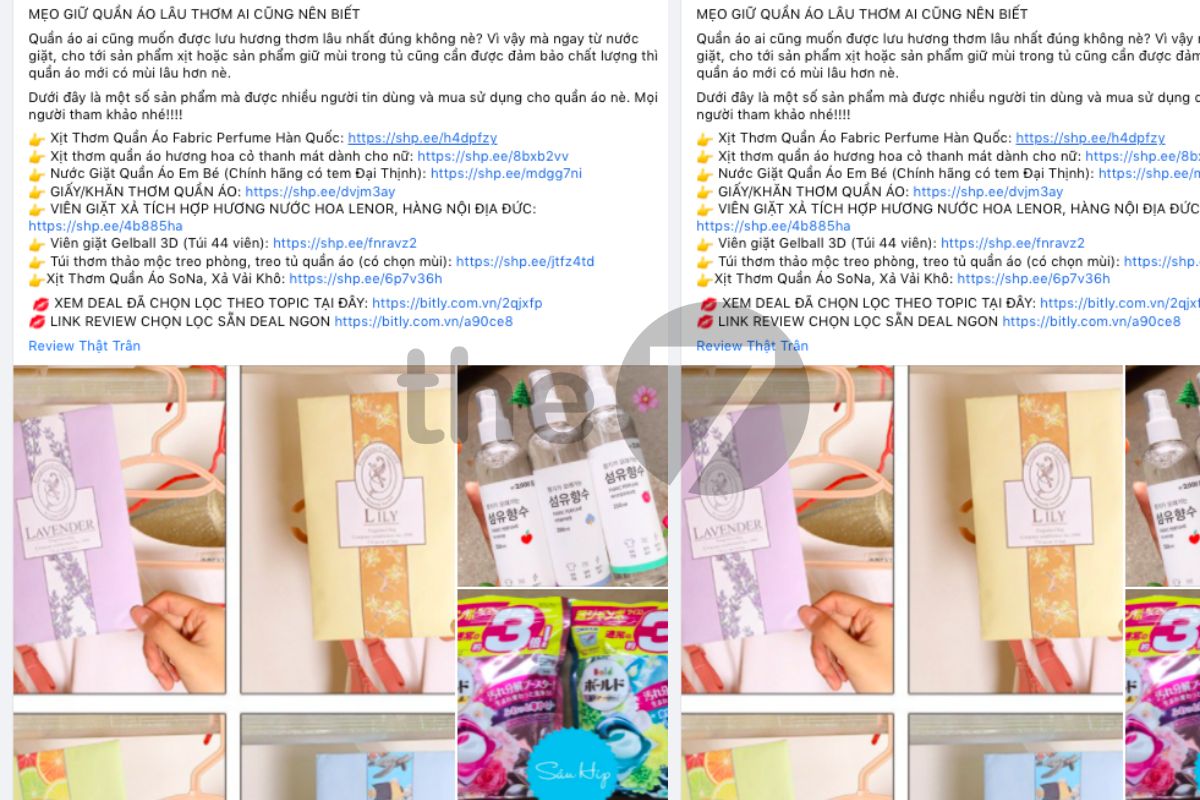
Content That Provides Useful Information
Alongside sales content and direct marketing, don’t forget to give your customers useful information. This type of post is the “key” to retaining your customers effectively.
You can add good tips or experiences… to attract followers and engagement from customers. At the same time, you also need to take content creation seriously, and manage and monitor your Facebook activity closely.
An effective solution to this problem is to use Facebook Page management software. With this “virtual assistant”, you get maximum support for setting up your sales posts, content, products/services, orders…
Common Mistakes When Posting Sales Content on Facebook and How to Fix Them
It’s not only beginners selling on Facebook who make mistakes. Sometimes even professional sellers do. Here are the specifics:
Facebook Sales Posts Getting Blocked
Facebook posts are usually blocked because the post has content in a prohibited category and violates Facebook’s advertising policies. Depending on the severity of the violation, Facebook will lock your account temporarily or permanently. A minor case lasts about 3 – 5 days or longer, while a serious one results in a permanent lock. Here is how to post sales content on Facebook without getting blocked:
– Fully update your personal Facebook profile
If you only set up part of your profile, Facebook will flag it as incomplete. If you post to many groups through a profile that isn’t fully updated, this can lead Facebook to believe you are using your account only to post to groups, and you will be treated as a spammer. Make sure your details are fully updated on your profile.

– Verify your Facebook account with a phone number
This one is obvious. The only verification that proves you exist on Facebook is the mobile phone number you are using. Linking the two tells Facebook that you are a real person and not a fake account.
If your Facebook account isn’t verified with a mobile phone number and email, your posts in groups will be blocked as spam.
– Posting to many groups at the same time
If you post the same content on different Facebook Pages or groups, it will be marked as spam, and Facebook may block you from posting to groups. The best solution is to space your posts a few minutes apart. If you don’t have much time, use the post scheduling feature. When you schedule, your post can be published at any time.

Don’t Share Prohibited or Abused Content
Some things are banned on Facebook’s platform and closely monitored. Specifically, posts with pornographic content, nude images or threatening language… are all banned by Facebook. In addition, hate speech or direct attacks on individuals/groups and information will also violate Facebook’s policies.
– Use multiple accounts to post instead of just one
If you use only one account to post to groups, you won’t get closer to many users. And if you share to too many groups, you will be marked as spam. Post to a maximum of 50 groups per account per day, which is a safe level to keep your account from being flagged as spam.
– Don’t perform many actions at once
Avoid doing actions such as Like, share, comment, invite to join a group, unfriend/unfollow a group… all at the same time. Doing so may lead Facebook to conclude that you are deliberately sending spam and are not a real user.
Don’t share the same message, post or website at the same time. This applies even if you use several different Facebook accounts, because there is still a risk that your information, website and accounts will be put on the spam list and violate community standards.
Unable to Post Sales Content on Facebook
You may have been blocked from posting on Facebook once or several times, or temporarily restricted from joining and posting in groups. Or your post may have been flagged for violating community standards, and you can’t share website links on Facebook.
– Facebook temporarily blocks posting
A temporary block means a Facebook user has some features blocked or disabled for a period of time. The main cause is posting a lot of information that annoys friends/groups, or posting too much information at the same time.
In this case, the temporary lock lasts 21 days (the maximum).

– Facebook permanently blocks posting
A permanent posting block means the user is blocked for good and can no longer access certain services or accounts in any form. Permanent Blocking is usually reserved for spammers, hackers or people who violate Facebook’s security policies.
– How long is a Facebook account locked?
As mentioned above, your Facebook account will be locked for up to 21 days. Usually, after just 3 – 7 days you can resume posting or reopen your account.
Facebook Sales Posts That Violate Policies
Facebook’s Community Standards are the rules and standards that help Facebook users follow the right practices.
Your sales post may have committed one of the following violations:
– Using nude images or pornographic content
– Using hateful language or threatening direct attacks on a specific individual or organization.
– Using content that is unsafe or harmful to oneself.
– Using a fake or impersonating Facebook account
– “Stealing” the trademark, copyright or intellectual property of another company/business.
– Spam…
Among these reasons, spam is the most common violation. Posting too much identical content, or posting it all at once, makes Facebook’s review bots assume you are bothering the community.
So to fix posts that are blocked for violating community standards, you can apply the following methods:
– Step 1: Go to the link HERE
– Step 2: Fill in the box “Please explain why you think this is a mistake”. It’s best to write out the problem you’re facing in English (optional).

– Step 3: Fill in all the information => click submit and wait for Facebook’s response.
One small note: send your appeal at around 10 p.m. to get it resolved quickly, because this is the main working time of Facebook’s core team.
In this article, The7 has shared effective ways to post sales content on Facebook along with the best sales post templates. We hope this information gives you the most concrete directions for your business. If you still have questions about all-in-one marketing, contact the experts at The7 for the fastest support!
How Can The7 Help You?
At The7, we offer 2 main Online Marketing Services: dedicated consulting and quality implementation. Both are delivered by specialists and experts with in-depth training. From there, we design a tailored roadmap for your business to roll out the right, optimized Online Advertising Services, while completely eliminating activities that bring no real benefit.
With years of industry experience, The7 will work with your business to map out the direction and execution of an effective online marketing strategy, minimizing the risks of running digital activities on your own.
Digital Marketing Services
The7 plans and executes complete online marketing programs based on advertising solutions on Facebook, Instagram and Google, plus web design and Content Marketing services.
For information about our services, connect with us today via Hotline: 082 246 7979 – 028 3899 7377 or the website https://the7digital.com/ for a consultation!
>>> You may also want to read these related articles:
- Tips for running Facebook ads effectively for beginners
- A roundup of 35 Facebook advertising terms every newbie must know

Nguyễn Đình
Bảo




As CEO of The7, I am committed to sharing practical, useful knowledge with every reader. Every article on The7 is based on my 7 years of hands-on experience in marketing — Facebook advertising, LinkedIn advertising, Google advertising, and marketing strategy. I hope you take away plenty of insight from these posts and apply it successfully in practice.
Related Articles

What Is Facebook Ads? Popular Types of Facebook Advertising
What is Facebook Ads? This is surely a question many people wonder about, especially those just starting to learn about Facebook advertising. Let’s explore Facebook Ads from A to Z...

26 Predictions for Social Media Marketing Trends in 2025
It’s that familiar time of year again, when experts and analysts start revealing their predictions for the social media marketing trends worth watching, along with the shifts that promise to...

How to Run Facebook Ads: 2024 Step-by-Step Guide
How can you run Facebook ads effectively, reach the right target customers, and generate valuable conversions? This is probably a question many Digital Marketers and business owners ask when promoting...

Requirements for Running Facebook Ads Successfully and Effectively
When you start your Facebook advertising journey, mastering the basics is the key to success. So what are the requirements for running Facebook ads exactly? Let’s begin exploring and optimizing...

The Most Detailed Guide to Creating a Facebook Ad Account in 2024
To run a campaign on Facebook, the first thing you can’t do without is an ad account. Below, The7 will walk you through how to create a Facebook ad account....

Facebook Video Ad Size: The Most Accurate Guide for 2024
Running video ads is becoming the go-to choice for many businesses. In this context, the Facebook video ad size plays a key role in determining how well your post performs....


