


Top 9 Reasons Your Facebook Ads Get No Conversions
Your ad has great copy and an eye-catching image, it follows every rule, and Facebook has approved it, yet your Facebook ads are getting no conversions. That’s why The7 has put together 9 reasons Facebook ads fail to deliver results. Read on to find out what’s going wrong!
>>> Explore The7’s services:
- Facebook ad management in Ho Chi Minh City
- Facebook advertising services in Hanoi
- Facebook advertising services in Da Nang
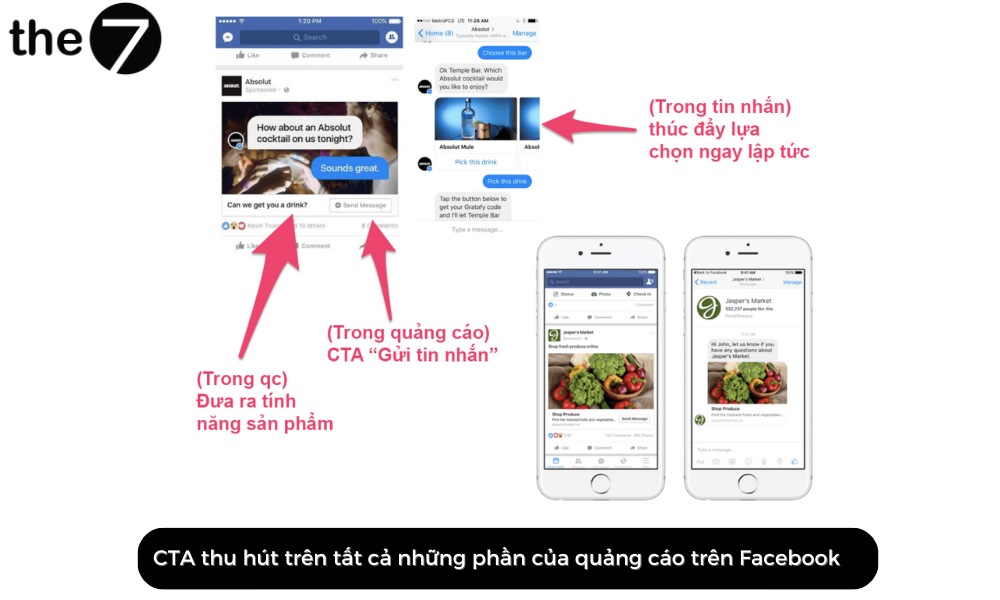
Facebook Ads Get No Conversions Because the CTA Isn’t Compelling Enough
Facebook ads with no conversions are often partly the result of a CTA that isn’t compelling enough. For every ad you run on Facebook, the most important thing is a clear, appealing call to action. It helps your target audience understand exactly what they need to do to get your product or service.
To avoid Facebook Ads not converting because of a weak CTA, try using powerful words that leave a strong impression and motivate readers to take the action you want.
Your Landing Page Isn’t Optimized for Conversions
The landing page is the first place to look when your Facebook Ads aren’t converting. Your Facebook ads may be performing well, attracting plenty of clicks and sending viewers to your business’s website.
However, if the landing page isn’t optimized for conversions, with no compelling CTA (call to action), strong content and so on, users will likely leave without taking the action you want.
When you see that your Facebook Ads still generate clicks but no conversions, consider that something may have gone wrong in the conversion process.
To fix Facebook ads that aren’t delivering because the landing page isn’t conversion-optimized, put yourself in your customer’s shoes and do the following:
Compare your Facebook ad content with your landing page
Make sure the main message in your Facebook ad is closely related to the one on your business’s landing page, and that the images and colors are consistent.
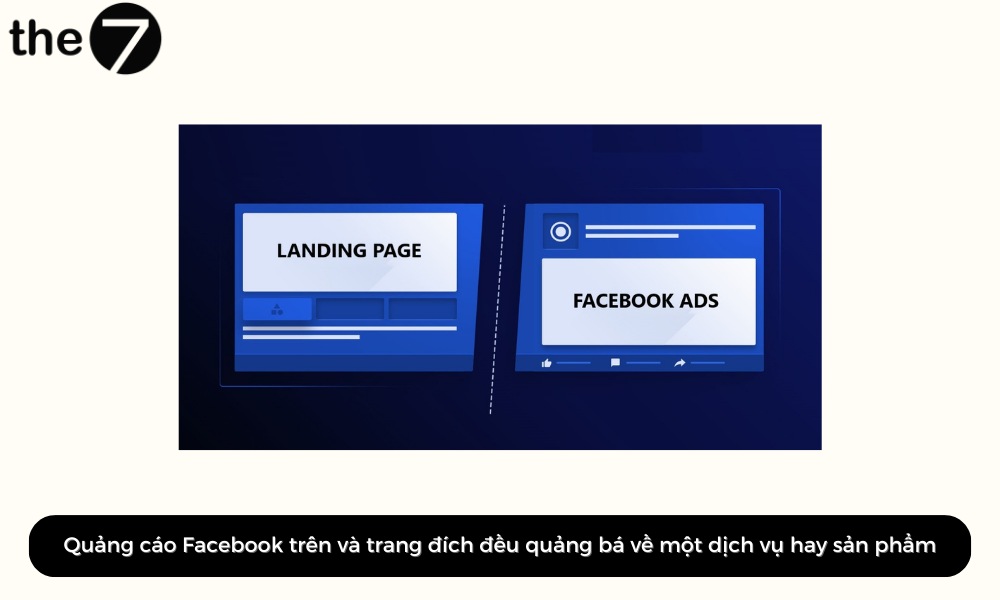
This helps users recognize that they clicked the right link and keeps their experience seamless. It also encourages customers to take the actions you want.
Check your conversion actions
You also need to make sure the conversion action on your landing page is clearly communicated to users. Specifically, check the following on your landing page:
- Information: It must be complete, clear and easy to understand, because users need to find everything they’re looking for to make a conversion decision.
- Design: Your landing page should be easy to use and visually appealing. When users feel comfortable, they’re more likely to complete conversion actions.
- CTA: The call to action in your Facebook ad must be clear, decisive, appealing and easy to see. Only then can your ad lead users to the action you want them to take.
Persuasive landing page content
In addition, make sure the content on your landing page is persuasive. It should provide valuable information along with reasons why readers should take the action you want.
Persuasive landing page content has 5 elements: a strong opening, a focus on benefits, simple and easy-to-understand language, high-quality images and video, and clear contact information.
Your Meta Pixel Isn’t Optimized Properly
The Meta Pixel, also known as the Facebook Pixel, is an essential tool for connecting your Facebook ads with different data sources, such as your website.
It lets your business track conversion actions and understand customer behavior. It also makes it easy to evaluate the performance of your Facebook ad campaigns in detail.
A Meta Pixel that isn’t optimized properly is one of the reasons Facebook ads get no conversions. To check how conversion tracking is set up for your Facebook Ads, go to the Events Manager section in your Meta Pixel.
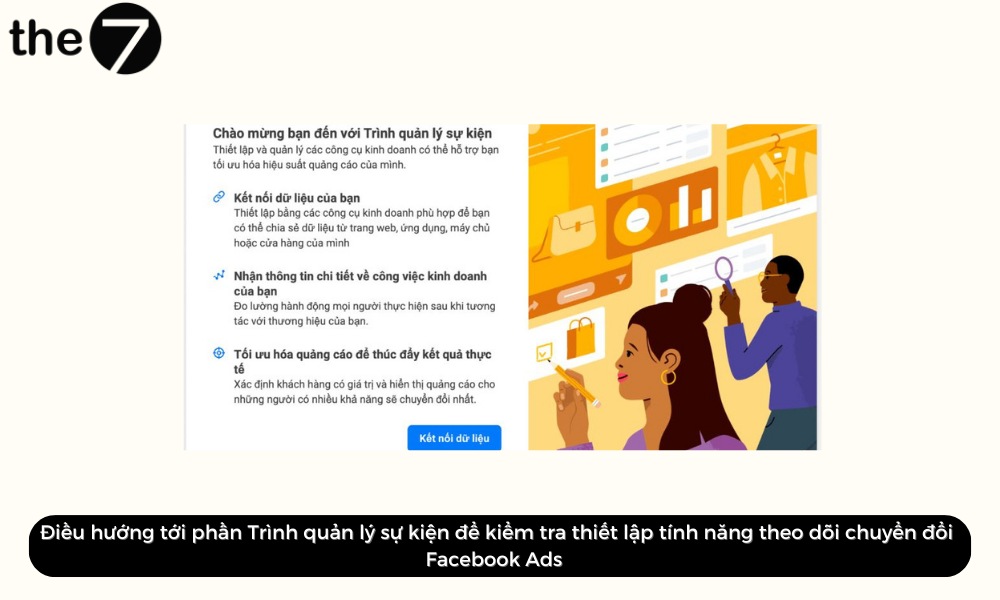
Here are 3 ways to track conversion actions through the Meta Pixel:
- Standard events: You can easily track users’ purchases or sign-ups by using standard events.
- Custom events: You’re free to create custom events that fit your business goals.
- Custom conversions: These are actions that visitors take, tracked automatically by parsing the referring URL on your website.
Targeting the Wrong Audience
The people you think are likely to convert when they see your ad may differ from the people who are actually your customers. You need to understand who your target customers are and what appeals to them, and then find the most effective way to reach them.
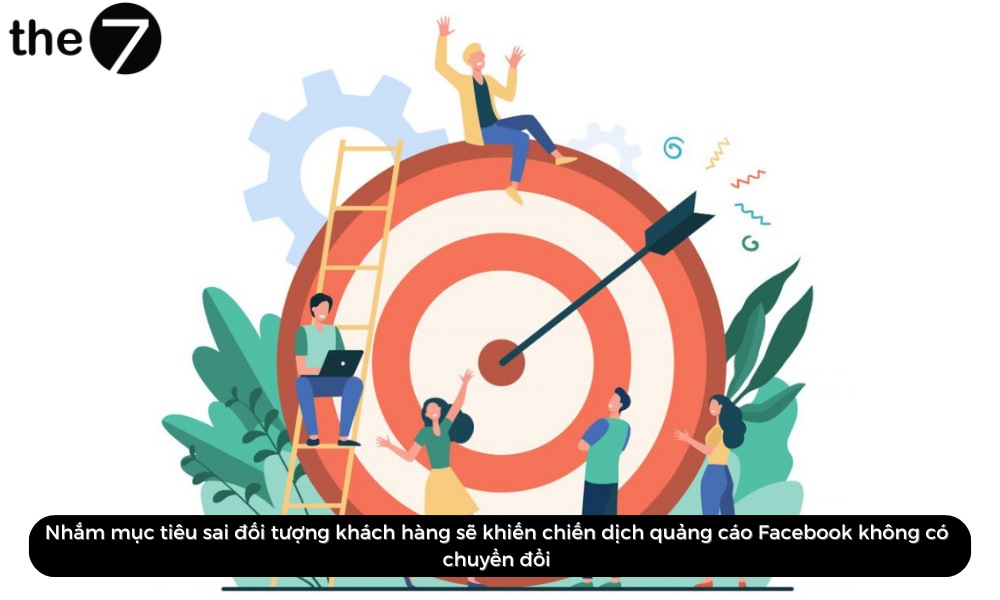
Even if you’ve already done some research on your target market, dig deeper. You should also apply creative targeting strategies for your Facebook ads.
Example: If you’re marketing higher education through Facebook Ads, look at audiences who share entertainment interests, such as attending live events. Although these have nothing to do with higher education, young people who want to pursue an education may also be interested in concerts, sports matches and the like.
Showing Your Ads Too Often
Facebook ads that aren’t delivering can also be the result of showing the same ads too often. Not just you, but users too, get tired of and even sick of seeing Facebook ads and ads on many other platforms.
Ad content is clearly becoming more and more saturated. So in this environment, what does a business need to do to create an impressive Facebook ad campaign?
Check your ad frequency
First, check whether your business’s ad campaign is suffering from repeated content.
To do this, open the column options, choose Delivery, and look at your frequency. This is the estimated average number of times each person sees your ad. The higher your Facebook ad frequency, the more often your audience sees your ads.
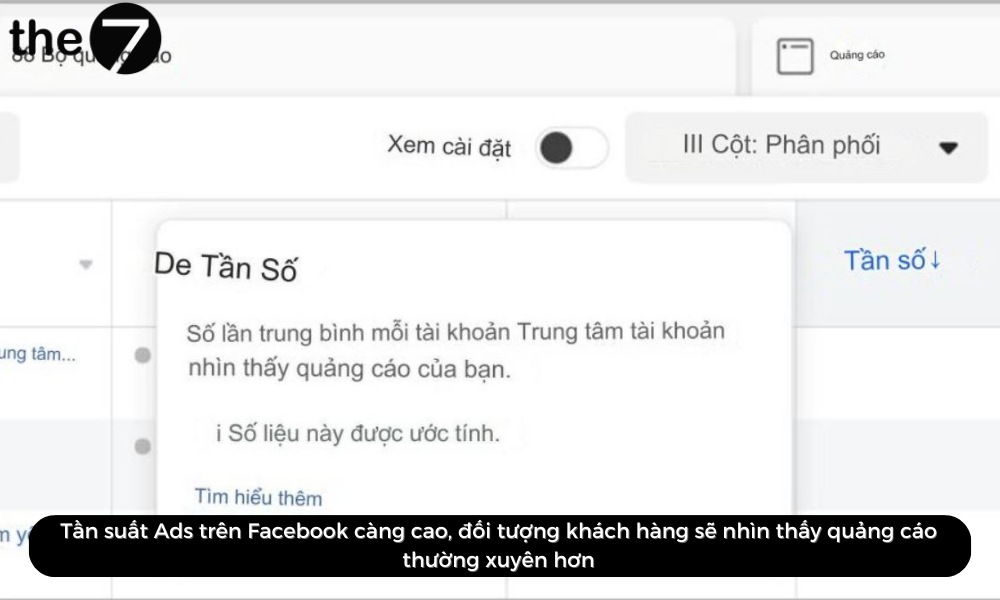
When ad frequency climbs to around 5 to 10 times, it’s time to refresh your Facebook ads. However, if your targeting is limited, for example when your audience is a remarketing list, ad frequency will run higher.
Change your content when frequency rises
To keep your Facebook ads from getting stale, change your content when you see frequency going up. Start with small changes such as the ad copy, or run an A/B test. Try changing your content regularly once you notice frequency starting to climb. You can make small changes such as:
- Change the ad copy: Change the headline and description, or even try different images and wording.
- Change the CTA: Swap the call to action to encourage readers to take a different action. Example: Buy Now -> Learn More…
- Run A/B tests: You can also test different elements such as the CTA, ad copy or target audience. Then compare how each approach performs and find the best option.
By changing your ad content regularly, you can make your business’s ads more engaging and effective.
Change your ad targeting group
Another way to avoid high ad frequency is to switch the target group so your ads reach a new audience.
Even better, build several Facebook Ads targeting strategies in your account. This helps you reach different audiences while keeping users from getting bored.
Example: You serve one ad set to a custom audience and another to an audience based on interests or behaviors.
This way you can make sure your ads are shown to the people most likely to be interested in them, which helps your business improve its Facebook Ads performance.
The Campaign Objective Doesn’t Fit
Believe it or not, the Facebook Ads algorithm can help optimize your ad campaigns. You only need to define what your business’s goal is. Facebook’s machine learning system will then automatically deliver and optimize your ads as effectively as possible.
That’s why, when the objective you choose doesn’t match your business goal, the algorithm can’t help you get the results you want. This is another reason Facebook ads get no conversions.
Example: Your goal is to sell products, but you choose Video Views as your Facebook ad objective. In that case, your ads will likely be shown to people who are unlikely to use your service or buy your product.
How to fix it: When you choose a Facebook ad objective, you’re telling the algorithm what you want it to optimize for. So make sure your campaign objective accurately reflects your overall business goal.
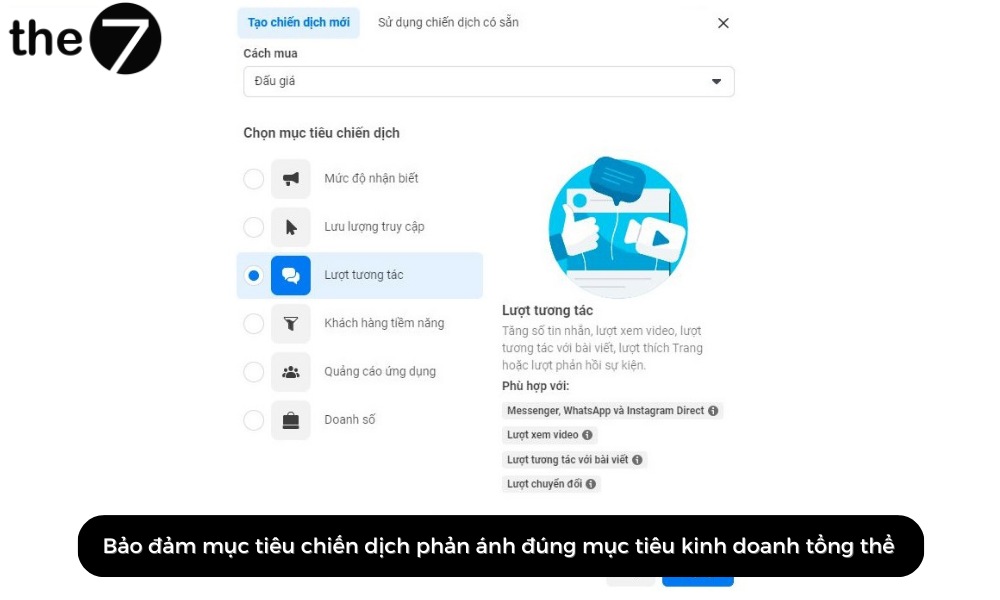
To choose the right campaign objective:
- Identify what business goal you’re aiming for.
- Consider who your potential target audience is.
- Decide how much you can spend on Facebook ads.
Once you’ve pinned down these 3 factors, you’ll be able to choose a campaign objective that fits your organization’s needs.
Your Campaign Budget Is Too Low
A campaign budget that’s too low is a common reason Facebook ads get no conversions.
People often say “you have to spend money to make money,” and it’s true: to get the best results, you need to invest a certain budget in your Facebook Ads campaign. If your spending limit is too low, your ads may run out of budget quickly and fail to generate conversions.
Example:
- If your budget is too low, your ads will rarely be shown to the people most likely to take the action you want.
- If your budget is small, your ads’ chances of converting are limited. A lifetime budget on Facebook Ads can cause the campaign to spend its allocated budget before it maximizes conversion opportunities within a given time frame.
- When your budget is too low, you’ll pay more for each Facebook ad conversion.

To fix this, make sure your budget is high enough to show your ads to target customers and generate conversions. Take the time to study your Facebook Ads performance metrics and determine the budget you need to reach your goal.
Not Enough Time to Convert
Every Facebook Ads campaign has to go through a learning phase when it first launches. During this phase, Facebook’s algorithm collects data about your target audience, including behaviors, interests and locations.
Once it has enough data, the algorithm delivers your ads to the audiences most likely to be interested. That’s why, without enough time to collect data, Facebook ads get no conversions and don’t deliver the results you expect.
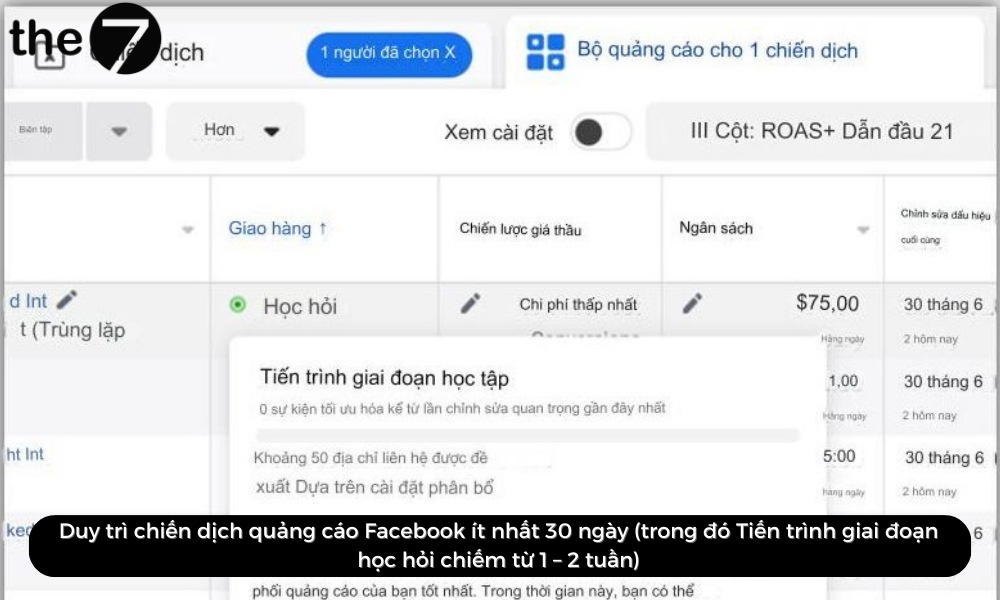
To fix this, keep your Facebook ad campaign running for at least 30 days (with the learning phase taking 1 to 2 weeks). In that time, the algorithm will collect enough data and optimize campaign performance.
You should also consider the sales cycle of the product or service you’re advertising on social media. If the cycle is long, your business needs to run the campaign for more than 30 days to get the best results.
However, this may also lower your conversion rate, because readers will have to see your ads many times before they become leads.
Customers Are Researching Your Business
The final reason Facebook ads get no conversions is that customers are researching your business across multiple platforms.
Your ads may be effective at grabbing attention and prompting potential customers to explore on Facebook, then they move to other platforms such as YouTube, your website or e-commerce platforms to use your service or make a purchase.
It can also work the other way around: viewers research your business on YouTube or Google after seeing your Facebook ads, and only then complete the conversion.
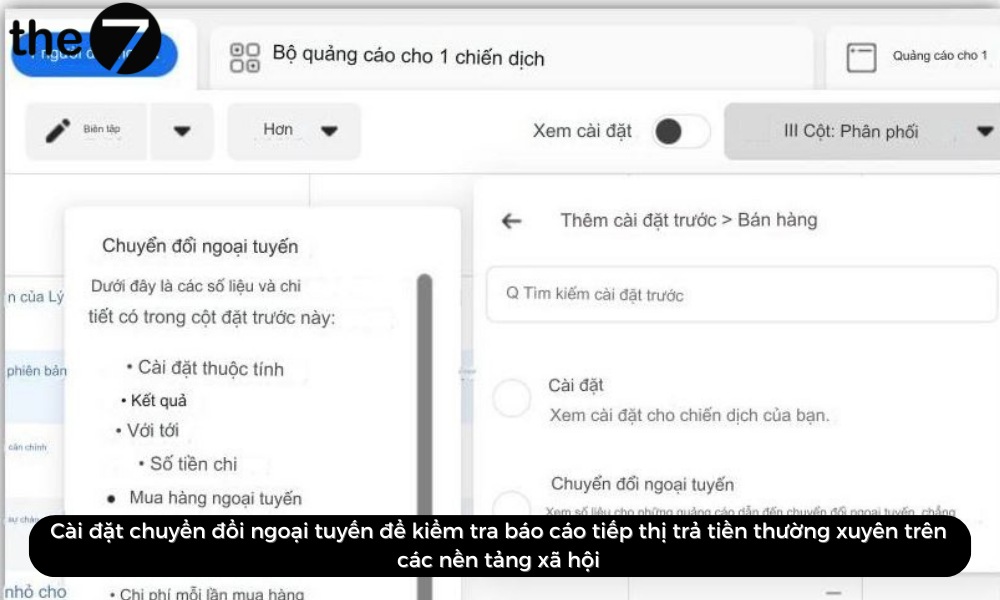
Admittedly, tracking and analyzing conversions across other platforms isn’t easy. However, if you regularly check your paid marketing reports on social platforms, you can see the increase in conversions from that marketing channel.
If the increase correlates with new Facebook ads, you can conclude that your ad campaign is having a positive impact on potential customers. You can also set up ad tracking on Facebook that prioritizes privacy for offline conversions and other conversions that fit your business model.
We hope this guide has helped you understand the reasons behind Facebook ads with no conversions and how to fix them. Don’t forget to reach out to the team at The7 for advice on an effective Facebook advertising campaign!
>>> You may also want to read these related articles:
- How to run Facebook ads yourself effectively as a beginner
- What are Facebook Ads? Learn about Facebook advertising in 2024
- A guide to stopping ads on Facebook made simple
- How to choose a Facebook ad objective effectively

Nguyễn Đình
Bảo




As CEO of The7, I am committed to sharing practical, useful knowledge with every reader. Every article on The7 is based on my 7 years of hands-on experience in marketing — Facebook advertising, LinkedIn advertising, Google advertising, and marketing strategy. I hope you take away plenty of insight from these posts and apply it successfully in practice.
Related Articles
What Is Facebook Ads? Popular Types of Facebook Advertising
What is Facebook Ads? This is surely a question many people wonder about, especially those just starting to learn about Facebook advertising. Let’s explore Facebook Ads from A to Z...

26 Predictions for Social Media Marketing Trends in 2025
It’s that familiar time of year again, when experts and analysts start revealing their predictions for the social media marketing trends worth watching, along with the shifts that promise to...
How to Run Facebook Ads: 2024 Step-by-Step Guide
How can you run Facebook ads effectively, reach the right target customers, and generate valuable conversions? This is probably a question many Digital Marketers and business owners ask when promoting...
Requirements for Running Facebook Ads Successfully and Effectively
When you start your Facebook advertising journey, mastering the basics is the key to success. So what are the requirements for running Facebook ads exactly? Let’s begin exploring and optimizing...

The Most Detailed Guide to Creating a Facebook Ad Account in 2024
To run a campaign on Facebook, the first thing you can’t do without is an ad account. Below, The7 will walk you through how to create a Facebook ad account....
Facebook Video Ad Size: The Most Accurate Guide for 2024
Running video ads is becoming the go-to choice for many businesses. In this context, the Facebook video ad size plays a key role in determining how well your post performs....


