


What Is Ad Rank? The Accurate Ad Rank Formula for 2024
Ad Rank can make or break a campaign, so every advertiser should pay close attention to it. So what is Ad Rank in Google AdWords? How is Ad Rank calculated? And how does it affect where your Google Ads rank? The7 answers these questions in the article below, so read on to find out. With this knowledge, you can increase your ad visibility and attract more potential customers.
>>>>> Check out The7’s services: Google AdWords Advertising Services
What Is Ad Rank?
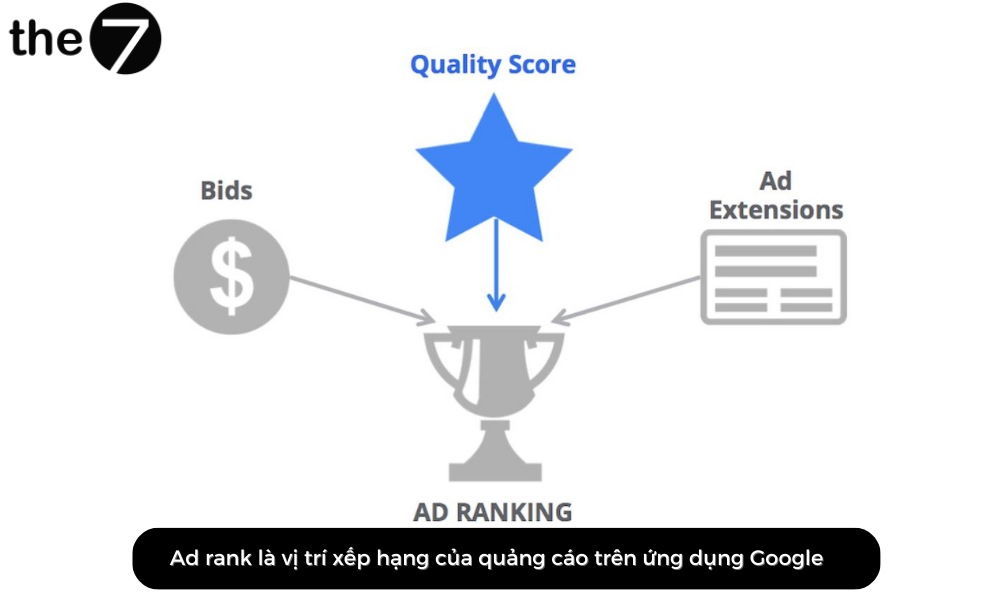
Put simply, Ad Rank is the position where your ad is ranked on Google. The result is determined by how Google ranks your website through the algorithm the platform uses. In practice, people who are new to Google often assume that only SEO is affected by the algorithm. But that isn’t the whole picture: the ads you see in the “Sponsored” section are also calculated by an algorithm.
Once the evaluation is complete, Google sets the fee you have to pay whenever a customer clicks on your ad. Naturally, the better the position (the best spot), the higher the fee you have to pay.
Beyond position, Ad Rank is determined by several other factors, such as customers’ search trends, bids, ad formats, the timing of the auction, and more. Notably, your Ad Rank cost is adjusted automatically after the auction.
If your ad meets the requirements and has a high conversion rate, you have a chance to appear in the best positions on Google.
>>>>> See more: The most effective guide to running your own Google ads in 2024
The Most Accurate Ad Rank Formula for 2024
As you may have noticed, the algorithm changes constantly, which means the formula is adjusted from time to time. Here is the standard way to calculate the Ad rank threshold for 2023:
Ad rank = CPC Bid x Quality Score x Ad rank thresholds x Search context x Ad Extensions & Format
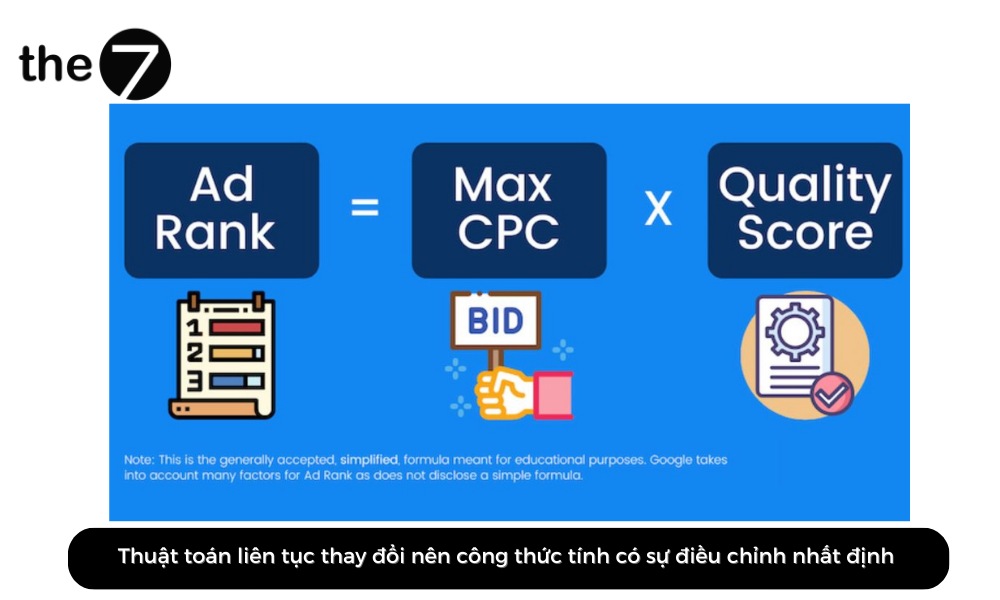
Although there are many factors, you only need to focus on the 2 most important ones: CPC Bid and Quality Score. The other 3 factors are set and calculated automatically by Google. So the formula you need to remember is:
Ad rank = Quality Score x CPC Bid
These factors are defined as follows:
| Factor | Details |
Ad Rank |
The position where your ad is ranked. |
CPC Bid |
This is the maximum bid you set to define the highest amount you are willing to pay for a single click on your ad.
A higher bid helps your ad appear in a higher position on the page. There are 2 ways to set it: Manual: You choose the bid amount you want. Automatic: You set a target daily budget, and the AdWords system automatically adjusts your bids up to the maximum. This helps you get as many clicks as possible within that budget. With manual bidding, you need to set a maximum CPC bid for the ad group. However, you can set a different bid for each individual keyword. |
Quality Score |
Quality Score is the quality rating of your ad creative, a metric that estimates the quality of the keywords and landing pages in your ads. Naturally, a high-quality ad leads to a lower price and a better position.
Quality Score is reported on a scale of 1 to 10, along with components such as relevance, expected click-through rate, and landing page experience, in the “Keyword analysis” section of your personal account. |
Ad Rank Thresholds |
Put simply, this is the lowest bid at which an ad can appear in a given position. |
Search Context |
The quality of the keyword, time, location, search device, and more. |
Ad Extensions & Format |
External factors that are controlled by Google’s system. |
How Ad Rank Affects Google Ads
In practice, Google AdWords Ad Rank has a major impact on how well your ads perform. Ads with a high Ad Rank are more likely to be shown, appear in better positions, and have a lower CPC.
That means you can reach more users, achieve higher conversion rates, and save on costs. Here are some of the ways Ad Rank affects your Google Ads ranking:
Makes Your Ads More Competitive
To lower your CPC effectively, use Ad Extensions, the add-on features for your ads. When your CPC goes down, the CPC for everyone else goes up. If your competitors also use Ad Extensions, their prices rise in the same way.
In addition, an ad with a high Google AdWords Ad Rank can get a lower CPC. This is because Google Ads prioritizes showing higher-quality ads even when their bids are lower.
Combine Ad Extensions Effectively
Ad Extensions are additional features added to your Google ads. They provide more information about your business and products, which makes your ads more appealing and useful to potential customers.
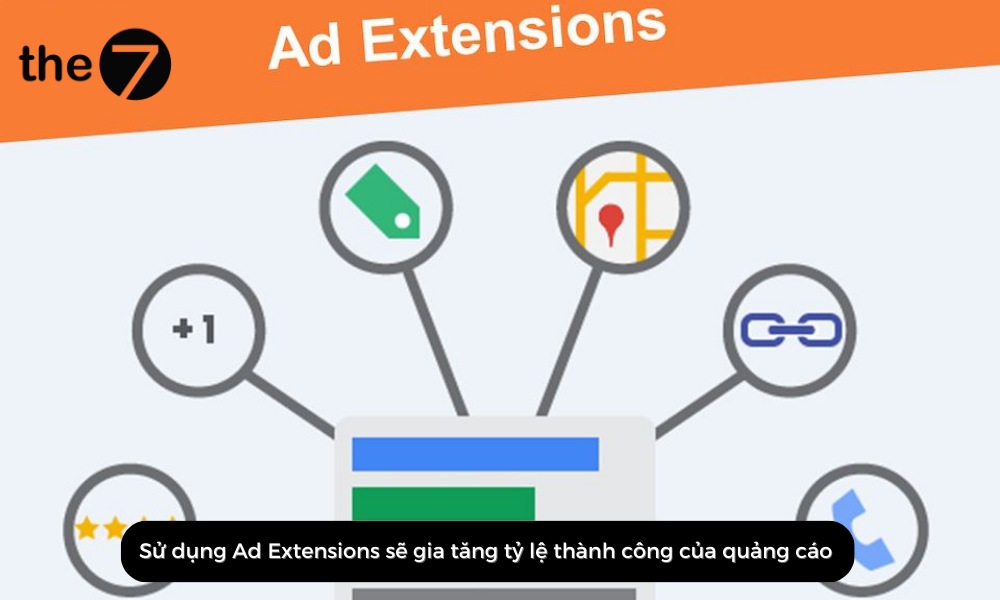
Using Ad Extensions increases the success rate of your ads. So take advantage of every relevant Ad Extension to get the best results.
In addition, Ad Extensions affect your ad’s Google AdWords Ad Rank in the following basic ways:
- Raise your Quality Score: This is a measure of ad quality that covers relevance, expected click-through rate, and landing page experience.
- Raise your click-through rate: Ads with a higher click-through rate rank higher in search results.
Raises the Average CPC
Today, many advertisers choose Ad Extensions for their ads, which pushes the average CPC up. As a result, the higher your Google AdWords Ad Rank, the more significantly the price you pay can change.
On the other hand, Ad Rank in Google advertising pushes the average CPC up in the following ways:
- When the average CPC rises, other advertisers are willing to pay more per click. That means you need to raise your bid to hold the same position as before.
- When this happens, Google prioritizes higher-quality ads. You then need to improve your ad quality, including relevance, click-through rate, and landing page experience.
- A rising CPC means more advertisers are bidding on your keywords. This increases competition for the keywords and makes it harder for you to reach a higher position.
To deal with this, raise your bids, improve your ad quality, and look for alternative keywords with a lower CPC.
Supports SEO
As you can see, every ad wants to achieve a good Ad Rank on the SERPs. This inadvertently takes over prime positions that used to belong to organic SEO keywords. In the long run, though, SEO is still the sustainable, safe choice on Google.
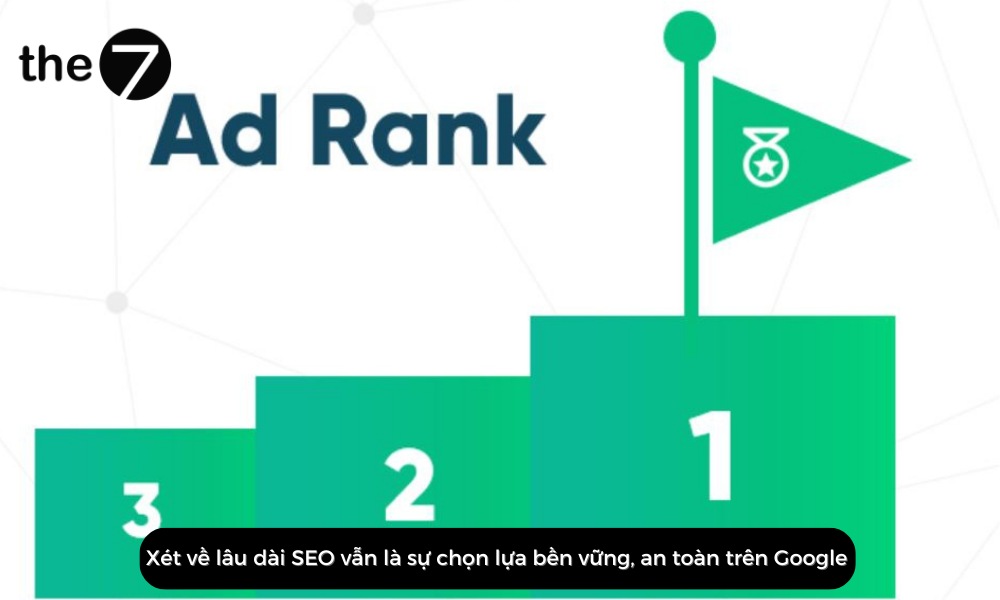
This is also an effective way to evaluate your Google ad ranking. To optimize your website to support your Google AdWords Ad Rank, do the following:
- High-quality content tends to earn a higher click-through rate, which helps improve your SEO ranking.
- Titles and descriptions are key to getting users to click on your ads. Make sure your title and meta description provide relevant, appealing information about your website.
- Use keywords that match your website content to increase visibility in search results for related queries.
- Faster websites tend to have higher click-through rates. Make sure your website loads quickly to give users a good experience.
Overall, supporting SEO can significantly improve your ad position. By optimizing your website to deliver a better experience, you can increase your click-through rate and Quality Score.
Not Favorable to Small Businesses
There’s no denying the effort small businesses put into bringing their ads closer to their potential audience. However, most of these companies don’t pay attention to Ad Extensions the way larger ones do.
Meanwhile, Google keeps rolling out new Ad Extensions, and they are the key point the system uses to evaluate anyone’s ads. That makes this a real challenge for small and micro businesses.
Tips to Improve Your Ad Rank
Google AdWords Ad Rank is the metric Google uses to determine the position and visibility of your ads on the SERP. Here are a few tips to improve your Ad Rank. Read on and start applying them today:

Make your ads relevant to your product: This is key to improving your Quality Score and ad ranking. You can do this by using your main keywords and choosing a suitable landing page.
Try the new FAQ structured data: This provides information directly in the ad, so customers don’t have to visit your website unnecessarily.
Remove 301 redirects: That means removing the redirects between a URL and its final destination. This limits the impact on your website’s ranking.
Optimize internal links: Build a logical link structure to help customers find what they need more easily and to improve your ad ranking on Google.
Adjust your landing page: The landing page that users reach after clicking your ad needs to be friendly and easy to use so that your bounce rate doesn’t increase.
You can also consider the following tips to further improve the ad ranking of your website:
- A high bid gives you a chance to appear in a higher position. However, consider your budget before raising your bid.
- When your expected click-through rate (CTR) is high, relevance goes up and landing page experience improves. This way, you improve the quality of your ads and make them more appealing and relevant.
- Targeting your ads to the right audience helps you increase your CTR.
- The landing page is where users arrive after clicking your ad. Make sure it provides relevant, useful information for customers.
- Make sure your ads have appealing descriptions and headlines, written in clear, easy-to-understand language.
- Google offers advanced features that help you improve your ad’s Ad Rank, such as broad match keywords, negative keywords, and related keywords.
By improving your Ad Rank, you increase your ad visibility and attract potential audiences.
We are confident that what The7 has shared here will answer your questions about what Ad Rank is and how to calculate Ad Rank. If you still have questions about Ad Rank, get in touch with us today.
>>> Read more related articles:
- 15 Google Ads metrics you need to know to run ads effectively
- What is CPM? What’s the difference between CPM and CPC?

Nguyễn Đình
Bảo




As CEO of The7, I am committed to sharing practical, useful knowledge with every reader. Every article on The7 is based on my 7 years of hands-on experience in marketing — Facebook advertising, LinkedIn advertising, Google advertising, and marketing strategy. I hope you take away plenty of insight from these posts and apply it successfully in practice.
Related Articles

6 Simple Yet Effective Steps to Run Google Ads in 2024
Google Ads (Google AdWords) is Google’s online advertising service that helps businesses reach the right target customers, boost brand awareness, attract customers, and drive sales as customers search for information...
How to Run Effective Gmail Ads for Your Business
One of the advertising formats attracting the attention of many business owners is Gmail advertising. So how do you run effective Gmail ads? Let The7 walk you through this fresh...
What Are Google Smart Campaigns? Tips to Drive High Traffic
Google Smart Campaigns are one of the ways advertisers can access advertising information and digital marketing techniques faster. If you have just started a small business, keeping track of your...
What Card Should You Use to Pay for Google Ads in 2024?
Which card to use to pay for Google Ads is a common question among people who are new to Google Ads campaigns. So which card is best for paying for...
How to Link Google Analytics With Google Ads in 2024
To run Google Ads effectively, you need to do more than just launch campaigns. You also have to analyze and evaluate the performance of each campaign through its metrics. So...
How to Add Sitelink Extensions in Google Ads (2024 Guide)
Sitelink extensions let your ads give customers more information. They also make each ad stand out more than your competitors’ ads. This gives your Google Ads extensions a Quality Score...


