


What Are Google Shopping Ads? A Detailed A-Z Guide to Running Them
Google Shopping ads let you filter potential customers efficiently. On top of that, this ad format helps businesses save time and effort. However, not everyone knows how to run Google Shopping ads, so let The7 walk you through this type of advertising in this article! We’re confident that, with this knowledge, your Google advertising campaign to reach users will succeed as you expect.
FULL-SERVICE MARKETING AT THE7:
What Are Google Shopping Ads?
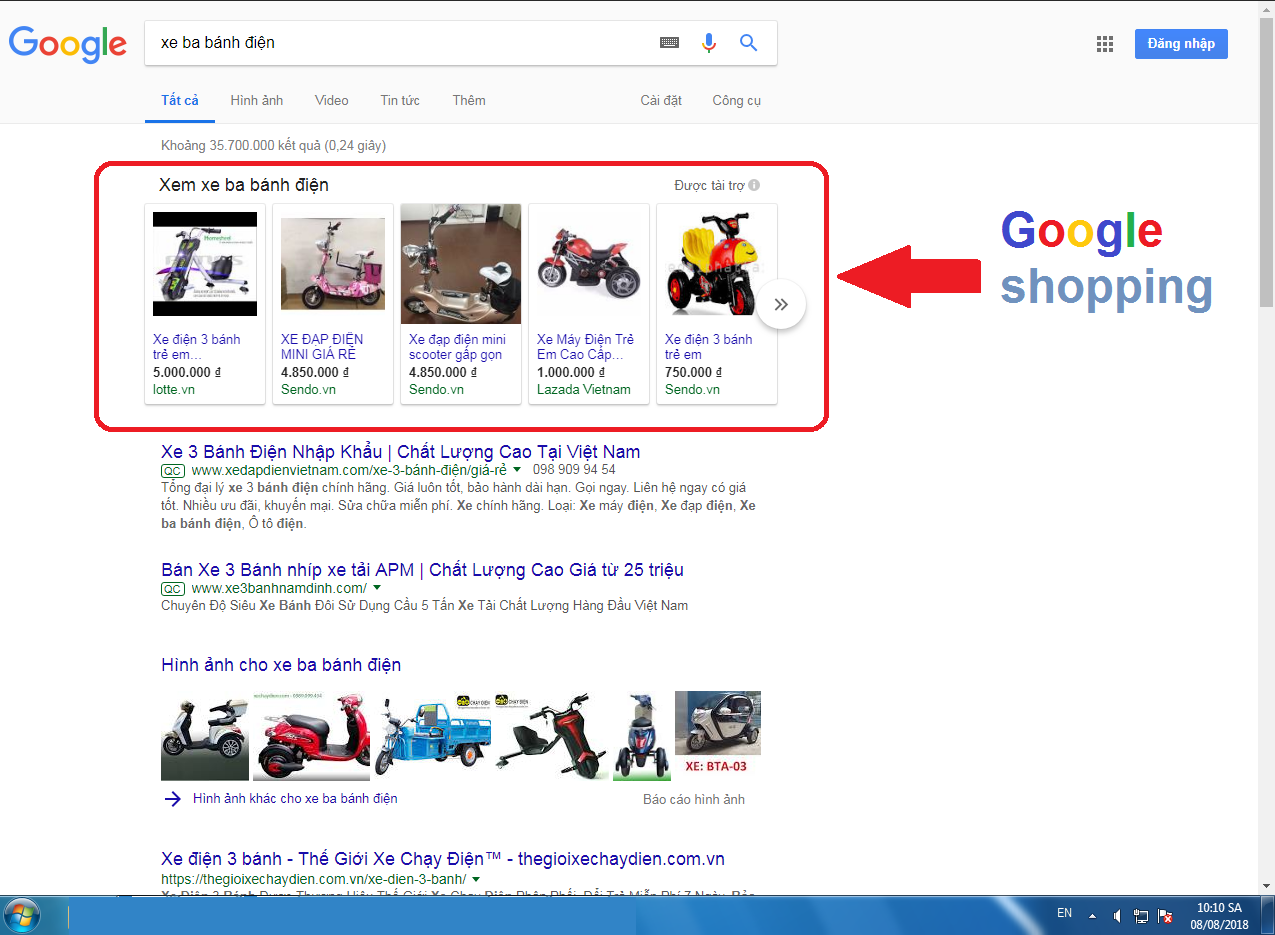
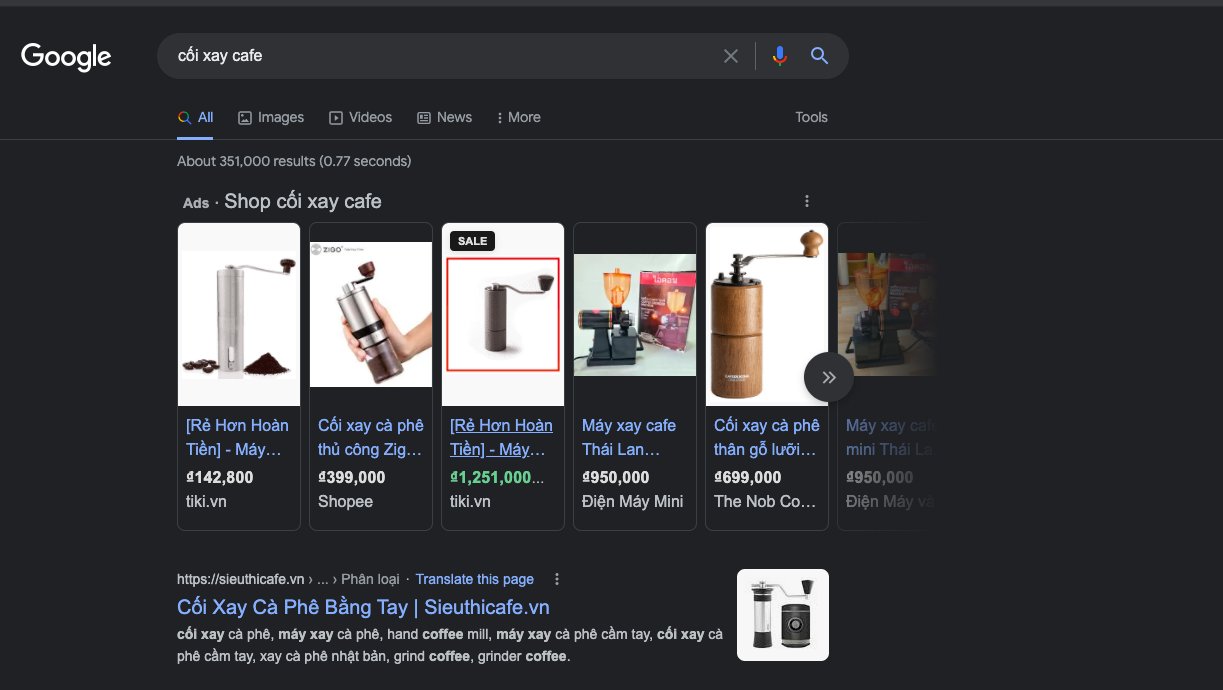
Google Shopping Ads are online shopping ads that appear on one of the biggest search platforms in the world: Google. Google Shopping Ads give shoppers specific product information quickly and easily.
For store owners, Shopping Ads are an extremely effective way to sell on Google. Their products can reach buyers with real purchase intent directly, based on keyword search queries.
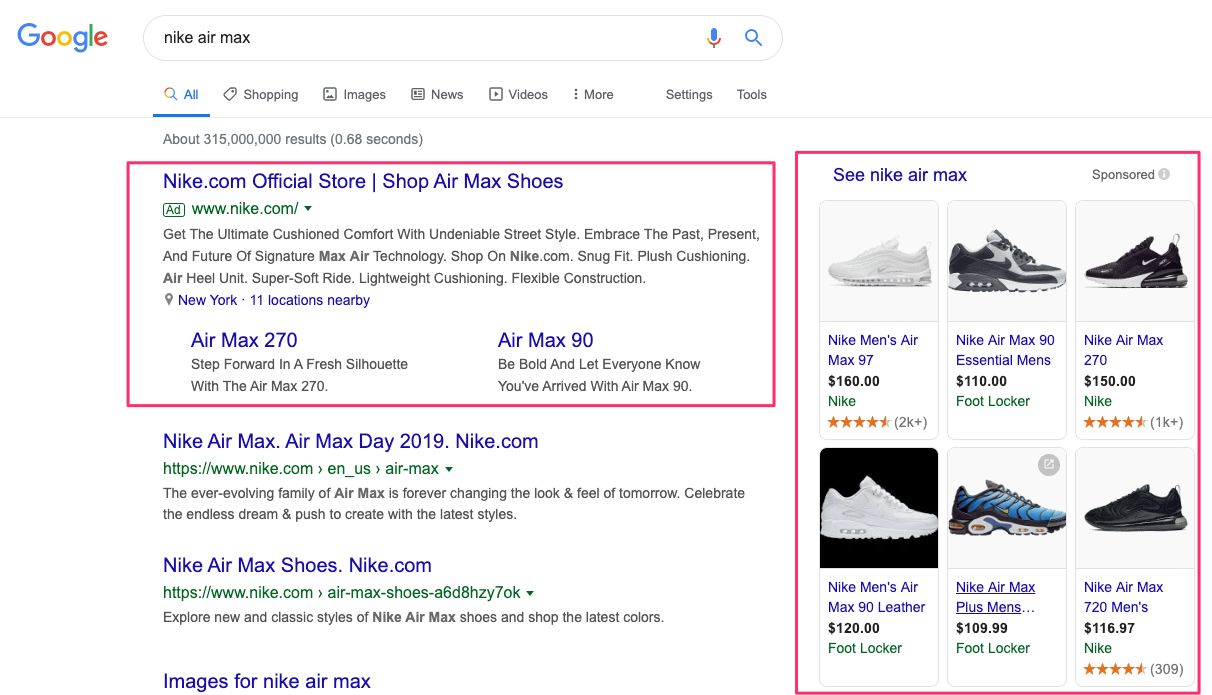
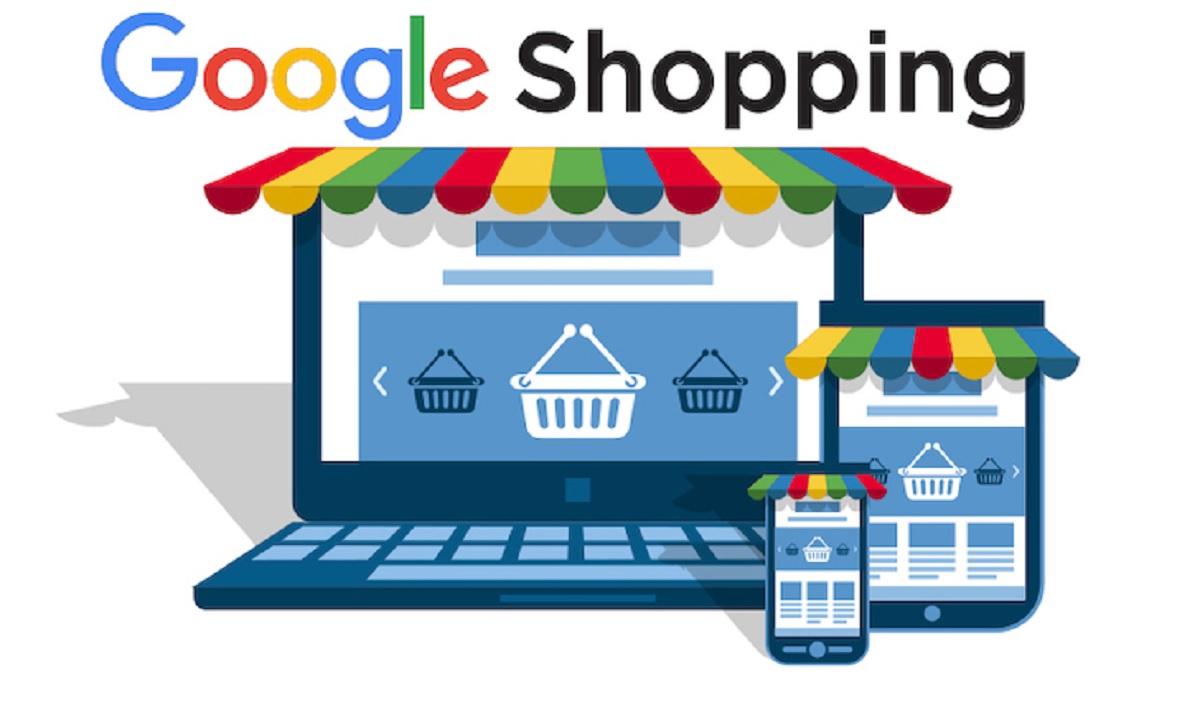
This ad format runs on two main platforms: Google Ads and Google Merchant Center. Specifically:
- Google Merchant Center holds the data feed for the products you sell. The data is organized in Google’s own format.
- Google Ads is where your online shopping campaign actually runs. Here, you can adjust costs, set bids, and optimize your ads based on user behavior.
Experts note that setting up and managing Google Shopping Ads is completely different from traditional text ads. With text ads, you create a campaign and ad groups, and customize them around keywords. For that reason, you can run both formats at the same time to increase brand awareness and your products’ reach among potential customers.
>>>> Read more: What Is Google AdWords? Reasons to Run Google Ads
Where Do Google Shopping Ads Appear?
Unlike keyword ads or SEO, Google Shopping Ads appear mainly in the following 5 places:
- The Shopping tab on Google Search.
- Alongside Google Search results, but separate from AdWords ads and Google Images.
- Google Images.
- Websites of Google’s search partners.
- The Google Display Network, including YouTube, Gmail, Google+, and more.
Requirements for Running Google Shopping Ads
The requirements for Google Shopping ads aren’t overly complicated. To get started, your website only needs to meet the following 3 criteria:
- The website has e-commerce functionality, including product information, a shopping cart, ordering, and payment.
- Clear policies on returns, payment, refunds, shipping, and product warranty.
- The website has an SSL certificate installed, or a URL in the form http://domain.com.
If you meet every requirement and have followed the steps correctly but still can’t create your ads, contact The7 for detailed service consultation.
Products You Can’t Advertise on Google Shopping
Google Shopping doesn’t allow ads for certain types of products and services, including:
- Tickets for transportation services and events. For example: concert tickets, flights, and bus booking services.
- Vehicles powered by an engine or sails, such as campers, trucks, airplanes, and helicopters.
- Finance-related products such as insurance, stocks, bonds, credit cards, and checks.
- E-books and digital content, except audiobooks.
- Gift cards.
- Real estate and other types of property that can’t be moved without being modified or destroyed.
A-Z Guide to Running Google Shopping Ads
It’s easy to see that Google Shopping Ads offer many outstanding benefits. Making them work, however, is not easy. Whoever builds the plan needs not only deep knowledge of their products and brand, but also a firm grasp of market trends and changes to Google’s algorithm. That’s why we’ll now give you the most detailed guide to running Google Shopping ads. Depending on your business’s goals and strategy, you can apply it and adjust it to fit.
(Source: YouTube)
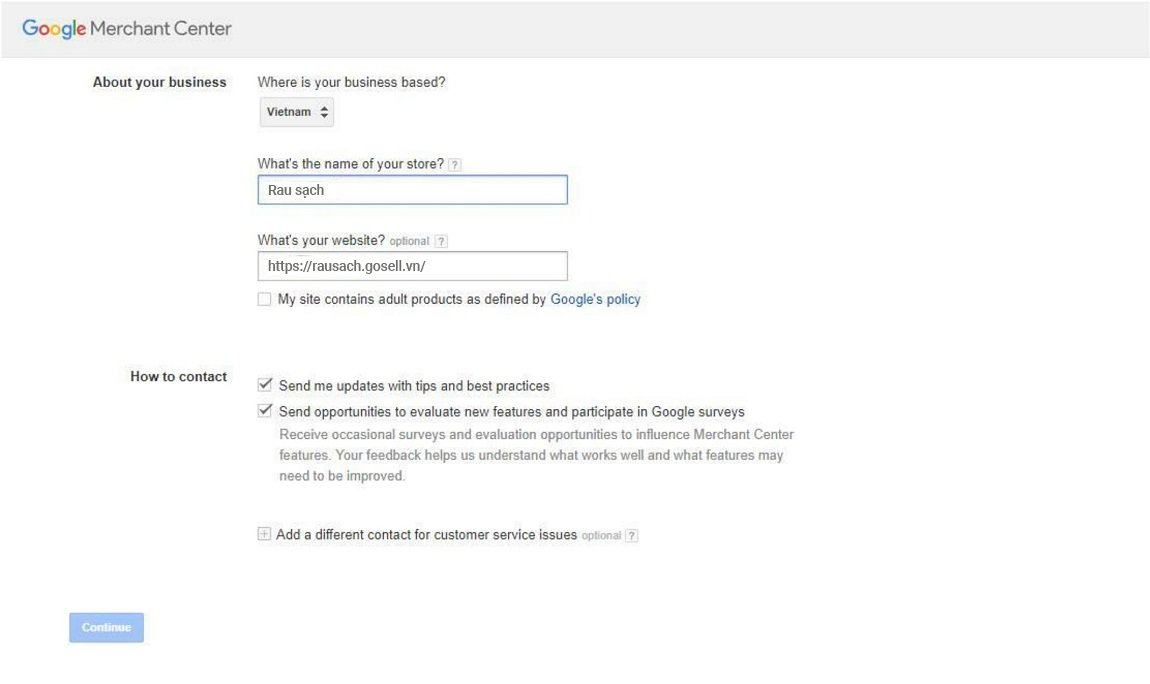
Step 1: Create a Google Merchant Center Account
To create Google Shopping ads, the first prerequisite is having both a Google Ads account and a Google Merchant Center account. The two accounts must be linked before you can build a data feed for Google Ads.
If you don’t have an account yet, go to this link: https://goo.gl/4rJ8kY. Just fill in the details as instructed. The whole process takes only a few minutes, and anyone can do it.
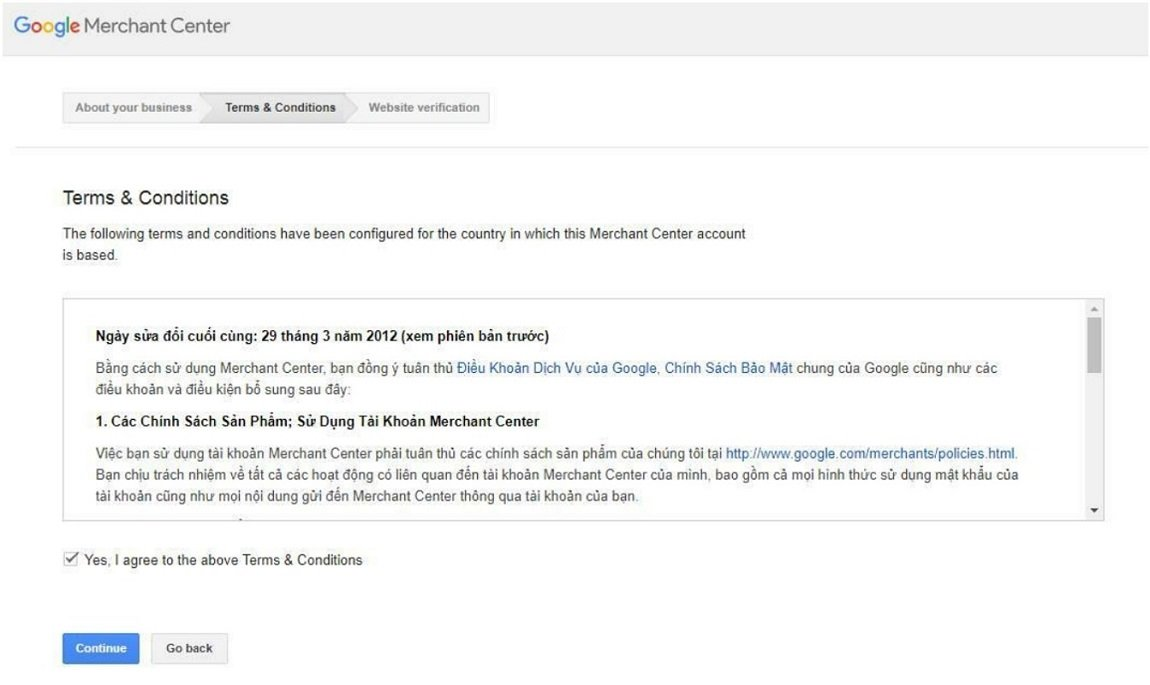
Step 2: Verify Your Merchant Center Account With the Website Owner
For Google Shopping ads to appear, you must have a website address (URL). You can verify Merchant Center in one of the 4 ways below:
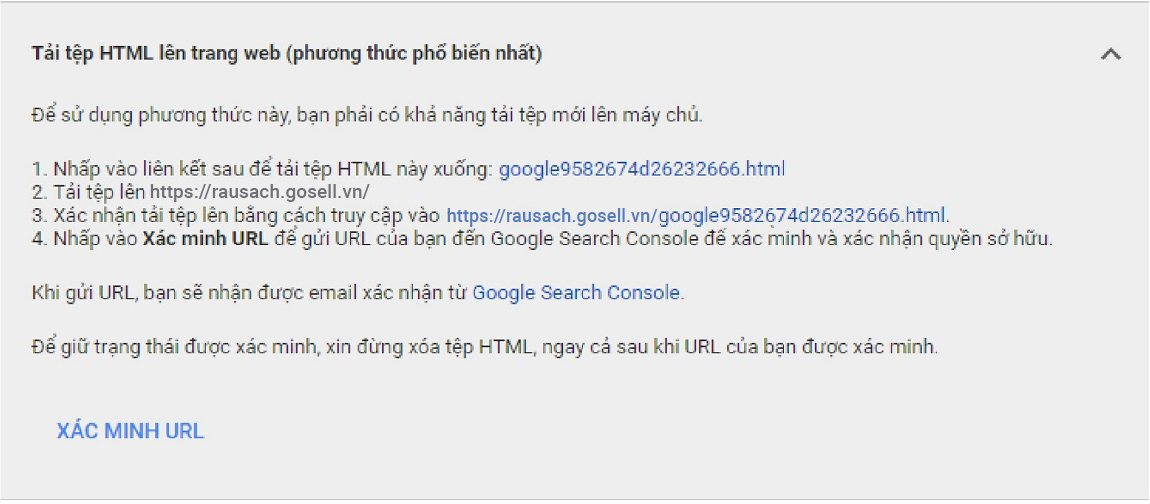
- Method 1: Add the Merchant Center HTML code directly to your website. This is the method Google recommends, and the most common. Google will send you an HTML file; just download it, then upload it to your website. Next, confirm in Merchant Center and click verify URL to send it to Google Search Console for verification. Note: do not delete the HTML file during this process.
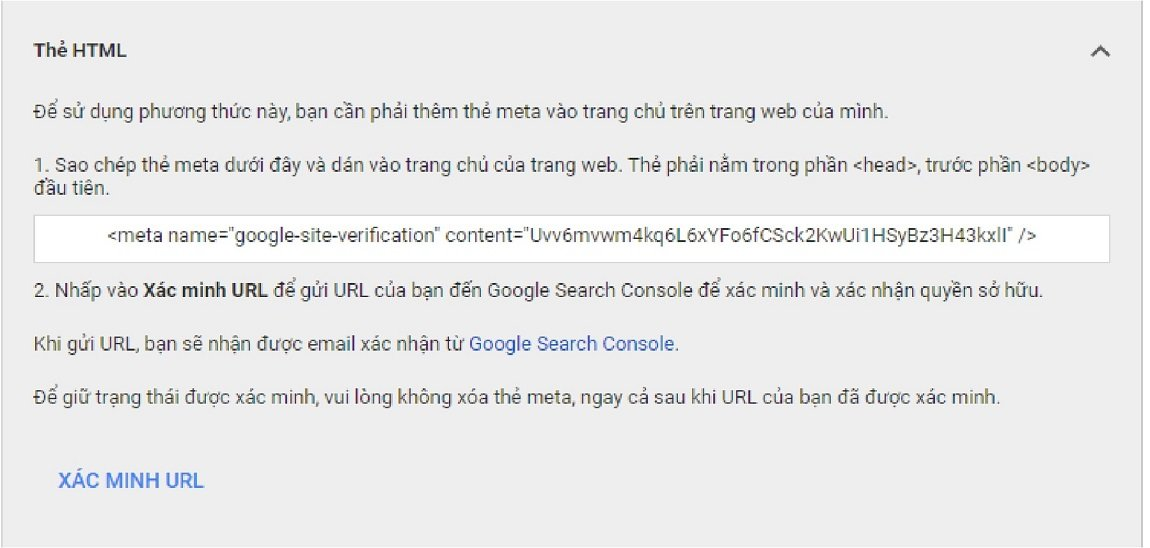
- Method 2: Verify with an HTML tag by copying the meta tag that Merchant Center suggests. These tags go in the <head> section. Then click verify URL as in Method 1.
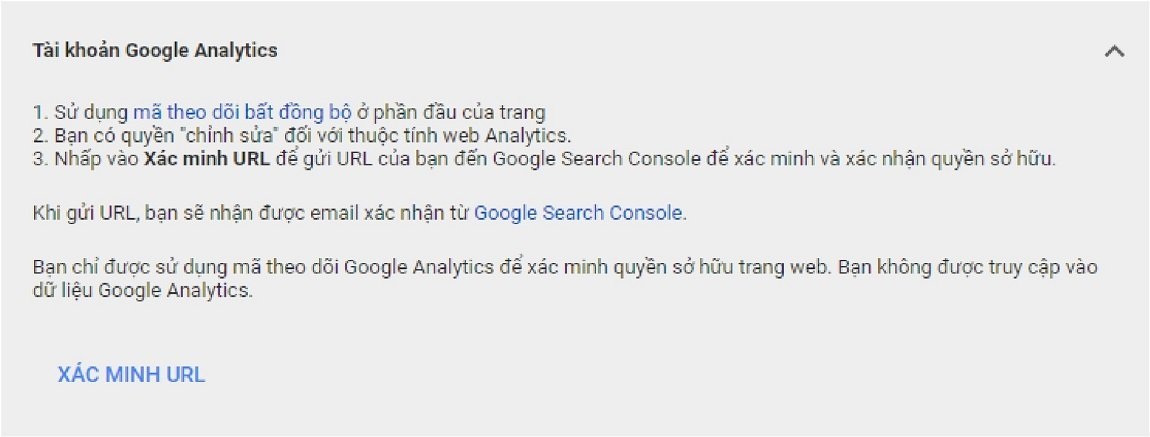
- Method 3: Verify with Analytics, but the admin email must have granted the email registered with Merchant Center co-admin permissions. In addition, the Analytics code must be installed on the website.
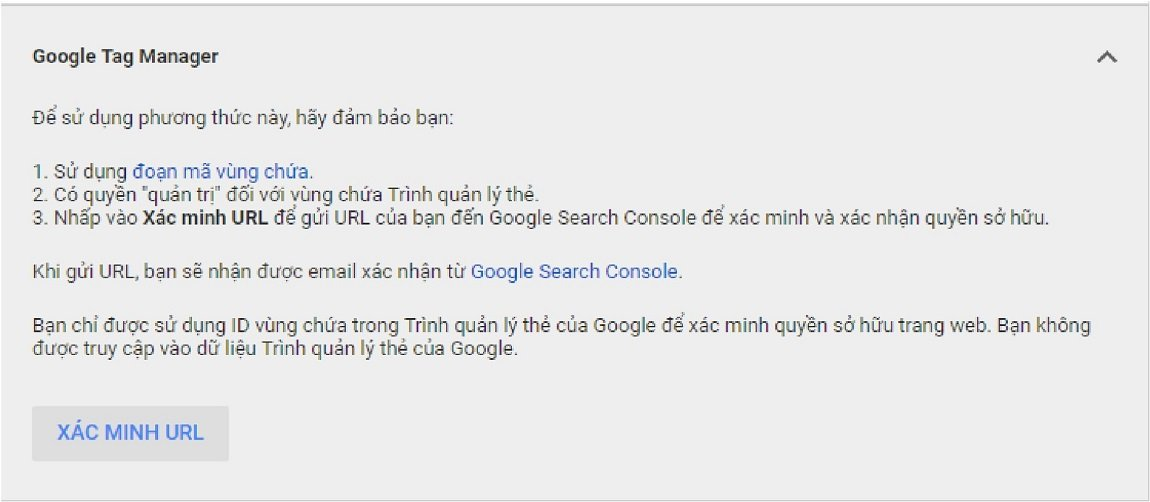
- Method 4: An email that has been granted Google Tag Manager admin permissions can also do the job. If you use a shared email address, simply click verify as usual.
Step 3: Link Your Merchant Center Account to Your Google AdWords Account
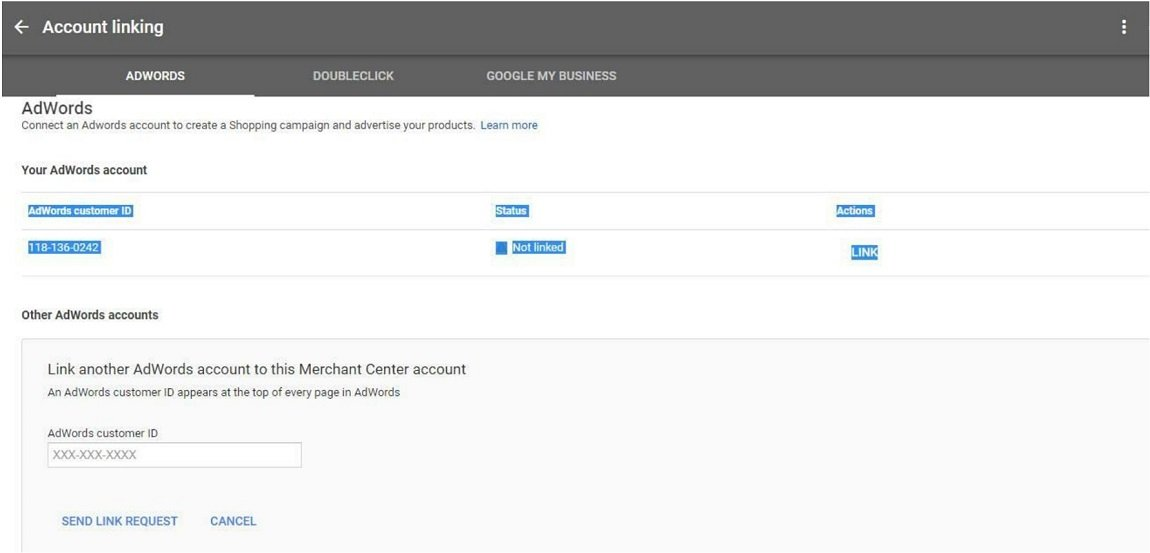
In this step, log in to Merchant Center and click the 3-dot icon in the top right corner of the screen. Next, select account linking, then connect AdWords. Then enter your AdWords ID and click submit. Finally, log in to your Google Ads account, go to settings, select the matching account, and confirm.
Step 4: Upload Product Data to Google Merchant Center
After linking your Google Ads account with Merchant Center, the next step is to upload your product data to the system using the following instructions:
Log in to Merchant Center -> Select “Products” -> Feeds -> Click the “+” sign to create a primary feed.
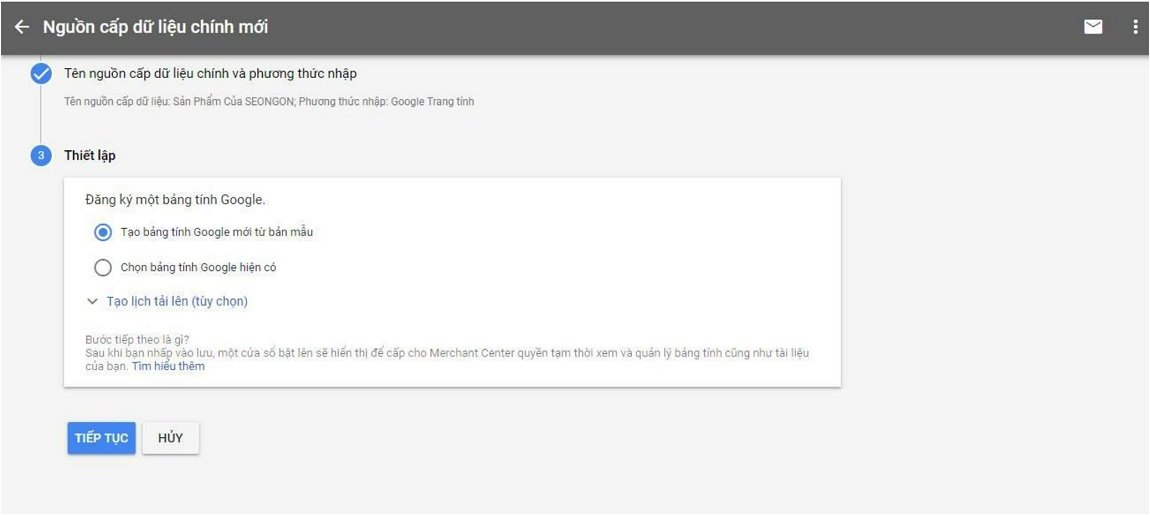
Fill in all the information in this setup section. For the language, it’s best to choose English to avoid file errors.
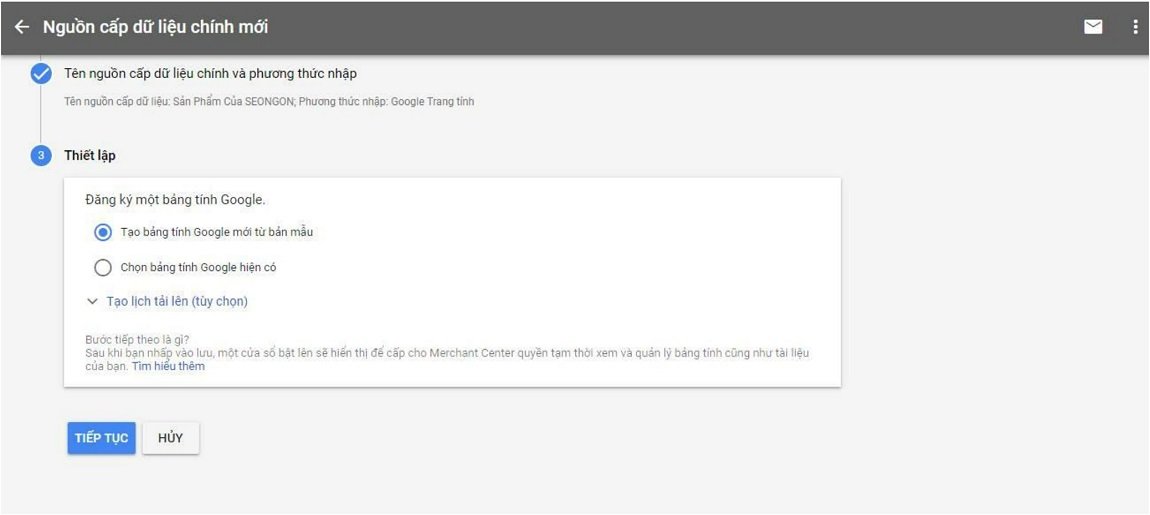
Name your feed and choose to set up the data source with a spreadsheet.
Select “Create a new Google spreadsheet from a template.”
Or you can use this template directly: https://goo.gl/kszJL9
Step 5: Create a Shopping Campaign on Google Shopping
You can start by logging in to Google AdWords and creating Google Shopping ads.
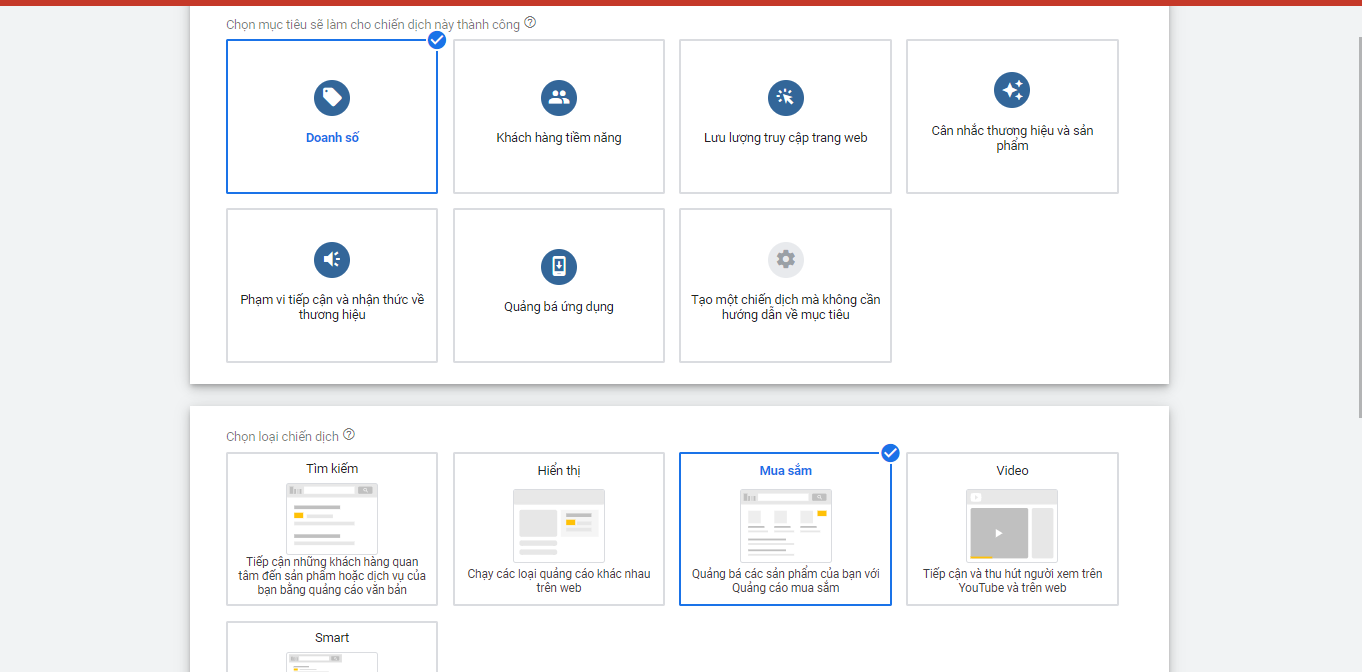
Next, set up the following categories:
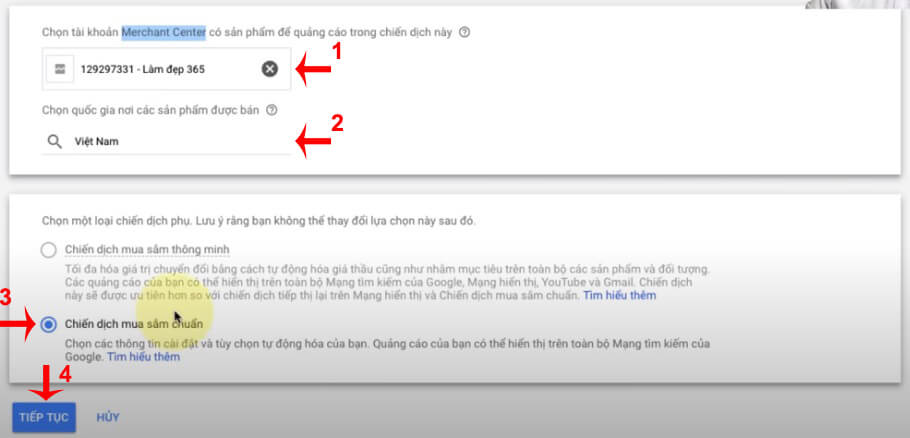
- Select the Google Merchant account that contains the products you want to advertise.
- Choose where your ads will appear.
- Select the Standard Shopping or Smart Shopping option.
- Configure the shopping campaign and the ad groups that follow.
Benefits of Running Google Shopping Ads
Improve the Quality of Your Potential Customers
With Google Shopping ads, you can improve the quality of your potential customers by highlighting product and brand information. That makes it easier for buyers to make well-informed purchase decisions.
Centralized Campaign Management
Google Shopping Ads let you improve the quality of your potential customers by highlighting product and brand information. That makes it easier for buyers to make well-informed purchase decisions.
In addition, instead of using keywords, Google Shopping Ads use the product attributes you define in your Merchant Center data feed, giving your ads a chance to appear as early as possible in search results. You can also create groups of products you want to bid on, which helps you optimize costs effectively.
Increase Click-Through Rate (CTR)
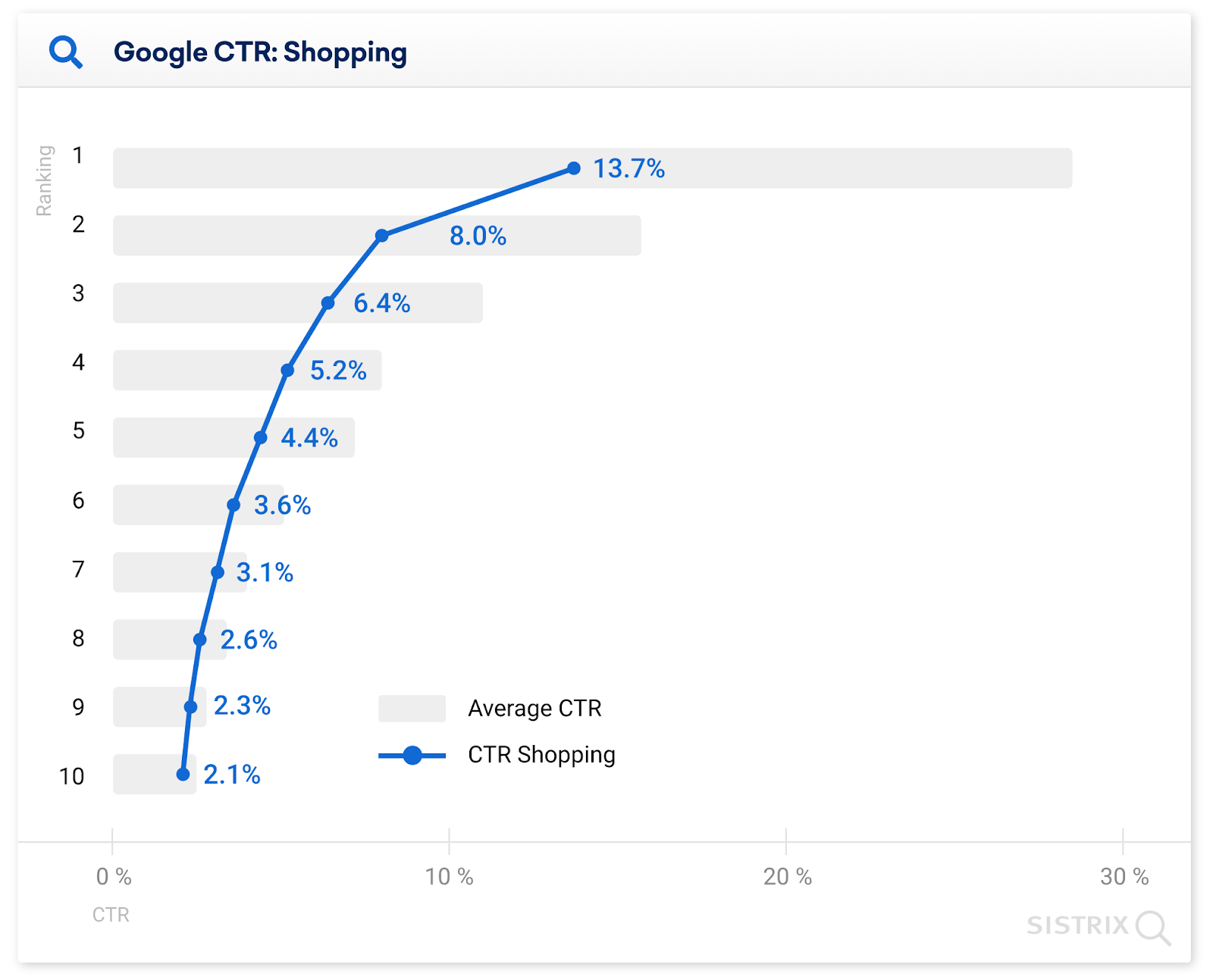
According to Google, the click-through rate on products from Google Shopping reaches 34% – 35%, more than twice that of pure PPC ads. The reason it reaches 35% is that customers see complete product information on Google Shopping: images, store credibility details, and more.
By investing in high-quality, eye-catching images and clear, detailed product information, you’ll earn more goodwill from customers, and they’ll find it easier to open their wallets for you.
Lower Cost Per Click (Lower CPC)
Like traditional PPC (Pay Per Click) advertising, the cost per click (CPC) of Google Ads Shopping is heavily influenced by click-through rate (CTR). That’s why, when your CTR is optimized, your CPC drops along with it.
In campaign management, you can see the average CPC your ads are paying. With that information, you can easily change your settings to keep your budget as low as possible.
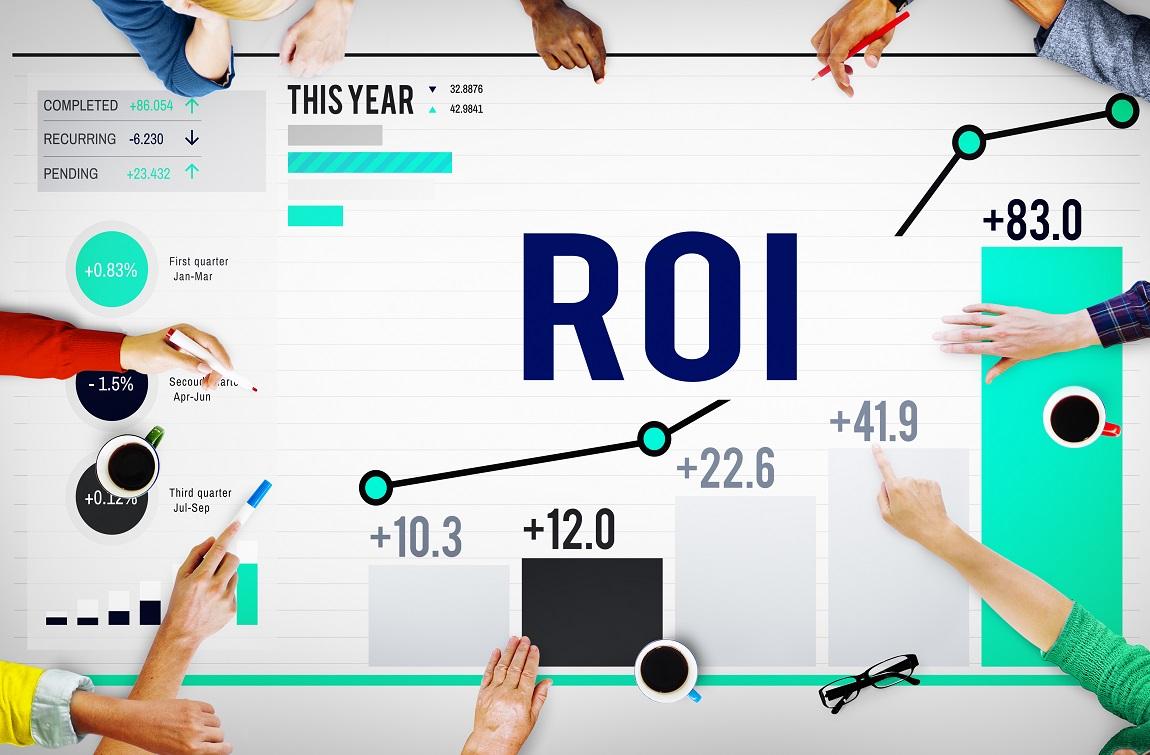
Better Return on Investment (ROI)
A higher CTR and a lower CPC mean your return on investment (ROI) keeps improving. If you improve both CTR and CPC at the same time, you only need to spend half the budget, or you can generate twice the sales.
Strong Visibility on Mobile
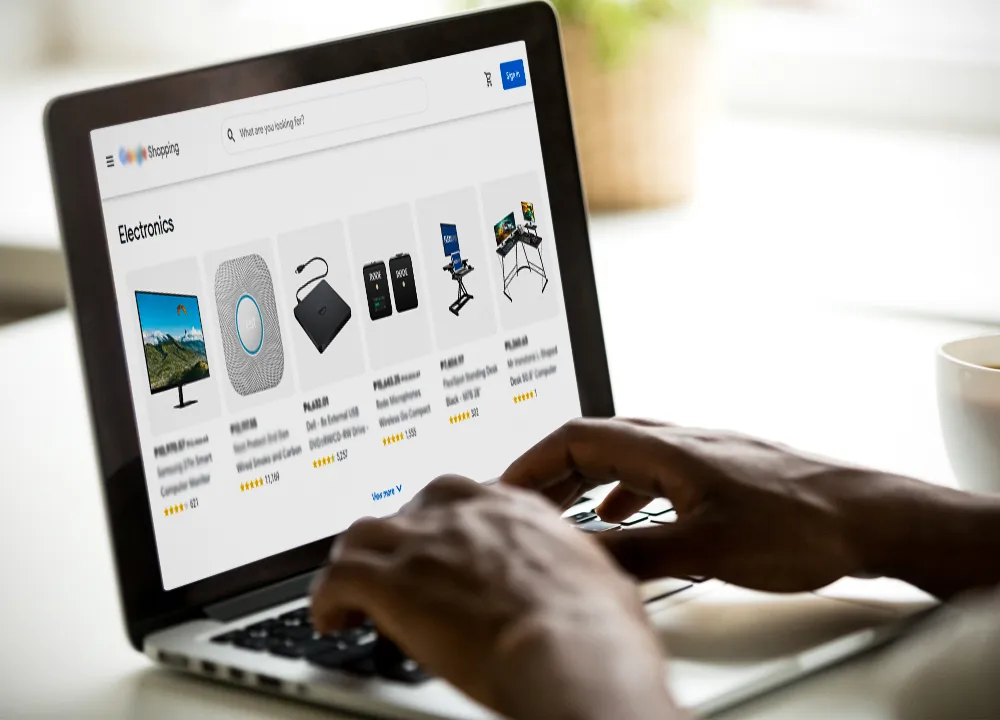
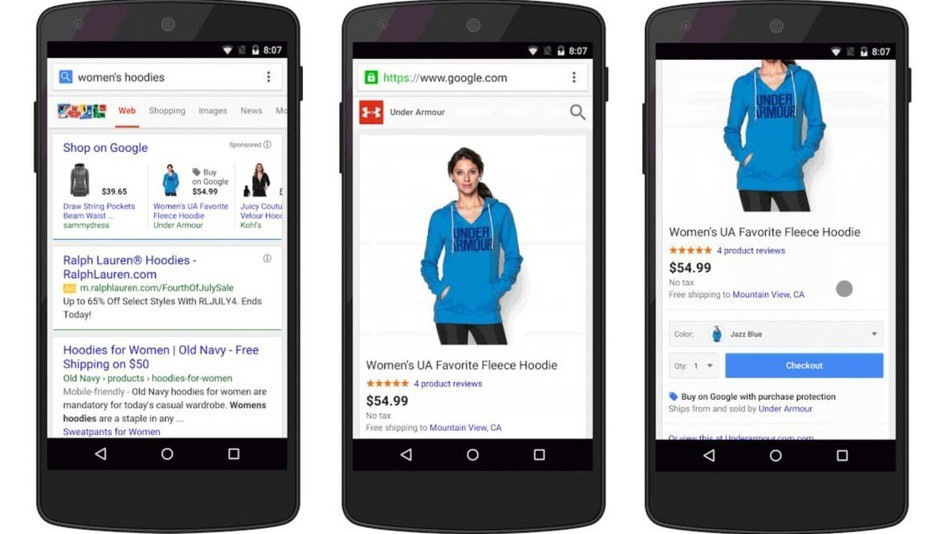
However you run your Google Shopping ads, you need to understand that Google shows only 2 PPC ads on mobile. This means you must optimize your images and content to maximize your chances of appearing in one of the top two positions. That way, potential customers are far more likely to see your business’s products and brand. This matters especially because searches on mobile phones and tablets are increasingly outnumbering searches on PCs or laptops.
Fast Impact With Sharp Images
Research shows that visual content affects the human brain much faster than text content. That explains why image-based advertising is widely used for icons, maps, road signs, and more. Images are also the only visual element on SERPs, and the most eye-catching one. That’s why, to capture buyers’ attention, make your product images as striking and on-trend as possible.
Save Advertisers Time and Effort
If you have many products, building an optimized traditional Google Ads campaign is a time-consuming, labor-intensive process. To create a complete keyword list and target the right audience, the person in charge has to study market demand, competitor moves, and Google’s algorithms thoroughly.
Google Shopping, on the other hand, creates ads from the data your business already has. So you only need to make sure your product titles, attributes, and descriptions are accurate. Google handles everything else automatically.
Automatic Product Information Updates
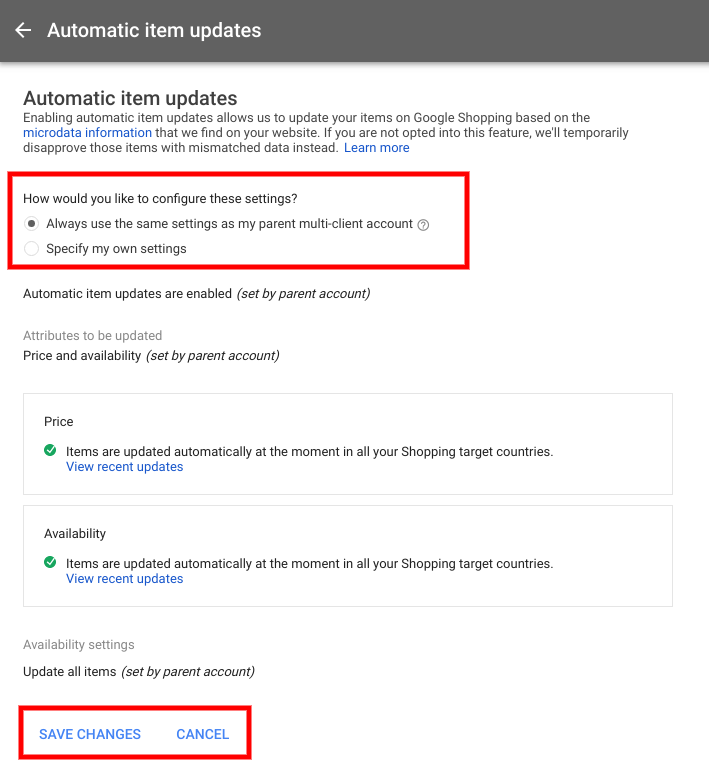
Before launching your ads, just turn on automatic data updates. Google will update your campaign once a day, as long as you make sure you aren’t bidding on products that are discontinued or sold out.
If you add new products to your website, they’re automatically added to your “data feed” the next day. You don’t need to keep updating your campaign by hand.
Custom Labels
Each Google Shopping campaign gives you the chance to add up to 5 layers of custom labels. This means administrators can control ad performance more tightly.
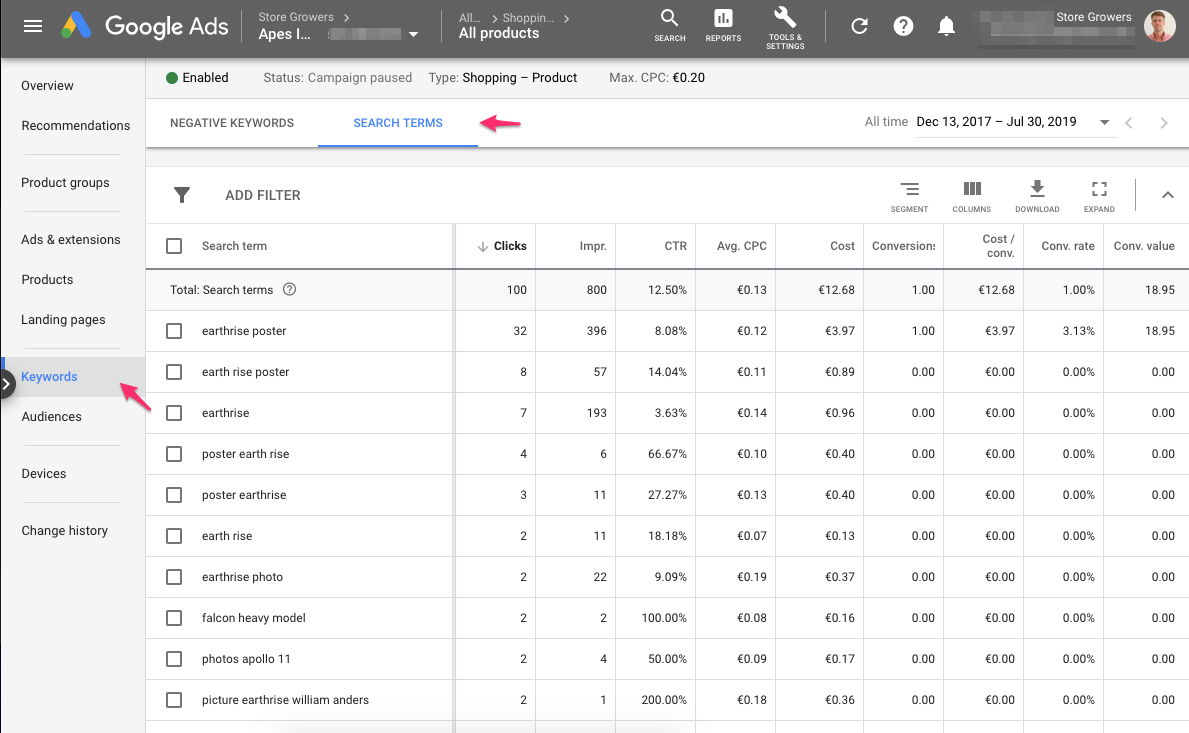
Detailed Reports and Up-to-Date Data
Google Shopping ads let campaign owners view data by product or by attribute. Because these metrics are tied to individual items rather than product groups, you can filter and segment the data by custom factors that suit you, including: product category, brand, product type, condition, item ID, custom labels, and more.
Competitor Benchmark Data
Google also gives you anonymized CPC and CTR data on your direct competitors. Based on it, you can form a rough idea of the best bids to place, so your campaign performs well within a specific budget from the start.
How a Google Shopping Ads Campaign Works
Shopping Ads use Merchant Center product data instead of keywords to determine how and where your ads appear. The information you submit to this system must be detailed and complete for the products you sell, such as name, price, origin, ingredients, and more. Google uses it to match against users’ search queries so your products appear in the most relevant places.
To manage Google Shopping ads, you just need to use a Shopping campaign from Google’s tools. It’s a simple, flexible way to organize and advertise the product catalog in your Google Merchant Center effectively.
You can consider 1 of the 3 types of shopping ads below to carry out your plan.
- Product Shopping ads: Created from the data you submit in Merchant Center.
- Showcase Shopping ads: Admins can build these directly in Google Ads by grouping related products together. That way, target customers can easily compare products and click the one that suits them best.
- Local inventory ads: This type uses data from your local inventory feed to attract users across the Google Display Network.

Which Companies Are Google Shopping Ads Right For?
AdWords campaigns suit many types of advertisers, from personal blogs to service companies to e-commerce sites. So which businesses is advertising on Google right for? If you work in one of the business sectors below, consider this format.
E-commerce
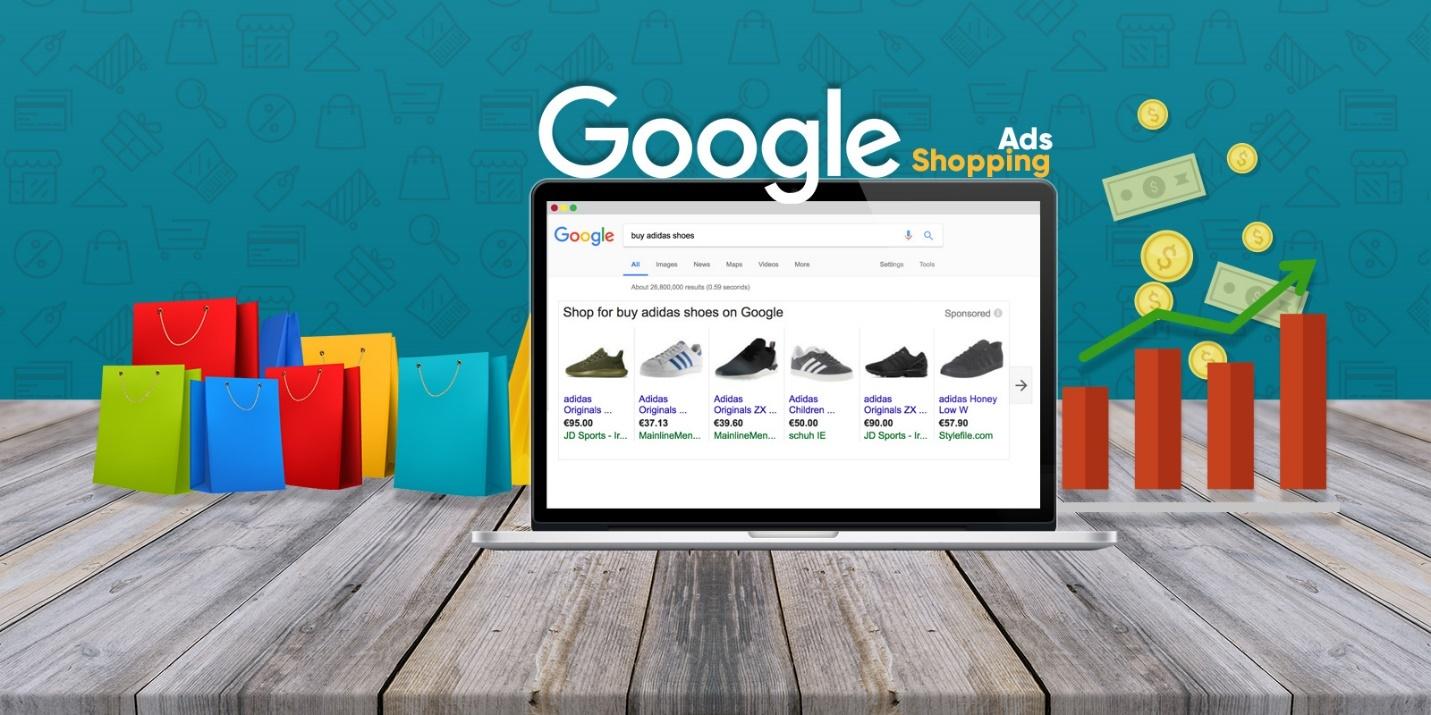
The world’s biggest e-commerce players, such as eBay, Amazon, Alibaba, Walmart, and Taobao, and in Vietnam, Lazada, Tiki, Sendo, Shopee, and Thegioididong, have all been running Google Shopping campaigns to promote their products. These businesses hold a huge volume of items across many product types and categories. As a result, this format both strengthens brand presence and boosts sales performance.
Online Stores
For small businesses and online shops, Google Shopping ads are also an excellent choice. In practice, finding customers on social platforms like Facebook, Instagram, and Zalo works quite well. But you can’t rule out that your target audience doesn’t have the habit of shopping there, or doesn’t trust that channel.
Some surveys show that 70% of users, before deciding to buy anything, usually go to Google to look up information, check prices, and find where to buy. So build a plan that targets this group to attract potential customers, rather than taking the risk of diving into a niche market and sinking without a trace.
Linking Analytics and Tracking Shopping Ads Conversions
Link Analytics in Google AdWords
When you run Google Shopping ads, you need to link Analytics in Google AdWords to track your conversion rate. You can do this in two ways:
- Create an AdWords tracking code, then place it on your order confirmation page
- Import conversions from Google Analytics
Once Google Analytics and Google AdWords are linked successfully, follow the steps below to set up conversion tracking:
Step 1: Click the Settings icon (the gear) in the top right corner and select Account settings.
Step 2: You need to use the same admin email to access Google Analytics, Google AdWords, and Google Merchant Center. In the Account settings interface, click Google Analytics (under Linked accounts).
Step 3: On the next page, click the Tools tab and select Conversions.
Step 4: Now simply choose the website running Google Shopping ads whose conversions you want to track. Google Analytics will give you complete metrics on your conversion results.
Track Conversions in Google Analytics
So why is tracking conversions with Google Analytics so important when you create Google Shopping ads? Here are some of the benefits it brings:
More options for conversion tracking
With Google Analytics, you can choose from different ways to break down your conversion data. Typically, users visit a website several times before deciding to buy. Analytics shows where your ad clicks sit along the path to conversion. The click position tells you:
- The user clicked your ad earlier, then came back from another source and placed an order. This is called the “first click.”
- The user clicked your ad and decided to buy immediately. This case is called the “last click.”
As you can see, Analytics gives you an overview of your potential customers’ buying journey and how they look for information in your ads and on your website. This lets businesses evaluate ad performance, then either keep the ad as is or optimize their Google Shopping ads to reach a higher conversion rate.
Other customer behavior data
Conversion rate is considered the most important metric reflecting the performance and success of an ad campaign. However, it isn’t the only metric you need to pay attention to.
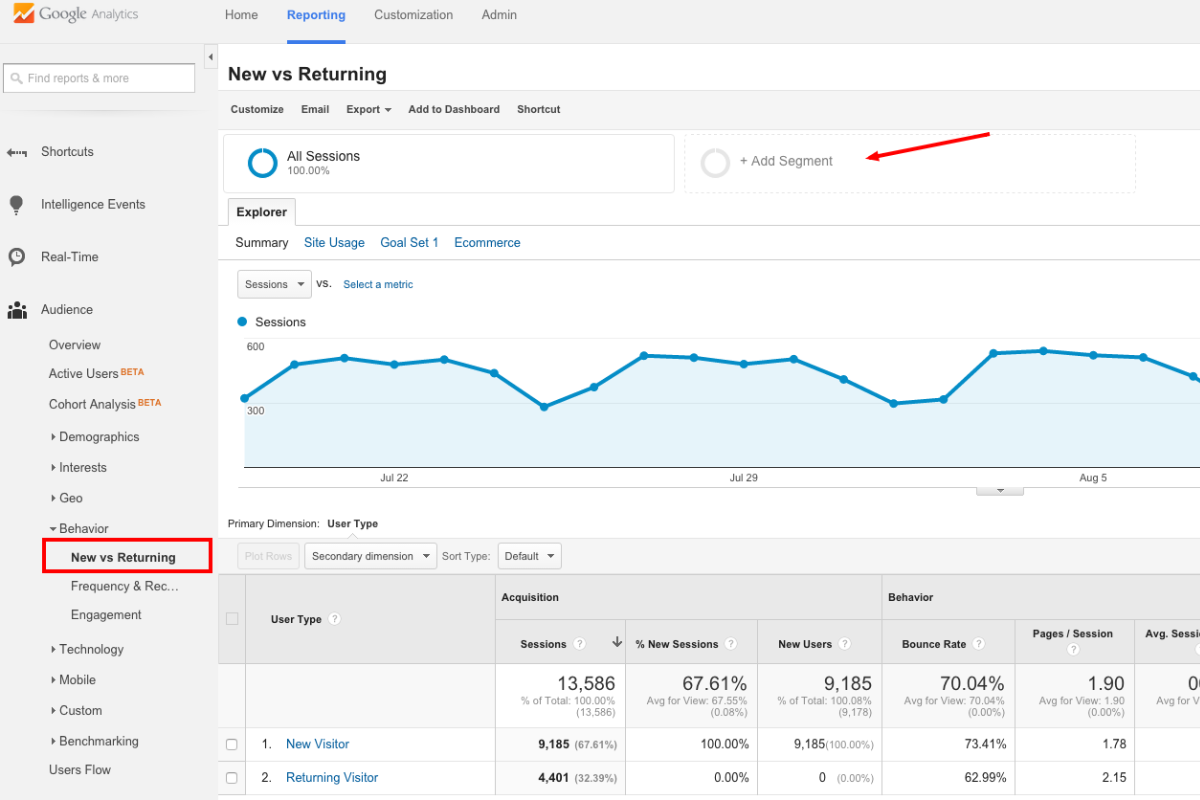
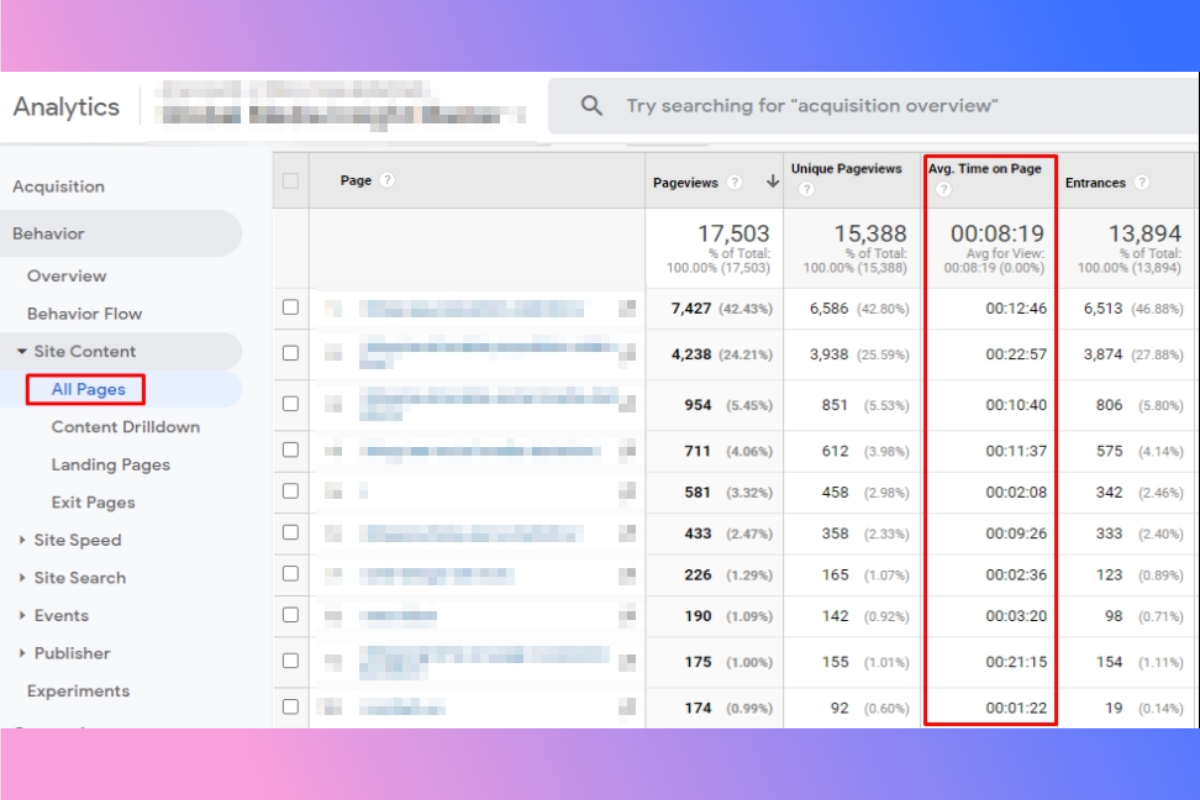
Google Analytics also gives businesses plenty of other valuable data on customer behavior, such as time on site, bounce rate, and average pages per session. These are useful supplementary metrics that clarify the overall performance of your ads and website. They also show whether users’ experience on your website is good.
Remarketing lists
With Google Analytics integrated, businesses can use customers’ shopping behavior and interactions with the website to build a new remarketing list. Remarketing lists can be created based on the following factors:
- Pages users have visited
- Goals achieved or actions users took on the website (for example, watching a video or filling out a form)
- How long users stayed on your website
With remarketing lists filtered by audience segment, businesses get a wider range of options and can target the right customers more effectively.

We hope that, after reading what The7 has shared above, you know what Google Shopping ads are and what benefits this format brings to businesses. We’re confident that building a Google Shopping advertising strategy that fits your products will help your company achieve the results you want.
If you run into any difficulty or question while setting up Google Shopping Ads, don’t hesitate to contact The7 by hotline: 082.246.7979 or 0879.17.7979.
>>>> See more:
- A guide to effective Gmail advertising
- Google Discovery ads: what they are and how to create them, step by step
- Google Smart campaigns: what they are and how to attract high traffic
- A guide to running Google banner ads effectively
- What is GDN? How to run display ads on the Google Display Network

Nguyễn Đình
Bảo




As CEO of The7, I am committed to sharing practical, useful knowledge with every reader. Every article on The7 is based on my 7 years of hands-on experience in marketing — Facebook advertising, LinkedIn advertising, Google advertising, and marketing strategy. I hope you take away plenty of insight from these posts and apply it successfully in practice.
Related Articles
Building a Full-Funnel Content Marketing Strategy on LinkedIn
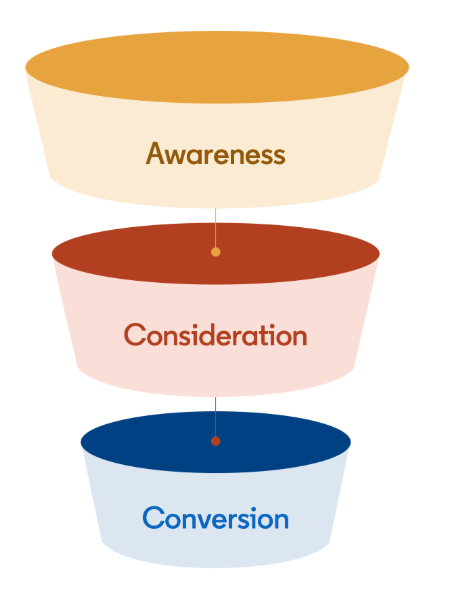
Table of Contents Toggle Why Build Content Marketing for the Full Marketing Funnel? (Why Full-Funnel Content Marketing?)Creating Your Strategy (Creating Your Strategy)Implementing Your Content Strategy (Rolling out your content strategy)Summary...

Designing Creative Content for LinkedIn
Table of Contents Toggle Why Is Good Creative Content So Important? (Why is Good Creative Important?)Key Components of Creative Design (the core elements of creative design)Summary (summary) Why Is Good...

Building an Organic Business Presence on LinkedIn With a LinkedIn Page
Table of Contents Toggle Why Have a LinkedIn Page?Establishing Your LinkedIn PageKeeping Your LinkedIn Page ActiveThe Measure of SuccessSummary About LinkedIn Page (Summary) Why Have a LinkedIn Page? For a...

6 Best LinkedIn Marketing Strategies for B2B in 2026
Table of Contents Toggle LinkedIn 2026: Where B2B Decisions Get MadeStrategy #1 – Why Is LinkedIn the Best B2B Marketing Channel Today?1. Decision-makers are concentrated here2. Users are in work...

7 Social Media Trends for 2026: The Era of Real Value, Real Conversion, and Real People
Table of Contents Toggle Social media is entering the biggest restructuring of the decadeTrend 1: Why is buying directly in-app becoming the new standard for 2026? (On-Platform Conversion)What should businesses...

What Is TikTok Marketing? Effective TikTok Marketing Strategies
TikTok has been topping the global rankings of the most downloaded and most visited apps. That makes it a gold mine for marketers who love creativity. In this article, The7...


