


15 Ways to Optimize Google Ads Effectively in 2024

Optimizing Google Ads can help your website earn a higher position in search rankings. But how do you do it well and get the results you expect? The7 will walk you through all the details right below. If you want useful, up-to-date insights, don’t skip this article.
>>>>> See more: The most detailed guide to running Google advertising in 2024
1. Why Should You Monitor and Optimize Your Google Ads?
Optimizing your Google Ads helps you refine your campaigns and avoid unnecessary risks. It gives businesses a stronger competitive edge over rivals and helps them reach the right audience. In addition, a higher website position raises your standing and builds solid trust with consumers.
>>> See more: What are Google Ads? Google Ads knowledge for beginners
2. Ways to Optimize Google Ads
Optimizing Google Ads requires following the right process, step by step. Below is the detailed information The7 wants to share with you. Review it and put it into practice soon to get results that exceed your expectations:
2.1 Optimize Your Quality Score
Quality Score is a concept every newbie must know when getting started with Google Ads. To raise it, focus on three main factors:
- Ad relevance metrics.
- Your customers’ landing page experience.
- Click-through rate (CTR).
2.1.1 Ad and keyword relevance metrics
Google evaluates ads based on search query keywords, ad copy, and ad group structure. The more closely these three elements relate to one another, the higher your ad’s relevance score will be.
Users tend to “spend money” on ads that match their search phrases. Make sure your ad text is closely tied to the user’s search intent, especially the headline (title). This catches searchers’ attention and raises your ad’s Quality Score.
So how do you do it? Break your keywords into groups that share the same topic or product, and avoid putting too many keywords with different meanings and different search intents into a single ad group. This structure is called SKAGs (single-keyword ad groups), meaning you focus on one single keyword per ad group.
2.1.2 Click-through rate (CTR)
CTR is considered the most direct and effective metric for judging whether an ad attracts the right audience. To raise your CTR as high as possible, try approaches such as:
- Test multiple CTAs.
- Put benefits and promotions into your ads.
- Use tools to analyze your competitors.
- Use extensions to optimize the content you want to convey.
- Run A/B tests continuously to pick the best ad.
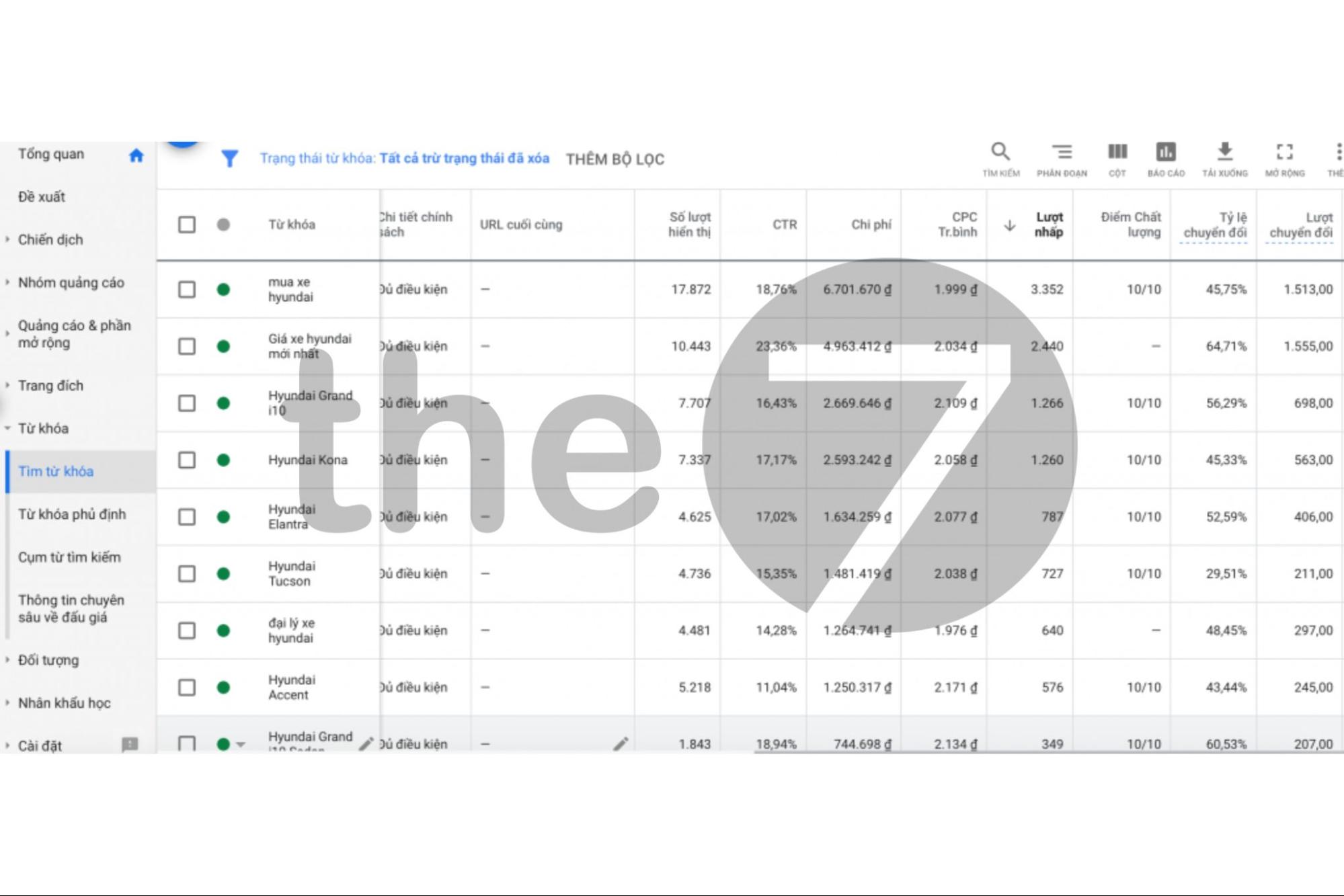
- Remove keywords with a CTR below 1.5% or that bring no conversions.
2.1.3 Improve your landing page
Customers’ experience on your landing page directly affects your ad’s Quality Score. When customers arrive at a landing page through a keyword, they expect to see the information they want right away. If they don’t, they are likely to leave the page quickly.
The more closely your ad keywords and landing page content relate to each other, the more likely you are to earn conversions. To achieve this, it is best to optimize the customer experience. Here are some ways to do it:
- Use a clear message that is consistent with the ad text.
- Create an experience that reinforces the meaning of the ad text. Example: if the ad text is a promotion, the landing page must include promotional content.
- Test different CTAs and content structures to arrive at the best landing page.
- Add elements that increase trust in your brand to encourage engagement and conversions.
- Make sure the landing page matches your ads and the keywords you target. Example: if the ad keyword is adidas shoes, the landing page must have a section featuring shoe models for users to choose from.
- Make sure users can use the landing page easily, and avoid placing too many ad CTAs on the page.
- Provide unique, useful, and accurate content about the features and designs of your products or the benefits of the services you offer.
2.2 Make Sure Your Website Is Mobile-Friendly
Users often visit websites on their phones for convenience, but phone screens are usually smaller than computer screens, so they may find it harder to locate the information they want.
That is why you should make your website responsive so it suits mobile devices. A few other approaches include:
- Set up your website to load fast.
- Add a call section in an easy-to-see place so visitors can contact you easily.
- Keep navigation simple and uncomplicated.
2.3 Test Multiple Ad Versions
This optimization method is called A/B testing. Set up about 3 to 5 ads in one ad group and run them as a trial, and Google Ads will automatically show the ads that perform better.
You can adjust your ads so they differ slightly for testing. Some specific elements to vary include:
- Create several different headlines or calls to action.
- Add more branded keywords.
- Apply different prices or promotions.
2.4 Adjust Your Google Ads Bids
One effective way to optimize your Google Ads is to adjust your bids. If you want more customers to discover your business’s products or services, you should raise your bids. There are currently two options to consider: manual CPC and enhanced CPC. With manual CPC, the bid lets you set the maximum cost per click for your ads. Enhanced CPC, on the other hand, adjusts the bid amount on your behalf.
Setting the cost per click too high leads to wasted spend. But if it is too low, you can’t get your message in front of customers, which quickly and directly hurts your overall ad campaign.
Similar to raising bids by geographic location, businesses use behavioral data to optimize CPC by device when running Google Ads.
For example, if you see that phone searches account for most of your impressions and get plenty of clicks but few conversions, you can lower the bid adjustment for mobile devices and raise it for desktop. That way, with the same budget, your business stays efficient overall and doesn’t miss opportunities anywhere.
2.5 Pause Ineffective Keywords
Besides adjusting bids, you should also consider pausing underperforming keywords. These are identified when the cost is far too high compared to the results the keyword delivers. It is best to turn those campaigns off right away so you don’t burn money for nothing.
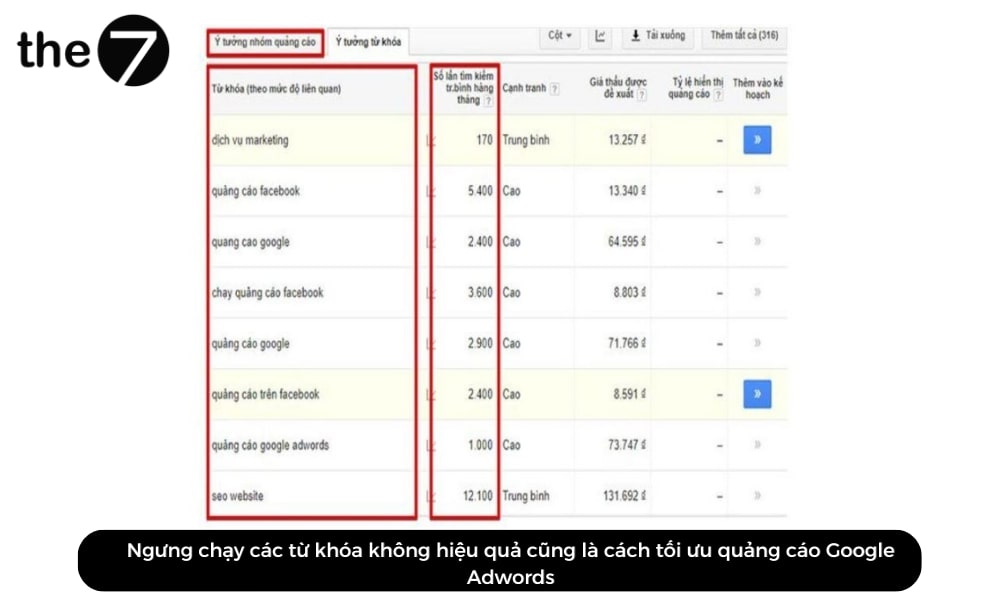
This is also one of the Google Ads optimization methods that experts emphasize. Doing it thoroughly also saves your business time, effort, and money.
Another way to optimize Google Ads is to take advantage of long-tail keywords. Long-tail keywords have lower search volume, but they have their own advantages, such as less competition, which leads to a lower CPC. What’s more, long-tail keywords usually carry stronger purchase intent and offer a higher chance of conversion.
2.6 Reallocate the Budget for Your Online Advertising Campaigns
It’s easy to see that advertising doesn’t focus on just one platform. It needs to be split across several campaigns, scheduled at different times of day, and aimed at distinct audiences. So you need to allocate your budget sensibly to reach your original advertising goals.
2.7 Research and Add Negative Keywords
Negative keywords are one of the ways to optimize Google Ads. Many beginners overlook this feature and only add it after the campaign is already running.

If you can, though, build your negative keyword list from the very beginning and keep updating it throughout the campaign. Put simply, when you run an SEM campaign, the role of a negative keyword list is to limit your ads from showing for terms that are only loosely related in meaning.
It also keeps them from showing outside your intended scope and audience. For example, if a business offers English courses for working professionals, searches for English courses for kids will burn through your budget quickly without bringing you any customers.
2.8 Schedule Your Ads by Time of Day
The next way to optimize Google Ads is to set up an ad schedule by time of day. At first, let your ads run 24 hours a day, then gradually narrow them down, reviewing every few days or every few weeks. After each round, list your results again and start measuring specifically. That way, you’ll know which time slots drive the most conversions and can adjust your bids proactively.
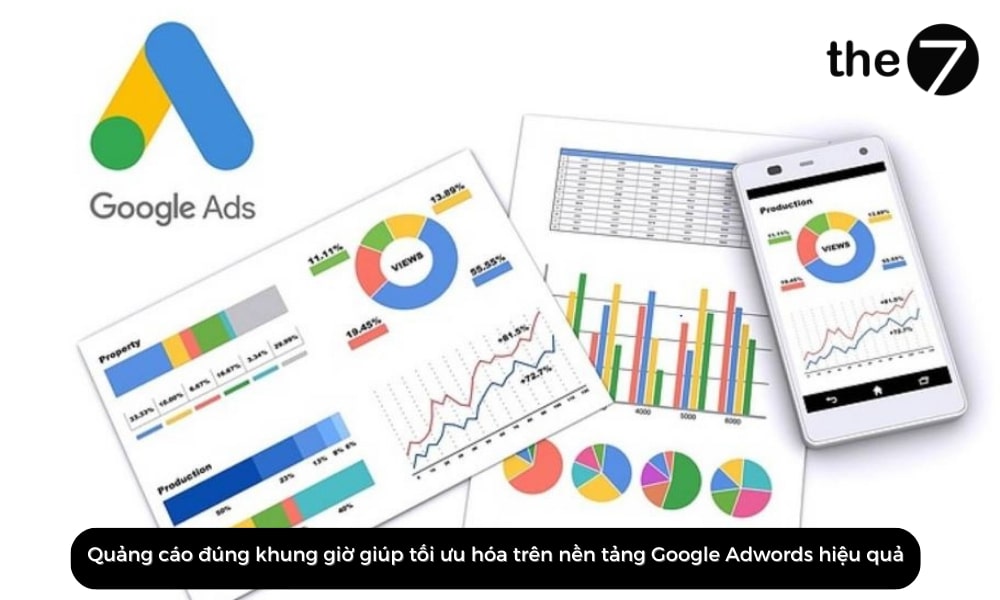
Alongside the hours that convert, there are also hours when ads don’t convert. So use the feature to switch off those time slots and save money. This approach is truly “killing two birds with one stone” and delivers practical results.
2.9 Set Device Priorities
Today, customers use many different ways to look for information online: mobile phones, iPads, computers, and more. So you should apply device priority settings right away. This is extremely important because it helps you fit your ads in as smartly as possible.

A typical example is the group of customers aged 18 to 23, who frequently go online on mobile phones. Knowing this, you should set up your ads on that device. As a result, you’ll increase your reach among young consumers and boost your company’s revenue.
2.10 Set Geographic Location Priorities
Your Google Ads optimization campaign also needs to target audiences in different geographic locations. Accordingly, you adjust it so the information is most relevant to the areas closest to your business. This lets you raise bids in locations that bring conversions and lower them in those that don’t.

Customers typically want to buy products or services near where they live. So set up geographic targeting as early as possible.
2.11 Turn Google Ads Variations On and Off
Turning Google Ads variations on and off is an effective way to optimize Google Ads. Many businesses make the mistake of running too many ad variations, believing that the more widely their message spreads in the market, the more customers they will reach. That is only true when consumers engage strongly.
Meanwhile, ads that appear too often can unintentionally annoy customers. They not only block your ads but also grow to dislike them and refuse to engage. At that point, all your business gets in return is rising costs and no profit.
2.12 Optimize Your Display URL
The URL is the web address customers see in your ad each time it is shown. This link also gives consumers an idea of where they will land after clicking the ad. Remember that the landing page URL must not match the display URL. And if you want to increase your ad’s relevance, do the following:
- Use keywords: Include your keyword in the display URL. Google bolds that keyword when it matches the search query.
- Work in a call to action: Commonly used phrases include “see now,” “order now,” or “don’t miss out.”
- Make it easy to read: Use hyphens in the display URL to make it easier for readers to scan.
So optimizing Google Ads through your URL is well worth considering. It is also a method many businesses use, and it delivers results beyond their expectations.
2.13 Personalize Your Ad Copy
This is how you increase customers’ clicks on your ads. As a result, your business’s products and services reach more and more consumers. It also helps you boost sales again, grow sustainably in the future, and compete well against rivals in your industry.

If you are a local advertiser, use the location customization feature. This automatically updates your information based on the customer’s actual location. You can also personalize your ad copy by dimensions such as device, gender, age, and audience.
2.14 Write Compelling Ad Copy
An effective Google Ads optimization method is to write compelling copy. Diversify your content by writing multiple versions, with each ad containing a keyword from your keyword set. Also connect it to your promotion to spark customers’ curiosity and get them to click the ad.
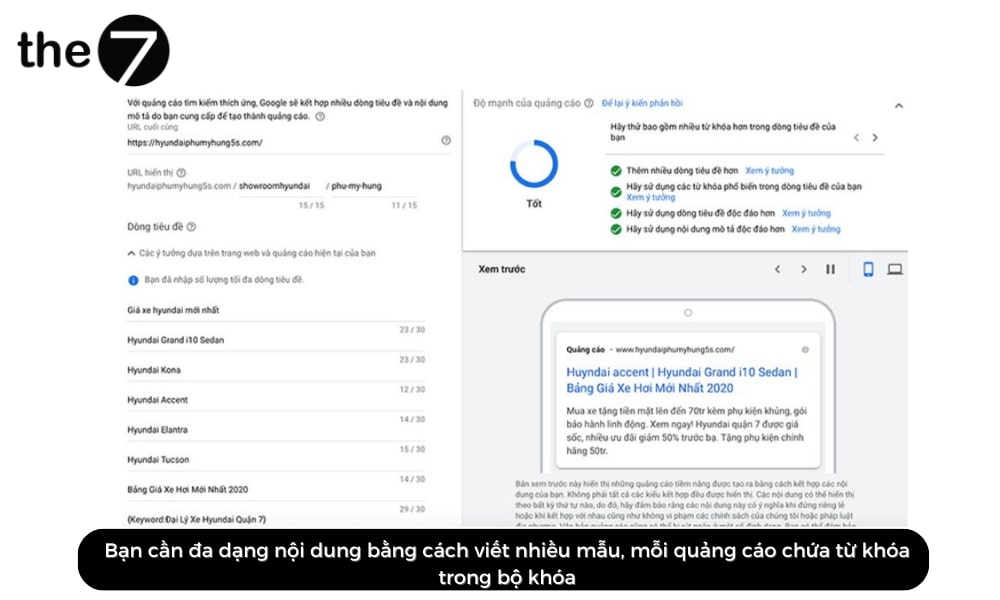
Here are some things to avoid when writing ad copy so Google doesn’t disapprove your ads:
- Writing the entire ad as a template.
- Stuffing spammy keywords into the ad template.
- Using words that violate advertising policies.
- Inserting odd repeated characters into the ad.
2.15 Add Extensions
Adding extensions is another effective Google Ads optimization method. Google encourages adding many ad extensions, such as location, sitelinks, call extensions, messages, callouts, and more.
This helps improve performance, quality, and click-through rate. What’s more, adding extensions also raises your ad rank and significantly lowers your costs.
2.16 Test Different Ad Ranks
The best way to reduce CPC is to aim for different ranking positions and measure how each affects clicks or conversions. Whether your ad shows in position 1 or 2, it may deliver the same results. So why compete on bids to climb to position 1?
The top position is not always the golden spot on Google Ads. Users sometimes click on the 2nd or 3rd position, or are drawn to a familiar brand.

Now you have the full details provided by The7 above. If you want a consultation, support optimizing your Google Ads, or a full-service marketing package, get in touch with us through our hotline: 082.246.79.79 or our website: https://the7digital.com
>>>> See more related articles:
- The most important Google Ads metrics you need to know in 2024
- Guide to linking Google Analytics with Google Ads in 2024

Nguyễn Đình
Bảo




As CEO of The7, I am committed to sharing practical, useful knowledge with every reader. Every article on The7 is based on my 7 years of hands-on experience in marketing — Facebook advertising, LinkedIn advertising, Google advertising, and marketing strategy. I hope you take away plenty of insight from these posts and apply it successfully in practice.
Related Articles
Building a Full-Funnel Content Marketing Strategy on LinkedIn
Table of Contents Toggle Why Build Content Marketing for the Full Marketing Funnel? (Why Full-Funnel Content Marketing?)Creating Your Strategy (Creating Your Strategy)Implementing Your Content Strategy (Rolling out your content strategy)Summary...

Designing Creative Content for LinkedIn
Table of Contents Toggle Why Is Good Creative Content So Important? (Why is Good Creative Important?)Key Components of Creative Design (the core elements of creative design)Summary (summary) Why Is Good...
Building an Organic Business Presence on LinkedIn With a LinkedIn Page
Table of Contents Toggle Why Have a LinkedIn Page?Establishing Your LinkedIn PageKeeping Your LinkedIn Page ActiveThe Measure of SuccessSummary About LinkedIn Page (Summary) Why Have a LinkedIn Page? For a...

6 Best LinkedIn Marketing Strategies for B2B in 2026
Table of Contents Toggle LinkedIn 2026: Where B2B Decisions Get MadeStrategy #1 – Why Is LinkedIn the Best B2B Marketing Channel Today?1. Decision-makers are concentrated here2. Users are in work...

7 Social Media Trends for 2026: The Era of Real Value, Real Conversion, and Real People
Table of Contents Toggle Social media is entering the biggest restructuring of the decadeTrend 1: Why is buying directly in-app becoming the new standard for 2026? (On-Platform Conversion)What should businesses...

What Is TikTok Marketing? Effective TikTok Marketing Strategies
TikTok has been topping the global rankings of the most downloaded and most visited apps. That makes it a gold mine for marketers who love creativity. In this article, The7...


