


Why Facebook Ads Get Flagged and How to Fix It
Flagged Facebook ads are a situation every advertiser dreads. They cause plenty of trouble and directly interrupt your ad campaigns. If the problem isn’t caught early and handled properly, a business can suffer serious losses.
In practice, many ad accounts get flagged by Facebook, yet their owners have no idea why they received the notification. Below is a detailed rundown to help you understand the causes and avoid the same situation while running Facebook Ads.
>>> You may also want to read these related articles:
- Tips for running Facebook ads effectively for beginners
What Does It Mean When Facebook Ads Get Flagged?
Flagged Facebook ads describe a situation where you can still access your account and set up ads as usual, but you can’t submit them to Facebook for review. As a result, your ad content can’t reach users.
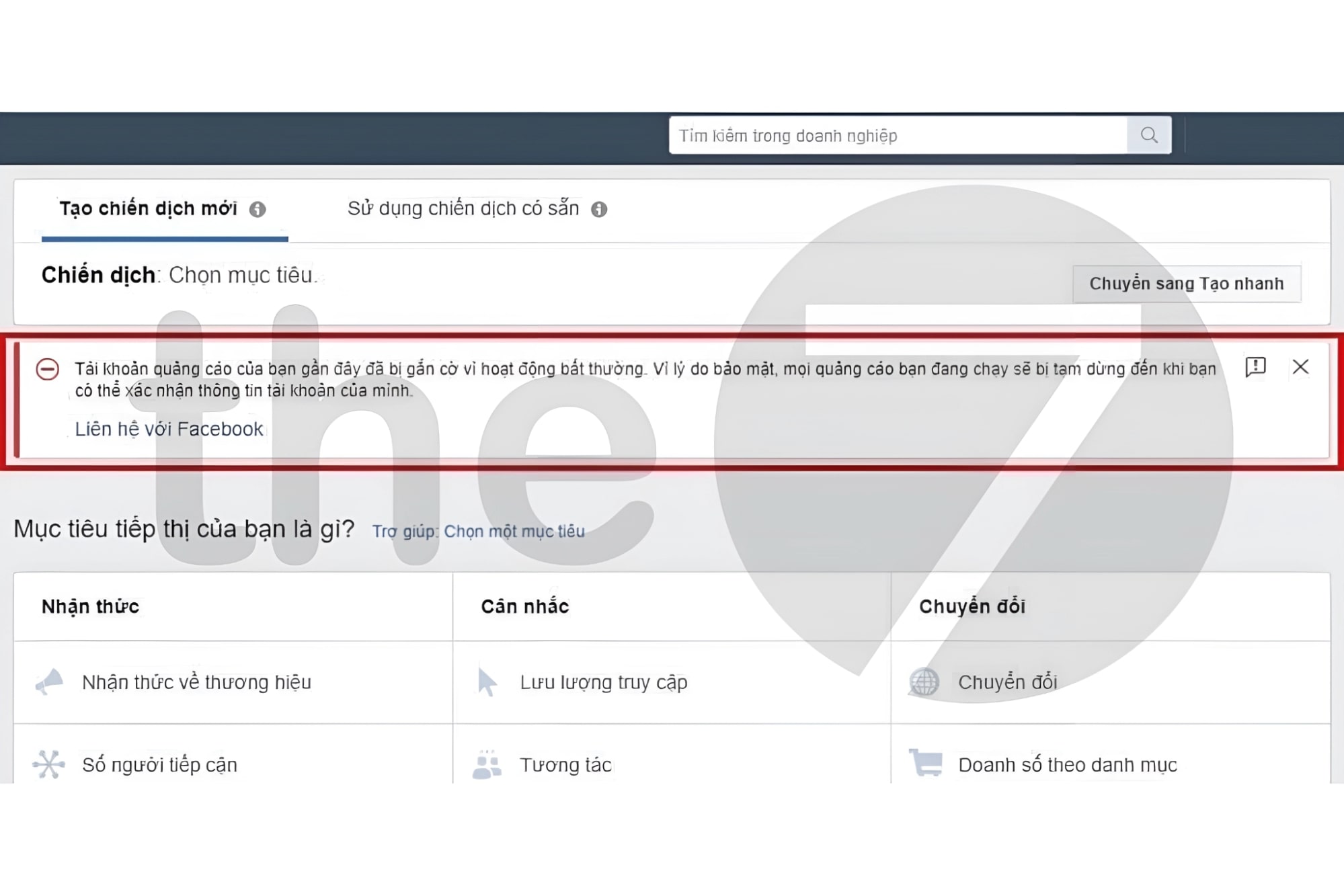
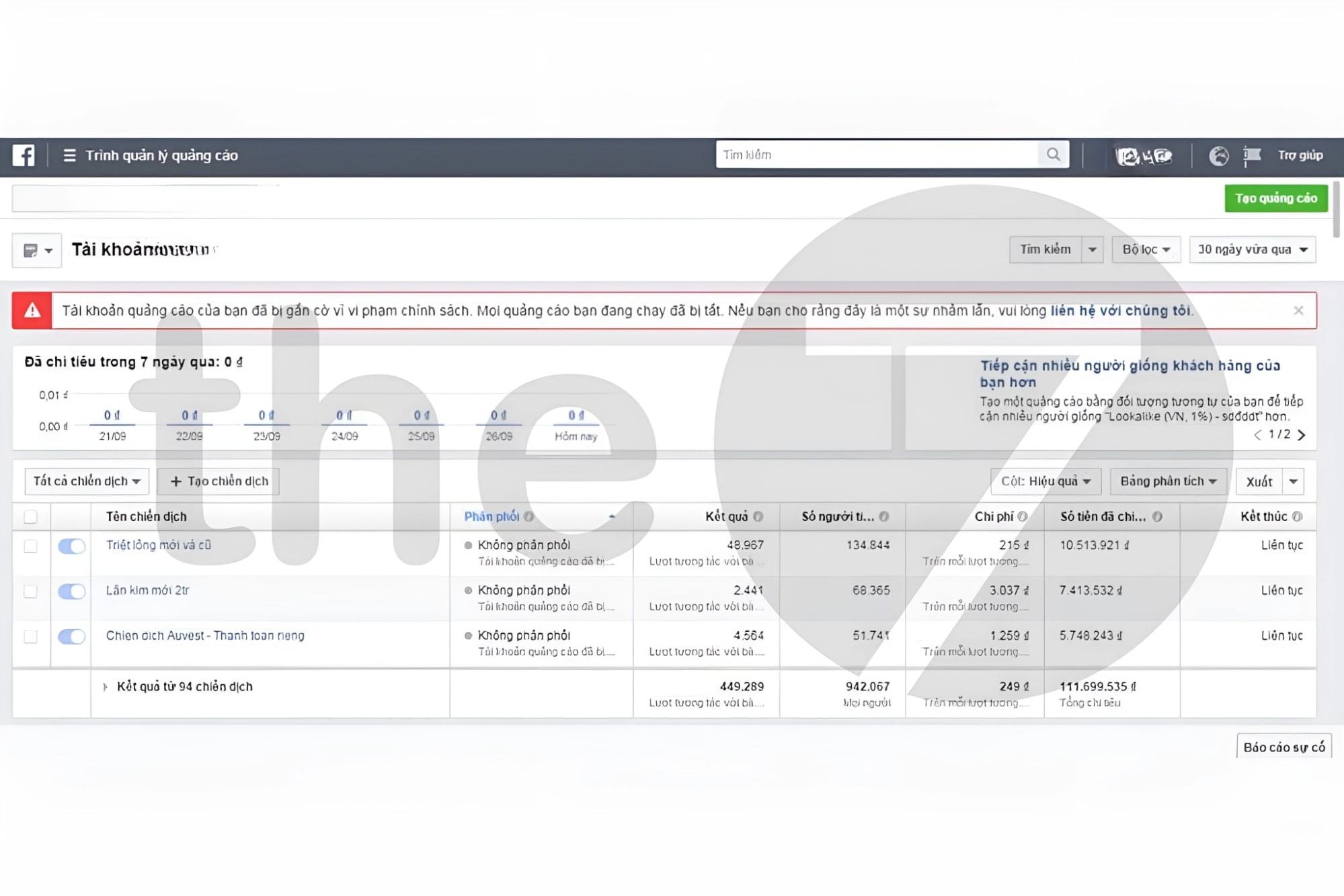
The clearest sign is when Facebook sends you one of the following notifications:
- Your Facebook ad account has been flagged for unusual activity.
- The payment feature on your Facebook ad account has been disabled for the user.
- Your ad account has been flagged for violating Facebook policies
Why Do Ad Accounts Get Flagged?
When Facebook ads get flagged, most users are caught completely off guard, because the account was usually running perfectly fine before. What does it mean when a post is flagged? is a question many people ask. Here are the main reasons Facebook ad accounts get flagged:
Problems With the Facebook Ad Account
Problems with an account used to run Facebook ads usually come from one of these three causes:
- An untrustworthy admin account: Facebook may treat the account as a violation when you try to add another payment method.
- An ad account with a bad history: “Vít accounts” (accounts that have previously skipped out on ad bills, been reported by others, or promoted low-quality products) will also get flagged by Facebook when you set up ads with them.
- A newly opened ad account running many campaigns: Running lots of campaigns at once draws Facebook’s attention and triggers a warning flag. If your ad account is new, it’s best to run just one or two campaigns.
Payment Problems
According to research on Facebook advertising trends, payment problems are one of the most common reasons for flagged ad posts. Payment-related reasons your Facebook account may be restricted include:
- You owe Facebook ad spend that hasn’t been paid.
- A payment is due, but the account doesn’t have enough funds. Facebook may read this as an intention not to pay, and the account will be flagged.
- You use PayPal to skip out on ad payments, and Facebook considers these accounts untrustworthy.
- Your Visa card is declined because of too many ad payments.

Audience-Related Problems
One of the leading reasons for flagged ad posts is using unvetted audiences. The people who see your ads can easily judge them as irrelevant and report them. So focus on using audiences that comply with Facebook’s advertising policies.
Experience has shown that running ads to audiences of unknown origin has exposed customers’ personal information in many cases, a serious violation of Facebook’s advertising policies. In worse cases, the Facebook ad account is permanently banned.
Budget Problems
Frequently changing the budget on your Facebook ads can also easily get your account flagged. It’s best not to raise or lower your ad budget too much, and not to turn campaigns on and off too often, because these actions catch Facebook’s attention and are easily seen as unusual.
Content That Violates Advertising Policies
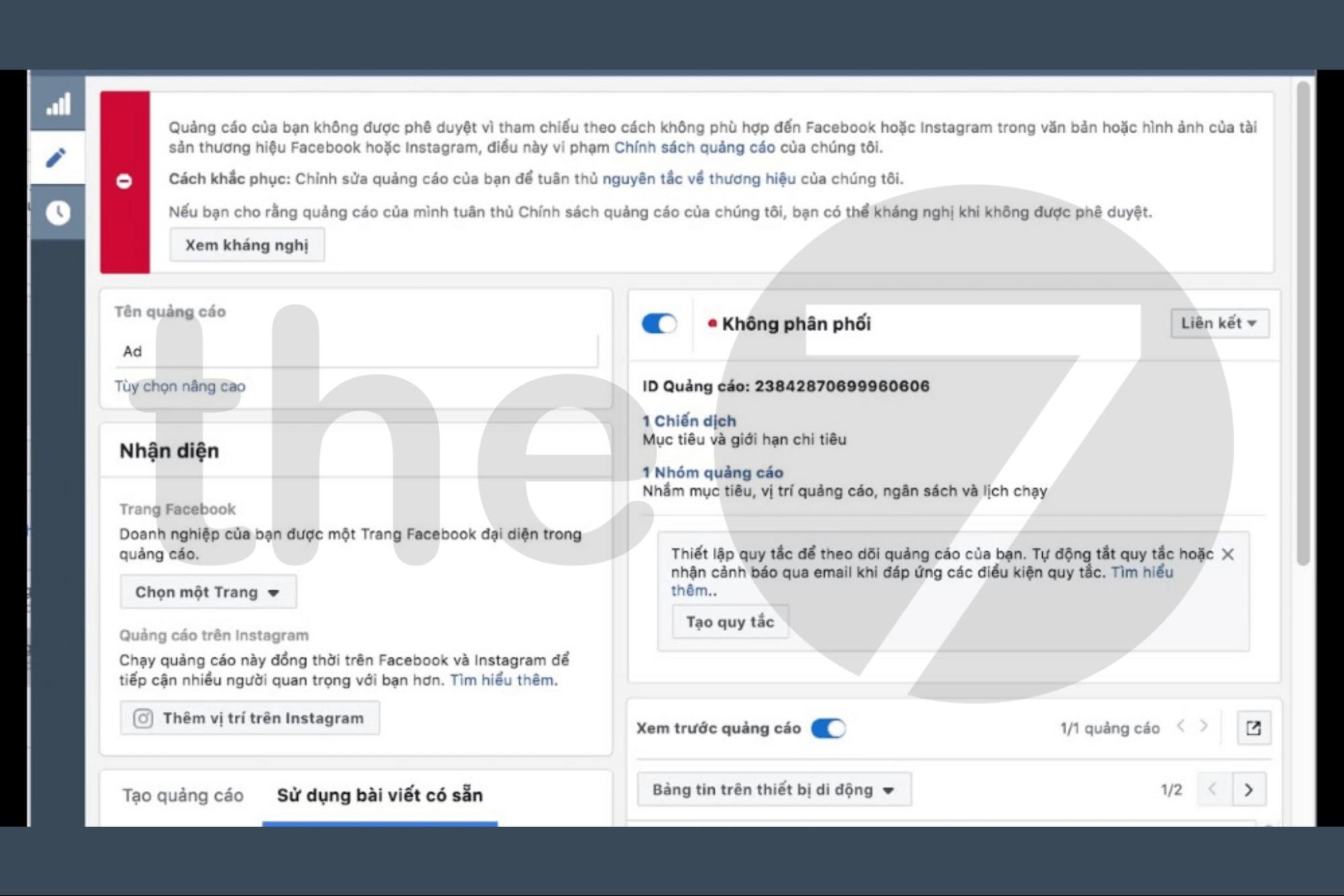
Violating ad content policies is a fairly common reason for a flagged Facebook ad account. For example, the ad content contains misleading claims, offensive images, or content that doesn’t suit the target audience. In that case, the post gets flagged and can’t reach the public.
In addition, posting ad copy for one product while the ad image points to a different product can also get your ad account flagged, and Facebook may even shut the account down completely.
Using a Vietnamese IP Address
One surprising reason Facebook ads get flagged is that the account shows a Vietnamese IP address. Facebook treats this as a default because, in the past, many Vietnamese users failed to follow Facebook’s policies, leaving Facebook with little goodwill toward IP addresses from Vietnam today.
That said, this doesn’t mean every Facebook ad account with a Vietnamese IP will be flagged. If you comply with all of Facebook’s policies, stay calm and work through the problem, and your Facebook Ads account will be reopened soon.
Checkpoint Problems
Facebook decides your account isn’t secure enough and temporarily locks it or flags it. When that happens, all activity on your personal account is blocked until you complete the verification process.
Verification requires you to provide personal information and documents so Facebook can confirm your identity. Make sure the information you give is accurate and complete so Facebook can restore activity on your flagged ad account.
Logging In to Multiple Accounts From the Same IP
Logging in with several accounts from the same IP address while running ads can also easily draw Facebook’s attention. This behavior is often treated as impersonation or spam, or as something that harms the quality of your Facebook ad account.
So use only one Facebook account per IP address, and follow all of Facebook’s policies to avoid flagged posts on Facebook.
How to Reopen a Flagged Facebook Ad Account
Whether your Facebook Ads account is long established or brand new, it can be flagged all the same. When Facebook ads get flagged, you should deal with it quickly. First, pinpoint exactly what caused the problem. Then you can reopen your Facebook ad account with the following approaches:
Request Verification/Review From Facebook
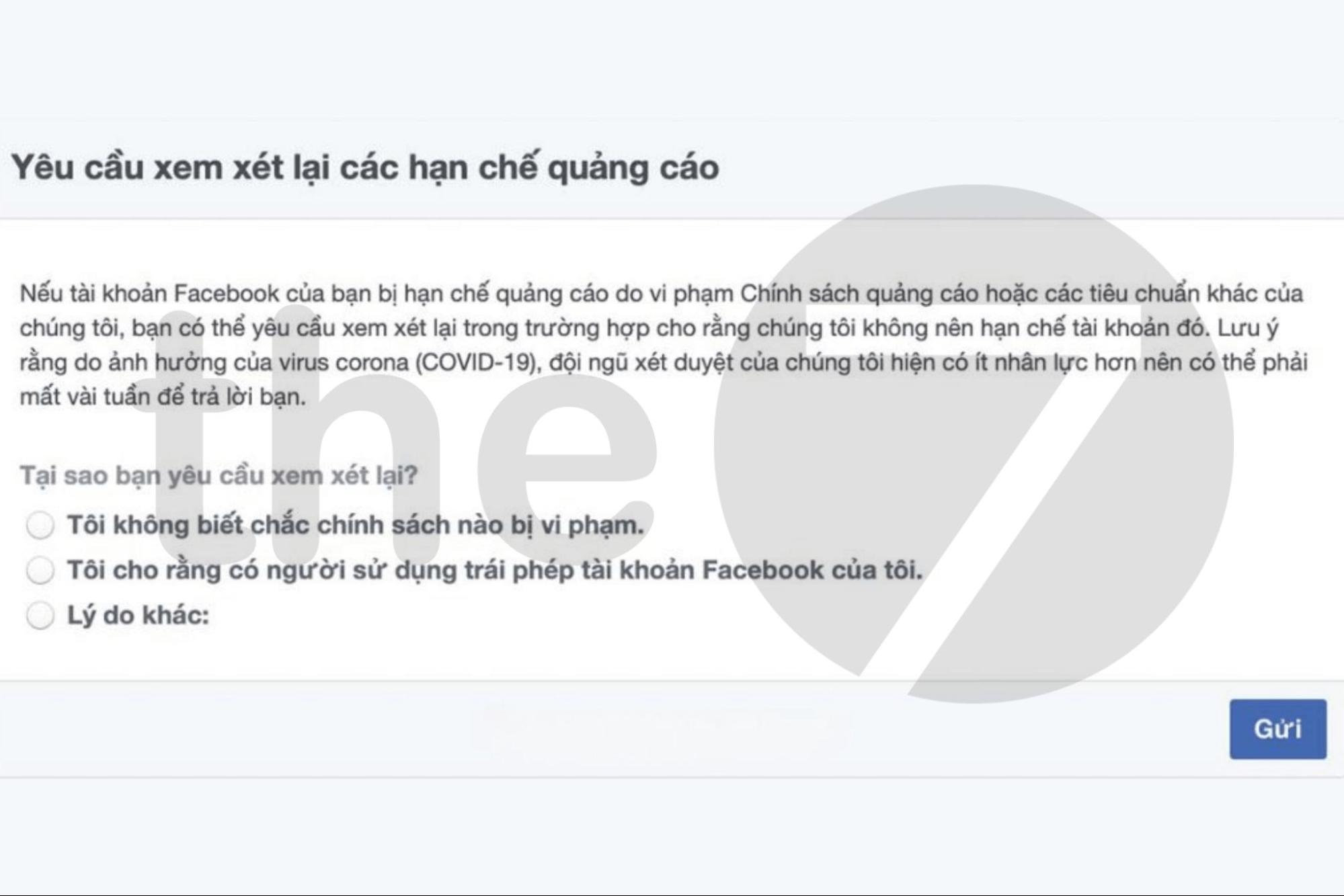
The most basic way to reopen a flagged Facebook ad account is to go to Facebook Ads Manager and follow these steps:
- Step 1: Select “View Details” => Go to the “Ad Account Policy Page” to check your account status.
- Step 2: Select “Request Review” => Complete the identity verification steps and wait about 2 to 3 days for Facebook to review.
Contact the Facebook Business Help Center
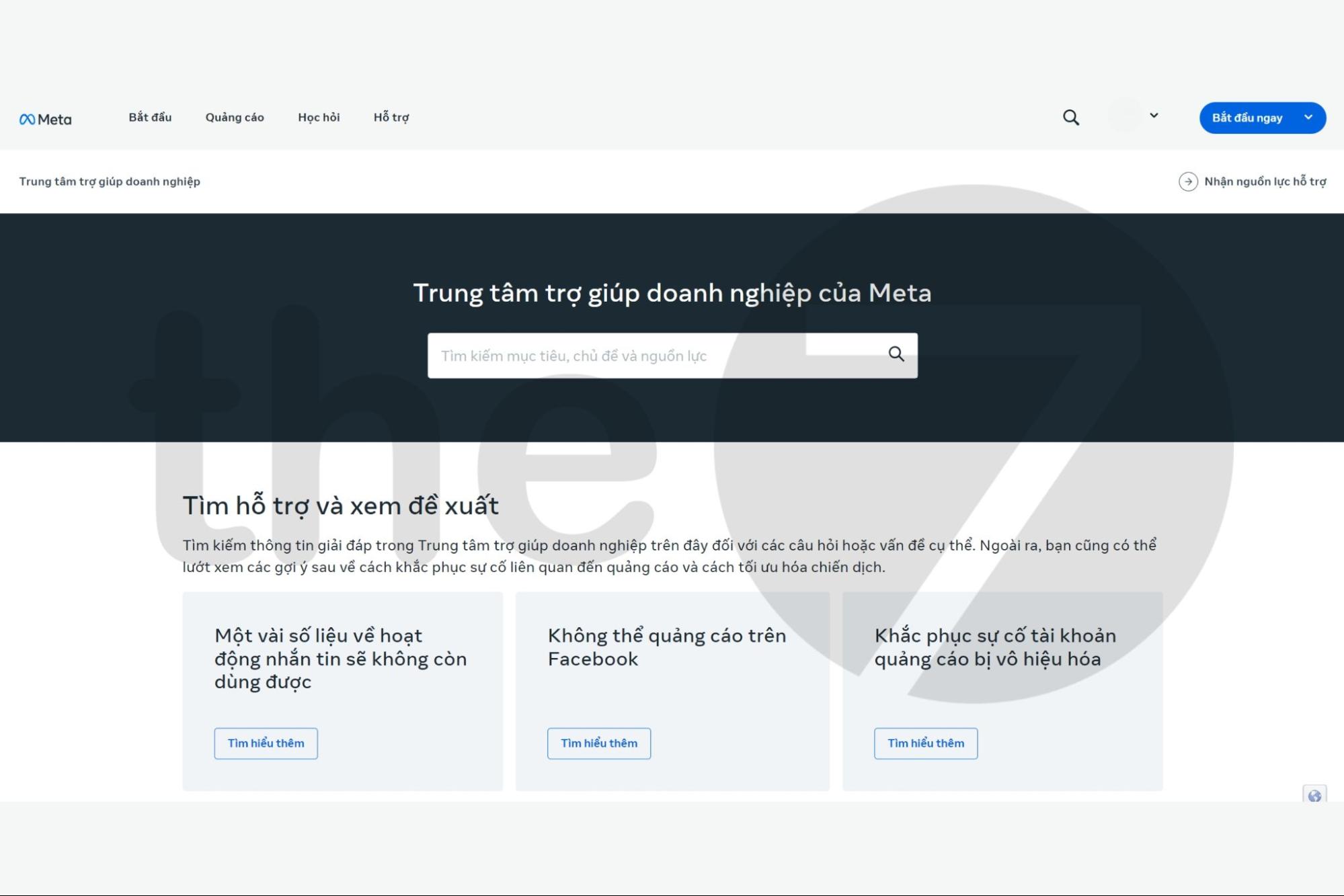
If you’ve tried re-verification through Facebook but your account is still flagged, or you haven’t received a response from Facebook, contact the Facebook Business Help Center right away:
- Step 1: Scroll to the bottom of the page and choose “Find answers or contact support.”
- Step 2: You’ll be taken to a chat window where you can start a conversation with a Facebook representative.
- Step 3: Go to the Facebook ad account status page, or create a new Facebook ad account.
- Step 4: Choose “Restricted Business Manager” => “My ad account was disabled” => “Start Chat” on the next page.
- Step 5: Then communicate in a serious, professional manner so Facebook can understand and handle your flagged Facebook ads.
Consult a Facebook Representative
Another effective way to reopen a flagged Facebook account is to consult a Facebook account representative. There, Facebook staff will give you advice and consulting and suggest useful information, completely free of charge.
However, to use this service you need to meet the strict criteria Facebook sets. These consultations usually require an appointment in advance and only take place within a limited time window. You also can’t sign up for an account representative yourself, because Facebook assigns them.
How to Reduce the Risk of a Flagged Facebook Ad Account
Even advertisers who have run Facebook Ads for years can be caught off guard by a flagged ad account. To reduce the risk, keep the following in mind:
- Learn and understand Facebook’s policies, and make sure your ad images, videos, and content comply with the platform’s rules.
- It’s best to use your own ad account rather than someone else’s, to reduce the risk of being suddenly flagged.
- Use a foreign IP address and log in to the Facebook account you run ads from on reputable devices.
- Use a single device to log in to your Facebook account.
- Make sure the account has enough balance when a payment to Facebook is due.
- Check your Facebook ad account regularly and closely monitor comments on your ads, so you can spot problems early and fix them before Facebook finds them.
- Fill in your personal information completely and link your personal Facebook account to reputable websites and apps to make the account more secure.
Frequently Asked Questions About Flagged Ad Accounts
The details below will help you better understand the flagged Facebook ads error.
How Long Does It Take to Recover an Account?
Recovering an ad account takes about 1 – 2 days. Sometimes it can stretch to 5 to 7 days or even longer. To see exactly where the resolution of your Facebook Ads account issue stands, go to the “Account Quality” section.
>>> See more: Why does Facebook take so long to review ads, and how to get approved quickly
What Should You Do If Facebook Rejects Your Appeal?
If Facebook refuses to restore your Facebook ad account even after you appeal, here are your options for continuing to run your ad campaigns:
– Register a new business account to run Facebook Ads.
– Consider using other channels, such as Instagram ads, Snapchat ads, Amazon ads, Twitter ads, and more.
Conclusion
We hope this article from The7 has given you plenty of useful information. Clearly, flagged Facebook ads can happen to any advertiser, whether the account is brand new or has been active for years. The best approach is to always follow all of Facebook’s rules to avoid being flagged.
>>> You can also explore The7’s services:
- Facebook ad services in Ho Chi Minh City
- Online Advertising Services

Nguyễn Đình
Bảo




As CEO of The7, I am committed to sharing practical, useful knowledge with every reader. Every article on The7 is based on my 7 years of hands-on experience in marketing — Facebook advertising, LinkedIn advertising, Google advertising, and marketing strategy. I hope you take away plenty of insight from these posts and apply it successfully in practice.
Related Articles

What Is Facebook Ads? Popular Types of Facebook Advertising
What is Facebook Ads? This is surely a question many people wonder about, especially those just starting to learn about Facebook advertising. Let’s explore Facebook Ads from A to Z...

26 Predictions for Social Media Marketing Trends in 2025
It’s that familiar time of year again, when experts and analysts start revealing their predictions for the social media marketing trends worth watching, along with the shifts that promise to...

How to Run Facebook Ads: 2024 Step-by-Step Guide
How can you run Facebook ads effectively, reach the right target customers, and generate valuable conversions? This is probably a question many Digital Marketers and business owners ask when promoting...

Requirements for Running Facebook Ads Successfully and Effectively
When you start your Facebook advertising journey, mastering the basics is the key to success. So what are the requirements for running Facebook ads exactly? Let’s begin exploring and optimizing...

The Most Detailed Guide to Creating a Facebook Ad Account in 2024
To run a campaign on Facebook, the first thing you can’t do without is an ad account. Below, The7 will walk you through how to create a Facebook ad account....

Facebook Video Ad Size: The Most Accurate Guide for 2024
Running video ads is becoming the go-to choice for many businesses. In this context, the Facebook video ad size plays a key role in determining how well your post performs....


